Create-react-app: Typescript enums don't work with create-react-app loader
Describe the bug
Whatever version of webpack/babel/??? is included is not handling node typescript modules that use typescript enum. If you do you end up with
Module parse failed: Unexpected token (1:7)
You may need an appropriate loader to handle this file type, currently no loaders are configured to process this file.
It's unclear to me when using create-react-app how to update webpack or webpack.config as that's all hidden (as far as I know). Sorry in advance if this isn't exactly a create-react-app bug but I thought it would be best to start here.
Environment
Environment Info:

  current version of create-react-app: 3.4.1
  running from /xxxxx/.npm/_npx/54923/lib/node_modules/create-react-app

  System:
    OS: macOS 10.15.4
    CPU: (16) x64 Intel(R) Core(TM) i9-9980HK CPU @ 2.40GHz
  Binaries:
    Node: 12.16.3 - /usr/local/bin/node
    Yarn: Not Found
    npm: 6.14.4 - /usr/local/bin/npm
  Browsers:
    Chrome: 81.0.4044.138
    Firefox: 76.0
    Safari: 13.1
  npmPackages:
    react: ^16.13.1 => 16.13.1
    react-dom: ^16.13.1 => 16.13.1
    react-scripts: 3.4.1 => 3.4.1
  npmGlobalPackages:
    create-react-app: Not Found
Steps to reproduce
- Start by building the "module". I've created an example. So, do this:
cd <somewhere safe>git clone https://github.com/Randgalt/react-enum-module-bug.gitcd react-enum-module-bugnpm run package
- Create a new react app and then install the module
npx create-react-app enum-bug --template typescriptcd enum-bugnpm install <base path>/react-enum-module-bug/enum-bug-module-1.0.0.tgz -s
- Add a reference to the enum somewhere
- Open App.tsx from the newly created app
- Add
import {EnumBug} from 'enum-bug-module'; - Somewhere in the body add
{EnumBug.one}
npm start
Bam. You should get the error.
Expected behavior
It shouldn't fail on a typescript enum.
Actual behavior
Module parse failed: Unexpected token (1:7)
You may need an appropriate loader to handle this file type, currently no loaders are configured to process this file.
Reproducible demo
See: Steps to reproduce
 Randgalt
All 22 comments
This issue has been automatically marked as stale because it has not had any recent activity. It will be closed in 5 days if no further activity occurs.
![stale[bot] picture](https://avatars3.githubusercontent.com/in/1724?v=4&s=40) stale[bot]
on 10 Jun 2020
stale[bot]
on 10 Jun 2020
ping
Randgalt
on 10 Jun 2020
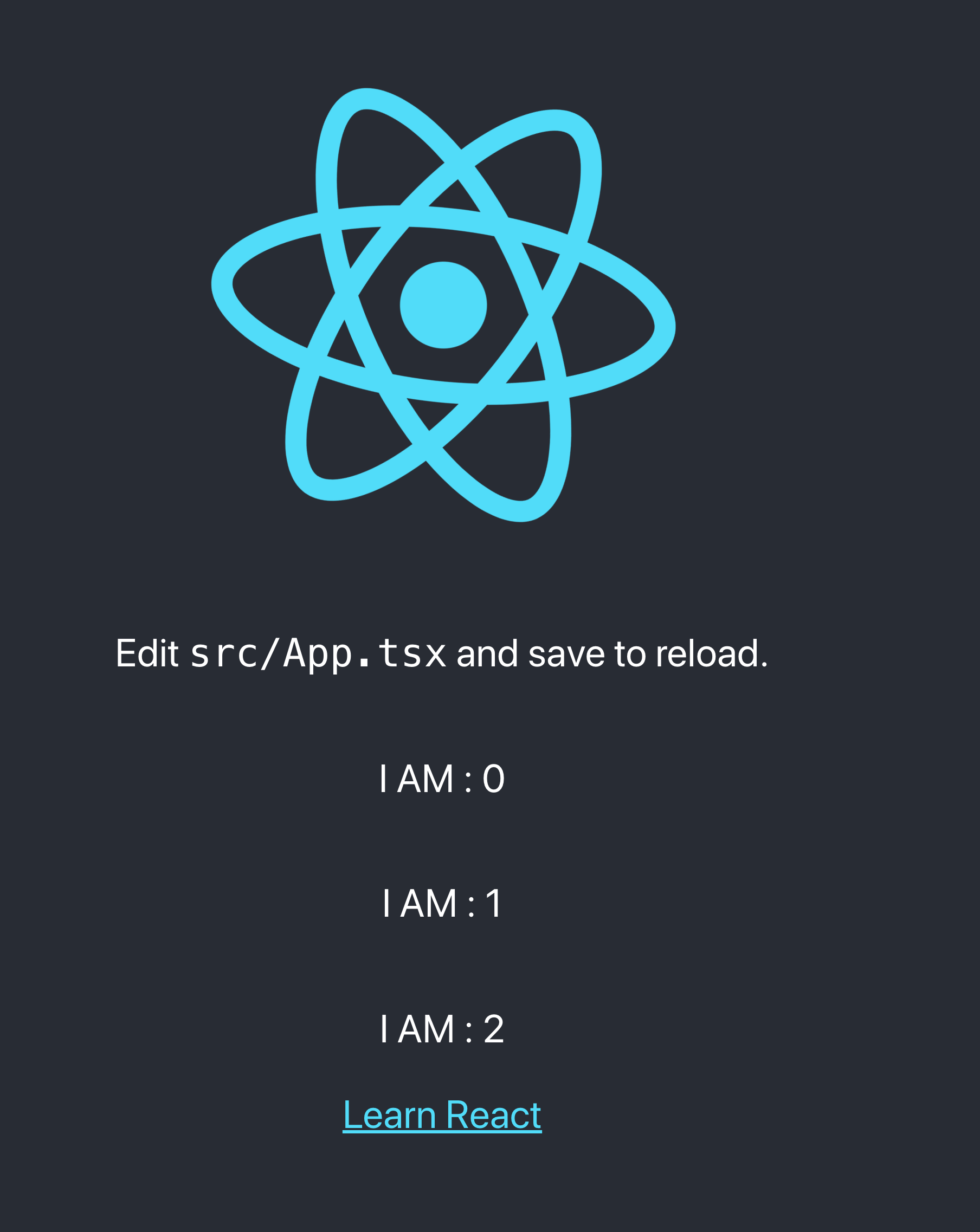
Does not seem to fail? just installed using your steps and works fine.
Code:

Terminal:

App:
 PaulPCIO
on 11 Jun 2020
PaulPCIO
on 11 Jun 2020
What is the resolution here? I'm experiencing the same issue.
 kruegernet
on 10 Jul 2020
kruegernet
on 10 Jul 2020
I've determined that this bug only crops up if the enum is exported from a symlink or symlinked folder. Is that your experience @Randgalt ?
kruegernet
on 10 Jul 2020
This issue has been automatically marked as stale because it has not had any recent activity. It will be closed in 5 days if no further activity occurs.
stale[bot]
on 9 Aug 2020
I apologize - I'm no longer working on the project that used this.
Randgalt
on 9 Aug 2020
Facing the same issue too
 divyanshumehta
on 10 Aug 2020
divyanshumehta
on 10 Aug 2020
Facing the same issue too
@divyanshumehta
Are you trying to import an enum from a symlink or symlinked folder? Or are you importing it from within the project? I don't know why, but exported enums seem to cause this error if exported from a symlink. Works fine if it's in the project filesystem. At least in my environment :/
kruegernet
on 10 Aug 2020
I'm sure that is expected though if using a symlink file, you can always try to set the paths to resolve in the tsconfig.json, not sure if that will work though, logically the files should live within the project filesystem in order for the transpiling to work, but a symlink does not.
PaulPCIO
on 10 Aug 2020
@kruegernet I am importing enums from a .d.ts file from a npm package. If i copy the same enum from the node_module to a file inside my application it works fine
divyanshumehta
on 10 Aug 2020
@PaulPCIO
logically the files should live within the project filesystem in order for the transpiling to work, but a symlink does not.
Can you justify and/or explain this? All my interfaces that I share between front and backend live on disk in the server project, and are symlinked into the client project /src/interfaces. Every single regular interface works, just enums don't (unless they are real files in the client project). The way file systems work, tsc should not care (nor even know) if it's reading a file direct or through a symlink. Something is broken. I think it's with tsc at this point.
kruegernet
on 14 Aug 2020
@kruegernet I am importing enums from a .d.ts file from a npm package. If i copy the same enum from the node_module to a file inside my application it works fine
Yeah I think this is a tsc bug at this point. I can import TS interfaces all day long via symlink, zero issues, production builds are perfect. Just enums exported through symlink, makes no sense..
Maybe time to go bother Microsoft...
kruegernet
on 14 Aug 2020
Just wanted to chime in to say I'm experiencing the same thing. I have an NPM module that exports some common types for other modules in the same repo. When trying to import enum types from the common types module, CRA fails with the error above. I'm either using npm link or doing a local npm install but in both cases the module is symlinked.
 eysi09
on 19 Aug 2020
eysi09
on 19 Aug 2020
Did anyone find a solution to this problem without actually ejecting out react-scripts?
 tech4GT
on 6 Sep 2020
tech4GT
on 6 Sep 2020
Am also experiencing this issue - symlinks are definitely the culprit. If anyone finds a nice solution, please let us know.
 EduardsE
on 6 Sep 2020
EduardsE
on 6 Sep 2020
At this point I'm inclined to believe the issue is with webpack, probably need to pursue issue reports upstream with them
kruegernet
on 7 Sep 2020
Same happening here, very frustrating, fortunately I have only aliased specific folders so I've moved my enum to a non-aliased folder and all is fine now.
When everyone here is talking about symlinks, is that what is happening under the hood when I create a path alias under tsconfig? Just want to make sure I am on the same page
"paths": {
      "@components/*": ["src/client/components/*"],
P.S. I have not ejected but using react-app-rewired
 ChromeQ
on 10 Sep 2020
ChromeQ
on 10 Sep 2020
I was also able to solve our issue using react-app-rewired
You basically wanna add the path containing your enums to your includes array in the babel loader options. Depending on your project you might also have to add a typescript preset. But once babel knows it needs to load files from the path you mentioned ( node_modules in my case) and it knows how to load it (typescript preset), you should be good to go!
tech4GT
on 10 Sep 2020
I solved this by creating a monorepo using yarn workspaces. It amounts to having your own private local npm packages that you import like import { MyEnum, MyInterface } from '@mypackage/commong';
This explains it well enough, although you should keep in mind if you're building directly with TypeScript in parts of your stack your imports will be expected to be already compiled to JavaScript like normal npm packages.
I don't think the TypeScript compiler is very appreciative of artificially expanding (through symlinks) the scope of its rootDir.
kruegernet
on 11 Sep 2020
This issue has been automatically marked as stale because it has not had any recent activity. It will be closed in 5 days if no further activity occurs.
stale[bot]
on 12 Oct 2020
Unstaling the issue
EduardsE
on 12 Oct 2020
Related issues
 alleroux
·
3Comments
alleroux
·
3Comments
 rdamian3
·
3Comments
rdamian3
·
3Comments
 stopachka
·
3Comments
stopachka
·
3Comments
 DaveLindberg
·
3Comments
DaveLindberg
·
3Comments
 barcher
·
3Comments
barcher
·
3Comments
Most helpful comment
I was also able to solve our issue using
react-app-rewiredYou basically wanna add the path containing your enums to your includes array in the babel loader options. Depending on your project you might also have to add a typescript preset. But once babel knows it needs to load files from the path you mentioned ( node_modules in my case) and it knows how to load it (typescript preset), you should be good to go!