Create-react-app: Uncaught SyntaxError: Unexpected token <
Is this a bug report?
Yes, related to #1812, but I could not get the solution there to work for me.
Did you try recovering your dependencies?
Yes
Which terms did you search for in User Guide?
Unexpected token, found one related issue but could not figure out what I'm doing wrong from there.
Environment
Environment:
OS: Windows 10
Node: 10.5.0
Yarn: Not Found
npm: 6.1.0
Watchman: Not Found
Xcode: N/A
Android Studio: Not Found
Packages: (wanted => installed)
react: ^16.4.1 => 16.4.1
react-dom: ^16.4.1 => 16.4.1
react-scripts: 1.1.4 => 1.1.4
Steps to Reproduce
(Write your steps here:)
- Make sure app works in development mode.
- Run npm run build
- Try to access url hosting server
Expected Behavior
Expected it to open the React App as it does in development mode.
Actual Behavior
Something is not quite working and app does not render, throwing the error on the title on the first character of the file. You can see it for yourself at cosmictechnology.co.uk, as that is where I'm hosting the app. Again, it works fine on dev mode using node and express.js, but once I try to run it on an actual server something goes wrong. The url to the main.js and main.css files seems correct, so I am not sure where I am going wrong. I'm also attaching some screenshots, just in case that helps!
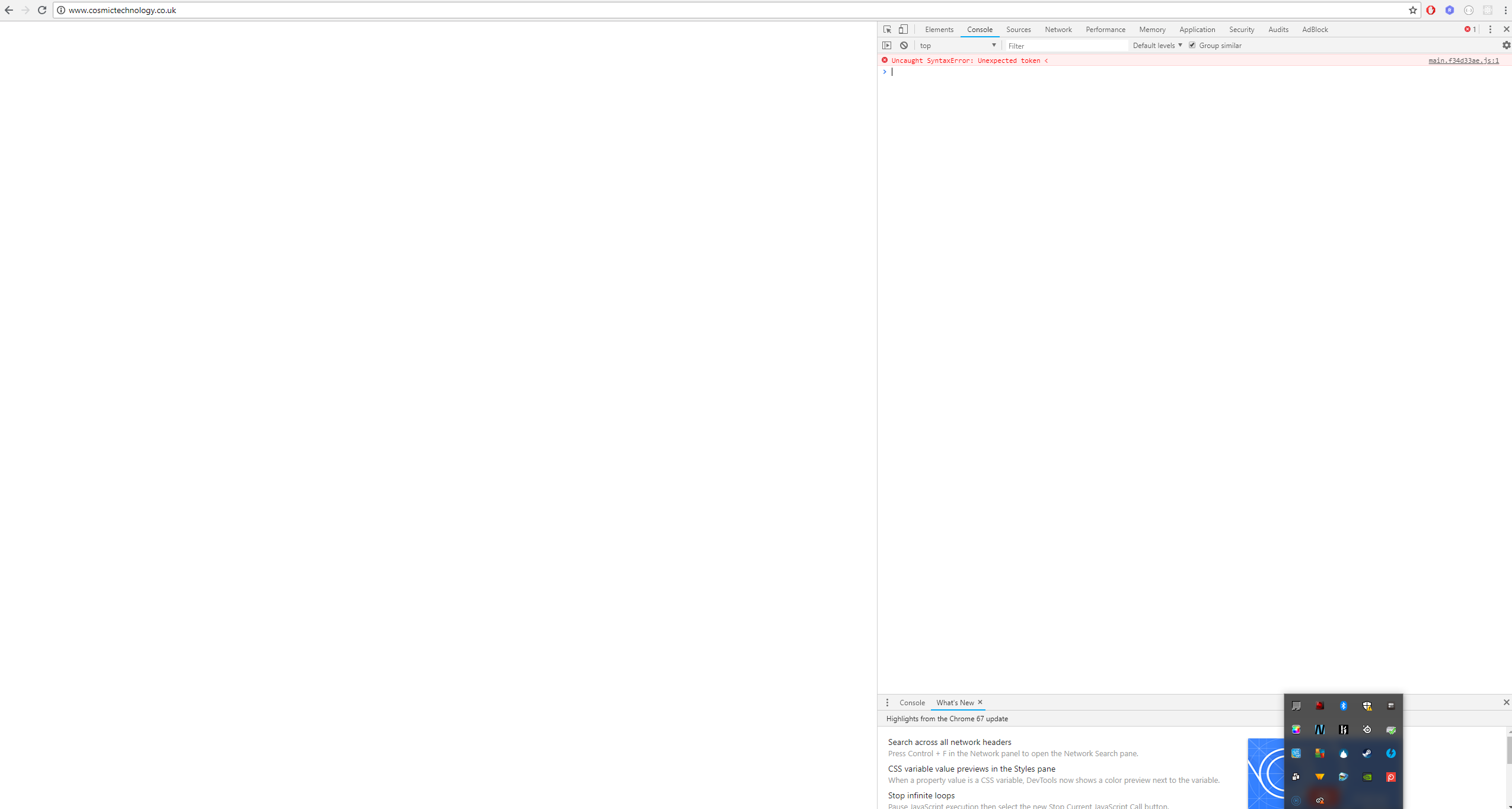


Also, just like #1812, I'm running the client from a weird location. So my node.js index file is on the root folder of the project, the express configuration you see on the screenshot above is inside a ./src folder, and finally the client build is inside ./client/build folder. so to get from the express file to the client the path of ../client/build should be correct. I've also set up the homepage parameter on the client package.json to be '/client/build', and that seems to be fetching the files from the correct folder, as the first two screenshots show. But something is still not quite right and I can't figure out what it is!
Any help would be much appreciated!
Reproducible Demo
I'm happy to share my express.js code here or anything that might be pertinent, just not sure what might be the most useful
 Rodrigo77777
All 11 comments
It seems the express app is serving the request for your javascript file (main.xxx.js) as index.html
for example click on http://cosmictechnology.co.uk/client/build/static/js/main.f34d33ae.js
It comes back as index.html instead of actual javascript.
 bugzpodder
on 2 Jul 2018
bugzpodder
on 2 Jul 2018
@bugzpodder indeed it does, but I have no idea as to why it is doing that. I know the files are found in their folder as I changed the directory path on my express and then it explicitly said the files were not found, so I am not sure why it is returning everything as index.html. Any ideas?
Rodrigo77777
on 2 Jul 2018
So I've spent the morning creating a new project and passing over all the code (with one or two tweaks that I really don't think would affect the issue), and somehow the new project works absolutely fine. I'm going to chalk this up to me somehow breaking the default client configuration as I am not sure what else could have caused it. I'll close this and hopefully if anyone encounters the same issue they'll be able to fix it the way I did. Thanks for the help!
Rodrigo77777
on 2 Jul 2018
@Rodrigo77777 Did you figure it out? I have the same issue :(
 woojunchoi
on 17 Aug 2018
woojunchoi
on 17 Aug 2018
I also have the same issue
 charbelsako
on 1 Sep 2018
charbelsako
on 1 Sep 2018
same issue!
 codeTony22
on 3 Sep 2018
codeTony22
on 3 Sep 2018
Hi, a co-author did mention that unregistering the service worker could help. Helpful link
charbelsako
on 4 Sep 2018
make sure that node serves index.html file for every possible route
for example :
app.get('/*', function(request, response) {
  response.sendFile(path.resolve(__dirname, './yourfile/build', 'index.html'));
});
@codeTony22 are you using node?
charbelsako
on 4 Sep 2018
@charbelsako @woojunchoi Yes, I am using node. I got it to work. My issue was that ng build created an extra folder in the dist folder.
codeTony22
on 6 Sep 2018
That wasnt what happened to me. ng build? you're using angular?
charbelsako
on 6 Sep 2018
Related issues
 rdamian3
·
3Comments
rdamian3
·
3Comments
 wereHamster
·
3Comments
wereHamster
·
3Comments
 alleroux
·
3Comments
alleroux
·
3Comments
 onelson
·
3Comments
onelson
·
3Comments
 Evan-GK
·
3Comments
Evan-GK
·
3Comments