Create-react-app: fetch with proxy 401.2 unauthorized result
Description
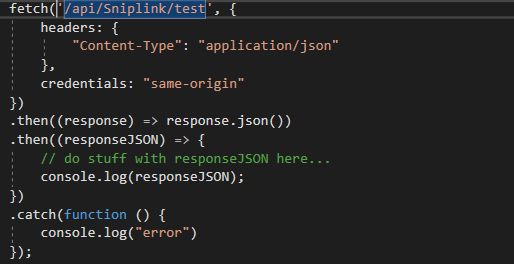
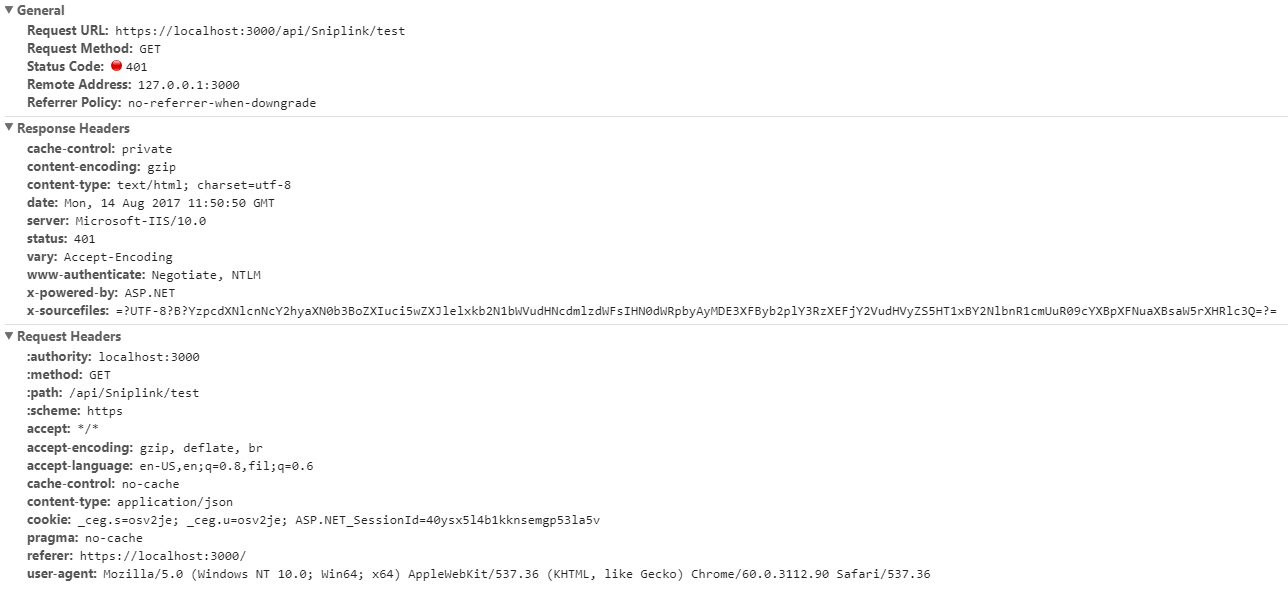
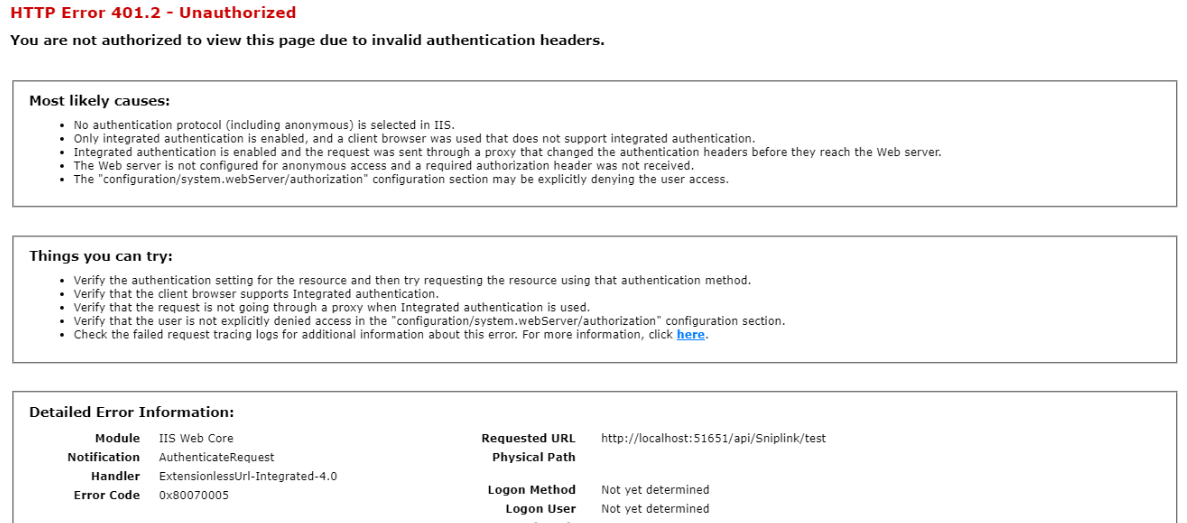
fetch request returns 401.2 unauthorized when API is set to windows authentication.
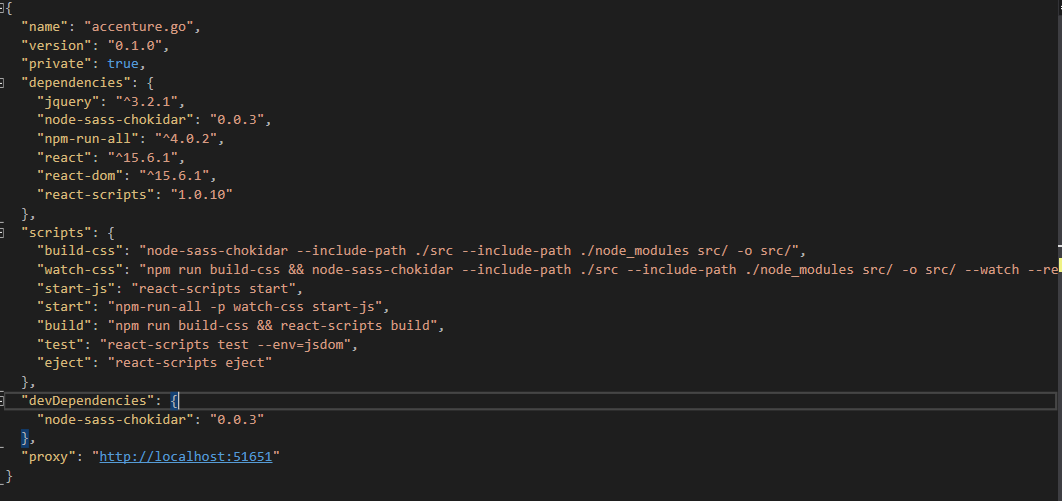
I have added "proxy": "http://localhost:51651" to my package.json
Already restarted the API and REACT.
fetch call
package.json
Result
 binoperez
All 6 comments
Does credentials: 'include' help the situation?
 Timer
on 14 Aug 2017
Timer
on 14 Aug 2017
No sir. I already tried that one but got the same 401 error.
binoperez
on 14 Aug 2017
How important is authorization to you during development?
You may be better off enabling anonymous authentication in Visual Studio (or IIS).
Timer
on 14 Aug 2017
The API use it to get the current user.
binoperez
on 14 Aug 2017
Here's the solution I use at work:
Enable anonymous authentication.
Switch out any [Authorize] headers with a development override that disables them, basically replace them all with this [AuthorizeTool]:
```c#
using System.Linq;
using System.Web.Http;
using System.Web.Http.Controllers;
namespace Foo.Bar
{
public class AuthorizeTool : AuthorizeAttribute
{
[Authorize]
public override void OnAuthorization(HttpActionContext actionContext)
{
if (AuthorizeRequest(actionContext))
{
return;
}
HandleUnauthorizedRequest(actionContext);
}
    private bool AuthorizeRequest(HttpActionContext actionContext)
    {
        var principal = actionContext.ControllerContext.RequestContext.Principal;
        if (principal?.Identity == null) return false;
        var identity = principal.Identity;
        if (!identity.IsAuthenticated)
        {
            // Anonymous authentication: let it in if we're currently debugging
            return System.Diagnostics.Debugger.IsAttached;
        }
        if (string.IsNullOrWhiteSpace(Roles)) return true;
        var roles = Roles.Split(' ', ',', ';').Select(v => v.Trim()).Where(v => !string.IsNullOrWhiteSpace(v));
        return roles.Any(principal.IsInRole);
    }
}
}
You can turn your current user fetch into something that falls back to the windows user during development:
```c#
User.Identity?.Name ?? WindowsIdentity.GetCurrent().Name
I'll assume this worked because of the radio silence. 😄
Timer
on 16 Aug 2017
Related issues
 AlexeyRyashencev
·
3Comments
AlexeyRyashencev
·
3Comments
 barcher
·
3Comments
barcher
·
3Comments
 jnachtigall
·
3Comments
jnachtigall
·
3Comments
 fson
·
3Comments
fson
·
3Comments
fson
·
3Comments
fson
·
3Comments