Cphalcon: [BUG]: Cannot load module 'phalcon' because required module 'psr' is not loaded in Unknown on line 0
Dears,
I have the following problem with installing phalcon on PHP 7.3 on Debian 10 + Apache.
Installed using this guide: https://docs.phalcon.io/4.0/en/installation#deb-based-distributions-debian-ubuntu-etc
With: sudo apt-get install php7.3-phalcon
I'm actually trying to install composer but it among other errors the first one it shows me the is following:
_"Cannot load module 'phalcon' because required module 'psr' is not loaded in Unknown on line 0"_
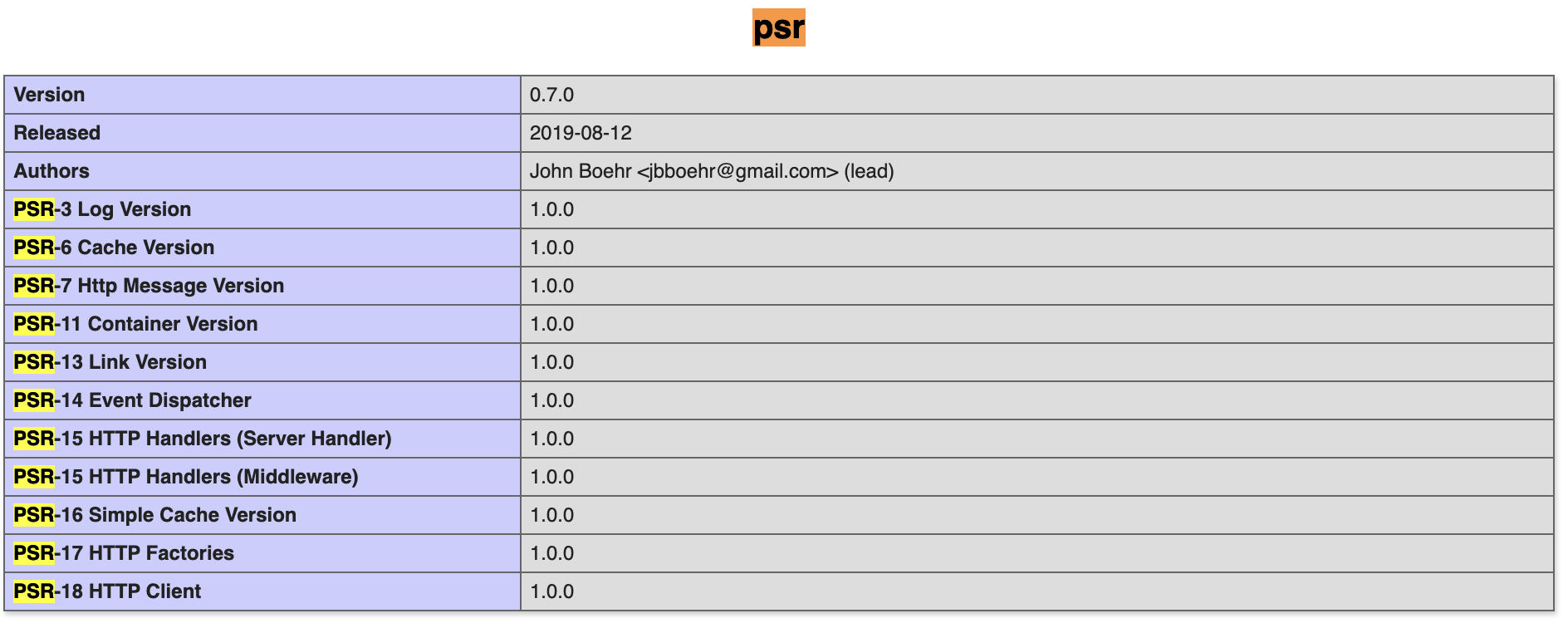
The issue is that I have actually followed the upgrade guide and I do have psr installed. Actually phpinfo shows that both psr and phalcon are installed:

And I did put the psr extension prior to phalcon in php.ini file:

Can you please help me out here. Because in order to fix the other issues I that the first thing you ask is php --ri phalcon output, but it gives the very same error:
_"PHP Warning: Cannot load module 'phalcon' because required module 'psr' is not loaded in Unknown on line 0
Extension 'phalcon' not present"_
The output of php -v:
_"PHP Warning: Cannot load module 'phalcon' because required module 'psr' is not loaded in Unknown on line 0
PHP 7.3.11-1~deb10u1 (cli) (built: Oct 26 2019 14:14:18) ( NTS )
Copyright (c) 1997-2018 The PHP Group
Zend Engine v3.3.11, Copyright (c) 1998-2018 Zend Technologies
with Zend OPcache v7.3.11-1~deb10u1, Copyright (c) 1999-2018, by Zend Technologies"_
So it looks like the system says that psr and phalcon are not installed and in the same time showing that they present. Tried to google more on this topic, but unfortunately, there are only 2 threads both leading nowhere as I have actually installed the psr.
Thank you very much in advance!
Appreciate your help.
 Essedum
All 4 comments
~Did you tried to restart apache?~
Do not forget, that PHP CLI use different php.ini file.
Try to type in console: php -m | egrep 'phalcon|psr'

 Jeckerson
on 2 Jan 2020
Jeckerson
on 2 Jan 2020
Have a look at the order. PSR must be loaded before Phalcon.
If you have multiple .ini files it helps to number them
10-psr.ini
20-phalcon.ini
if you have one extension.ini make sure the order is ok.
extension=psr.so
extension=phalcon.so
Ping me on discord if you need some support finding the right ini files.
 ruudboon
on 2 Jan 2020
ruudboon
on 2 Jan 2020
PHP CLI
Dear Jeckerson,
Thank you very much for this comment. It is solved now.
php -m | egrep 'phalcon|psr' did not work as it gave the same error without anything else.
But I did php -i |grep php\.ini to find where is the php.ini for PHP CLI and it appeared to be the default one. I copy-pasted the lines from my php.ini that was in the original post. Restarted apache and everything worked.
Thank you so much!
Essedum
on 2 Jan 2020
For those using a packagecloud package, the issue is under discussion in this forum thread.
 Chealer
on 10 Jan 2020
Chealer
on 10 Jan 2020
Related issues
 Yakovlev-Melarn
·
3Comments
Yakovlev-Melarn
·
3Comments
 EquaI1ty
·
3Comments
EquaI1ty
·
3Comments
 alvassin
·
3Comments
alvassin
·
3Comments
 ismail0234
·
3Comments
ismail0234
·
3Comments
 borisdelev
·
3Comments
borisdelev
·
3Comments
Most helpful comment
Dear Jeckerson,
Thank you very much for this comment. It is solved now.
php -m | egrep 'phalcon|psr'did not work as it gave the same error without anything else.But I did
php -i |grep php\.inito find where is the php.ini for PHP CLI and it appeared to be the default one. I copy-pasted the lines from my php.ini that was in the original post. Restarted apache and everything worked.Thank you so much!