Covalent: Bug: Virtual Scroll Freezes Chrome Tab
Bug Report
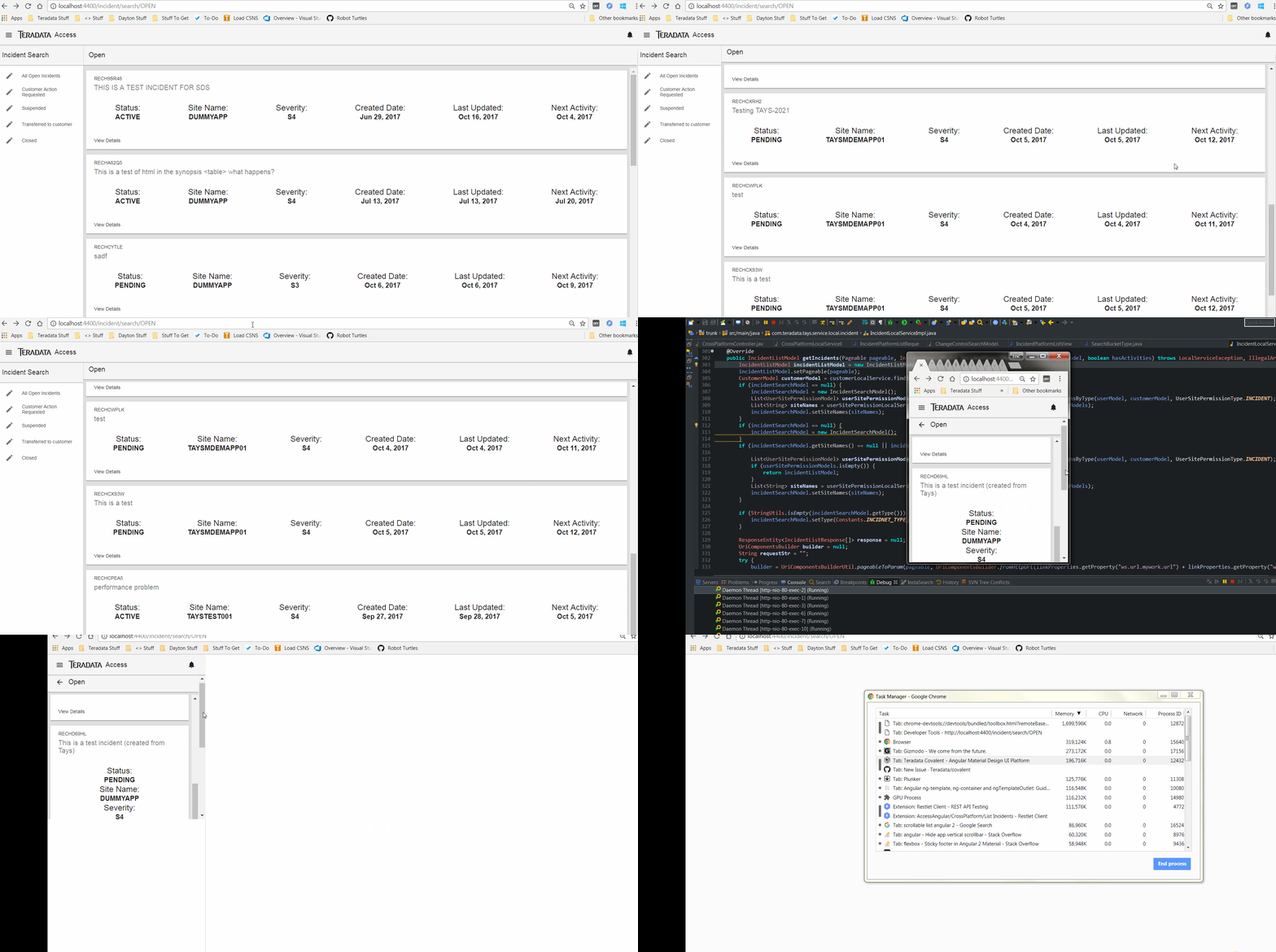
When using the Virtual Scroll in a full page app, chrome freezes.
Relevant Code:
<mat-toolbar>
    <button mat-icon-button tdLayoutManageListOpen [hideWhenOpened]="true">
        <mat-icon>arrow_back</mat-icon>
    </button>
    <span>{{bucketType}}</span>
</mat-toolbar>
<mat-progress-bar *ngIf="isLoading" color="accent" mode="query"></mat-progress-bar>

<mat-list [style.height.%]="80">
    <td-virtual-scroll-container [style.height.%]="80" [data]="incidentViewModels" [trackBy]="trackByFn">
        <ng-template let-row="row" let-index="index" let-first="first" let-last="last" let-odd="odd" let-even="even" tdVirtualScrollRow>
            <div layout="row" layout-align="start space-around">
                <mat-card flex=100>
                    <mat-card-header>
                        <mat-card-title>{{row.incidentIdentifier}}</mat-card-title>
                        <mat-card-subtitle class="md-title">{{row.synopsis}}</mat-card-subtitle>
                    </mat-card-header>
                    <mat-card-content>
                        <div layout-xs="column" layout-gt-xs="row" layout-align="space-around center">
                            <div layout="column" layout-align="space-around center">
                                <label flex class="md-headline">Status: </label>
                                <label flex class="md-title" style="font-weight: bold"> {{row.status}}</label>
                            </div>
                            <div layout="column" layout-align="space-around center">
                                <label flex class="md-headline">Site Name: </label>
                                <label flex class="md-title" style="font-weight: bold"> {{row.siteId}}</label>
                            </div>
                            <div layout="column" layout-align="space-around center">
                                <label flex class="md-headline">Severity: </label>
                                <label flex class="md-title" style="font-weight: bold"> {{row.severity}}</label>
                            </div>
                            <div layout="column" layout-align="space-around center">
                                <label flex class="md-headline">Created Date: </label>
                                <label flex class="md-title" style="font-weight: bold"> {{row.createdDate | date}}</label>
                            </div>
                            <div layout="column" layout-align="space-around center">
                                <label flex class="md-headline">Last Updated: </label>
                                <label flex class="md-title" style="font-weight: bold"> {{row.lastUpdated | date}}</label>
                            </div>
                            <div layout="column" layout-align="space-around center">
                                <label flex class="md-headline">Next Activity: </label>
                                <label flex class="md-title" style="font-weight: bold"> {{row.nextActivity | date}}</label>
                            </div>
                        </div>
                    </mat-card-content>
                    <mat-card-actions>
                        <button mat-button>View Details</button>
                    </mat-card-actions>
                </mat-card>
            </div>
        </ng-template>
    </td-virtual-scroll-container>
</mat-list>
Screenshots or link to CodePen/Plunker/JSfiddle
What is the expected behavior?
Scroll normally
Which version of Angular and Material, and which browser and OS does this issue affect?
Only tested on chrome with windows 7.
Material is 2.0.0-beta.11
Angular is 4.4.4
 EricLo417
All 7 comments
it's been half a year and 0 comments? I am having this issue too but I am very surprised how this issue has been ignored for that long time.
@EricLo417 any work around? anything you've found that wanna share? thks
 alejandrocoding
on 11 Apr 2018
alejandrocoding
on 11 Apr 2018
It went under the radar since we do have our day jobs.. can you please post a stackblitz or something to replicate this?
We are trying to see the things we need to fix going forward and also which components to improve
 emoralesb05
on 11 Apr 2018
emoralesb05
on 11 Apr 2018
Hi @emoralesb05 I apologize now that I am reading myself again and sounds very rude, it wasn't my intention.
I am not sure about @EricLo417 issue but I found out mine and fixed it. I was adding an effect on selected items in the table that was altering the height of the row, making it bigger, so when scrolling down/up several times, I guess the calculation was corrupted and leading to show that error.
I hope this may help someone else.
Thanks for replying,
alejandrocoding
on 11 Apr 2018
Haha no worries 😄 Thanks for the info
Right now i'm focusing on supporting angular and material 6 (and it's been hectic at work also). Once i get that merged then ill start triaging our issues (like this one) to define a proper roadmap for the next releases.
emoralesb05
on 12 Apr 2018
any target date?
 sandeshdanwale
on 10 Dec 2018
sandeshdanwale
on 10 Dec 2018
@sandeshdanwale Could you post a stackblitz that reproduces the issue? Details about your browser and OS would also be appreciated.
 christianmemije
on 14 Dec 2018
christianmemije
on 14 Dec 2018
Virtual Scroll will be deprecated, see #1421
 jeremysmartt
on 15 Jul 2019
jeremysmartt
on 15 Jul 2019
Related issues
 georgeedwards
·
4Comments
emoralesb05
·
5Comments
georgeedwards
·
4Comments
emoralesb05
·
5Comments
 iceman3000
·
4Comments
iceman3000
·
4Comments
 mailok
·
3Comments
mailok
·
3Comments
 Enngage
·
3Comments
Enngage
·
3Comments
Most helpful comment
Hi @emoralesb05 I apologize now that I am reading myself again and sounds very rude, it wasn't my intention.
I am not sure about @EricLo417 issue but I found out mine and fixed it. I was adding an effect on selected items in the table that was altering the height of the row, making it bigger, so when scrolling down/up several times, I guess the calculation was corrupted and leading to show that error.
I hope this may help someone else.
Thanks for replying,