Covalent: (feature) implement "mode" in Nav View layout
The Layout "Nav View" is not implementing the "mode" attribute ('over' and 'side'), useful for tablet and desktop viewports.
Would greatly help to have it, fits with material specifications (see sidenav of angular-material and materializecss) and is better for small/medium projects that doesn't need the double-navbar given by using td-layout-manage-list.
 drakelovesbarbie
All 8 comments
+1 for this one. See https://contacts.google.com for example
 elmartino
on 10 May 2017
elmartino
on 10 May 2017
Gonna have to brainstorm with the team a bit about this. The implementation is trivial, but want to see if we can create something reusable for other layouts.
 emoralesb05
on 10 May 2017
emoralesb05
on 10 May 2017
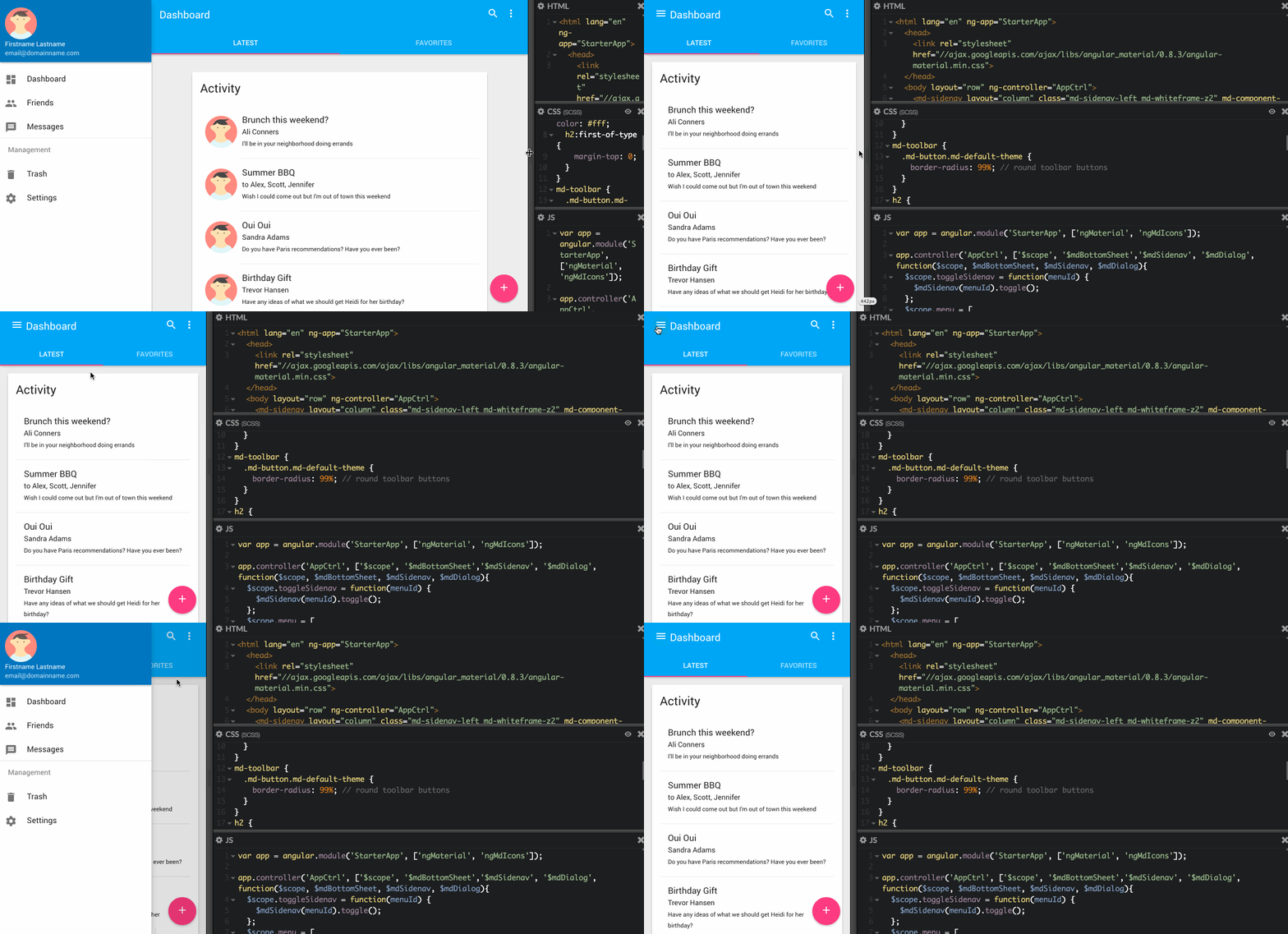
Hi @drakelovesbarbie & @elmartino i made a quick plunker to show that you can do the Google Contacts style left nav with our current nav-view override and material's sidenav
(we still plan on adding the inputs for mode, opened, and width on nav-view btw)

 kyleledbetter
on 10 May 2017
kyleledbetter
on 10 May 2017
Looks good! I will try! Thanks!
elmartino
on 10 May 2017
Works very good! Thanks!
elmartino
on 10 May 2017
linking to PR #609 although the plnkr from @kyleledbetter is a slightly different idea but seeing as this also links to #581
the above can be seen in the Aviva Insurance design

and the one the PR is the default-ish style like below.
Nice job on these :+1:
 jdrew1303
on 23 May 2017
jdrew1303
on 23 May 2017
Yessir. One is more of a pattern with a mix of td-layout-nav + md-sidenav and the other one is the flexibility to make td-layout achieve the second one 😄
emoralesb05
on 23 May 2017
Closing this since with the last PR https://github.com/Teradata/covalent/pull/657 we can achieve this by having this
<td-layout-nav toolbarTitle="Title">
  <button md-icon-button td-menu-button (click)="sidenavLayout.toggle()">
    <md-icon>menu</md-icon>
  </button>
  <td-layout-manage-list #sidenavLayout>
    <md-nav-list td-sidenav-content>
      <md-list-item>
        <md-icon md-list-icon>home</md-icon> Home
      </md-list-item>
      <md-list-item>
        <md-icon md-list-icon>docs</md-icon> Docs
      </md-list-item>
    </md-nav-list>
    Content
  </td-layout-manage-list>
</td-layout-nav>
Related issues
 iceman3000
·
4Comments
iceman3000
·
4Comments
 mailok
·
3Comments
mailok
·
3Comments
 gozeon
·
4Comments
gozeon
·
4Comments
 jengstrm
·
5Comments
jengstrm
·
5Comments
 victorboissiere
·
5Comments
victorboissiere
·
5Comments
Most helpful comment
Hi @drakelovesbarbie & @elmartino i made a quick plunker to show that you can do the Google Contacts style left nav with our current nav-view override and material's sidenav
(we still plan on adding the inputs for mode, opened, and width on nav-view btw)
http://plnkr.co/edit/wtxo9AoZTi6DXJXrxIX4?p=preview
