Courseplay: incorrect work with combines
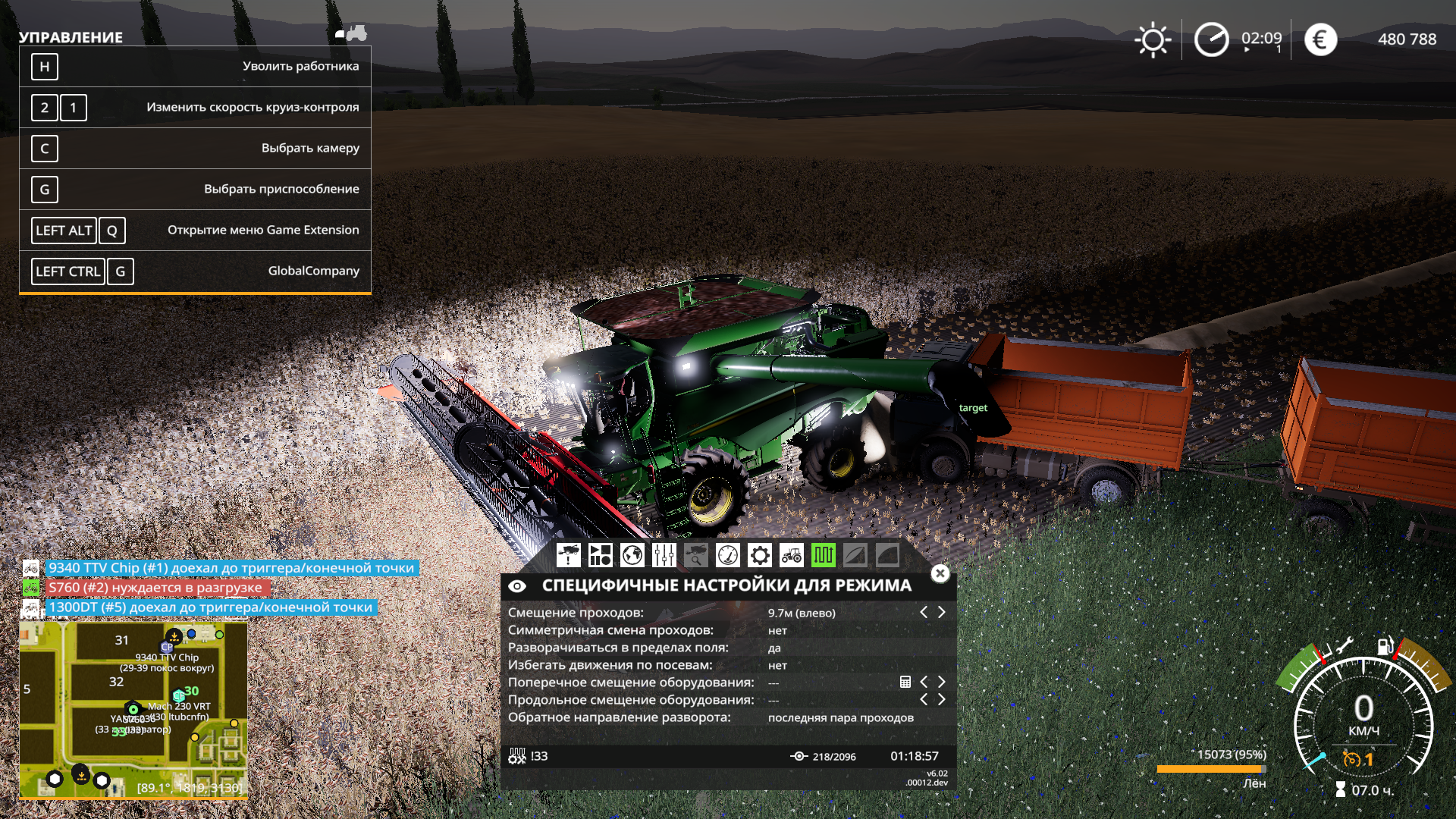
Transport going to the combine for loading does not go to the pipe, but rests on the combine itself. This is happening both with mod technology and with stock.
This problem is relevant in the last 2-3 versions.
 Tocik
Tocik
All 22 comments
Reset Tractor and try again.
Not sure why but somehow there is an offset stuck somewhere.
 Tensuko
on 12 May 2020
Tensuko
on 12 May 2020
I can confirm the issue and the solution.
I had a tractor before updating to the current version with an offset. After updating, it drove directly to the back of the combine. After resetting the tractor everyting worked fine again.
 mrfrogger1
on 12 May 2020
mrfrogger1
on 12 May 2020
Reset Tractor and try again.
Not sure why but somehow there is an offset stuck somewhere.
Reload route?
I’m not sure, but in my opinion, the truck with the semi-trailer drove fine, but after I went for unloading, it again crashed into the combine.
He specifically took the contracts for harvesting (3 pieces) and on all 3 routes there was the same problem.
Tocik
on 12 May 2020
Rest your truck, ingame option. Then it should be fine.
Tensuko
on 13 May 2020
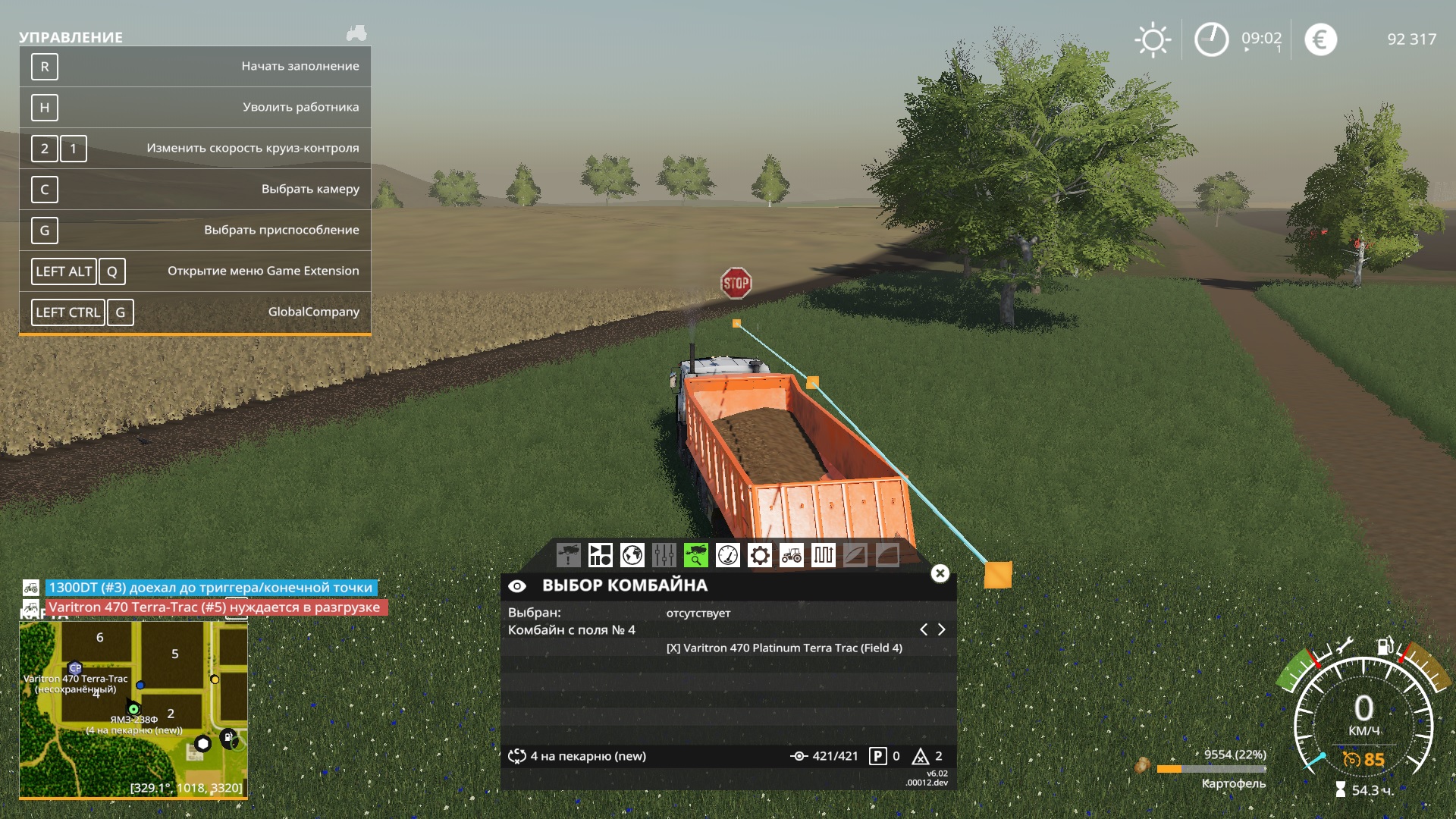
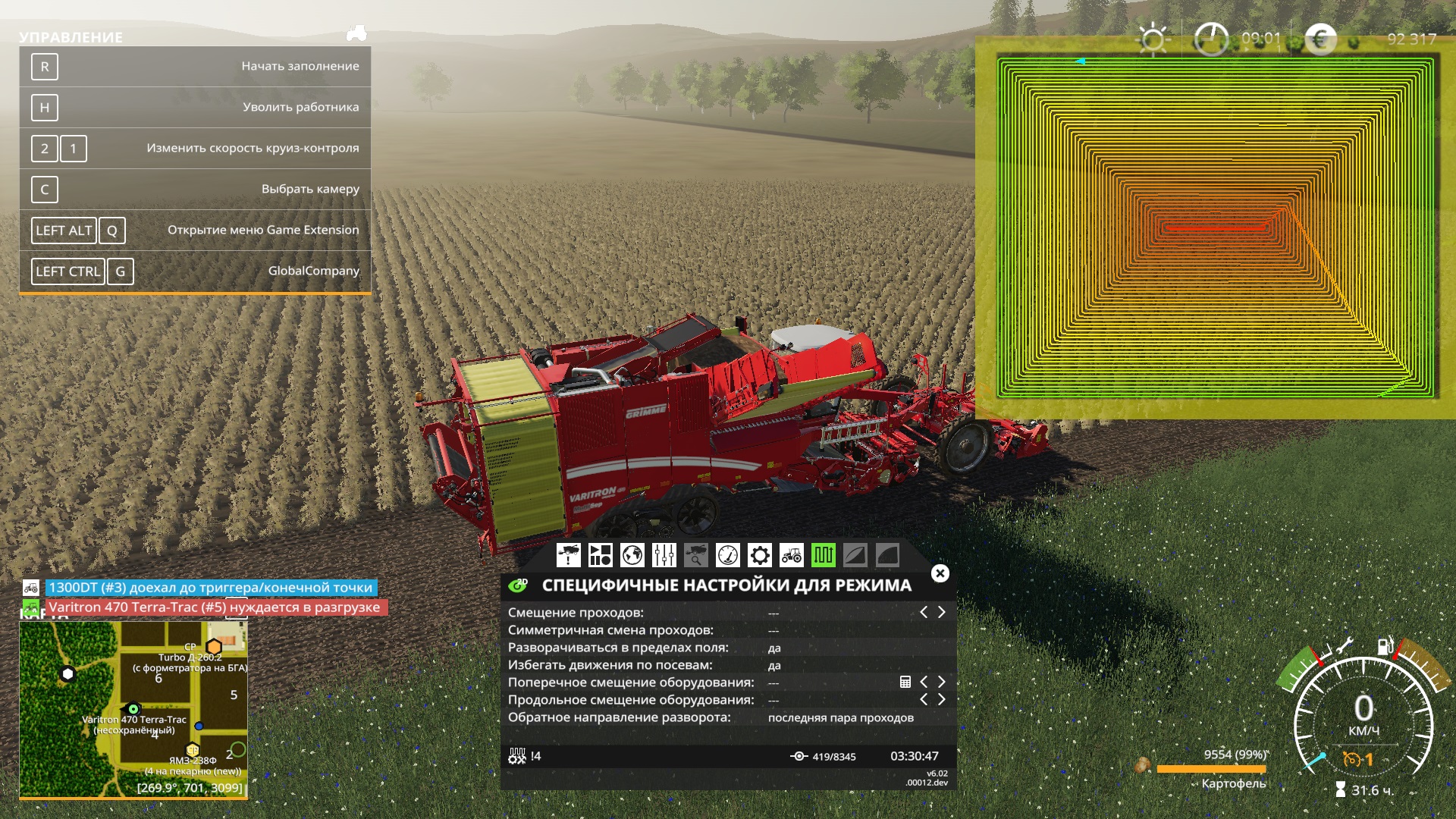
took a contract for the test in the morning. 2 times the car drove up, then hung. Restarted the route, drove up once and again hung. I restarted the route again and went to work. 9 hours have passed, nothing has changed, it is in search of a combine.
Tocik
on 13 May 2020
I'm using the Combine Self-Unload and it works great. And it doesn't create that big lag spike when pathfinding cause my truck is stationary and it doesnt run into it and all that complications I have to deal with. One problem I found is that the combine returns to the first point when its in "around" headland but I only do 2 rolls and then it's Up and Downs which works totaly fine. I'm gonna keep using this even if they fix the Unloading mode (less lag).
 miricha
on 13 May 2020
miricha
on 13 May 2020
it doesnt run into it and all that complications I have to deal with
with the new mode2 you don't ahve that problem if he would do what I keep telling him.
The 'lag' how you call it is not a lag, it is indeed a frame drop due to calculation of the path, wich will only be noticable if the path to the combine is complicated. There is not rly something to fix.
Exactly the same happens when your combine drive to the Trailer, just that you can park you Trailer close enough with no obstacle in the way, so the path generating will be simply and fast....
Tensuko
on 13 May 2020
it doesnt run into it and all that complications I have to deal with
with the new mode2 you don't ahve that problem if he would do what I keep telling him.
The 'lag' how you call it is not a lag, it is indeed a frame drop due to calculation of the path, wich will only be noticable if the path to the combine is complicated. There is not rly something to fix.
Exactly the same happens when your combine drive to the Trailer, just that you can park you Trailer close enough with no obstacle in the way, so the path generating will be simply and fast....
I play on some realy big maps it's x8, if I remmember correctly. I have 20 vehicles running at all time. On some of those realy big fields the transport vehicles take like 10 to 20 minutes to unload, if everything goes as it should. But some times, those combines stop to unload (when they are full) and do a maneuver to make room for the tracktor, not to destroy the crop. And the combine coming from behind runs into the first combine and it's a big mess when you have like 6 combines running into one another. Also some of those fields create like 5 minutes lag/frame rate drop for every unloading path the tracktor calculates (so it's always pretty much complicated and I understand that you have to deal with engine limitations too). As for self unload all the combines find and go to the trailer without problem and one running into the other is not an issue for me anymore (well it still hapens, it's normal, but at least it's happening rarely).
This is the only workmode that I'm having problems with. I'm fairly new to mods on PC and I dont fully understand this mod. I've watched tuttorials, but they are old and outdated, so don't get mad at me for expressing my personal oppinion. I'm offering, another way of working this around to the community. And I'm sorry for not calling it frame rate drop, but I'm old school and back in the days, games were simple on simple engines and didn't had all that complicated coding which made them perfectly optimized and ran smooth on potato chip PCs with 256MB RAM. We had only connection issues "lag" and because of that some of us still call the frame rate drop, lag, it's also shorther. Once again I appologise for being old and annoying.
miricha
on 13 May 2020
The problem is just that stuff like this spread arround and ppl start to believe on wrong stuff you know... It can get problematic to explain some ppl how it rly is if they want to believe on other stuff so I rather would like to stick to the facts :)
Tensuko
on 13 May 2020
I have the same @miricha problems ... it has become impossible to use courseplay ... in any case I try to use the truck to be loaded by the combine, but it cannot find it and therefore it remains stationary. Same thing with the forage harvester (which is represented in the video). Despite being able to find the tractor (as seen in the courseplay HUD) it does not start to follow the forage harvester and there is a huge drop in FPS. I also tried uninstalling AUTODRIVE, but the problem is the same. I am forced to use version 362 which is the only version that works better and above all does not have the drop in ftp. The drop in FTP is a very important problem. I have read @Tensuko's considerations and I must say that it is never possible to follow his advice because there are very large maps and therefore the stopping distance of the means of loading is always very distant. I am using the Wild West map which is a 16x and it is impossible to find stopping points near the threshing machines. Courseplay is the only reason why I play farming because it makes everything automatic, without it I will have to stop playing. Thank you for your attention.
I also attach the LOG file
https://www.youtube.com/watch?v=MM1T8257dYA
 ontot
on 13 May 2020
ontot
on 13 May 2020
@ontot it is far from being unusable if you do it correctly.
The reason why you FPS drops low is, as I said, pathcalculation.
Your Chopper is in the middle of the Field and your Tractor stays on Gras.
I am pretty sure you have Pathfind turned on in the HUD.
Try turn it off, it should find the path much faster.
Tensuko
on 14 May 2020
I'm sorry @Tensuko , but it's not like you say. As you can see I have disabled the pathfinders both on the tractor and on the forage harvester and the tractor does not move, as well as having the FPS drop equally.
ontot
on 14 May 2020
Where is your Combine in this Video ?
Just a side note: you know it only works if CP is running the Combine ?
Tensuko
on 14 May 2020
The forage harvester. You can see it in the video. It's the Krone Big 1180. Yes, it also works with courseplay
ontot
on 14 May 2020
Yea now I saw it and it is on the other side of the Field.
That sure will take a long time to generate the course.
I would start harvest where you also start with your unloader.
Tensuko
on 14 May 2020
All right, @Tensuko . I started collecting grass from the beginning of the field and finally the forage harvester is found by the tractor. But as you can see from the videos there are equally many errors and problems, in addition to the usual drop in FTP. It is quite impossible to use courseplay. I do not know what to do. This new system that you have adopted is a disaster. I will never stop thanking you all for the excellent work you have done and are doing every day, but you still insist on using a system that unfortunately does not work. The latest version that is a little better, despite not working with the trenches, is the 362. With all these problems with courseplay, I will no longer play agriculture. Here are some videos that I invite you to watch entirely. Thanks very much for your patience
https://www.youtube.com/watch?v=di8SHiYfJDg
https://www.youtube.com/watch?v=89QMtmpXhEM
https://www.youtube.com/watch?v=1aSPyLO3TQA
https://www.youtube.com/watch?v=bOVmV7a48ZQ
https://www.youtube.com/watch?v=-evZx39QYA0
and this time there is some LUA error too...
log.txt
ontot
on 15 May 2020
You are free to use what ever Version you want but keep in mind that we dont support old versions and this:
This new system that you have adopted is a disaster. I will never stop thanking you all for the excellent work you have done and are doing every day, but you still insist on using a system that unfortunately does not work.
Is simply not true...
I prooved it many times it does work, it can work smooth and it is far from beeing a desaster!
Tensuko
on 15 May 2020
ok ... ok @Tensuko ... but explain to me why there are those problems to me and to many others? ... can they be solved? ... and the drop in FTP when the cp "thinks" can you eliminate? ... To date, despite your valuable suggestions, the problems have not been solved.
ontot
on 15 May 2020
i think a lot of ur problems why the tractor wont go to the combine is because you need to start and end ur course in the field so that it will scan for the combine.
 newride
on 16 May 2020
newride
on 16 May 2020
This is outdated Information pvajko wrote about this:
with the new Mode 2 it does not really matter where they are. I need to check what the pathfinder is doing with when it is turned off in the HUD.
https://github.com/Courseplay/courseplay/issues/5305#issuecomment-624609331
I read also somewhere here, that it helps to have a bit of harvested area in front of it.
Since then i always end and start just bevore the first headland stripe right at the field edge. Did work well so far. But you don't have to do it this way.
Edit:
Oh wow i wrote that wrong tzzzzz... i wanted to write harvested
 TinyCrocodile
on 16 May 2020
TinyCrocodile
on 16 May 2020
Tractor no longer scan for combine.
You assign combine and thats all. He will only listen to that assigned combine.
Tensuko
on 16 May 2020
Outdated and caotic Issue, What this and see how it works: https://www.youtube.com/watch?v=PiUWD8ki8l4
Tensuko
on 30 May 2020
Related issues
 MicaelJarniac
·
4Comments
MicaelJarniac
·
4Comments
 rgoe
·
3Comments
rgoe
·
3Comments
 txmazing
·
4Comments
txmazing
·
4Comments
 PromGames
·
4Comments
PromGames
·
4Comments
 mawie
·
5Comments
mawie
·
5Comments