Hello I set up 3 tractors to do ploughing obv tractor 1 was left tractor 2 was center and tractor 3 right but I noticed tractor 2 was following tractor 1’s course missing his bit and not doing center I was using lemken 12 ploughs?
 matty2123
All 19 comments
Will take a look...
 Tensuko
on 22 Mar 2020
Tensuko
on 22 Mar 2020
@matty2123 , you made the right course and setup the tractor right? maybe forgot to set the 2nd tractor on middle lane? happens to me sometimes ;)
 Bobster82
on 22 Mar 2020
Bobster82
on 22 Mar 2020
Just set it to first point so surely it would find its center automatically
matty2123
on 22 Mar 2020
Just set it to first point so surely it would find its center automatically
Did u setup the course with multiple tools like this:
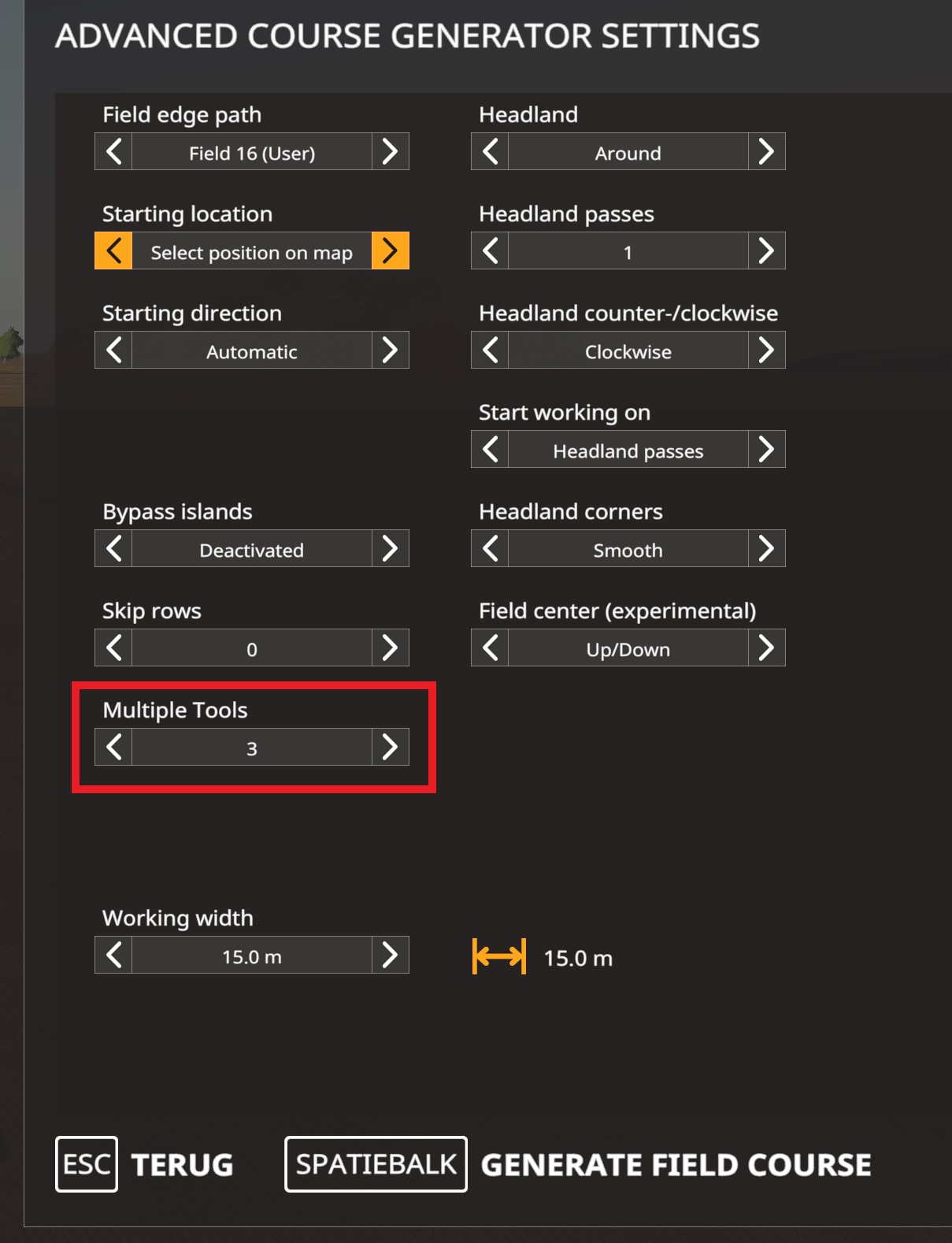
Then load that course on all 3 tractors:
1st tractor, "LEFT":
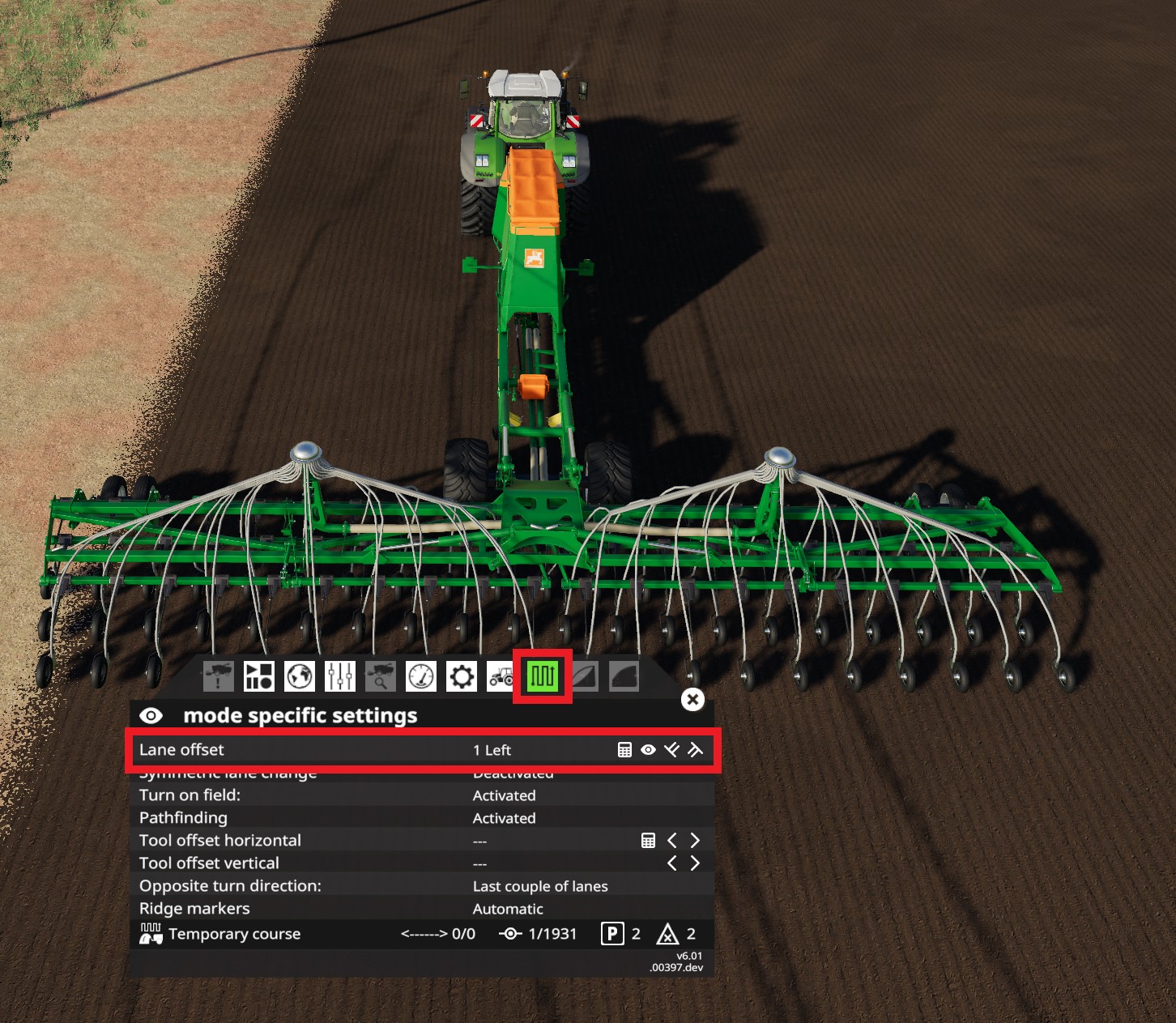
2nd tractor, "CENTER":
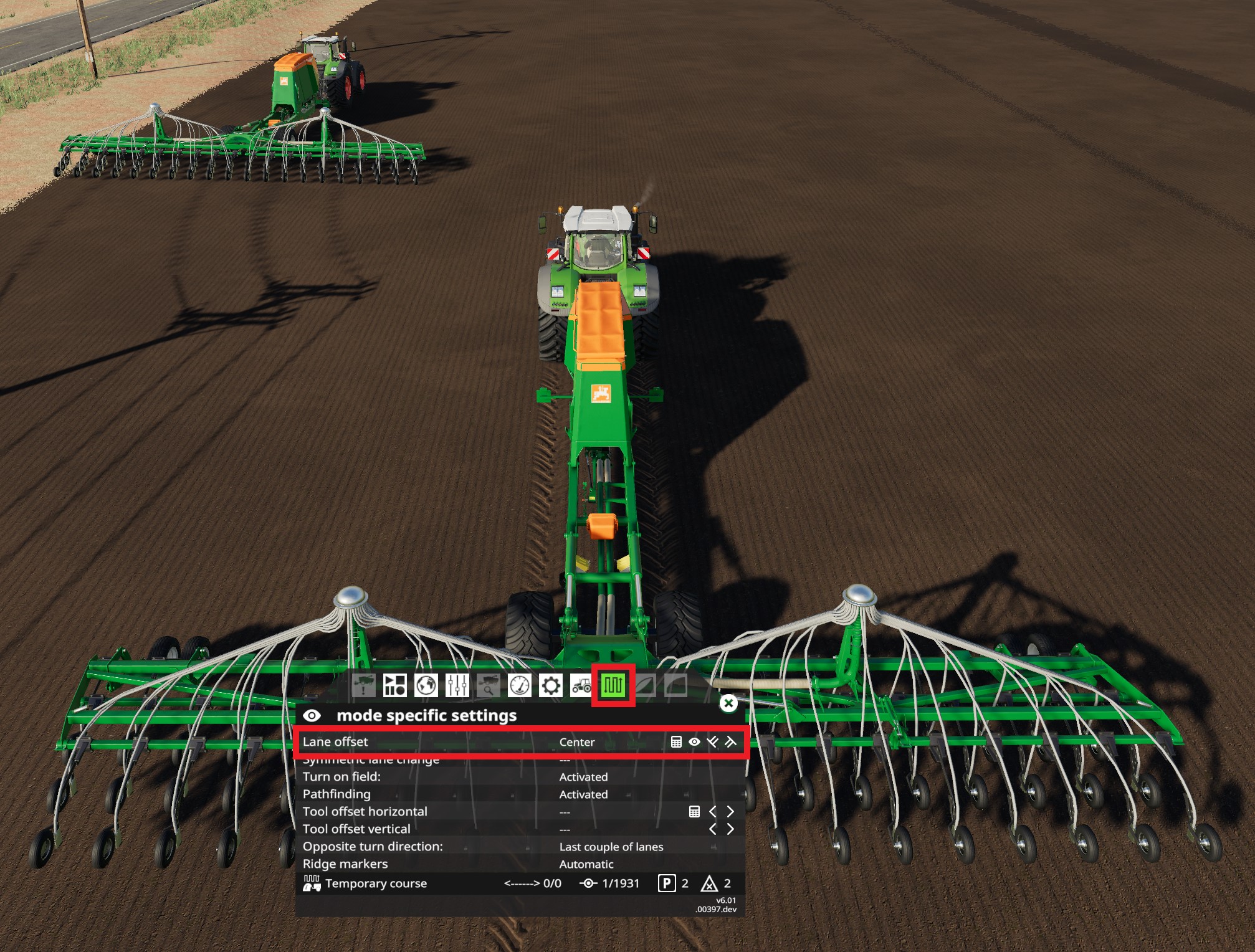
3rd tractor, "RIGHT":
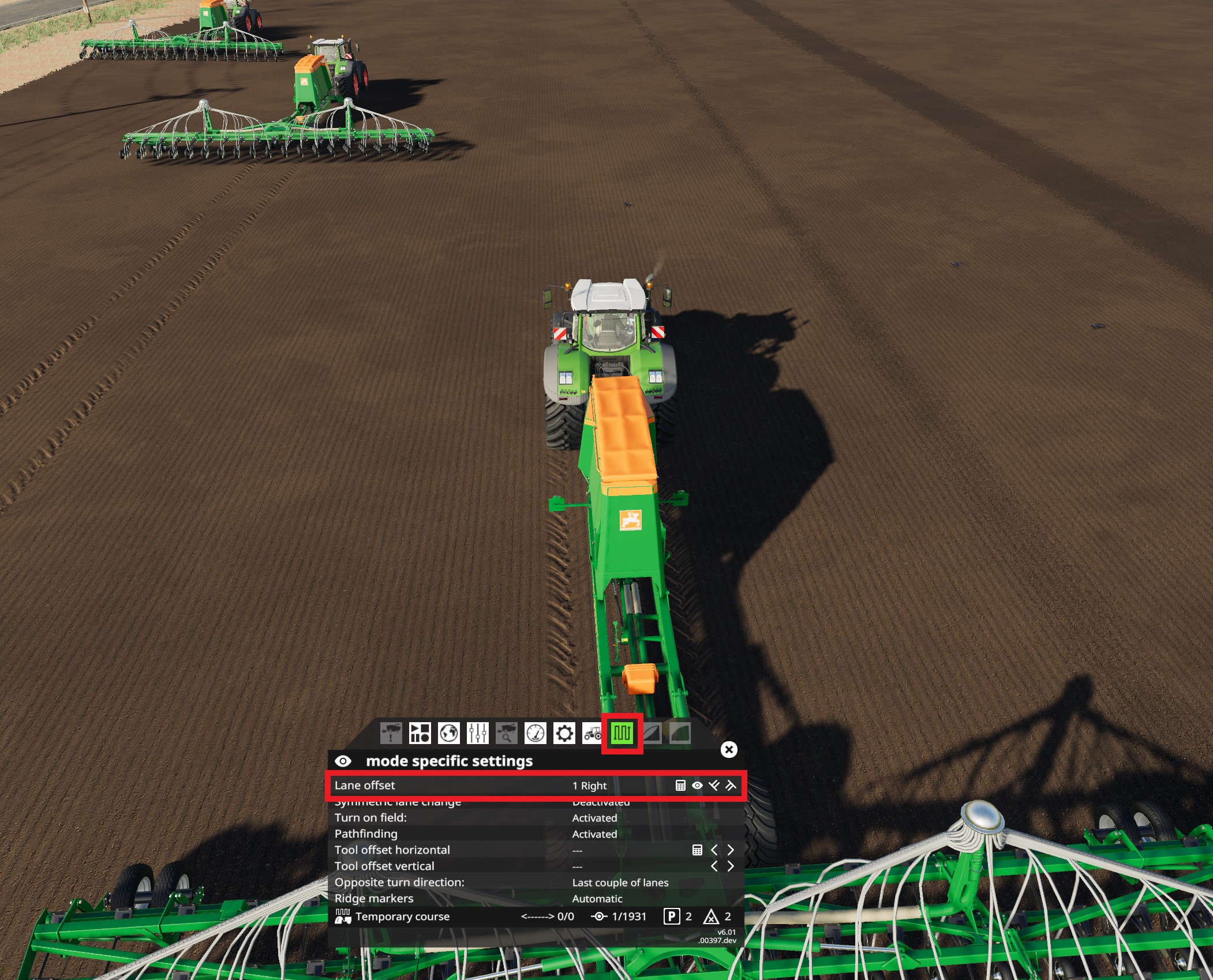
Bobster82
on 23 Mar 2020
Yeah done all that
matty2123
on 23 Mar 2020
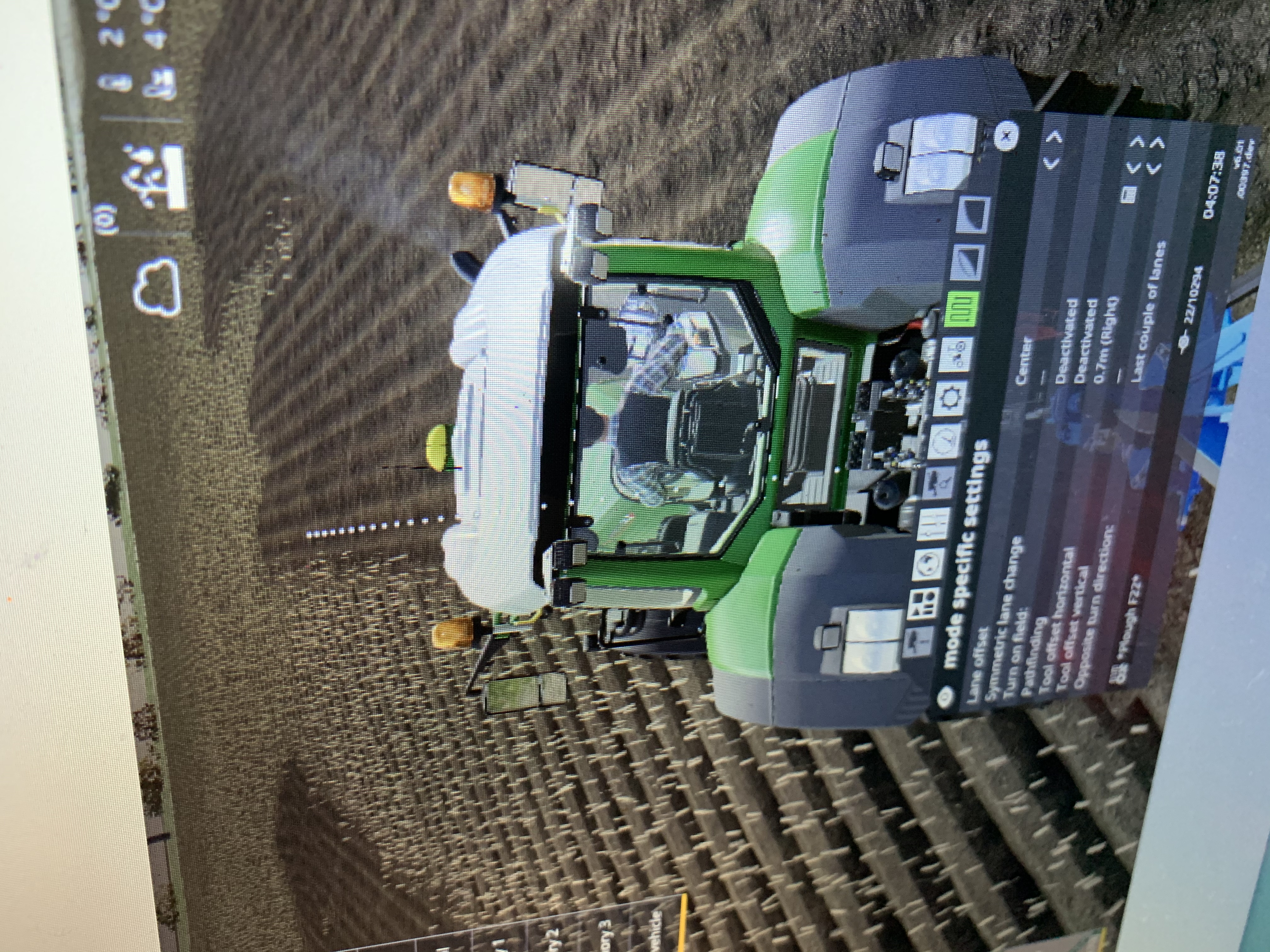 the problem I’ve got see it’s missing the center
matty2123
on 24 Mar 2020
I will try this tomorrow. What map are u on?
Bobster82
on 24 Mar 2020
Eiersholt
Sent from my iPhone
On 24 Mar 2020, at 22:54, Bobster82 notifications@github.com wrote:
I will try this tomorrow. What map are u on?
—
You are receiving this because you modified the open/close state.
Reply to this email directly, view it on GitHubhttps://github.com/Courseplay/courseplay/issues/5095#issuecomment-603545960, or unsubscribehttps://github.com/notifications/unsubscribe-auth/AGOXRGNTUB3MZHG2DBNMSELRJE2YNANCNFSM4LRJ7X2A.
matty2123
on 25 Mar 2020
@matty2123 ,
Hi, I tested it and I cant reproduce your problem. But I might found a issue on your side.
When I did the setup with the lemken plough on field22, I had a total around 8000 waypoints... yours has 10294 waypoints. Also I see your tractor tool offset to 0.7m... So you might made a mistake with setting up.
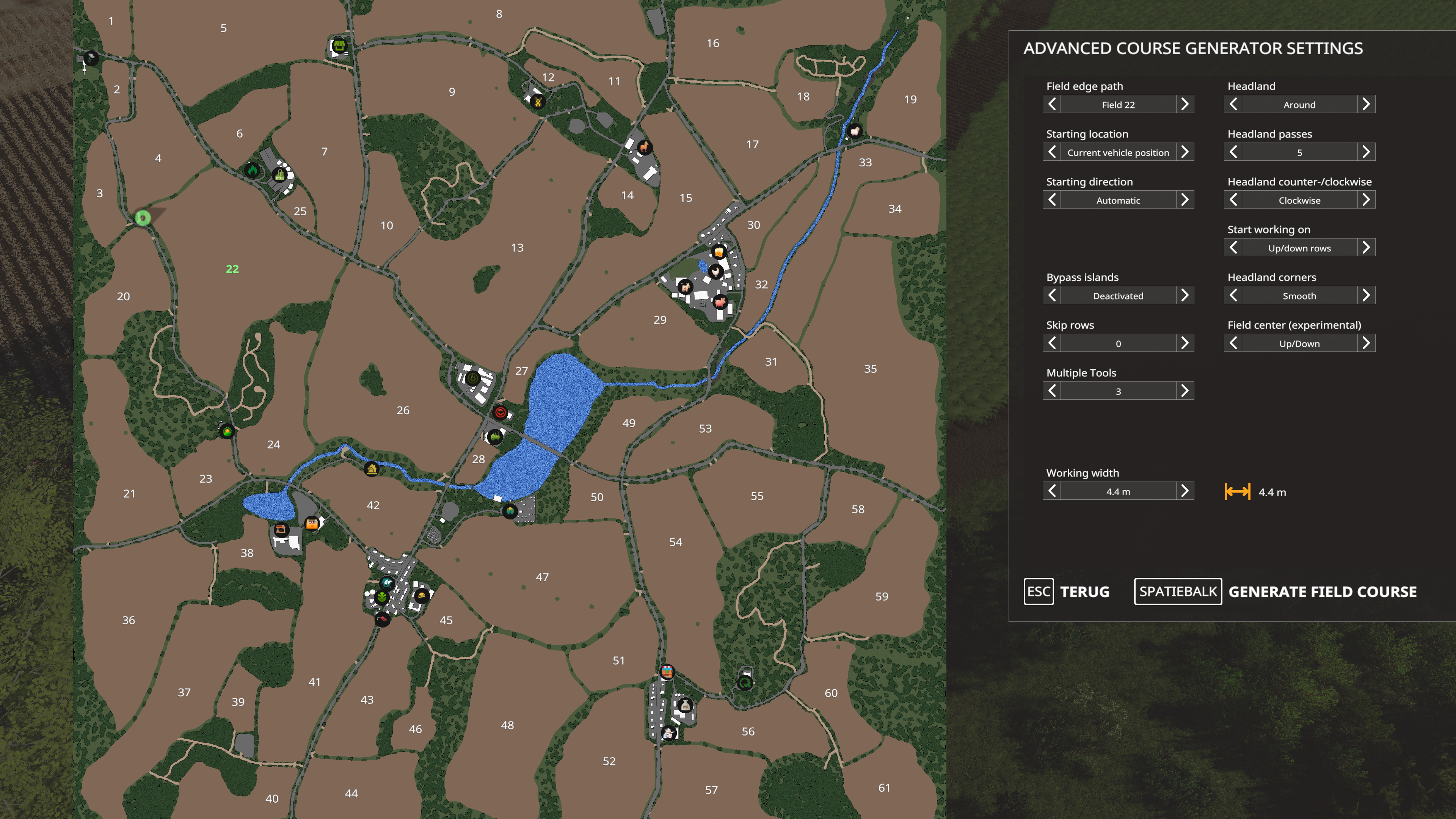
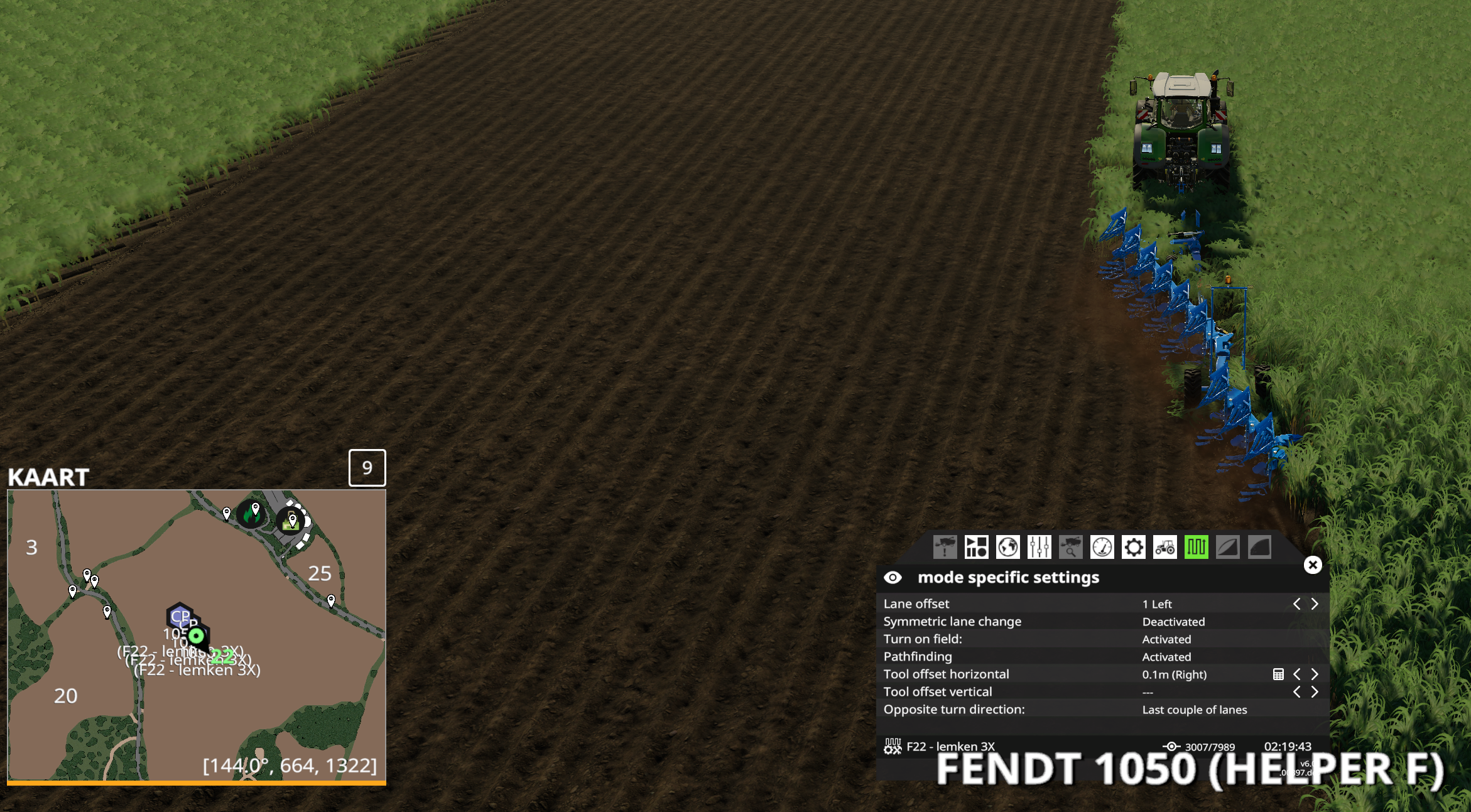
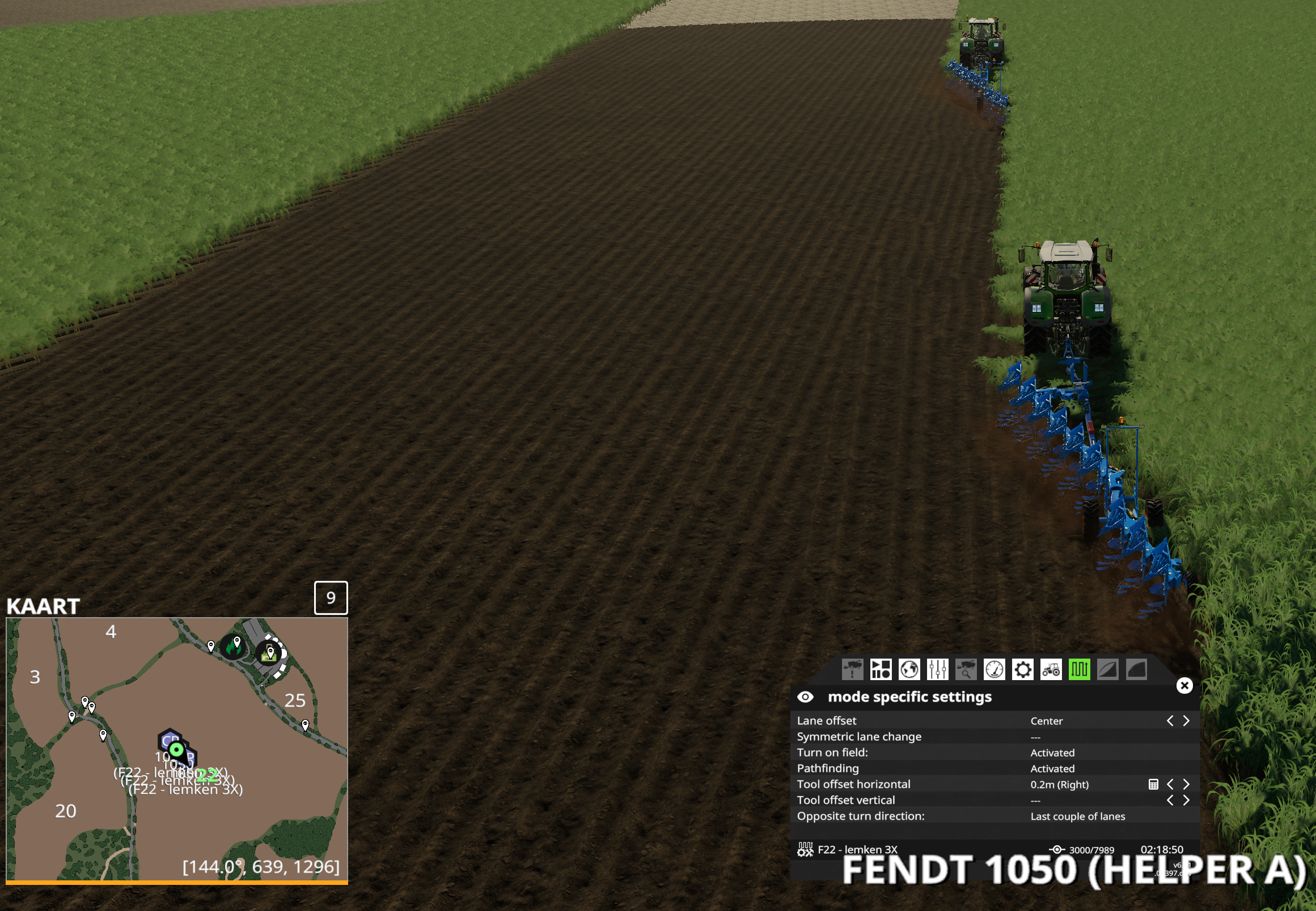
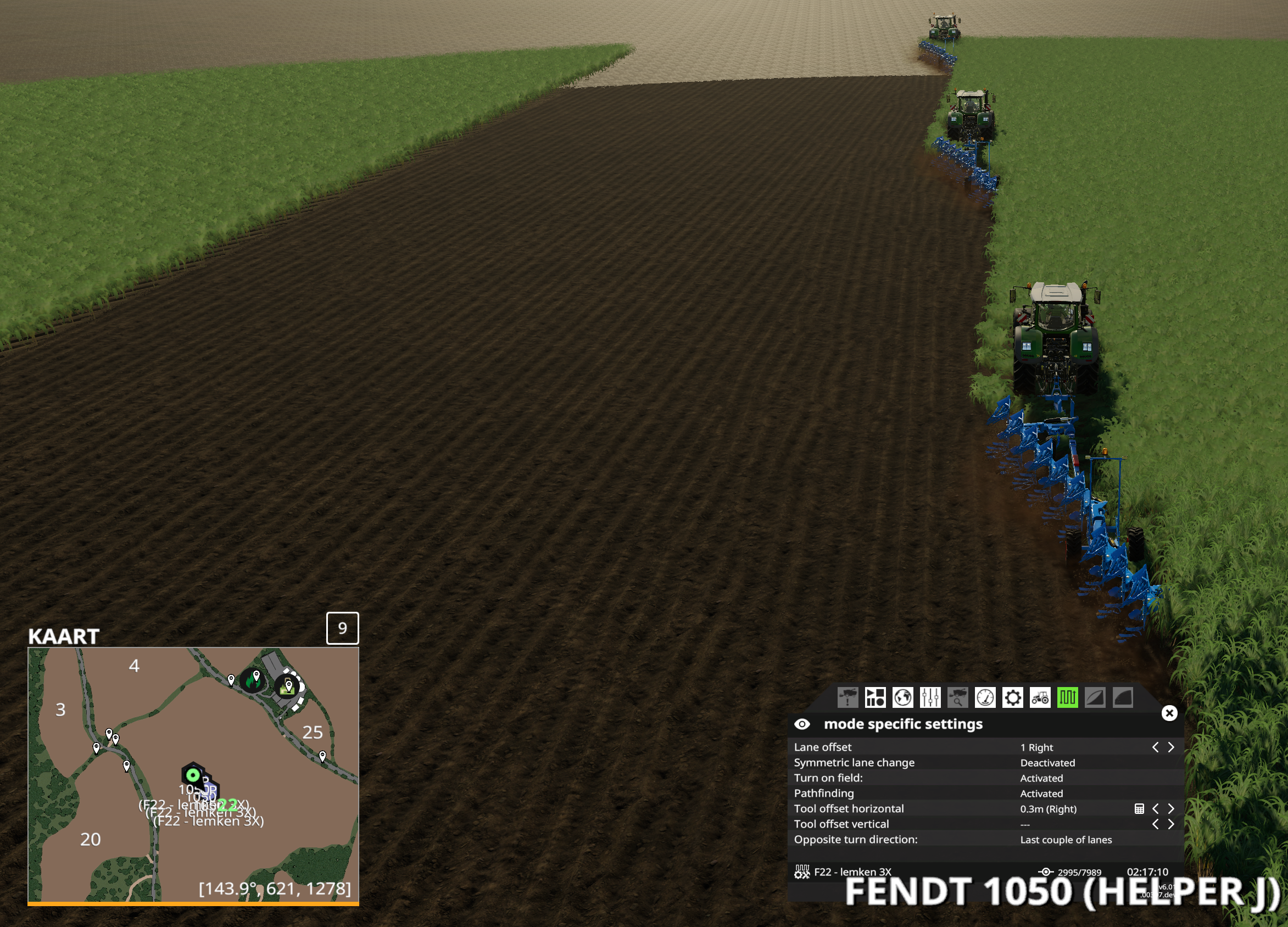
I used 3x fend 1050 with lemken titan18 plough. You see in the pictures below how I did the course generation and how my tractors are running, I didnt adjust any settings, this is all automatic... No issues found when driving and turning, it doesnt miss any land.
Course setup:
1st tractor:
2nd tractor:
3rd tractor:
Bobster82
on 25 Mar 2020
Only thing I done was I cut the work width down from 4.4 to 4.2metres so it would overlap? And I noticed on the offset I kept resetting it back to zero it would reput the value back to what you can see
Sent from my iPhone
On 25 Mar 2020, at 11:07, Bobster82 notifications@github.com wrote:
@matty2123https://github.com/matty2123 ,
Hi, I tested it and I cant reproduce your problem. But I might found a issue on your side.
When I did the setup with the lemken plough on field22, I had a total around 8000 waypoints... yours has 10294 waypoints. Also I see your tractor tool offset to 0.7m... So you might made a mistake with setting up.
I used 3x fend 1050 with lemken titan18 plough. You see in the pictures below how I did the course generation and how my tractors are running, I didnt adjust any settings, this is all automatic... No issues found when driving and turning, it doesnt miss any land.
Course setup:
[f22 course setup]https://user-images.githubusercontent.com/47780758/77530018-f9972680-6e90-11ea-8b37-536383b5f862.png
1st tractor:
[1st trac_2]https://user-images.githubusercontent.com/47780758/77529976-e8e6b080-6e90-11ea-8c9a-5a5ec951e06c.png
2nd tractor:
[2nd trac_2]https://user-images.githubusercontent.com/47780758/77529994-eedc9180-6e90-11ea-8446-649f29092f83.png
3rd tractor:
[3rd trac_2]https://user-images.githubusercontent.com/47780758/77530008-f4d27280-6e90-11ea-96ea-eaa3ddfedf18.png
—
You are receiving this because you were mentioned.
Reply to this email directly, view it on GitHubhttps://github.com/Courseplay/courseplay/issues/5095#issuecomment-603779676, or unsubscribehttps://github.com/notifications/unsubscribe-auth/AGOXRGLMPL6FYWMRYTAWKE3RJHQYDANCNFSM4LRJ7X2A.
matty2123
on 25 Mar 2020
Only thing I done was I cut the work width down from 4.4 to 4.2metres so it would overlap? And I noticed on the offset I kept resetting it back to zero it would reput the value back to what you can see
You dont need to overlap, as the values given are good enough to cover. But I tested it with 4.2m, this gave me the same good results. Only difference is adding 350 waypoints, still not close to your 10294 points. So there might be a issue with setting up the course
Bobster82
on 25 Mar 2020
I’ll try another field tonight and try that can’t see what I done to get that
Sent from my iPhone
On 25 Mar 2020, at 13:25, Bobster82 notifications@github.com wrote:
Only thing I done was I cut the work width down from 4.4 to 4.2metres so it would overlap? And I noticed on the offset I kept resetting it back to zero it would reput the value back to what you can see
You dont need to overlap, as the values given are good enough to cover. But I tested it with 4.2m, this gave me the same good results. Only difference is adding 350 waypoints, still not close to your 10294 points. So there might be a issue with setting up the course
—
You are receiving this because you were mentioned.
Reply to this email directly, view it on GitHubhttps://github.com/Courseplay/courseplay/issues/5095#issuecomment-603837398, or unsubscribehttps://github.com/notifications/unsubscribe-auth/AGOXRGKFTVUSV5GNEOQV4L3RJIA4DANCNFSM4LRJ7X2A.
matty2123
on 25 Mar 2020
My setting 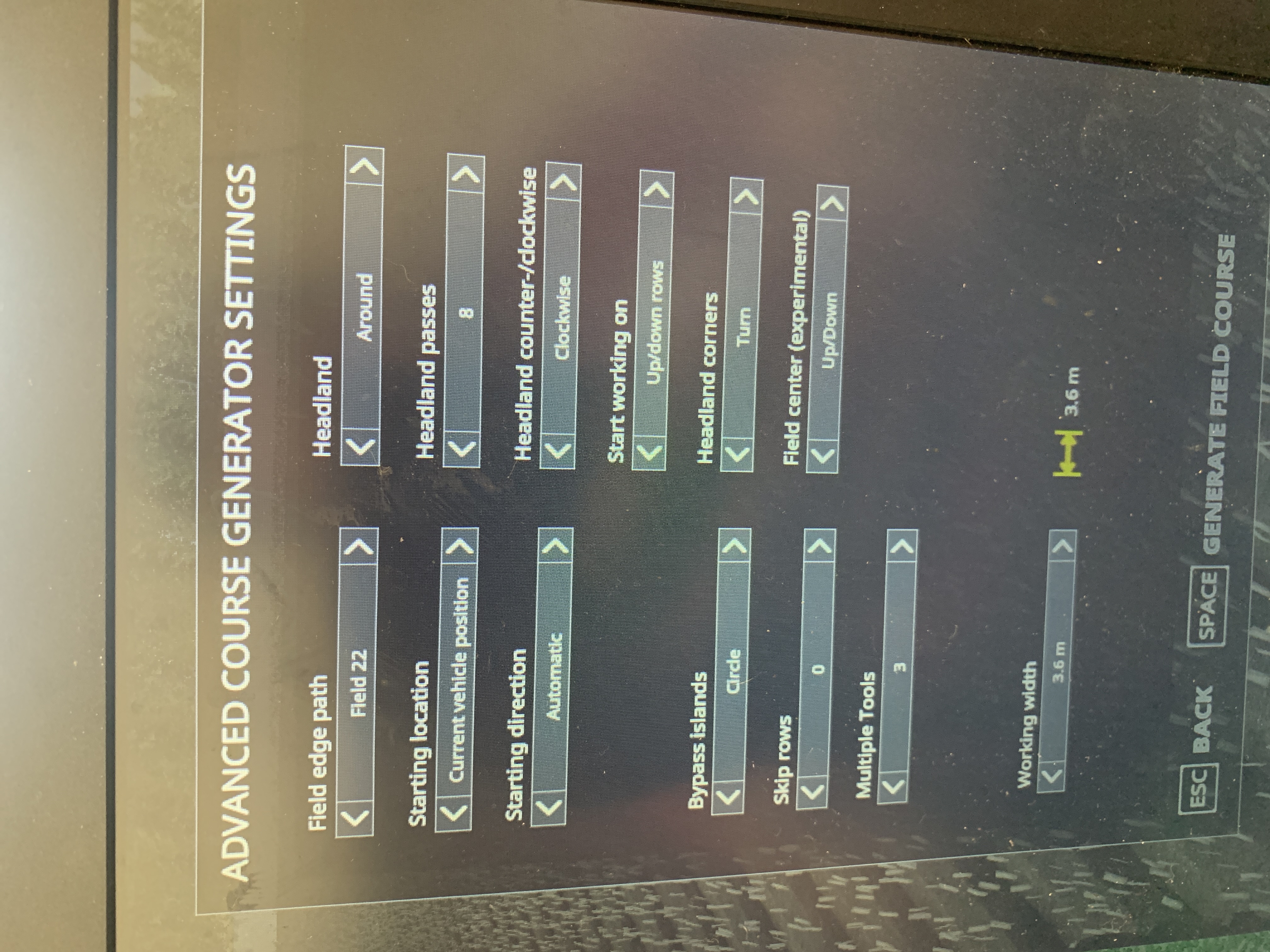
matty2123
on 25 Mar 2020
I see working width 3.6m ? I thought you were using the original lemken plough? That one is 4.4m
Bobster82
on 25 Mar 2020
Last night I tried again with 3.5 plough and that down the same no center for me
Sent from my iPhone
On 25 Mar 2020, at 13:43, Bobster82 notifications@github.com wrote:
I see working width 3.6m ? I thought you were using the original lemken plough? That one is 4.4m
—
You are receiving this because you were mentioned.
Reply to this email directly, view it on GitHubhttps://github.com/Courseplay/courseplay/issues/5095#issuecomment-603846650, or unsubscribehttps://github.com/notifications/unsubscribe-auth/AGOXRGOTKTSTCOOIQ4BEAEDRJIC7BANCNFSM4LRJ7X2A.
matty2123
on 25 Mar 2020
For plowing I couldn't find any Issue except the point I found for #5097
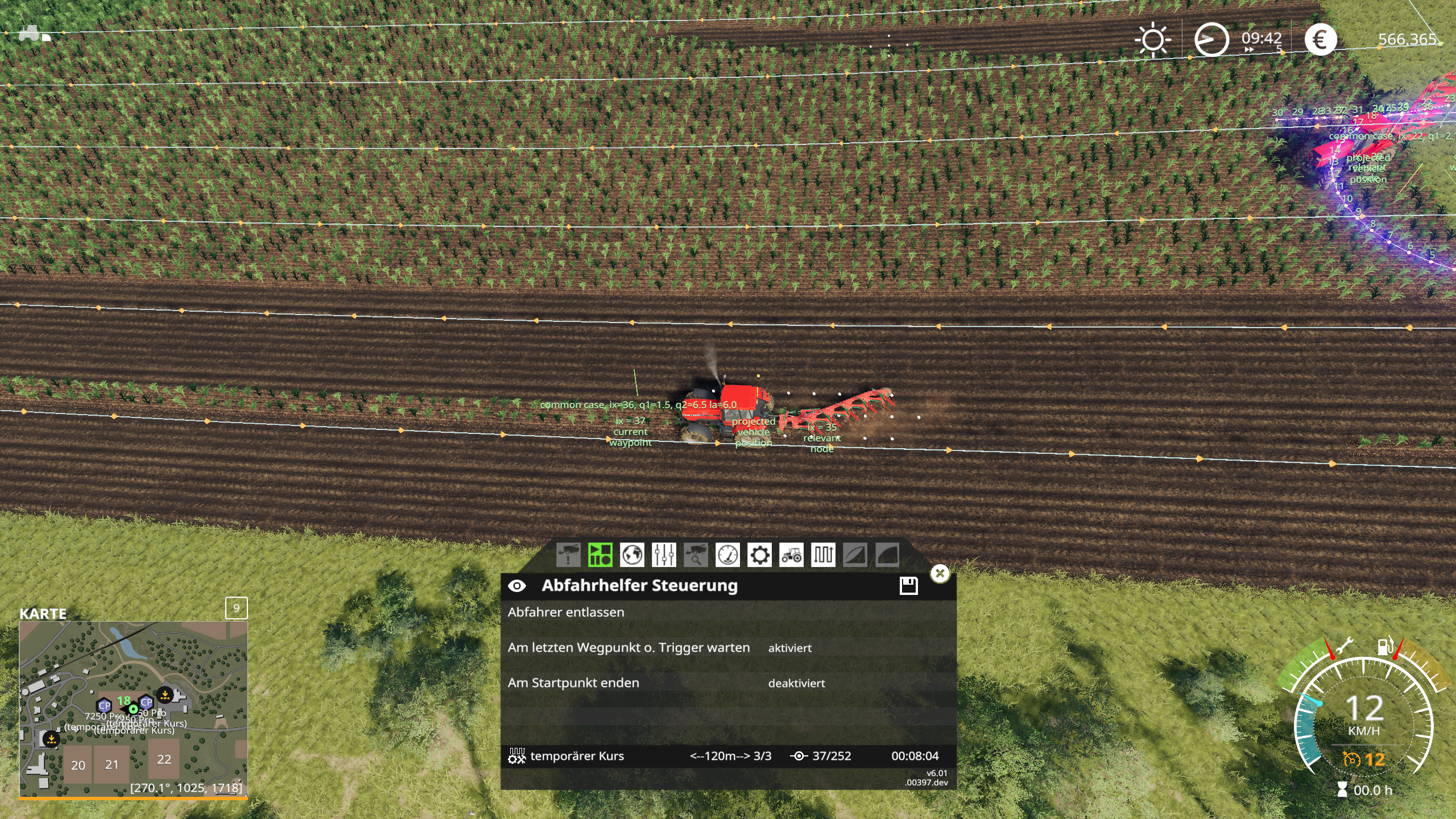
And pls post proper screenshots... just press print key on keyboard and take screenshots from this folder: ...My Games\FarmingSimulator2019\screenshots
Tensuko
on 25 Mar 2020
Yep I had problems with email so had to quickly screenshot it soz thanks for your help today bobster82
Sent from my iPhone
On 25 Mar 2020, at 18:28, Tensuko notifications@github.com wrote:
For plowing I couldn't find any Issue except the point I found for #5097https://github.com/Courseplay/courseplay/issues/5097
And pls post proper screenshots... just press print key on keyboard and take screenshots from this folder: ...My Games\FarmingSimulator2019\screenshots
[fsScreen_2020_03_25_19_22_00]https://user-images.githubusercontent.com/27344744/77571759-29185400-6ece-11ea-94e5-b3d1fb24ea39.png
—
You are receiving this because you were mentioned.
Reply to this email directly, view it on GitHubhttps://github.com/Courseplay/courseplay/issues/5095#issuecomment-604009583, or unsubscribehttps://github.com/notifications/unsubscribe-auth/AGOXRGNMSV2XJCAFQWY2SGDRJJELPANCNFSM4LRJ7X2A.
matty2123
on 25 Mar 2020
I had a somewhat different problem with three harvesters.
Course planned with one headland, 3 cotton harvesters. Left and center, starting from the beginning, left without any problems. Right harvester got stuck - not moving, not picking up a course. When I started from nearest, it always wanted to skip the headland.
Maybe it's related or maybe something else - had no time to truly investigate last night...
 uded
on 10 May 2020
uded
on 10 May 2020
This should not happen anymore.
Tensuko
on 20 Jul 2020
Related issues
 Mogli12
·
4Comments
Mogli12
·
4Comments
 yaitsbilly
·
5Comments
yaitsbilly
·
5Comments
 cabmac
·
5Comments
cabmac
·
5Comments
 PromGames
·
4Comments
PromGames
·
4Comments
 valdimellen
·
4Comments
valdimellen
·
4Comments