Courseplay: HUD Rework release - what you need to know
Hallo together,
the new HUD is ready to be merged into the actual CP Version.
Before you get into panic, I give you some Informations about what has changed:
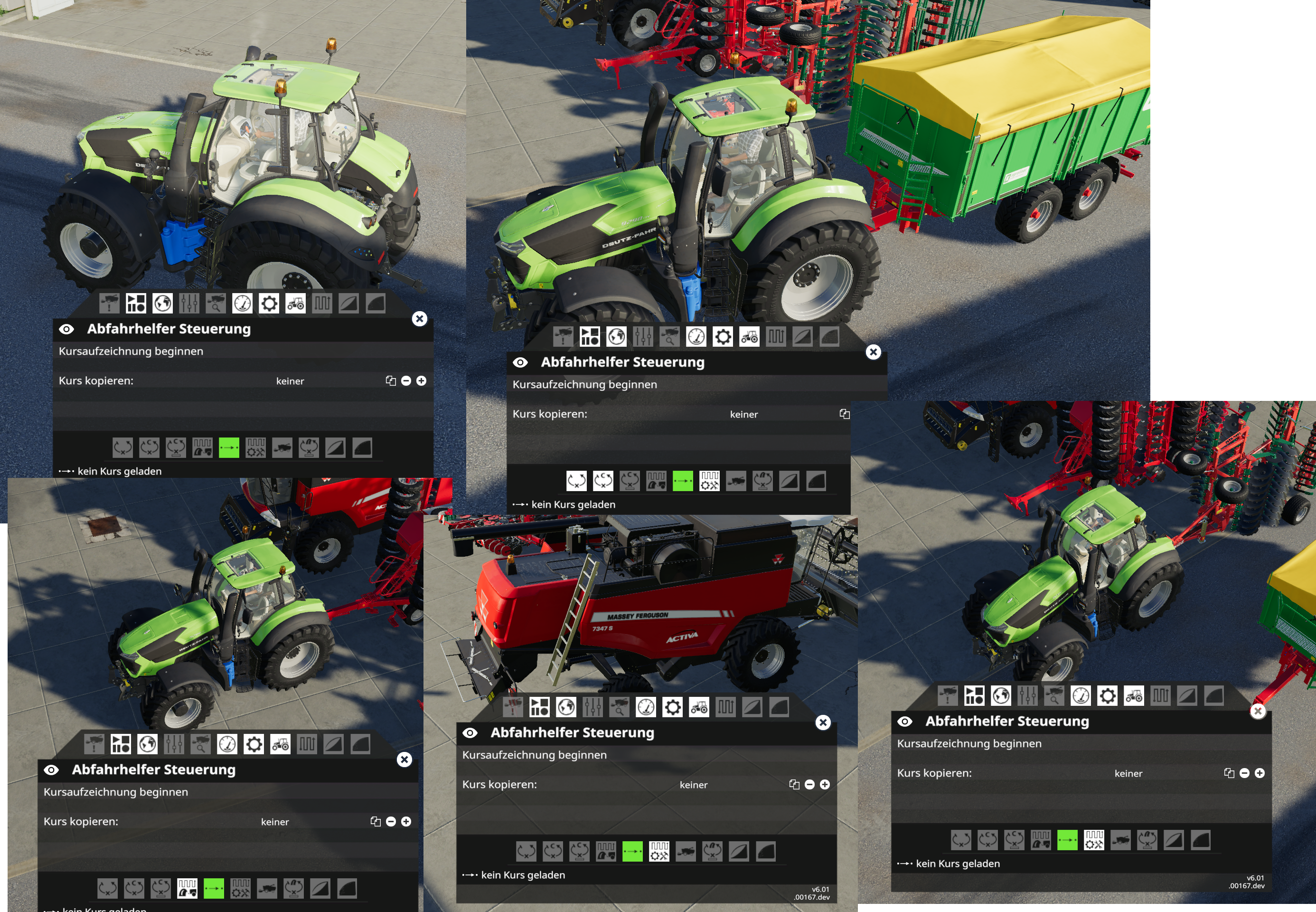
- You will only be able to get into a Menu or a Mode, when the Device you are in/attached are supported.
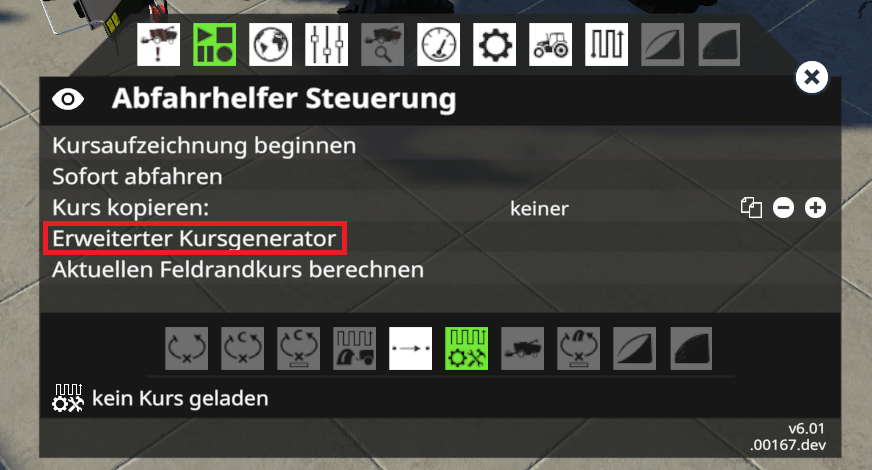
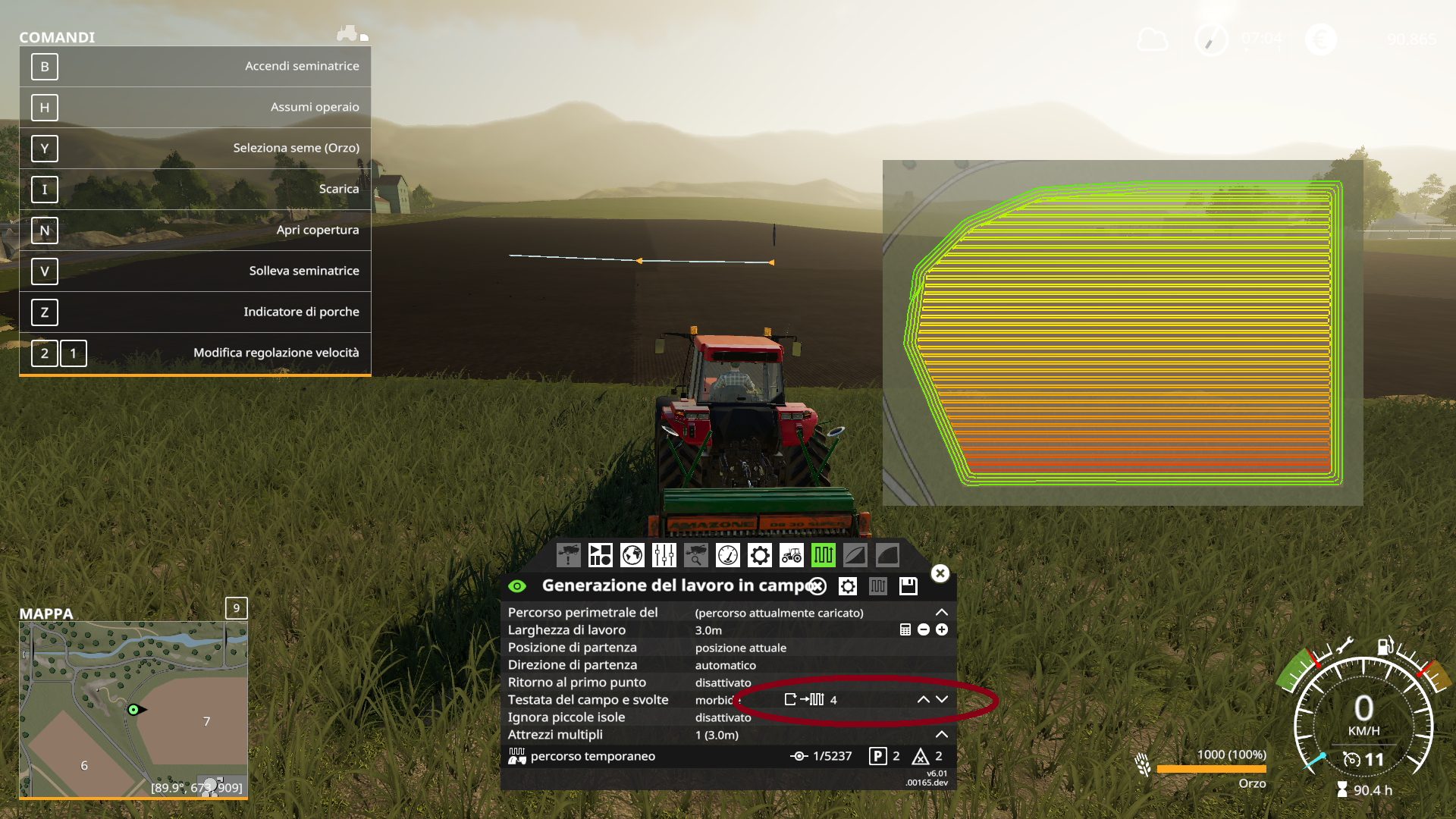
- The old Coursegenerator got removed and you will find the new Coursegenerator at the 2nd Page (see Pics).
- There are no new Modes activated yet, as we still need to rework the Mode2 (what comes next).
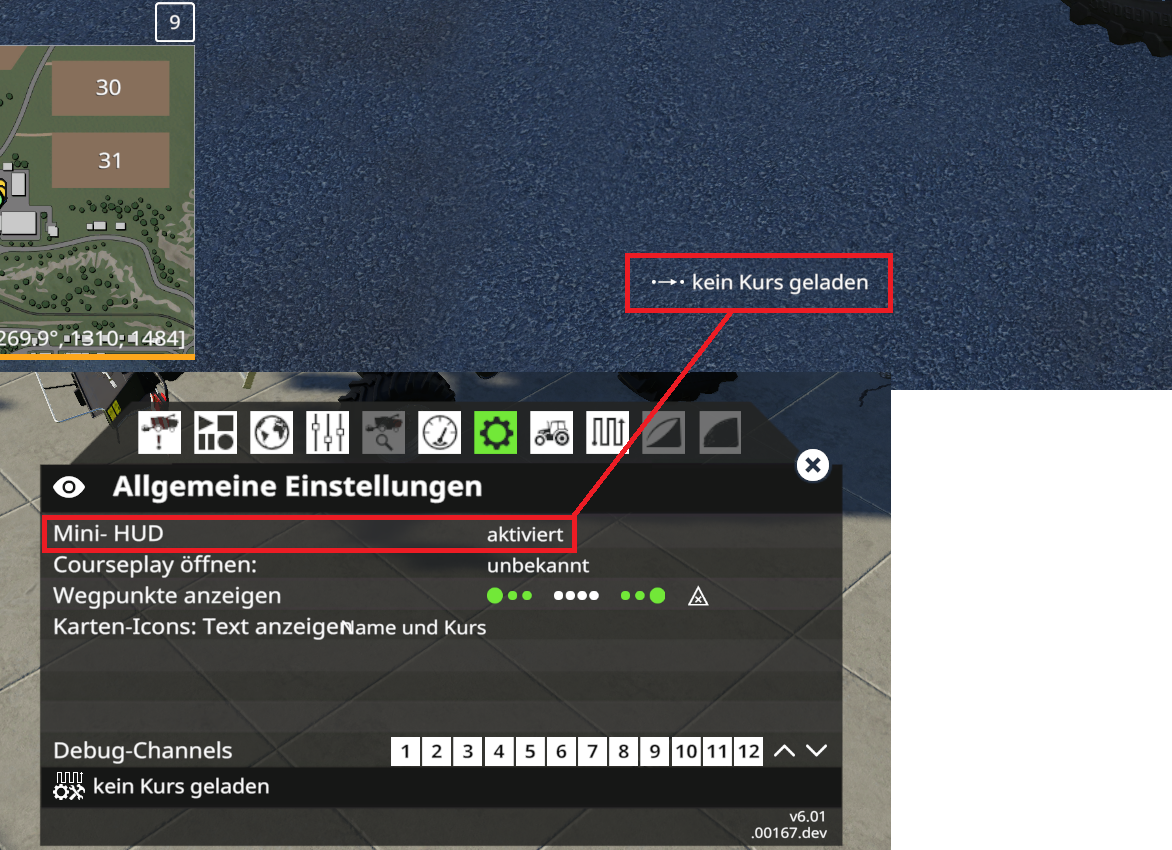
- New Feature: A mini-HUD, that shows you some information without activated HUD (you can disable this in the settings)
- Some Settings changed the Menu, wich are more logical then before (more clean menus).
With the new HUD, we got a lot more freedom to change and add stuff to the HUD.
The Pics are in german Version (sry), but I will try to explain that a bit.
 Tensuko
All 33 comments
The Button to open the new Coursegenerator is located here:
That is the Mini-HUD, it will display more when you change the Mode, CP is running and depending on the task, it will show you stuff like transporting grain run X/6 for example. It can be turned off if you don't want to see it.
This is a preview of how the CP Menus look like, when switch the Devices that are attached.
We hope you like this, any questions, feel free to ask.
If you face any real Issue, start one and discripe whats wrong, we will take a look into this.
Tensuko
on 9 Apr 2019
this is in commit 6858f6eb in HUD_Refactoring branch and not in the master branch, right?
 Messy71
on 9 Apr 2019
Messy71
on 9 Apr 2019
HUD_Refactoring is the branch related, yes
 ThomasGaertner
on 9 Apr 2019
ThomasGaertner
on 9 Apr 2019
I think you can put that in Master branch this evening @ThomasGaertner ?
Tensuko
on 9 Apr 2019
The course generator should be just "Kursgenerator...." or "Course generator...", without Advanced or Erweiterter and put ... (ellipsis) behind it to show that it opens another window. Please.
 pvaiko
on 9 Apr 2019
pvaiko
on 9 Apr 2019
I'll try to post the english version of @Tensuko 's screenshots today.
 GeorgeEarslight
on 9 Apr 2019
GeorgeEarslight
on 9 Apr 2019
@GeorgeEarslight I think coursegen location and mini-hud setting is enough, rest can be discovered later this day, when everything gets right ;) but thx :)
Tensuko
on 9 Apr 2019
its online now, v.168
ThomasGaertner
on 9 Apr 2019
I cant make the choise wich type of
fertilizer i will use. I'm blind?!? :-)
The normale course generator is replaced with the advanced ? No possibility to use the normal one?
 hoefti10
on 9 Apr 2019
hoefti10
on 9 Apr 2019
The normal one is outdated.
The 'advanced' is just the new better one.
Tensuko
on 9 Apr 2019
Mode2 is missing turn on field. Drive Now button is visible in all cases. Should only be shown in particular cases that it actually does something.
 pops64
on 9 Apr 2019
pops64
on 9 Apr 2019
Can you pls create an own Issue for stuff like this ?
Tensuko
on 10 Apr 2019
Looks very nice. I like the new integration in FS.
 AgroWillem
on 10 Apr 2019
AgroWillem
on 10 Apr 2019
The normal one is outdated.
The 'advanced' is just the new better one.
Oh, okay... I miss the Automatic width by the 'New One'
hoefti10
on 10 Apr 2019
@hoefti10 Just pushed auto width this morning...
pvaiko
on 10 Apr 2019
tbh the reworked HUD is nice, it's freat that you only enabled or disabled the modes which weren't for the attached tool. that makes cp-usage a lot easierer for ppl, who are not working with cp so far.
well... there is a small "but": why did you removed the simple/old course generator?`any chances to bring it back? using the advanced generator takes too long (yes, it looks fancy), but a more simple version would be nice or a setting to choose which one you prefer more...
 XPiRiJenZ
on 10 Apr 2019
XPiRiJenZ
on 10 Apr 2019
The old Coursegenerator, was outdated and missed some options.
We won't bring it back.
The new one got some rly nice features and the advantage, that you can very easy see, what you did there and if you don't like it, change the option and just press generate again.
If we would create a simple create button, it would directly create a course with the calculated work with, up/down rows and current position. Not all Fields support this.
And I must say, I was never in rush to create a course. And if you want to create one fast, open the generator, select field and press create. It is almost same steps...
Tensuko
on 10 Apr 2019
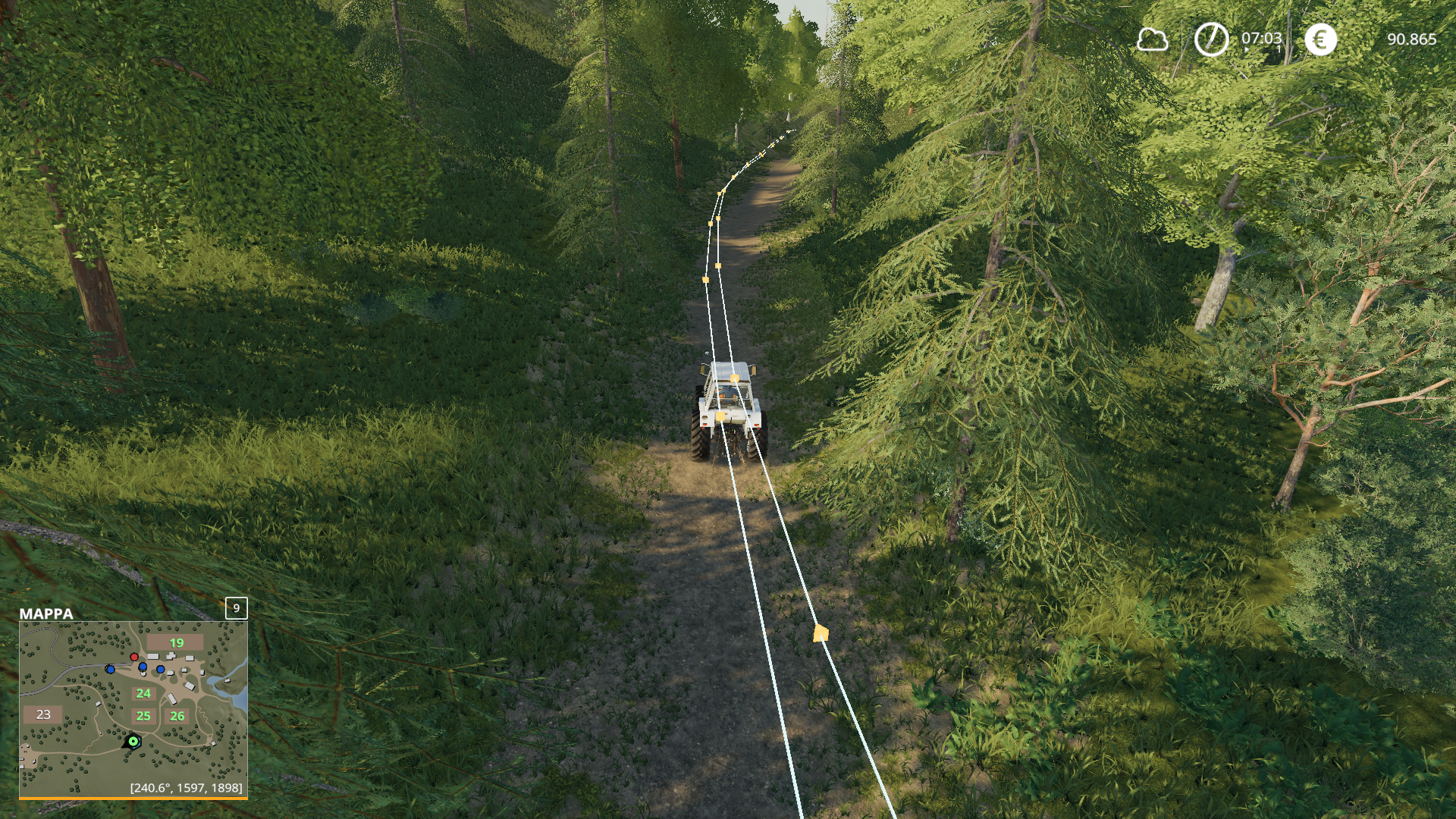
sometimes the HUD disappears.
 Peppobrasil
on 11 Apr 2019
Peppobrasil
on 11 Apr 2019
@Peppobrasil
Create a real Issue with this and post your logfile with debug channel 18 on and reproduce the error and discripe.
Tensuko
on 11 Apr 2019
@Peppobrasil
Create a real Issue with this and post your logfile with debug channel 18 on and reproduce the error and discripe.
 Peppobrasil
on 11 Apr 2019
Peppobrasil
on 11 Apr 2019
How can I create a path with x spirals plus the normal up / down with the new HUD?
Peppobrasil
on 12 Apr 2019
Not sure what you mean exactly, but take a look in the 'new' Coursegenerator and try out the settings. Maye you find what you need.
Tensuko
on 12 Apr 2019
I tried without success. Something like this. I use it when there is no space along the field's borders
After the initial shock, I really like your new HUD
Peppobrasil
on 13 Apr 2019
I really miss the hovering over tooltips in the bottom left corner, are they going to come back anytime soon ?
Messy71
on 13 Apr 2019
@Peppobrasil
But that looks like the normal Headland setting. You find that in the top right corner of the new coursgenerator. Just keep try out the settings and click on generate. You will find it out very easy ;)
@Messy71
and what exaclty ? The Debugchannels got informations.
On what point you need Informations, what options are not clear enough ? :)
Tensuko
on 13 Apr 2019
Nice rework of the HUD, but I miss the field calculation for amount of seed needed for the current course. Will that be coming back?
 PavementPilot
on 15 Apr 2019
PavementPilot
on 15 Apr 2019
It is in Issues as suggestion #3224
Tensuko
on 15 Apr 2019
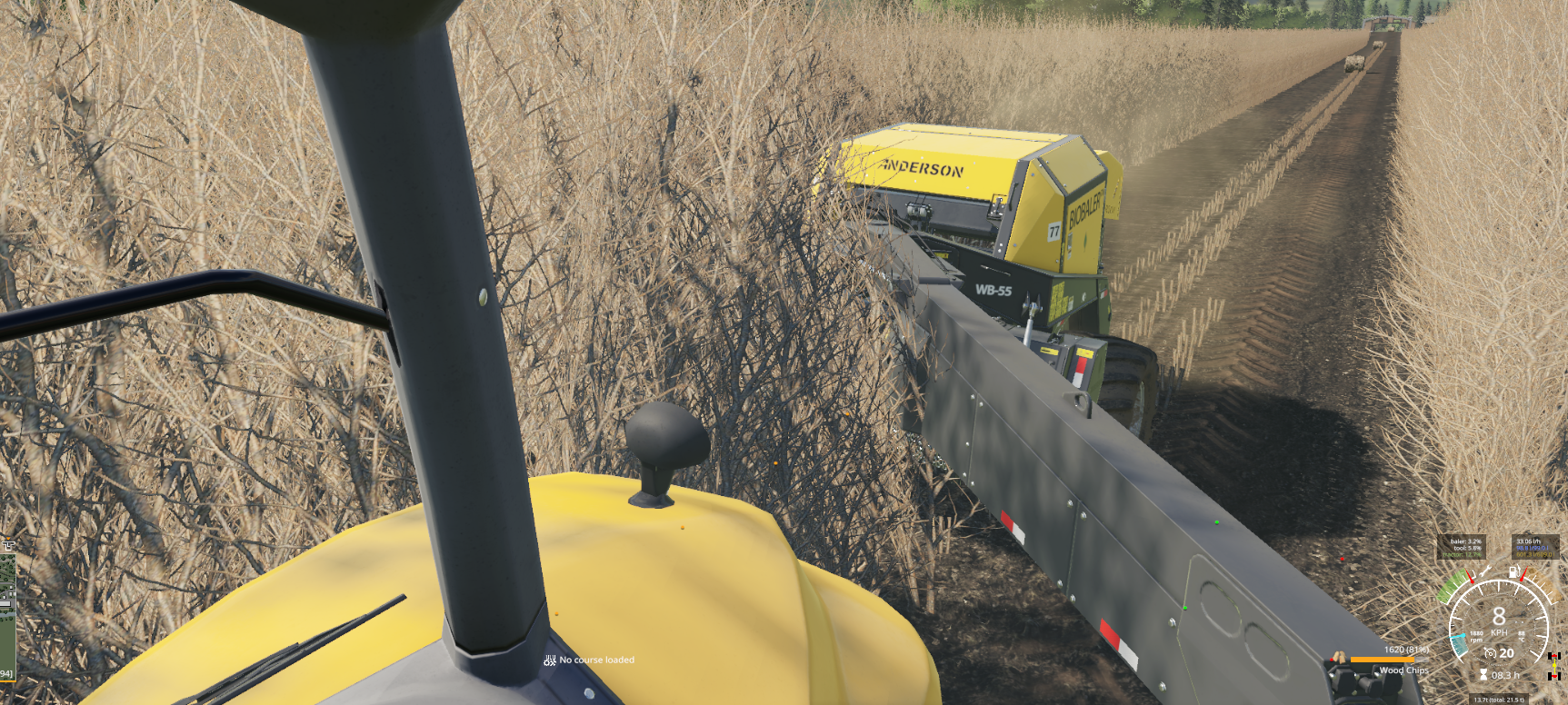
Is there currently anyway to remove that 'No Course Loaded' message that displays all the time on screen since the update to Courseplay? I don't know why it would need to be displayed at all on screen. Just adds something which is right smack in the middle of your eyeline and ruins cleanness of the screen.
 cwattyeso
on 15 Apr 2019
cwattyeso
on 15 Apr 2019
If you would read this Issue from the start, you would know.
Tensuko
on 15 Apr 2019
I've tried to read this page, but information is quite lacking on the new options and changes in this update, also the pictures that have been posted are all in a foreign language to me which I don't read or understand. Would be nice to get some English pictures in future to help the majority of people who don't speak foreign.
cwattyeso
on 15 Apr 2019
That is the Mini-HUD, it will display more when you change the Mode, CP is running and depending on the task, it will show you stuff like transporting grain run X/6 for example. It can be turned off if you don't want to see it.
... now don't tell me you need a english pic to find that option. I wrote it all down in english on top of the pics...
Tensuko
on 15 Apr 2019
Okay yes I found that option and Deactivated it, however the very next vehicle I went to the bloody 'No Course Loaded' thing appeared again on screen. Does it have to be turned off on every single vehicle and pieces of equipment or is there another setting somewhere just to disable the new Mini-Hud altogether across the whole mod? I don't really want additional huds and stuff on my screen, especially ones that will pop up anytime I buy or lease a new piece of equipment. In game anytime I want to know what Courseplay is doing or trying to do I'll press the right mouse button and open the menu.
cwattyeso
on 15 Apr 2019
On every Vehicle, yes, any tool I doubt since you can't open a HUD on a Tool.
The settings get saved now too so you only got to deactivate it once.
Tensuko
on 15 Apr 2019
Related issues
 yaitsbilly
·
5Comments
yaitsbilly
·
5Comments
 fischbesuch
·
4Comments
fischbesuch
·
4Comments
 MicaelJarniac
·
4Comments
MicaelJarniac
·
4Comments
 rgoe
·
3Comments
hoefti10
·
5Comments
rgoe
·
3Comments
hoefti10
·
5Comments
Most helpful comment
its online now, v.168