Cosmos: Error occured while invoking IL2CPU... Impossible to find the assembly "System.Core"... [HELP]
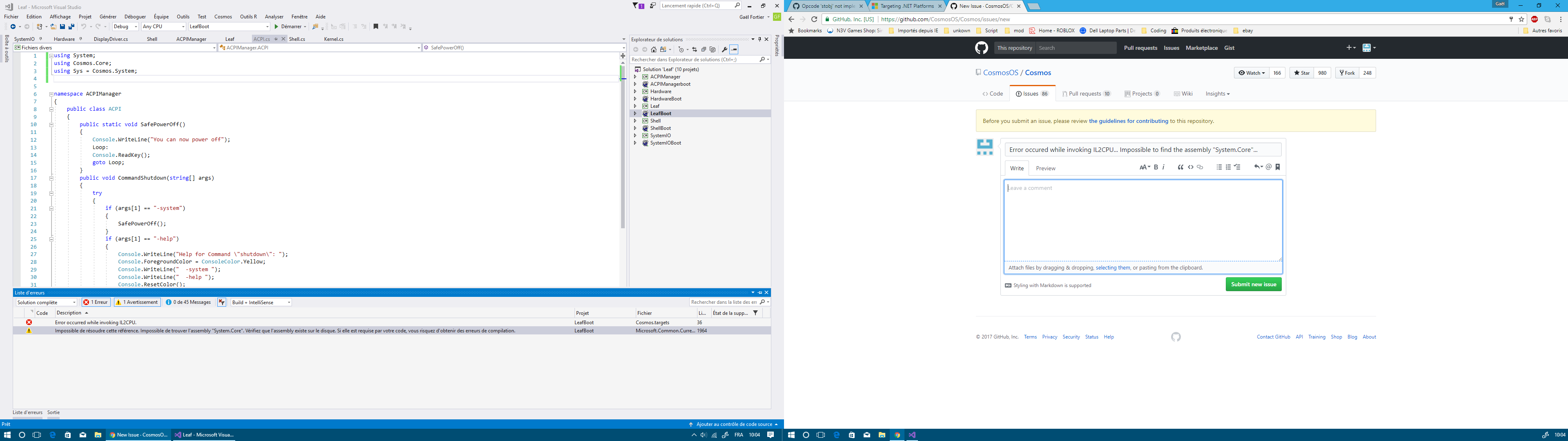
Sorry my computer is set in french...
I currently have the latest version of Cosmos (userkit-20170620);
I run Visual Studio 2017;
I remaked the whole project (VS2015) to put it on VS2017...
(i made new project with the same namespace and i only copied the .cs file)
The problem is I try to make a build but the compiler keep making the same error...
 gael12334
All 54 comments
There's a more detailed description of the error in the output window.
 jp2masa
on 13 Jul 2017
jp2masa
on 13 Jul 2017
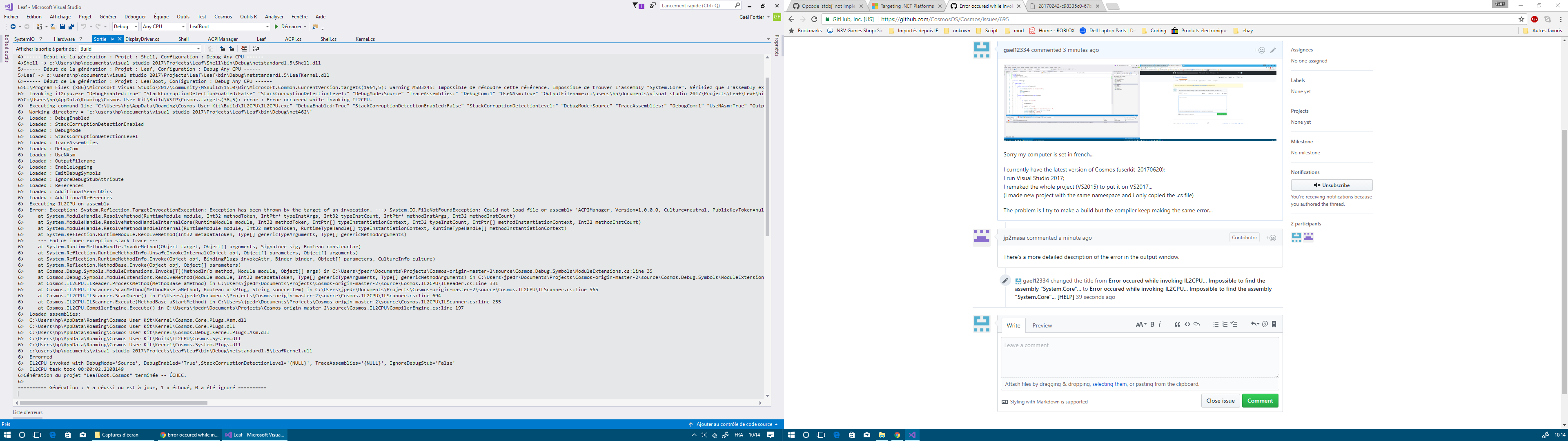
output
gael12334
on 13 Jul 2017
It seems that the compiler can't find the assembly generated by a referenced project. It never compiled with the latest user kit?
jp2masa
on 13 Jul 2017
well, i downloaded VS2017 yesturday, so basically no.... it never complied with the laest userkit...
gael12334
on 13 Jul 2017
This is probably a bug in the compiler, I'll check it.
jp2masa
on 13 Jul 2017
Here's my OS / visual studio project (solution)
The start up project is called LeafKernel
gael12334
on 13 Jul 2017
This issue occurs when a method from a referenced project is used. I don't know why it's happening, because all the project references are compiled to assemblies that are copied to the project output path, so it should be loaded, but it throws an exception instead, because the assembly is not being found.
jp2masa
on 13 Jul 2017
J'ai parfois la même erreur. Cela arrive si tu utilises des fonctions qui ne sont pas supporté par Cosmos et que le compilateur ne peut exécuté, par exemple j'ai tenté d'encoder là console en utf-8 pour avoir les accents de la langue française... J'avais l'avertissement aussi et cela ne m'a pas empêcher de continuer... (Je suis passé à devkit) Je te conseille d'utiliser le devkit qui est selon moi beaucoup mieux car tu auras les dernières résolutions de bugs.
Sometimes I have the same error. It's happens when you use fonctions that cosmos doesn't support yet and the compiler can't execute. For example, tried to encode the console in utf8 (for French accent), that is not supported by cosmos so I have this error. And for the advert, I have it too but we can continue to work, I think I don't have it on devkit.
_Sent from my HUAWEI GRA-L09 using FastHub_
 geomtech
on 14 Jul 2017
geomtech
on 14 Jul 2017
Merci du conseil geomtech
thank you for the advice geomtech
gael12334
on 14 Jul 2017
how do i install the inno setup preprocessor thing?
gael12334
on 14 Jul 2017
jp2masa
on 14 Jul 2017
thanks
gael12334
on 14 Jul 2017
hum geomtech... the devkit is.... it is not helping alot.... i only see errors in visual studio
gael12334
on 14 Jul 2017
was the project made with VS2015
 zarlo
on 14 Jul 2017
zarlo
on 14 Jul 2017
Yes, but I remade it to make it work in VS2017...
yet, its not working ....
gael12334
on 14 Jul 2017
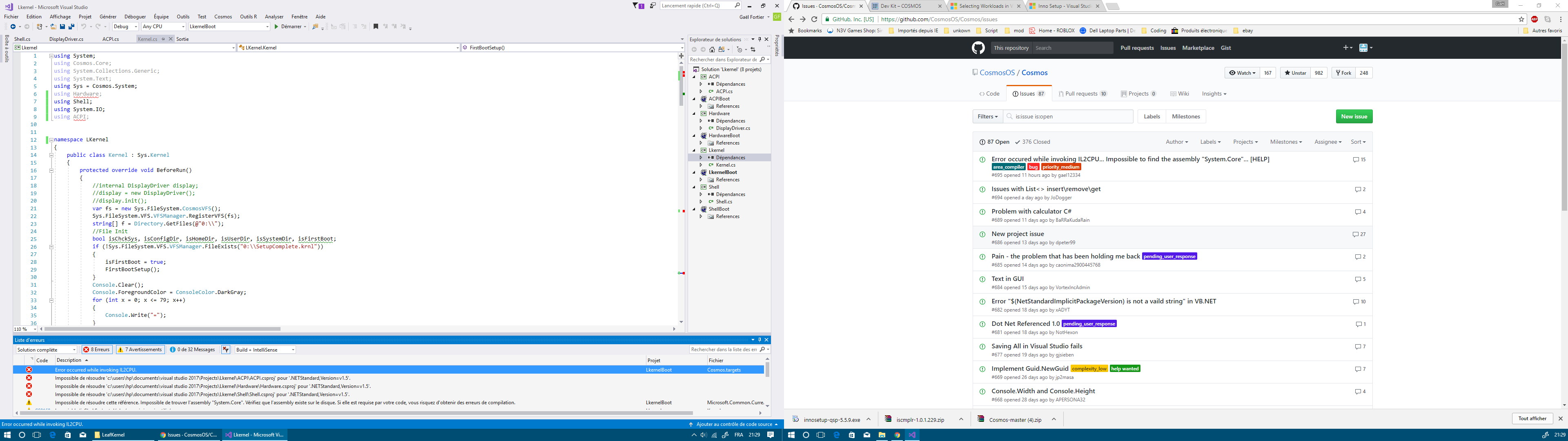
Well... i can't use the devkit... (im only 16...) because i cant even build the project...
And I re-tried to build my system on userkit-20170620... and still not working...
gael12334
on 14 Jul 2017
do you have:
Visual Studio 2017 Workloads: .NET Core Tools and Visual Studio Extension Development
.NET Framework 4.6.2
InnoSetup with the free Preprocessor Add-on
VMWare Player and/or Bochs
zarlo
on 14 Jul 2017
yes, zarlo
i do have all these
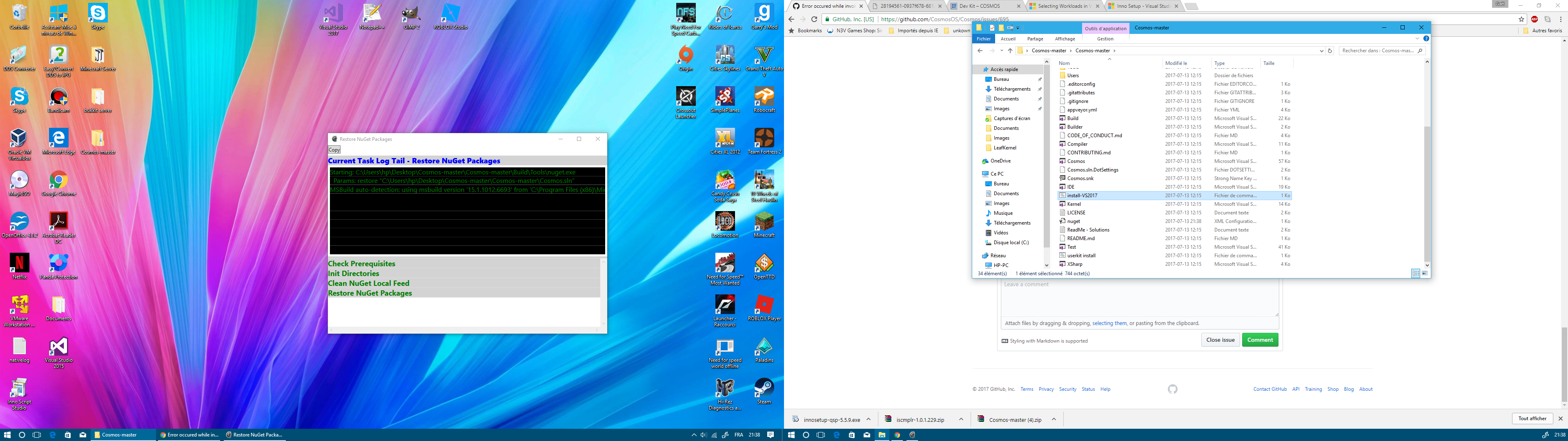
im re-installing the devkit to show it...
gael12334
on 14 Jul 2017
when the latest devkit has finished to be installed, a project open itself....
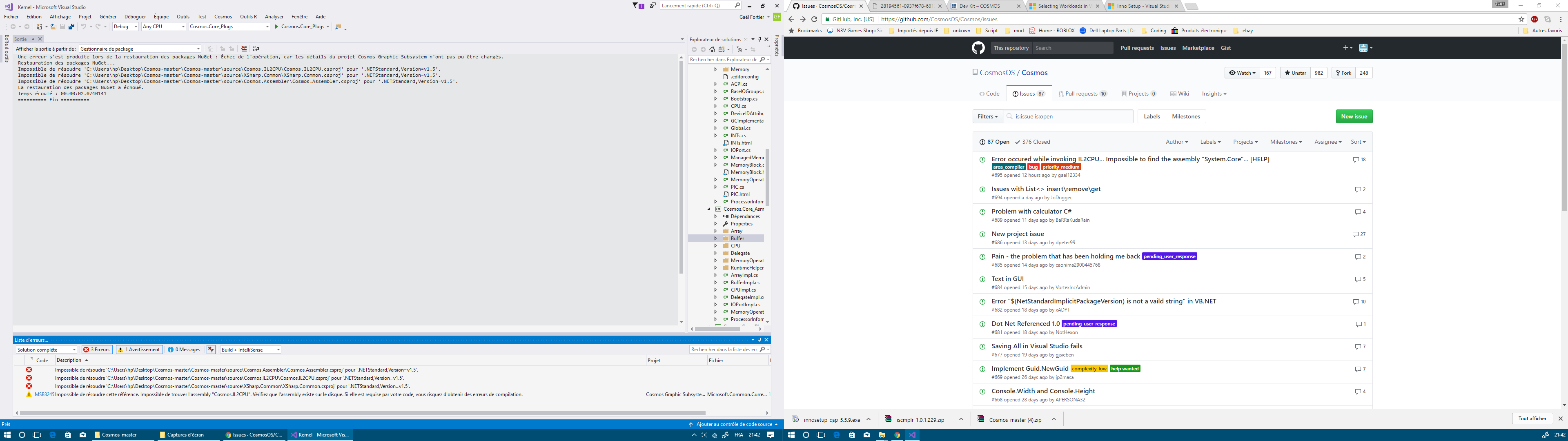
gael12334
on 14 Jul 2017
@gael12334 , that is normal, the setup opens the cosmos sln file (after installing)
 DjAlEx234
on 14 Jul 2017
DjAlEx234
on 14 Jul 2017
i know, but im not a professional programmer... So what am i supposed to do with the cosmos project... all i want for now is being able to build my OS...
gael12334
on 14 Jul 2017
Nothing you can close it :-)
You have to create a new C# project and between the possible templates you will get "Cosmos" and inside "C# Operating System" and you are ready to go...
 fanoI
on 14 Jul 2017
fanoI
on 14 Jul 2017
@gael12334 Si tu as des erreurs après l'installation de devkit, c'est normal, j'avais le même problème, il faut supprimer les références de Cosmos dans ton csproj et recharger les packages NuGet, sinon tu changes juste les versions de Cosmos au lieu de supprimer les références comme ça:
<ItemGroup>
    <PackageReference Include="Cosmos.Debug.Kernel" Version="1.0.*" />
    <PackageReference Include="Cosmos.System" Version="1.0.*" />
  </ItemGroup>
En:
geomtech
on 14 Jul 2017
<ItemGroup>
    <PackageReference Include="Cosmos.Debug.Kernel" Version="1.0.2-*" />
    <PackageReference Include="Cosmos.System" Version="1.0.2-*" />
  </ItemGroup>
geomtech
on 14 Jul 2017
Merci goemtech
gael12334
on 14 Jul 2017
Still having the same issue (and more) on the devkit
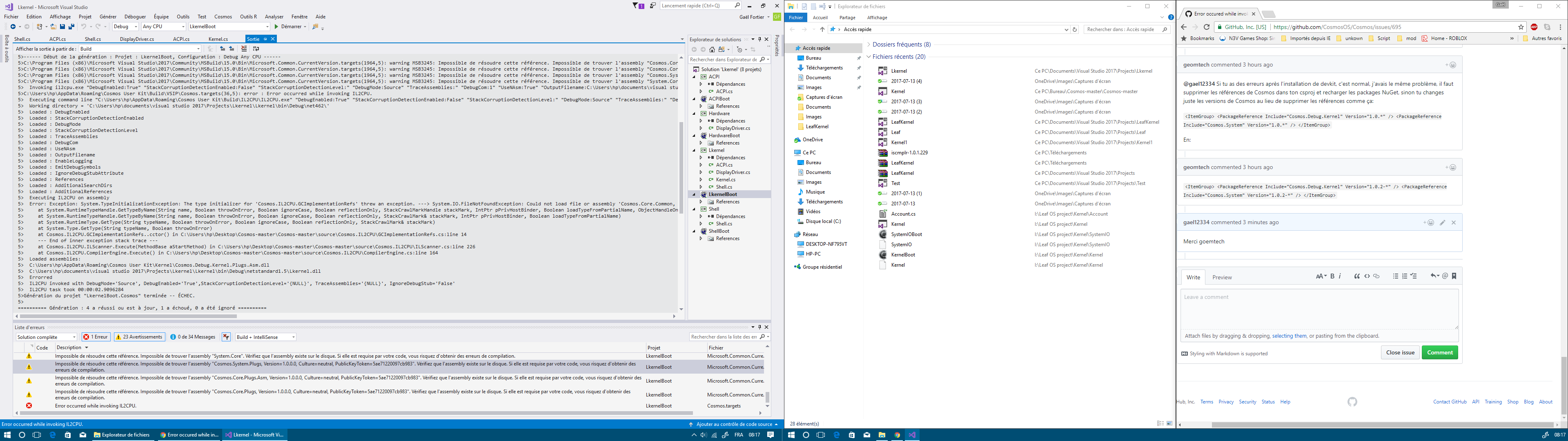
gael12334
on 14 Jul 2017
It's a bug, I'm working on fixing it now.
jp2masa
on 14 Jul 2017
It should be working now.
jp2masa
on 14 Jul 2017
@jp2masa we have to update the devkit ?
geomtech
on 14 Jul 2017
Yes.
jp2masa
on 14 Jul 2017
@jp2masa Your devkit installator has some errors...
btw, "à" means "at"
"Ligne" means "line"
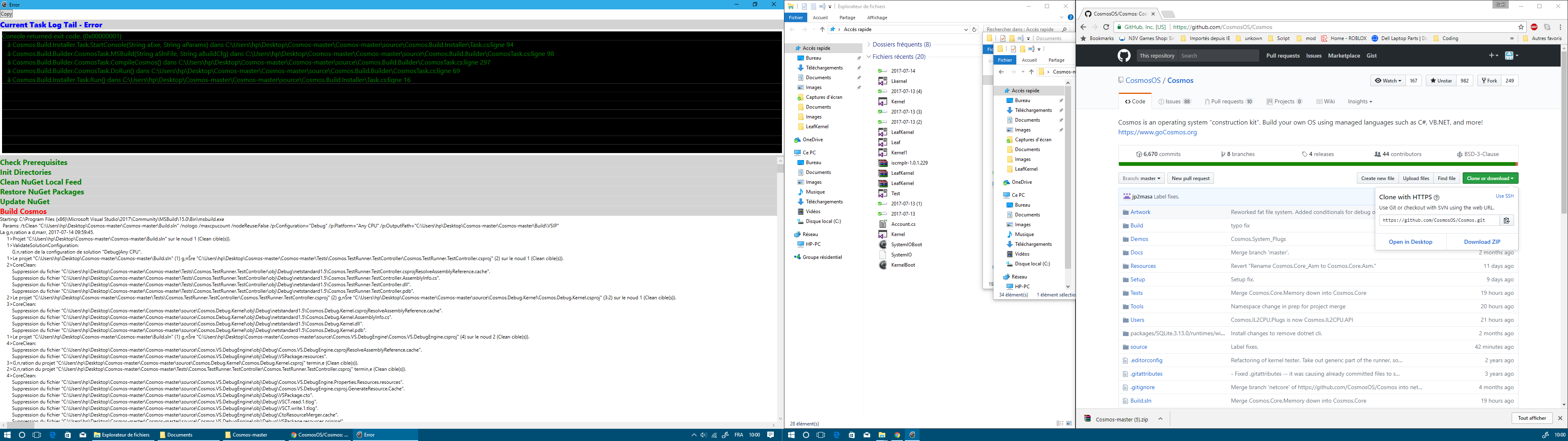
gael12334
on 14 Jul 2017
What's the error?
jp2masa
on 14 Jul 2017
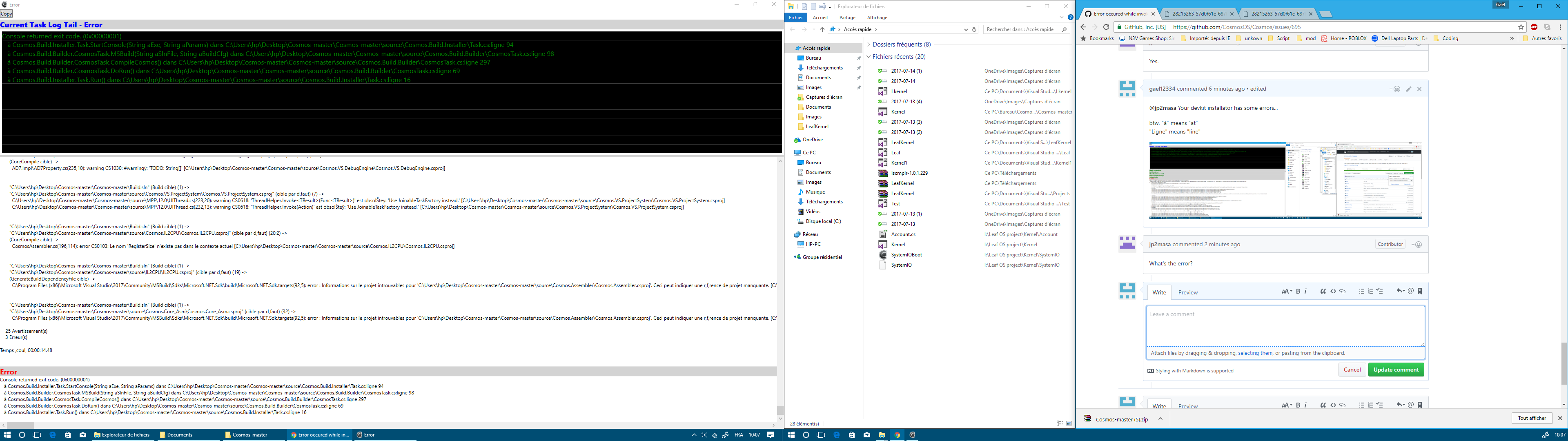
1: The name "RegisterSize" does not exsits in the actual context.[C:...\Cosmos.IL2CPU.csproj] (CosmosAssembler.cs (196,114): error CS0103)
2: Information for the project not found for "/.../Cosmos.Assembler.csproj". This can indicate a missing project reference . [C:...\IL2CPU.csproj]
3: Information for the project not found for "/.../Cosmos.Assembler.csproj". This can indicate a missing project reference . [C:...\Cosmos.Core_Asm.csproj]
Task.cs: line 94
CosmosTask.cs: line 98
CosmosTask.cs: line 297
CosmosTask.cs: line 69
Task.cs: line 16
gael12334
on 14 Jul 2017
I'll fix it.
jp2masa
on 14 Jul 2017
@jp2masa I have edited the comment
gael12334
on 14 Jul 2017
It should be working now.
jp2masa
on 14 Jul 2017
@jp2masa @geomtech
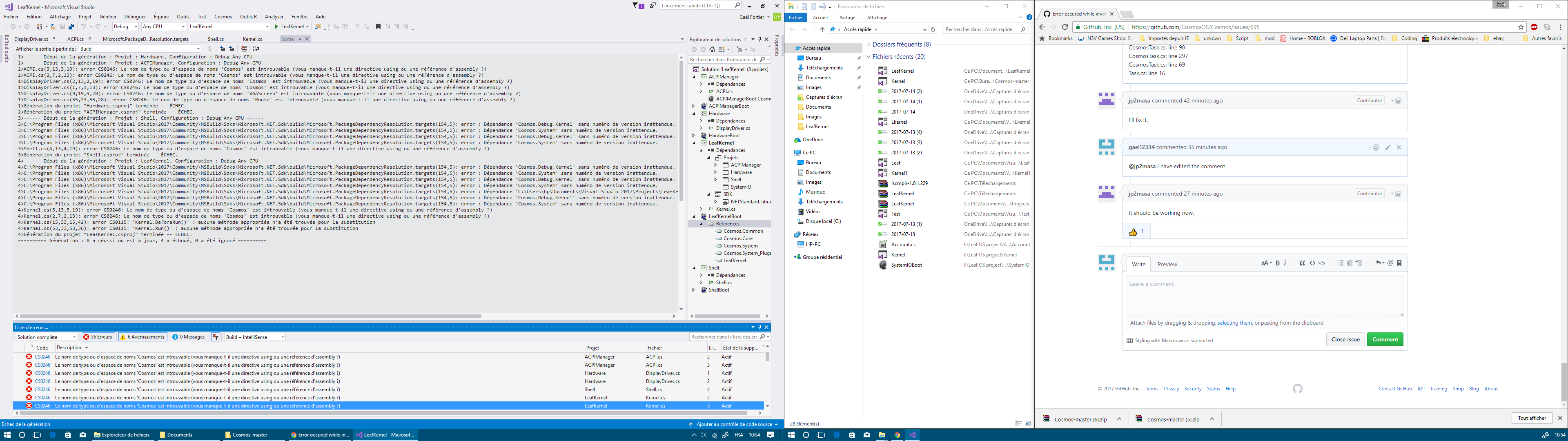
namespace "Cosmos" not found...
gael12334
on 14 Jul 2017
You need to restore nuget packages.
jp2masa
on 14 Jul 2017
@jp2masa oh ok thanks
gael12334
on 14 Jul 2017
Regarde les références de ton projet si après la restauration des packages nuGet ça ne marche tjrs pas.
geomtech
on 14 Jul 2017

how do i make "hardware" be in HAL?
gael12334
on 14 Jul 2017
It should be in System, or you can't use it from the kernel project. You need to add AssemblyInfo.cs with the Ring attribute (which can be found in Cosmos.Common).
jp2masa
on 14 Jul 2017
@jp2masa I put [assembly: Ring(Ring.System)], but the compiler seem to dont give a f* about the assemblyinfo.cs...
gael12334
on 14 Jul 2017
Are you getting the same error?
jp2masa
on 14 Jul 2017
@jp2masa

well... now the problem is about the rings...
gael12334
on 14 Jul 2017
Where did you add AssemblyInfo?
jp2masa
on 14 Jul 2017
@jp2masa i selected it in the solution explorer in my screenshot
gael12334
on 14 Jul 2017
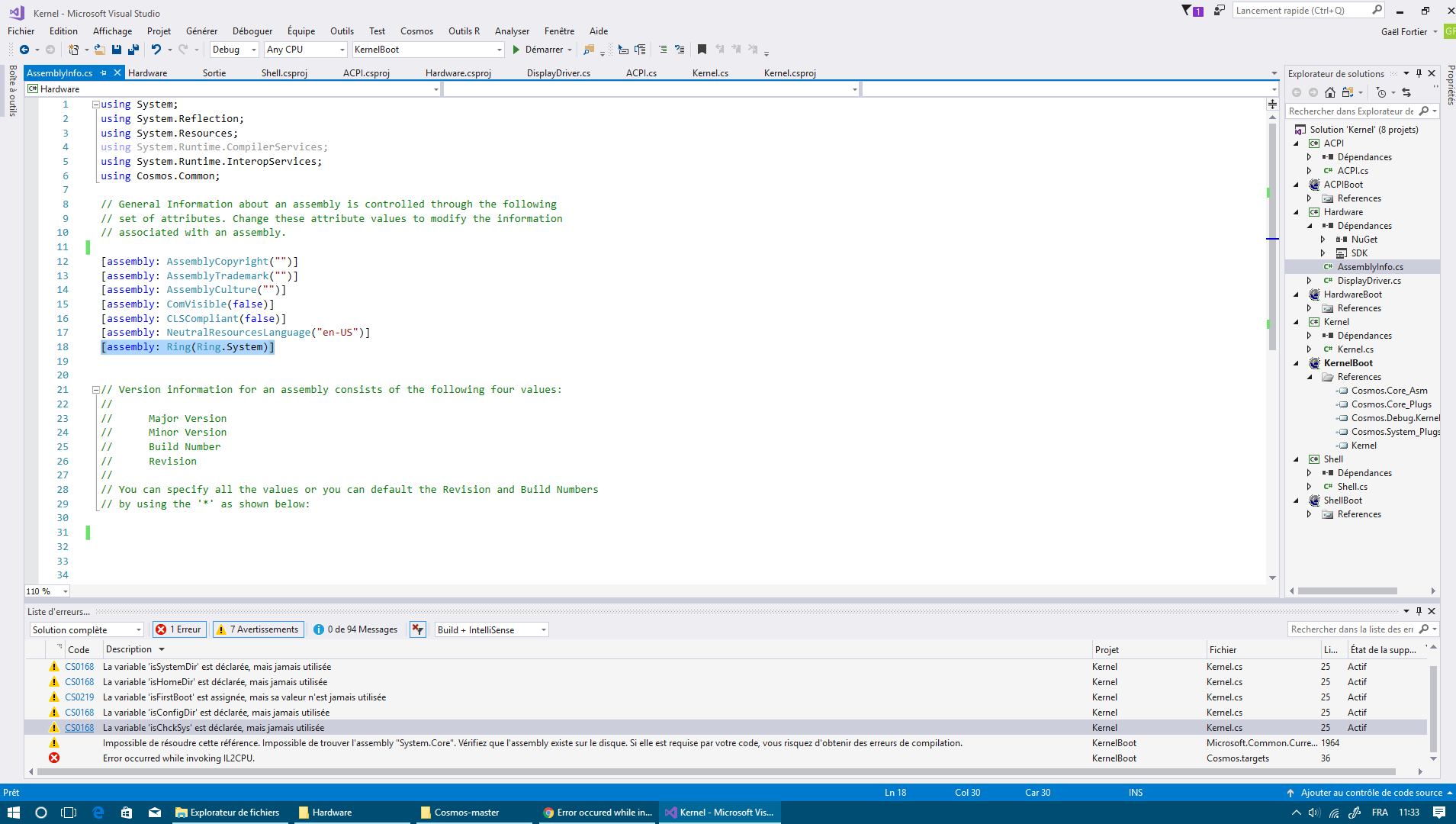
heres the assemblyinfo.cs
gael12334
on 14 Jul 2017
Try building the solution.
jp2masa
on 14 Jul 2017
@jp2masa it failed, it always does the same error
gael12334
on 14 Jul 2017
@jp2masa i think it is the compiler that has a bug
gael12334
on 14 Jul 2017
You have your references incorrect. You know how Rings work?
 mterwoord
on 17 Jul 2017
mterwoord
on 17 Jul 2017
@mterwoord yes, but i cant change them...
gael12334
on 17 Jul 2017
hI?
 Project-Magenta
on 30 Jul 2017
Project-Magenta
on 30 Jul 2017
Related issues
 Vardan2009
·
11Comments
Vardan2009
·
11Comments
 lammaurice034
·
5Comments
lammaurice034
·
5Comments
 TFTWPhoenix
·
7Comments
TFTWPhoenix
·
7Comments
 seba4316
·
8Comments
seba4316
·
8Comments
 manamster
·
4Comments
manamster
·
4Comments