Corefreq: Regression: wrong architecture displayed for Ryzen 5 3600
Up until commit 298af3fe5a8664d8b8094385277b533a44281a7a my CPU was detected correctly as Zen2/Matisse. eg:
CoreFreq(4:10): Processor [ 8F_71] Architecture [Zen2/Matisse] SMT [12/12]
From that commit onwards, it is detected as Zen/Summit Ridge and in the latest commits as Zen/Whitehaven, eg:
CoreFreq(3:9): Processor [ 8F_71] Architecture [Zen/Summit Ridge] SMT [12/12]
The turbo frequency is also incorrect, I assume that is determined by the architecture.
BTW, this project is awesome!
 obaudys
All 151 comments
Thank you for letting me know.
- Can you please try this hot-fix:
git clone --branch hotfix_LookupProcessor --single-branch https://github.com/cyring/CoreFreq.git
- About Turbo:
- Intel provides registers to simply discover the Turbo multipliers.
- No such MSR documented within Zen. (_Except triggering a high load on the Boosted P-State_)
The purpose ofLookupProcessor()is to provide such values during the driver startup.
 cyring
on 7 Apr 2020
cyring
on 7 Apr 2020
Unfortunately, I still get the following with the hotfix:
CoreFreq(3:9): Processor [ 8F_71] Architecture [Zen/Whitehaven] SMT [12/12]
obaudys
on 7 Apr 2020
EDIT
I'm trouble-shorting the lookup code, sorry for this bug.
Can you show me the processor brand string resulting from corefreq-cli -s and the version corefreq-cli -v
Please make sure not to mix source code version
cyring
on 7 Apr 2020
Here are the strings you wanted, both of these are from hotfix_LookupProcessor:
Processor                                   [AMD Ryzen 5 3600 6-Core Processor ]
|- Architecture                                                 [Zen/Whitehaven]
|- Vendor ID                                                      [AuthenticAMD]
|- Microcode                                                        [ 141561875]
|- Signature                                                           [  8F_71]
|- Stepping                                                            [      0]
|- Online CPU                                                          [ 12/ 12]
./corefreq-cli -v
1.75.2
Hello,
Can you try the new fix ?
cyring
on 7 Apr 2020
One more fix pushed. Sorry for the mess.
cyring
on 7 Apr 2020
The new fix works for me! Thanks for your work!
CoreFreq(5:11): Processor [ 8F_71] Architecture [Zen2/Matisse] SMT [12/12]
All the speeds are correct too:
Processor                                   [AMD Ryzen 5 3600 6-Core Processor ]
|- Architecture                                                   [Zen2/Matisse]
|- Vendor ID                                                      [AuthenticAMD]
|- Microcode                                                        [ 141561875]
|- Signature                                                           [  8F_71]
|- Stepping                                                            [      0]
|- Online CPU                                                          [ 12/ 12]
|- Base Clock                                                          [100.001]
|- Frequency            (MHz)                      Ratio
                 Min    400.00                    <   4 >
                 Max   3600.03                    <  36 >
|- Factory                                                             [100.000]
                       3600                       [  36 ]
|- Performance
   |- OSPM
                 TGT   2200.02                    <  22 >
|- Turbo Boost                                                         [ UNLOCK]
                 XFR   4300.04                    [  43 ]
                 CPB   4200.04                    [  42 ]
                  1C   2800.02                    <  28 >
                  2C   2200.02                    <  22 >
The new fix works for me! Thanks for your work!
CoreFreq(5:11): Processor [ 8F_71] Architecture [Zen2/Matisse] SMT [12/12]All the speeds are correct too:
Processor                                   [AMD Ryzen 5 3600 6-Core Processor ]
|- Architecture                                                   [Zen2/Matisse]
|- Vendor ID                                                      [AuthenticAMD]
|- Microcode                                                        [ 141561875]
|- Signature                                                           [  8F_71]
|- Stepping                                                            [      0]
|- Online CPU                                                          [ 12/ 12]
|- Base Clock                                                          [100.001]
|- Frequency            (MHz)                      Ratio
                 Min    400.00                    <   4 >
                 Max   3600.03                    <  36 >
|- Factory                                                             [100.000]
                       3600                       [  36 ]
|- Performance
   |- OSPM
                 TGT   2200.02                    <  22 >
|- Turbo Boost                                                         [ UNLOCK]
                 XFR   4300.04                    [  43 ]
                 CPB   4200.04                    [  42 ]
                  1C   2800.02                    <  28 >
                  2C   2200.02                    <  22 >
Glad to see a Base Clock estimation close to the factory one at 100 MHz.
Usually it falls around 99.8 MHz
What is your motherboard ? Can you post a screenshot of the _CoreFreq_ UI ?
cyring
on 8 Apr 2020
My motherboard is an MSI Gaming Pro Carbon AC (B450 chipset)

obaudys
on 8 Apr 2020
When using a plain Xterm, the UI will show better the dark gray color which is used for disabled features and other decorations. You may have a color profile option within your terminal, such as Linux theme.
cyring
on 8 Apr 2020
Are you asking for a screenshot with dark gray background? Well, here's one:

obaudys
on 8 Apr 2020
No, I mean you are missing separators, unit symbols and labels, such as, in the footer, between SMT and BOOST... Try with Xterm or with the console, you should see the difference.
I'm also noticing a bug that Min values Watt and Joules, per Core, are not shown or computed
cyring
on 8 Apr 2020
Ah, I see it now, it looks even better! To get it working with gnome-terminal, I enabled the "Show bold text in bright colors" preference. I'm not sure how to get it working through MacOS terminal via ssh.
I had assumed the power values and certain C-states etc were not implemented or exported by the Ryzen CPUs. If you need any help tracking down bugs, please let me know.
obaudys
on 8 Apr 2020
Ah, I see it now, it looks even better! To get it working with gnome-terminal, I enabled the "Show bold text in bright colors" preference. I'm not sure how to get it working through MacOS terminal via ssh.
I did make tests with OS/X terminals and it was ok through ssh but I have to set a standard color palette.
I had assumed the power values and certain C-states etc were not implemented or exported by the Ryzen CPUs. If you need any help tracking down bugs, please let me know.
Indeed AMD has not so far document the counters registers to measure the C-States. I'm understanding that the ACPI space can provide them. I believe most other tools are going through this route.
But, I'm not sure if the ACPI provides the same accuracy that the full 64 bits MSR ? Can the ACPI be polled as low as 100 ms interval ? Does it provide _all_ levels C3, C6, Cn per Core, Cluster CCX, CCD, Package ?
I feel confident that if the TSC and Instructions counters are published then it is just a matter of time for the manufacturer to unveil the remaining.
please AMD, release the full BKDG
cyring
on 8 Apr 2020
I'm satisfied that the issue is resolved, since the architecture and frequencies are correctly detected; you can close this if you like.
obaudys
on 10 Apr 2020
Using the develop branch, could you test again for non regression.
I have indeed refactor the Zen tables to split the AMD families per CPUID signature ; which means that any future Zen processor should fall through into its inherent class.
Please post the full output of corefreq-cli -s
Thanks for your help.
cyring
on 10 Apr 2020
The develop branch does not show the correct architecture or frequencies; here's the output of corefreq-cli -s:
Processor [AMD Ryzen 5 3600 6-Core Processor ]
|- Architecture [AMD Zen]
|- Vendor ID [AuthenticAMD]
|- Microcode [ 141561875]
|- Signature [ 8F_71]
|- Stepping [ 0]
|- Online CPU [ 12/ 12]
|- Base Clock [100.000]
|- Frequency (MHz) Ratio
Min 400.00 [ 4 ]
Max 3599.99 [ 36 ]
|- Factory [100.000]
3600 [ 36 ]
|- Performance
|- OSPM
TGT 2199.99 < 22 >
|- Turbo Boost [ LOCK]
XFR 3599.99 [ 36 ]
CPB 3599.99 [ 36 ]
1C 2799.99 [ 28 ]
2C 2199.99 [ 22 ]
|- Uncore [ LOCK]
Instruction Set Extensions
|- 3DNow!/Ext [N/N] ADX [Y] AES [Y] AVX/AVX2 [Y/Y]
|- AVX-512 [N] BMI1/BMI2 [Y/Y] CLFLUSH [Y] CMOV [Y]
|- CMPXCHG8B [Y] CMPXCHG16B [Y] F16C [Y] FPU [Y]
|- FXSR [Y] LAHF/SAHF [Y] MMX/Ext [Y/Y] MONITOR/X[Y/Y]
|- MOVBE [Y] MPX [N] PCLMULQDQ [Y] POPCNT [Y]
|- RDRAND [Y] RDSEED [Y] RDTSCP [Y] SEP [Y]
|- SGX [N] SSE [Y] SSE2 [Y] SSE3 [Y]
|- SSSE3 [Y] SSE4.1/4A [Y/Y] SSE4.2 [Y] SYSCALL [Y]
Features
|- 1 GB Pages Support 1GB-PAGES [Capable]
|- 100 MHz multiplier Control 100MHzSteps [Missing]
|- Advanced Configuration & Power Interface ACPI [Capable]
|- Advanced Programmable Interrupt Controller APIC [Capable]
|- Core Multi-Processing CMP Legacy [Capable]
|- L1 Data Cache Context ID CNXT-ID [Missing]
|- Direct Cache Access DCA [Missing]
|- Debugging Extension DE [Capable]
|- Debug Store & Precise Event Based Sampling DS, PEBS [Missing]
|- CPL Qualified Debug Store DS-CPL [Missing]
|- 64-Bit Debug Store DTES64 [Missing]
|- Fast-String Operation Fast-Strings [Missing]
|- Fused Multiply Add FMA | FMA4 [Capable]
|- Hardware Lock Elision HLE [Missing]
|- Long Mode 64 bits IA64 | LM [Capable]
|- LightWeight Profiling LWP [Missing]
|- Machine-Check Architecture MCA [Capable]
|- Model Specific Registers MSR [Capable]
|- Memory Type Range Registers MTRR [Capable]
|- No-Execute Page Protection NX [Capable]
|- OS-Enabled Ext. State Management OSXSAVE [Capable]
|- Physical Address Extension PAE [Capable]
|- Page Attribute Table PAT [Capable]
|- Pending Break Enable PBE [Missing]
|- Process Context Identifiers PCID [Missing]
|- Perfmon and Debug Capability PDCM [Missing]
|- Page Global Enable PGE [Capable]
|- Page Size Extension PSE [Capable]
|- 36-bit Page Size Extension PSE36 [Capable]
|- Processor Serial Number PSN [Missing]
|- Restricted Transactional Memory RTM [Missing]
|- Safer Mode Extensions SMX [Missing]
|- Self-Snoop SS [Missing]
|- Supervisor-Mode Execution Prevention SMEP [Capable]
|- Time Stamp Counter TSC [Invariant]
|- Time Stamp Counter Deadline TSC-DEADLINE [Missing]
|- Virtual Mode Extension VME [Capable]
|- Virtual Machine Extensions VMX [Missing]
|- Extended xAPIC Support x2APIC [Missing]
|- XSAVE/XSTOR States XSAVE [Capable]
|- xTPR Update Control xTPR [Missing]
Technologies
|- System Management Mode SMM-Lock [ ON]
|- Simultaneous Multithreading SMT [ ON]
|- PowerNow! CnQ [OFF]
|- Core Performance Boost CPB < ON>
|- Virtualization SVM [ ON]
|- I/O MMU AMD-V [OFF]
|- Hypervisor [OFF]
Performance Monitoring
|- Version PM [ 0]
|- Counters: General Fixed
| 6 x 64 bits 3 x 64 bits
|- Enhanced Halt State C1E < ON>
|- Core C6 State CC6 < ON>
|- Package C6 State PC6 < ON>
|- Frequency ID control FID [ ON]
|- Voltage ID control VID [ ON]
|- P-State Hardware Coordination Feedback MPERF/APERF [ ON]
|- Hardware-Controlled Performance States HWP <OFF>
|- Capabilities (MHz) Ratio
Lowest N/A [ 0 ]
Efficient N/A [ 0 ]
Guaranteed N/A [ 0 ]
Highest N/A [ 0 ]
|- Hardware Duty Cycling HDC [OFF]
|- Package C-State
|- Configuration Control CONFIG [ LOCK]
|- Lowest C-State LIMIT [ 0]
|- I/O MWAIT Redirection IOMWAIT [Disable]
|- Max C-State Inclusion RANGE [ 0]
|- MONITOR/MWAIT
|- State index: #0 #1 #2 #3 #4 #5 #6 #7
|- Sub C-State: 1 1 0 0 0 0 0 0
|- Core Cycles [Capable]
|- Instructions Retired [Capable]
|- Reference Cycles [Capable]
|- Last Level Cache References [Missing]
|- Last Level Cache Misses [Missing]
|- Branch Instructions Retired [Missing]
|- Branch Mispredicts Retired [Missing]
Power & Thermal
|- Clock Modulation ODCM [Disable]
|- DutyCycle [ 0.00%]
|- Power Management PWR MGMT [ LOCK]
|- Energy Policy Bias Hint [ 0]
|- Energy Policy HWP EPP [ 0]
|- Junction Temperature TjMax [ 0: 0]
|- Digital Thermal Sensor DTS [Capable]
|- Power Limit Notification PLN [Missing]
|- Package Thermal Management PTM [Missing]
|- Thermal Monitor 1 TTP [Capable]
|- Thermal Monitor 2 HTC [Capable]
|- Thermal Design Power TDP [Missing]
|- Minimum Power Min [Missing]
|- Maximum Power Max [Missing]
|- Units
|- Power watt [ 0.125000000]
|- Energy joule [ 0.000015259]
|- Window second [ 0.000976562]
Can you pull last source code in develop and test again.
Be sure to fully rebuild with a make clean all
Thank you
cyring
on 10 Apr 2020
Done. It seems to be good. Here's a dump of corefreq-cli -s:
Processor [AMD Ryzen 5 3600 6-Core Processor ]
|- Architecture [Zen2/Matisse]
|- Vendor ID [AuthenticAMD]
|- Microcode [ 141561875]
|- Signature [ 8F_71]
|- Stepping [ 0]
|- Online CPU [ 12/ 12]
|- Base Clock [100.000]
|- Frequency (MHz) Ratio
Min 400.00 < 4 >
Max 3600.00 < 36 >
|- Factory [100.000]
3600 [ 36 ]
|- Performance
|- OSPM
TGT 2200.00 < 22 >
|- Turbo Boost [ UNLOCK]
XFR 4300.00 [ 43 ]
CPB 4200.00 [ 42 ]
1C 2800.00 < 28 >
2C 2200.00 < 22 >
|- Uncore [ LOCK]
Instruction Set Extensions
|- 3DNow!/Ext [N/N] ADX [Y] AES [Y] AVX/AVX2 [Y/Y]
|- AVX-512 [N] BMI1/BMI2 [Y/Y] CLFLUSH [Y] CMOV [Y]
|- CMPXCHG8B [Y] CMPXCHG16B [Y] F16C [Y] FPU [Y]
|- FXSR [Y] LAHF/SAHF [Y] MMX/Ext [Y/Y] MONITOR/X[Y/Y]
|- MOVBE [Y] MPX [N] PCLMULQDQ [Y] POPCNT [Y]
|- RDRAND [Y] RDSEED [Y] RDTSCP [Y] SEP [Y]
|- SGX [N] SSE [Y] SSE2 [Y] SSE3 [Y]
|- SSSE3 [Y] SSE4.1/4A [Y/Y] SSE4.2 [Y] SYSCALL [Y]
Features
|- 1 GB Pages Support 1GB-PAGES [Capable]
|- 100 MHz multiplier Control 100MHzSteps [Missing]
|- Advanced Configuration & Power Interface ACPI [Capable]
|- Advanced Programmable Interrupt Controller APIC [Capable]
|- Core Multi-Processing CMP Legacy [Capable]
|- L1 Data Cache Context ID CNXT-ID [Missing]
|- Direct Cache Access DCA [Missing]
|- Debugging Extension DE [Capable]
|- Debug Store & Precise Event Based Sampling DS, PEBS [Missing]
|- CPL Qualified Debug Store DS-CPL [Missing]
|- 64-Bit Debug Store DTES64 [Missing]
|- Fast-String Operation Fast-Strings [Missing]
|- Fused Multiply Add FMA | FMA4 [Capable]
|- Hardware Lock Elision HLE [Missing]
|- Long Mode 64 bits IA64 | LM [Capable]
|- LightWeight Profiling LWP [Missing]
|- Machine-Check Architecture MCA [Capable]
|- Model Specific Registers MSR [Capable]
|- Memory Type Range Registers MTRR [Capable]
|- No-Execute Page Protection NX [Capable]
|- OS-Enabled Ext. State Management OSXSAVE [Capable]
|- Physical Address Extension PAE [Capable]
|- Page Attribute Table PAT [Capable]
|- Pending Break Enable PBE [Missing]
|- Process Context Identifiers PCID [Missing]
|- Perfmon and Debug Capability PDCM [Missing]
|- Page Global Enable PGE [Capable]
|- Page Size Extension PSE [Capable]
|- 36-bit Page Size Extension PSE36 [Capable]
|- Processor Serial Number PSN [Missing]
|- Restricted Transactional Memory RTM [Missing]
|- Safer Mode Extensions SMX [Missing]
|- Self-Snoop SS [Missing]
|- Supervisor-Mode Execution Prevention SMEP [Capable]
|- Time Stamp Counter TSC [Invariant]
|- Time Stamp Counter Deadline TSC-DEADLINE [Missing]
|- Virtual Mode Extension VME [Capable]
|- Virtual Machine Extensions VMX [Missing]
|- Extended xAPIC Support x2APIC [Missing]
|- XSAVE/XSTOR States XSAVE [Capable]
|- xTPR Update Control xTPR [Missing]
Technologies
|- System Management Mode SMM-Lock [ ON]
|- Simultaneous Multithreading SMT [OFF]
|- PowerNow! CnQ [OFF]
|- Core Performance Boost CPB < ON>
|- Virtualization SVM [ ON]
|- I/O MMU AMD-V [OFF]
|- Hypervisor [OFF]
Performance Monitoring
|- Version PM [ 0]
|- Counters: General Fixed
| 6 x 64 bits 3 x 64 bits
|- Enhanced Halt State C1E < ON>
|- Core C6 State CC6 < ON>
|- Package C6 State PC6 < ON>
|- Frequency ID control FID [ ON]
|- Voltage ID control VID [ ON]
|- P-State Hardware Coordination Feedback MPERF/APERF [ ON]
|- Hardware-Controlled Performance States HWP <OFF>
|- Capabilities (MHz) Ratio
Lowest N/A [ 0 ]
Efficient N/A [ 0 ]
Guaranteed N/A [ 0 ]
Highest N/A [ 0 ]
|- Hardware Duty Cycling HDC [OFF]
|- Package C-State
|- Configuration Control CONFIG [ LOCK]
|- Lowest C-State LIMIT [ 0]
|- I/O MWAIT Redirection IOMWAIT [Disable]
|- Max C-State Inclusion RANGE [ 0]
|- MONITOR/MWAIT
|- State index: #0 #1 #2 #3 #4 #5 #6 #7
|- Sub C-State: 1 1 0 0 0 0 0 0
|- Core Cycles [Capable]
|- Instructions Retired [Capable]
|- Reference Cycles [Capable]
|- Last Level Cache References [Missing]
|- Last Level Cache Misses [Missing]
|- Branch Instructions Retired [Missing]
|- Branch Mispredicts Retired [Missing]
Power & Thermal
|- Clock Modulation ODCM [Disable]
|- DutyCycle [ 0.00%]
|- Power Management PWR MGMT [ LOCK]
|- Energy Policy Bias Hint [ 0]
|- Energy Policy HWP EPP [ 0]
|- Junction Temperature TjMax [ 0: 0]
|- Digital Thermal Sensor DTS [Capable]
|- Power Limit Notification PLN [Missing]
|- Package Thermal Management PTM [Missing]
|- Thermal Monitor 1 TTP [Capable]
|- Thermal Monitor 2 HTC [Capable]
|- Thermal Design Power TDP [Missing]
|- Minimum Power Min [Missing]
|- Maximum Power Max [Missing]
|- Units
|- Power watt [ 0.125000000]
|- Energy joule [ 0.000015259]
|- Window second [ 0.000976562]
Brand string clean-up
Another bug which happens only AMD:
Processor [AMD Ryzen 5 3600 6-Core Processor ]
- The last blank character of the processor brand string is not cleaned up.
HWP
|- Hardware-Controlled Performance States HWP <OFF>
- This is the Speed-Shift Intel technology. I have not found an AMD equivalent, thus I may hide in next UI release.
Minimum Power and Energy values stuck to zero
- I'm currently working on this issue
cyring
on 10 Apr 2020
Hello,
Can you pull develop and test the Minimum Energy and Power fix.
To un-correlate the Joule and Watt values, please change the Interval to 500 ms (for example) before you screenshot the Power view

EDIT: it is also released the fix to the processor brand name cleanup that you can check easier in the output of corefreq-cli -s
cyring
on 10 Apr 2020
I have set my settings to match those above in the following screenshot... ie:
Interval 500ms
Thermal scope SMP
Voltage scope Pkg
Power scope None

In addition, the processor brand name still contains the trailing space:
Processor [AMD Ryzen 5 3600 6-Core Processor ]
obaudys
on 11 Apr 2020
Can you leave all scopes as default, untouched ( b/c your AMD has power counters per Core, whereas my Intel has them only per Package )
About the brand string, can you post the output of:
echo "[$(cat /proc/cpuinfo | grep -i 'model name' | tail -n 1 | cut -f 2 -d ':')]"
Here's with the scopes untouched:

I'd say the package power is correct; in Windows Ryzen Master shows 80W when running with all cores at 100% (I'm running folding@home right now)
Here's the output you requested:
$ echo "[$(cat /proc/cpuinfo | grep -i 'model name' | tail -n 1 | cut -f 2 -d ':')]"
[ AMD Ryzen 5 3600 6-Core Processor]
Thanks for your returns but I don't understand why the ACCU, Power and Energy are now all showing zero. The fix I made was only the Minimum columns.
So do you confirm that from scratch
- PC rebooted;
- download
develop - then build;
- loading _CoreFreq_
- and go straight to the Power view;
the values are zero ?
cyring
on 11 Apr 2020
Yes I can confirm all of the following:
- PC rebooted
- Clean clone of
develop - built
- module loaded, daemon started
- straight into power view
All values are still zero except package power
obaudys
on 11 Apr 2020
Switching back to the master repo, do you get values ?
(be sure to unload current driver before switching)
cyring
on 11 Apr 2020
Yes, switching to master I do get values:

obaudys
on 11 Apr 2020
Can you download and test last develop
It will be version 1.76.1
cyring
on 11 Apr 2020
1.76.1 still shows all 0 values
obaudys
on 11 Apr 2020
1.76.1 still shows all 0 values
Looking at the above develop screenshots, I can see that some values are garbage compared to master
For example: L3=64 vs L3=16384 ; also SMT is disabled in develop
Usually when values are inconsistent, it's a sign of a major change in the API carried by the memory shared between the driver and the daemon. As a footprint, the version is computed and stored in the shared memory and checked by Processes to be sure they are working on the same API
Don't you have any Oops in the kernel log ? see dmesg
cyring
on 11 Apr 2020
Do you have installed _CoreFreq_ from the AUR or enter make install ?
cyring
on 11 Apr 2020
There are no oopses in the kernel log.
Apr 11 20:08:14 orion kernel: [15033.524536] CoreFreq: Unload
Apr 11 20:09:52 orion kernel: [15131.722332] CoreFreq(0:-1): Processor [ 8F_71] Architecture [Zen2/Matisse] CPU [12/12]
I'm running CoreFreq from my local git repo, after pulling in changes and switching branches is required:
rmmod corefreqk; make clean all; sudo insmod ./corefreqk.ko; sudo ./corefreqd & sleep 1; ./corefreq-cli
obaudys
on 11 Apr 2020
There are no oopses in the kernel log.
Apr 11 20:08:14 orion kernel: [15033.524536] CoreFreq: Unload
Apr 11 20:09:52 orion kernel: [15131.722332] CoreFreq(0:-1): Processor [ 8F_71] Architecture [Zen2/Matisse] CPU [12/12]
The log is strange:
-1 confirmes no thread CPU detected thus SMT is disabled ; but we see the Zen2/Matisse CPUID family ID 8F_71
I'm running CoreFreq from my local git repo, after pulling in changes and switching branches is required:
rmmod corefreqk; make clean all; sudo insmod ./corefreqk.ko; sudo ./corefreqd & sleep 1; ./corefreq-cli
Is it virtualized ?
cyring
on 11 Apr 2020
No, not virtualised, this is a bare metal PC. Running Ubuntu 19.10 with a 5.4.0 kernel.
Here's a dump of my kernel logs since boot, grepping for CoreFreq. SMT was only detected in master, not develop
pr 11 15:59:07 orion kernel: [   86.312860] CoreFreq(11:-1): Processor [ 8F_71] Architecture [Zen2/Matisse] CPU [12/12]
Apr 11 16:03:10 orion kernel: [  329.855418] CoreFreq: Unload
Apr 11 16:03:30 orion kernel: [  349.389771] CoreFreq(7:-1): Processor [ 8F_71] Architecture [Zen2/Matisse] CPU [12/12]
Apr 11 16:47:28 orion kernel: [ 2988.025105] CoreFreq: Unload
Apr 11 16:47:55 orion kernel: [ 3014.840460] CoreFreq(2:8): Processor [ 8F_71] Architecture [Zen2/Matisse] SMT [12/12]
Apr 11 20:08:14 orion kernel: [15033.524536] CoreFreq: Unload
Apr 11 20:09:52 orion kernel: [15131.722332] CoreFreq(0:-1): Processor [ 8F_71] Architecture [Zen2/Matisse] CPU [12/12]
No, not virtualised, this is a bare metal PC. Running Ubuntu 19.10 with a 5.4.0 kernel.
OK, thanks for your answer.
Doing a code review for regression but still don't know why SMT has for instance disappear.
cyring
on 11 Apr 2020
I think it comes from this commit f7c5dbecf14588fa3e68a8ec1db1ce411508b2f0
EDIT I have reverted the commit, you can just pull and try
cyring
on 11 Apr 2020
I have pulled the latest develop, and built, but the issues persist: No SMT, wrong cache sizes, and per-core power shows 0.
obaudys
on 12 Apr 2020
Can you please post the dump with corefreq-cli -u
CPU #0 will be enough
cyring
on 12 Apr 2020
CPU #0   function         EAX          EBX          ECX          EDX
|- 00000000:00000000    00000010     68747541     444d4163     69746e65
   |- Largest Standard Function=00000010
|- 80000000:00000000    80000020     68747541     444d4163     69746e65
   |- Largest Extended Function=80000020
|- 00000001:00000000    00870f10     000c0800     7ed8320b     178bfbff
|- 00000002:00000000    00000000     00000000     00000000     00000000
|- 00000003:00000000    00000000     00000000     00000000     00000000
|- 00000004:00000000    00000000     00000000     00000000     00000000
|- 00000004:00000001    00000000     00000000     00000000     00000000
|- 00000004:00000002    00000000     00000000     00000000     00000000
|- 00000004:00000003    00000000     00000000     00000000     00000000
|- 00000005:00000000    00000040     00000040     00000003     00000011
|- 00000006:00000000    00000004     00000000     00000001     00000000
|- 00000007:00000000    00000000     219c91a9     00400004     00000000
|- 00000007:00000001    00000000     00000000     00000000     00000000
|- 00000009:00000000    00000000     00000000     00000000     00000000
|- 0000000a:00000000    00000000     00000000     00000000     00000000
|- 0000000b:00000000    00000001     00000002     00000100     00000000
|- 0000000d:00000000    00000207     00000340     00000380     00000000
|- 0000000d:00000001    0000000f     00000340     00000000     00000000
|- 0000000d:00000002    00000100     00000240     00000000     00000000
|- 0000000d:00000003    00000000     00000000     00000000     00000000
|- 0000000d:00000004    00000000     00000000     00000000     00000000
|- 0000000d:0000003e    00000000     00000000     00000000     00000000
|- 0000000f:00000000    00000000     000000ff     00000000     00000002
|- 0000000f:00000001    00000000     00000040     000000ff     00000007
|- 00000010:00000000    00000000     00000002     00000000     00000000
|- 00000010:00000001    0000000f     00000000     00000004     0000000f
|- 00000010:00000002    00000000     00000000     00000000     00000000
|- 00000010:00000003    00000000     00000000     00000000     00000000
|- 00000012:00000000    00000000     00000000     00000000     00000000
|- 00000012:00000001    00000000     00000000     00000000     00000000
|- 00000012:00000002    00000000     00000000     00000000     00000000
|- 00000014:00000000    00000000     00000000     00000000     00000000
|- 00000014:00000001    00000000     00000000     00000000     00000000
|- 00000015:00000000    00000000     00000000     00000000     00000000
|- 00000016:00000000    00000000     00000000     00000000     00000000
|- 00000017:00000000    00000000     00000000     00000000     00000000
|- 00000017:00000001    00000000     00000000     00000000     00000000
|- 00000017:00000002    00000000     00000000     00000000     00000000
|- 00000017:00000003    00000000     00000000     00000000     00000000
|- 00000018:00000000    00000000     00000000     00000000     00000000
|- 00000018:00000001    00000000     00000000     00000000     00000000
|- 0000001a:00000000    00000000     00000000     00000000     00000000
|- 0000001b:00000000    00000000     00000000     00000000     00000000
|- 0000001f:00000000    00000000     00000000     00000000     00000000
|- 80000001:00000000    00870f10     20000000     75c237ff     2fd3fbff
|- 80000002:00000000    20444d41     657a7952     2035206e     30303633
|- 80000003:00000000    432d3620     2065726f     636f7250     6f737365
|- 80000004:00000000    20202072     20202020     20202020     00202020
|- 80000005:00000000    ff40ff40     ff40ff40     20080140     20080140
|- 80000006:00000000    48006400     68006400     02006140     01009140
|- 80000007:00000000    00000000     0000001b     00000000     00006799
|- 80000008:00000000    00003030     010cb657     0000700b     00010000
|- 8000000a:00000000    00000001     00008000     00000000     0013bcff
|- 80000019:00000000    f040f040     00000000     00000000     00000000
|- 8000001a:00000000    00000006     00000000     00000000     00000000
|- 8000001b:00000000    000003ff     00000000     00000000     00000000
|- 8000001c:00000000    00000000     00000000     00000000     00000000
|- 8000001d:00000000    00004121     01c0003f     0000003f     00000000
|- 8000001d:00000001    00004122     01c0003f     0000003f     00000000
|- 8000001d:00000002    00004143     01c0003f     000003ff     00000002
|- 8000001d:00000003    00014163     03c0003f     00003fff     00000001
|- 8000001e:00000000    00000000     00000100     00000000     00000000
|- 40000000:00000000    00000000     00000000     00000000     00000000
|- 40000001:00000000    00000000     00000000     00000000     00000000
|- 40000002:00000000    00000000     00000000     00000000     00000000
|- 40000003:00000000    00000000     00000000     00000000     00000000
|- 40000004:00000000    00000000     00000000     00000000     00000000
|- 40000005:00000000    00000000     00000000     00000000     00000000
|- 40000006:00000000    00000000     00000000     00000000     00000000
Edit: I have taken a diff between the dump from master and develop and it seems develop has a few more entries:
diff -c cpu0.master.dump cpu0.develop.dump
*** cpu0.master.dump    2020-04-12 10:22:50.744997569 +0930
--- cpu0.develop.dump   2020-04-12 10:22:20.193091420 +0930
***************
*** 13,18 ****
--- 13,19 ----
  |- 00000005:00000000    00000040     00000040     00000003     00000011
  |- 00000006:00000000    00000004     00000000     00000001     00000000
  |- 00000007:00000000    00000000     219c91a9     00400004     00000000
+ |- 00000007:00000001    00000000     00000000     00000000     00000000
  |- 00000009:00000000    00000000     00000000     00000000     00000000
  |- 0000000a:00000000    00000000     00000000     00000000     00000000
  |- 0000000b:00000000    00000001     00000002     00000100     00000000
***************
*** 39,44 ****
--- 40,50 ----
  |- 00000017:00000001    00000000     00000000     00000000     00000000
  |- 00000017:00000002    00000000     00000000     00000000     00000000
  |- 00000017:00000003    00000000     00000000     00000000     00000000
+ |- 00000018:00000000    00000000     00000000     00000000     00000000
+ |- 00000018:00000001    00000000     00000000     00000000     00000000
+ |- 0000001a:00000000    00000000     00000000     00000000     00000000
+ |- 0000001b:00000000    00000000     00000000     00000000     00000000
+ |- 0000001f:00000000    00000000     00000000     00000000     00000000
  |- 80000001:00000000    00870f10     20000000     75c237ff     2fd3fbff
  |- 80000002:00000000    20444d41     657a7952     2035206e     30303633
  |- 80000003:00000000    432d3620     2065726f     636f7250     6f737365
Yes those come from these commits 5322e6809102143db22e460b29c42a7645dd5097
ec3bb72be314034fa321f2ca769dff5dd1efb653
cyring
on 12 Apr 2020
Hello,
Can you please try the latest develop ?
cyring
on 12 Apr 2020
Things look good now!

obaudys
on 12 Apr 2020
I spoke too soon, I see a glitch in the power summary:

When i resize the window:

obaudys
on 12 Apr 2020
When i resize the window:
This a bug in consequence of the previous glitch
cyring
on 12 Apr 2020
I spoke too soon, I see a glitch in the power summary:
Looks like a bug due to negative values converted or printed as unsigned
cyring
on 12 Apr 2020
Do you get the same bug with corefreq-cli -W ?
cyring
on 12 Apr 2020
Yes, I do:
CPU Freq(MHz)    Accumulator      Min  Energy(J) Max    Min  Power(W)  Max
000 3924.37  000000000000267281    0.02   4.08 281474976645124.06    0.02   4.08 281474976645124.06
At this line:
https://github.com/cyring/CoreFreq/blob/2b5775c82888fc9aecf95cab2b3ddbd560de1964/corefreqk.c#L9032
Can you replace with the following statement
        /* Read the Physical Core RAPL counter. */
        if (Core->T.ThreadID == 0)
        {
        RDCOUNTER(Core->Counter[1].Power.ACCU,MSR_AMD_PP0_ENERGY_STATUS);
        Core->Counter[1].Power.ACCU &= 0xffffffff;

        if (Core->Counter[1].Power.ACCU > Core->Counter[0].Power.ACCU)
        {
            Core->Delta.Power.ACCU  = Core->Counter[1].Power.ACCU
                        - Core->Counter[0].Power.ACCU;
        } else {
            Core->Delta.Power.ACCU  = 0;
        }

        Core->Counter[0].Power.ACCU = Core->Counter[1].Power.ACCU;
        }
then, rebuild, reload and test, please.
cyring
on 12 Apr 2020
Everything looks good now:

obaudys
on 12 Apr 2020
So it's a counter overflow, and its fix will be part of next commit.
However I'm noticing in screenshot that Minimum is stuck again to zero: do you confirm ?
cyring
on 12 Apr 2020
So it's a counter overflow, and its fix will be part of next commit.
However I'm noticing in screenshot that Minimum is stuck again to zero: do you confirm ?
Edit: this answer is because I'm setting the counter delta to zero when the overflow happens.
So the fix should be to compute the wrong:absolute good:modulo difference of counters...
cyring
on 12 Apr 2020
For your test, the counter overflow fix is available in develop
cyring
on 12 Apr 2020
The counter is no longer stuck at 0. I've noticed that when I start the corefreqd process on an unloaded system the minimum power is always 0.01 or 0.00:

Starting corefreqd on a loaded system showed per core minimum at 4.xxW. After the load all mimimums dropped to 0.01. If this is correct then I guess the cores really do shut off completely!
obaudys
on 13 Apr 2020
0.01 or 0.00
Nothing in your hardware. Looks like more a code side effect using floating numbers.
cyring
on 13 Apr 2020
I thought I might take the time to record which values are zero for my Ryzen in the various views. This is for the develop branch:
- In the Dashboard:
- UNCORE and Bus is 0
- In the Frequency view:
- C3, C6, and C7 states are 0.00 (probably not enabled in my hardware or Linux)
- In the Idle C-states view:
- like above C3, C6, and C7 are 0.00
- In the Package cycles view:
- PC02...PC10 are 0 for cycles and 0.00% for state
- TSC is the only non-zero value
- In the System Interrupts view:
- all SMI values 0 for all CPUs,
- empty columns for
NMI[ LOCAL UNKNOWN PCI_SERR# IO_CHECK]fields
- In the Sensors View:
- RAM and Uncore are both 0.0000
- In the Slice Counters view:
- Cycles, Instructions, TSC, and PMC0 columns are all zeros for each thread.
obaudys
on 13 Apr 2020
I really need to provide a manual, or hide unimplemented features, although I have the hope AMD will provide the missing BKDG datasheet
I thought I might take the time to record which values are zero for my Ryzen in the various views. This is for the develop branch:
In the Dashboard:
- UNCORE and Bus is 0
Unimplemented. Don't know, don't have specifications to measure its speed. I understand the Intel Uncore equivalent is one of the AMD Infinity Fabric or last Cache level. Do the Windows tools provide you something ?
In the Frequency view:
- C3, C6, and C7 states are 0.00 (probably not enabled in my hardware or Linux)
In the Idle C-states view:
- like above C3, C6, and C7 are 0.00
In the Package cycles view:
- PC02...PC10 are 0 for cycles and 0.00% for state
- TSC is the only non-zero value
I have no registers
in mind for these
In the System Interrupts view:
- all SMI values 0 for all CPUs,
- empty columns for
NMI[ LOCAL UNKNOWN PCI_SERR# IO_CHECK]fields
- Go to Settings and NMI registration, then inject a NMI (ACPI button found in Servers, or using a host command when Processor is virtualized)
- EDIT: no SMI register counter available in AMD specs
In the Sensors View:
- RAM and Uncore are both 0.0000
No Intel equivalent of those found in AMD. Should it be hidden ?
In the Slice Counters view:
- Cycles, Instructions, TSC, and PMC0 columns are all zeros for each thread.
Go to menu Tools, selecting one of the stress functions, will increase these numbers
See README how to enable rdpmc in kernel then in _CoreFreq_ driver
cyring
on 13 Apr 2020
https://www.amd.com/system/files/TechDocs/56255_OSRR.pdf in chapter _2.1.11 Performance Monitor Counters_
- Those can be programmed, I need the hardware to experiment them
cyring
on 13 Apr 2020
I do believe Minimum issue comes from my thresholds, can you try the following change.
https://github.com/cyring/CoreFreq/blob/a97c49fda19cce0cf0d840ab944455fa6c5299fa/corefreqd.c#L716
void Core_ComputePowerLimits(CPU_STRUCT *Cpu, double Energy, double Power)
{   /* Per Core, computes the Min CPU Energy consumed.      */
    if (((Cpu->Sensors.Energy.Limit[SENSOR_LOWEST] <= 0.5) && (Energy > 0.0))
    || ((Energy > 0.0) && (Energy < Cpu->Sensors.Energy.Limit[SENSOR_LOWEST])))
    {
    Cpu->Sensors.Energy.Limit[SENSOR_LOWEST] = Energy;
    }
    /* Per Core, computes the Max CPU Energy consumed.      */
    if (Energy > Cpu->Sensors.Energy.Limit[SENSOR_HIGHEST]) {
    Cpu->Sensors.Energy.Limit[SENSOR_HIGHEST] = Energy;
    }
    /* Per Core, computes the Min CPU Power consumed.       */
    if (((Cpu->Sensors.Power.Limit[SENSOR_LOWEST] <= 0.5) && (Power > 0.0))
    || ((Power > 0.0) && (Power < Cpu->Sensors.Power.Limit[SENSOR_LOWEST])))
    {
    Cpu->Sensors.Power.Limit[SENSOR_LOWEST] = Power;
    }
    /* Per Core, computes the Max CPU Power consumed.       */
    if (Power > Cpu->Sensors.Power.Limit[SENSOR_HIGHEST]) {
    Cpu->Sensors.Power.Limit[SENSOR_HIGHEST] = Power;
    }
}
After running the change:
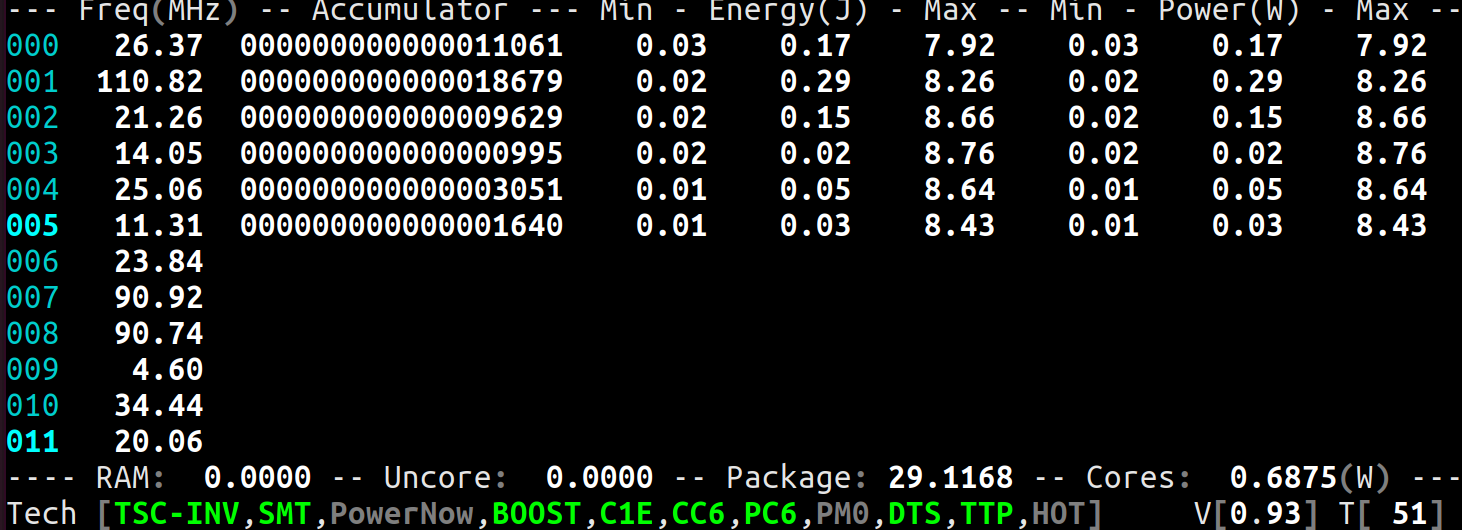
After a while, the values decay to 0.01 anyway.
obaudys
on 14 Apr 2020
- With these units:
|- Units
   |- Power                                               watt   [  0.125000000]
   |- Energy                                             joule   [  0.000015259]
   |- Window                                            second   [  0.000976562]
- With this formula:
https://github.com/cyring/CoreFreq/blob/a97c49fda19cce0cf0d840ab944455fa6c5299fa/corefreqd.c#L765
    Energy  = ACCU * Joules

    Power   = (1000.0 * Energy) / Interval
- Using the lowest ACCU from screenshot, and a
1000.0 msinterval
1640
- Doing the Maths:
Energy = 1640.0 * 0.000015259
Energy = 0.025024760
Interval = 1000.0
Power = (1000.0 * 0.025024760) / 1000.0
Power = 0.025024760
We are indeed getting a rounded result of
0.03 WThe ACCU is collected by driver at every
Intervalper Core
This ACCU is read from the processor RAPL counterCORE_ENERGY_STAT.
See above AMD OSRR pdf for the definition of this register and the Running Average Power LimitIt's hard to believe that the Power can be so low; especially when RAPL is average based and the driver is computing the ACCU delta every 1 sec Interval .
Only a direct Power measurement on motherboard could tell how far we are from the truth ...
cyring
on 14 Apr 2020
Great work, I think now Ryzen support is as good can be expected without going into undocumented territory.
- UNCORE and Bus is 0
Unimplemented. Don't know, don't have specifications to measure its speed. I understand the Intel Uncore equivalent is one of the AMD Infinity Fabric or last Cache level. Do the Windows tools provide you something ?
No windows tools show bus speed nor the IO die speed / power usage. There is only per core power and package power. The IO die apparently runs at memory speeds.
You may be interested to know that AMD supplies a Windows program called Ryzen Master that has a different (proprietary - which I guess means undocumented) measure of frequency. I assume it measures absolute frequency, however:
- The frequency drops to 400Mhz when idle, but never below
- The frequency changes by 25Mhz increments: eg. I have seen 3850 -> 3825
Other tools seem to use the average frequency over time, including periods when the clock is 0, like I assume Corefreq does to calculate relative frequency.
Thanks for your work!
obaudys
on 14 Apr 2020
You may be interested to know that AMD supplies a Windows program called Ryzen Master that has a different (proprietary - which I guess means undocumented) measure of frequency. I assume it measures absolute frequency, however:
- The frequency drops to 400Mhz when idle, but never below
- The frequency changes by 25Mhz increments: eg. I have seen 3850 -> 3825
Other tools seem to use the average frequency over time, including periods when the clock is 0, like I assume Corefreq does to calculate relative frequency.
400 MHzlimitation:
https://github.com/cyring/CoreFreq/blob/e9dd5d5b64168af83d1c4fa888a31d361310c9e5/corefreqk.c#L3761Absolute frequencies: just press
[!]to toggle the monitoring- Relative frequencies: it's the modern and recommended Intel algorithm
Processors are going too fast to monitor them with a low CPU overhead. Thus the performance counters
Thanks for your work!
- One more help: in last commit, you now have custom thresholds to record the minimum sensor value.
https://github.com/cyring/CoreFreq/blob/e9dd5d5b64168af83d1c4fa888a31d361310c9e5/corefreq.h#L470
Can you please do some non regression tests ?
cyring
on 14 Apr 2020
400 MHzlimitation:
https://github.com/cyring/CoreFreq/blob/e9dd5d5b64168af83d1c4fa888a31d361310c9e5/corefreqk.c#L3761- Absolute frequencies: just press
[!]to toggle the monitoring
Absolute frequency never drops below 2200, which I assume is the lowest P-state anyway.
Can you please do some non regression tests ?
Hmmm, the minimum energy and power seems wrong now... it seems to recompute when the load jumps from idle to 100%. eg. when I start a Conic compute... test the minimum jumps to 2.x, 3.x and even as high as 8.x.

In the above screenshot the minimum was 0.05 or so for each core before I started a load.
obaudys
on 15 Apr 2020
Is it the same with the minimum temperature or minimum voltage ?
cyring
on 15 Apr 2020
Is it the same with the minimum temperature or minimum voltage ?
No, this only seems to affect minimum energy and power. The minimum is reported as 0.2 but I've never seen the actual Vcore less than 0.9062V.
obaudys
on 15 Apr 2020
In the last commit, I have refactored the code to test and set the sensors limits.
Can you please return the following outputs:
corefreq-cli -ccorefreq-cli -Vcorefreq-cli -Wcorefreq-cli -C
_Just one run of each, showing or not any issue._
Thank you
cyring
on 15 Apr 2020
corefreq-cli -c
CPU Freq(MHz) Ratio  Turbo  C0(%)  C1(%)  C3(%)  C6(%)  C7(%)  Min TMP:TS  Max
000    8.48 ( 0.08)   0.24   0.39  99.61   0.00   0.00   0.00  59 / 67:542/ 94
001  147.46 ( 1.47)   4.10   4.87  95.13   0.00   0.00   0.00  0  /  0:0  /  0
002  344.28 ( 3.44)   9.57   9.46  90.54   0.00   0.00   0.00  0  /  0:0  /  0
003   76.39 ( 0.76)   2.12   3.19  96.81   0.00   0.00   0.00  0  /  0:0  /  0
004   52.34 ( 0.52)   1.45   2.45  97.55   0.00   0.00   0.00  0  /  0:0  /  0
005  104.70 ( 1.05)   2.91   4.10  95.90   0.00   0.00   0.00  0  /  0:0  /  0
006   42.59 ( 0.43)   1.18   1.96  98.04   0.00   0.00   0.00  0  /  0:0  /  0
007   17.68 ( 0.18)   0.49   0.83  99.17   0.00   0.00   0.00  0  /  0:0  /  0
008   45.97 ( 0.46)   1.28   1.34  98.66   0.00   0.00   0.00  0  /  0:0  /  0
009   27.68 ( 0.28)   0.77   1.29  98.71   0.00   0.00   0.00  0  /  0:0  /  0
010   27.76 ( 0.28)   0.77   1.22  98.78   0.00   0.00   0.00  0  /  0:0  /  0
011   40.78 ( 0.41)   1.13   1.93  98.07   0.00   0.00   0.00  0  /  0:0  /  0

    Averages:        Turbo  C0(%)  C1(%)  C3(%)  C6(%)  C7(%)    TjMax:    Pkg:
                      2.17   2.75  97.25   0.00   0.00   0.00       0 C    59 C
corefreq-cli -V
CPU Freq(MHz) VID  Min     Vcore   Max
000   16.10    97  0.9062  0.9437  1.3813
001    6.85    97  0.9062  0.9437  1.3813
002   13.71    97  0.9062  0.9437  1.3813
003   33.58    97  0.9062  0.9437  1.3813
004   39.86    97  0.9062  0.9437  1.3813
005   10.54    97  0.9062  0.9437  1.3813
006   15.89    97  0.9062  0.9437  1.3813
007   13.48    97  0.9062  0.9437  1.3813
008   24.57    97  0.9062  0.9437  1.3813
009   28.75    97  0.9062  0.9437  1.3813
010    9.14    97  0.9062  0.9437  1.3813
011   12.27    97  0.9062  0.9437  1.3813
corefreq-cli -W
CPU Freq(MHz)    Accumulator      Min  Energy(J) Max    Min  Power(W)  Max
000    8.08  000000000000000600    0.01   0.01   8.80    0.01   0.01   8.80
001    8.78  000000000000000784    0.01   0.01   8.76    0.01   0.01   8.76
002    5.90  000000000000000821    0.02   0.01   8.79    0.02   0.01   8.79
003   21.82  000000000000002592    0.03   0.04   8.78    0.03   0.04   8.78
004   35.90  000000000000003665    0.04   0.06   8.73    0.04   0.06   8.73
005   28.93  000000000000011548    0.17   0.18   8.65    0.17   0.18   8.65
006    5.39  000000000000000000    0.00   0.00   0.00    0.00   0.00   0.00
007    5.57  000000000000000000    0.00   0.00   0.00    0.00   0.00   0.00
008    6.90  000000000000000000    0.00   0.00   0.00    0.00   0.00   0.00
009   13.66  000000000000000000    0.00   0.00   0.00    0.00   0.00   0.00
010   15.14  000000000000000000    0.00   0.00   0.00    0.00   0.00   0.00
011   37.93  000000000000000000    0.00   0.00   0.00    0.00   0.00   0.00

Energy(J)  Package            Cores               Uncore              Memory
  28.05 29.02 76.28    0.31  0.31 46.41    0.00  0.00  0.00    0.00  0.00  0.00
Power(W)
  28.05 29.02 76.28    0.31  0.31 46.41    0.00  0.00  0.00    0.00  0.00  0.00
corefreq-cli -C
CPU Freq(MHz) VID  Vcore  TMP(C)    Accumulator       Energy(J)     Power(W)
000   26.58    97  0.9437   65  000000000000009508    0.145080566   0.145080566
001  125.62    97  0.9437    0  000000000000018669    0.284866333   0.284866333
002   27.19    97  0.9437    0  000000000000004719    0.072006226   0.072006226
003  157.90    97  0.9437    0  000000000000026860    0.409851074   0.409851074
004   26.41    97  0.9437    0  000000000000004813    0.073440552   0.073440552
005   16.45    97  0.9437    0  000000000000014560    0.222167969   0.222167969
006   32.20    97  0.9437    0  000000000000000000    0.000000000   0.000000000
007   22.83    97  0.9437    0  000000000000000000    0.000000000   0.000000000
008   18.42    97  0.9437    0  000000000000000000    0.000000000   0.000000000
009   10.27    97  0.9437    0  000000000000000000    0.000000000   0.000000000
010   14.81    97  0.9437    0  000000000000000000    0.000000000   0.000000000
011   38.06    97  0.9437    0  000000000000000000    0.000000000   0.000000000

              Package        Cores          Uncore         Memory
Energy(J):   29.225830078    1.207412720    0.000000000    0.000000000
Power(W) :   29.225830078    1.207412720    0.000000000    0.000000000
Thanks.
Looking at the UI views, do the minimums look OK ? whatever the CPU load is.
cyring
on 15 Apr 2020
I've just looked after I woke up. All night my box was running Folding@Home and it appears the minimums jumped to 6W or so on some CPUs under load. Minimum volts also 0.2, I'm not sure if that's right.
obaudys
on 16 Apr 2020
I've just looked after I woke up. All night my box was running Folding@Home and it appears the minimums jumped to 6W or so on some CPUs under load. Minimum volts also 0.2, I'm not sure if that's right.
If the last value is 0.2, I would say it works as expected.
- There are other features untested with Zen:
- Enable/disable Turbo from the
Technologieswindow - Set a new Target P-State
[TGT]from theProcessorwindow
You'll have to switch to Experimental mode in the Settings menu.
If you are OK to test them, save your files before, a crash may happen.
cyring
on 16 Apr 2020
Update: I'm able to reproduce the Minimum spike.
                Minimum                            Current
Energy[     0.633] Power[     0.633] ACCU[1028075185] J[ 15687.399] W[ 15687.399]
Energy[     7.786] Power[     7.786] ACCU[1063078277] J[ 16221.511] W[ 16221.511]
Energy[     1.080] Power[     1.080] ACCU[ 641557230] J[  9789.522] W[  9789.522]
Energy[     1.094] Power[     1.094] ACCU[1368344654] J[ 20879.571] W[ 20879.571]
Energy[     0.806] Power[     0.806] ACCU[1851199761] J[ 28247.457] W[ 28247.457]
Energy[     0.830] Power[     0.830] ACCU[ 534898641] J[  8162.018] W[  8162.018]
Energy[     0.740] Power[     0.740] ACCU[1183935091] J[ 18065.666] W[ 18065.666]
Energy[    19.538] Power[    19.538] ACCU[  68280678] J[  1041.895] W[  1041.895]
Energy[     9.662] Power[     9.662] ACCU[ 626212416] J[  9555.375] W[  9555.375]
Energy[     0.640] Power[     0.640] ACCU[1071800286] J[ 16354.601] W[ 16354.601]
Energy[     0.637] Power[     0.637] ACCU[ 228840159] J[  3491.872] W[  3491.872]
I have sandboxed the code (so ACCU is just random) . It appears to come from my Flip-Flop algorithm depending of the Interval ...
- does the minimum issue happen more often when you reduce the Interval down to 100 ms ?
cyring
on 16 Apr 2020
* There are other features untested with Zen:

1. Enable/disable Turbo from the `Technologies` window
This works well, the cores no longer boost, and the "Boost" in the tech status bar on the bottom is greyed out.
/proc/cpuinfoconfirms the frequency does not go above 3600Mhz.
2. Set a new Target P-State `[TGT]` from the `Processor` windowI can change the setting, but I am not sure what it does. It doesn't seem to have any effect. The setting does not seem to persist if I close the window and then change view, it goes back to AUTO.
In addition, once I select a setting, the option for <0> (AUTO) no longer appears.
There were no crashes or errors in dmesg.
Does the minimum issue happen more often when you reduce the Interval down to 100 ms?
It seem to occur at the same rate. When I run a load, the minimum power on some cores jumps.
obaudys
on 16 Apr 2020
2. Set a new Target P-State `[TGT]` from the `Processor` windowI can change the setting, but I am not sure what it does. It doesn't seem to have any effect. The setting does not seem to persist if I close the window and then change view, it goes back to AUTO.
In addition, once I select a setting, the option for <0> (AUTO) no longer appears.
CPU-Freq framework
acpi_cpufreq
This driver is loaded by CPU-Freq to control the AMD Zen P-State
In the kernel source codeMSR_AMD_PERF_CTLis written byacpi_cpufreqIn the UI, press
[F2] Menu > Kernel dataor shortcut[k]
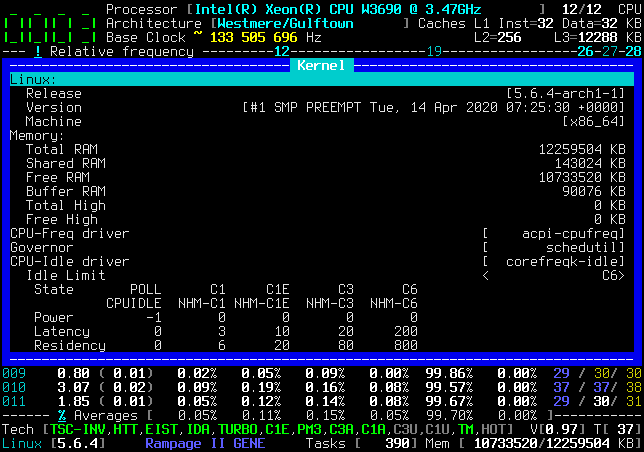
Altering any Target P-State from _CoreFreq_ is indeed overridden by CPU-Freq through
acpi_cpufreq
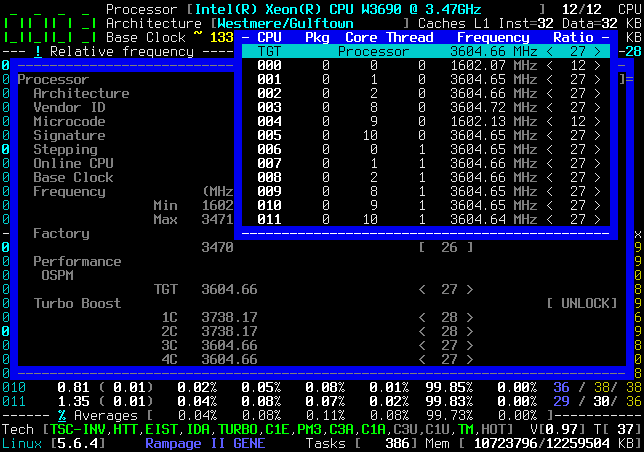
We will make some room to let _CoreFreq_ be in control
- Stop and Unload _CoreFreq_
- Unload
acpi_cpufreq
modprobe -r acpi_cpufreq
modprobe: FATAL: Module acpi_cpufreq is in use.
- If you read this FATAL error, it is because CPU-Freq refuses to unload
acpi_cpufreqas the last registered driver; (EDIT) try to force remove:
rmmod acpi_cpufreq -f
lsmod|grep acpi_cpufreq
If despite everything, acpi_cpufreq can't be unload, the trick is to black-list its auto-loading:
- When booting, stop at the boot loader and edit the kernel command line.
with Grub, press [e] ; with SysLinux, press [Tab] - Add the following parameters in the kernel boot command line
modprobe.blacklist=acpi_cpufreq
- Continue booting; Grub [Ctrl]+[x] ; SysLinux [Enter]
- _Permanently_, there are other ways to black-list drivers, like within
/etc/modprobe.d/modprobe.conf
blacklist acpi-cpufreq
install acpi-cpufreq /bin/false
Or makes permanent the changes in the Grub; SysLinux boot loader setup files
CoreFreq as a CPU-Freq _sub-driver_
- Once the room is free, load _CoreFreq_ driver with these parameters
insmod corefreqk.ko Register_CPU_Freq=1 Register_Governor=1
In the UI,
Kernel datawindow, check if _CoreFreq_ is now in control ofCPU-FreqandGovernor
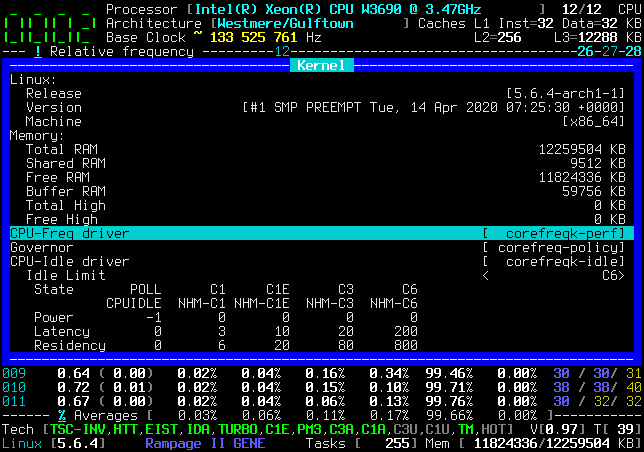
Then go to
Processor > TGTwindow and observe the P-States plan
|- Frequency            (MHz)                      Ratio
                 Min    400.00                    <   4 >
                 Max   3600.00                    <  36 >
|- Factory                                                             [100.000]
                       3600                       [  36 ]
|- Performance
   |- OSPM
                 TGT   2200.00                    <  22 >
|- Turbo Boost                                                         [ UNLOCK]
                 XFR   4300.00                    [  43 ]
                 CPB   4200.00                    [  42 ]
                  1C   2800.00                    <  28 >
                  2C   2200.00                    <  22 >
Open the
Target Clock Ratiofor all Cores ; stay on the first lineTGT ProcessorAs a first test, choose a Target frequency among these 2 P-States, but different from current; let's take
28
                  1C   2800.00                    <  28 >
                  2C   2200.00                    <  22 >
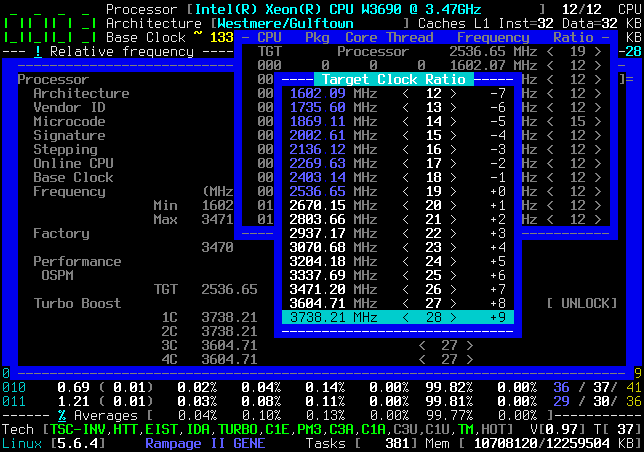
Check if all Cores are switching to the wanted P-State frequency ratio
28Stress with
Tools > Turbo Select CPU..., I expect the frequency to be capped around ratio28?As a second test, restore to the original P-State (which was
TGTratio22)
At this step, and stressing withTools > Turbo Select CPU..., I don't have an idea what frequency you will get back ?(EDIT) Remark: for the same internal reasons of CPU-Freq,
corefreqk.kowill have to be force removed
rmmod corefreqk.ko -f
With my distribution (Ubuntu) acpi-cpufreq is not built as a module. I'll have a go at rebuilding the kernel with acpi-cpufreq as a module when I get time.
obaudys
on 18 Apr 2020
- I have tried with CPU-Freq disabled in the kernel boot command line
cpufreq.off=1
- Then just load _CoreFreq_ driver with any parameter
insmod corefreqk.ko
- Confirmed by
Missing
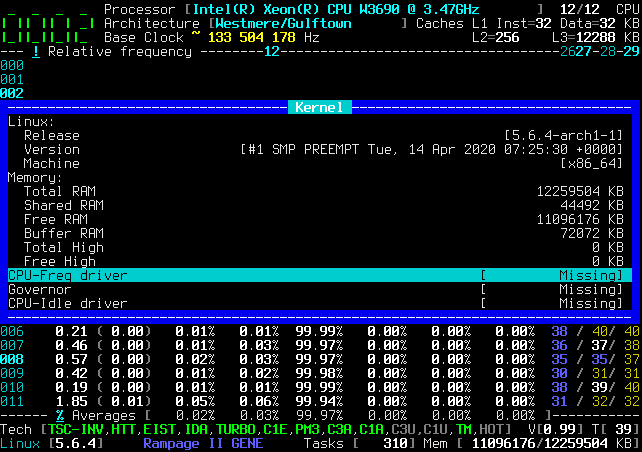
- Play with the Target P-State
- Unload without any parameters
rmmod corefreqk.ko
- Remarks:
- with my Xeon, I need to refresh Turbo (Enable/Disable).
- future code has to handle the
cpufreq.off=1case
cyring
on 18 Apr 2020
cpufreq.off=1 did the trick (I could not register the CoreFreq cpufreq driver, I assume it disables the whole cpufreq framerwork)
I could change the target P-State. I could only use frequencies that correspond with actual P-States, ie. 2200, 2800, and 3600Mhz.
As a second test, restore to the original P-State (which was TGT ratio 22)
At this step, and stressing with Tools > Turbo Select CPU..., I don't have an idea what frequency you will get back ?
The CPU is locked into 2200MHz, or 2800Mhz. 3600MHz seems to unlock BOOST, but the absolute frequency will never drop to 2800 or 2200 once idle.
There seems to be no option to go back to AUTO. I should note that the Ryzen CPUs seem to manage frequencies on their own without cpufreq governors running, however once I select a P-state the CPU will stay locked to that frequency.
EDIT: with cpufreq.off=1, the behaviour is exactly the same before I mess with TGT P-state as when I have set to 3600Mhz in corefreq: at idle the cores are at 3600Mhz, and under load it boosts some and drops others (idle cores) to 3200Mhz
obaudys
on 19 Apr 2020
The CPU is locked into 2200MHz, or 2800Mhz. 3600MHz seems to unlock BOOST, but the absolute frequency will never drop to 2800 or 2200 once idle.
Things I have to understand & solve :
- So once of the P-States of 2200, 2800 programmed, the relative frequency remains fixed.
- 3600MHz appears to be one or the boosted P-State which has to be linked with the Turbo state and its activation.
There seems to be no option to go back to AUTO. I should note that the Ryzen CPUs seem to manage frequencies on their own without cpufreq governors running, however once I select a P-state the CPU will stay locked to that frequency.
EDIT: with
cpufreq.off=1, the behaviour is exactly the same before I mess with TGT P-state as when I have set to 3600Mhz in corefreq: at idle the cores are at 3600Mhz, and under load it boosts some and drops others (idle cores) to 3200Mhz
- What I would like is the initial P-State ( to restore Cores to a nominal idle working state )
Just after a fresh boot, still withcpufreq.off=1, can you dump these registers :
modprobe msr

## MSR_AMD_PERF_CTL
rdmsr -aX 0xc0010062

## MSR_AMD_PERF_STATUS
rdmsr -aX 0xc0010063

## MSR_AMD_PSTATE_DEF_BASE
rdmsr -aX 0xc0010064

## MSR_AMD_PSTATE_F17H_BOOST
rdmsr -aX 0xc0010293

## MSR_K7_HWCR
rdmsr -aX 0xc0010015
Thank you
cyring
on 19 Apr 2020
## MSR_AMD_PERF_CTL
# rdmsr -aX 0xc0010062
0
0
0
0
0
0
0
0
0
0
0
0
## MSR_AMD_PERF_STATUS
# rdmsr -aX 0xc0010063
0
1
0
0
0
0
0
1
0
0
0
0


md5-0a57ee1adc61ca4941ec575706390de0


## MSR_AMD_PSTATE_DEF_BASE
# rdmsr -aX 0xc0010064
8000000049120890
8000000049120890
8000000049120890
8000000049120890
8000000049120890
8000000049120890
8000000049120890
8000000049120890
8000000049120890
8000000049120890
8000000049120890
8000000049120890


md5-0a57ee1adc61ca4941ec575706390de0


## MSR_AMD_PSTATE_F17H_BOOST
# rdmsr -aX 0xc0010293
3C8A4
3C8A4
43CAA4
3C8A4
3C8A4
3C8A4
3C8A4
3C8A4
43CAA4
3C8A4
3C8A4
3C8A4


md5-0a57ee1adc61ca4941ec575706390de0


## MSR_K7_HWCR
# rdmsr -aX 0xc0010015
109000011
109000011
109000011
109000011
109000011
109000011
109000011
109000011
109000011
109000011
109000011
109000011
So just zeroing MSR_AMD_PERF_CTL should put the Target mode in auto mode.
I will send additional developments...
cyring
on 19 Apr 2020
Hello,
Target P-State _zeroing_ is available in the develop branch.
With my Xeon, the Core just fallback to its minimum ratio (ie 12)
Can you please give a try ?
EDIT: please add some screenshots of your action steps, it will help me to understand what's going on:
ProcessorwindowCPU Pkg Core Thread Frequency RatiowindowTarget Clock RatiowindowFrequencyview in stress mode
cyring
on 20 Apr 2020
OK here are some screenshots just after boot, before I play with the TGT setting:
- Frequency window with
Absolute frequencyselected:
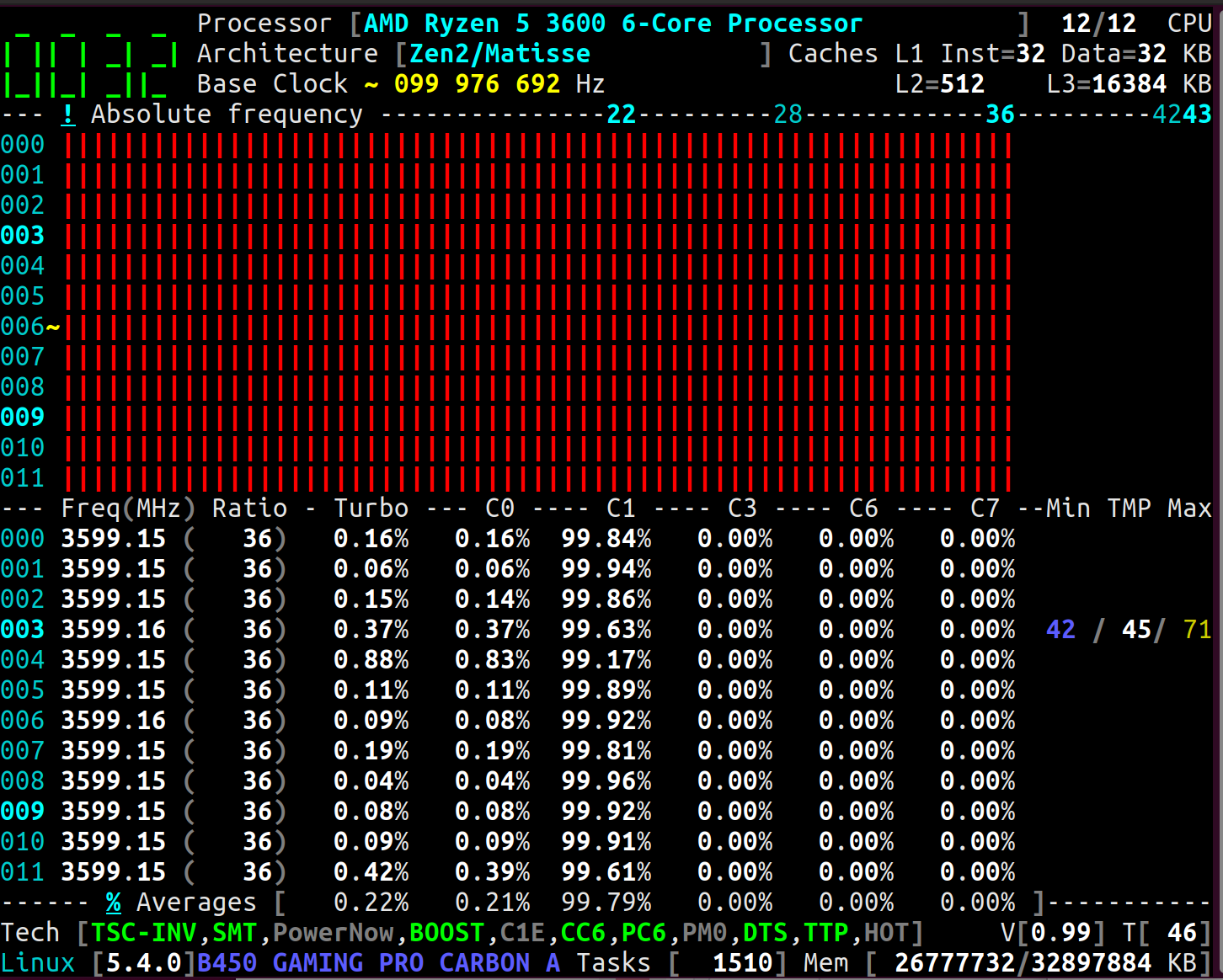
- Settings:
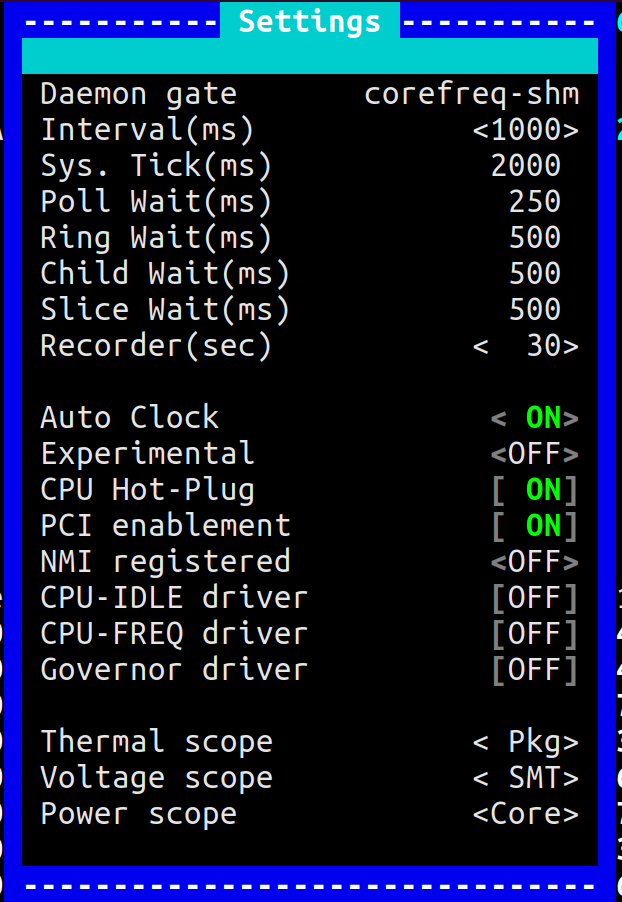
- Frequency window, this time with "Turbo Random CPU" stress:
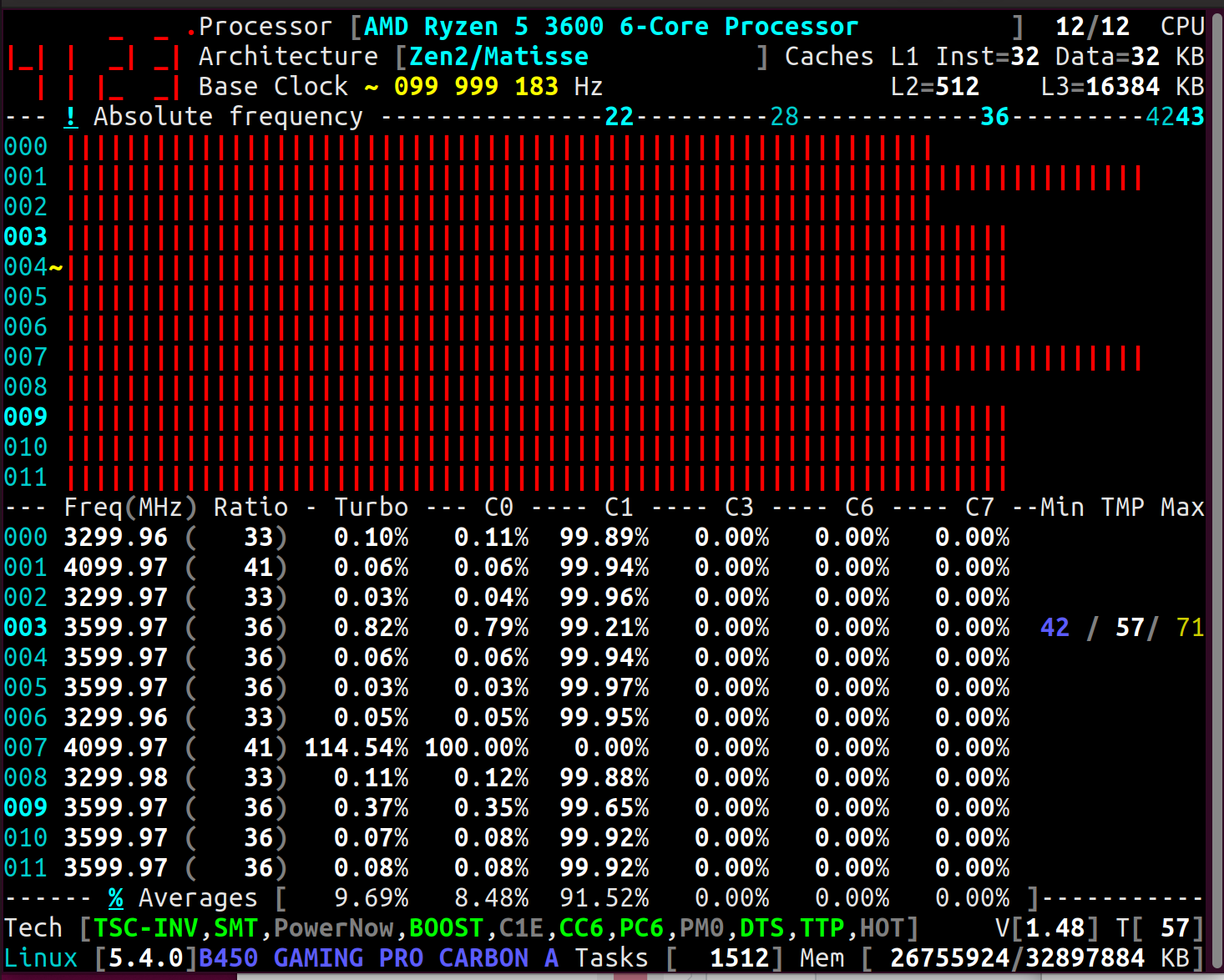
You can see that some cores drop to 3300Mhz - Processor window:
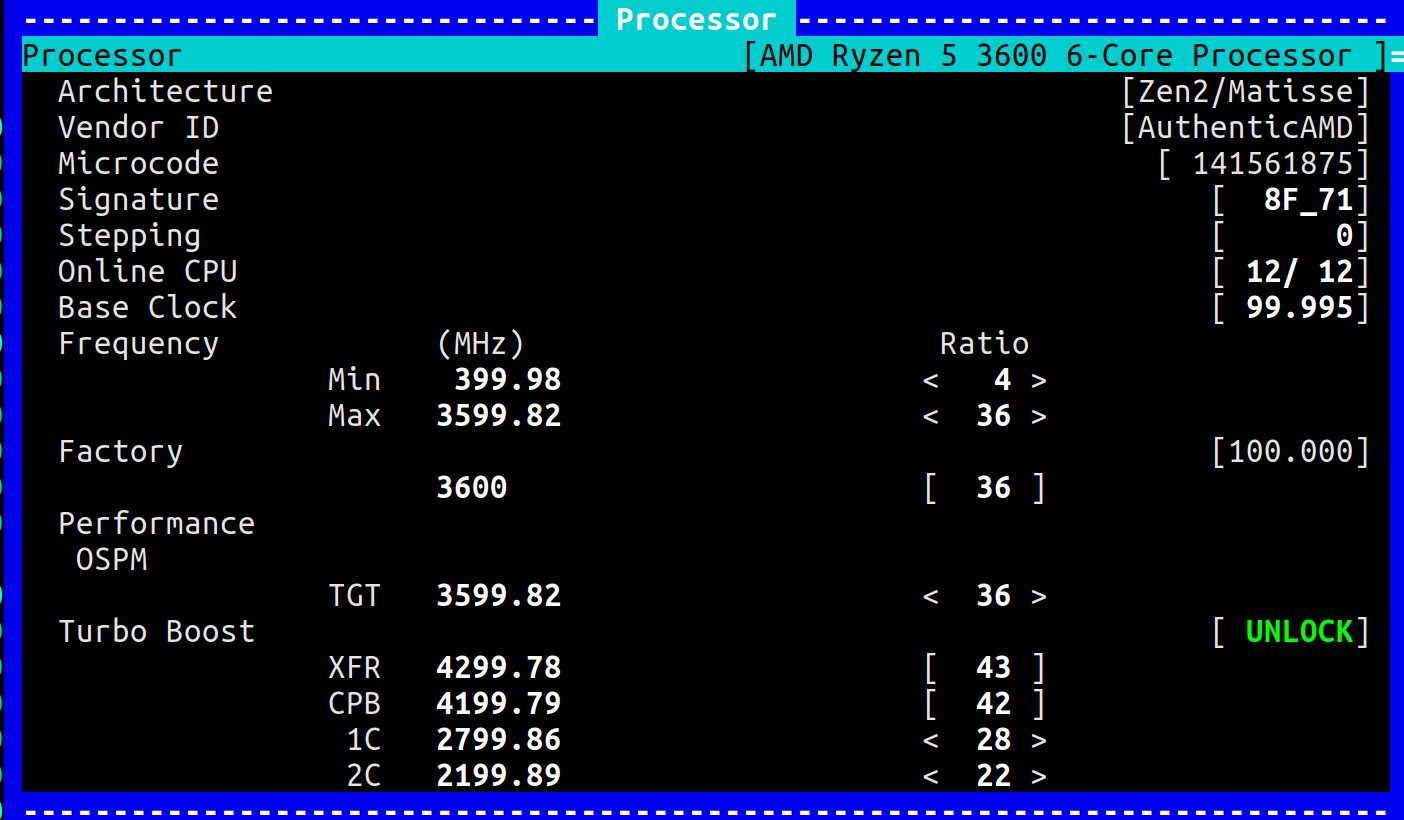
CPU Pkg Core Thread Frequency Ratiowindow:
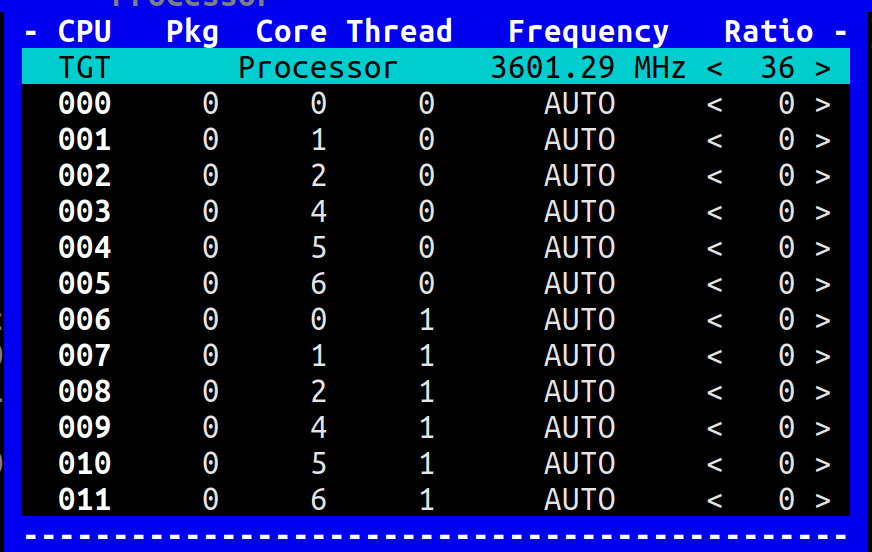
Target core ratiowindow:
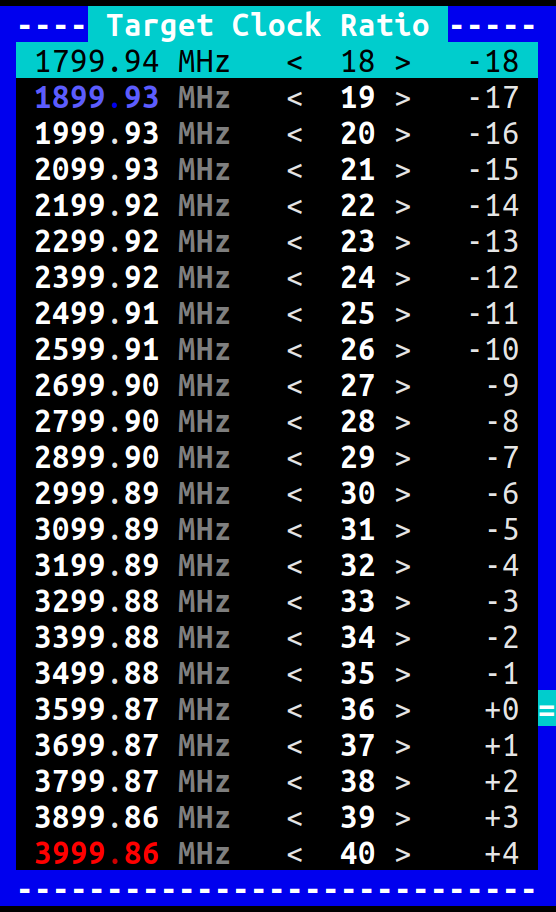
Now when I play with target things go wrong:
- When I select
2800 Mhzfor the package what is actually selected is 2200MHz - When I select
3600 Mhzit gets set to 2800Mhz - When I select
2200 Mhzit is set toAUTO, where the absolute frequency is locked whatever was already selected; notice in the following screenshot the frequency is set to 2800Mhz
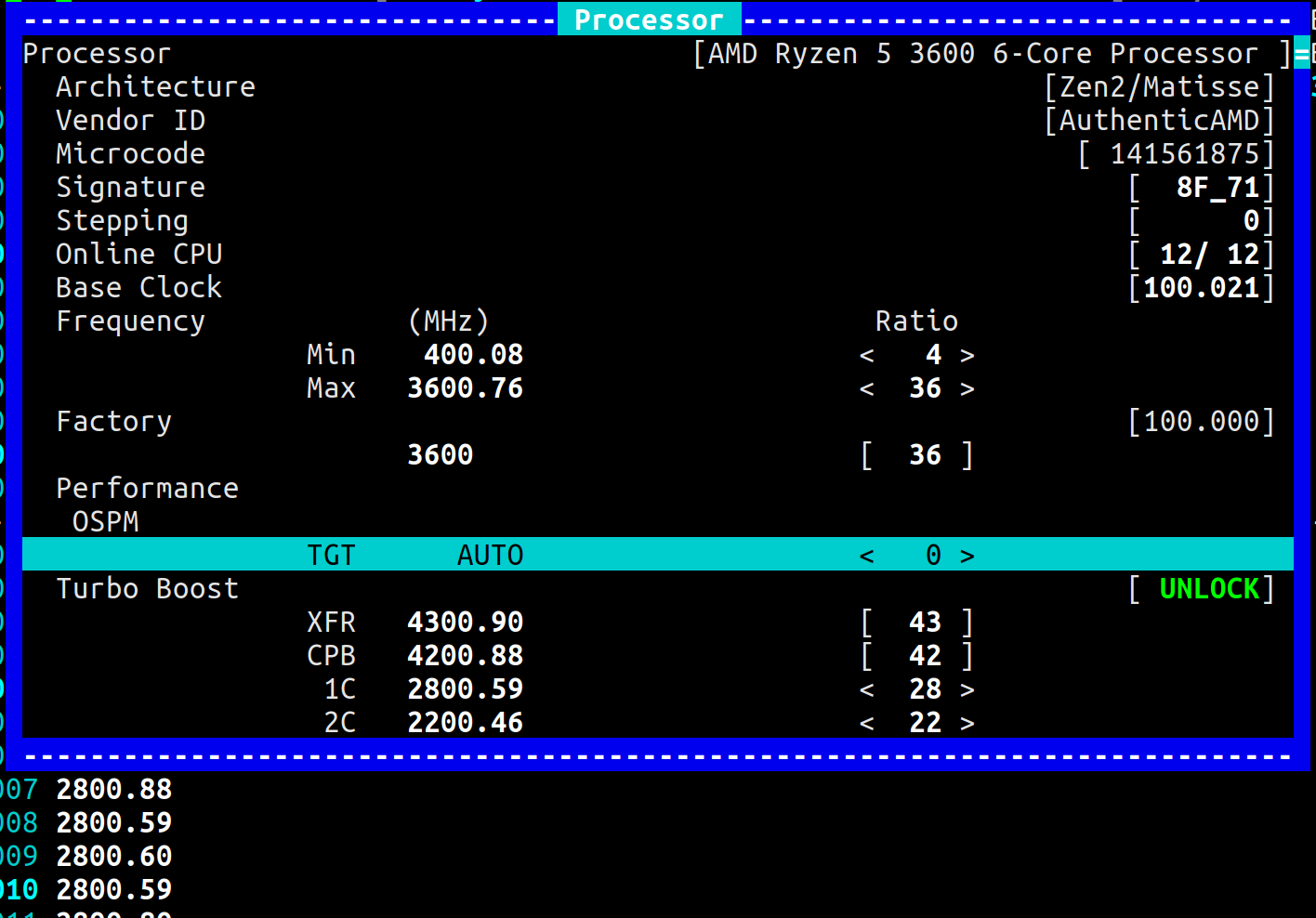
- When I select
AUTOit is set to 3600Mhz which seems to be the default
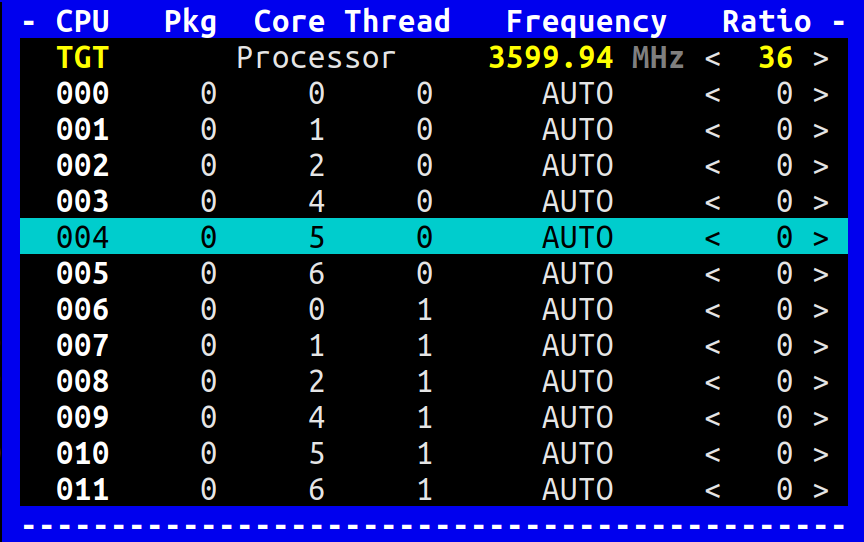
(I cannot set a per core TGT value).
Frequency when stressed and set to AUTO (3600Mhz) is no different to the previous stressed screenshot.
Does this help? Let me know if I have missed something...
obaudys
on 21 Apr 2020
Now when I play with target things go wrong:
- When I select
2800 Mhzfor the package what is actually selected is 2200MHz- When I select
3600 Mhzit gets set to 2800Mhz- When I select
2200 Mhzit is set toAUTO, where the absolute frequency is locked whatever was already selected; notice in the following screenshot the frequency is set to 2800Mhz
- This is a hard part to debug remotely. Since latest commit, it seems the P-State Index is decremented or Index is not zero based ...
- When I select
AUTOit is set to 3600Mhz which seems to be the default
(I cannot set a per core TGT value).
- So resuming to the default Target is working ?
- But only when selecting the top row
TGT Processor?
Frequency when stressed and set to
AUTO(3600Mhz) is no different to the previous stressed screenshot.
- So you are back to the expected nominal frequency of
3600 MHzplus the Processor is able to CPB Turbo Boost again ?
Does this help? Let me know if I have missed something...
Great help, thank you.
- Can you try to change the Max frequency ?
If nothing happens, try to switch to theExperimentalmode
cyring
on 21 Apr 2020
- Can you replace with this code:
https://github.com/cyring/CoreFreq/blob/8575c8ce0d5086b0d9e77dc7cf75232893171ac2/corefreqk.c#L3823
static void TargetClock_AMD_Zen_PerCore(void *arg)
{
    CLOCK_ZEN_ARG *pClockZen = (CLOCK_ZEN_ARG *) arg;
    unsigned int COF, pstate,target = Proc->Boost[pClockZen->BoostIndex]
                    + pClockZen->pClockMod->Offset;
    unsigned short WrRdMSR = 0;

    if (target == 0) {
    pstate = 0; /* AUTO Frequency is User requested.    */
    WrRdMSR = 1;
    } else {
    /* Look-up for the first enabled P-State with the same target frequency */
    for (pstate = 0; (pstate <= 7) && (WrRdMSR == 0); pstate++)
    {
        PSTATEDEF PstateDef = {.value = 0};
        RDMSR(PstateDef, pClockZen->PstateAddr + pstate);

        if (PstateDef.Family_17h.PstateEn)
        {
        COF = AMD_Zen_CoreCOF(  PstateDef.Family_17h.CpuFid,
                    PstateDef.Family_17h.CpuDfsId );
        if (COF == target) {
            WrRdMSR = 1;
            break;
        }
        }
    }
    }
    if (WrRdMSR == 1)
    {
    PSTATECTRL PstateCtrl = {.value = 0};
    /* Command a new target P-state */
    RDMSR(PstateCtrl, MSR_AMD_PERF_CTL);
    PstateCtrl.PstateCmd = pstate;
    WRMSR(PstateCtrl, MSR_AMD_PERF_CTL);
    }
}
- And test if the Target selected is the right frequency; such as choosing
2800inTGT Processorresults in2800in Processor window; same with2200...
cyring
on 21 Apr 2020
* So resuming to the default Target is working ?

* But only when selecting the top row `TGT Processor` ?
Yes. The top row says AUTO and when I select it, the TGT is 3600 in the Processor window. In contrast, when I select 2200Mhz, the TGT is AUTO in the processor window but the frequency is whatever it was set to before selecting 2200 Mhz.
* So you are back to the expected **nominal** frequency of `3600 MHz` **plus** the Processor is able to CPB Turbo Boost again ?
Correct. At 3600 MHz the processor can Turbo Boost all cores. It also throttles some idle cores down to 3300Mhz at this setting while another core is boosted.
* Can you try to change the Max frequency ?
  If nothing happens, try to switch to the `Experimental` mode
I cannot change the maximum frequency, even in Experimental mode.
obaudys
on 21 Apr 2020
The breaking loop fix is pushed:
is the Target selection aligned with frequency ?I'm checking code for the Maximum frequency.
In the past, it was almost OK with a2700X
cyring
on 21 Apr 2020
* Can you replace with this code:
I'm not sure what you need me to modified, but I have pulled from the latest develop branch and things work now.
* And test if the Target selected is the right frequency; such as choosing `2800` in `TGT Processor` results in `2800` in Processor window; same with `2200` ...
Yes, it behaves correctly as of commit b70bc217edcbd3d725287d39ad18f503e9cd38b5
obaudys
on 21 Apr 2020
OK here is the requirement for the maximum frequency I forgot to tell you:
https://github.com/cyring/CoreFreq/blob/b70bc217edcbd3d725287d39ad18f503e9cd38b5/corefreqk.c#L3866
thus:
- Disable
Turbo - Change the
Maximum - Stress to verify the resulting frequency
_Experimental_ is not necessary
cyring
on 21 Apr 2020
1. **Disable** `Turbo`
2. Change the `Maximum`
3. Stress to verify the resulting frequency
_Experimental_ is not necessary
That works fine!
I can set the frequency to any frequency from 400Mhz to 5GHz. Stress test shows for lower frequencies the CPU will not exceed the set frequency (400Mhz is noticeably slow :) For high frequencies the CPU will throttle of course due to thermal issues. Mine doesn't get to 4200Mhz
obaudys
on 21 Apr 2020
Damn Tiny Smartphone buttons
Reopening the issue
cyring
on 21 Apr 2020
What a chock to read that reclocking is working! This has been programmed from paper...
You definitely have to show me screenshots of the high frequencies
cyring
on 21 Apr 2020
Buttons!
cyring
on 21 Apr 2020
You could even combine Maximum with Target and Offline the lowest Core(s) to put all power to the most efficient one(s)
Next step would be to write an Idle sub-driver for Zen, like I'm doing with the Intel C-States, and then give you the ability to set the _sleep_ parameters of the best Cores....
EDIT: Do you know which Kernel module is currently driving the idle states ?
cyring
on 21 Apr 2020
- Previous AMD processor families specifications
Software P-state Numbering
When referring to software P-state numbering, the following naming convention is used:
• Non-boosted P-states are referred to as P0, P1, etc.
• P0 is the highest power, highest performance, non-boosted P-state.
• Each ascending P-state number represents a lower-power, lower performance non-boosted P-state than the prior P-state number.
• Boosted P-states are referred to as Pb0, Pb1, etc.
• Pb0 is the highest-performance, highest-power boosted P-state.
• Each higher numbered boosted P-state represents a lower-power, lower-performance boosted P-state.
For example, if D18F4x15C[NumBoostStates] contains the values shown below, then the P-states would be named as follows:
D18F4x15C[NumBoostStates]=1| D18F4x15C[NumBoostStates]=3
--------------------------------------------|--------------------------------------------
P-state Name |MSR Address| P-state Name| MSR Address
-------------------|-------------------|-------------------|--------------------
Pb0| MSRC001_0064| Pb0| MSRC001_0064
P0| MSRC001_0065| Pb1| MSRC001_0065
P1| MSRC001_0066| Pb2| MSRC001_0066
P2| MSRC001_0067| P0| MSRC001_0067
P3| MSRC001_0068| P1| MSRC001_0068
P4| MSRC001_0069| P2| MSRC001_0069
P5| MSRC001_006A| P3| MSRC001_006A
P6| MSRC001_006B| P4| MSRC001_006B
- where:
D18F4x15C is the Core Performance Boost Control Register
Bits | Description
------|----------------
31:30| Reserved.
29| BoostEnAllCores: boost enable all cores. Read-write.
28:5| Reserved.
4:2| NumBoostStates: number of boosted states. Read-write. (CPB)
1:0| BoostSrc: boost source. Read-write.
What we learnt from _CoreFreq_
- Through function
Compute_AMD_Zen_Boost:
https://github.com/cyring/CoreFreq/blob/f6ba67a06676e3f83dfc4eeefb8b09683c39fc87/corefreqk.c#L3679
|- Frequency            (MHz)                      Ratio
                 Min    400.00                    <   4 >
                 Max   3600.00                    <  36 >
|- Factory                                                             [100.000]
                       3600                       [  36 ]
|- Performance
   |- OSPM
                 TGT   2200.00                    <  22 >
|- Turbo Boost                                                         [ UNLOCK]
                 XFR   4300.00                    [  43 ]
                 CPB   4200.00                    [  42 ]
                  1C   2800.00                    <  28 >
                  2C   2200.00                    <  22 >
- Decomposed:
Ratio| Variable | MSR Address | PstateEn | P-state Name
-------|------------|--------------------|-----------------|-------------------
36 | BOOST(MAX) | 0xc0010064 | Enable | Pb0
28 | BOOST(1C) | 0xc0010065 | Enable | P0
22| BOOST(2C) | 0xc0010066 | Enable | P1
-- | BOOST(3C) | 0xc0010067 | Disable | P2
-- | BOOST(4C) | 0xc0010068 | Disable | P3
-- | BOOST(5C) | 0xc0010069 | Disable | P4
-- | BOOST(6C) | 0xc001006a | Disable | P5
-- | BOOST(7C) | 0xc001006b | Disable | P6
- Whilst:
CPB = 42andXFR = 43are computed ratios (based on the 3600X _commercial_ datasheets)
https://github.com/cyring/CoreFreq/blob/f6ba67a06676e3f83dfc4eeefb8b09683c39fc87/corefreqk.h#L2952
If we manage to write in
[NumBoostStates]the value3@ PCI register address D18F4x15C
we could re-run the functionCompute_AMD_Zen_Boostand query the remaining Performance Boost P-States, in particular:Pb1 @ MSR 0xc0010065andPb2 @ MSR 0xc0010066I mean that rather than computing CPB (
+6) and XFR (+1) from Pb0 (36), we could directly query their exact values from the hardware, respectively Pb1 and Pb2First let's see if we can dump this Core Performance Boost Control Register ?
EDIT: Instructions
## step 1: D18F4x15C is device 0x18 , function 4, register offset 0x15c
setpci -s 0x18.4 0x15c.L

## step 2: let's presumed a returned value of 0x20000000

## step 3: computes the hexadecimal of 0x20000000 OR 0x0c (to set value 3 in NumBoostStates)

## step 4: write the result 0x2000000c
setpci -s 0x18.4 0x15c.L=0x2000000c

## step 5: check the register is correctly written and returns 0x2000000c
setpci -s 0x18.4 0x15c.L

##  step 6: now read the PBO MSRs
rdmsr -aX 0xc0010065
rdmsr -aX 0xc0010066

## step 7: restore NumBoostStates to its original value (from step 2)
setpci -s 0x18.4 0x15c.L=0x20000000

## step 8: eventually, read the MSR again which should return different values
## (because we switch back to the non boosted p-states)
rdmsr -aX 0xc0010065
rdmsr -aX 0xc0010066
If one of those instructions failed, try to read the whole space
lspci -xxxx -s 0x18.4
EDIT: Do you know which Kernel module is currently driving the idle states ?
The current driver is acpi_idle. The current governer is menu. It is not a module but compiled in the kernel.
You definitely have to show me screenshots of the high frequencies.
Hmm I've booted normal (ie not with cpufreq.off=1 kernel param) and setting max does not seem to work with the acpi-cpufreq driver... I'll send some later :)
## step 1: D18F4x15C is device 0x18 , function 4, register offset 0x15c
setpci -s 0x18.4 0x15c.L
## step 2: let's presumed a returned value of 0x20000000
The value returned was 00000000
## step 3: computes the hexadecimal of 0x20000000 OR 0x0c (to set value 3 in NumBoostStates)
I'll use 0000000c in my case
## step 4: write the result 0x2000000c
setpci -s 0x18.4 0x15c.L=0x2000000c
## step 5: check the register is correctly written and returns 0x2000000c
setpci -s 0x18.4 0x15c.L
This did not work:
$ sudo setpci -s 0x18.4 0x15c.L=0000000c
$ sudo setpci -s 0x18.4 0x15c.L
00000000
## step 6: now read the PBO MSRs
rdmsr -aX 0xc0010065
8000000047160A8C
8000000047160A8C
8000000047160A8C
8000000047160A8C
8000000047160A8C
8000000047160A8C
8000000047160A8C
8000000047160A8C
8000000047160A8C
8000000047160A8C
8000000047160A8C
8000000047160A8C
rdmsr -aX 0xc0010066
80000000459A0C84
80000000459A0C84
80000000459A0C84
80000000459A0C84
80000000459A0C84
80000000459A0C84
80000000459A0C84
80000000459A0C84
80000000459A0C84
80000000459A0C84
80000000459A0C84
80000000459A0C84
## step 7: restore NumBoostStates to its original value (from step 2)
setpci -s 0x18.4 0x15c.L=0x20000000
I guess this is not necessary, since it was unchanged:
If one of those instructions failed, try to read the whole space
lspci -xxxx -s 0x18.4
It's 200 lines of text, so I have attached it below:
obaudys
on 23 Apr 2020
Thank you for your returns
- acpi seems to be the key how to drive the Zen processors. But it also appears that when acpi is not in the game, we may still be able to program the Processor registers and control its behavior.
I bet that when AMD will publish the full specifications, we will find other ways to do without acpi ...
TheNumBoostStatesbits are not accessible at the previous families addresses, but this register may still exists. Question is what is its address now...
- Could you also try to modify the frequency ratios of
1Cand2C?
Those follow the same UI protocol than theMax:Turbodisable
cyring
on 23 Apr 2020
Hello,
I have made some tuning in last commit d4483233be53413c99e1e68411e8e38e4de4bdaf , can you please tell if you still have the Minimum issue ?
cyring
on 24 Apr 2020
I had forgotten about needing to disable turbo boost. I am able to set 1C and 2C speeds, (although it never spends much time at 2C)
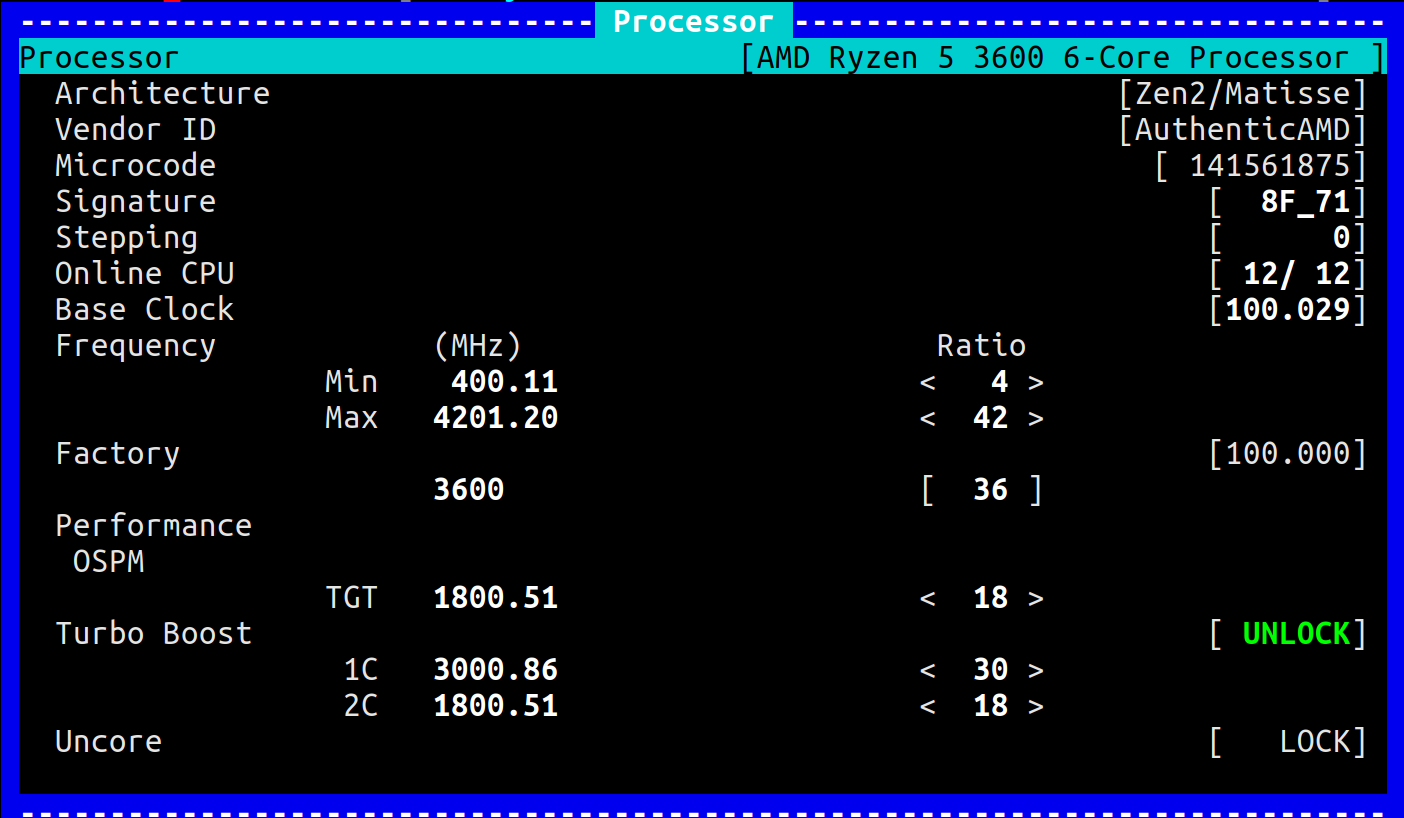
Here's a picture with max frequency 2C and 1C set as above:
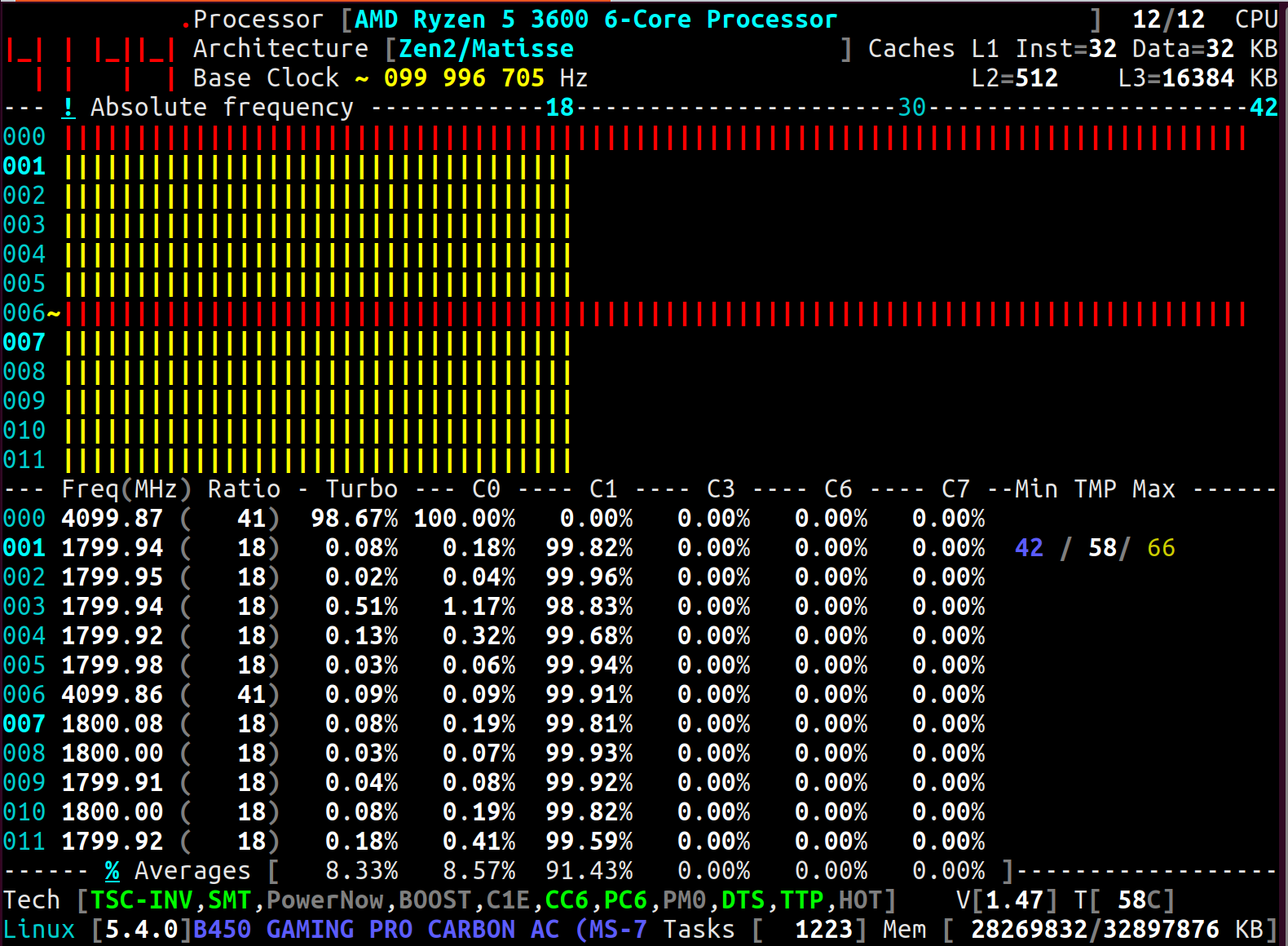
When I set the frequency to 5000Mhz, I got gnome system error pop up, my networking died, and I found an oops in dmesg:
[ 3369.309661] watchdog: BUG: soft lockup - CPU#0 stuck for 887s! [corefreqd#0:6901]
[ 3369.309663] Modules linked in: corefreqk(OE) rfcomm ccm cmac bnep binfmt_misc nls_iso8859_1 edac_mce_amd kvm_amd kvm irqbypass snd_hda_codec_realtek snd_hda_codec_generic ledtrig_audio snd_hda_codec_hdmi snd_hda_intel crct10dif_pclmul snd_intel_nhlt crc32_pclmul snd_hda_codec ghash_clmulni_intel snd_hda_core snd_hwdep amdgpu snd_pcm snd_seq_midi snd_seq_midi_event snd_rawmidi iwlmvm snd_seq mac80211 btusb snd_seq_device btrtl snd_timer btbcm amd_iommu_v2 btintel gpu_sched libarc4 ttm bluetooth aesni_intel crypto_simd drm_kms_helper cryptd glue_helper input_leds snd joydev drm iwlwifi wmi_bmof usblp ecdh_generic ecc fb_sys_fops serio_raw ccp cfg80211 zenpower(OE) k10temp syscopyarea sysfillrect sysimgblt soundcore mac_hid sch_fq_codel lm92 eeprom nct6775 hwmon_vid parport_pc ppdev lp parport ip_tables x_tables autofs4 btrfs xor zstd_compress raid6_pq libcrc32c hid_generic usbhid hid igb nvme i2c_algo_bit i2c_piix4 ahci dca nvme_core libahci wmi gpio_amdpt gpio_generic
[ 3369.309704] CPU: 0 PID: 6901 Comm: corefreqd#0 Tainted: G           OE     5.4.0-050400-generic #201911242031
[ 3369.309705] Hardware name: Micro-Star International Co., Ltd. MS-7B85/B450 GAMING PRO CARBON AC (MS-7B85), BIOS 1.B0 11/08/2019
[ 3369.309708] RIP: 0033:0x55ff734453ea
[ 3369.309710] Code: d2 e8 09 00 00 48 01 ca 48 81 c2 c8 19 02 00 49 be 71 65 72 46 65 72 6f 43 49 bf 74 61 69 74 72 75 6f 43 48 8b 4d c8 4c 8b 1a <4d> 89 f4 4d 89 fd 4d 87 e5 4d 39 ee 74 03 49 ff c3 e2 ed 4c 89 18
[ 3369.309711] RSP: 002b:00007fb8bd4e9d28 EFLAGS: 00000246 ORIG_RAX: ffffffffffffff13
[ 3369.309713] RAX: 00007fb8bdd2d9c8 RBX: 0000000000000000 RCX: 0000000063c3b975
[ 3369.309713] RDX: 00007fb8bdd2d9c8 RSI: 0000000000000000 RDI: 00007fb8bdd0c000
[ 3369.309714] RBP: 00007fb8bd4e9d48 R08: 000055ff73445a1c R09: 00007fb8bd4e9c60
[ 3369.309715] R10: 0000000000000020 R11: 0000000000000000 R12: 436f757274696174
[ 3369.309716] R13: 436f726546726571 R14: 436f726546726571 R15: 436f757274696174
[ 3369.309717] FS:  00007fb8bd4ea700 GS:  0000000000000000
[ 3369.406698] clocksource: timekeeping watchdog on CPU2: Marking clocksource 'tsc' as unstable because the skew is too large:
[ 3369.406699] clocksource:                       'hpet' wd_now: 10e0a33f wd_last: 10c60424 mask: ffffffff
[ 3369.406700] clocksource:                       'tsc' cs_now: b1ca45553f4 cs_last: 8000a410280 mask: ffffffffffffffff
[ 3369.406702] tsc: Marking TSC unstable due to clocksource watchdog
[ 3369.406901] TSC found unstable after boot, most likely due to broken BIOS. Use 'tsc=unstable'.
[ 3369.406903] sched_clock: Marking unstable (3369404232400, -13169758)<-(3369422023257, -15125099)
[ 3369.391311] clocksource: Switched to clocksource hpet
Awesome pictures, thks.
All P-States tweaks are now operational, and future developments will add a per Core selection.
(It's faisable according to the Ryzen Master guide, for some Zen gen)Can your processor run Linux @ 5 GHz when you set this frequency from BIOS ?
Please note that I don't alter the P-State voltage VID. Thus, the 5000 MHz modification will happen on the current programmed VID, which may be not enough for such high frequency.EDIT: reading at your log, I still don't understand if BUG comes from _CoreFreq_ when 5 Ghz is claimed and why not @ 4.2 GHz !
The TSC are going crazy. In the UI, watch them in the
Core Cyclesview for any drift.
cyring
on 24 Apr 2020
Sorry for closing again.
( _please GitHub do a practical UI for Smartphone_)
cyring
on 24 Apr 2020
Just one question.
With my Westmere, when resuming computer from Suspend-to-Ram, I'm noticing that TURBO is disabled, TARGET and BOOST ratios are back to their original values, and probably other bits are restored.
Off course, I'm able to remark those things when _CoreFreq_ is registered as the cpufreq driver or no cpufreq at all
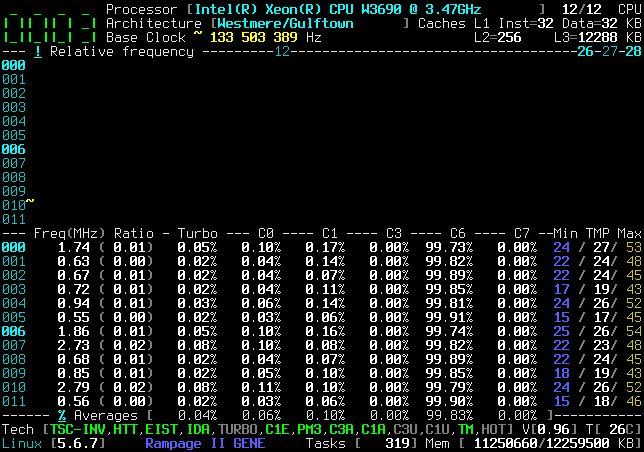
Do you encounter the same behavior with AMD ?
cyring
on 24 Apr 2020
Apologies is I missed some of your questions; Firefox for some reason doesn't like Github and doesn't refresh the comments after I restore my session. I'll try and answer them now.
I have made some tuning in last commit d448323 , can you please tell if you still have the Minimum issue ?
The minimum now stays at 0.00 or 0.01
Can your processor run Linux @ 5 GHz when you set this frequency from BIOS ?
Please note that I don't alter the P-State voltage VID. Thus, the 5000 MHz modification will happen on the current programmed VID, which may be not enough for such high frequency.
I'm not keen on setting it that high in BIOS, as I might void my warranty! When I set it to 5GHz, it never actually went above 4100Mhz; I assume it gets throttled. The highest I have ever seen it is 4180; which I assume is the average over the sampling period so it does hit 4200.
Interestingly, AMD has claimed that the boost / thermal management will vary the frequency in 25Mhz steps, but CoreFreq shows only integer ratios of the base clock when viewing absolute frequency.
EDIT: reading at your log, I still don't understand if BUG comes from CoreFreq when 5 Ghz is claimed and why not @ 4.2 GHz !
Note that when I got the kernel oops in dmesg, the CPU that was locked up (CPU 0) was the one which I had selected for Turbo Select CPU...
The TSC are going crazy. In the UI, watch them in the Core Cycles view for any drift.
I'm not sure what TSC represents. Watching the UI, they seem to hover around 3600000000, is that clock ticks at 3.6Ghz?
obaudys
on 25 Apr 2020
With my Westmere, when resuming computer from Suspend-to-Ram, I'm noticing that TURBO is disabled, TARGET and BOOST ratios are back to their original values, and probably other bits are restored.
Do you encounter the same behavior with AMD ?
I tested suspend to RAM with the CPUFreq driver running, and Maximum set to 3400; it it restored everything things back to the original values; BOOST and maximum.
I couldn't set the minimum for some reason, and when I set the Maximum to 3400, the system froze for a second and then the following was dumped into dmesg:
[36268.340161] clocksource: timekeeping watchdog on CPU4: Marking clocksource 'tsc' as unstable because the skew is too large:
[36268.340173] clocksource:                       'hpet' wd_now: 27fef09e wd_last: 253e7e9e mask: ffffffff
[36268.340175] clocksource:                       'tsc' cs_now: 26bb48cc80 cs_last: 264eaba7c8 mask: ffffffffffffffff
[36268.340179] tsc: Marking TSC unstable due to clocksource watchdog
[36268.340191] TSC found unstable after boot, most likely due to broken BIOS. Use 'tsc=unstable'.
[36268.340192] sched_clock: Marking unstable (36269052063163, -706080367)<-(36268365265536, -25075557)
[36268.346113] clocksource: Switched to clocksource hpet
I noticed that now the temperature on the bottom status bar did not update after suspend to RAM. Restarting corefreqd seemd to fix that, and I could not reproduce it afterwards:
Another thing I have noticed is now Enhanced Halt State C1E is off according to Corefreq; I havent done anything to change that.
I have found another bug, this one is pretty serious: the About window is not centred correctly and gets cut off on the right hand side!
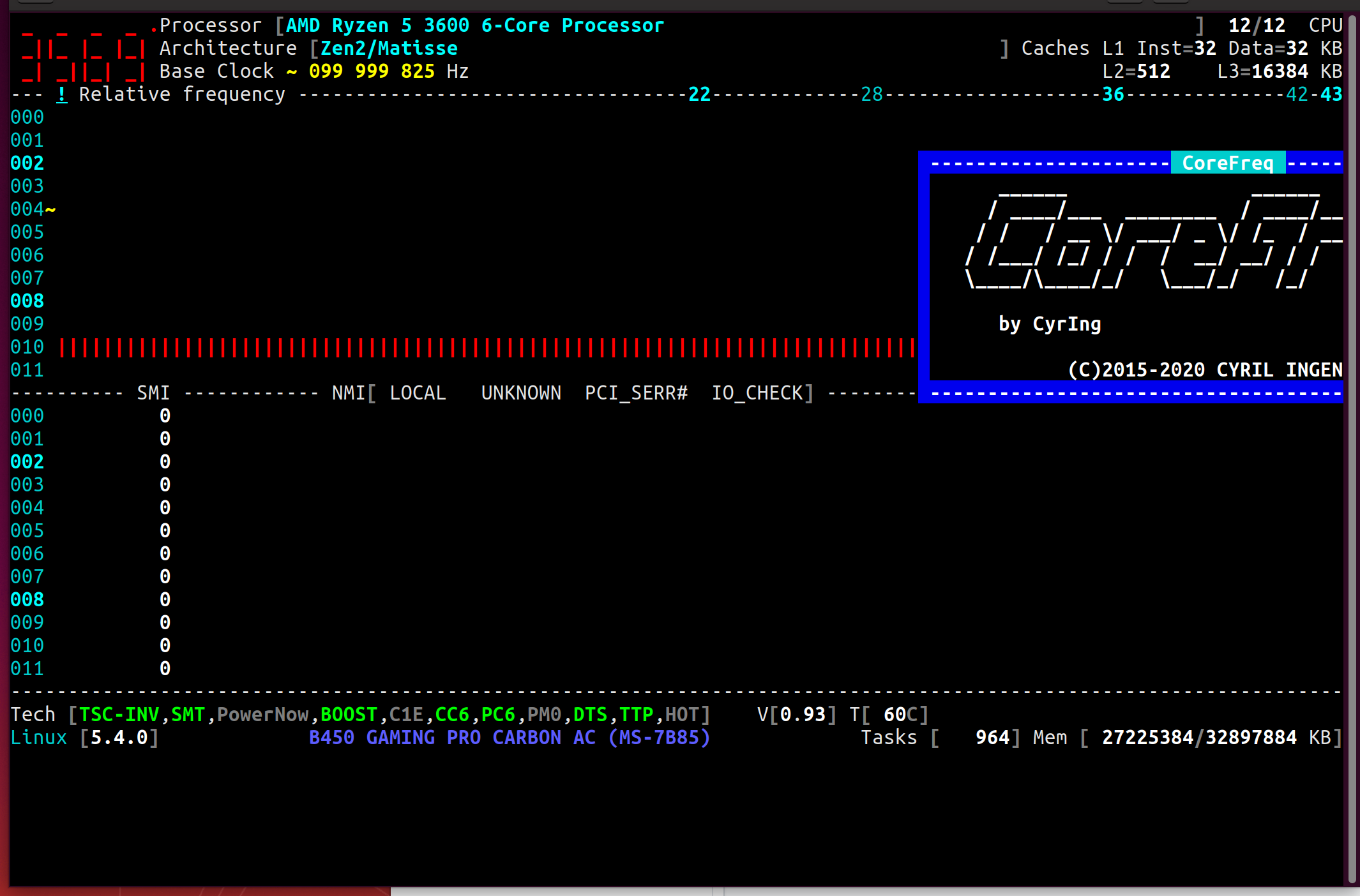
obaudys
on 25 Apr 2020
I noticed that now the temperature on the bottom status bar did not update after suspend to RAM.
To debug, I don't have such issue with my Xeon, tbc ...
now
Enhanced Halt StateC1Eis off
Indeed, C1E was previously wrongly reported for all AMD.
C1E is so far reported for old K8 family in function Query_AMD_Family_0Fh_C1E()
C1E can however be tested on Ryzen with the Experimental mode
the
Aboutwindow is not centred correctly
This is the purpose of the last develop commit, you will find a refactoring of the windows scaling.
Be aware of the window rules governing my UI:
- can be scaled
- can be moved
- can be saved ( in
.corefreq.cfg) - with or without border
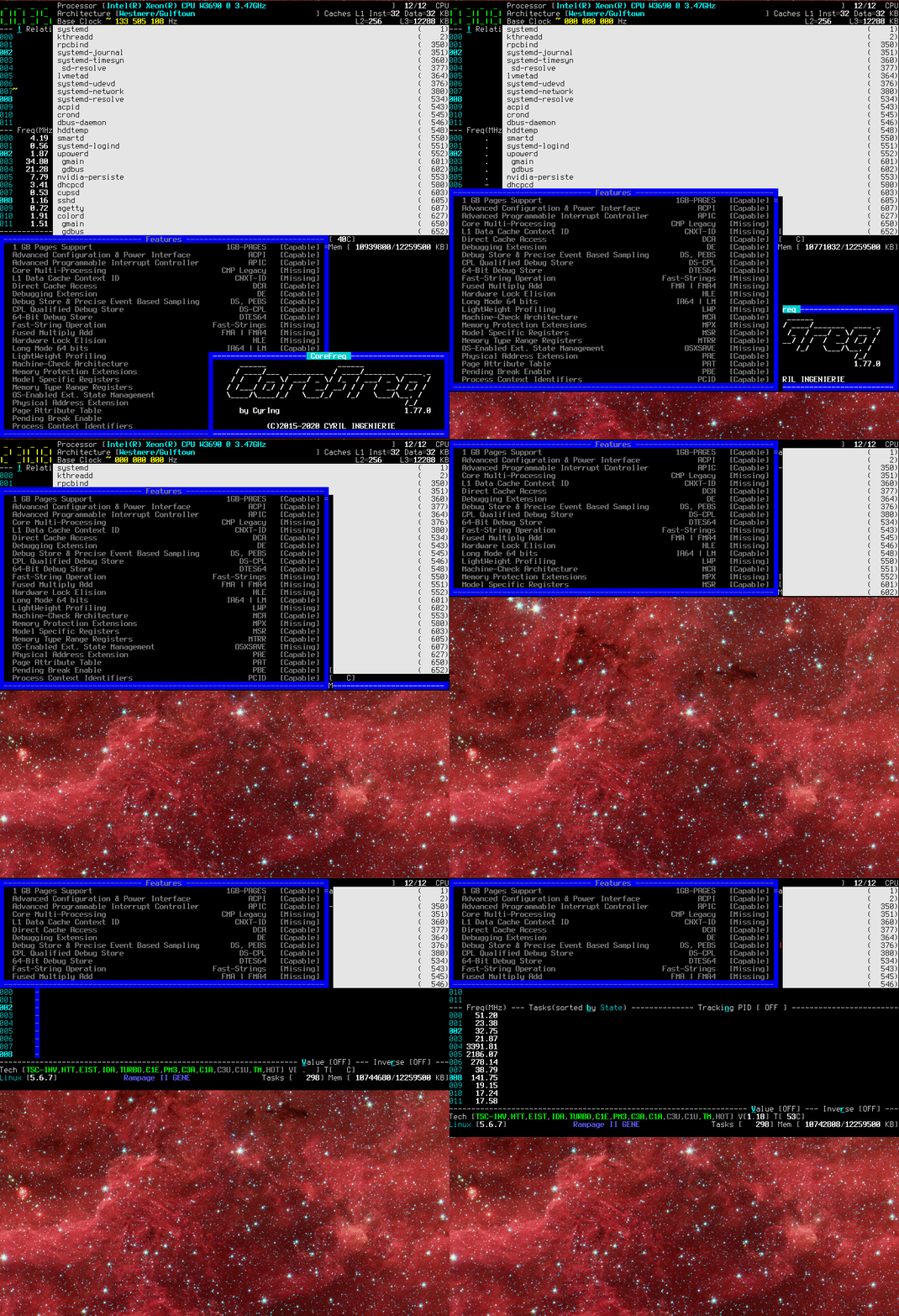
cyring
on 26 Apr 2020
When I set the frequency to 5000Mhz, I got gnome system error pop up, my networking died, and I found an oops in dmesg:
[ 3369.309661] watchdog: BUG: soft lockup - CPU#0 stuck for 887s! [corefreqd#0:6901]
[ 3369.309663] Modules linked in: corefreqk(OE) rfcomm ccm cmac bnep binfmt_misc nls_iso8859_1 edac_mce_amd kvm_amd kvm irqbypass snd_hda_codec_realtek snd_hda_codec_generic ledtrig_audio snd_hda_codec_hdmi snd_hda_intel crct10dif_pclmul snd_intel_nhlt crc32_pclmul snd_hda_codec ghash_clmulni_intel snd_hda_core snd_hwdep amdgpu snd_pcm snd_seq_midi snd_seq_midi_event snd_rawmidi iwlmvm snd_seq mac80211 btusb snd_seq_device btrtl snd_timer btbcm amd_iommu_v2 btintel gpu_sched libarc4 ttm bluetooth aesni_intel crypto_simd drm_kms_helper cryptd glue_helper input_leds snd joydev drm iwlwifi wmi_bmof usblp ecdh_generic ecc fb_sys_fops serio_raw ccp cfg80211 zenpower(OE) k10temp syscopyarea sysfillrect sysimgblt soundcore mac_hid sch_fq_codel lm92 eeprom nct6775 hwmon_vid parport_pc ppdev lp parport ip_tables x_tables autofs4 btrfs xor zstd_compress raid6_pq libcrc32c hid_generic usbhid hid igb nvme i2c_algo_bit i2c_piix4 ahci dca nvme_core libahci wmi gpio_amdpt gpio_generic
[ 3369.309704] CPU: 0 PID: 6901 Comm: corefreqd#0 Tainted: G           OE     5.4.0-050400-generic #201911242031
[ 3369.309705] Hardware name: Micro-Star International Co., Ltd. MS-7B85/B450 GAMING PRO CARBON AC (MS-7B85), BIOS 1.B0 11/08/2019
[ 3369.309708] RIP: 0033:0x55ff734453ea
[ 3369.309710] Code: d2 e8 09 00 00 48 01 ca 48 81 c2 c8 19 02 00 49 be 71 65 72 46 65 72 6f 43 49 bf 74 61 69 74 72 75 6f 43 48 8b 4d c8 4c 8b 1a <4d> 89 f4 4d 89 fd 4d 87 e5 4d 39 ee 74 03 49 ff c3 e2 ed 4c 89 18
[ 3369.309711] RSP: 002b:00007fb8bd4e9d28 EFLAGS: 00000246 ORIG_RAX: ffffffffffffff13
[ 3369.309713] RAX: 00007fb8bdd2d9c8 RBX: 0000000000000000 RCX: 0000000063c3b975
[ 3369.309713] RDX: 00007fb8bdd2d9c8 RSI: 0000000000000000 RDI: 00007fb8bdd0c000
[ 3369.309714] RBP: 00007fb8bd4e9d48 R08: 000055ff73445a1c R09: 00007fb8bd4e9c60
[ 3369.309715] R10: 0000000000000020 R11: 0000000000000000 R12: 436f757274696174
[ 3369.309716] R13: 436f726546726571 R14: 436f726546726571 R15: 436f757274696174
[ 3369.309717] FS:  00007fb8bd4ea700 GS:  0000000000000000
[ 3369.406698] clocksource: timekeeping watchdog on CPU2: Marking clocksource 'tsc' as unstable because the skew is too large:
[ 3369.406699] clocksource:                       'hpet' wd_now: 10e0a33f wd_last: 10c60424 mask: ffffffff
[ 3369.406700] clocksource:                       'tsc' cs_now: b1ca45553f4 cs_last: 8000a410280 mask: ffffffffffffffff
[ 3369.406702] tsc: Marking TSC unstable due to clocksource watchdog
[ 3369.406901] TSC found unstable after boot, most likely due to broken BIOS. Use 'tsc=unstable'.
[ 3369.406903] sched_clock: Marking unstable (3369404232400, -13169758)<-(3369422023257, -15125099)
[ 3369.391311] clocksource: Switched to clocksource hpet
This is something which puzzle me in the past: https://github.com/cyring/CoreFreq/issues/87#issuecomment-444264367
What's the purpose of the bit LockTscToCurrP0 ?
Could it help _stabilizing_ the TSC to a new frequency ratio set in the p-state number 0 ?
Could you replace function TurboClock_AMD_Zen_PerCore() with the following code
https://github.com/cyring/CoreFreq/blob/b2eb6cf63b1914107aedc5b1ba9a0763d27f1197/corefreqk.c#L3861
static void TurboClock_AMD_Zen_PerCore(void *arg)
{
    CLOCK_ZEN_ARG *pClockZen = (CLOCK_ZEN_ARG *) arg;
    PSTATEDEF PstateDef = {.value = 0};
    HWCR HwCfgRegister = {.value = 0};
    /* Make sure the Core Performance Boost is disabled. */
    RDMSR(HwCfgRegister, MSR_K7_HWCR);
    if (HwCfgRegister.Family_17h.CpbDis)
    {
        RDMSR(PstateDef, pClockZen->PstateAddr);
        /* Apply if and only if the P-State is enabled */
        if (PstateDef.Family_17h.PstateEn)
        {
            unsigned int FID = 0;
            /* Compute the Frequency ID from the offsetted ratio */
            FID = AMD_Zen_CoreFID(Proc->Boost[pClockZen->BoostIndex]
                        + pClockZen->pClockMod->Offset,
                        PstateDef.Family_17h.CpuDfsId);
            /* Write the P-State MSR with the new FID */
            PstateDef.Family_17h.CpuFid = FID;
            WRMSR(PstateDef, pClockZen->PstateAddr);

            if (HwCfgRegister.Family_17h.LockTscToCurrP0 == 0) {
                HwCfgRegister.Family_17h.LockTscToCurrP0 = 1;
                WRMSR(HwCfgRegister, MSR_K7_HWCR);
            }
        }
    }
}
Then change the Max , 1C and 2C frequencies but keep an eye on the kernel log ;-) and in the UI view Core cycles
cyring
on 29 Apr 2020
I've applied the change as suggested; when I went to change the max frequency (from 3600 to 3300); my system locked up for a few seconds and I got this in the kernel log:
[  223.066657] CoreFreq(5:11): Processor [ 8F_71] Architecture [Zen2/Matisse] SMT [12/12]
[  257.502141] clocksource: timekeeping watchdog on CPU10: Marking clocksource 'tsc' as unstable because the skew is too large:
[  257.502154] clocksource:                       'hpet' wd_now: f1baae7b wd_last: dba9bd12 mask: ffffffff
[  257.502155] clocksource:                       'tsc' cs_now: e9f7e273d9 cs_last: e990e55f88 mask: ffffffffffffffff
[  257.502157] tsc: Marking TSC unstable due to clocksource watchdog
[  257.502193] TSC found unstable after boot, most likely due to broken BIOS. Use 'tsc=unstable'.
[  257.502194] sched_clock: Marking unstable (257532057796, -29859590)<-(257522497753, -20305092)
[  257.502580] clocksource: Switched to clocksource hpet
[  259.832430] show_signal: 35 callbacks suppressed
[  259.832432] traps: corefreq-cli[4685] general protection fault ip:55fa5a74af99 sp:7ffe21e588a0 error:0 in corefreq-cli[55fa5a74a000+5c000]
After that I noticed the base clock is now 89-91MHz!
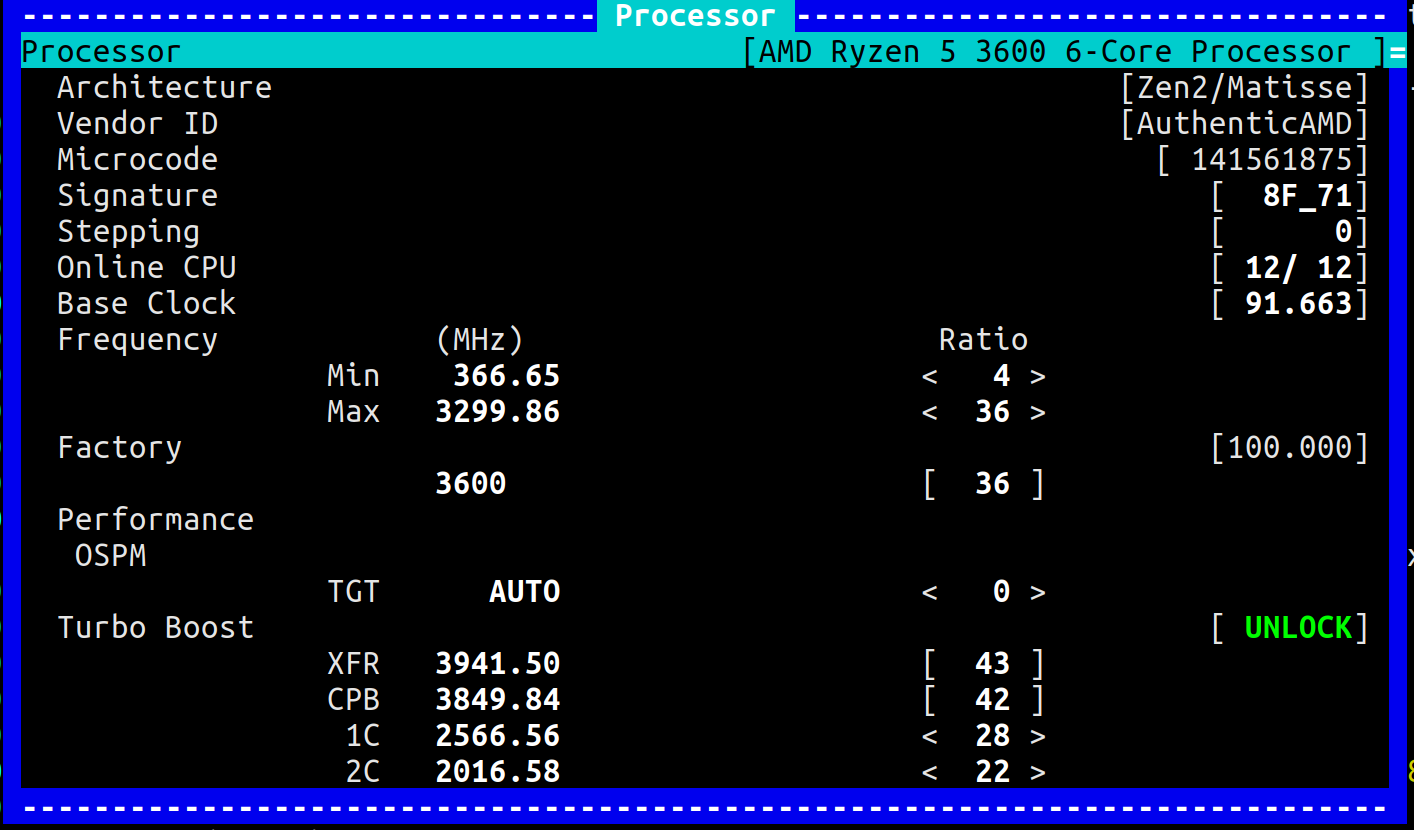
Edit: of course the base clock reverted to 99.9MHz after a reboot.
obaudys
on 30 Apr 2020
So, the base clock is no longer constant, at least in corefreq-cli. In this case I moved the C1 and C2 speeds down, as well as Max, and got 120Mhz:
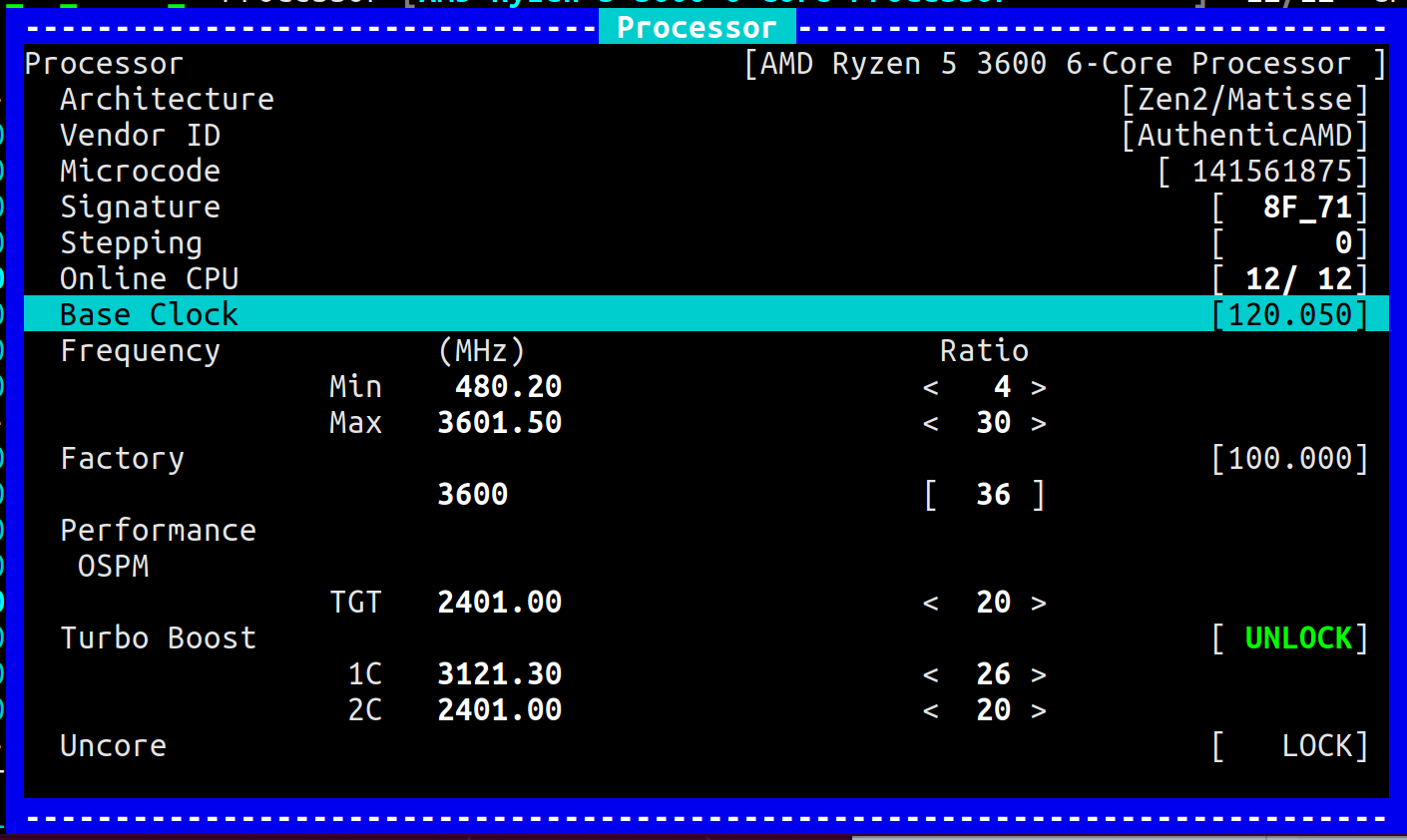
When I change the max frequency ratio, eg. from 36 to 30, the base frequency always changes to bring the max frequency to 3600MHz anyway.
Is it calculating the base frequency wrong? TSC always seems to be steady at ~3,600,000,000, so the clock period doesn't change for the highest P state. But the other C-states are affected:
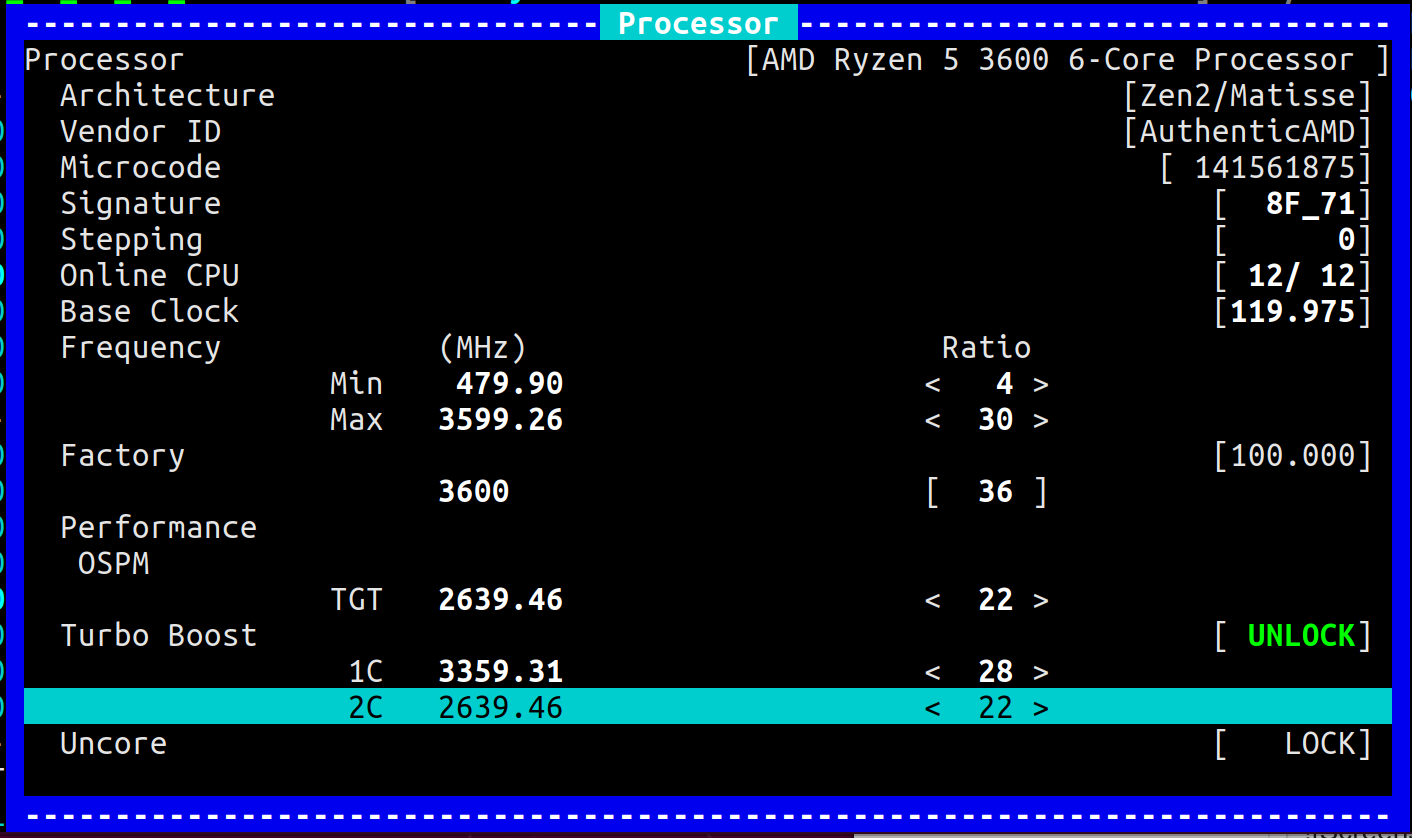
obaudys
on 30 Apr 2020
Thanks for your returns.
I wonder if _CoreFreq_'s driver is not fighting with a Kernel task which surveys for any TSC _drift_, or whatever major _changes_, based on other timers (HPET) and then takes corrective actions to restore something ...
I wonder if your tests will be different if you stop/unload/black-list any driver which deals with TSC clock and P-State. To have the free space, I would suggested to disable the watchdog and other acpi drivers ?
With my Xeon, I can't modify the P-State but I will re-enable any watchdog to see what's going on ...
[  257.502141] clocksource: timekeeping watchdog on CPU10: Marking clocksource 'tsc' as unstable because the skew is too large:
[  257.502154] clocksource:                       'hpet' wd_now: f1baae7b wd_last: dba9bd12 mask: ffffffff
[  257.502155] clocksource:                       'tsc' cs_now: e9f7e273d9 cs_last: e990e55f88 mask: ffffffffffffffff
[  257.502157] tsc: Marking TSC unstable due to clocksource watchdog
Hello,
New changes in issue #183
cyring
on 2 May 2020
I wonder if your tests will be different if you stop/unload/black-list any driver which deals with TSC clock and P-State. To have the free space, I would suggested to disable the watchdog and other acpi drivers ?
Looks like in my kernel, the drivers are compiled into the kernel, so I can't disable / unload clocksource without rebuilding. Likewise for the watchdog service, there is a kernel thread [watchdogd] that doesn't have any interface.
My current clocksources:
$ cat /sys/devices/system/clocksource/clocksource0/available_clocksource
tsc hpet acpi_pm
$ cat /sys/devices/system/clocksource/clocksource0/current_clocksource
tsc
On another note; I managed to hard lock my system just by reducing my Max frequency from the Processors windows. I have no kernel log to show for it, a reset was required. This is with your change to TurboClock_AMD_Zen_PerCore() above.
New changes in issue #183
I'll give it a test when I get some time!
obaudys
on 3 May 2020
Thanks for trying.
Fyi
LockTscToCurrP0is not part of the current source code.nowatchdogas a Kernel boot parameter may prevent runningwatchdogdtscparameter can also be used:Disable clocksource stability checks for TSC.
clock and clocksource could also be set to the unique value of tsc
cyring
on 3 May 2020
Based on the development branch, the tests I would like is to modify the Turbo ratios per CPU: in 1C or 2C
And check how P-State is unique per SMT or Core or Cluster (CCX, CCD) or the same for whole socket ?
Don't forget to disable CPB before altering ratios.
Thank you
cyring
on 3 May 2020
Looks like the P-state applies to the whole socket. I can set individual cores in the interface, but the all cores seem locked in at the last value I set; it seems to update the TGT value in the Processor window. For example, when I was changing the 2C state:
Here I had set Core 001 to 2400 Mhz, notice how TGT is 2400:
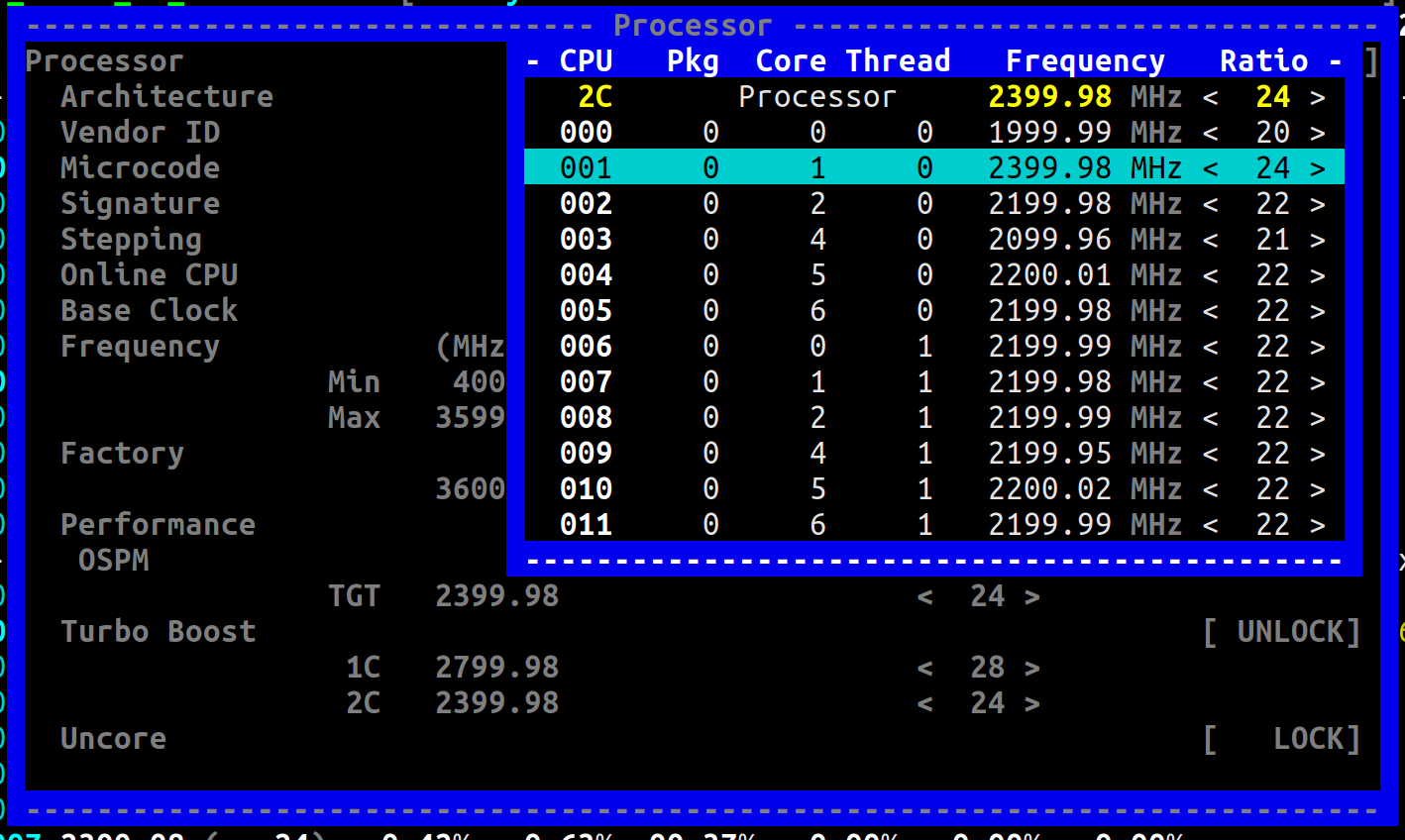
Now I select Core 000, and just press enter at it's current value (2000Mhz), and TGT is updated:
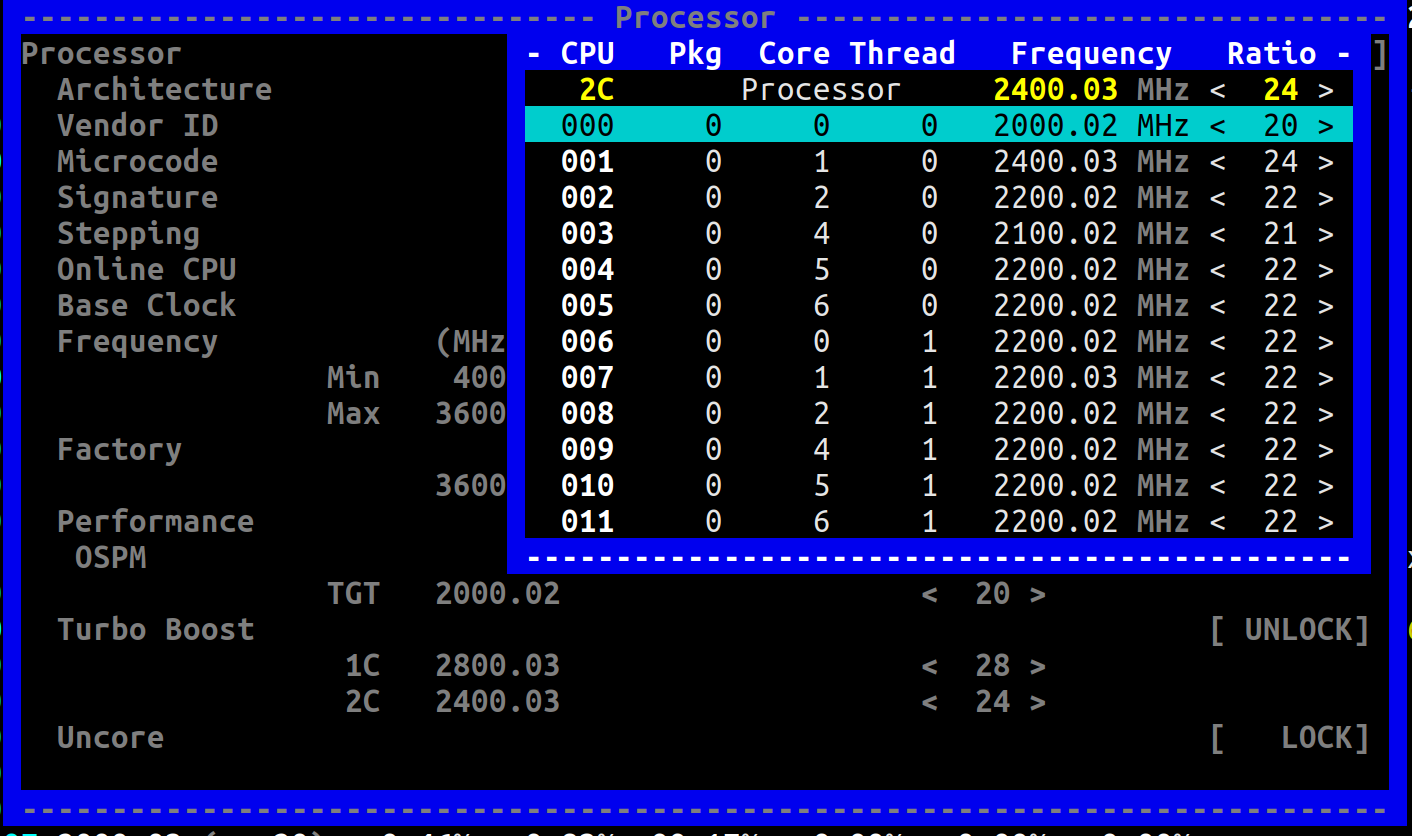
In the Frequency view, absolute frequency shows 2000Mhz on all cores on my unloaded system.
Two other bugs:
Firstly: sometimes when I select a ratio eg. 19, the selection jumps to 23 or something instead.
Just now I did the following steps:
- I selected
Core 003, and selected 26 (ie 2600Mhz). The frequency ratio went to 31. - I repeated this step, ie.
Core 003, selected 26 again. Now the ratio jumps to 19. - again, repeating this step, select 26 again: the ratio jumps to 31.
It seems to oscillate between the 2 values, neither of which is what I asked for.
In this screenshot, note how the TGT is now 19, but 2C is something else. All cores are running at 1900Mhz in absolute frequency.
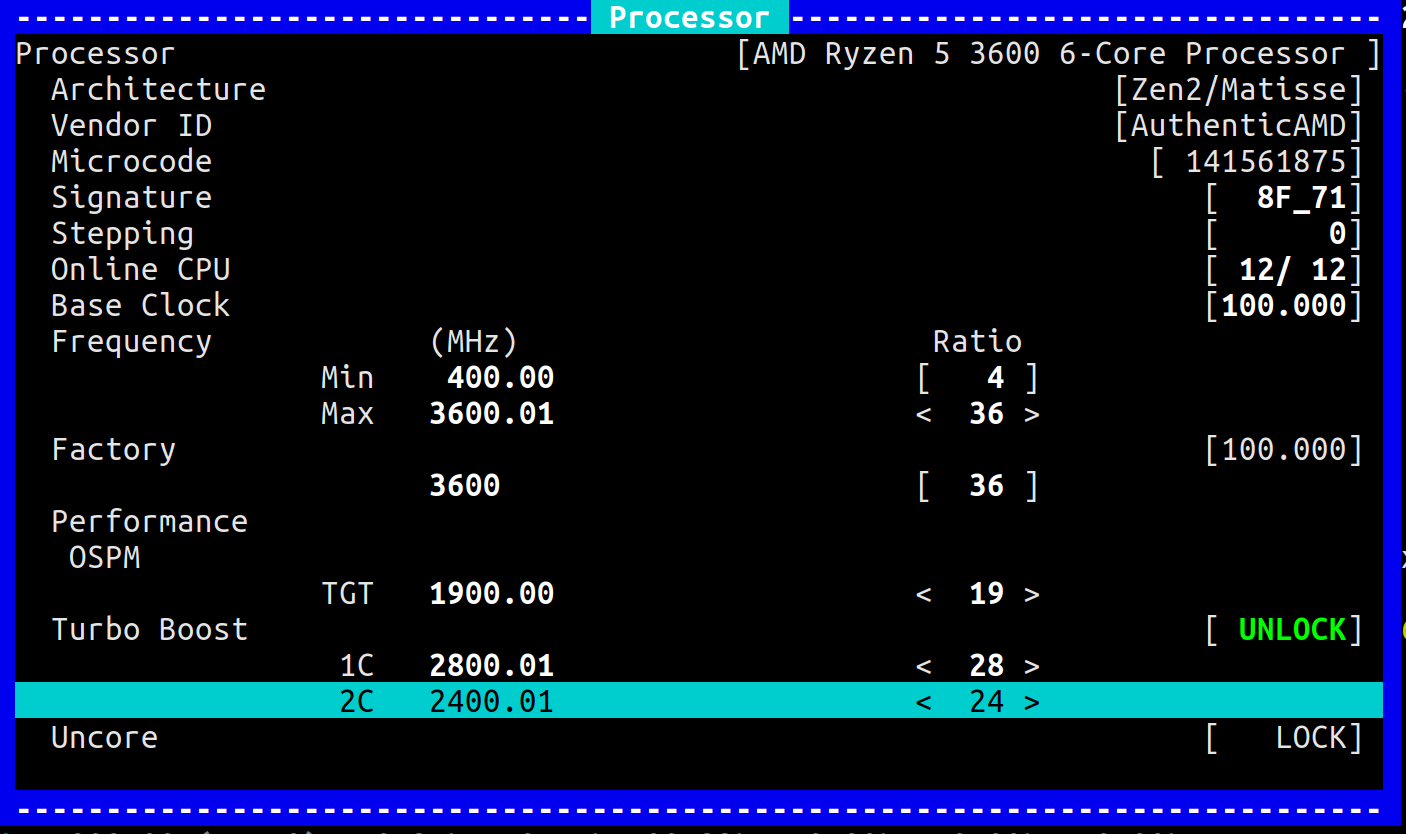
Secondly, while playing around with 2C P-state, I got a segmentation fault in corefreq-cli when I pressed ! to switch to absolute frequency. I could not reproduce it; I found the following in dmesg:
75645.119108] corefreq-cli[30557]: segfault at 7f1e32177ed2 ip 00007f1e3182b060 sp 00007ffd3da6d698 error 6 in libc-2.30.so[7f1e316c1000+178000]
[75645.119117] Code: a4 00 00 00 48 83 fa 40 77 0e c5 fe 7f 44 17 e0 c5 fe 7f 07 c5 f8 77 c3 48 81 fa 00 08 00 00 77 9d 48 81 fa 80 00 00 00 77 19 <c5> fe 7f 07 c5 fe 7f 47 20 c5 fe 7f 44 17 e0 c5 fe 7f 44 17 c0 c5
I doubt that that is of much use to you.
While I was writing this, I changed the max frequency and it froze my system... luckily firefox has saved this input!
obaudys
on 4 May 2020
An _offset_ fix is pushed for the TARGET and TURBO ratios.
cyring
on 4 May 2020
An offset fix is pushed for the TARGET and TURBO ratios.
I can select the correct frequency now per thread.
The system behaves as before, for 2C at least: all CPU operate at the last selected frequency.
obaudys
on 5 May 2020
An offset fix is pushed for the TARGET and TURBO ratios.
I can select the correct frequency now per thread.
Do you mind to show what it looks like, especially can you say if frequency is really distinct among threads or Cluster as I suspect P-State registers are shared between CCD ?
The frequencies plan with at least 2 different ratios (things I can't get with my Intel processor)
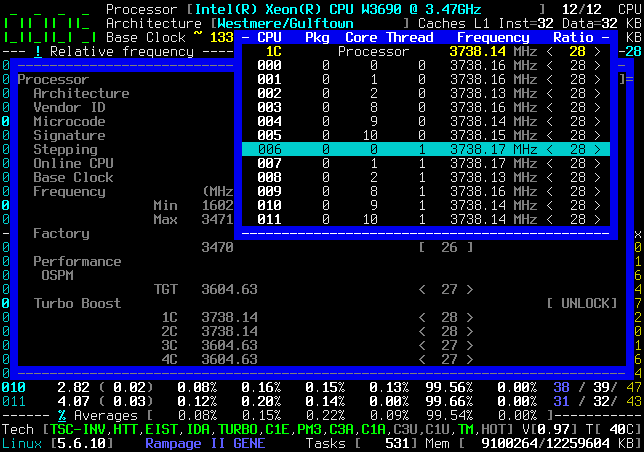
The system behaves as before, for 2C at least: all CPU operate at the last selected frequency.
So, you mean changing the frequency of Max and 1C is OK but not on 2C ?
cyring
on 5 May 2020
Do you mind to show what it looks like, especially can you say if frequency is really distinct among threads or Cluster as I suspect P-State registers are shared between CCD ?
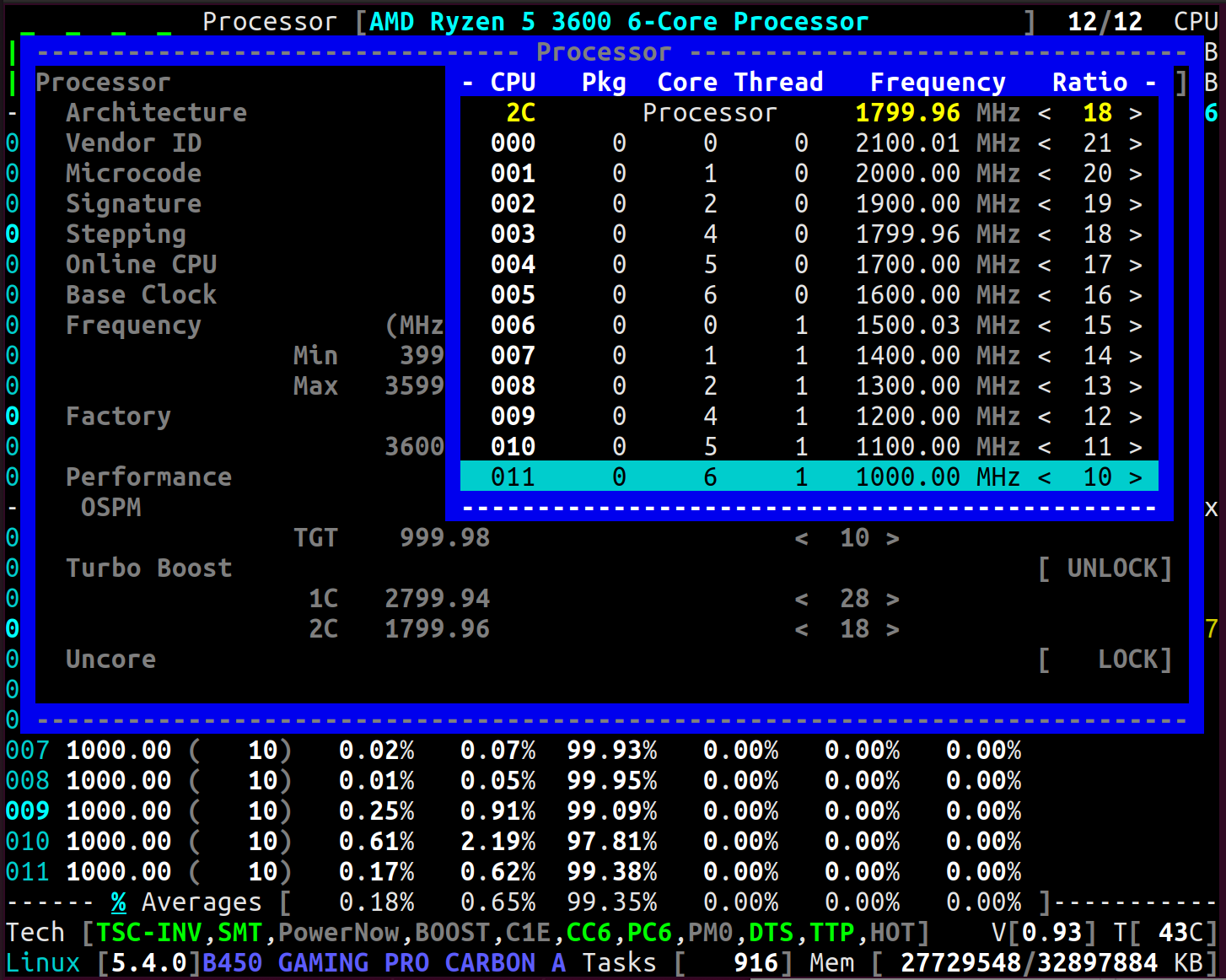
You can see the ratios going down from 21 to 10. Note that I did NOT set the ratio on the Processor row... it was 22 originally, I didn't notice when it changed to 18.
Here is 1C:
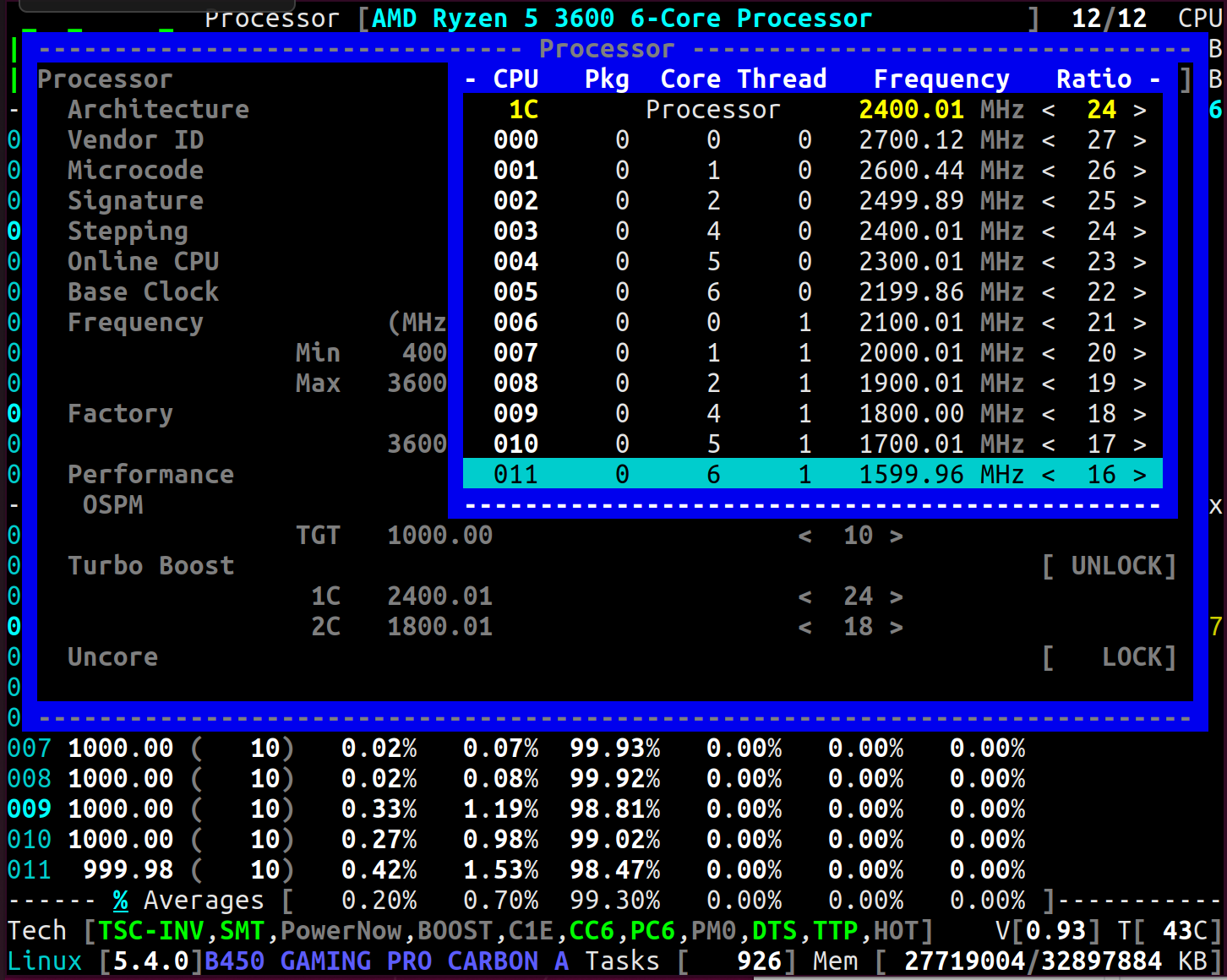
Similar to 2C: the first row's ratio was originally 28... I didn't set it to 24.
So, you mean changing the frequency of Max and 1C is OK but not on 2C ?
1C behaves just like 2C. Max crashes my system... I'll update this comment when I try it.
Edit: Here's MAX:
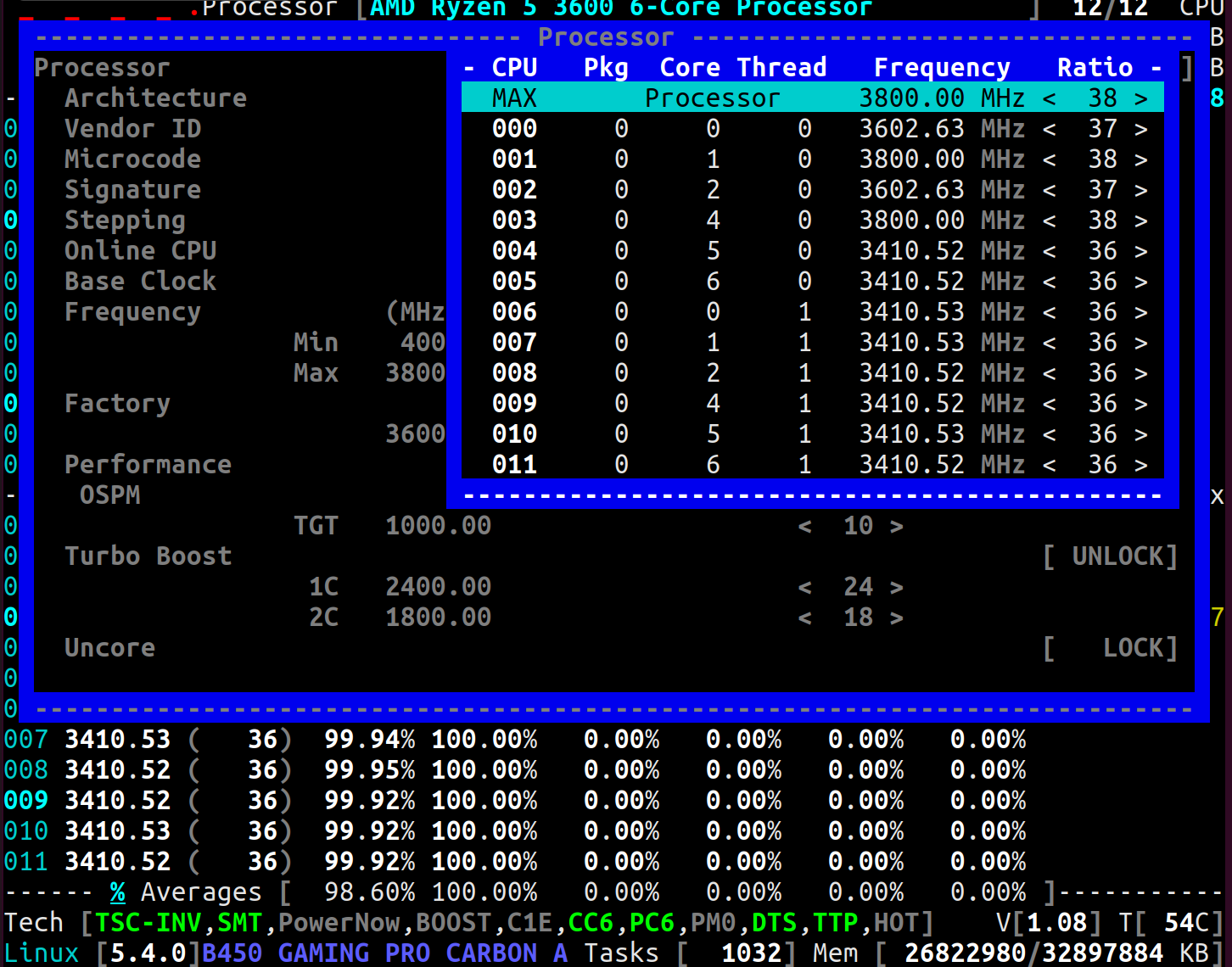
With these settings, here's Frequency view with _absolute_ frequency doing an atomic burn stress:
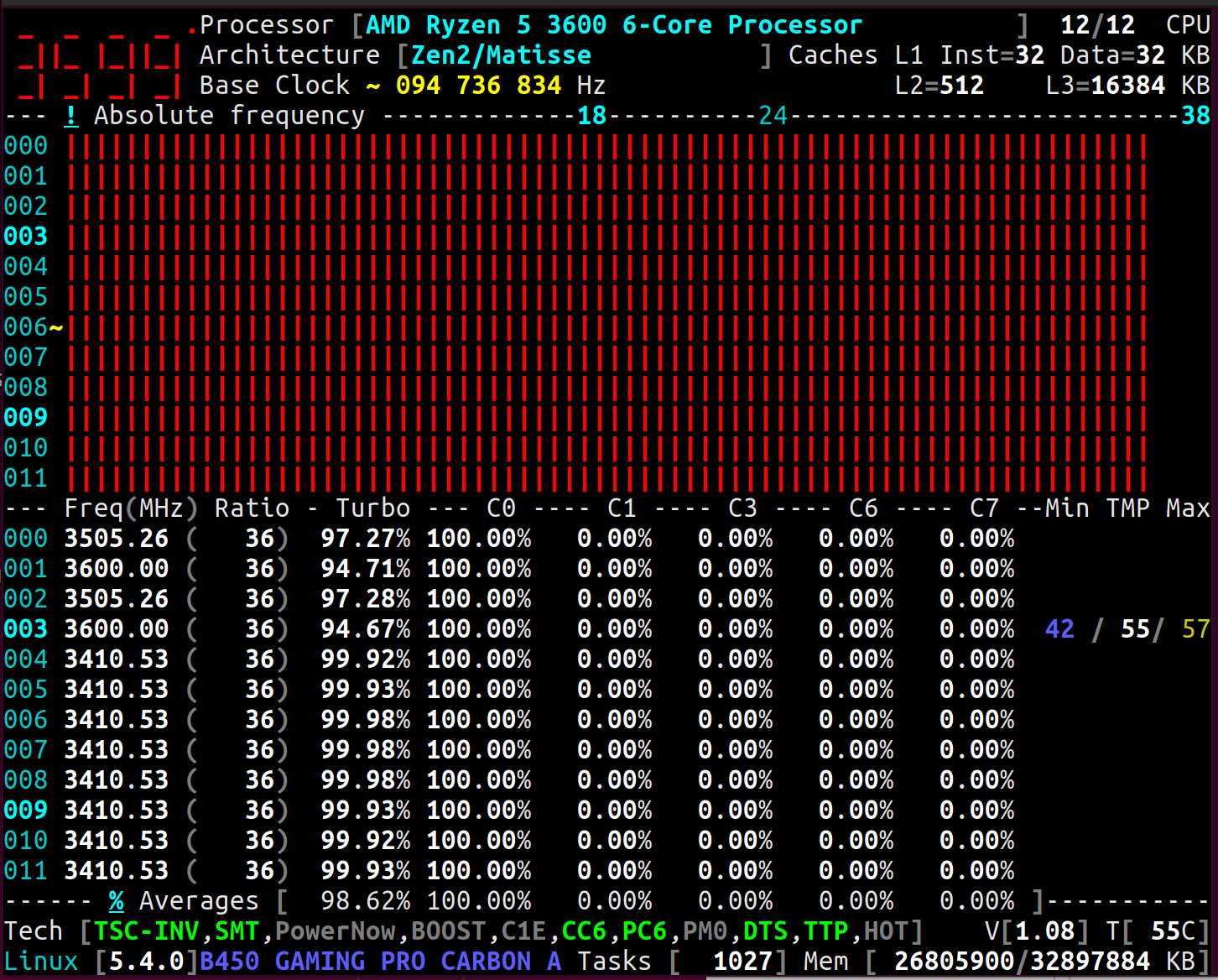
Frequency view with _relative_ frequency:
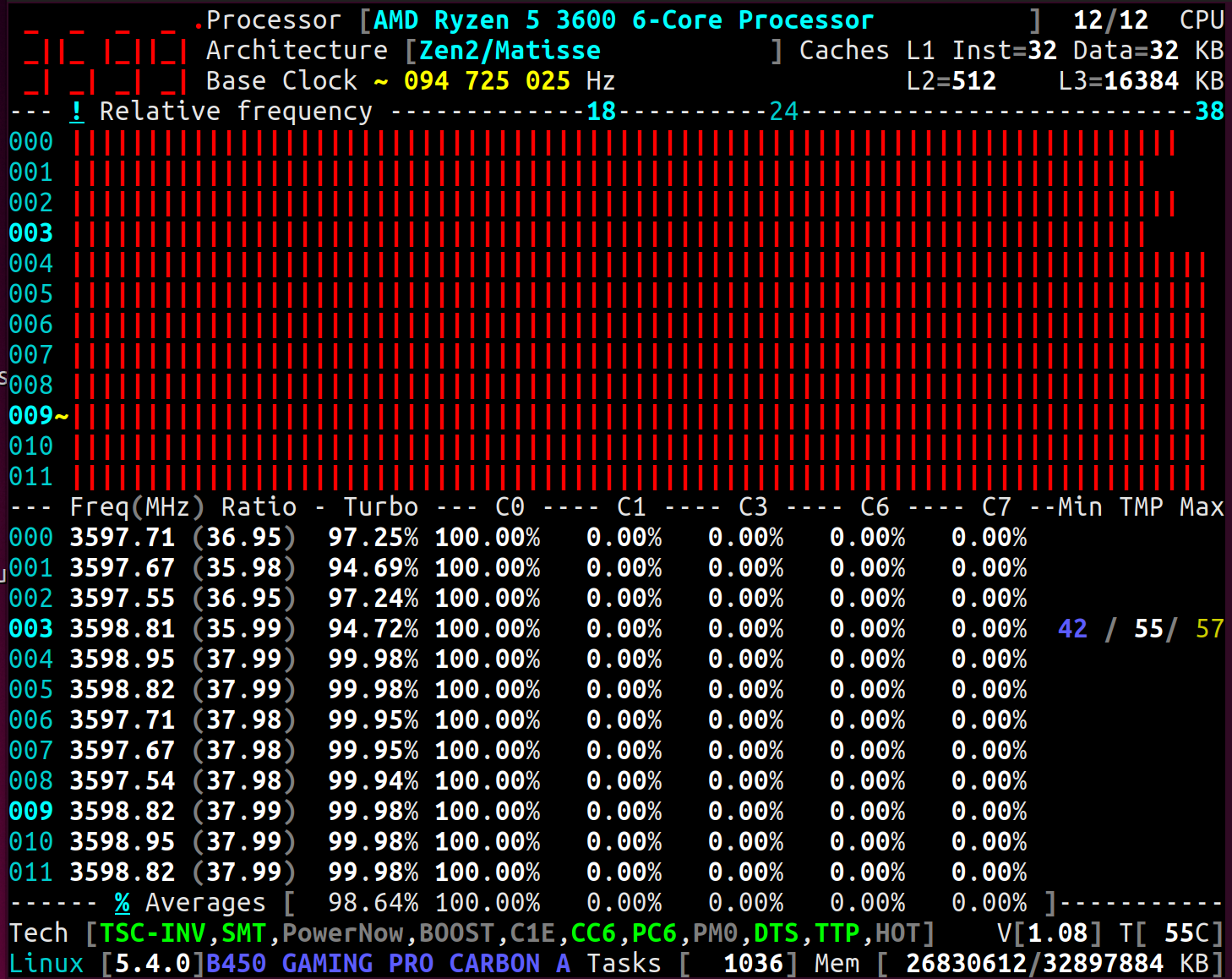
obaudys
on 5 May 2020
Nice. Encouraging results.
Processorrow is just an aggregation of all CPU ratios. Can be the min, max or the average of CPUs (frequencies, ratios)
I have made no choice yet with Zen, because I'm just discovering we can have individual P-State.
Whereas with Intel,Processorrow is equal to any individual ratio which shares the same Turbo register.- So, what will be shown in this
Processorrow depends more on the architectural behavior of Zen: - Are all the CPUs capped to the limits of the lowest, highest values of any P-State among the whole plan ?
- Are individual rules of the lowest, highest, applying per CPU ?
Do all the Zen, EPYC, Threadripper processors follow the same P-State rules ?
Maxis more tuff to program because we are dealing with the overclocking P-State. I have no clue what are the prerequisites. Should we set/clear other bits in the MSR, PCI, SMU, Infinity Fabric spaces ?
I'm googling for datasheets; looking at the screenshots into the Ryzen-Master guides; but without the missing family 17h BKDG, I'm stuck.
cyring
on 5 May 2020
I'm also working on this to let the User know when the driver can't realize a request.
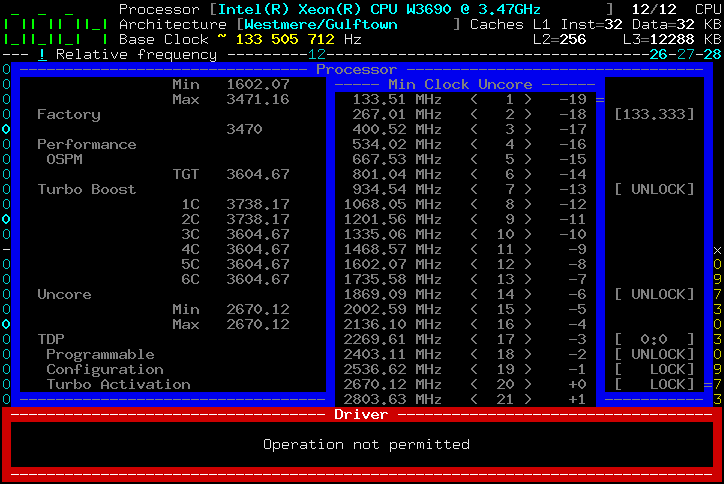
It will be completed by a timestamp and the claimed operation.
cyring
on 5 May 2020
Btw I remember reading in forums that manual OC in BIOS disables PC6 and CC6. I wonder if they should be also deactivated prior changing the Max ratios.
The Cli can let you change PC6, CC6
cyring
on 5 May 2020
Btw I remember reading in forums that manual OC in BIOS disables
PC6andCC6. I wonder if they should be also deactivated prior changing theMaxratios.
The Cli can let you change PC6, CC6
I was able to do that in the CLI. I played around with Max ratios on a couple of cores:
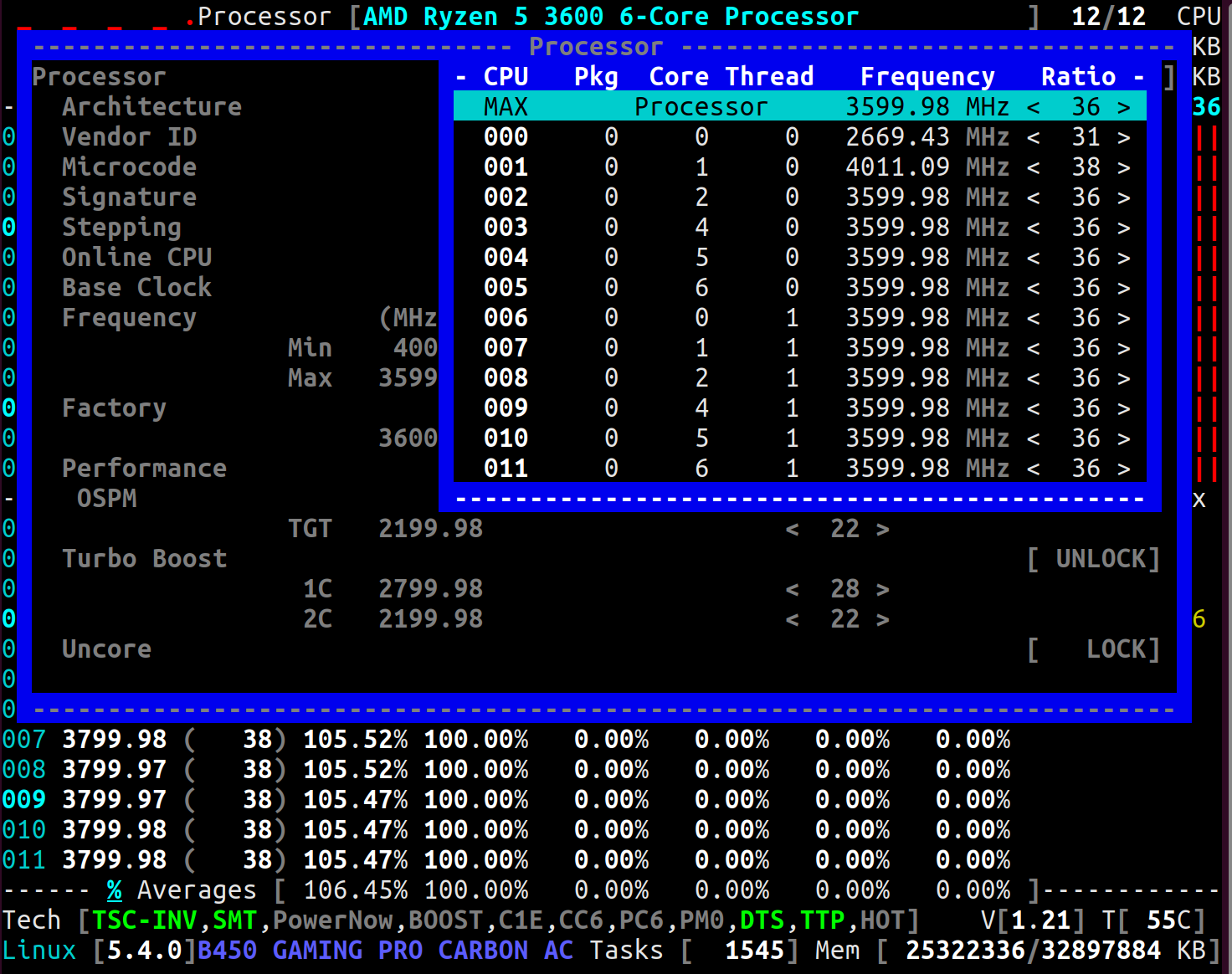
(The cores are 000 and 001). The ratios seem a bit screwed up... I think the Turbo %, Freq and Ratio values also don't make sense for those two cores in the below Frequency view screenshots:
Absolute frequency:
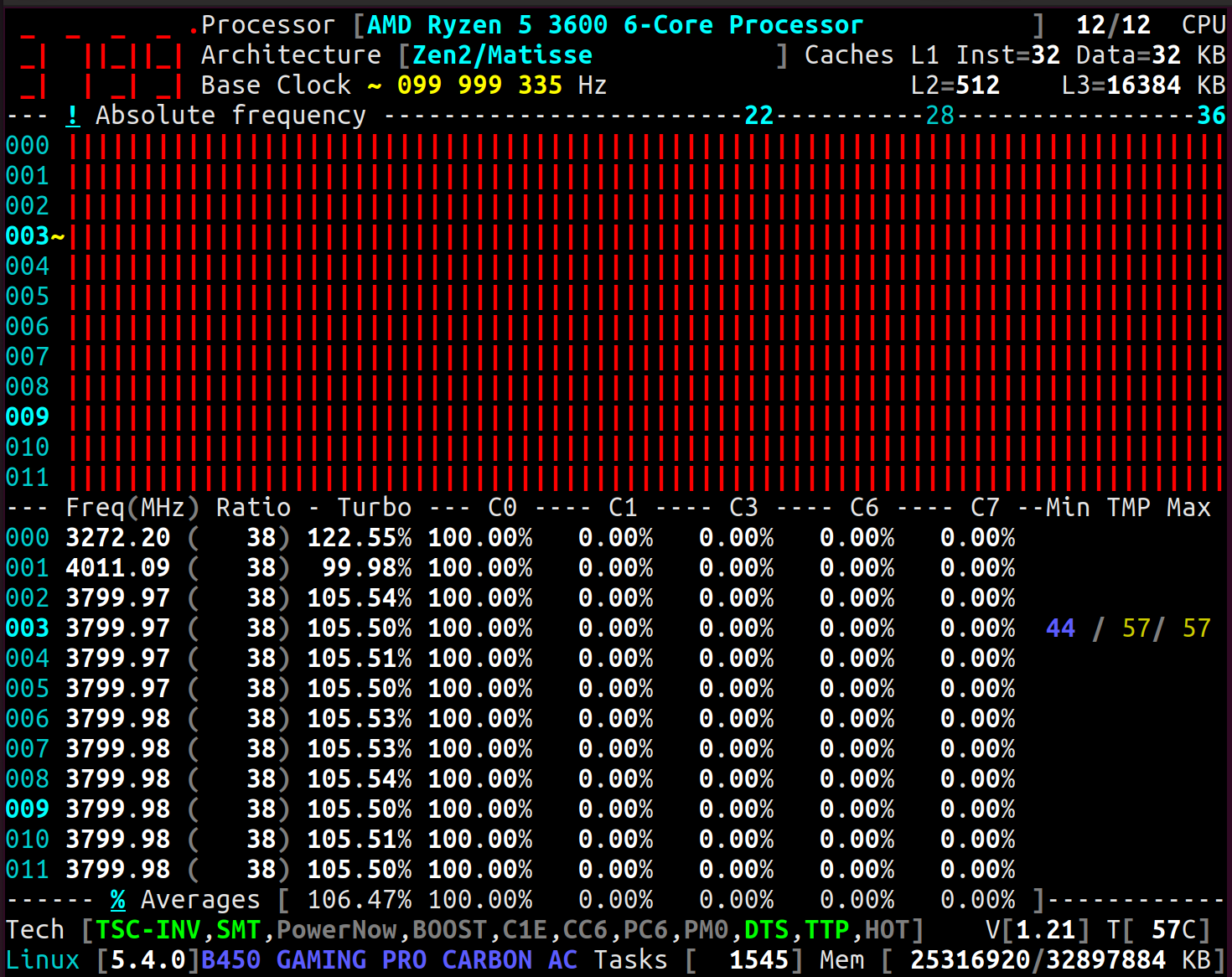
Relative frequency:
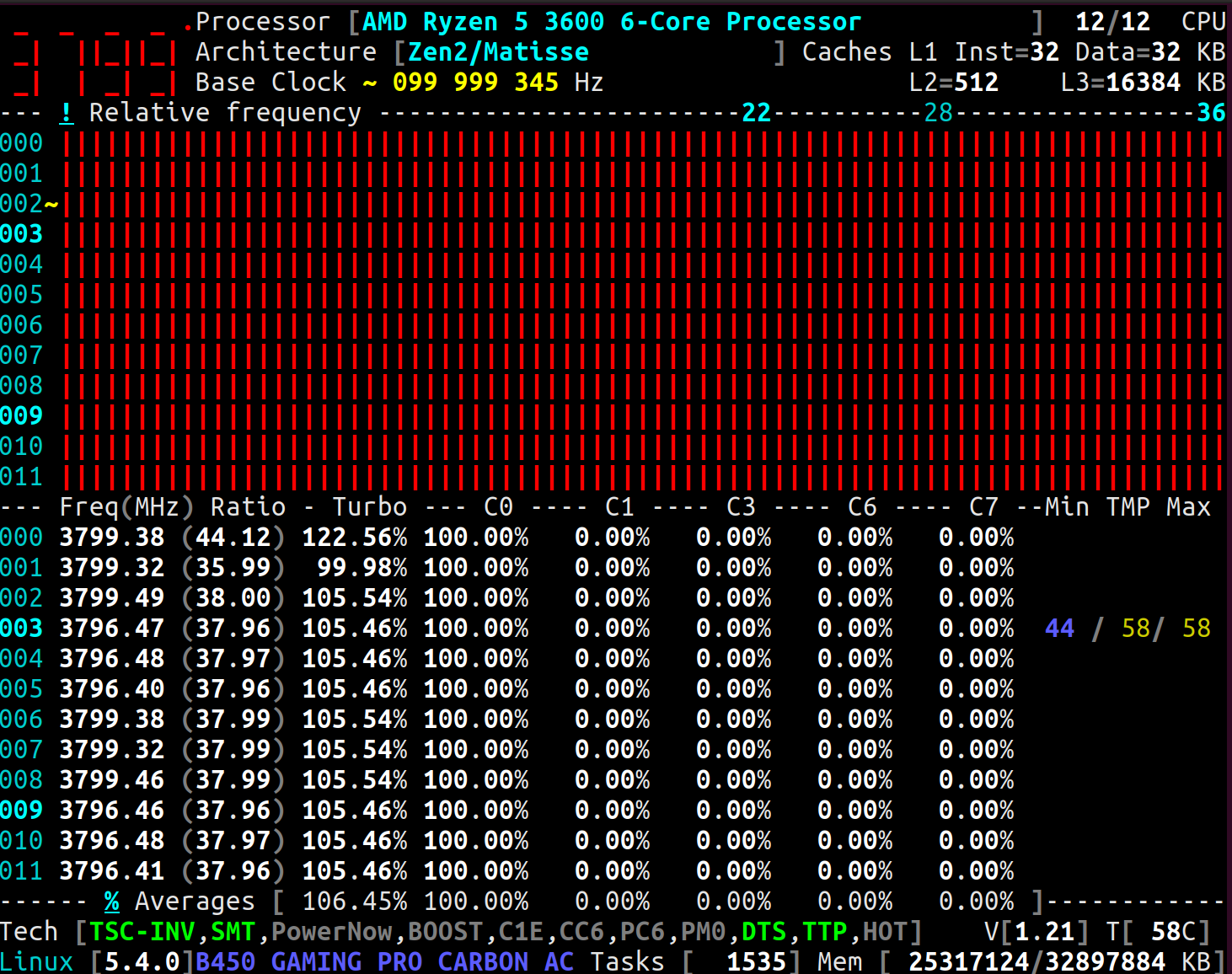
obaudys
on 6 May 2020
Strangely, measurements of CPU #000 and #001 are going in the opposite direction:
CPU|Programmed Ratio|Relative Ratio.
------|-------------------------|--------------------
000 | 31 | ~ 44
001 | 38 | ~ 36
Others | 36 | ~ 38
Other questions:
- is the Processor freezing when disabling PCI, CC6 ; then changing any
Maxratio ? - do you still have a
TSC unstableafter setting some kernel boot parameters ?
cyring
on 6 May 2020
Using latest fix, can you plz try changing the Max of any CPU
_Remark: don't try the Processor row, it is not ready yet_
cyring
on 6 May 2020
- is the Processor freezing when disabling PCI, CC6 ; then changing any
Maxratio ?
Yes I just managed to make it freeze. Package C6 and Core C6 were disabled.
- do you still have a
TSC unstableafter setting some kernel boot parameters ?
I had a TSC unstable before I changed kernel parameters. Once I added tsc=reliable clocksource=tsc, I did not see that message.
Edit: The CPU quite reliably locks with tsc=reliable. Otherwise my system freezes for a second and then prints TSC unstable in the kernel log.
obaudys
on 6 May 2020
Thanks. Is the latest Offset fix working ?
cyring
on 6 May 2020
Thanks. Is the latest Offset fix working ?
I dont think so.
Here's a screenshot of the Cores with frequency changed:
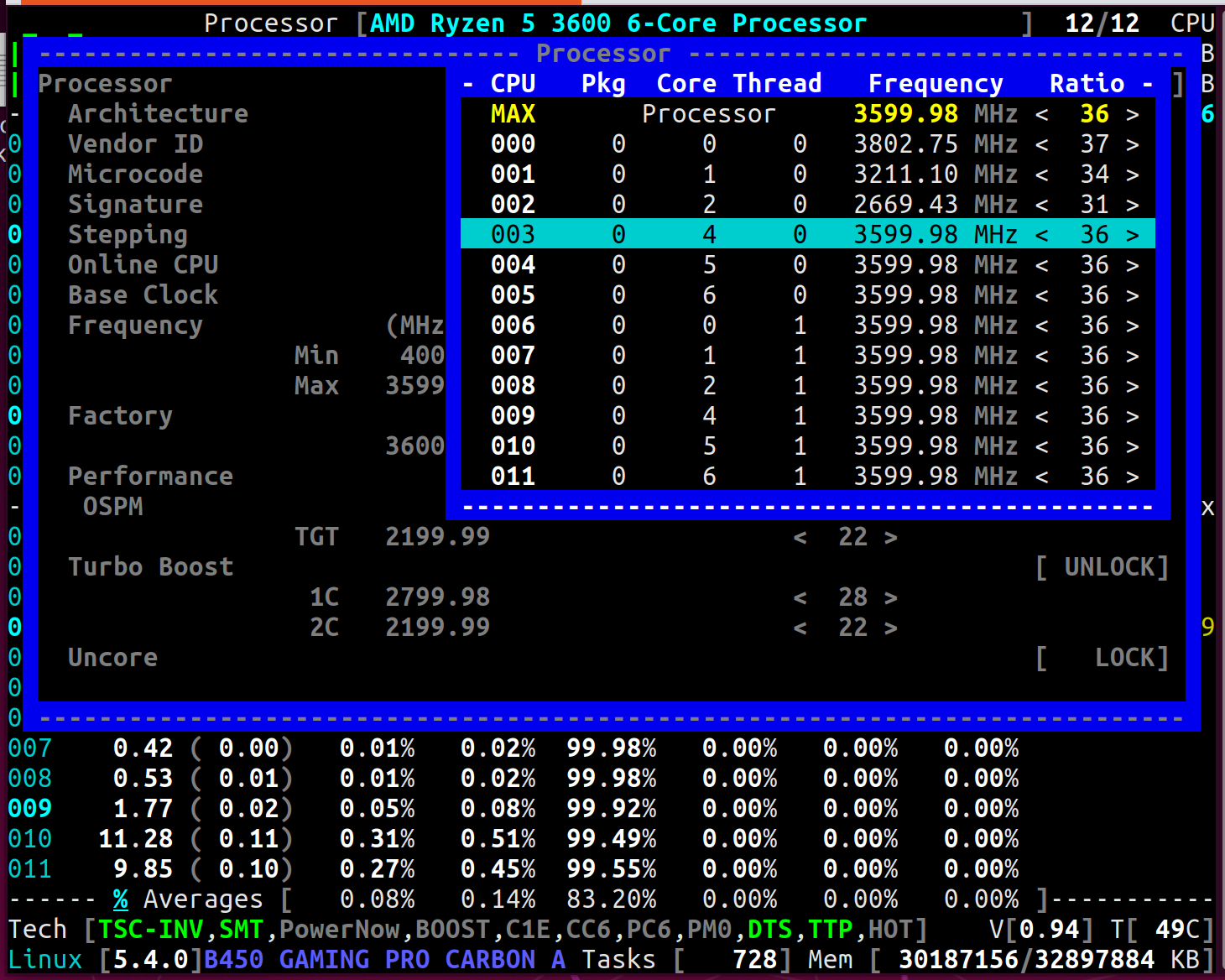
Relative and absolute frequency display under load:
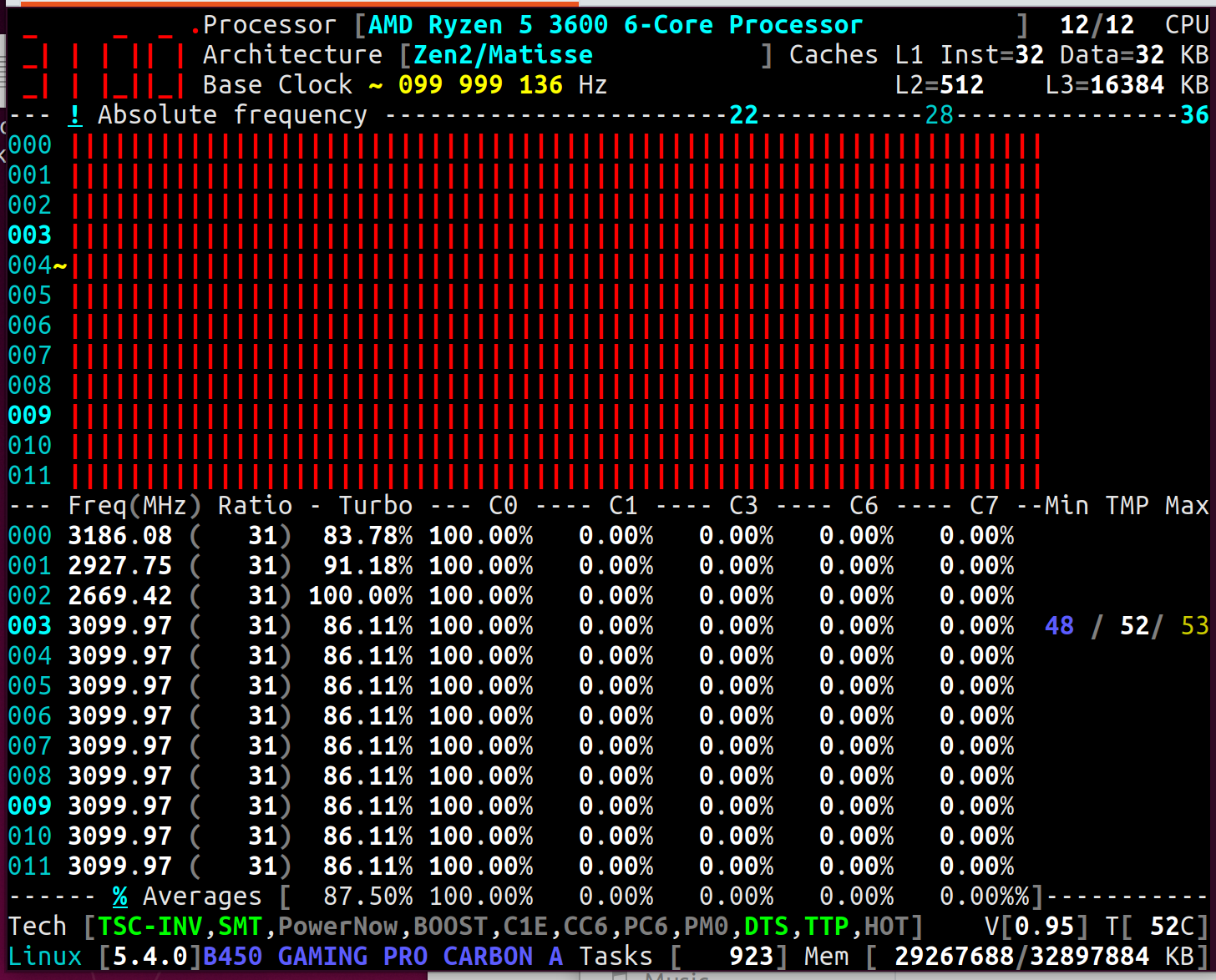
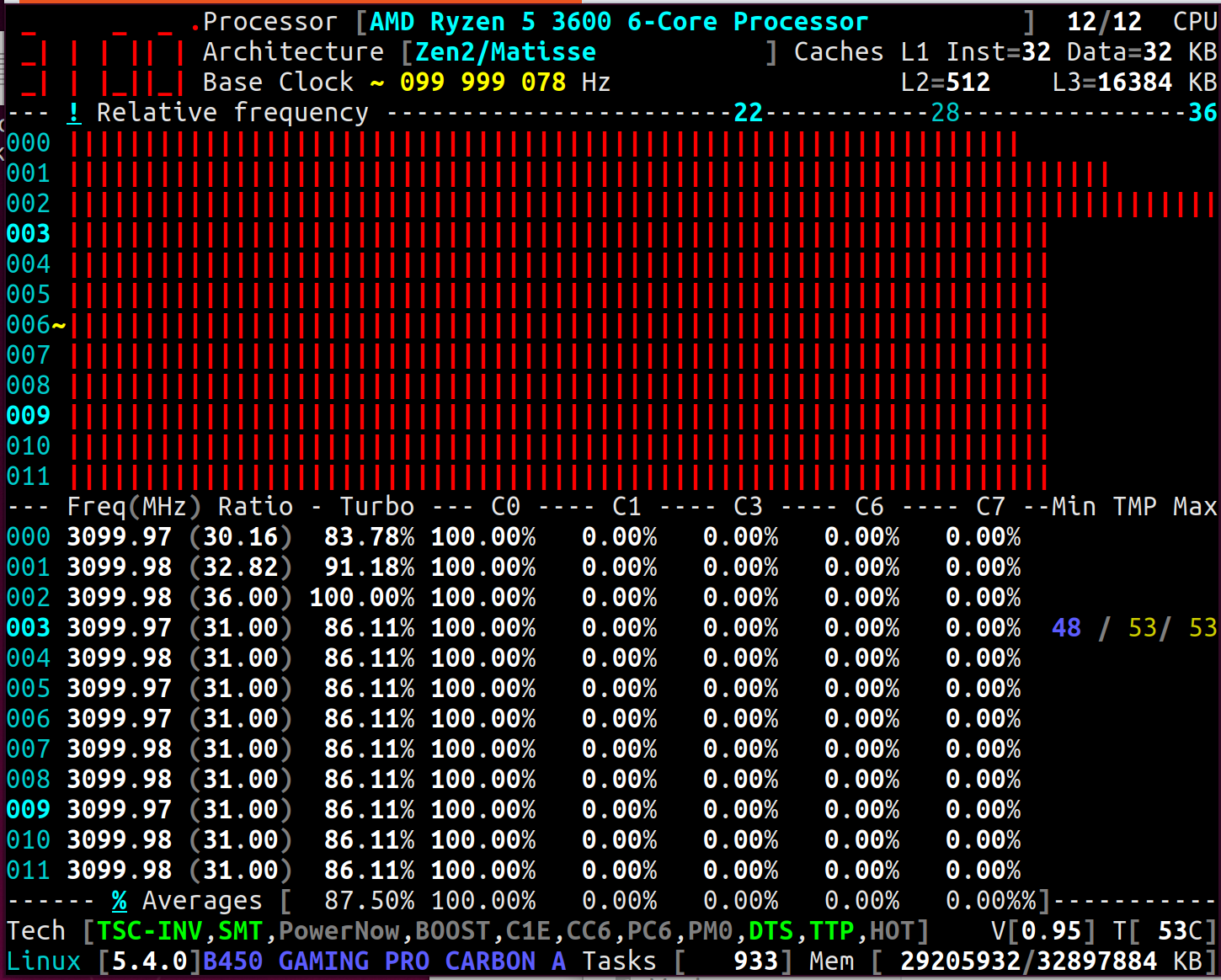
obaudys
on 6 May 2020
Thanks. Is the latest Offset fix working ?
I dont think so.
I think I have found the issue and I have to finish the whole code refactoring: Per Core, clock frequencies computation ...
cyring
on 7 May 2020
Hello,
Can you give a try to last developments ?
Thank you
cyring
on 15 May 2020
Hi there, thanks for you efforts!
I can now set 2C and 1C for each thread, and it will bump all CPUs to that setting; so I assume P-states are locked for the whole package in Ryzen CPUs...
One thing I noticed; now when I set Boost to OFF, the frequency scale still goes to 4300Mhz:
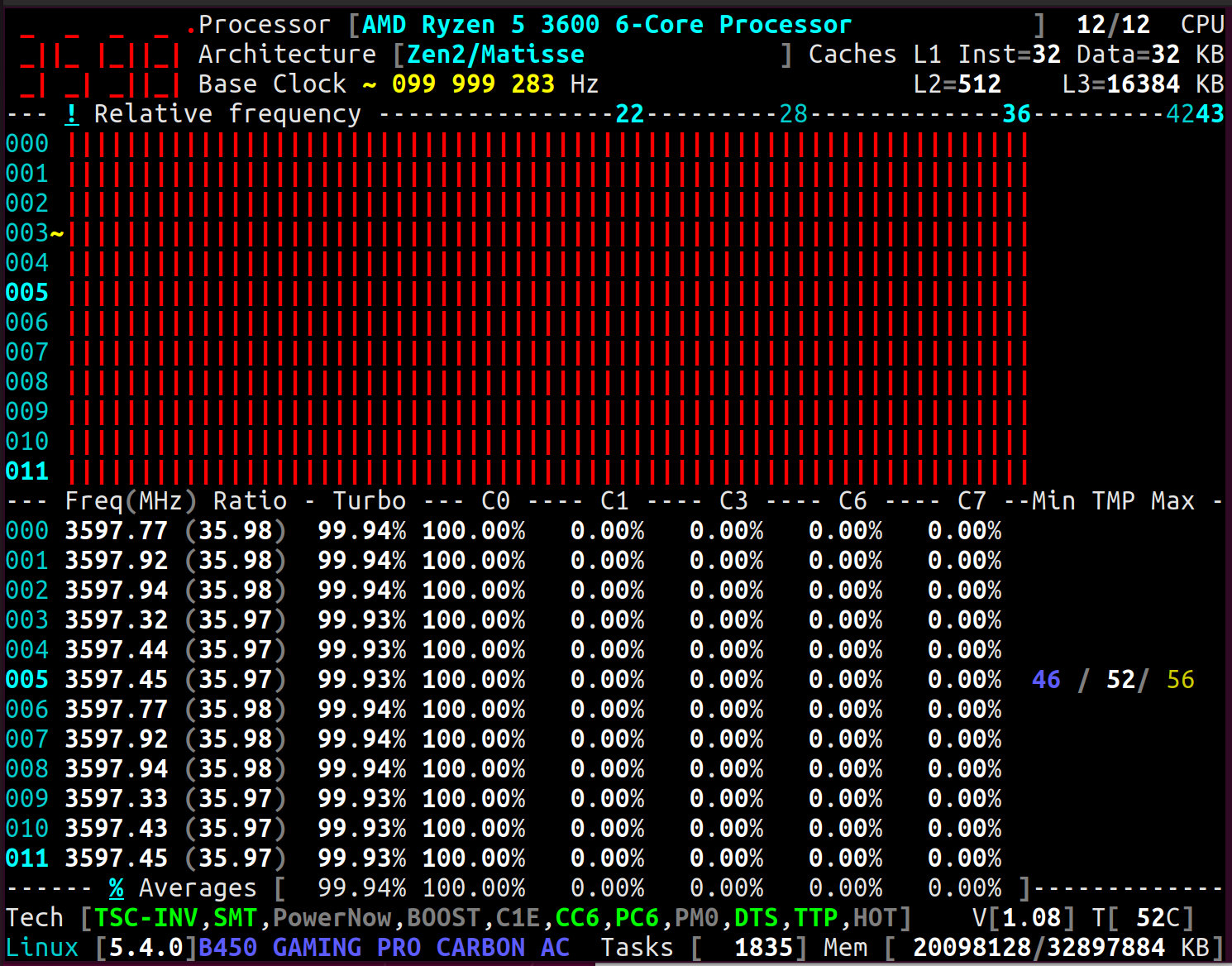
Once I set 1C or 2C, the scale changes, it goes to 3600Mhz:
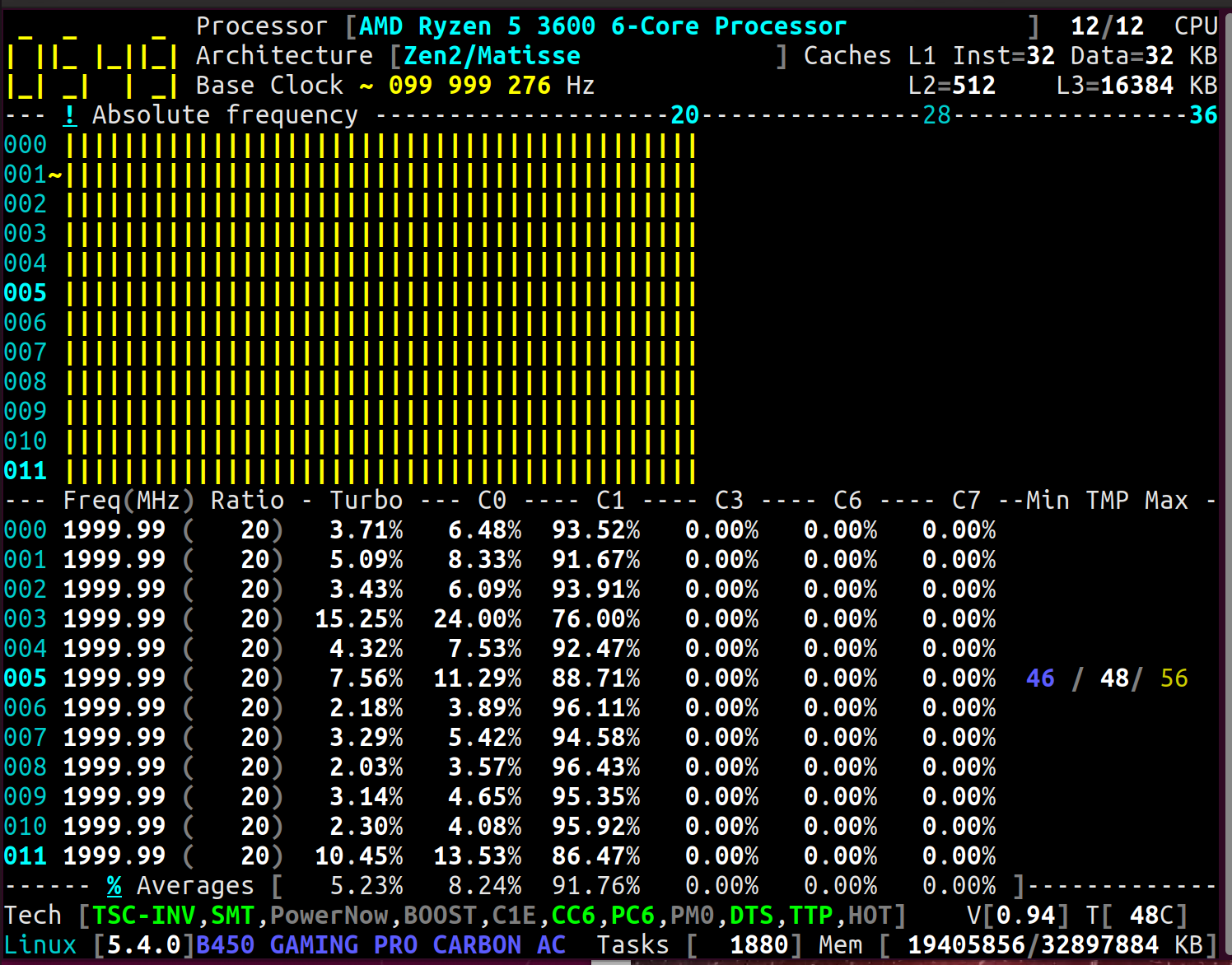
Now, even when resetting all states and enabling Boost, the scale never reset back to 4300Mhz:
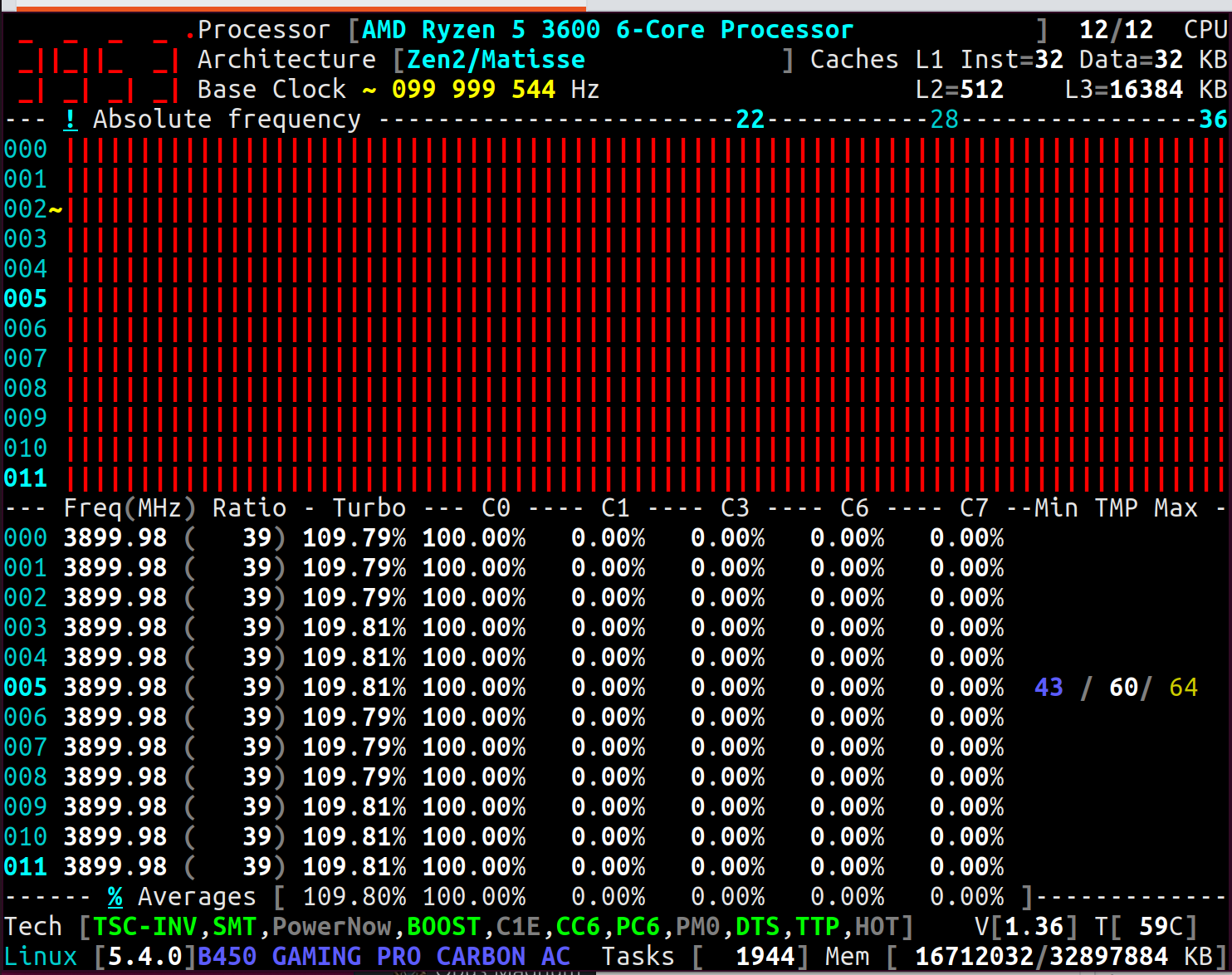
I had to stop corefreqd and remove and reload the corefreqk module to reset the scale.
obaudys
on 16 May 2020
The ratio scaling in ruller is just a remaining bug due to the refactoring.
But I wanted from these early tests to know if 1C 2C also Max are unique P-State ?
We had this capability in previous code, but no more, now.
I still have tons of small bugs to fix. My focus is however to control frequency per Core, such Ryzen Master is apparently able to do
Thanks a lot for your tests
cyring
on 16 May 2020
I've been brave enough to try Max just now. Same thing: setting 1 thread / CPU changes all of them. And then the base frequency scales up / down to keep max at 3600Mhz; eg. at ratio 34 the base frequency jumps to 105Mhz.
obaudys
on 16 May 2020
I've been brave enough to try
Maxjust now.
Thks for this
Same thing: setting 1 thread / CPU changes all of them. And then the base frequency scales up / down to keep max at 3600Mhz; eg. at ratio 34 the base frequency jumps to 105Mhz.
So we don't get "uniq" P-State ratio anymore ?
Or, previously it was a UI bug making me beleive it's feasable.
Do you have Ryzen Master installed ? does it allow you to set distinct frequencies and for which P-States in terms of Min, Max, Boost for 1C, 2C ... ?
If you can set per CPU in RM, does a CoreFreq single CPU stress confirms P-State is uniq ? Relative and/or Absolute frequency.
Feel free to post screenshots RM vs CoreFreq results.
The fact is that all Intel Turbo ratios I've been programming are Package registers. We get same ratios whatever is the CPU writing the MSR.
Except the Multi-sockets I presume we may have one MSR shared per socket.
On its side, AMD is writing in the RM guide that frequency is per "something" : CCX CCD Core or SMT, in particular with the Ryzen 3000 series
cyring
on 16 May 2020
I've had a look in Ryzen Master. There is no Min, 1C, or 2C, it appears to only have Max, which you can slide around in increments of 25Mhz. A tooltip shows the min is 600Mhz, the max is 6,375Mhz.
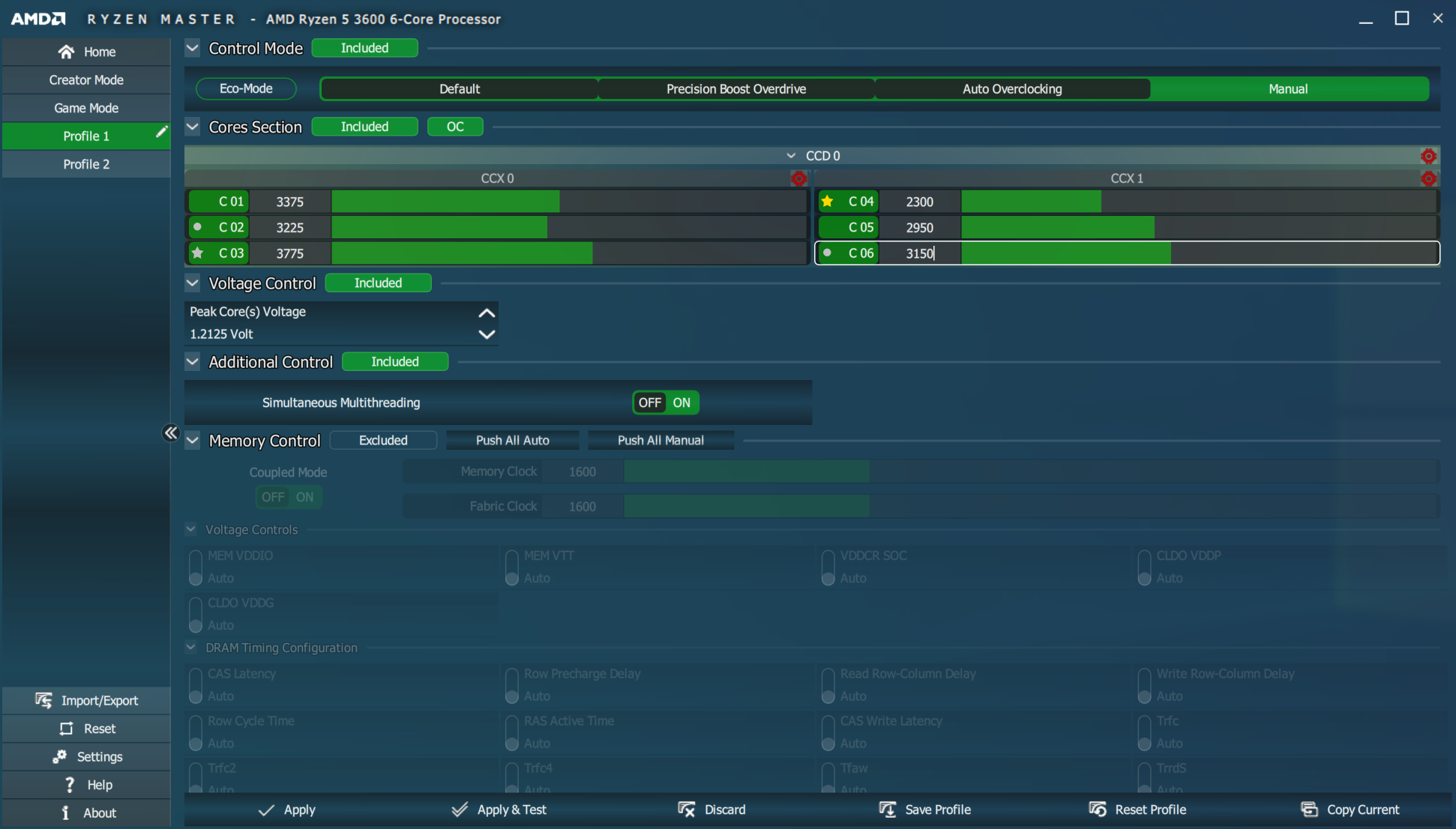
You can increase individual cores or lock cores by CCX (core complex, 3 cores per complex on my system), or CCD (which I assume is the whole die).
Interestingly, Ryzen Master tells you which cores are the fastest, meaning most suitable to overclocking; in the gold star in the screenshot is the fastest core on the system, and the silver star is the fast core in the second CCX. The circles are the second fastest cores on the CCX.
If you can set per CPU in RM, does a CoreFreq single CPU stress confirms P-State is uniq ? Relative and/or Absolute frequency.
I'll check a single CPU stress again in CoreFreq to make sure, but I think in core freq there is no uniq P-state, all cores share it.
From what I have read online, it seems Ryzen Master is using some (possibly proprietary) way of obtaining information (eg. fastest cores) and manipulating frequency. I have read that the fastest core info is exposed to the windows scheduler:
From https://www.reddit.com/r/Amd/comments/db60m3/the_zen_2_faq/
AMD makes this information available to the system and the OS via CPPC. This allows the operating system to choose the right core for each task: which cores to boost higher on short, spikey single thread, and which ones to use first as the thread number grows.
obaudys
on 18 May 2020
Awesome, thank you for your answers
I've had a look in Ryzen Master. There is no Min, 1C, or 2C, it appears to only have Max, which you can slide around in increments of 25Mhz. A tooltip shows the min is 600Mhz, the max is 6,375Mhz.
1C, 2C up to 18C belong to a _CoreFreq_ terminology I have invented to provide common names among the heterogeneous architectures. Let's call them xC , a set of the boosted ratios:
- Using an Intel Processor, each
xCis a ratio within the Turbo registers bits. - Using an AMD Processor, each
xCis a Frequency ID (FID) inside the _container_ P-State register (which also contains a programmed Voltage ID).
My Zen case:
MAXis the highest non boosted FID
1Cis the highest boosted FID
2C...7Care boosted FID in decreased order
CPBis a _virtual_ ratio computed from1Cplus an advertised offset
XFRis a _virtual_ ratio computed fromCPBplus a second advertised offset
MINis a _virtual_ ratio, hard coded to4(b/c spec says a minimum of400 MHzarchitecture)So what do _CoreFreq_ has in common with Ryzen Master ?
MAX,1Cand2C(b/c they have to be read from the same P-State registers)Based on Intel Core iX , _CoreFreq_ was not designed with Half or Quarter of a ratio. May be in next versions ...
You can increase individual cores or lock cores by CCX (core complex, 3 cores per complex on my system), or CCD (which I assume is the whole die).
Great, it means that based on the Core Topology, you get by pressing [m] , you can try to set and test different ratios, looking at the CCX identifiers
I also keep in mind that Multi-Processors architectures, EPYC, Xeon, might allow us to individually OC the same SMT Core onto two different sockets.
I'm still pursuing developments for a 'per SMT ratio OC'. Although I'm convinced it does not exist on single socket, but at least, my driver will offer this capability for future gen's
Interestingly, Ryzen Master tells you which cores are the fastest, meaning most suitable to overclocking; in the gold star in the screenshot is the fastest core on the system, and the silver star is the fast core in the second CCX. The circles are the second fastest cores on the CCX.
I wonder if RM gold and silver ratios come from a frequency estimation or read from Factory Registers ?
If you can set per CPU in RM, does a CoreFreq single CPU stress confirms P-State is uniq ? Relative and/or Absolute frequency.
I'll check a single CPU stress again in CoreFreq to make sure, but I think in core freq there is no uniq P-state, all cores share it.
From what I have read online, it seems Ryzen Master is using some (possibly proprietary) way of obtaining information (eg. fastest cores) and manipulating frequency. I have read that the fastest core info is exposed to the windows scheduler:
From https://www.reddit.com/r/Amd/comments/db60m3/the_zen_2_faq/
AMD makes this information available to the system and the OS via CPPC. This allows the operating system to choose the right core for each task: which cores to boost higher on short, spikey single thread, and which ones to use first as the thread number grows.
If RM goes through CPPC, it means that ACPI is involved. Things that a driver should be able to read from. I still prefer the straight Registers way. Let's wait and see a hypothetical Zen BKDG.
- I'm currently optimizing and cleaning up the
developbranch to make the UI synchronized with the CPU hardware states
cyring
on 18 May 2020
Hello,
For testings, develop pushed
- Can you try to set 2 different CCX ratios ?
cyring
on 18 May 2020
I wonder if RM gold and silver ratios come from a frequency estimation or read from Factory Registers ?
It's from factory registers, based on testing the dies just after manufacture.
obaudys
on 19 May 2020
Hello,
For testings,developpushed* Can you try to set 2 different CCX ratios ?
I'm not sure how to do that exactly...
In an attempt to do this, I checked the topology and noticed CPU 1 and CPU 3 are in different CXX, and tried setting those to different ratios (I used 1C in this case), but whenever I set one, all cores and threads take on the new ratio.
When I tried it with the Max setting I had the same issue, and my system hung about 2 minutes later; I found this in the kernel log:
[68996.136016] rcu: INFO: rcu_sched self-detected stall on CPU
[68996.136020] rcu:     3-...!: (3 ticks this GP) idle=b3e/0/0x1 softirq=1080079/1080084 fqs=2
[68996.136021]  (t=20481 jiffies g=3996769 q=10305)
[68996.136023] rcu: rcu_sched kthread starved for 20477 jiffies! g3996769 f0x0 RCU_GP_WAIT_FQS(5) ->state=0x402 ->cpu=7
[68996.136023] rcu: RCU grace-period kthread stack dump:
[68996.136024] rcu_sched       I    0    11      2 0x80004000
[68996.136026] Call Trace:
[68996.136031]  __schedule+0x2e3/0x740
[68996.136032]  schedule+0x42/0xb0
[68996.136033]  schedule_timeout+0x152/0x2f0
[68996.136035]  ? __next_timer_interrupt+0xe0/0xe0
[68996.136037]  rcu_gp_kthread+0x48d/0x990
[68996.136038]  kthread+0x104/0x140
[68996.136039]  ? kfree_call_rcu+0x20/0x20
[68996.136040]  ? kthread_park+0x90/0x90
[68996.136041]  ret_from_fork+0x22/0x40
[68996.136044] NMI backtrace for cpu 3
[68996.136046] CPU: 3 PID: 0 Comm: swapper/3 Tainted: G           OE     5.4.0-29-generic #33-Ubuntu
[68996.136046] Hardware name: Micro-Star International Co., Ltd. MS-7B85/B450 GAMING PRO CARBON AC (MS-7B85), BIOS 1.B0 11/08/2019
[68996.136047] Call Trace:
[68996.136047]  <IRQ>
[68996.136049]  dump_stack+0x6d/0x9a
[68996.136051]  ? lapic_can_unplug_cpu.cold+0x40/0x40
[68996.136052]  nmi_cpu_backtrace.cold+0x14/0x53
[68996.136053]  nmi_trigger_cpumask_backtrace+0xe8/0xea
[68996.136054]  arch_trigger_cpumask_backtrace+0x19/0x20
[68996.136055]  rcu_dump_cpu_stacks+0x99/0xcb
[68996.136056]  rcu_sched_clock_irq.cold+0x1d9/0x3c3
[68996.136057]  update_process_times+0x2c/0x60
[68996.136058]  tick_sched_handle+0x29/0x60
[68996.136059]  tick_sched_timer+0x3d/0x80
[68996.136060]  __hrtimer_run_queues+0xf7/0x270
[68996.136061]  ? tick_sched_do_timer+0x60/0x60
[68996.136062]  hrtimer_interrupt+0x109/0x220
[68996.136063]  smp_apic_timer_interrupt+0x71/0x140
[68996.136064]  apic_timer_interrupt+0xf/0x20
[68996.136064]  </IRQ>
[68996.136066] RIP: 0010:cpuidle_enter_state+0xc5/0x450
[68996.136067] Code: ff e8 df 0d 81 ff 80 7d c7 00 74 17 9c 58 0f 1f 44 00 00 f6 c4 02 0f 85 65 03 00 00 31 ff e8 32 7a 87 ff fb 66 0f 1f 44 00 00 <45> 85 ed 0f 88 8f 02 00 00 49 63 cd 4c 8b 7d d0 4c 2b 7d c8 48 8d
[68996.136068] RSP: 0018:ffffb1df0013fe38 EFLAGS: 00000246 ORIG_RAX: ffffffffffffff13
[68996.136069] RAX: ffff93fb3e8ead00 RBX: ffffffffbc569160 RCX: 000000000000001f
[68996.136070] RDX: 0000000000000000 RSI: 00000000238e3989 RDI: 0000000000000000
[68996.136070] RBP: ffffb1df0013fe78 R08: 00003ec06a2d8718 R09: 000000007fffffff
[68996.136070] R10: ffff93fb3e8e9a00 R11: ffff93fb3e8e99e0 R12: ffff93fb2e660000
[68996.136071] R13: 0000000000000001 R14: 0000000000000001 R15: ffff93fb2e660000
[68996.136072]  ? cpuidle_enter_state+0xa1/0x450
[68996.136073]  cpuidle_enter+0x2e/0x40
[68996.136074]  call_cpuidle+0x23/0x40
[68996.136075]  do_idle+0x1dd/0x270
[68996.136076]  cpu_startup_entry+0x20/0x30
[68996.136077]  start_secondary+0x167/0x1c0
[68996.136078]  secondary_startup_64+0xa4/0xb0
I'm checking code again why we can't differentiate p-states as we did before
About
MAX, this p-state is touching the base ratio clock, and I believe it changes the TSC. That might explain why Kernel complains abouthrtimerissues; timer logic changed on its behalf. I will study its code to see if there's a way to properly stop/start its operations while setting a new TSC.
cyring
on 19 May 2020
Hello,
Can you plz show me the output of Topology from last develop branch.
Btw, I've moved Max ratios to the Experimental zone
cyring
on 25 May 2020
Can you plz show me the output of
Topologyfrom lastdevelopbranch.
CPU Pkg  Apic  Core Thread  Caches      (w)rite-Back (i)nclusive
 #   ID   ID    ID     ID  L1-Inst Way  L1-Data Way      L2  Way      L3  Way
000:BSP     0     0      0      32  8        32  8       512  8 i   16384  9w
001:  0     2     1      0      32  8        32  8       512  8 i   16384  9w
002:  0     4     2      0      32  8        32  8       512  8 i   16384  9w
003:  0     8     4      0      32  8        32  8       512  8 i   16384  9w
004:  0    10     5      0      32  8        32  8       512  8 i   16384  9w
005:  0    12     6      0      32  8        32  8       512  8 i   16384  9w
006:  0     1     0      1      32  8        32  8       512  8 i   16384  9w
007:  0     3     1      1      32  8        32  8       512  8 i   16384  9w
008:  0     5     2      1      32  8        32  8       512  8 i   16384  9w
009:  0     9     4      1      32  8        32  8       512  8 i   16384  9w
010:  0    11     5      1      32  8        32  8       512  8 i   16384  9w
011:  0    13     6      1      32  8        32  8       512  8 i   16384  9w
The same values are in the graphical interface.
obaudys
on 26 May 2020
Sorry I forgot the several Zen architectures in the Topology conditions.
Can you pulled the latest development and try again.
Thank you
cyring
on 26 May 2020
I see the CCX now! Nice
CPU Pkg  Apic  Core Thread  Caches      (w)rite-Back (i)nclusive
 #   ID   ID  CCX ID    ID L1-Inst Way  L1-Data Way      L2  Way      L3  Way
000:BSP     0  0   0     0      32  8        32  8       512  8 i   16384  9w
001:  0     2  0   1     0      32  8        32  8       512  8 i   16384  9w
002:  0     4  0   2     0      32  8        32  8       512  8 i   16384  9w
003:  0     8  1   4     0      32  8        32  8       512  8 i   16384  9w
004:  0    10  1   5     0      32  8        32  8       512  8 i   16384  9w
005:  0    12  1   6     0      32  8        32  8       512  8 i   16384  9w
006:  0     1  0   0     1      32  8        32  8       512  8 i   16384  9w
007:  0     3  0   1     1      32  8        32  8       512  8 i   16384  9w
008:  0     5  0   2     1      32  8        32  8       512  8 i   16384  9w
009:  0     9  1   4     1      32  8        32  8       512  8 i   16384  9w
010:  0    11  1   5     1      32  8        32  8       512  8 i   16384  9w
011:  0    13  1   6     1      32  8        32  8       512  8 i   16384  9w
I see the CCX now! Nice
Super ! Thank you.
- I still unsure why L3 Way is decoded at 9 ways : do you have any other tool to verify this value ?
cyring
on 26 May 2020
Last development to try: I'm now decoding the L3 value 9 to 16 ways, according to this
cyring
on 26 May 2020
still unsure why L3 Way is decoded at 9 ways : do you have any other tool to verify this value ?
I was going to ask, why is it 9 ways. No tools on windows show the cache topology that I know of.
Last development to try: I'm now decoding the L3 value 9 to 16 ways, according to this
Looks like you've found the only document on the internet that describes the associativity of the L3 cache! It seems to be undocumented.
obaudys
on 26 May 2020
Regarding the L3 cache associativity, HWiNFO64 seems to use SMBIOS DMI information to get the following:

I don't know how useful DMI data is in Linux, but is available from userspace via dmidecode. The same program detects the cache topology as 6x32 + 6x32 + 6x512 + 2x16M (ie L1d, L1i, L2, L3) under the CPU tree.
obaudys
on 20 Jun 2020
Can you update to the latest version of CoreFreq and post the Topology output
The L3 number of ways had been fixed.
cyring
on 20 Jun 2020
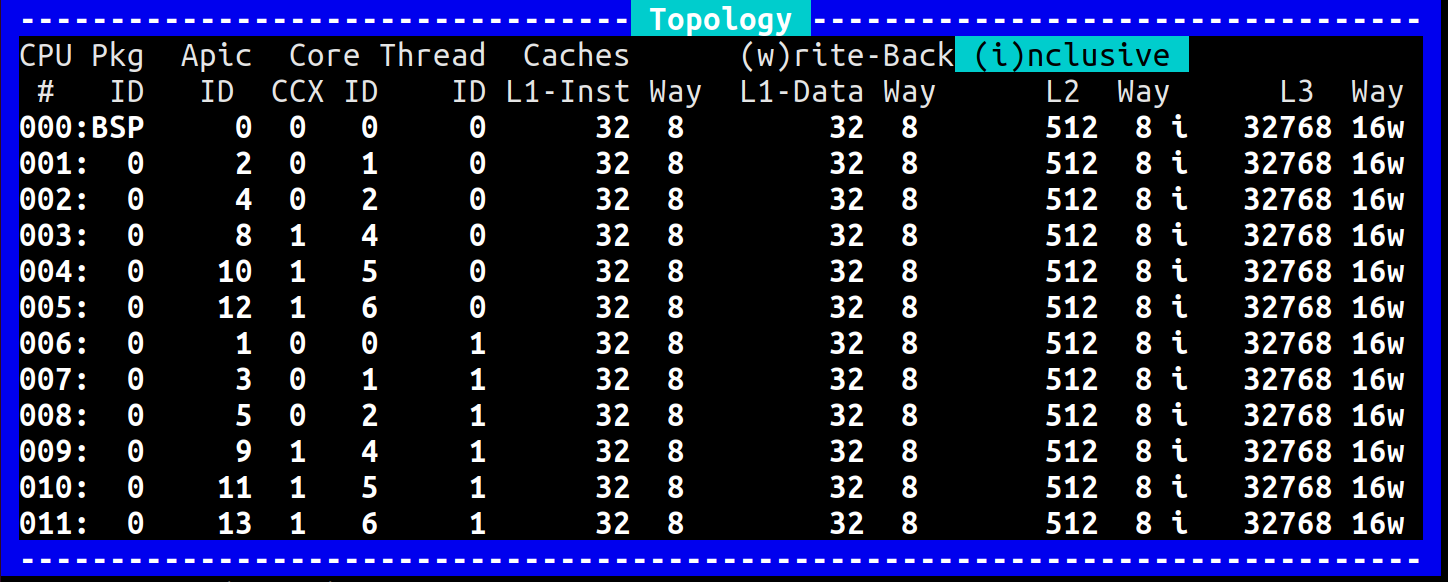
Looks good!
obaudys
on 21 Jun 2020
Nice.
But strange that I missed the number 3 among the Core Identifiers.
EDIT: checking in code, Id comes from CPUID output, so no Apic mis-calcumation can happen
https://github.com/cyring/CoreFreq/blob/99a8f6e468a97c0adfd05a554d0c4f47ed6732e8/corefreqk.c#L1529
cyring
on 21 Jun 2020
@cyring I think you have gone well beyond the original scope of this issue. Great work! Unless you have a reason not to, I think you should close this issue; it looks like any continuation is handled by #183 and #194
obaudys
on 3 Aug 2020
@cyring I think you have gone well beyond the original scope of this issue. Great work! Unless you have a reason not to, I think you should close this issue; it looks like any continuation is handled by #183 and #194
@obaudys, Hello.
Yes closing the issue.
But since Zen, I still have lots of small improvements to carry on. Maybe the most important ones will be:
- add the fractional part of the ratios. Like coefficients of frequency
.25.50.75 - I'm still have no specifications of the (deep) idle c-states free running counter registers.
Any other software looks like they're reading the ACPI C-States, but the only available AMD specs leavesholesin the registers enumeration ; letting me think that AMD has not unveiled everything of the Zen architecture to the Processors owners... Plus I dislike ACPI; it's a brain damage solution based on unfinished BIOS platforms ... - 1000 km far from lab, I'll be back on R&D in a week. Zen reclocking is the on going development subject. I have to "synchronize" the Kernel time keeping whenever this "base clock" is touched.
- Find a happy customer contract to work on embedded, low level hardware involving Kernel driver as well. COVID had fucked everything.
cyring
on 3 Aug 2020
Related issues
 ich777
·
10Comments
ich777
·
10Comments
 EUA
·
8Comments
EUA
·
8Comments
 chrisleup
·
17Comments
chrisleup
·
17Comments
 hakonhall
·
5Comments
hakonhall
·
5Comments
 horus-dot
·
10Comments
horus-dot
·
10Comments