Core: Netatmo component broken in 0.101.3
Home Assistant release with the issue:
0.101.3
Last working Home Assistant release (if known):
0.98.3
Operating environment (Hass.io/Docker/Windows/etc.):
Hassbian on raspberry
Integration:
https://www.home-assistant.io/components/netatmo/
Description of problem:
when upgrading from 0.98.3 -> 0.101.3 netatmo component for camera broken, generated error messages in traceback below.
Problem-relevant configuration.yaml entries and (fill out even if it seems unimportant):
netatmo:
  api_key: !secret netatmo_api
  secret_key: !secret netatmo_secret
  username: !secret netatmo_username
  password: !secret netatmo_password
  discovery: true
Traceback (if applicable):
2019-11-10 20:00:31 ERROR (MainThread) [homeassistant.setup] Error during setup of component netatmo
Traceback (most recent call last):
  File "/srv/homeassistant/lib/python3.6/site-packages/urllib3/connectionpool.py", line 387, in _make_request
    six.raise_from(e, None)
  File "<string>", line 2, in raise_from
  File "/srv/homeassistant/lib/python3.6/site-packages/urllib3/connectionpool.py", line 383, in _make_request
    httplib_response = conn.getresponse()
  File "/usr/local/lib/python3.6/http/client.py", line 1331, in getresponse
    response.begin()
  File "/usr/local/lib/python3.6/http/client.py", line 297, in begin
    version, status, reason = self._read_status()
  File "/usr/local/lib/python3.6/http/client.py", line 258, in _read_status
    line = str(self.fp.readline(_MAXLINE + 1), "iso-8859-1")
  File "/usr/local/lib/python3.6/socket.py", line 586, in readinto
    return self._sock.recv_into(b)
  File "/srv/homeassistant/lib/python3.6/site-packages/urllib3/contrib/pyopenssl.py", line 317, in recv_into
    raise timeout('The read operation timed out')
socket.timeout: The read operation timed out

During handling of the above exception, another exception occurred:

Traceback (most recent call last):
  File "/srv/homeassistant/lib/python3.6/site-packages/requests/adapters.py", line 449, in send
    timeout=timeout
  File "/srv/homeassistant/lib/python3.6/site-packages/urllib3/connectionpool.py", line 641, in urlopen
    _stacktrace=sys.exc_info()[2])
  File "/srv/homeassistant/lib/python3.6/site-packages/urllib3/util/retry.py", line 368, in increment
    raise six.reraise(type(error), error, _stacktrace)
  File "/srv/homeassistant/lib/python3.6/site-packages/urllib3/packages/six.py", line 686, in reraise
    raise value
  File "/srv/homeassistant/lib/python3.6/site-packages/urllib3/connectionpool.py", line 603, in urlopen
    chunked=chunked)
  File "/srv/homeassistant/lib/python3.6/site-packages/urllib3/connectionpool.py", line 389, in _make_request
    self._raise_timeout(err=e, url=url, timeout_value=read_timeout)
  File "/srv/homeassistant/lib/python3.6/site-packages/urllib3/connectionpool.py", line 307, in _raise_timeout
    raise ReadTimeoutError(self, url, "Read timed out. (read timeout=%s)" % timeout_value)
urllib3.exceptions.ReadTimeoutError: HTTPSConnectionPool(host='api.netatmo.com', port=443): Read timed out. (read timeout=10)

During handling of the above exception, another exception occurred:

Traceback (most recent call last):
  File "/srv/homeassistant/lib/python3.6/site-packages/homeassistant/setup.py", line 176, in _async_setup_component
    component.setup, hass, processed_config  # type: ignore
  File "/usr/local/lib/python3.6/concurrent/futures/thread.py", line 56, in run
    result = self.fn(*self.args, **self.kwargs)
  File "/srv/homeassistant/lib/python3.6/site-packages/homeassistant/components/netatmo/__init__.py", line 101, in setup
    "read_station read_camera access_camera "
  File "/srv/homeassistant/lib/python3.6/site-packages/pyatmo.py", line 63, in __init__
    resp = postRequest(_AUTH_REQ, postParams)
  File "/srv/homeassistant/lib/python3.6/site-packages/smart_home/__init__.py", line 18, in postRequest
    resp = requests.post(url, data=params, timeout=timeout)
  File "/srv/homeassistant/lib/python3.6/site-packages/requests/api.py", line 116, in post
    return request('post', url, data=data, json=json, **kwargs)
  File "/srv/homeassistant/lib/python3.6/site-packages/requests/api.py", line 60, in request
    return session.request(method=method, url=url, **kwargs)
  File "/srv/homeassistant/lib/python3.6/site-packages/requests/sessions.py", line 533, in request
    resp = self.send(prep, **send_kwargs)
  File "/srv/homeassistant/lib/python3.6/site-packages/requests/sessions.py", line 646, in send
    r = adapter.send(request, **kwargs)
  File "/srv/homeassistant/lib/python3.6/site-packages/requests/adapters.py", line 529, in send
    raise ReadTimeout(e, request=request)
requests.exceptions.ReadTimeout: HTTPSConnectionPool(host='api.netatmo.com', port=443): Read timed out. (read timeout=10)
Additional information:
 AlessandroFalivene
All 9 comments
I'm using this component on 0.101.3 without issue. Can you connect to https://api.netatmo.com from your home assistant machine?
 aneisch
on 11 Nov 2019
aneisch
on 11 Nov 2019
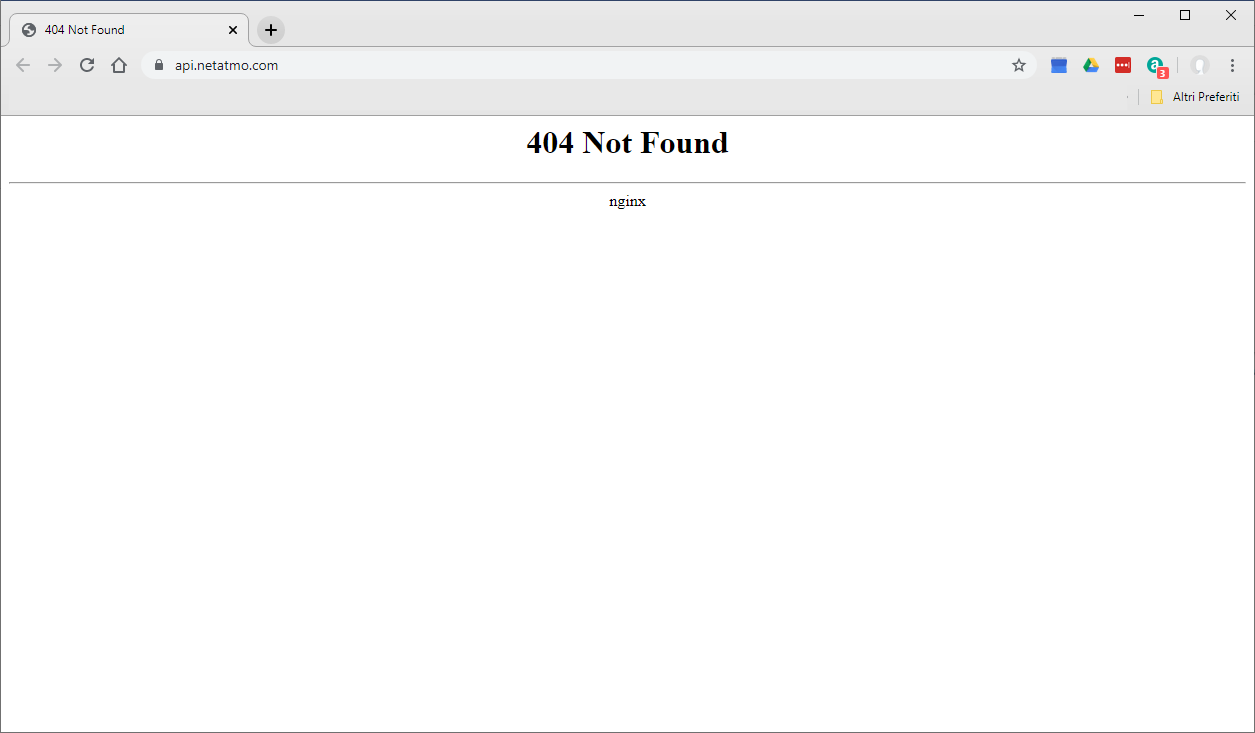
I can't try now from the home assistant machine. But I tried from another machine in the same network and I get 404 Not Found. I have also tried from a machine in a different network and I get the same result.
AlessandroFalivene
on 12 Nov 2019
You can selftest the values provided by the Netatmo API by running this script with --mode=long.
You can run the script as follows:
python gen_test_data.py --CLIENT_ID <YOUR_CLIENT_ID> --CLIENT_SECRET <YOUR_CLIENT_SECRET> --USERNAME <[email protected]> --PASSWORD <YOUR_SECRET_PASSWORD> --mode=long
The script should be run separately, either within your HA environment or elsewhere with pyatmo installed (pip install pyatmo).
 cgtobi
on 13 Nov 2019
cgtobi
on 13 Nov 2019
Hi,
i run the script. Here is the result.
Checking` for available cameras...
  5d55033152aa5f00182559a3
    Presence Camera "Lato ovest gara." (70:ee:50:3c:35:2e)
Traceback (most recent call last):
  File "/srv/homeassistant/lib/python3.6/site-packages/urllib3/connection.py", line 160, in _new_conn
    (self._dns_host, self.port), self.timeout, **extra_kw)
  File "/srv/homeassistant/lib/python3.6/site-packages/urllib3/util/connection.py", line 80, in create_connection
    raise err
  File "/srv/homeassistant/lib/python3.6/site-packages/urllib3/util/connection.py", line 70, in create_connection
    sock.connect(sa)
OSError: [Errno 113] No route to host

During handling of the above exception, another exception occurred:

Traceback (most recent call last):
  File "/srv/homeassistant/lib/python3.6/site-packages/urllib3/connectionpool.py", line 603, in urlopen
    chunked=chunked)
  File "/srv/homeassistant/lib/python3.6/site-packages/urllib3/connectionpool.py", line 355, in _make_request
    conn.request(method, url, **httplib_request_kw)
  File "/usr/local/lib/python3.6/http/client.py", line 1239, in request
    self._send_request(method, url, body, headers, encode_chunked)
  File "/usr/local/lib/python3.6/http/client.py", line 1285, in _send_request
    self.endheaders(body, encode_chunked=encode_chunked)
  File "/usr/local/lib/python3.6/http/client.py", line 1234, in endheaders
    self._send_output(message_body, encode_chunked=encode_chunked)
  File "/usr/local/lib/python3.6/http/client.py", line 1026, in _send_output
    self.send(msg)
  File "/usr/local/lib/python3.6/http/client.py", line 964, in send
    self.connect()
  File "/srv/homeassistant/lib/python3.6/site-packages/urllib3/connection.py", line 183, in connect
    conn = self._new_conn()
  File "/srv/homeassistant/lib/python3.6/site-packages/urllib3/connection.py", line 169, in _new_conn
    self, "Failed to establish a new connection: %s" % e)
urllib3.exceptions.NewConnectionError: <urllib3.connection.HTTPConnection object at 0x759eaef0>: Failed to establish a new connection: [Errno 113] No route to host

During handling of the above exception, another exception occurred:

Traceback (most recent call last):
  File "/srv/homeassistant/lib/python3.6/site-packages/requests/adapters.py", line 449, in send
    timeout=timeout
  File "/srv/homeassistant/lib/python3.6/site-packages/urllib3/connectionpool.py", line 641, in urlopen
    _stacktrace=sys.exc_info()[2])
  File "/srv/homeassistant/lib/python3.6/site-packages/urllib3/util/retry.py", line 399, in increment
    raise MaxRetryError(_pool, url, error or ResponseError(cause))
urllib3.exceptions.MaxRetryError: HTTPConnectionPool(host='192.168.1.116', port=80): Max retries exceeded with url: /cc39deeb901ddb2b77dc36a13bb00e52/command/ping (Caused by NewConnectionError('<urllib3.connection.HTTPConnection object at 0x759eaef0>: Failed to establish a new connection: [Errno 113] No route to host',))

During handling of the above exception, another exception occurred:

Traceback (most recent call last):
  File "gen_test_data2.py", line 161, in <module>
    vpn, local = camera_data.cameraUrls()
  File "/srv/homeassistant/lib/python3.6/site-packages/smart_home/Camera.py", line 225, in cameraUrls
    resp = postRequest("{0}/command/ping".format(temp_local_url), {})
  File "gen_test_data2.py", line 30, in new_postRequest
    resp = requests.post(url, data=params, timeout=timeout)
  File "/srv/homeassistant/lib/python3.6/site-packages/requests/api.py", line 116, in post
    return request('post', url, data=data, json=json, **kwargs)
  File "/srv/homeassistant/lib/python3.6/site-packages/requests/api.py", line 60, in request
    return session.request(method=method, url=url, **kwargs)
  File "/srv/homeassistant/lib/python3.6/site-packages/requests/sessions.py", line 533, in request
    resp = self.send(prep, **send_kwargs)
  File "/srv/homeassistant/lib/python3.6/site-packages/requests/sessions.py", line 646, in send
    r = adapter.send(request, **kwargs)
  File "/srv/homeassistant/lib/python3.6/site-packages/requests/adapters.py", line 516, in send
    raise ConnectionError(e, request=request)
requests.exceptions.ConnectionError: HTTPConnectionPool(host='192.168.1.116', port=80): Max retries exceeded with url: /cc39deeb901ddb2b77dc36a13bb00e52/command/ping (Caused by NewConnectionError('<urllib3.connection.HTTPConnection object at 0x759eaef0>: Failed to establish a new connection: [Errno 113] No route to host',))
Any idea?? Thanks
AlessandroFalivene
on 14 Nov 2019
The page has been updated go to https://dev.netatmo.com/en-US/dev
After create your application and get the key
 stsybizov
on 14 Nov 2019
stsybizov
on 14 Nov 2019
To me this looks more like a network issue than a problem in HA/pyatmo.
cgtobi
on 14 Nov 2019
Netatmo servers have been really unstable over the last few weeks. Usually just waiting it out is the key.
I don't have Netatmo cameras, but thermostats - seeing the same issue when the servers is down, I just restart HA a few times, and eventually I hit the sweet-spot where the servers are online.
 MTrab
on 14 Nov 2019
MTrab
on 14 Nov 2019
I solved ... I didn't reserved the IP for the cameras in the DHCP server .. when the cameras were restarted the DHCP has assigned a new IP to the cameras ...
I set a DHCP reserve for the cameras and now work perfectly.
Thanks for helping!!
AlessandroFalivene
on 21 Nov 2019
Thanks for reporting back.
cgtobi
on 21 Nov 2019
Related issues
 arangates
·
3Comments
arangates
·
3Comments
 sibbl
·
3Comments
sibbl
·
3Comments
 moskovskiy82
·
3Comments
moskovskiy82
·
3Comments
 sh0rez
·
3Comments
sh0rez
·
3Comments
 piitaya
·
3Comments
piitaya
·
3Comments
Most helpful comment
Netatmo servers have been really unstable over the last few weeks. Usually just waiting it out is the key.
I don't have Netatmo cameras, but thermostats - seeing the same issue when the servers is down, I just restart HA a few times, and eventually I hit the sweet-spot where the servers are online.