Home Assistant release with the issue: 0.96.0
Last working Home Assistant release (if known): never (new integration)
Operating environment (Hass.io/Docker/Windows/etc.): Hass.io
Component/platform: wwlln
Description of problem: I tried wwlln as soon as it was available on dev (think it was 0.96.0b0 when I first tried). I have never got a new entitiy or see any lightning event on the map which is shown as extra map when you integrate wwlln. I integrated wwlln via configuration.yaml and also tried with the integrations in GUI. It doesn't worked when there were lightnings near my home and even if I configure 10.000 km as radius and check on wwlln website, if there are lightnings anywhere in the radius, they will not be shown on that map. Even I cannot find any wwlln string in the log, but I enabled debug log level. Strange...
Problem-relevant configuration.yaml entries and (fill out even if it seems unimportant):
use GUI integration, but this when I tried with configuration.yaml:
wwlln:
    radius: 10000
    latitude: xx.xx
    longitude: xx.xx
Traceback (if applicable): not available
Additional information: Tried it on 0.96.0b0, 0b1, 0b2 and even on 0.96.0
 tyborall
All 15 comments
Sorry, had a mistake in my logger configuration. Get the following from the log when grepping for wwlln (geo data and api connection id anonymized). Seems json files are missing?
core-ssh:/config# cat home-assistant.log | grep -i wwlln
2019-07-18 21:18:59 DEBUG (MainThread) [homeassistant.bootstrap] Setting up {'panel_custom', 'input_select', 'openuv', 'homematic', 'history', 'auth', 'sensor', 'image_processing', 'upnp', 'lovelace', 'webhook', 'discovery', 'onboarding', 'person', 'mqtt', 'hassio', 'frontend', 'config', 'websocket_api', 'zeroconf', 'default_config', 'tradfri', 'conversation', 'updater', 'api', 'logbook', 'sun', 'automation', 'system_health', 'weather', 'wwlln', 'ssdp', 'stream', 'map', 'cloud', 'script', 'tts', 'group', 'ecovacs', 'mobile_app', 'http'}
2019-07-18 21:19:01 INFO (MainThread) [homeassistant.setup] Setting up wwlln
2019-07-18 21:19:01 INFO (MainThread) [homeassistant.setup] Setup of domain wwlln took 0.0 seconds.
2019-07-18 21:19:01 DEBUG (MainThread) [homeassistant.core] Bus:Handling <Event component_loaded[L]: component=wwlln>
2019-07-18 21:19:05 INFO (MainThread) [homeassistant.components.geo_location] Setting up geo_location.wwlln
2019-07-18 21:19:07 DEBUG (MainThread) [homeassistant.components.wwlln.geo_location] Refreshing WWLLN data
2019-07-18 21:19:48 DEBUG (MainThread) [homeassistant.components.websocket_api.http.connection.xxxxxxxxxx] Sending {'id': 15, 'type': 'result', 'success': True, 'result': {'latitude': xx.xxxxx, 'longitude': xx.xxxxx, 'elevation': xx, 'unit_system': {'length': 'km', 'mass': 'g', 'pressure': 'Pa', 'temperature': '°C', 'volume': 'L'}, 'location_name': 'Home', 'time_zone': 'Europe/Berlin', 'components': {'auth', 'light.tradfri', 'notify.mobile_app', 'webhook', 'onboarding', 'mqtt', 'camera.mjpeg', 'config', 'zeroconf', 'api', 'camera', 'switch.homematic', 'weather', 'ssdp', 'cloud', 'system_log', 'ecovacs', 'panel_custom', 'sensor.homematic', 'openuv', 'switch.tradfri', 'geo_location', 'sensor.fints', 'recorder', 'cover', 'websocket_api', 'sensor.dwd_weather_warnings', 'automation', 'system_health', 'owntracks', 'wwlln', 'stream', 'sensor.tradfri', 'persistent_notification', 'weather.openweathermap', 'homematic', 'history', 'sensor', 'image_processing', 'upnp', 'lovelace', 'sensor.template', 'homeassistant', 'person', 'device_tracker', 'frontend', 'tradfri', 'binary_sensor.openuv', 'sensor.season', 'binary_sensor', 'sensor.cert_expiry', 'switch', 'climate.homematic', 'tts', 'zone', 'group', 'sensor.openuv', 'geo_location.wwlln', 'mobile_app', 'input_select', 'device_tracker.owntracks', 'binary_sensor.homematic', 'discovery', 'hassio', 'vacuum.ecovacs', 'climate', 'cover.homematic', 'default_config', 'conversation', 'updater', 'notify', 'logger', 'sensor.upnp', 'logbook', 'sun', 'sensor.moon', 'vacuum', 'map', 'script', 'sensor.opensky', 'sensor.launch_library', 'sensor.uptime', 'light', 'http'}, 'config_dir': '/config', 'whitelist_external_dirs': {'/config/www'}, 'version': '0.96.0', 'config_source': 'storage'}}
2019-07-18 21:19:53 DEBUG (SyncWorker_14) [homeassistant.util.json] JSON file not found: /usr/src/homeassistant/homeassistant/components/wwlln/.translations/de.json
2019-07-18 21:19:53 DEBUG (SyncWorker_14) [homeassistant.util.json] JSON file not found: /usr/src/homeassistant/homeassistant/components/wwlln/.translations/geo_location.de.json
2019-07-18 21:19:55 DEBUG (SyncWorker_19) [homeassistant.util.json] JSON file not found: /usr/src/homeassistant/homeassistant/components/wwlln/.translations/geo_location.en.json
Hey there @bachya, mind taking a look at this issue as its been labeled with a integration (wwlln) you are listed as a codeowner for? Thanks!
_This is a automatic comment generated by codeowners-mention to help ensure issues and pull requests are seen by the right people._
 ghost
on 18 Jul 2019
ghost
on 18 Jul 2019
@tyborall Sorry for the troubles!
First off, don't worry about the JSON error: that merely means that the German translations for wwlln are missing (which probably means they haven't been created yet). That shouldn't affect any functionality.
Remember that the default window (i.e., the amount of time before "right now" to search back for lightning strikes) is 10 minutes. So, for strikes to show up in HASS, they have to (a) be within your search radius _and_ (b) be within the window.
Thus, your config above:
wwlln:
    radius: 10000
    latitude: xx.xx
    longitude: xx.xx
...says "Look for strikes within a 10,000 kilometer radius within the last 10 minutes."
As always, the integration is only as good as the data coming out of the WWLLN. Even though the radius is large, can you confirm whether there were strikes in the last 10 minutes from when you tested?
 bachya
on 19 Jul 2019
bachya
on 19 Jul 2019
Sure. Yesterday on wwlln they registered lightnings near Sarajevo. I'm in Germany. So it is within range. I checked that. Also last week there was a storm with lightnings directly over my home location and it also not worked. wwlln also measured them.
I only increased the range that much to 10000km to check if it is working now. I sticked to the default of 25 last week when I saw that it not worked in that storm and then after that increased it to see if it works with lightnings at other locations (no lightnings here since last week)... :-)
tyborall
on 19 Jul 2019
@tyborall Can you send me a latitude/longitude near (but not exactly on) your location so I can debug further?
bachya
on 19 Jul 2019
52.381775,9.851583
tyborall
on 20 Jul 2019
Thanks for that. Just ran a wide-ranging test of any strikes 1,000km away from those coordinates within the last 45 minutes:
wwlln:
  latitude: 52.381775
  longitude: 9.851583
  radius: 1000
  window:
    minutes: 45
I tested the WWLLN data (via aiowwlln) and only one strike existed in that timeframe:
{
  "4720097": {
      "unixTime": 1563573505.2,
      "lat": 50.76,
      "long": -0.83,
      "distance": 759.1639893449947
  }
}
When I started HASS with the above configuration, I could see that strike on the map and in the States browser:
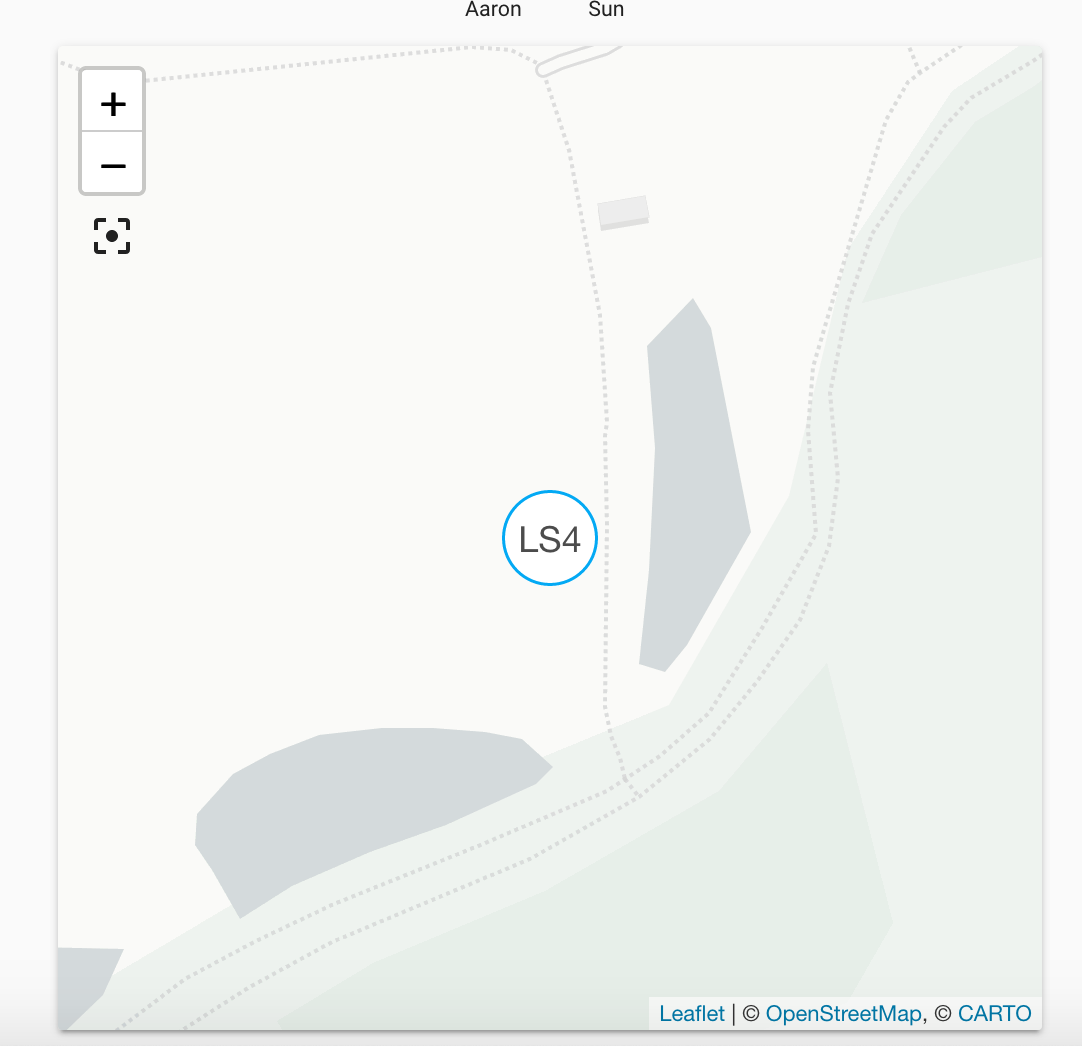

So, based on the data that WWLLN is providing, the integration is working.
bachya
on 20 Jul 2019
Thank you. Then the root cause must be something different. I deleted my integration set it up again with 25km. Just right now in this moment a thunder storm is above my location. It shows nothing... Any chance to debug further? What can I check?
tyborall
on 20 Jul 2019
It works now! But only with yaml configuration, not with gui integration config. Even the window is explained wrong in the docs, I used it as window: 60 before.
tyborall
on 20 Jul 2019
The YAML configuration and the GUI configuration do the same thing; if one works, both should work. The only difference is that the GUI defaults the window to 10 minutes.
Even the window is explained wrong in the docs, I used it as window: 60 before.
That is not correct. The type for the window parameter is time. This means that the configuration can be specified as a number of seconds, as a timestamp, or as a dict with any of hours, minutes, and seconds subkeys.
Since this is working as expected, closing.
bachya
on 20 Jul 2019
But I tested it again. With gui integration it will not work... With yaml it works.
Suggestion for the docs: Add a time window example to the config example at the bottom.
tyborall
on 20 Jul 2019
@bachya, @tyborall, I have been following along this morning and I have not been able to get this working either. There's been a thunderstorm over my area all morning and I can see the lightning strikes on the map at https://wwlln.net/new/map/ so I know wwlln is getting the data, Home Assistant just isn't showing it for some reason.
I, too, have tried it with the GUI configuration and the YAML configuration but my map shows nothing and there are no items such as geo_location.lightning_strike in the states list.
My entry in configuration.yaml right now looks like this:
wwlln:
  latitude: !secret HOME_LATTITUDE
  longitude: !secret HOME_LONGITUDE
  radius: 1000
  window:
    minutes: 240
Some excerpts from the log after starting from a fresh venv:
2019-07-20 12:28:50 INFO (SyncWorker_0) [homeassistant.util.package] Attempting install of aiowwlln==1.0.0
2019-07-20 12:28:53 INFO (MainThread) [homeassistant.setup] Setting up wwlln
2019-07-20 12:28:53 INFO (MainThread) [homeassistant.setup] Setup of domain wwlln took 0.0 seconds.
2019-07-20 12:28:53 INFO (SyncWorker_4) [homeassistant.loader] Loaded geo_location from homeassistant.components.geo_location
2019-07-20 12:28:53 INFO (MainThread) [homeassistant.setup] Setting up geo_location
2019-07-20 12:28:53 INFO (MainThread) [homeassistant.setup] Setup of domain geo_location took 0.0 seconds.
2019-07-20 12:28:53 INFO (MainThread) [homeassistant.components.geo_location] Setting up geo_location.wwlln
2019-07-20 12:28:53 INFO (MainThread) [homeassistant.components.geo_location] Setting up geo_location.wwlln
2019-07-20 12:28:53 DEBUG (MainThread) [homeassistant.components.wwlln.geo_location] Refreshing WWLLN data
2019-07-20 12:28:53 DEBUG (MainThread) [homeassistant.components.wwlln.geo_location] Refreshing WWLLN data
According to the example @bachya has provided it seems like it should be working, so I'm not quite sure what to do next.
 rstanley75
on 20 Jul 2019
rstanley75
on 20 Jul 2019
@rstanley75 Can you post a latitude/longitude close to yours and I’ll take a look?
bachya
on 20 Jul 2019
@bachya, sure! Try 44.97339, -93.25707
rstanley75
on 20 Jul 2019
Thunderstorm above me now and I'm facing similar problems, actually. I think the issue is that the WWLLN data isn't real-time and I'm enforcing a way-too-small window (especially if you use the GUI to configure); this is probably causing gaps between when WWLLN reports data and when the HASS integration refreshes.
Going to experiment with expanding the window by default and see if that helps. More to come.
bachya
on 20 Jul 2019
Related issues
 Konstigt
·
3Comments
Konstigt
·
3Comments
 YellowMonster76
·
3Comments
YellowMonster76
·
3Comments
 Elmardus
·
3Comments
Elmardus
·
3Comments
 missedtheapex
·
3Comments
missedtheapex
·
3Comments
 sibbl
·
3Comments
sibbl
·
3Comments
Most helpful comment
Thunderstorm above me now and I'm facing similar problems, actually. I think the issue is that the WWLLN data isn't real-time and I'm enforcing a way-too-small window (especially if you use the GUI to configure); this is probably causing gaps between when WWLLN reports data and when the HASS integration refreshes.
Going to experiment with expanding the window by default and see if that helps. More to come.