Core: unable to find RF-link platform while it is present
Home Assistant release with the issue:
0.90.2
Last working Home Assistant release (if known):
unkown - at 0.82 it didn't seem to be working for me aswell..
Operating environment (Hass.io/Docker/Windows/etc.):
Debian running homeassistant in a virtual environment.
Component/platform:
https://www.home-assistant.io/components/light.rflink/
https://www.home-assistant.io/components/switch.rflink/
( only : https://www.home-assistant.io/components/rflink/ seems to be working)
Description of problem:
The RFLink component seems to run fine and I see all the messages well in my log. But all the platforms I tried so far don't work (light and switch) I get the following error :
'''2019-03-30 13:26:10 ERROR (MainThread) [homeassistant.loader] Unable to find platform rflìnk'''
I double checked if rflink.py is available in the light and switch folder and that is the case in the virtual environment.
Problem-relevant configuration.yaml entries and (fill out even if it seems unimportant):
light:
  - platform: rflìnk
    automatic_add: true
switch:
  - platform: rflìnk
    devices:
      NewKaku_01e81c12_1:
        name: "Eettafel"
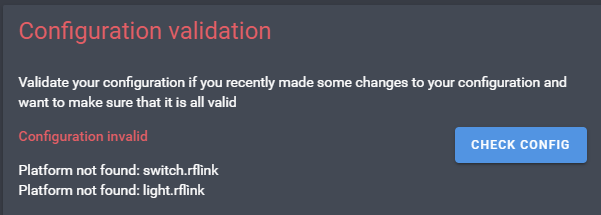
also while checking config:
 kloknibor
All 10 comments
Have you configured the rflink platform in your configuration.yaml according to the docs?
https://www.home-assistant.io/components/rflink/
 javicalle
on 30 Mar 2019
javicalle
on 30 Mar 2019
Or maybe related to:
https://developers.home-assistant.io/blog/2019/02/19/the-great-migration.html
javicalle
on 30 Mar 2019
@javicalle yes the rflink component works perfectly fine and I receive all the signals. Only all the platforms are broken/ I think it might have to do with the great migration, but not sure... Anything I can do or look into to help fix it?
kloknibor
on 31 Mar 2019
After "great migration" the components folder structure changes to something like
+ rflink
    + _init_.py
    + light.py
    + switch.py
    +...
But you said
I double checked if rflink.py is available in the light and switch folder and that is the case in the virtual environment.
And your config validations blames:
- Platform not found: switch.rflink
- Platform not found: light.rflink
After "great migration" must be rflink.switch and rflink.light. I think there is something wrong here.
Can you check that?
javicalle
on 31 Mar 2019
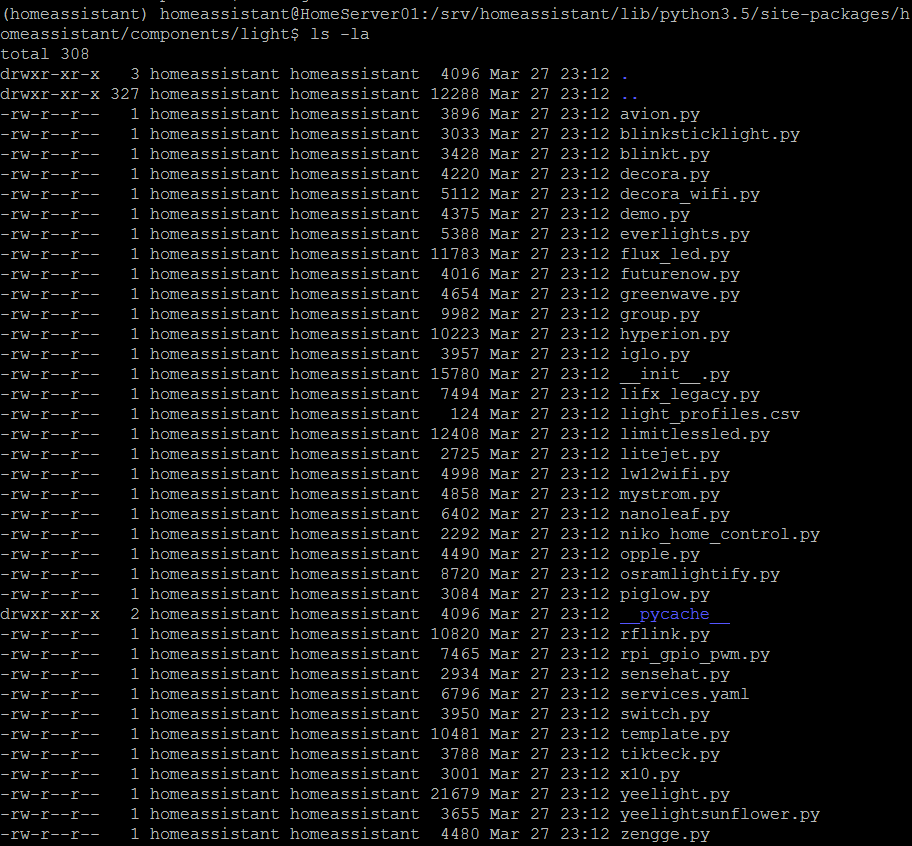
here the results @javicalle :
rf link component folder :

Light platform folder :
switch platform folder :
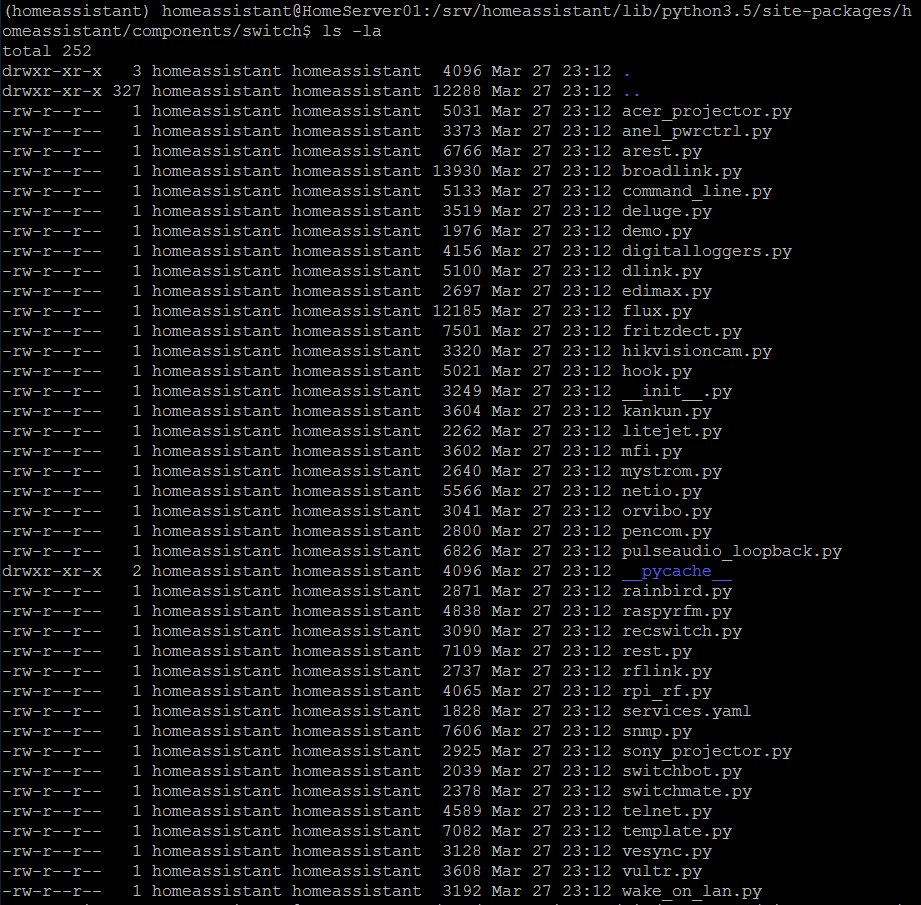
If I understand correctly this is wrong after the big migration than? Weird thing is that on github all these components are placed in the rflink folder as specified : https://github.com/home-assistant/home-assistant/tree/dev/homeassistant/components/rflink
kloknibor
on 31 Mar 2019
I see you are right. At v0.90.2 the folder structure is as you say:
- https://github.com/home-assistant/home-assistant/tree/0.90.2/homeassistant/components/rflink
- https://github.com/home-assistant/home-assistant/tree/0.90.2/homeassistant/components/sensor
My HA is Hass.io, and the folder structure is the one I have with rflink components at custom_components (not the official one) hence my mistake.
Do you have any custom_components development for this components?
javicalle
on 31 Mar 2019
@javicalle I have no custom_components for RFLink but if you have a custom one that does work than I'm intrested for the mean time!
kloknibor
on 1 Apr 2019
I do not think it's the solution, there must be some problem somewhere, but if you want to try, you can do the following:
- create a folder
\config\custom_components\rflink - put inside ALL the files that you can find in (these are the RC files of the next version):
https://github.com/home-assistant/home-assistant/blob/rc/homeassistant/components/rflink/ - check your configuration (
hassio ha checkor from the web console) - restart your HA
The only configuration that can be diferent will be the logger:. The references to homeassistant.components.rflink must point to custom_components.rflink, for example:
logger:
  default: error
  logs:
    # homeassistant.components.rflink: info
    custom_components.rflink: info
    custom_components.rflink.light: debug
I think that is the only thing that must be taken into account.
javicalle
on 1 Apr 2019
WTF!, I think it's much simpler. You have an accented letter!
rflìnk
Also the validation message point to it.
Check the letter i of rflink
javicalle
on 1 Apr 2019
... You are right! I have no idea how that got there since we don't use the accented letter in my langauge anyway... Thank you so much!
kloknibor
on 2 Apr 2019
Related issues
 piitaya
·
3Comments
piitaya
·
3Comments
 sogeniusio
·
3Comments
sogeniusio
·
3Comments
 sibbl
·
3Comments
sibbl
·
3Comments
 sh0rez
·
3Comments
sh0rez
·
3Comments
 kirichkov
·
3Comments
kirichkov
·
3Comments
Most helpful comment
... You are right! I have no idea how that got there since we don't use the accented letter in my langauge anyway... Thank you so much!