Core: Ffmpeg streams do not show up in frontend
Home Assistant release with the issue:
0.81.2
Last working Home Assistant release (if known):
Not known
Operating environment (Hass.io/Docker/Windows/etc.):
hassbian
Component/platform:
https://www.home-assistant.io/components/camera.ffmpeg/
Description of problem:
Streams don't show up on the frontend when using ffmpeg. The actual preview picture does work:
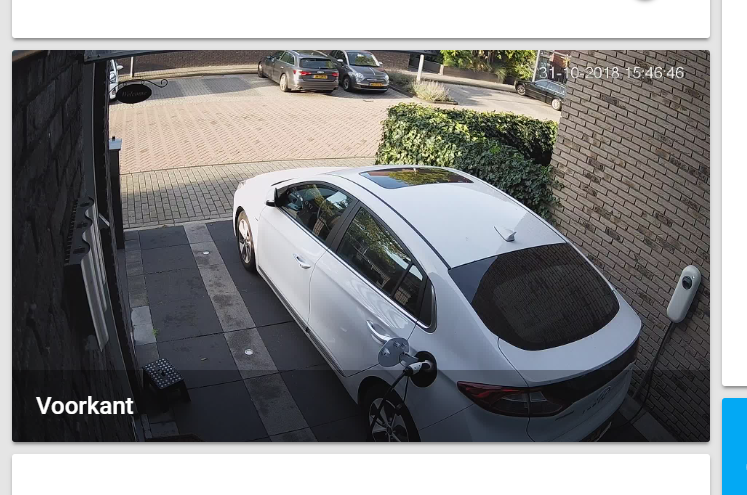
And if i use the stream inside a VLC player it also works just fine.
As you can see in developer tools the stream in question is actually running and increasing (120mb big on the picture) but only showing the small "X Voorkant" picture.
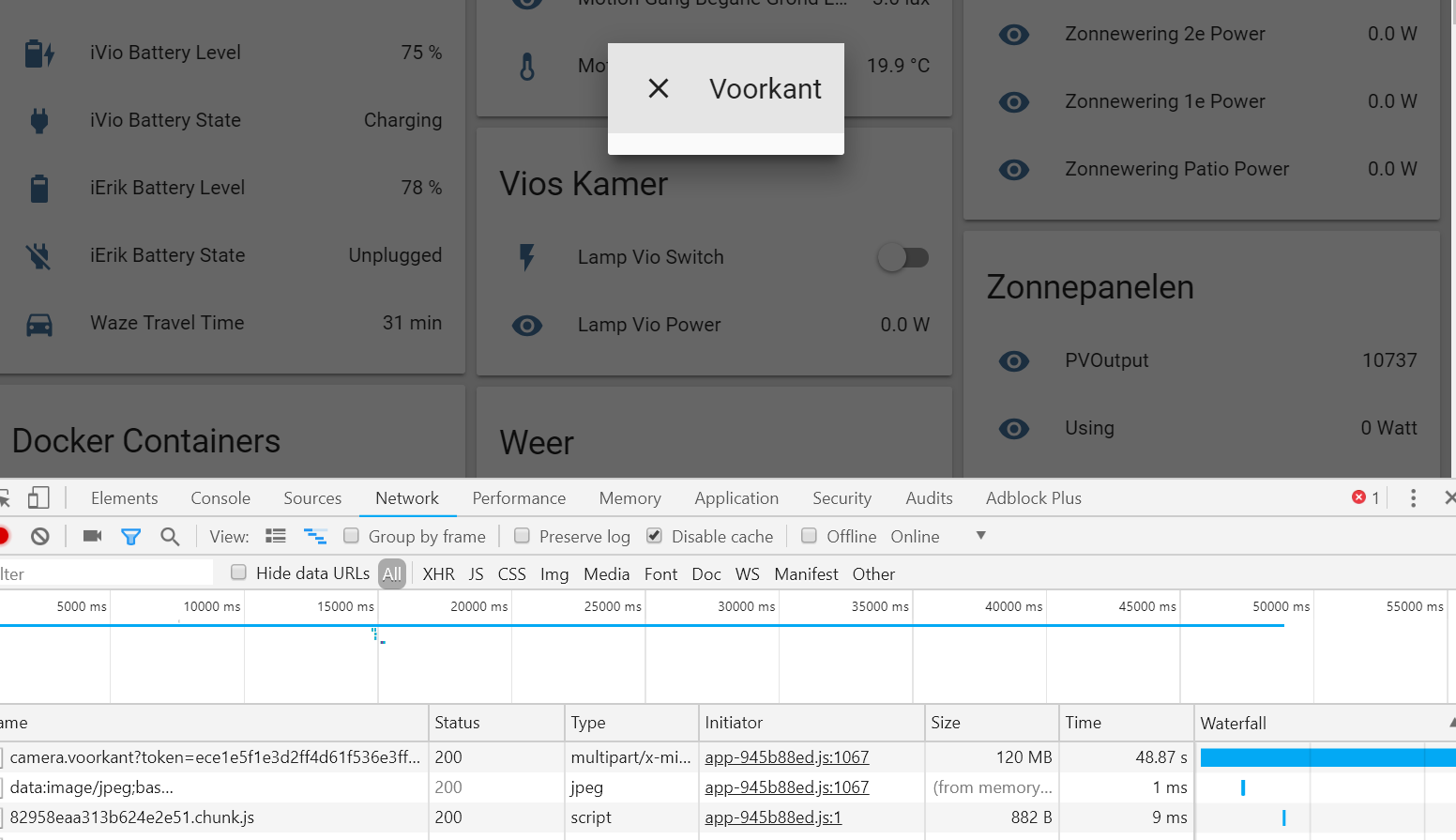
I also ran the ffmpeg command on the commandline and saved it to a mjpeg file and opened it up, also works fine.
Problem-relevant configuration.yaml entries and (fill out even if it seems unimportant):
input: -rtsp_transport tcp -i rtsp://<user>:<pass>@192.168.1.50:554/cam/realmonitor?channel=1&subtype=0
Traceback (if applicable):
Additional information:
When i click on the picture to get the stream i does show in "ps -ef" that it is running:
homeass+ 30860 30267 55 15:43 ? 00:03:29 /usr/bin/ffmpeg -rtsp_transport tcp -i rtsp://<user>:<pass>@192.168.1.50:554/cam/realmonitor?channel=1&subtype=0 -an -c:v mjpeg -f mpjpeg -
Thought about quotes, but the preview picture works and the stream data gets to the frontend too.
And here comes the weirdest part, but might help in debuging. If i keep that enlarged screen open which shows nothing and then stop home assistant it suddenly appears. Ofcourse it stops streaming instantly since i was stopping home assistant. See picture:

 riemers
All 20 comments
I caught some code issue around the mjpeg_stream handling, working on fix them.
EDIT: however ffmpeg camera looks good for me.
 awarecan
on 1 Nov 2018
awarecan
on 1 Nov 2018
Don't know what transport you are using then, i also though it might be my proxy/webserver whatever. But i also tried locally/internal port and same issue. I would expect if it was my pc/browser that at least the iphone app would show it, but nothing there too. Are you using rtsp transport over tcp? I have a rtsp over tcp and one without and both display the same issue.
p.s. i can always let you take a look via teamviewer etc if that might be helpfull. Appreciate the help.
riemers
on 1 Nov 2018
Just FYI, I have the same problem. I see the "stills" updated every 10sec in HA frontend, but the pop up window is empty. My camera.yaml entry is:
platform: ffmpeg
name: Dafang
input: -rtsp_transport tcp -i rtsp://USER:[email protected]:8554/unicast
I didn't see anything in the log file that might be an issue, & running ffmpeg from the command line with the input appeared to work fine.
 kimonm
on 2 Nov 2018
kimonm
on 2 Nov 2018
Same issue here avec upgraded from 0.80 to 0.81.2 : (
#cat camera.yaml
- platform: ffmpeg
  name: salon
  input: -rtsp_transport tcp -i rtsp://192.168.1.111:554/live/ch00_0
  extra_arguments: '-vf scale=800:450'
Edit :
More logs : )
2018-11-07 21:31:38 WARNING (MainThread) [homeassistant.components.camera] Setup of platform ffmpeg is taking over 10 seconds.
2018-11-07 21:31:44 WARNING (MainThread) [haffmpeg.tools] Timeout/Error reading test.
2018-11-07 21:31:44 ERROR (MainThread) [homeassistant.components.ffmpeg] FFmpeg '-rtsp_transport tcp -i rtsp://192.168.1.111:554/live/ch00_0' test fails!
Edit 2 :
After adding "-vcodec msmpeg4" to my ffmpeg extra parameter, restart my docker, understand that was stupid, rollback, restart. Now everything is working ....
Really strange
 max5962
on 7 Nov 2018
max5962
on 7 Nov 2018
For me it is still not working though, tried different browsers. Directly via my external and via the internal ip. No change. Only with rtsp streams i have this. I see sometimes that it 'resolved' out of the blue. Still waiting for that :)
riemers
on 15 Dec 2018
I got similar problems after upgrading ffmpeg from 3.4 to 4.0/4.1. Reverting to old ffmpeg fixed the problem.
 AriZuu
on 17 Dec 2018
AriZuu
on 17 Dec 2018
I'll give that a try too, in the mean time it might be handy if other people reported which version they are using to narrow down the culprit.
riemers
on 17 Dec 2018
I can confirm, using 3.4 ffmpeg the streaming videos work. The version i have that is not working is 4.0.3-1
riemers
on 22 Dec 2018
How would I go about switching FFmpeg version when using Hassio? I'm running into the same issue. Also (a question not directly related to this issue, is it possible to update the preview in the front-end more often than every 10 seconds?)
 nickyromeijn
on 28 Dec 2018
nickyromeijn
on 28 Dec 2018
not a hass.io user, but i just took a binary compiled version from one of the ffmpeg sites and replaced it with that. (not the best idea imho, but it works i need the streams)
riemers
on 28 Dec 2018
not a hass.io user, but i just took a binary compiled version from one of the ffmpeg sites and replaced it with that. (not the best idea imho, but it works i need the streams)
I understand that when using the non dockerized version it's as easy as replacing the binary, the issue here lies that Hass.io comes with ffpeg within the hassio container (I think?).
Coming to think of it, it should be possible to drop the binary in the docker volume and point the FFmpeg component to it.
nickyromeijn
on 28 Dec 2018
I have the same issue with onvif-camera module, and I also have ffmpeg 4+.
I can assist in debugging the issue if it is needed.
 Veda82
on 6 Jan 2019
Veda82
on 6 Jan 2019
It seems that headers emitted by ffmpeg are different in ffmpeg 4+. In old ffmpeg 3.4.2 stream looks like this:
--ffserver
Content-type: image/jpeg
Content-length: 302866
mjpeg data......
But in 4.0.2 separator is different:
--ffmpeg
Content-type: image/jpeg
Content-length: 370497
Could it be that this gets home assistant confused ?
AriZuu
on 10 Jan 2019
I think you may be right:
https://github.com/home-assistant/home-assistant/blob/dev/homeassistant/components/camera/onvif.py
Lines from 221 to 224:
    try:
        return await async_aiohttp_proxy_stream(
            self.hass, request, stream,
            'multipart/x-mixed-replace;boundary=ffserver')
Good job @AriZuu and @Veda82
I think the issue was introduced by https://github.com/FFmpeg/FFmpeg/commit/7c6125cbcc6e805711feff9cbf35329adcb6e313
@pvizeli can we add version check in ha-ffmpeg lib therefore we may be able to provide in different boundary string in home-assistant
awarecan
on 10 Jan 2019
I'm having the same problem and tried to replace in onvif
boundary=ffserver
with
boundary=ffmpeg
It did not resolve the issue.
 stuart-i-m-smith
on 13 Jan 2019
stuart-i-m-smith
on 13 Jan 2019
Actually, I have now got it working. There are a number of other places ffserver is also referenced. Updating ffmpeg.py makes it work. I imagine updating all other camera types will also will make them work too.
- camera/ffmpeg.py
- camera/amcrest.py
- camera/arlo.py
- camera/canary.py
- camera/ring.py
- camera/xiaomi.py
- camera/yi.py
Hope that helps.
stuart-i-m-smith
on 13 Jan 2019
Yes, I referenced the onvif component because that's the one I use, but that boundary is hardcoded in each camera component and in ffmpeg component... Sorry, I didn't specify that ;-)
I think that each camera component has to be updated in such a way that the boundary is chosen depending on the detected ffmpeg version.
Veda82
on 13 Jan 2019
Sorry, this is all new to me.
Agree, should be a single parameter set once somewhere that can feed each component.
stuart-i-m-smith
on 13 Jan 2019
I have opened a pull request #20314 to resolve the issue. Please help me to test it.
awarecan
on 22 Jan 2019
Related issues
 flsabourin
·
3Comments
flsabourin
·
3Comments
 missedtheapex
·
3Comments
missedtheapex
·
3Comments
 coolriku
·
3Comments
coolriku
·
3Comments
 Elmardus
·
3Comments
Elmardus
·
3Comments
 Konstigt
·
3Comments
Konstigt
·
3Comments