Core: Unable to start on Windows 10
@martingagne commented on Sep 30, 2018, 5:28 AM UTC:
I am trying Home Assistant for the first time on Windows 10 and I am unable to start the application. I followed the instructions on the wiki. I am trying to run version 0.79.0.
Any idea what is going on?
PS C:\temp> py -m homeassistant --open-ui
Config directory: C:\Users\user\AppData\Roaming\.homeassistant
Traceback (most recent call last):
  File "C:\Program Files\Python37\lib\site-packages\homeassistant\__main__.py", line 382, in <module>
    sys.exit(main())
  File "C:\Program Files\Python37\lib\site-packages\homeassistant\__main__.py", line 374, in main
    exit_code = asyncio_run(setup_and_run_hass(config_dir, args))
  File "C:\Program Files\Python37\lib\asyncio\runners.py", line 43, in run
    return loop.run_until_complete(main)
  File "C:\Program Files\Python37\lib\asyncio\base_events.py", line 568, in run_until_complete
    return future.result()
  File "C:\Program Files\Python37\lib\site-packages\homeassistant\__main__.py", line 268, in setup_and_run_hass
    log_no_color=args.log_no_color)
  File "C:\Program Files\Python37\lib\site-packages\homeassistant\bootstrap.py", line 208, in async_from_config_file
    await async_mount_local_lib_path(config_dir)
  File "C:\Program Files\Python37\lib\site-packages\homeassistant\bootstrap.py", line 324, in async_mount_local_lib_path
    lib_dir = await async_get_user_site(deps_dir)
  File "C:\Program Files\Python37\lib\site-packages\homeassistant\util\package.py", line 64, in async_get_user_site
    env=env)
  File "C:\Program Files\Python37\lib\asyncio\subprocess.py", line 217, in create_subprocess_exec
    stderr=stderr, **kwds)
  File "C:\Program Files\Python37\lib\asyncio\base_events.py", line 1516, in subprocess_exec
    bufsize, **kwargs)
  File "C:\Program Files\Python37\lib\asyncio\base_events.py", line 444, in _make_subprocess_transport
    raise NotImplementedError
NotImplementedError
PS C:\temp>
This issue was moved by frenck from home-assistant/home-assistant.io#6381.
 move[bot]
All 11 comments
Try to use hass.exe
 awarecan
on 30 Sep 2018
awarecan
on 30 Sep 2018
me too ,use hass.exe like useless my os is win8.1 .verson0.78 was run no problem
 jia175891641
on 1 Oct 2018
jia175891641
on 1 Oct 2018
I don't have problem with dev branch. Python 3.6.3, venv, Windows 10
awarecan
on 1 Oct 2018
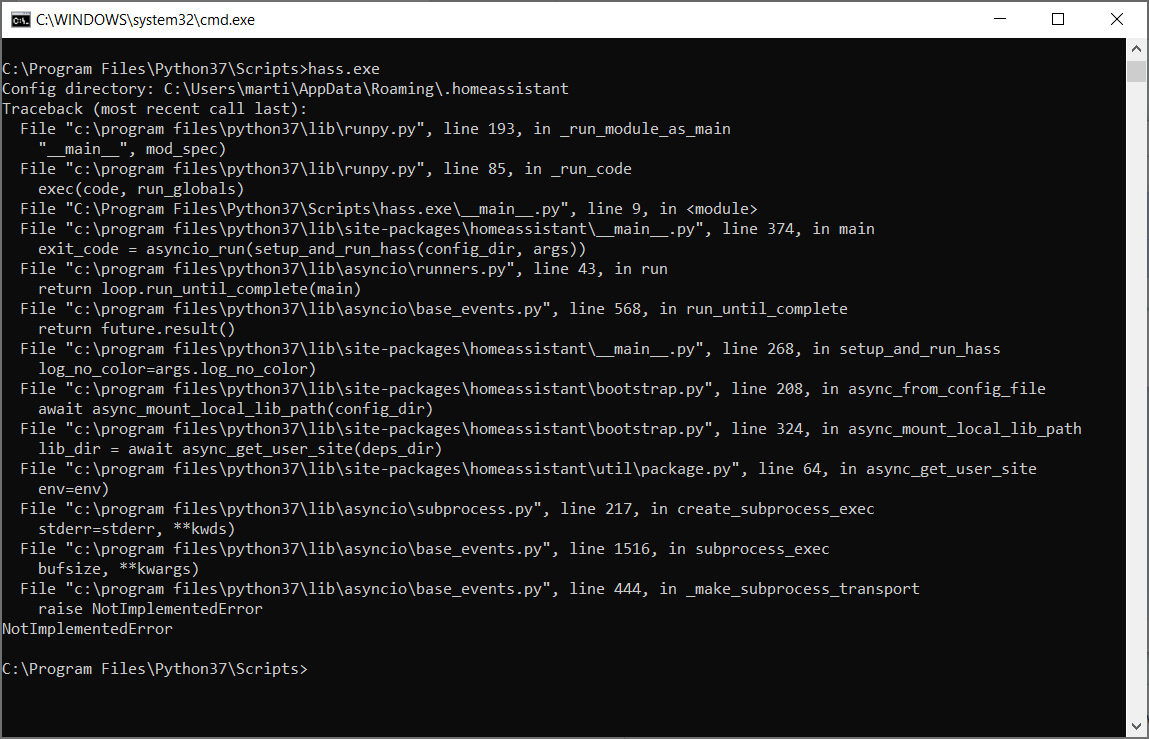
Same issue with hass.exe.
 martingagne
on 1 Oct 2018
martingagne
on 1 Oct 2018
subprocess is not supported in Windows by default, see https://stackoverflow.com/a/44639711/6131995
However, we had set our event loop to ProtractorEventLoop in #16737, I am not sure why it is not working.
BTW, that code only be executed if you are not using venv, so the workaround could be installing venv. See https://docs.python.org/3.5/library/venv.html
awarecan
on 1 Oct 2018
Same problem here after upgrading to 0.79.x (on a Windows 10 x64 system - Python 3.7). Went back to 0.78.1 and evertything is working fine again.
Thanks
 kano79
on 1 Oct 2018
kano79
on 1 Oct 2018
I have this issues even when using venv
 emilyplusplus
on 2 Oct 2018
emilyplusplus
on 2 Oct 2018
@emilyplusplus could you provide the error log?
awarecan
on 2 Oct 2018
Please help me test the fix in PR #17061
awarecan
on 2 Oct 2018
Installed the new version 0.79.3 with the fix and its working fine again. Thanks
kano79
on 2 Oct 2018
Same here. 0.79.3 runs fine on Win 10.
 RealGandy
on 2 Oct 2018
RealGandy
on 2 Oct 2018
Related issues
 coolriku
·
3Comments
coolriku
·
3Comments
 flsabourin
·
3Comments
flsabourin
·
3Comments
 MartinHjelmare
·
3Comments
MartinHjelmare
·
3Comments
 Konstigt
·
3Comments
Konstigt
·
3Comments
 missedtheapex
·
3Comments
missedtheapex
·
3Comments
Most helpful comment
Same issue with hass.exe.