Core: The "Remember me" button checkbox sometimes don't show on Google Chrome and Safari
Bug Report
Current Behavior
Sometimes (I wasn't able to reproduce the bug every time) when I launch the login form, the remember me button checkbox didn't appear, but worked when I clicked on it.
Steps to Reproduce
- Go to homepage
- Click on login
- See error
Expected Behavior
The remember me checkbox should appear always.
Screenshots

Environment
Flarum Community
https://discuss.flarum.org
 ardacebi
All 29 comments
I'm waiting for someone's confirmation on this.
ardacebi
on 5 Jul 2018
How often does this happen?
Can you try to reproduce it and check the browser's console for an error message when the problem appears?
 franzliedke
on 5 Jul 2018
franzliedke
on 5 Jul 2018
It started happening every time now, I refreshed 3 times in a row and the same result.
There are 2 errors Google Chrome is outputting:
- Error in event handler for (unknown): TypeError: Cannot read property 'trace' of undefined at browser.runtime.sendMessage.response (chrome-extension://cfhdojbkjhnklbpkdaibdccddilifddb/include.preload.js:750:20)
- Failed to load resource: net::ERR_FILE_NOT_FOUND
ardacebi
on 5 Jul 2018
Please disable all browser extensions (or use incognito mode) and try again. Maybe a conflict with a password manager or something similar?
franzliedke
on 5 Jul 2018
@franzliedke I did that before reading your response: no luck, the same.
Though I have something: in incognito mode, seems like we don't have any console messages, meaning that those aren't related to what we're working here.
ardacebi
on 5 Jul 2018
Is the checkbox DOM element there and just not visible (via CSS etc.)? Or is the element missing?
franzliedke
on 5 Jul 2018
Let me check.
ardacebi
on 5 Jul 2018
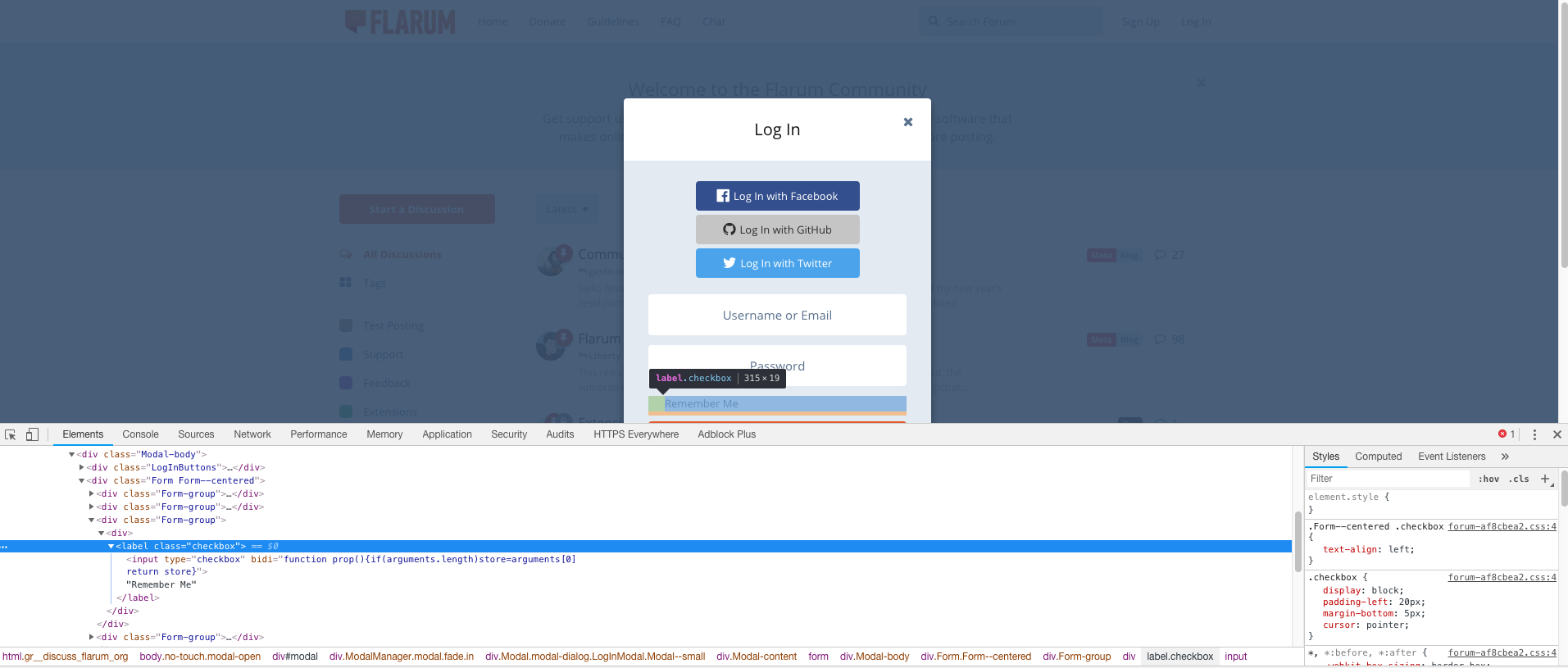
ardacebi
on 5 Jul 2018
Can you figure out which CSS rule makes the <input> disappear?
franzliedke
on 5 Jul 2018
When I select <input> the following styles appear, so the one and only luck of ours is probably below here somewhere:
element.style {
}
.checkbox input[type=checkbox], .checkbox input[type=radio] {
    margin-left: -20px;
    margin-top: 2px;
    float: left;
}
input[type="checkbox"], input[type="radio"] {
    box-sizing: border-box;
    padding: 0;
}
input, button, select, textarea {
    font-family: inherit;
    font-size: inherit;
    line-height: inherit;
}
input {
    line-height: normal;
}
button, input, optgroup, select, textarea {
    color: inherit;
    font: inherit;
    margin: 0;
}
*, *:before, *:after {
    -webkit-box-sizing: border-box;
    -moz-box-sizing: border-box;
    box-sizing: border-box;
}
user agent stylesheet
input[type="checkbox" i] {
    -webkit-appearance: checkbox;
    box-sizing: border-box;
}
user agent stylesheet
input[type="radio" i], input[type="checkbox" i] {
    background-color: initial;
    cursor: default;
    margin: 3px 0.5ex;
    padding: initial;
    border: initial;
}
user agent stylesheet
input {
    -webkit-appearance: textfield;
    background-color: white;
    -webkit-rtl-ordering: logical;
    cursor: text;
    padding: 1px;
    border-width: 2px;
    border-style: inset;
    border-color: initial;
    border-image: initial;
}
user agent stylesheet
input, textarea, select, button {
    text-rendering: auto;
    color: initial;
    letter-spacing: normal;
    word-spacing: normal;
    text-transform: none;
    text-indent: 0px;
    text-shadow: none;
    display: inline-block;
    text-align: start;
    margin: 0em;
    font: 400 11px system-ui;
}
user agent stylesheet
input, textarea, select, button, meter, progress {
    -webkit-writing-mode: horizontal-tb !important;
}
.Form--centered .checkbox {
    text-align: left;
}
.checkbox {
    display: block;
    padding-left: 20px;
    margin-bottom: 5px;
    cursor: pointer;
}
user agent stylesheet
label {
    cursor: default;
}
.Form--centered {
    text-align: center;
}
.Modal-body {
    background-color: #e7edf3;
    padding: 25px 30px;
    color: #667d99;
}
body {
    background: #fff;
    color: #111;
    font-family: "Open Sans",Helvetica,Arial,sans-serif;
    font-size: 13px;
    line-height: 1.5;
    overflow-y: scroll;
}
html {
    font-family: sans-serif;
    -ms-text-size-adjust: 100%;
    -webkit-text-size-adjust: 100%;
}
*, *:before, *:after {
    -webkit-box-sizing: border-box;
    -moz-box-sizing: border-box;
    box-sizing: border-box;
}
*, *:before, *:after {
    -webkit-box-sizing: border-box;
    -moz-box-sizing: border-box;
    box-sizing: border-box;
}
@TurboProgramming What version of Chrome are you using? Also, make sure you don't have any extensions enabled in Incognito mode, as you can enable extensions in Incognito through the settings.
 datitisev
on 5 Jul 2018
datitisev
on 5 Jul 2018
What version of Chrome are you using?
67.0.3396.99
Also, make sure you don't have any extensions enabled in Incognito mode, as you can enable extensions in Incognito through the settings.
I'm always aware of those things don't worry, there isn't any enabled.
ardacebi
on 5 Jul 2018
I added those styles you posted above to the inspector stylesheet, making sure they were being loaded by setting display: none; to the body (which hid the body, effectively proving that the styles were being loaded).
However, I can still see the checkbox...
Can you check in the input's computed styles if -webkit-appearance is set to none? https://stackoverflow.com/questions/16632955/checkboxes-not-displaying-chrome-work-in-other-browsers#23705615 may still be applicable, even though it's from 2013.
If I set -webkit-appearance to none, then the checkbox disappears.
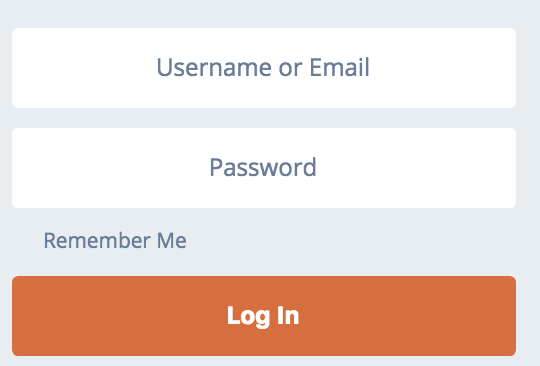
This style, however, is automatically added to inputs of type checkbox through the user agent stylesheet. At least, it's supposed to...
datitisev
on 6 Jul 2018
Checkbox has -webkit-appearance set to "checkbox"
ardacebi
on 6 Jul 2018
@TurboProgramming Does it appear if you click the "Remember Me" label?
datitisev
on 6 Jul 2018
No, it stays the exact same.
ardacebi
on 6 Jul 2018
What happens if you create a checkbox somewhere else in the body without any classes? Just a plain<input type="checkbox" />. Does it show?
Make sure to add it as a direct child of body so no classes from other elements get applied.
datitisev
on 6 Jul 2018
I inserted a blank checkbox to body the same area on Chrome and Firefox. Here are the results.
Chrome:
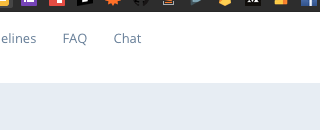
Firefox:

ardacebi
on 6 Jul 2018
@TurboProgramming in the inspector can you select the input instead of the label element surrounding it and see whether the checkbox (blue selection on screen) is visible somewhere.. Also can you create a screenshot with that input selected?
 luceos
on 9 Jul 2018
luceos
on 9 Jul 2018
Does this happen on Flarum installations other than discuss.flarum.org, or websites other than Flarum?
 tobyzerner
on 13 Jul 2018
tobyzerner
on 13 Jul 2018
It does happen on http://104.251.211.123/ too. You can see it yourself. Running Beta 7.
ardacebi
on 15 Jul 2018
No, I can't see it myself... checkbox is there as it should.
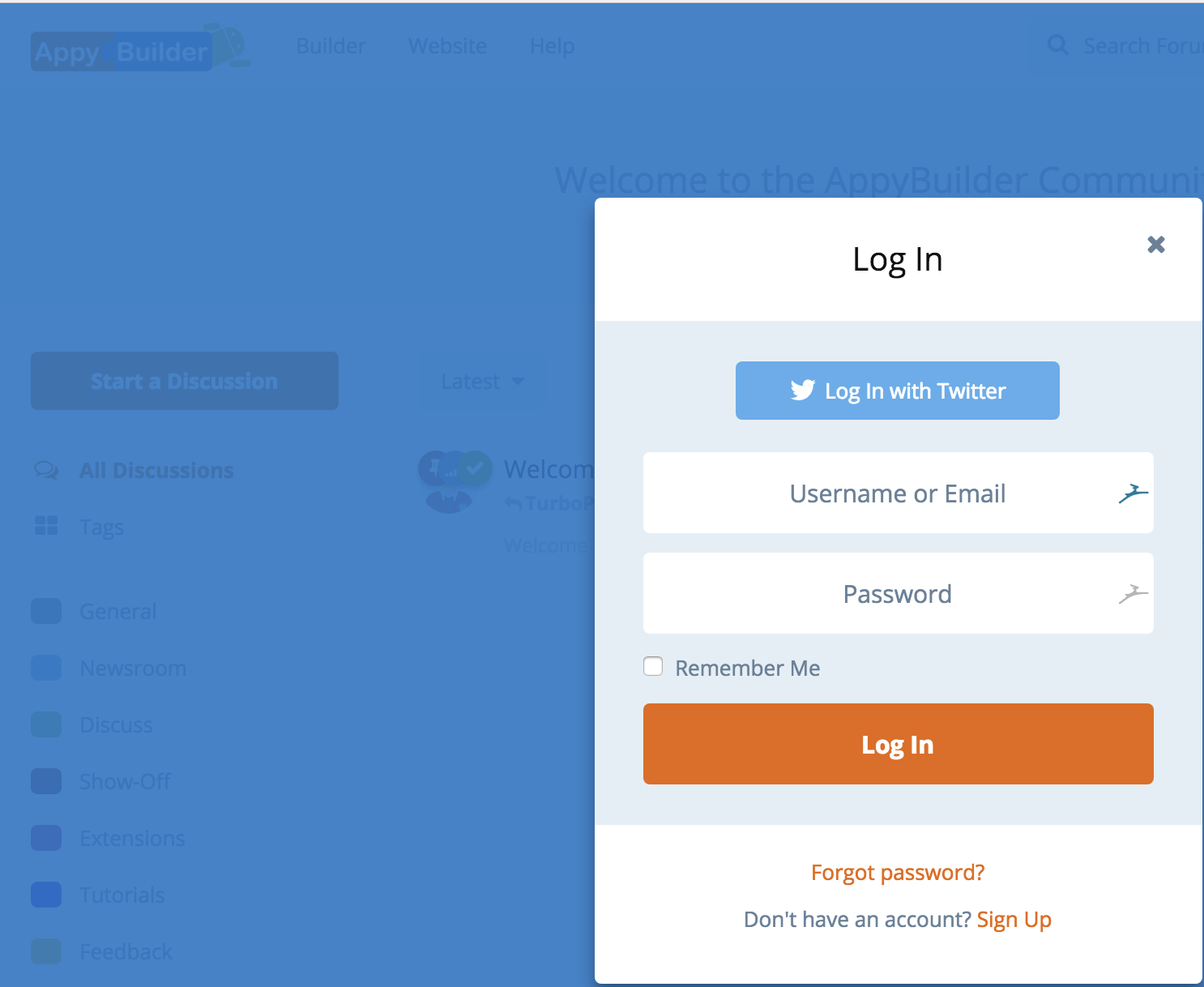
datitisev
on 15 Jul 2018
Browser?
ardacebi
on 15 Jul 2018
@TurboProgramming Chrome Version 68.0.3440.59 (Official Build) beta (64-bit)
datitisev
on 15 Jul 2018
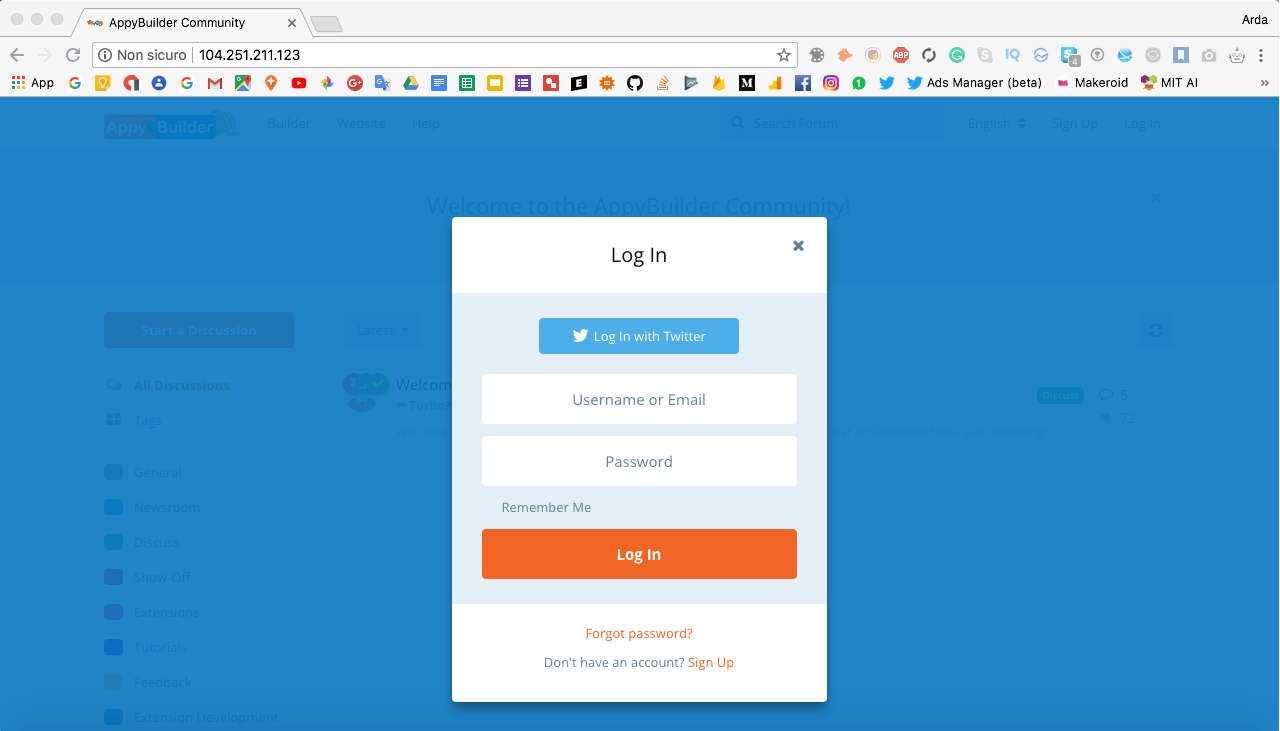
I'm on macOS testing on Chrome Version 67.0.3396.99 (Official Build) (64-bit).
ardacebi
on 15 Jul 2018
Are you on Windows?
ardacebi
on 15 Jul 2018
@TurboProgramming does it happen on websites other than Flarum?
tobyzerner
on 15 Jul 2018
@tobscure Yes, I tried the signup page at https://community.makeroid.io (Discourse Community) and it was the same, checkbox invisible.
So, this means that this is a non-Flarum issue?
ardacebi
on 15 Jul 2018
Yep, this is a you issue ;)
tobyzerner
on 15 Jul 2018
Related issues
 IvoPereira
·
24Comments
IvoPereira
·
24Comments
 mlyle
·
24Comments
tobyzerner
·
27Comments
tobyzerner
·
55Comments
luceos
·
25Comments
mlyle
·
24Comments
tobyzerner
·
27Comments
tobyzerner
·
55Comments
luceos
·
25Comments
Most helpful comment
Yep, this is a you issue ;)