Core: Nest component stops updating after upgrading to 0.71.0
Home Assistant release with the issue:
0.71.0
Last working Home Assistant release (if known):
0.70.0
Operating environment (Hass.io/Docker/Windows/etc.):
Raspbian
Component/platform:
Nest
Description of problem:
Since the 0.71.0 update with the cloud streaming API change, the Nest component randomly stops updating. After restarting HA, It seems to run fine for several hours and then stops. Nest state updates are no longer reflected in HA after that. I don't see any warnings or errors in the log; it just silently stops working. After this happens, I can still issue some commands TO the Nest through the HA frontend, but not all. I can change the thermostat mode, and I can change Away mode from Away to Home, but not the other way around. Not sure how to debug this further. @awarecan any ideas?
Problem-relevant configuration.yaml entries and (fill out even if it seems unimportant):
nest:
  client_id: XXX
  client_secret: YYY
 joe248
All 25 comments
Can you enable sseclient debug log?
logger:
  logs:
    sseclient: debug
You will see keep-alive and update events keep coming. And also check if they are all in same thread. Something likes following, please pay attention to the Thread-xx
2018-06-09 00:43:51 DEBUG (Thread-23) [sseclient] Dispatching keep-alive event, 4 bytes...
 awarecan
on 10 Jun 2018
awarecan
on 10 Jun 2018
@joe248 Could you confirm that you don't have Nest Cam?
awarecan
on 10 Jun 2018
May cause by jkoelker/python-nest#145
awarecan
on 11 Jun 2018
I have a Nest Cam.
I've been running since yesterday with sseclient set to debug and I haven't experienced the issue again yet, so I don't have much to report. I'm seeing keep-alive events every 30 seconds in the log and they are all on the same thread. I'll update when the issue happens again.
joe248
on 11 Jun 2018
Thanks for update. Anyway, I found an issue around exception handling code in python-nest, will fix it in next release
awarecan
on 11 Jun 2018
That could be what's causing my issue. My internet connection isn't great and goes down briefly at least several times a day.
joe248
on 11 Jun 2018
The issue happened again tonight. Looking at the log, at a certain point the keep-alives just stopped. However, I don't see any warnings or errors.
joe248
on 16 Jun 2018
@joe248 That confirmed my guessing. Would you like to test my fix on your system?
You need to install the latest python-nest from https://github.com/jkoelker/python-nest
pip install git+https://github.com/jkoelker/python-nest.git, the latest change haven't publish to PyPi.
Then change your local home-assistant to point this version. You need to change python-nest==4.0.1 to python-nest==4.0.2 in homeassistant/components/nest.py file.
To verify the fix works, you can continue monitor the thread id. If you experienced another network interruption, you will see the thread id changed, that means there is a new connection established.
awarecan
on 16 Jun 2018
Okay, I followed your directions and I think I'm running 4.0.2 now. I'll keep an eye on the thread id.
joe248
on 16 Jun 2018
I don't think that your fix worked for me. Today my internet went down for about 90 minutes. After it came back up, HA doesn't appear to have reconnected to Nest. In the log I see the last keep-alive event before the internet went down and then nothing after that. I let HA keep running for about 30 minutes and it still didn't reconnect to Nest, so I restarted HA. I don't see any errors or warnings in the log.
joe248
on 18 Jun 2018
Damn it. Could you post your log here around the network lost event, and reconnect event?
awarecan
on 18 Jun 2018
By the way, I just added some more logging in python-nest, please install the latest version on it's master branch, and enable nest debug logging in your configuration. Hope we can learn more information this time.
awarecan
on 19 Jun 2018
Running the latest with the new logging now. I'll update when the issue happens again.
joe248
on 19 Jun 2018
I'm having the same issues running using hass.io, even with a rock solid internet connection. HA will report the state of my thermostat on first boot, then it'll never change. Quite annoying as I have quite a bit of automation firing when my house goes into the nest away mode.
Is it possible to update python-nest on hass.io?
Thanks.
 CheeseySandal
on 21 Jun 2018
CheeseySandal
on 21 Jun 2018
@CheeseySandal
Could you enable your debug log and post it here? I don't think you have same issue, since we already identified the root cause is internet connection reset.
logger:
  default: warning
  logs:
    homeassistant.components.climate.nest: debug
    homeassistant.components.nest: debug
    nest: debug
    sseclient: debug
@joe248
I reproduce your issue, need to reboot my cable modem. Issue logged at jkoelker/python-nest#149
awarecan
on 21 Jun 2018
@awarecan
I've enabled logging for you. I rebooted the pi3 and the Nest component was updating in practically real time for about two hours, and now it's stopped.
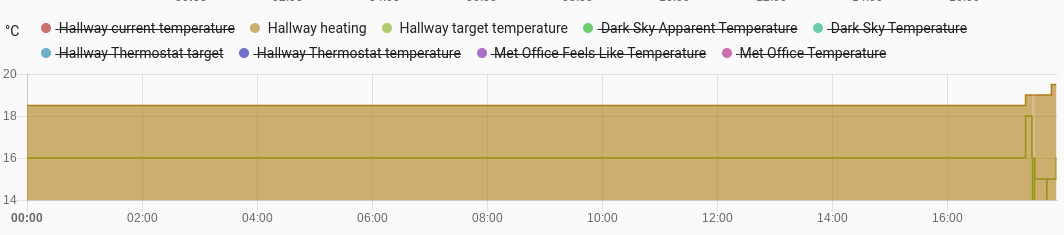
Proof my Nest component hasn't been updating, you can see the changes after the reboot at the end.
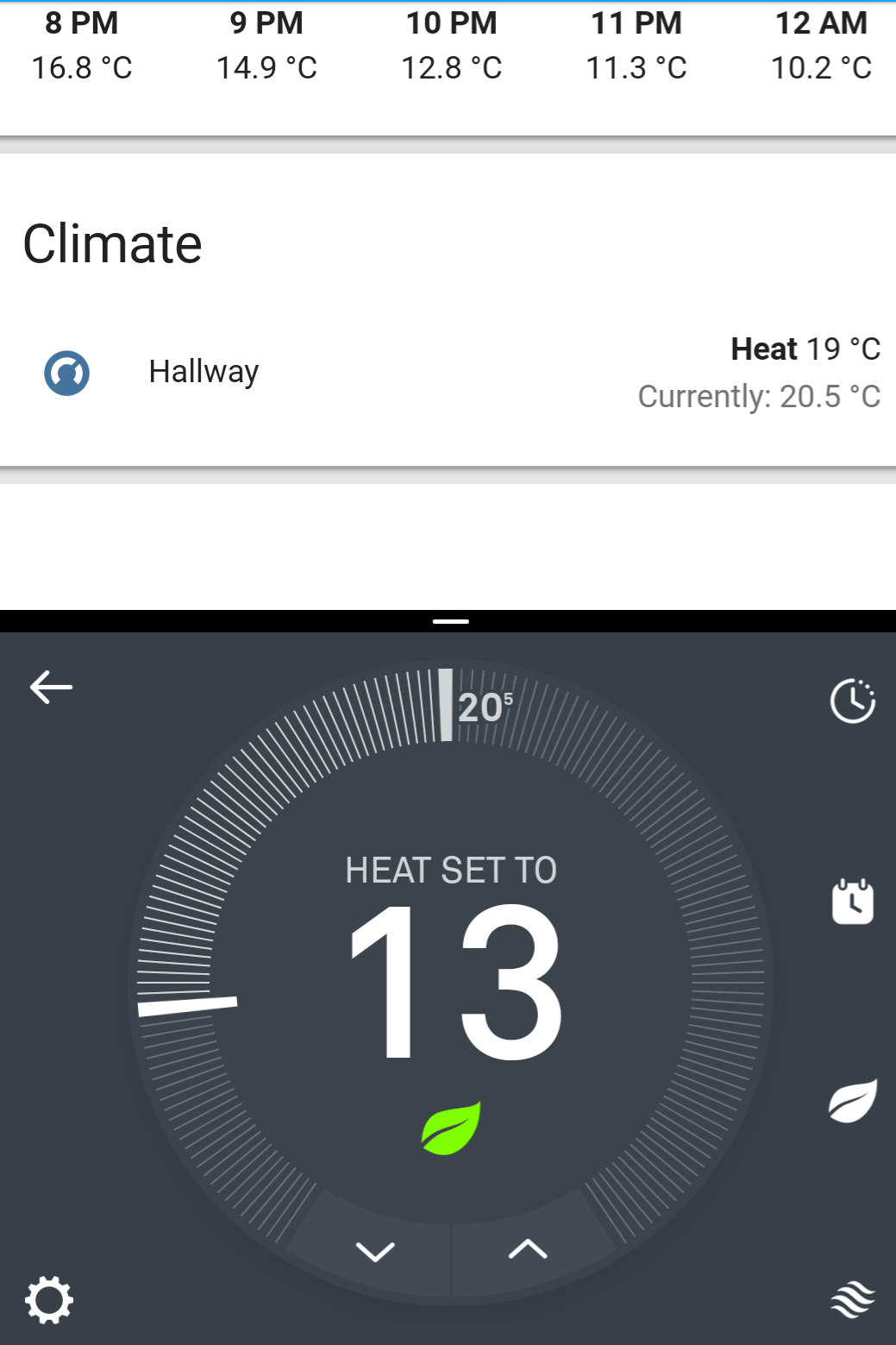
What's like at the moment.
Here's my complete log file. https://pastebin.com/9yjFctF1
Thank you.
CheeseySandal
on 21 Jun 2018
Hi @CheeseySandal
You first reported that
HA will report the state of my thermostat on first boot, then it'll never change.
But according above comment and logs, you can get it work in exactly 2 hours before broken. In the log, your connection was established at 2018-06-21 17:36:24 and the last log entry was at 2018-06-21 19:35:54. Since Nest will send keep-alive event every 30 seconds, the next data suppose be arrived at exactly 2 hours after the connection established.
It is more likely your connection lost was not a coincidence, some router/firewall will aggressively cut off the long time TCP connections.
If it was your case, then my current fix in python-nest master branch should resolve that problem.
Anyway, a PR to address @joe248 problem already submit in python-nest library, hope I can squeeze it in next HA release.
awarecan
on 22 Jun 2018
I just updated to HA 0.72 and changed the requirement in both ~/homeassistant/lib/python3.5/site-packages/homeassistant/components/nest.py and ~/homeassistant/lib/python3.5/site-packages/homeassistant/components/nest/__init__.pyto python-nest==4.0.3. Will report back if I have issues.
joe248
on 23 Jun 2018
Pay attention to thread id of sseclient log entry. Change of it means reconnection happened.
awarecan
on 23 Jun 2018
Not sure if the fix has been pushed to 0.72, but I've upgraded and it's still broken.
CheeseySandal
on 23 Jun 2018
@CheeseySandal unfortunately, it is not in 0.72. But if you had upgraded to 0.72, you can change one line of code to try on new version of python-nest. Just change ~/homeassistant/lib/python3.5/site-packages/homeassistant/components/nest/__init__.py to python-nest==4.0.3
If you are still in 0.71, you need to change ~/homeassistant/lib/python3.5/site-packages/homeassistant/components/nest.py
awarecan
on 24 Jun 2018
@awarecan I looked in my log and see a time where the SSE client reinitialized on a different thread so it looks like your fix is working. Thanks for your hard work fixing this and getting the Nest streaming API implemented!
joe248
on 26 Jun 2018
@awarecan Have updates to 0.72.1 Thank you for your hard work!
Incidentally, I noticed that the new Nest ETA sensor has a double underscore? Is that correct?
sensor.my_house__eta
Cheers.
CheeseySandal
on 27 Jun 2018
@CheeseySandal it is not a problem, it may caused by your structures's name is "My House " with a trailing space.
awarecan
on 27 Jun 2018
Related issues
 piitaya
·
3Comments
piitaya
·
3Comments
 sibbl
·
3Comments
sibbl
·
3Comments
 Elmardus
·
3Comments
Elmardus
·
3Comments
 MartinHjelmare
·
3Comments
MartinHjelmare
·
3Comments
 sogeniusio
·
3Comments
sogeniusio
·
3Comments