Core: Ring Binary sensor Doesn't differenciate between devices
Make sure you are running the latest version of Home Assistant before reporting an issue.
You should only file an issue if you found a bug. Feature and enhancement requests should go in the Feature Requests section of our community forum:
Home Assistant release (hass --version):
0.47.1
Python release (python3 --version):
3.5.7
Component/platform:
Ring
Description of problem:
when the ring Binary sensor is triggered it triggers for all binary sensors rather than the sensor that is actually triggered for example I have a front and back door bell but which ever one is rung or motion detected it activates both ring Binary sensors that I have. Adon creates 2 sensors for each device but they don't seem to be separate?
Expected:
Only the binary sensor that actually has an event should show a change in value.
Problem-relevant configuration.yaml entries and steps to reproduce:
binary_sensor:
  - platform: ring
    monitored_conditions:
      - ding
      - motion
2.
3.
Traceback (if applicable):
Additional info:
 matthewcky2k
All 19 comments
@tchellomello
Do you have any insight?
matthewcky2k
on 2 Jul 2017
One thing to note it seems to be tracking the last activity correctly as that sensor shows correctly
matthewcky2k
on 3 Jul 2017
@matthewcky2k I'll take a look into this
 tchellomello
on 3 Jul 2017
tchellomello
on 3 Jul 2017
Thanks
matthewcky2k
on 3 Jul 2017
@matthewcky2k what is the output for the command below on your environment?
pip freeze | grep ring
ls -la <HOME_ASSISTANT_HOME>/.deps/ring*
root@kaliHA:~/.homeassistant/deps# pip freeze | grep ring ls -la /root/.homeassistant/deps/ring*
grep: ls: No such file or directory
grep: /root/.homeassistant/deps/ring_doorbell: Is a directory
grep: /root/.homeassistant/deps/ring_doorbell-0.1.4.dist-info: Is a directory
matthewcky2k
on 5 Jul 2017
Is that what you were looking for? Have you had any opportunity to look at this?
matthewcky2k
on 10 Jul 2017
@tchellomello
Did you make any progress with this?
matthewcky2k
on 21 Jul 2017
@matthewcky2k thanks for the information. Good to know that the last activity is working separately as expected but the binary sensor is not. I'm working on a test patch and I'll let you know to test it since I don't have 2 ring devices.
Thanks for reporting this @matthewcky2k
tchellomello
on 26 Jul 2017
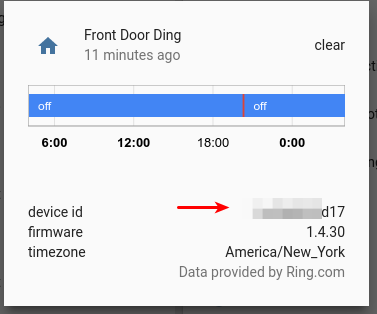
@matthewcky2k if you look at the proprieties from the binary sensors, do you see a different id reported on ding and motion sensors?
tchellomello
on 26 Jul 2017
yes this is different for each (front and back door in my case)
matthewcky2k
on 26 Jul 2017
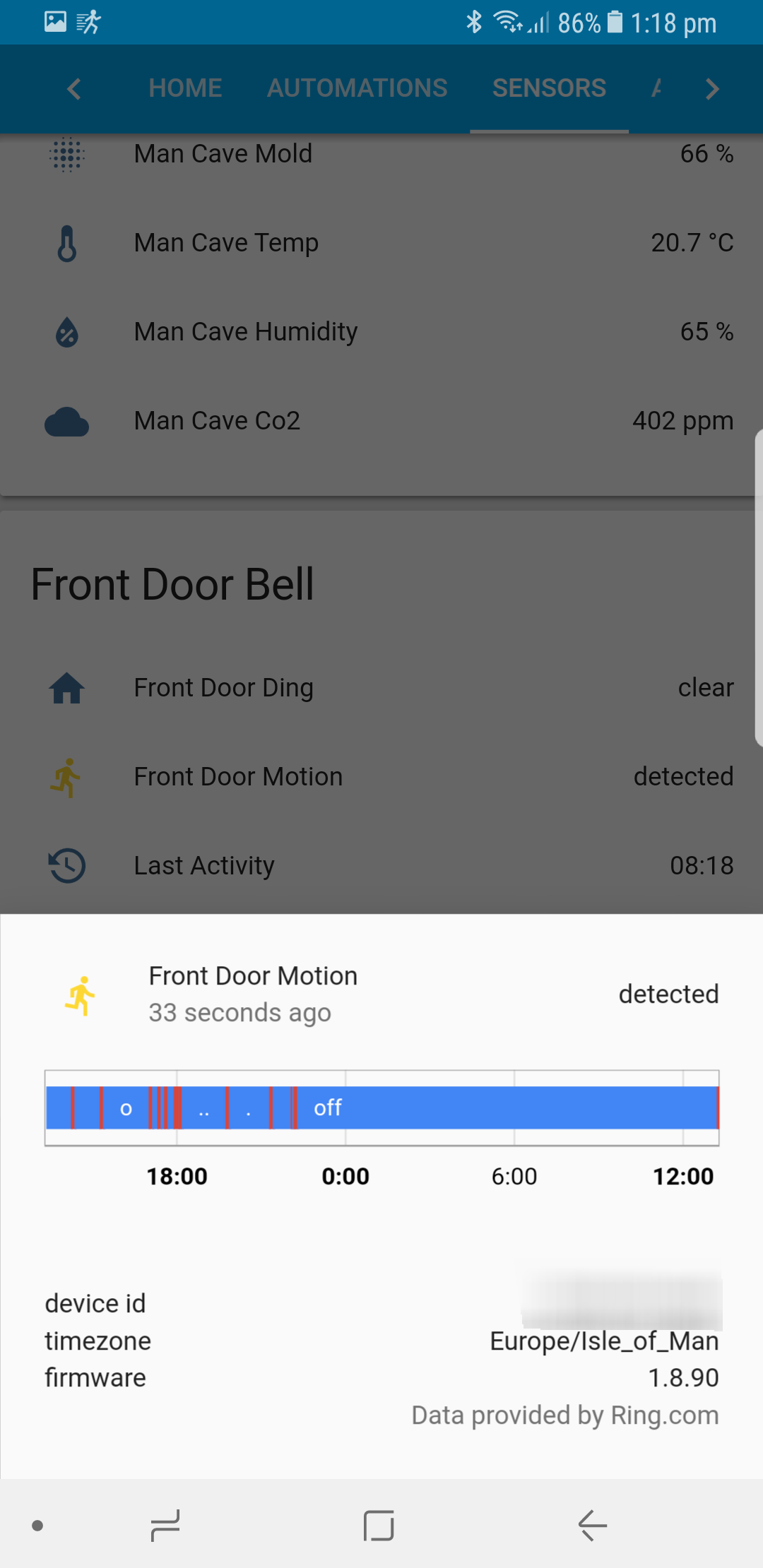
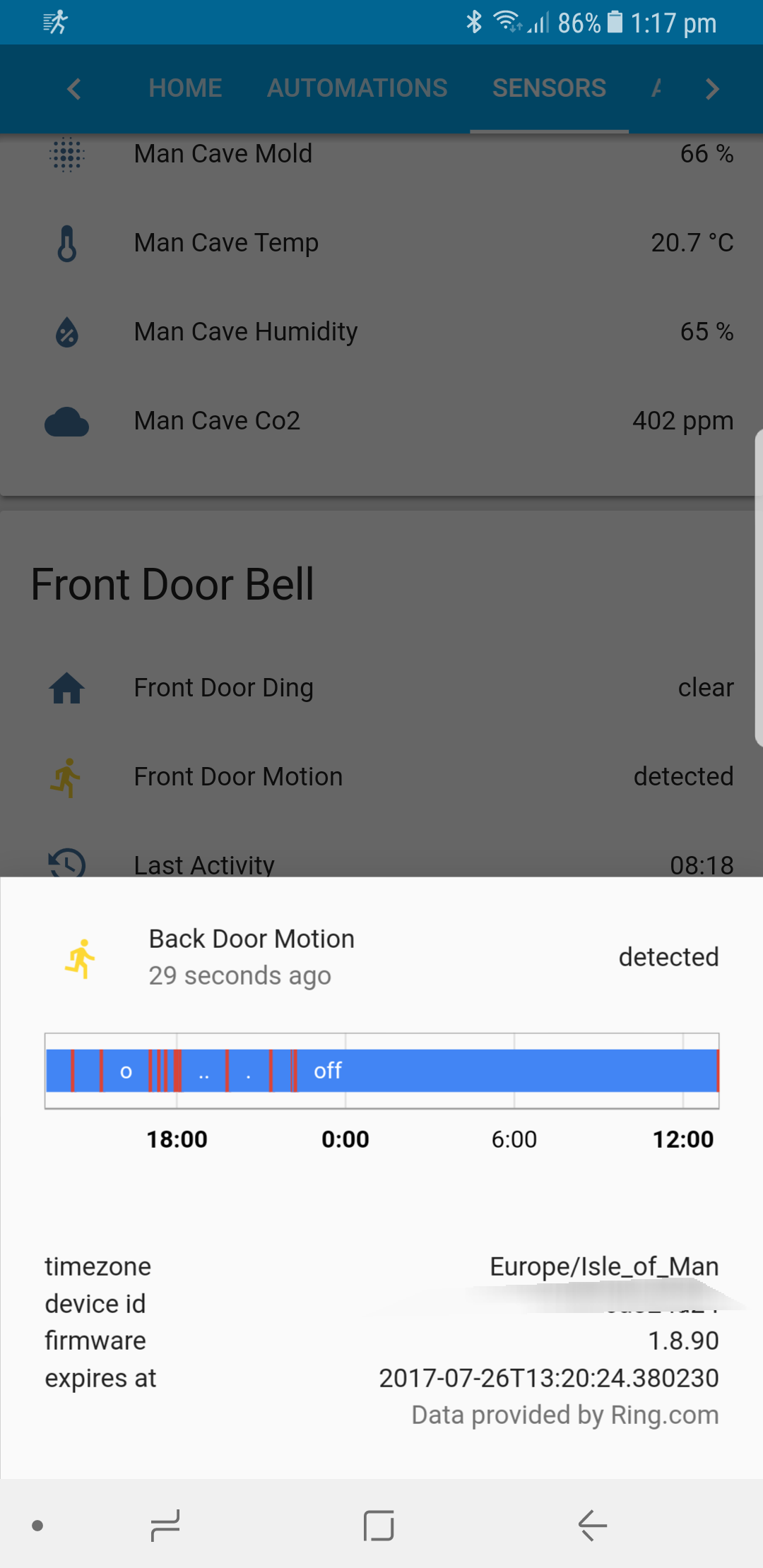
@matthewcky2k another quick question. When you have a motion detected, do you see the same attribute value for "expires_at" on both binary sensors?
tchellomello
on 26 Jul 2017
Im just waiting for the next motion event as Im not at home at the moment
matthewcky2k
on 26 Jul 2017
See below this is how it displays for me seems like it only displays the expires at for the back door
matthewcky2k
on 26 Jul 2017
Thanks @matthewcky2k
I'll work on that and then share a test code to see if that addresses the issue. Thanks!
tchellomello
on 31 Jul 2017
Any update on this @tchellomello?
matthewcky2k
on 24 Aug 2017
@matthewcky2k sorry man, I got a little busy lately and I ended up forgetting this issue. Thanks for yours heads up.
So I just took a look into the code now and the problem seems to be here:
101     def update(self):
102         """Get the latest data and updates the state."""
103         self._data.check_alerts()
104
105         # debug info
106         _LOGGER.info("debug_ringdoorbell sensor %s", self._name)
107
108         if self._data.alert:
109             self._state = (self._sensor_type ==
110                            self._data.alert.get('kind'))
111         else:
112             self._state = False
This code is just taking into consideration if the type of the of the device to match the condition. So if you have 2 devices of the same time or more, the sensor will flip to True for all devices of the same type, causing the issue you reported above.
So running some tests, I believe this will fix the issue:
(ha-py36) ↪ git diff
diff --git a/homeassistant/components/binary_sensor/ring.py b/homeassistant/components/binary_sensor/ring.py
index 429e92afa..5c9a644f6 100644
--- a/homeassistant/components/binary_sensor/ring.py
+++ b/homeassistant/components/binary_sensor/ring.py
@@ -103,7 +103,8 @@ class RingBinarySensor(BinarySensorDevice):
         self._data.check_alerts()

         if self._data.alert:
-            self._state = (self._sensor_type ==
-                           self._data.alert.get('kind'))
+            if self._sensor_type == self._data.alert.get('kind') and \
+               self._data.account_id == self._data.alert.get('doorbot_id'):
+                self._state = True
         else:
             self._state = False
I've published the code at https://github.com/tchellomello/home-assistant/blob/fix_ring_8279/homeassistant/components/binary_sensor/ring.py
To test it, you can create a directory on the same level of your configuration.yaml file like below:
## same directory as your configuration.yaml file
$ mkdir -p custom_components/binary_sensor
$ cd custom_components/binary_sensor
$ wget https://raw.githubusercontent.com/tchellomello/home-assistant/fix_ring_8279/homeassistant/components/binary_sensor/ring.py
Then restart your HA service to load the new code. You can see more about this custom environment at https://home-assistant.io/developers/component_loading/
Please let me know if worked as expected, so then I'll submit the PR to get it fixed on the next HA release.
Unfortunately I cannot do a full test because I just have one doorbell, however I'm pretty confident this will do the trick.
Thanks
mmello
tchellomello
on 31 Aug 2017
@tchellomello that fixes it! thanks
matthewcky2k
on 31 Aug 2017
Awesome!!! I'll submit a PR tonight Thanks for testing it!!
tchellomello
on 31 Aug 2017
Related issues
 kirichkov
·
3Comments
kirichkov
·
3Comments
 i-am-shodan
·
3Comments
i-am-shodan
·
3Comments
 sogeniusio
·
3Comments
sogeniusio
·
3Comments
 neonandu
·
3Comments
neonandu
·
3Comments
 piitaya
·
3Comments
piitaya
·
3Comments
Most helpful comment
@tchellomello that fixes it! thanks