Cordova-plugin-firebasex: Remote Config
CHECKLIST
- [ x ] I have read the issue reporting guidelines
[ x ] I confirm this is a suspected bug or issue that will affect other users
[ ] I have reproduced the issue using the example project or provided the necessary information to reproduce the issue.
[ x ] I have read the documentation thoroughly and it does not help solve my issue.
[ x ] I have checked that no similar issues (open or closed) already exist.
Current behavior:
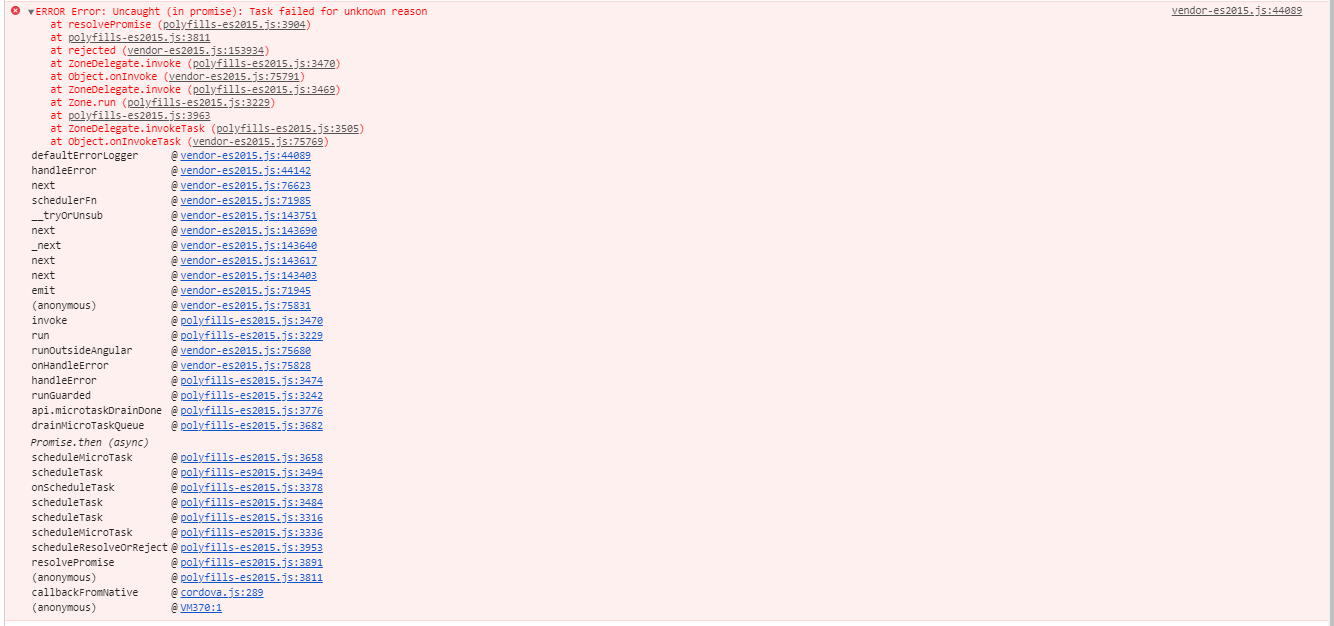
When calling Remote Config's 'fetch' method I get an error:
- ERROR Error: Uncaught (in promise): Task failed for unknown reason
When checking the documentation I found that it is not consistent with the method signature.
Documentation example:
FirebasePlugin.fetch (function () {
     // success callback
}, function () {
    // error callback
});
Expected behavior:
When calling the 'fetch' function of FirebaseX's Remote Config it promised to be resolved and not rejected.
Steps to reproduce:
I tried to call the fetch function according to the code below:
import { Injectable } from "@angular/core";
import { Platform, NavController } from "@ionic/angular";
import { promise } from "protractor";
import { randomFill } from "crypto";
import { BehaviorSubject } from 'rxjs';
import { FirebaseX } from "@ionic-native/firebase-x/ngx";

@Injectable({
  providedIn: "root",
})
export class FcmService {

  constructor(
    private firebaseX: FirebaseX,
    public plt: Platform,
    private storageService: StorageService,
    private platform: Platform

  ) {

      this.platform.ready().then(async () => {

        this.firebaseX.onMessageReceived().subscribe((data) => {

          console.log(data);

        });

        await this.fetchRemoteConfig();

      }

  }

  public async fetchRemoteConfig() {

     await this.firebaseX.fetch().
      then((result) => {

        console.log('Result Fech: ', result);

        await this.firebaseX.activateFetched();

        let key_proc = await this.firebaseX.getValue("font_size_green");

        console.info('font_size_green = ', key_proc);

      }).catch((error) => {

        console.info('Error Fetch: ', error);

      });

  }

}
Screenshots
Environment information
- Cordova CLI version
- 9.0.0 ([email protected])
- Cordova platform version
cordova platform ls
- Plugins & versions installed in project (including this plugin)
cordova plugin ls
- Dev machine OS and version, e.g.
- Windows 7 Enterprise
- version 6.1
- Windows 7 Enterprise
_Runtime issue_
- Device details
- MI 9 Lite
- OS details
- Android 10
_Android build issue:_
- Node JS version
- v12.16.0
- Gradle version
- 6.3
- Target Android SDK version
- 21
 marcelonnunes
All 3 comments
Debugging the code in android studio I saw that the plugin returns this message
Note in the variables the task.isSuccessful is set to true. But when the debugger passed through line 2321 it was false
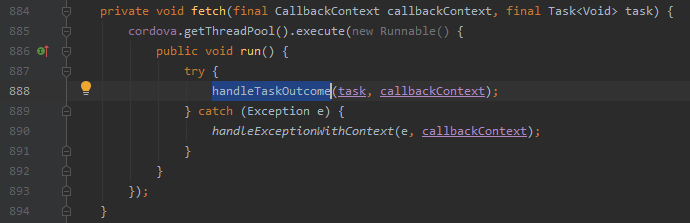
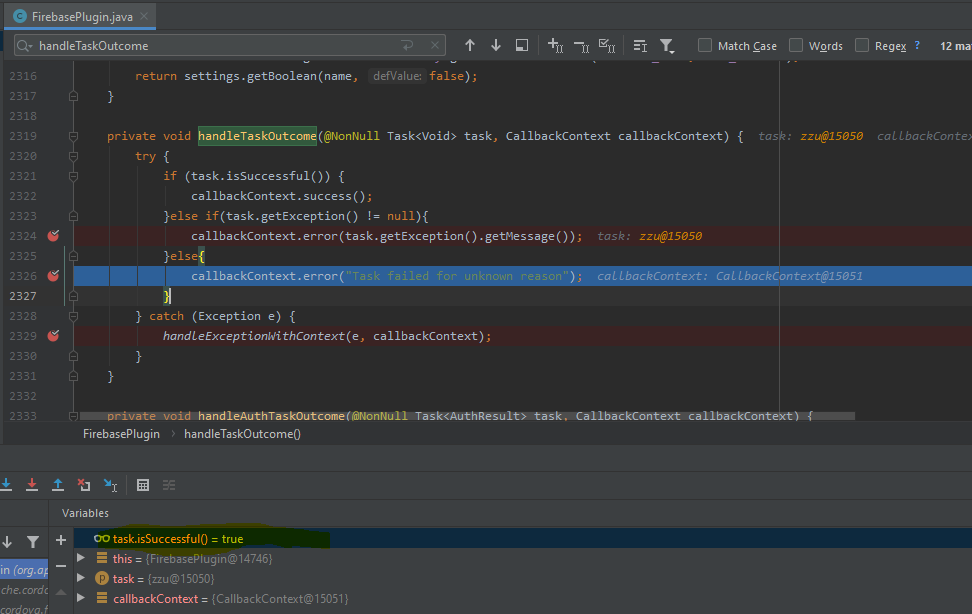
I believe the plugin is calling the handleTaskOutcome method before the Task is executed.
We need to analyze it better to understand what is really happening.
Sorry for my bad english.
 alyleite
on 3 Sep 2020
alyleite
on 3 Sep 2020
Debugging the code in android studio I saw that the plugin returns this message
Note in the variables the
task.isSuccessfulis set totrue. But when the debugger passed through line 2321 it wasfalse
I believe the plugin is calling the handleTaskOutcome method before the Task is executed.
We need to analyze it better to understand what is really happening.
Sorry for my bad english.
Thank you @alyleite .
Very well observed. I have never used Android Studio to debug Ionic code. I use Visual Studio. Let's see if anyone in the community can help us. What you say makes sense. I believe that this bug should appear for other methods as well. Couldn't @dpa99c help us?
marcelonnunes
on 3 Sep 2020
@alyleite from your screenshot I can see you're using an old plugin version - this issue has been fixed by this commit which was released in v10.2.0
If you're able to reproduce the issue with the latest plugin version in the example project (a known working codebase) then please open a new issue and complete the issue template in full.
 dpa99c
on 7 Sep 2020
dpa99c
on 7 Sep 2020
Related issues
 AndrewBargan
·
7Comments
AndrewBargan
·
7Comments
 deveshmishra34
·
7Comments
deveshmishra34
·
7Comments
 hastom
·
6Comments
hastom
·
6Comments
 benwhomsley
·
4Comments
benwhomsley
·
4Comments
 luboslav
·
6Comments
luboslav
·
6Comments