Hey!
The problem:
I'm trying to deploy my application using copilot
The first step I make is: copilot app init example --domain bar.example.com If finishes successfully.
Next, I'm trying to run copilot env init --name test, and it hangs up in the end during the "Linking account" stage.
Which credentials would you like to use to create test? [profile default]
Would you like to use the default configuration for a new environment?
    - A new VPC with 2 AZs, 2 public subnets and 2 private subnets
    - A new ECS Cluster
    - New IAM Roles to manage services in your environment
 Yes, use default.
✔ Created the infrastructure for the test environment.
- Virtual private cloud on 2 availability zones to hold your services     [Complete]
- Virtual private cloud on 2 availability zones to hold your services     [Complete]
  - Internet gateway to connect the network to the internet               [Complete]
  - Public subnets for internet facing services                           [Complete]
  - Private subnets for services that can't be reached from the internet  [Complete]
  - Routing tables for services to talk with each other                   [Complete]
- ECS Cluster to hold your services                                       [Complete]
- Application load balancer to distribute traffic                         [Complete]
⠙ Linking account REDACTED and region REDACTED to application example.
I've checked the AWS CloudFormation console, and I see that there are two new stacks:
example-infrastructure-roles- appeared aftercopilot app init...example-test- appeared aftercopilot env init..
Both are in CREATE_COMPLETE status.
There is a StackSet called example-infrastructure with an operation 1 still in a running state.
Just in case: I'm using the IAM role with AdministratorAccess policy attached.
Not sure what info I can gather more, please tell me if you need other data from my aws account.
What I expect:
For copilot env init --name test to link account to an app successfully and exit
Please, help me understand if I'm doing something wrond or how should I debug this situation further?
Thank you very much!
 dragonsmith
All 12 comments
Heya @dragonsmith 👋
I'm so sorry to hear env init is hanging!
- Do you see any CloudFormation events in the stack set instance that might hint at what could be the problem?
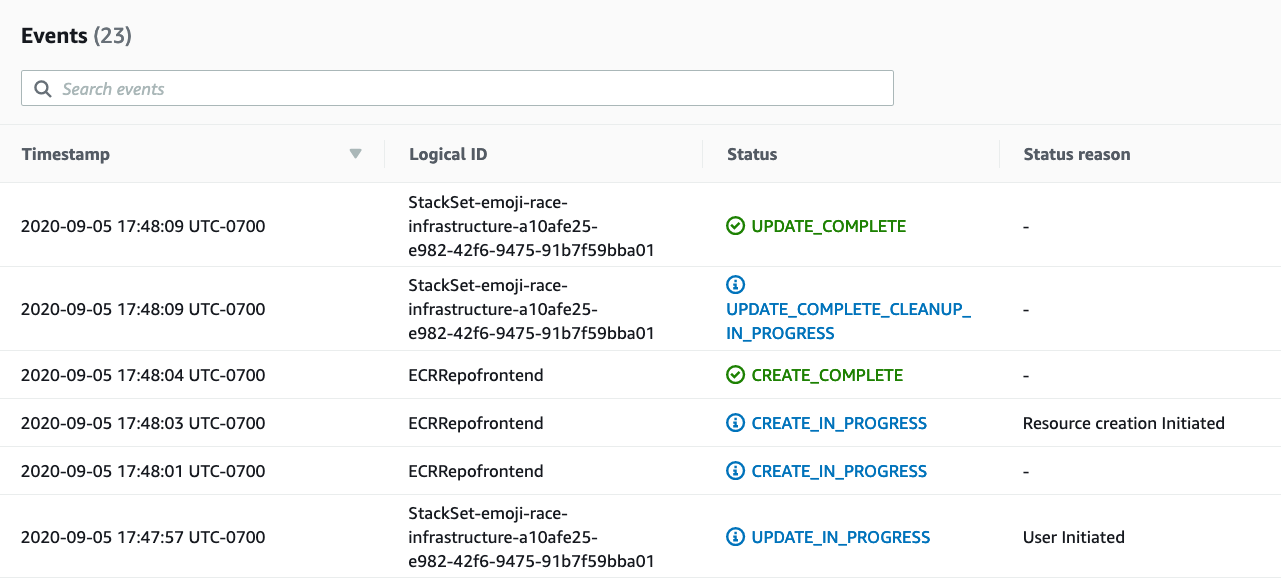
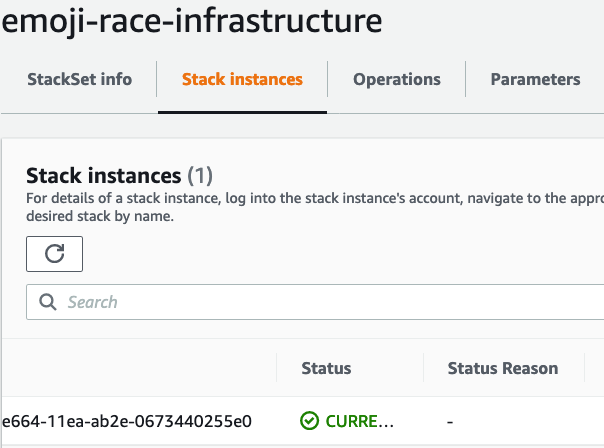
- Or alternatively, maybe the reason is listed under the "StackSets" tab, would you mind taking a look at what's listed as the
StatusReasonfor the stack set instance
 efekarakus
on 15 Oct 2020
efekarakus
on 15 Oct 2020
One thing to note about account linking is that it can take up to two minutes - this happens in a StackSet stack (this is because we create a KMS key which takes around two mins to create). How long was it hanging?
 kohidave
on 16 Oct 2020
kohidave
on 16 Oct 2020
Hi, I'm glad to see this issue, I'm encountering similar issue!
In my case, all of Stack are properly set up, but StackSet Operation stuck in running state over 1 hour... And then if I stop that by hand, it also stuck with stopping state over hours and hours.
I encountered this with root account and IAM that has Administrator Access in two accounts.

It's now not stopped yet.
I also posted this to AWS Forum because some are encountering similar problem and Amazon team had resolved with making them failed state.
https://forums.aws.amazon.com/thread.jspa?threadID=329694
For providing more information, I'm now retrying. Thank you.
 LumaKernel
on 16 Oct 2020
LumaKernel
on 16 Oct 2020
Stuck again today... !
Screen captures
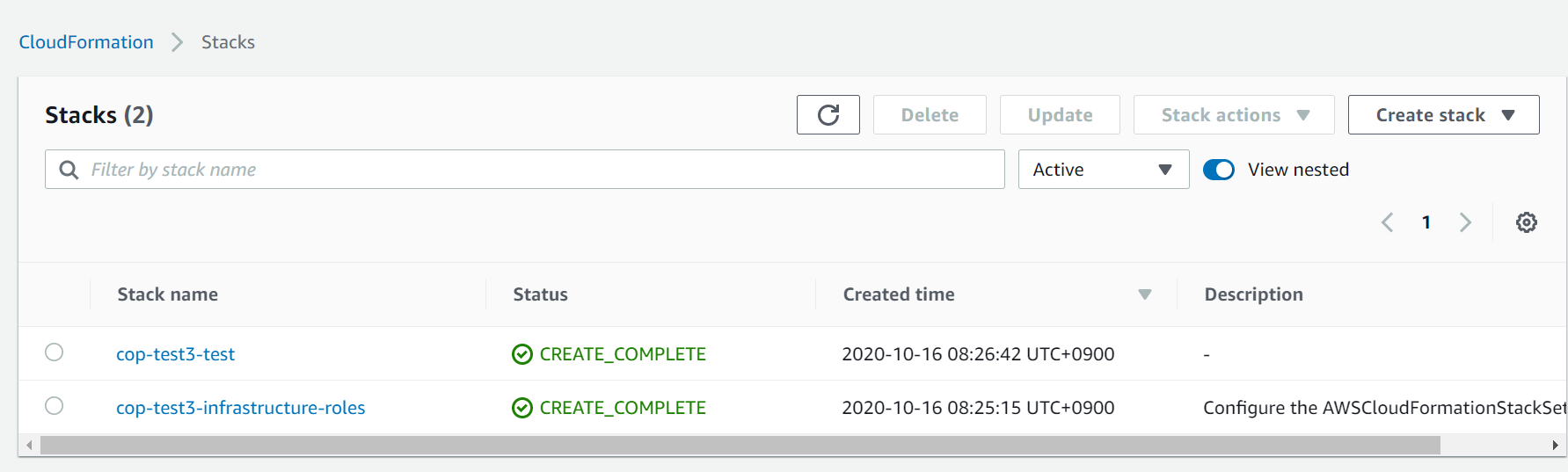

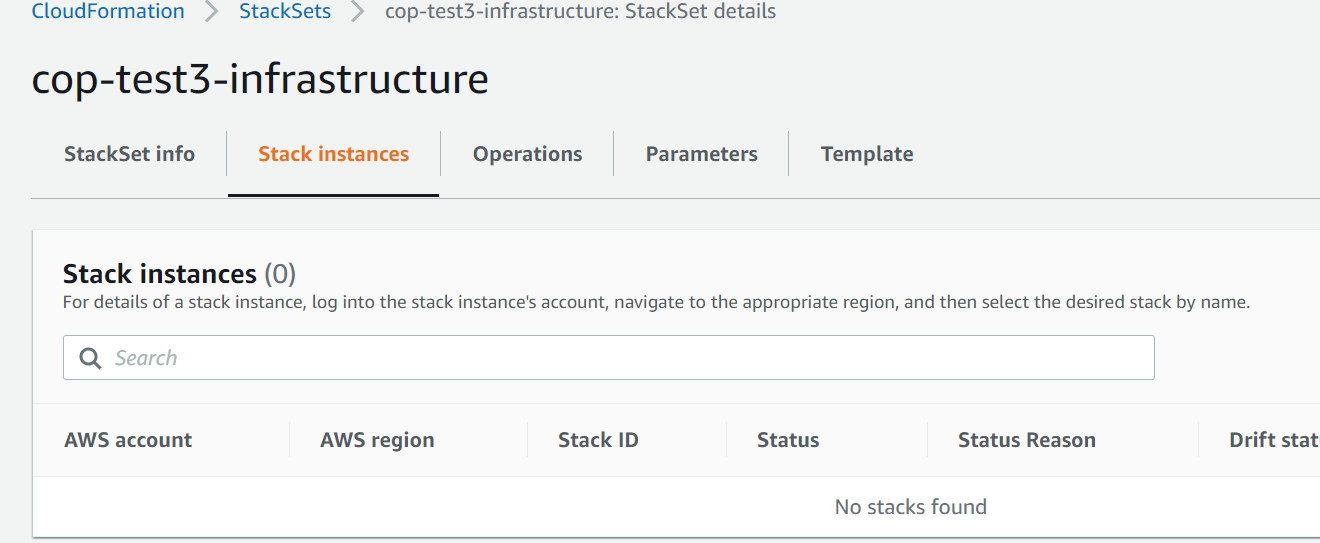
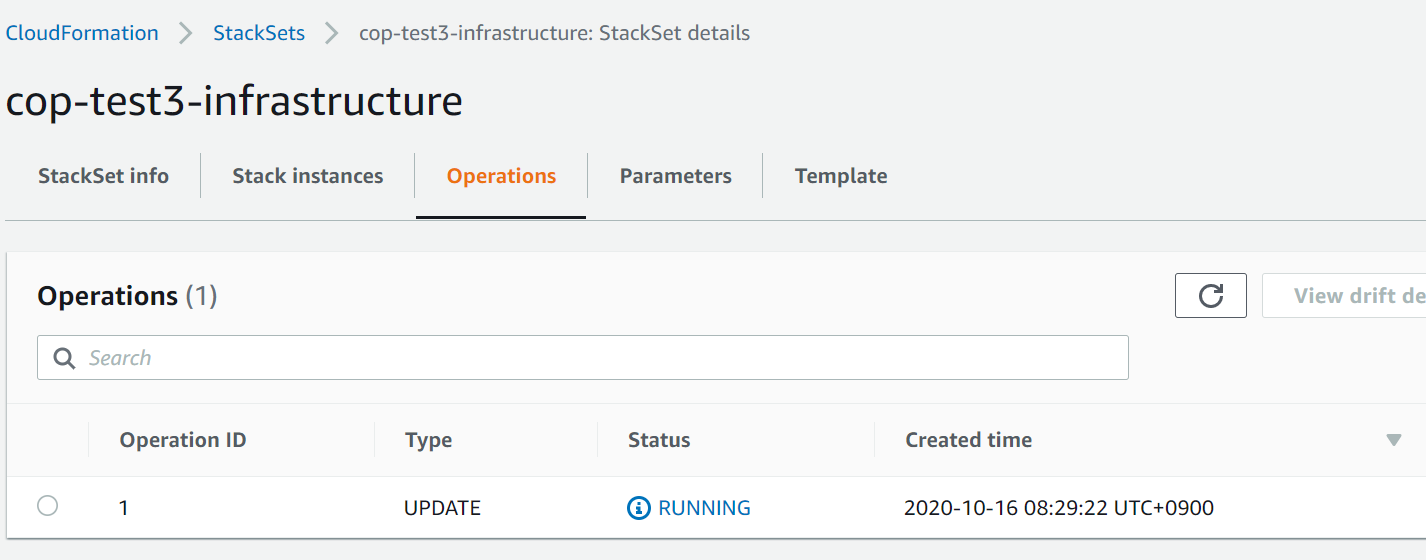
Operation 1 is preventing me retrying... as a collision.
$ # rewrite copilot/.workspace to cop-test3
$ copilot app init
Your workspace is registered to application cop-test3.
✔ Created the infrastructure to manage services under application cop-test3.

✔ The directory copilot will hold service manifests for application cop-test3.

Recommended follow-up actions:
- Run `copilot init` to add a new service to your application.
$ copilot env init
What is your environment's name? test
Which credentials would you like to use to create test? [profile default]
Would you like to use the default configuration for a new environment?
    - A new VPC with 2 AZs, 2 public subnets and 2 private subnets
    - A new ECS Cluster
    - New IAM Roles to manage services in your environment
 Yes, use default.
✔ Created the infrastructure for the test environment.
- Virtual private cloud on 2 availability zones to hold your services     [Complete]
- Virtual private cloud on 2 availability zones to hold your services     [Complete]
  - Internet gateway to connect the network to the internet               [Complete]
  - Public subnets for internet facing services                           [Complete]
  - Private subnets for services that can't be reached from the internet  [Complete]
  - Routing tables for services to talk with each other                   [Complete]
- ECS Cluster to hold your services                                       [Complete]
- Application load balancer to distribute traffic                         [Complete]
⠴ Linking account 5*********** and region ap-northeast-1 to application cop-test3.
Thank you for the detailed feedback and I'm so sorry you're encountering this issue. This is definitely super strange, I'll take a look!
kohidave
on 16 Oct 2020
Would you two mind emailing me your account ID to [email protected] please?
kohidave
on 16 Oct 2020
@kohidave No ploblem. I will send from this account's email. Thank you.
LumaKernel
on 16 Oct 2020
Hi friends - thank you so much for your patience. I've reached out to the CloudFormation team and they've confirmed this is an issue on their end. I'm working with them to get a fix deployed ASAP 🙏
I'm super sorry for the inconvenience - I'll make sure to follow up when the fix is out.
kohidave
on 16 Oct 2020
@kohidave Hey!
Sorry, I was able to get back here only now. Thank you very much for such a blazingly fast response! Do you still need any data from me (like account id/screenshots of the stack itself) or the situation seems to be clear right now?
dragonsmith
on 16 Oct 2020
No you're ok @dragonsmith :D
I believe the issue should be resolved now, let me know if you're still running into problems!
kohidave
on 17 Oct 2020
It seems to be fixed now to me!
LumaKernel
on 17 Oct 2020
I'm going to close this issue now, @dragonsmith - please don't hesitate to reopen it if you're still encountering the problem! Thanks again for playing with Copilot, happy building !
kohidave
on 17 Oct 2020
Related issues
 aidansteele
·
3Comments
aidansteele
·
3Comments
 efe-selcuk
·
3Comments
efe-selcuk
·
3Comments
 srrengar
·
3Comments
kohidave
·
3Comments
srrengar
·
3Comments
kohidave
·
3Comments
 jaybauson
·
3Comments
jaybauson
·
3Comments
Most helpful comment
Hi friends - thank you so much for your patience. I've reached out to the CloudFormation team and they've confirmed this is an issue on their end. I'm working with them to get a fix deployed ASAP 🙏
I'm super sorry for the inconvenience - I'll make sure to follow up when the fix is out.