Conversations: Wrong camera-ratio using videocall-feature
General information
- Version: 2.8.3+fcr
- Device: Samsung Galaxy S3 LTE
- Android Version: Android 7 (LOS 14.1)
- Conversations source: F-Droid
Using the new videocall-feature my camera will be stretched. Out of ratio.
It's wider than it should be, in vertical mode, and narrower than it should be, in horizontal mode.
Hope we can sort this out together.
 mdnghtman
All 11 comments
Front camera or back camera?
Is it just your preview screen that has the wrong aspect ratio or is the recipient seeing it wrong as well?
 iNPUTmice
on 14 May 2020
iNPUTmice
on 14 May 2020
Both cameras. Preview screen and recipients.
mdnghtman
on 14 May 2020
Same here for Samsung A5 (2015) and J3 (2016), both Android 6.
Both preview and receiver see the distorted image.
 licaon-kter
on 14 May 2020
licaon-kter
on 14 May 2020
Pause here: https://youtu.be/8CmvgFizLEs?t=72
This is what the receiver gets if
- caller has device in landscape view, receiver in landscape:
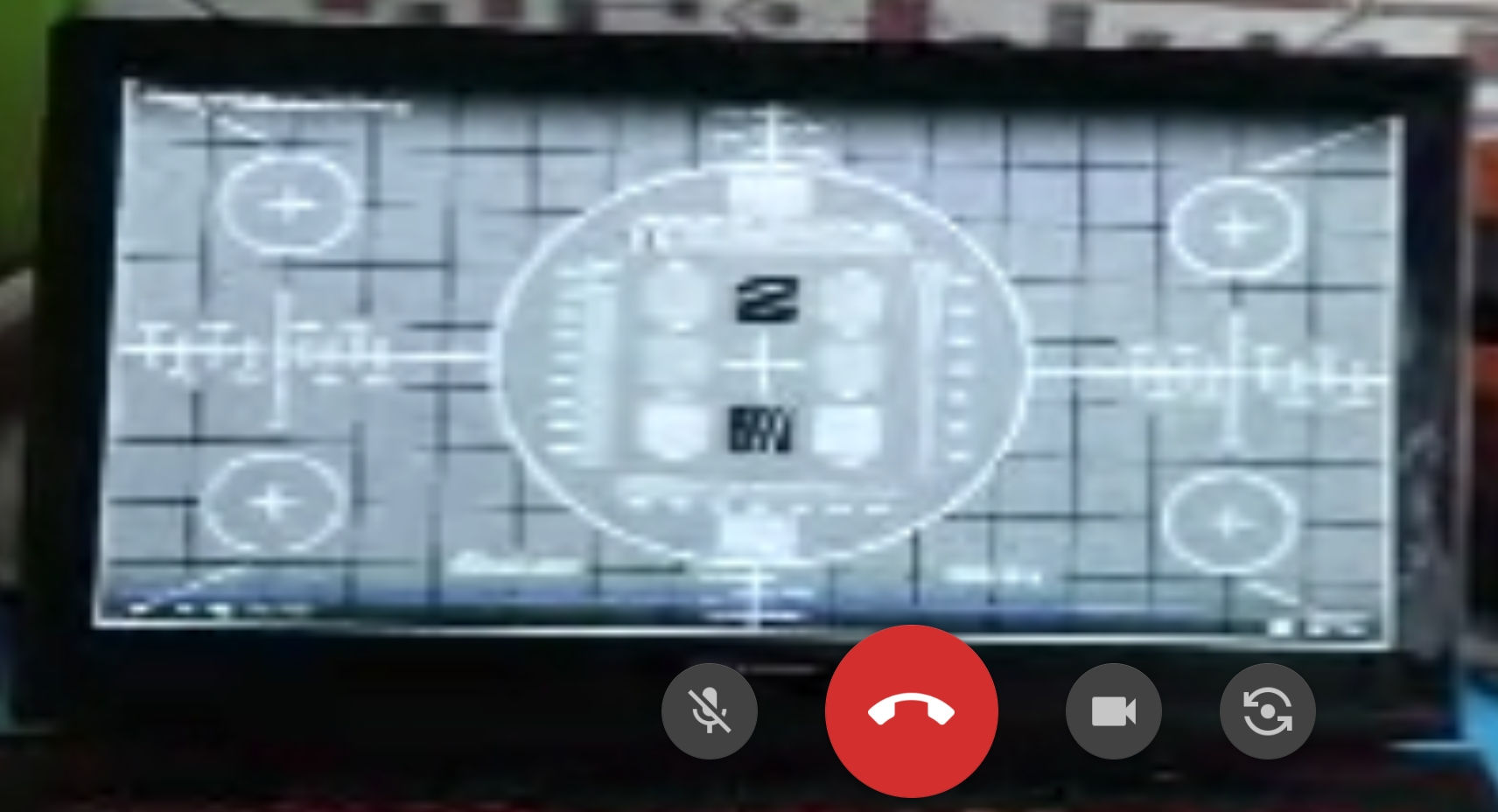
- caller has device in portrait view, receiver in landscape:
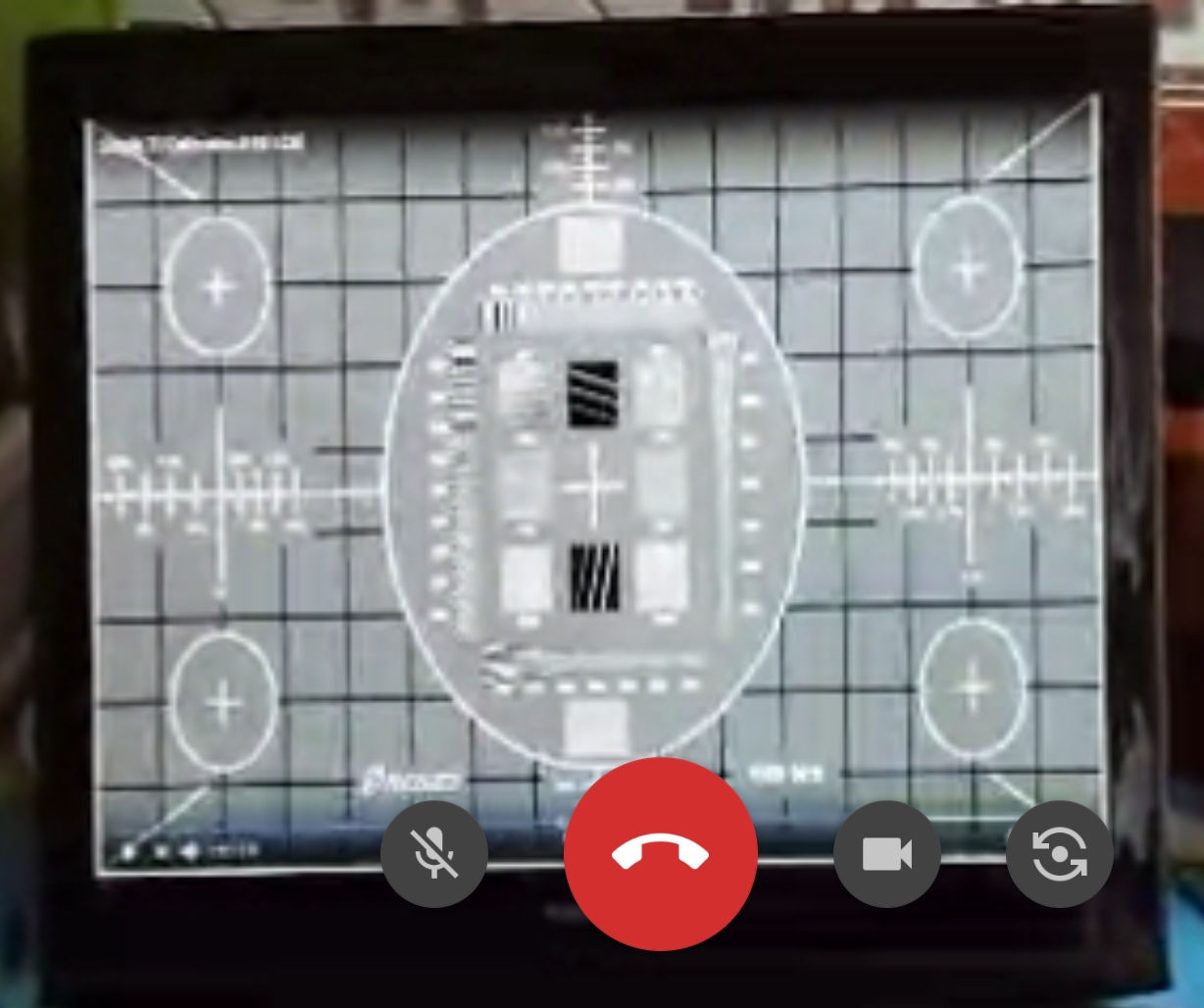
_(click on images to get full resolution)_
licaon-kter
on 14 May 2020
There is probably not a lot Conversations can do about that. The Camera API of Android exposes a list of available resolutions and Conversations just picks one. At no point can or does Conversations explicitly set an aspect ratio. Nor do I see a possibility to tell which of the offered resolutions are of a correct aspect ratio and which aren’t.
iNPUTmice
on 14 May 2020
I guess it's rather an issue of displaying it correctly?
Conversations should leave the "aspect ratio" as defined by the pixels. Eg. (Im taking the aspect ratio of my DSLR): 4000:6000 pixels -> 4:6 -> 2:3 aspect ratio.
It seems like conversations is right now stretching/compressing the video so it will fit the device's screen. It should not try this at all, but just show it up to the borders. Yes, if somebody has the phone horizontal, then the recipient will get a quite small picture with a black bars top and bottom. But at least the picture will look correct, and the recipient will understand that he needs to turn his phone also in order to get a bigger picture.
 Roxxor91
on 19 May 2020
Roxxor91
on 19 May 2020
FYI, Jitsi Meet does not have this issue.
licaon-kter
on 19 May 2020
Same problem here with front camera on Samsung S4 mini.
No problem when using Jitsi.
 MCMic
on 9 Jun 2020
MCMic
on 9 Jun 2020
What I figured is, that it is somehow device dependent, with some people it happens, with some not. I am unfortunately not able to replicate the issue with the phones I have lying around at home, and I'm not able to obtain logs when performing calls with people where the issue occurs (as they are far away and I obviously have no access to their phone).
Is someone of you maybe able to obtain logs from both devices when this occurs?
Roxxor91
on 13 Jul 2020
Logs of what, does Conversations log anything useful?
licaon-kter
on 13 Jul 2020
Updated info:
- the J3 was actually a J5 (2016) running Android 7.1.1
- the J5 was easy to unlock so I installed an unofficial Lineage 17.1 (Android 10), but the issue persists
licaon-kter
on 7 Sep 2020
Related issues
 pravi
·
4Comments
pravi
·
4Comments
 benjaminbischoff
·
3Comments
benjaminbischoff
·
3Comments
 mightyBroccoli
·
3Comments
mightyBroccoli
·
3Comments
 jplitza
·
4Comments
licaon-kter
·
3Comments
jplitza
·
4Comments
licaon-kter
·
3Comments
Most helpful comment
FYI, Jitsi Meet does not have this issue.