Conversations: Sending message to a person that we have not in a roster and ability to set or not presence subscriptions before contact add
Hi,
I write all this feature request in that single issue, becasue they are releated.
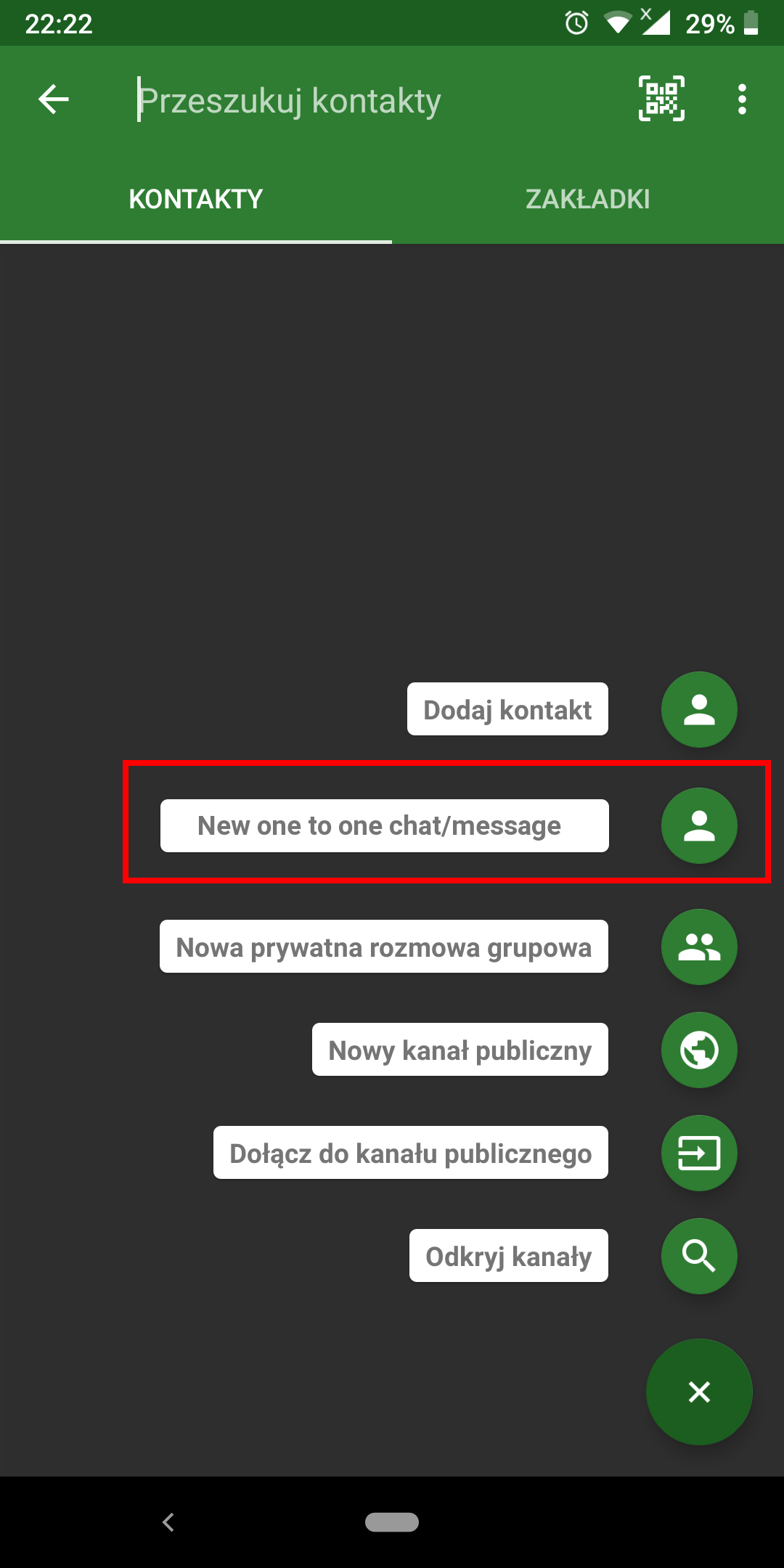
- Conversations can't send a message to a person that we don't have in a roster. Now we must first add this contact to it, and then we can start with him a chat.
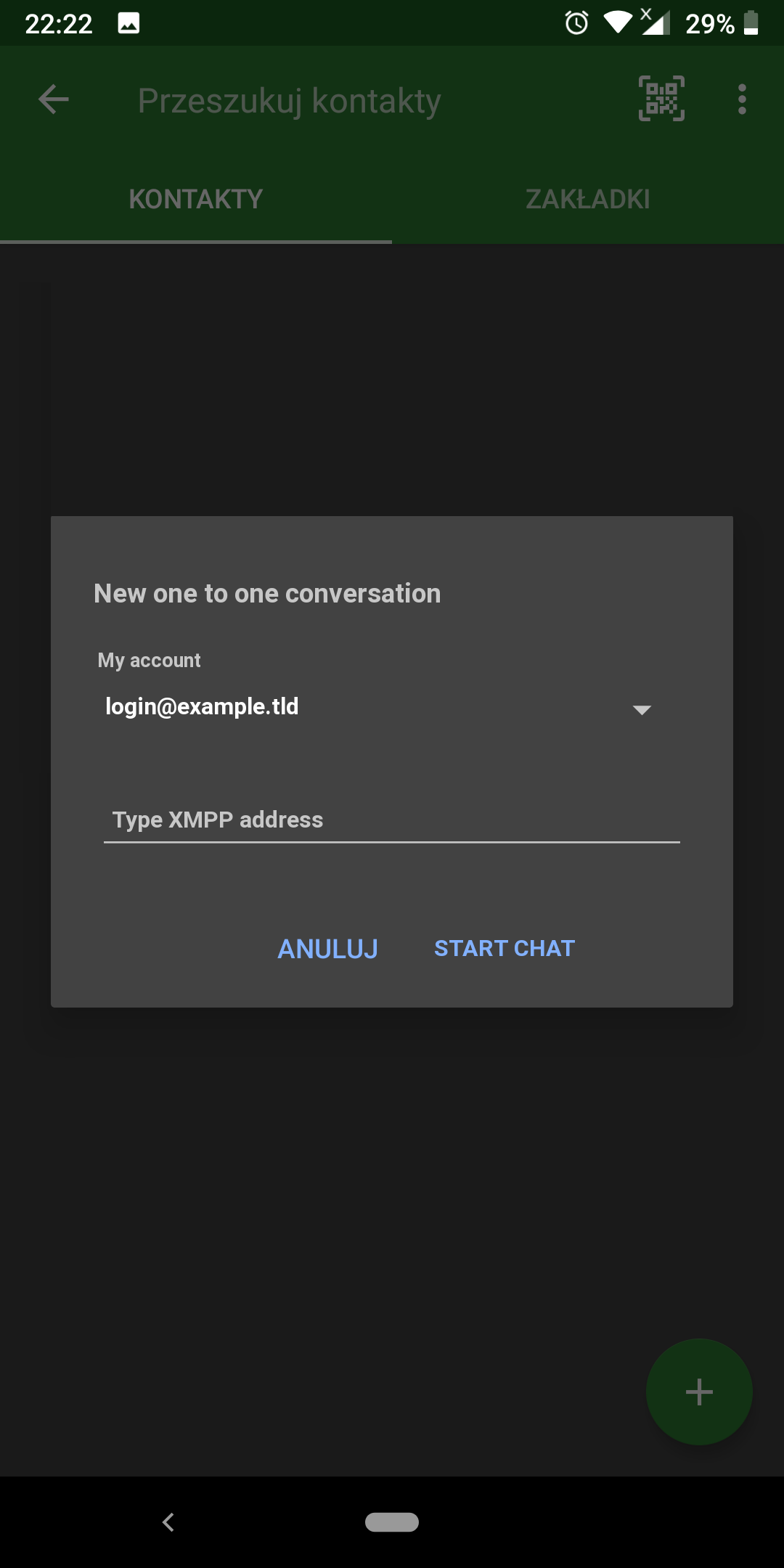
I think that this is more complicated rather than to enter a xmpp address manualy and start the chat. (Conversations will add this user to a reoster in a background.)
Example use case:
Im on a browser on my Android phone reading a website. I wanted to contact with author of that website, look at contact form, copy xmpp address and simply start a chat.
I have a mockup showing a example UI for it :)
A) Starting a chat with a person:
B) Entering XMPP address
Another mocups are for sharing things from android to a new contact - for example a website using Android share function:
A) Choose share button in browser and select conversation.
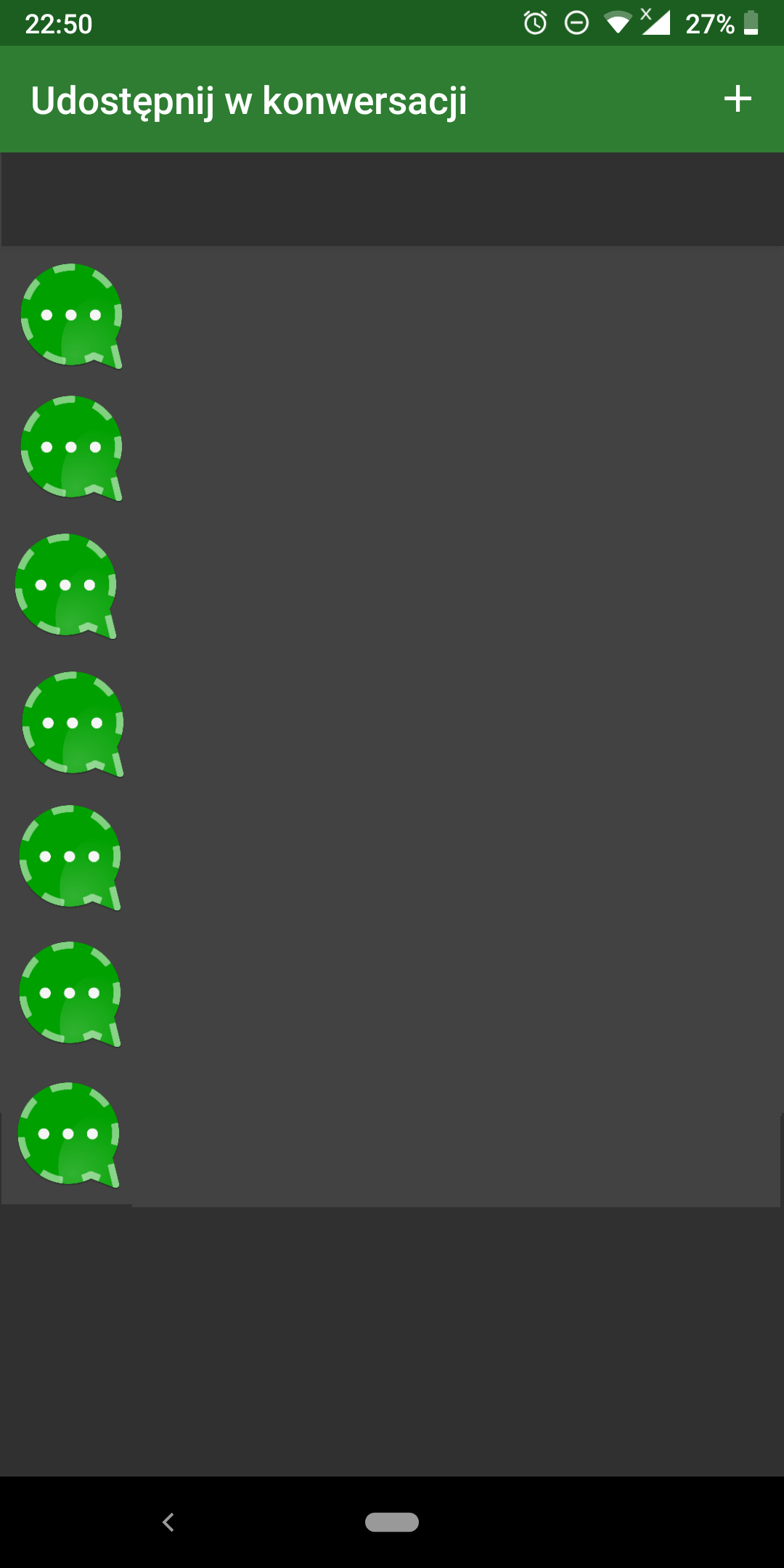
On that screen we can only share it with opened conversations. To share it with another added contact or with new contact we must click on plus button "Share with a conversation"
B) On that window we wanted to share it with contact that we don't have it in a roster.
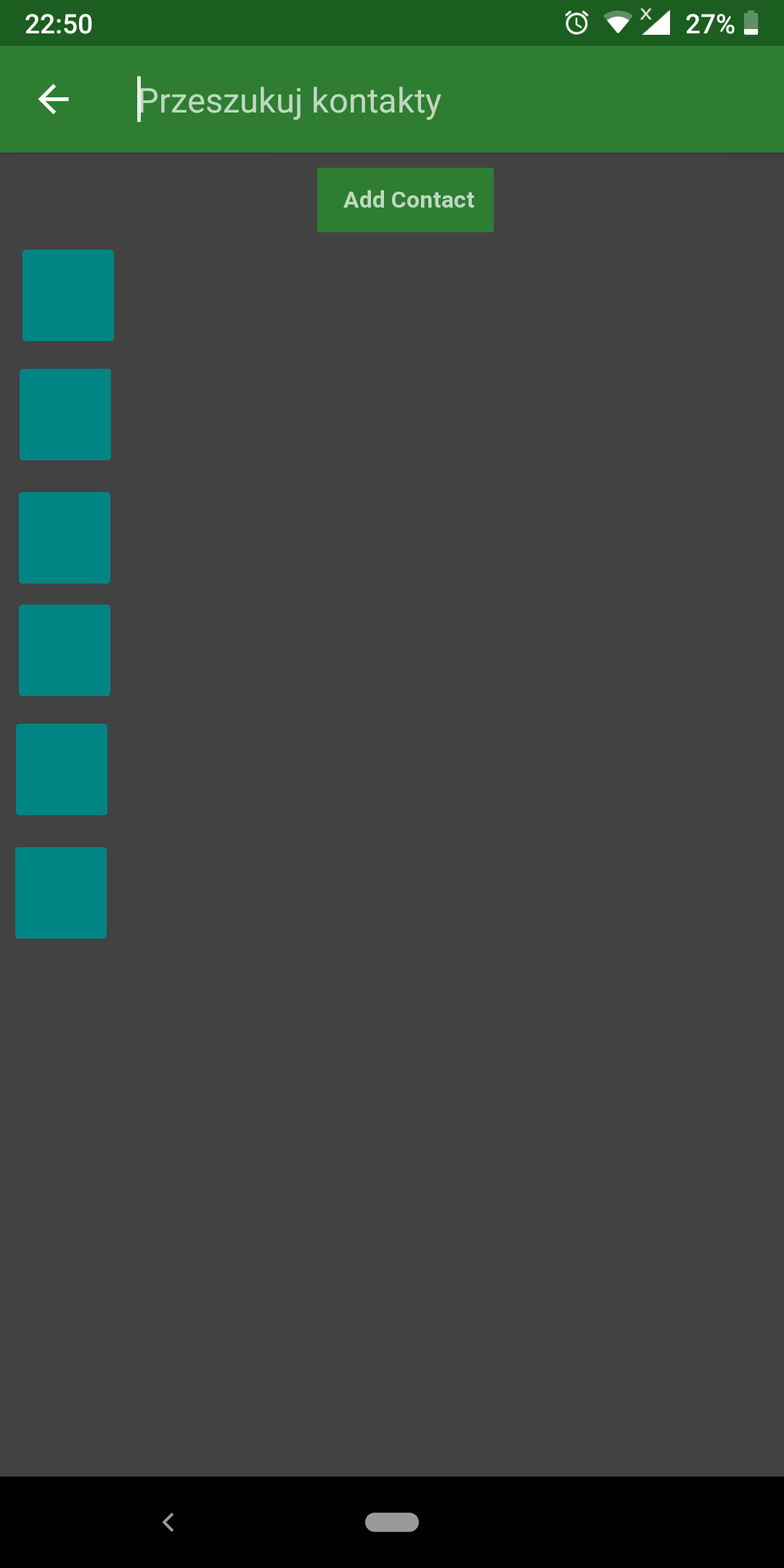
When we tap on "Add contact" Conversations will show an adding contact window and after that start a conversation.
2.) Conversations should allow to not send presence subscription request when adding a new contact. Why? For privacy? Sharing presence with another people is not just sending status, but avatar (PEP Avatars), listening music and other.
For presence subscriptions we can read in an RFC https://tools.ietf.org/html/rfc6121#section-3:
In order to protect the privacy of XMPP users, presence information
is disclosed only to other entities that a user has approved. When a
user has agreed that another entity is allowed to view its presence,
the entity is said to have a "subscription" to the user's presence.
An entity that has a subscription to a user's presence or to which a
user has a presence subscription is called a "contact" (in this
document the term "contact" is also used in a less strict sense to
refer to a potential contact or any item in a user's roster).
There a cases that we only wanted to make a few messeges and not share aour presence.
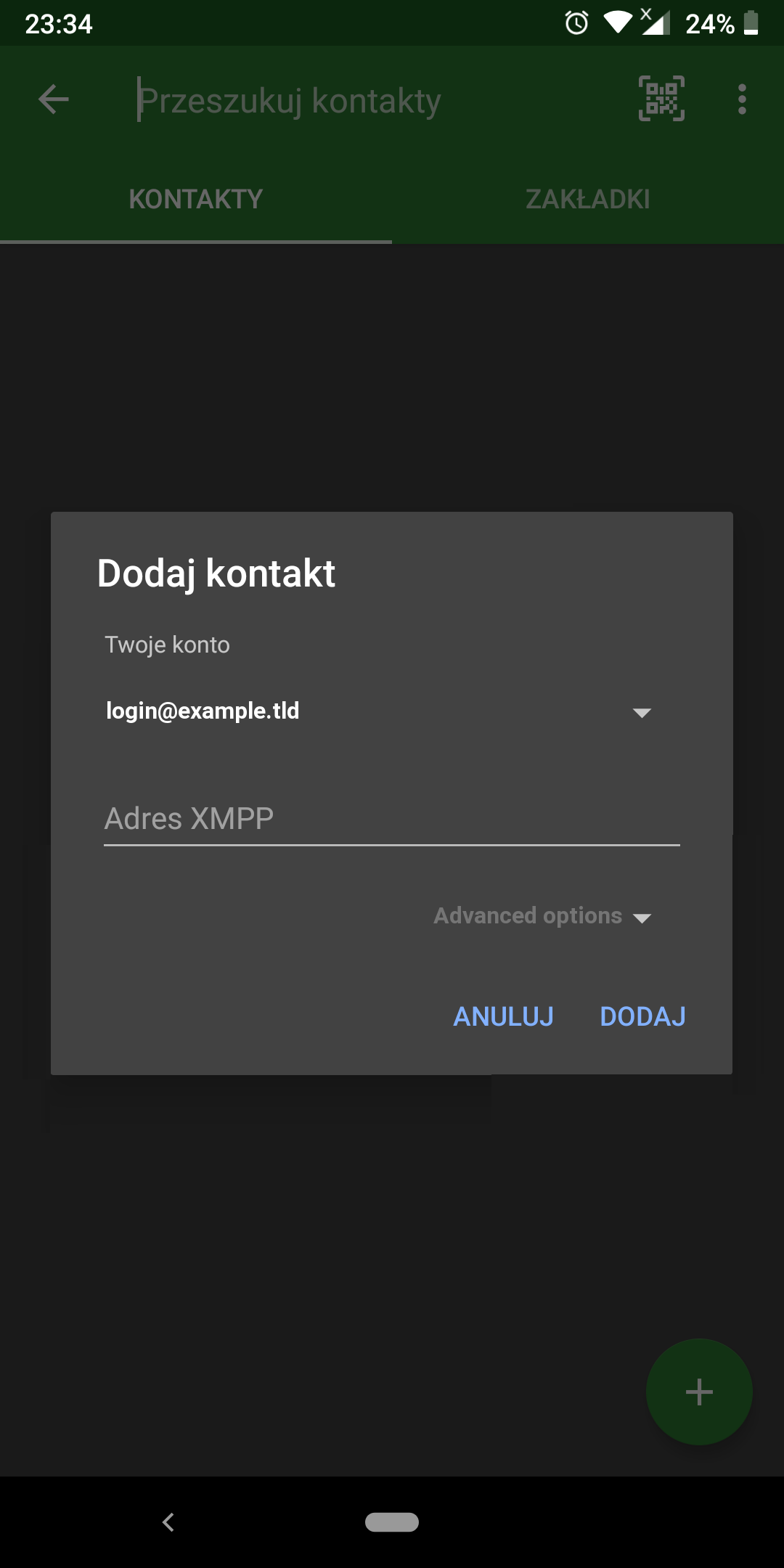
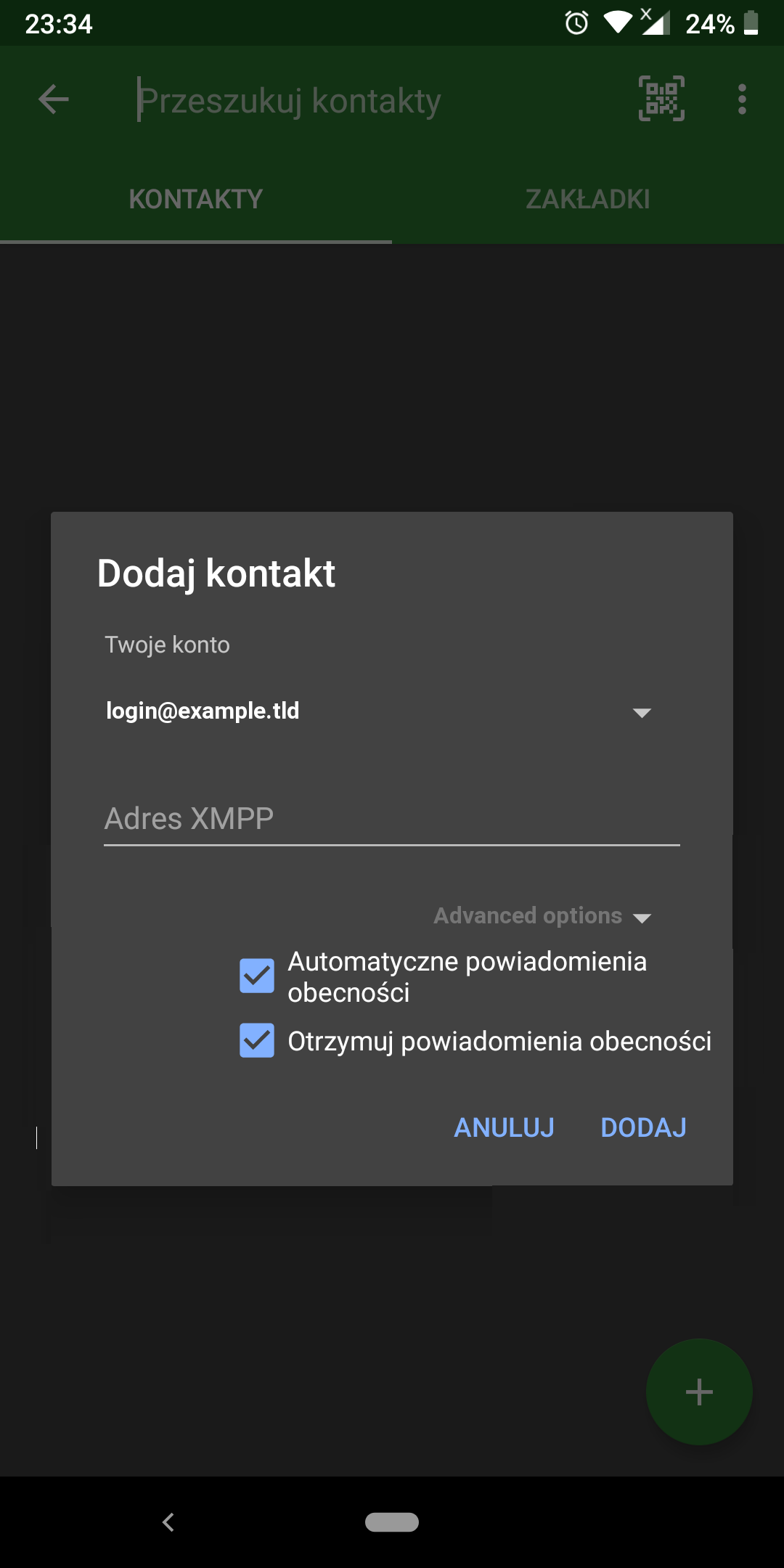
How Can I see this? Adding ability to send/or not this information, when adding new contact should be simple and not changing the UI too much, so adding an Advanced options list on that window should be ok. Ofc this option should be rolled by default.
Rolled:
Unrolled
 andypl
All 3 comments
There was a global switch for not requesting presence subscription in Conversations 1.x. I don’t think many people used it. I don’t consider this "privacy preserving" feature to be important enough to clutter the UI with it.
Your avatar is world readable anyway. Not really sure why you are broadcasting what music you are listing to.
 iNPUTmice
on 21 Jul 2019
iNPUTmice
on 21 Jul 2019
There was a global switch for not requesting presence subscription in Conversations 1.x. I don’t think many people used it.
I use it on me desktop client every day. Probably a lot of people use that function too. Why You don't allow this in Conversations?
You are writing this cute sentences in a github page:
Be as beautiful and easy to use as possible without sacrificing security or privacy
but not doing this at all.
Making UI something similar to my, or making a global switch in advanced settings are not hard, and will not lower the UX experiences.
Let people choose what to do with their presence. Do you even read quoted part of RFC?
Another question is about sending a message to person not in roster. I showed You a user case for it. Conversations leak the posibility to make something like that. Buts what? Nobady will use it?
I'm wasting about 1 hour to make that issue and You simple close it for no good reason, thx.
It only confirms me that there is no point to make FT at this github page becasue, all are closed with a simple comment "no becasue I dont wanted to it, in my opinion nobody will use it".
I'm in XMPP over 15 years, I've use it before it was a standard called XMPP. There are always a guy or a group of a guys that have good skills in programming, but have a lower skills at other things, and they decision make a software worst that it can be and at the and project will die.
You are a guy that wants XMPP to be shiny once again, but not really doing it. Making a things in C that really doesn't matters, and only meet needs of group of people in a C muuc room. But there are more C users that don't even know about that room, and wanted to have function existing in a desktop client.
But ok, its your decision.
This is probably my last feature request to Conversations becasue its not worth. I'm spending my free time for writing this and get: "no, its bad, I will not use it".
andypl
on 21 Jul 2019
Managed to do a little testing between Psi and Conversations - I can use IM:headline to send IM message to someone not on roster (from Psi) and its received (on Psi) - Conversations just ignores type:headline - though Conversations doesworks the same with type:normal&chat. On Psi, yes the sender JID does appear in the roster but presence is not given and prompted to add/authorize - the receiver can reply again without presence being shared or requested.
The avatars are not shared both ways but unless separate add/authorize process is followed then no presence is shared. Psi can see both avatars, Conversations not.
For reference, 1st fails in Conversations, 2nd and 3rd are successful - of course you end up sending in plaintext as OMEMO requires roster authorization to retrieve OMEMO keys from the published PEP of both accounts but was not able to quickly verify that fact:
[1]
```
id='sl3nx51f'
to='[email protected]'
type='headline'
xml:lang='en'>
[2]
 ```
<message
      from='[email protected]/world'
      id='sl3nx52f'
      to='[email protected]'
      type='normal'
      xml:lang='en'>
    <body>Oh Romeo.</body>
  </message>
[3]
 <message
      from='[email protected]/world'
      id='sl3nx63f'
      to='[email protected]'
      type='chat'
      xml:lang='en'>
    <body>Oh.</body>
  </message>
 lee-xmpp
on 21 Jul 2019
lee-xmpp
on 21 Jul 2019
Related issues
 tbeitter
·
3Comments
tbeitter
·
3Comments
 guy6498765413168978463153248
·
4Comments
guy6498765413168978463153248
·
4Comments
 mfvescovi
·
4Comments
mfvescovi
·
4Comments
 ghost
·
3Comments
ghost
·
3Comments
 link2xt
·
4Comments
link2xt
·
4Comments