Contacts: Scrolling in the contacts list is difficult in 3.1.1
Scrolling in the list in 3.1.1 will lazily rearrange the items, leaving you with something between 1 and 3 seconds of overlapping contacts which then jump into their "slots" or off the screen.
- Have enough contacts for a "largish" list, 60 should do fine.
- Grab the scrollbar and yank it from one position to another.
I would provide you with a screenshot, but I'm not very keen to post my contacts list here. I'm seeing this with the latest Firefox.
Want to back this issue? Post a bounty on it! We accept bounties via Bountysource.
 RobertZenz
All 14 comments
Hello! :)
Could you send the screenshot or the screencast to my mail then?
[email protected]? I'm the maintainer of the app, so I'll keep your sensitive info safe :wink:
We indeed introduce a speed improvement in the contacts list on 3.1.x, but I did not noticed anything wrong while using the contacts app (quite the opposite).
What are your system specs? Is it a powerful machine? Server too?
Thanks for your report! :v:
 skjnldsv
on 4 May 2019
skjnldsv
on 4 May 2019
Right, I always forget that my server is introducing a slight latency (see #923).
I'll send you a screenshot.
RobertZenz
on 4 May 2019
Also, please take the time to think about the title of your issues next time.
Not the kind of titles that give me the most motivation to work on :wink: :pray:
Thanks!
skjnldsv
on 5 May 2019
@RobertZenz any news?
skjnldsv
on 14 May 2019
@skjnldsv What do you mean? I did send you the screenshot as requested shortly after you've posted it. Did you not receive it?
RobertZenz
on 14 May 2019
@RobertZenz it was in spam! Sorry :)
skjnldsv
on 15 May 2019
@RobertZenz wow, that is messed up!
What browser are you using? Have you also cleared your cache?
skjnldsv
on 15 May 2019
As said, the latest Firefox does show this behavior with the debug console open and the cache being disabled.
RobertZenz
on 15 May 2019
I can also reproduce the issue now! 😉
Thanks for the help!
skjnldsv
on 15 May 2019
Different question but related, is there a chance that you can scrap that hard-coded JavaScript positioning? I'm using a few CSS changes in the theme (through the Custom CSS app) to increase information density on my screen. So previously I simply reduced the height of the items to fit more items into the list view. With the latest version that isn't working anymore because there seems to be some JavaScript logic which is rearranging the items and is using a hardcoded size. So on my full HD screen I can only see 13 contacts in the list at any time, with the previous version and my CSS changes it was nearly 23 contacts. Do you get what I mean?
RobertZenz
on 16 May 2019
@RobertZenz Not sure.
You manually increased the height of the list entries?
skjnldsv
on 17 May 2019
No, I decreased it. Consider the following view as it is right now:
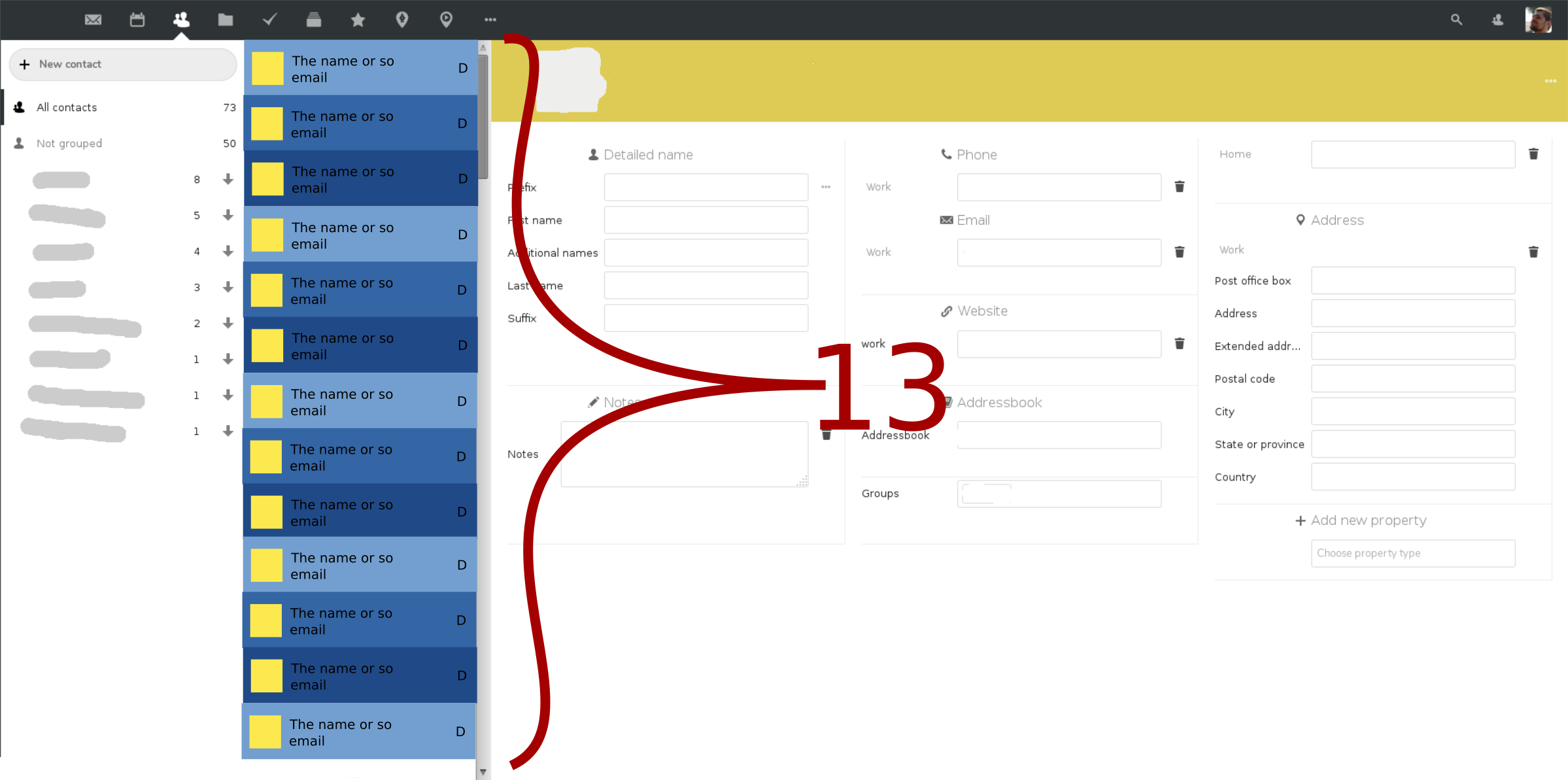
Now I used custom CSS to decrease the height of every item in the list to see more of my contacts at once:
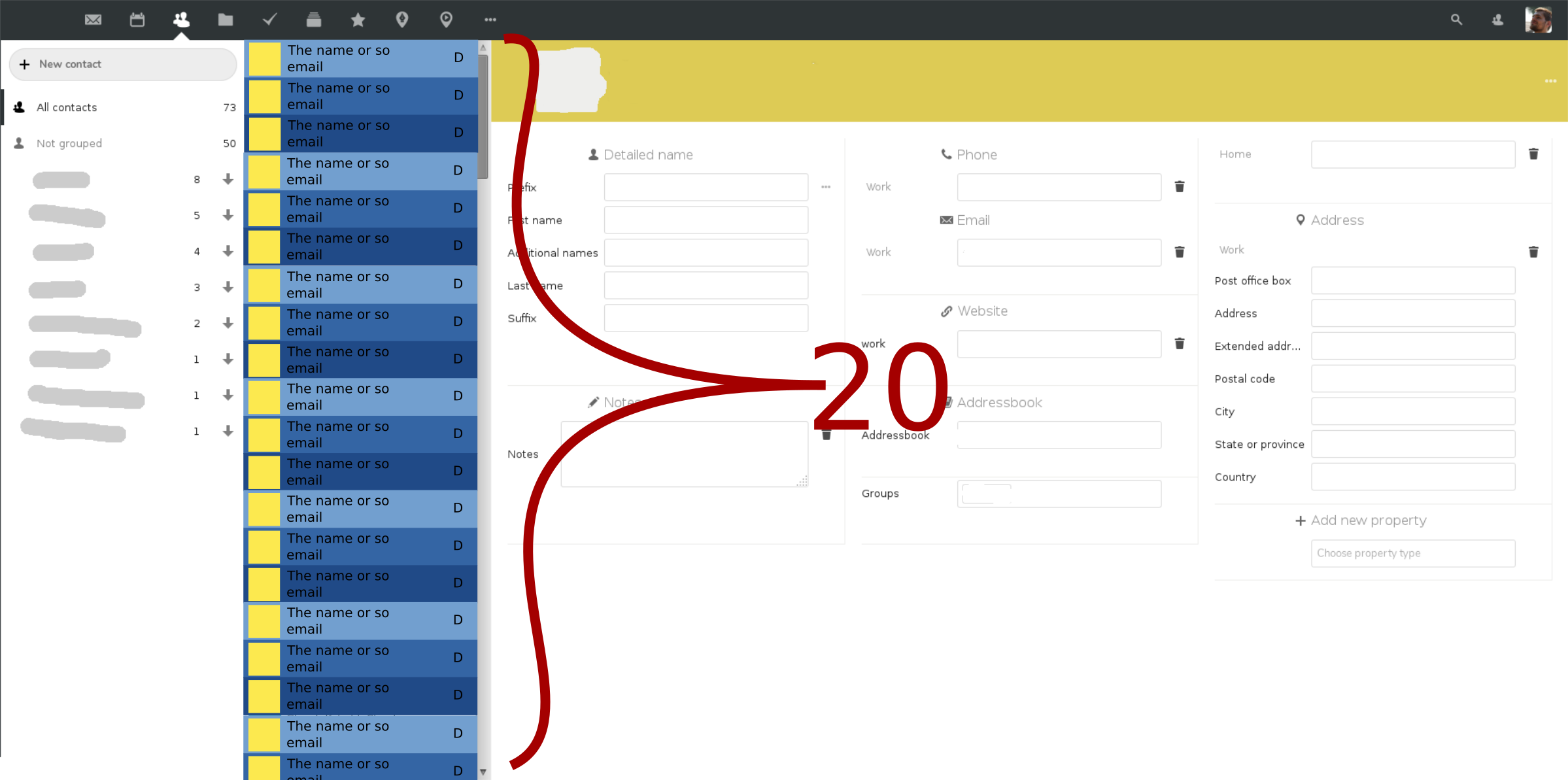
I'm even considering making the avatar smaller so that I can fit even more contacts simultaneously on my screen. The more contacts I see at once, the less scrolling I'll have to do.
Now with the latest version I can't do that anymore, because the layout logic is assuming a fixed height of each item which I can't influence anymore using CSS.
RobertZenz
on 17 May 2019
Ah yes.
Sorry, you can still manually compile and edit this app from source to fit your visual needs, but I will not change the sizing. It have been carefully selected for the usability guidelines and a proper mobile user experience.
So the height will not change, and unfortunately the scrolling system uses hardcoded javascript height for it, so I will not be able to change it :)
skjnldsv
on 17 May 2019
I see, okay, I will then go with that. Thank you.
RobertZenz
on 17 May 2019
Related issues
 despens
·
3Comments
despens
·
3Comments
 keunes
·
4Comments
keunes
·
4Comments
 silverhook
·
5Comments
silverhook
·
5Comments
 jtrees
·
3Comments
jtrees
·
3Comments
 brantje
·
5Comments
brantje
·
5Comments