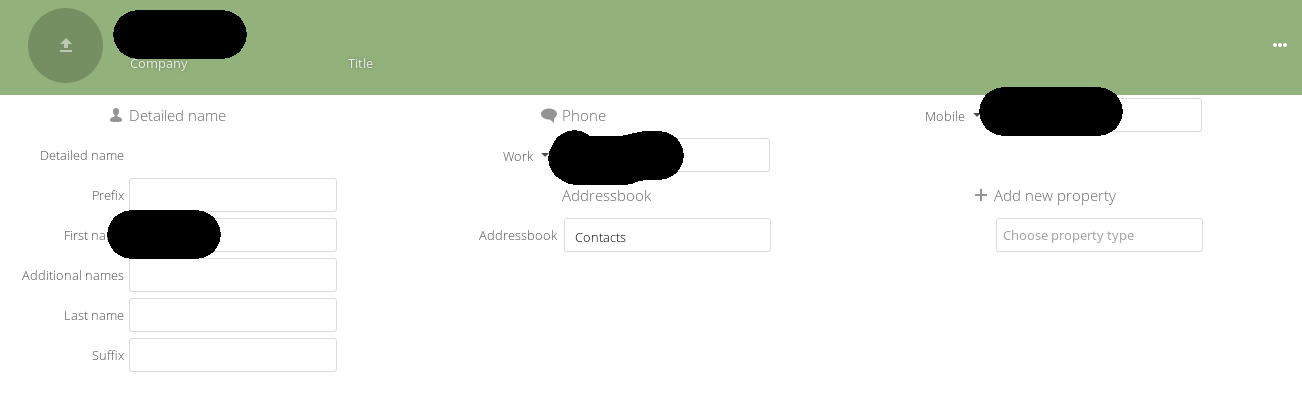
As you can see the phone numbers seem to be spread of two columns. Which is odd and looks out of place.
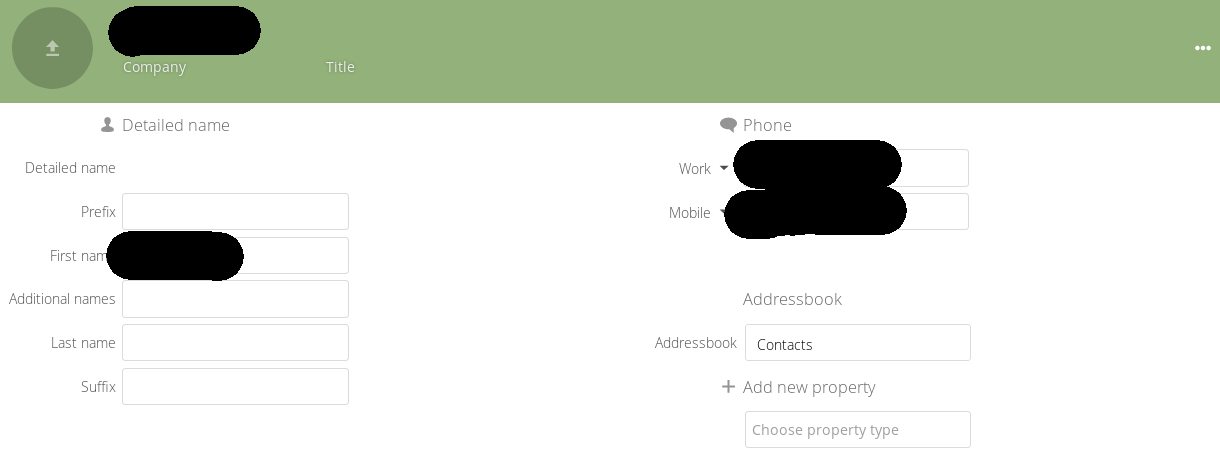
If I zoom in a bit all is good
Want to back this issue? Post a bounty on it! We accept bounties via Bountysource.
 rullzer
All 20 comments
Yes, this is due to the algorithm we use. Basically they're displayed right after the other, but flex is displaying them horizontally. There is no way to prioritise them vertically but filling them horizontally the way we implemented this.
I have another algorithm in testing that improve this but add other drawbacks :)
 skjnldsv
on 29 Sep 2018
skjnldsv
on 29 Sep 2018
I want to add here that it's quite confusing that depending on how many properties are set, other properties jump from the left to the right ore vice versa. So you always have to look for the right field. Also while switching between different contacts, I would expect to always have a specific field at a specific place, not one time on the left and for an other contact on the right.
 violoncelloCH
on 30 Dec 2018
violoncelloCH
on 30 Dec 2018
Could it be possible to place each set of properties in their own div?
 gary-kim
on 30 Mar 2019
gary-kim
on 30 Mar 2019
Hello @gary-kim :)
It was like that before and it was creating other issues.
The grid view was not possible and therefore could lead to really big incoherence in the size of each rows :/
skjnldsv
on 30 Mar 2019
Okay. I don't think there is a way to tell a grid when to wrap so I'll see if I can find a solution.
gary-kim
on 31 Mar 2019
@gary-kim one working solution requires a javascript algorithm.
We count how many column there is and we iterate over all the displayed properties:
- if the property have another same property: put it in the same column
- if not, put it in the column with the smallest height.
Like so it will stack and group properties of the same type, and always try to fill the column that is the smallest (for visual balance)
I tried it before, and it was decent :)
skjnldsv
on 31 Mar 2019
Hi!
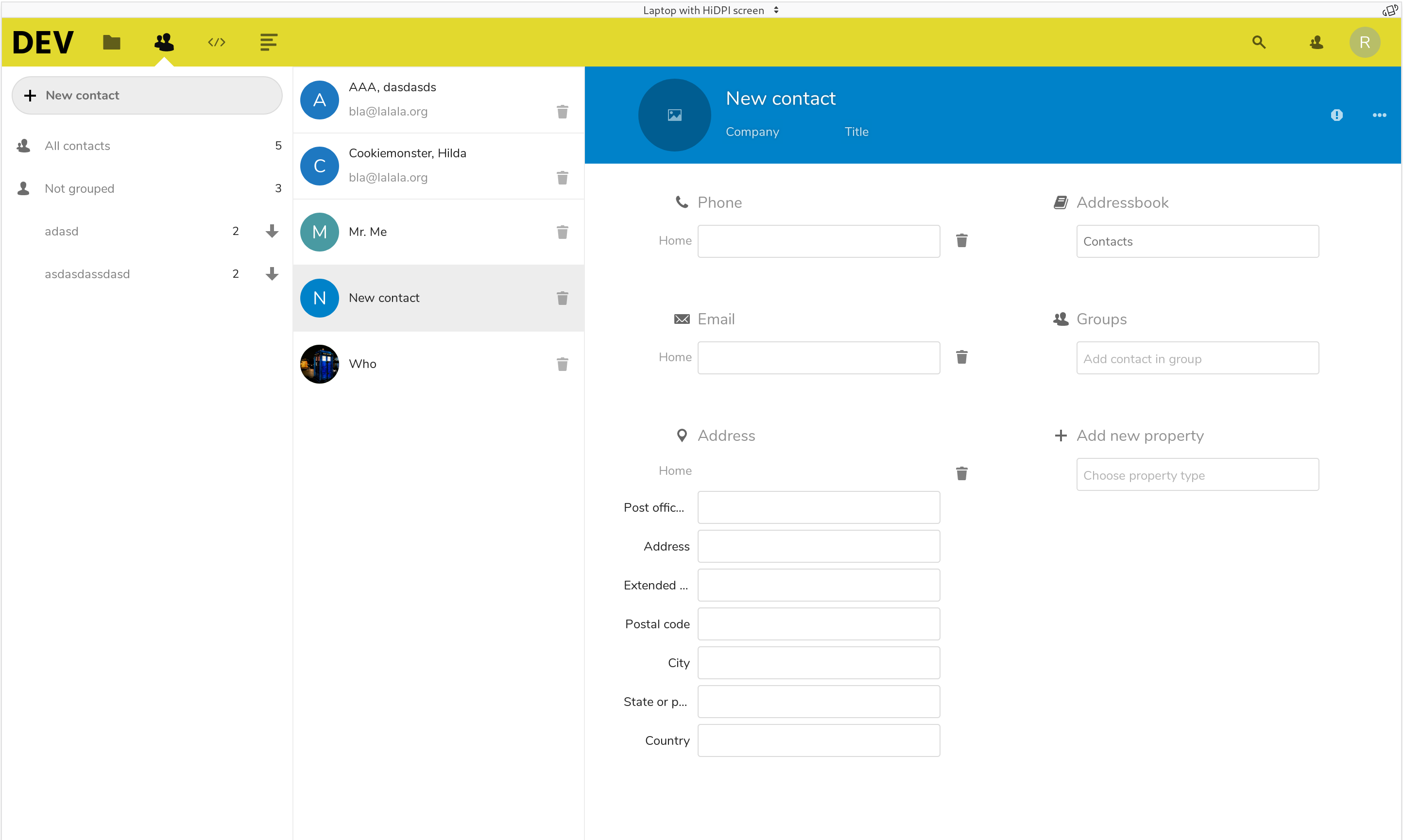
I tried sth:
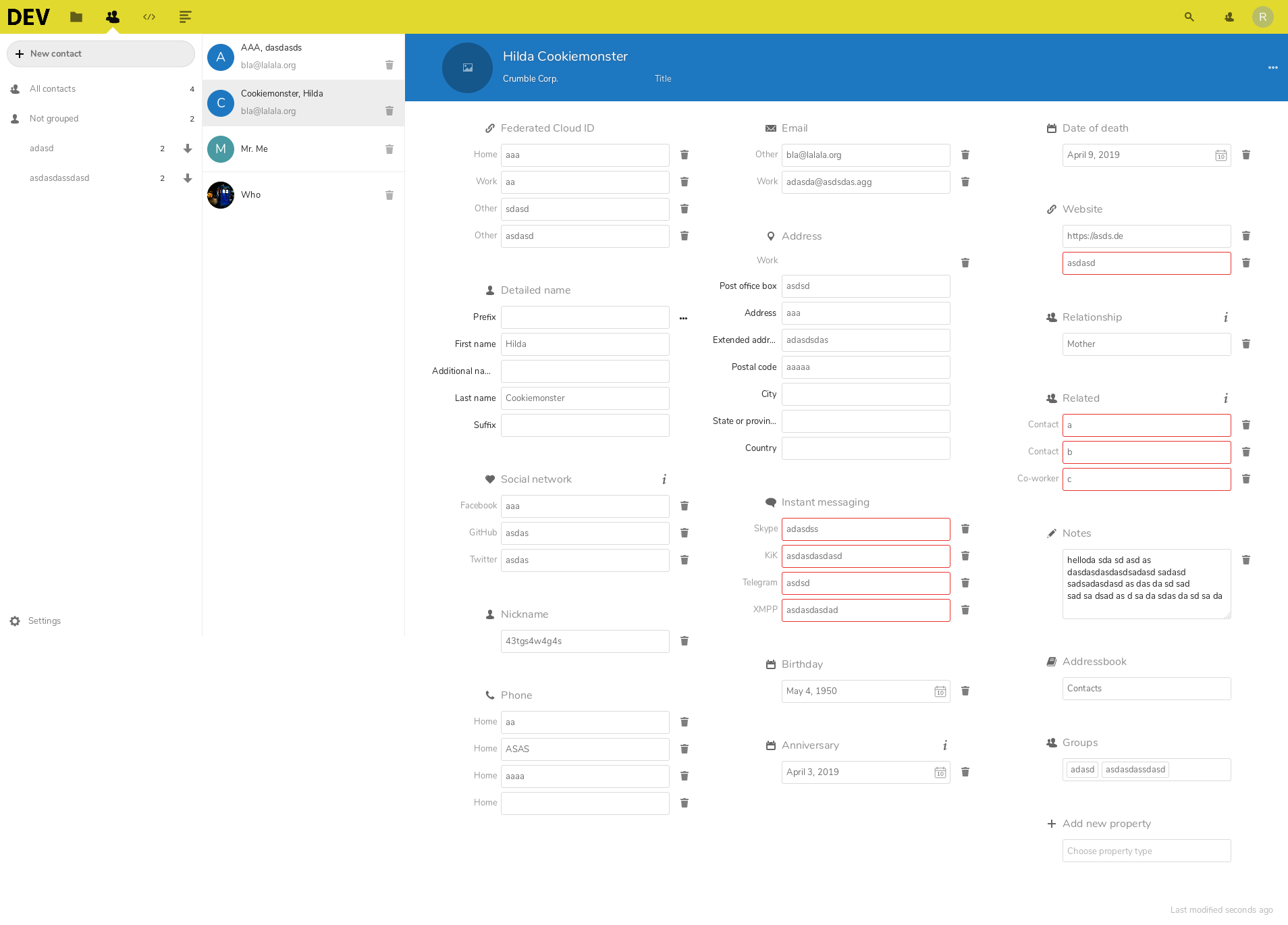
I grouped the properties, removed the grid view and made columns instead.
The props are still sorted, but the sorting gets displayed in columns ... not like a "real" masonry but css-only.
(I tried using vue-masonry but importing didn't work for some reason ...)
I also removed duplicated content in the UI and changed a few minor other things.
https://github.com/rponline/contacts/tree/experiment/neat-props
(sorry for this big chuck of changes)
I guess it still needs a few improvements, but would this be a suitable solution?
All props (1920x1080-ish)
New contact (1920x1080-ish, cropped)
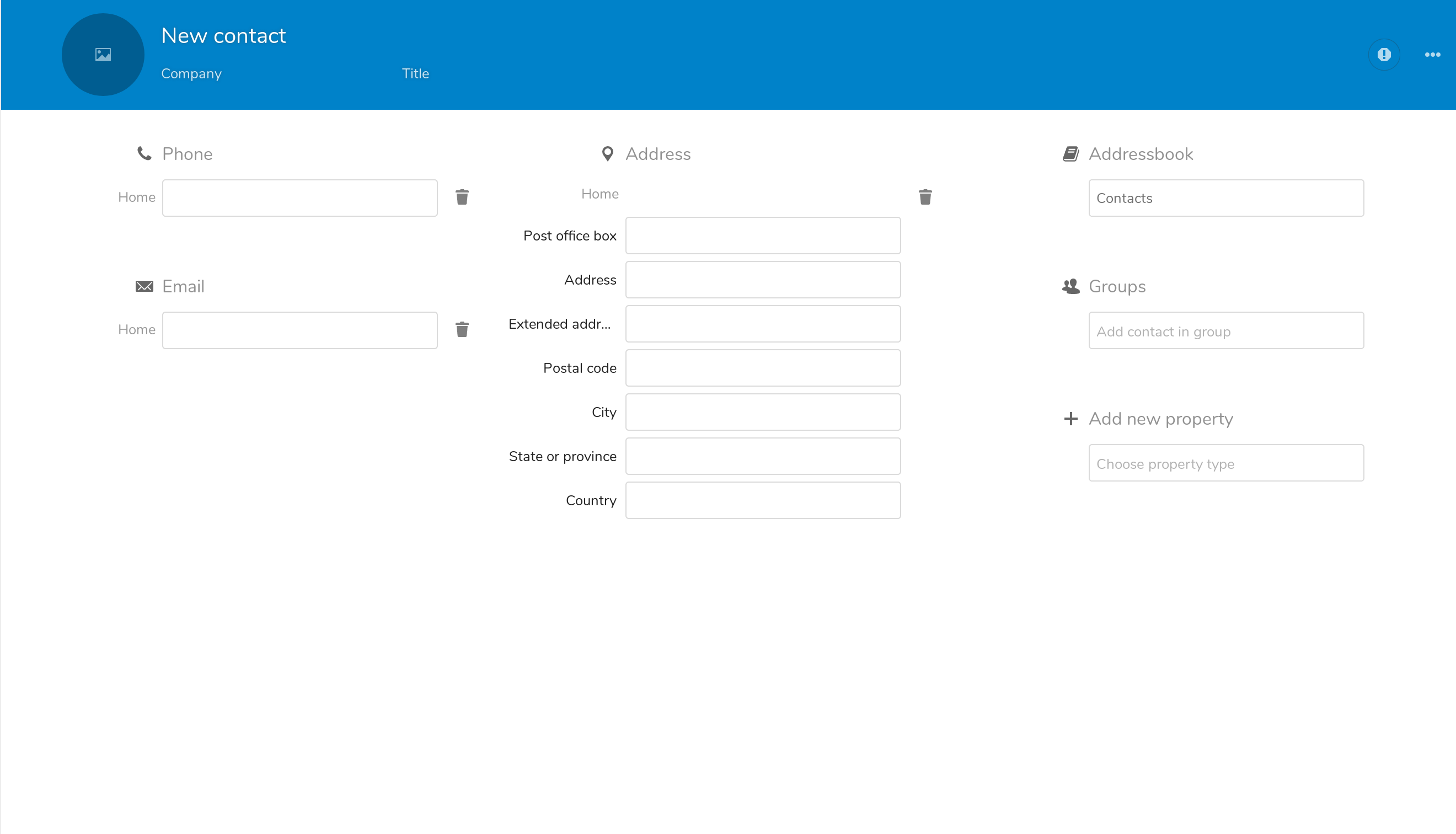
New Contact (1440x..)
 rponline
on 11 Apr 2019
rponline
on 11 Apr 2019
@rponline Hey thanks for taking a shot at it! :)
Unfortunately, I don't want to go back to this solution. This is exactly what we had in the 2.x version and it lead to a lof of different issues.
It was like that before and it was creating other issues.
The grid view was not possible and therefore could lead to really big incoherence in the size of each rows :/
Amongst those issues is how browsers are treating columns. The main problem is that columns are prioritised vertically, and not horizontally. Which is the opposite of what we're trying to do. We want to fill the horizontal space in priority. Your examples looks good, but they're carefully chosen. Take a look at those:
| 1 | 2 |
|:---------:|:------:|
|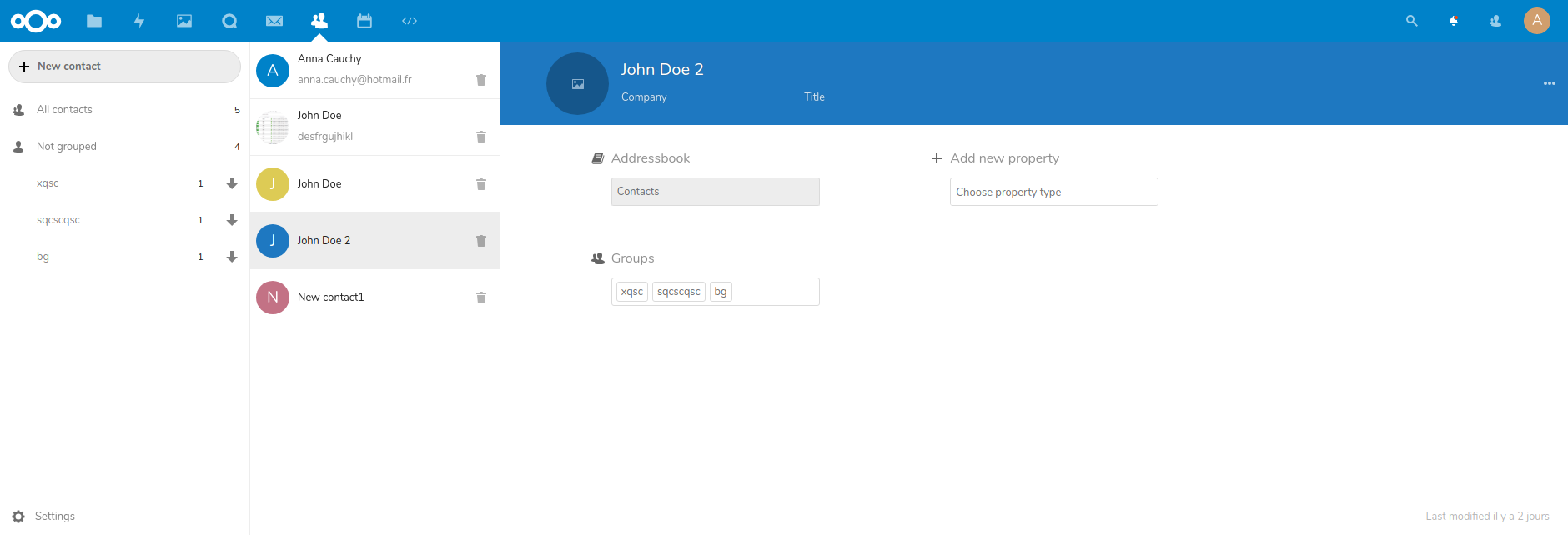 |
|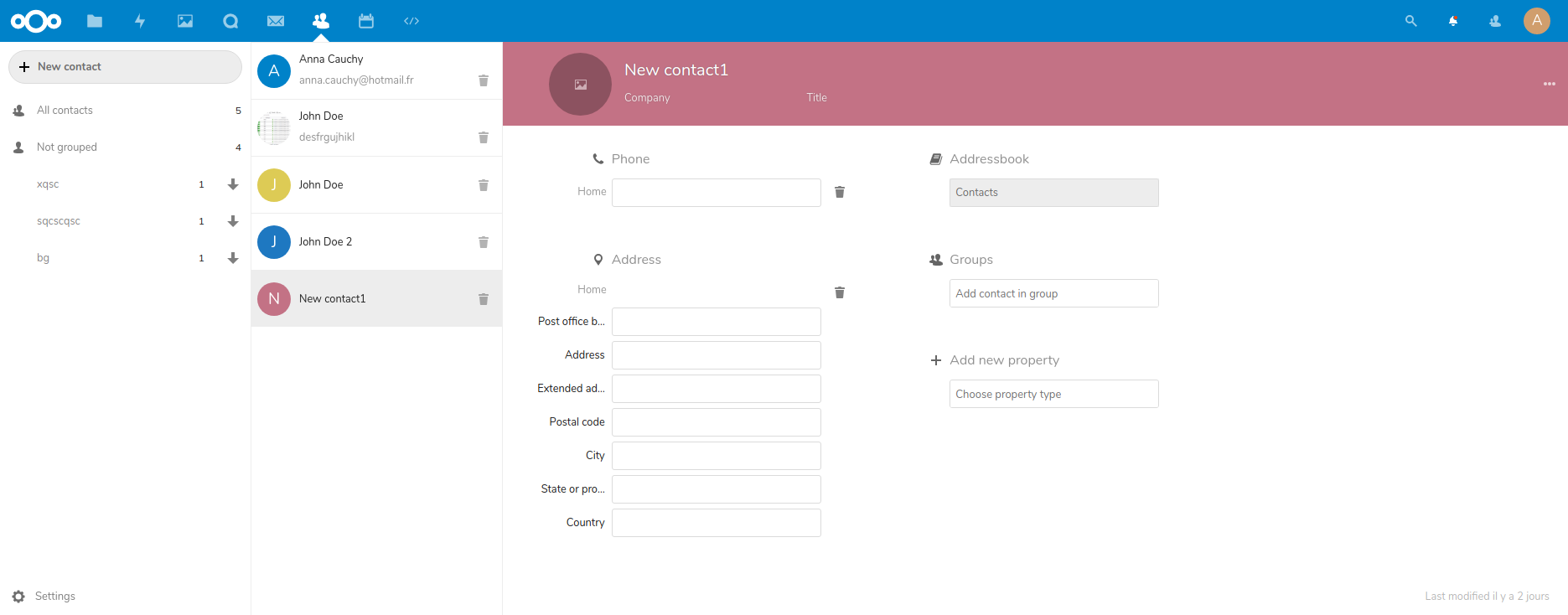 |
|
And the most important of all: Browsers does NOT properly display absolute items in columns and this is not possible in our case: :disappointed:
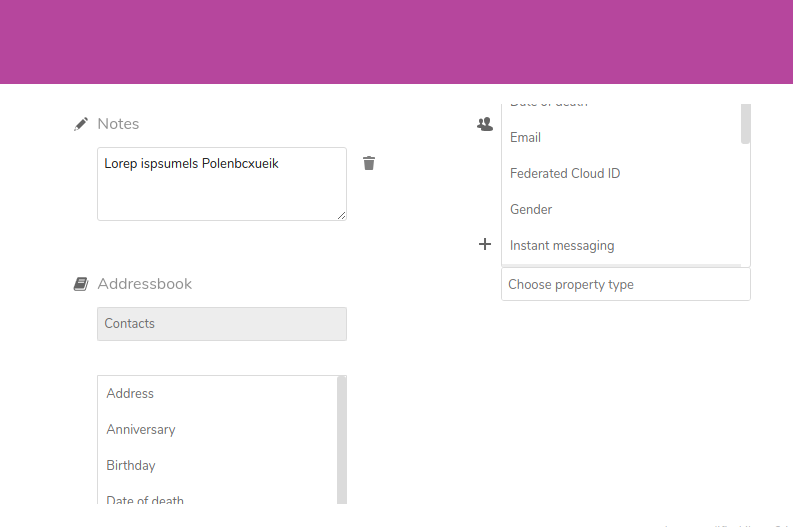
The only issue here is either a masonry plugin (but they're often heavy and can be hard to implement) or to create our own algorithm to place the items in specific columns (tried it, works ok, lost my code :see_no_evil: )
skjnldsv
on 11 Apr 2019
There are some lightweight masonry scripts out there which make use of css grid. I can have a look at them.
I honestly don't think that removing grouping is the way to go.
Having this abstraction layer makes the design process so much more flexible.
rponline
on 11 Apr 2019
@rponline depends on what kind of implementation you do.
I don't have anything against grouping, but css column is not the proper solution for sure :)
skjnldsv
on 11 Apr 2019
I can have a look at them.
That would be awesome! Thanks :)
skjnldsv
on 11 Apr 2019
@skjnldsv
I updated this branch:
https://github.com/rponline/contacts/tree/experiment/neat-props
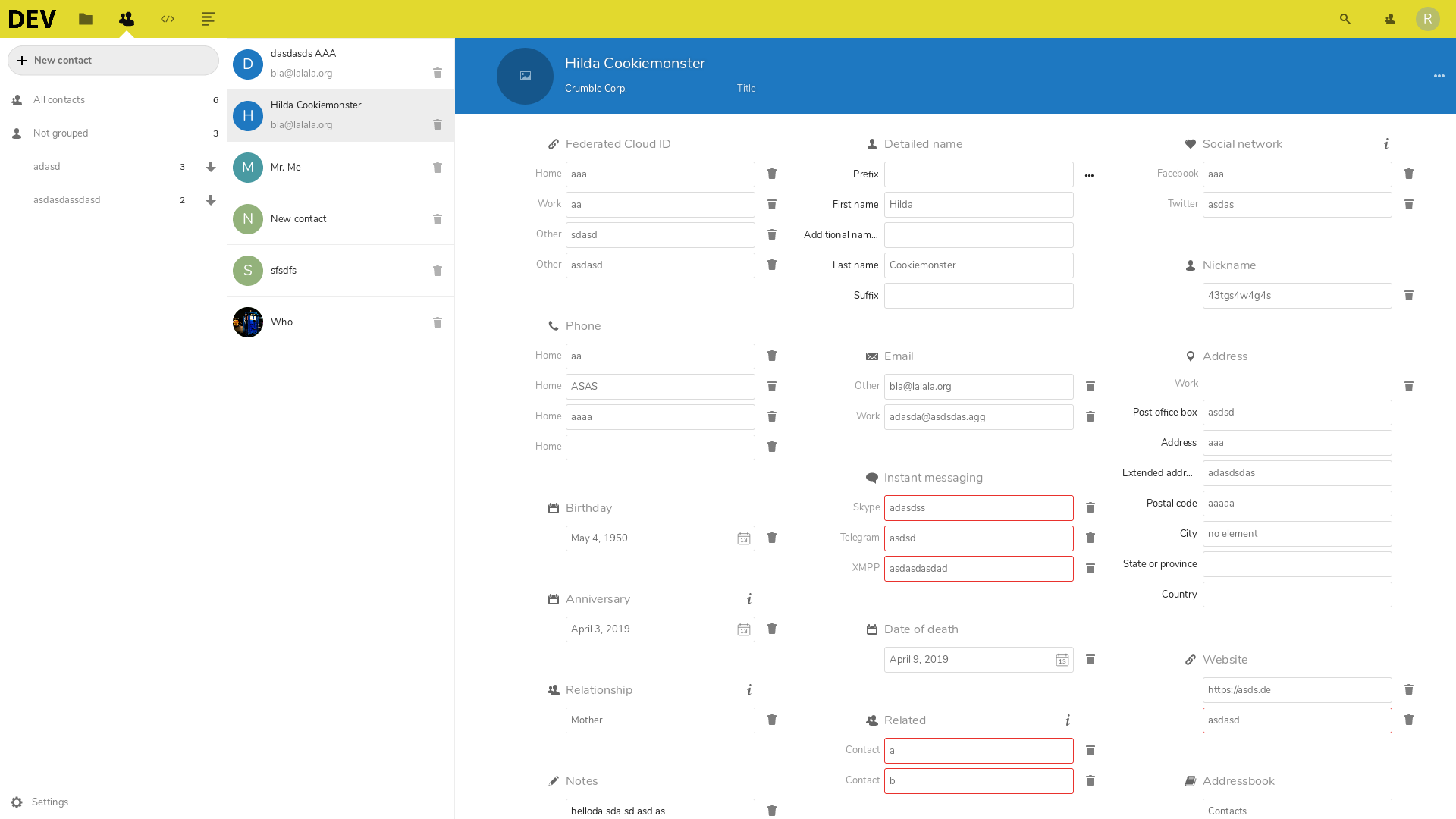
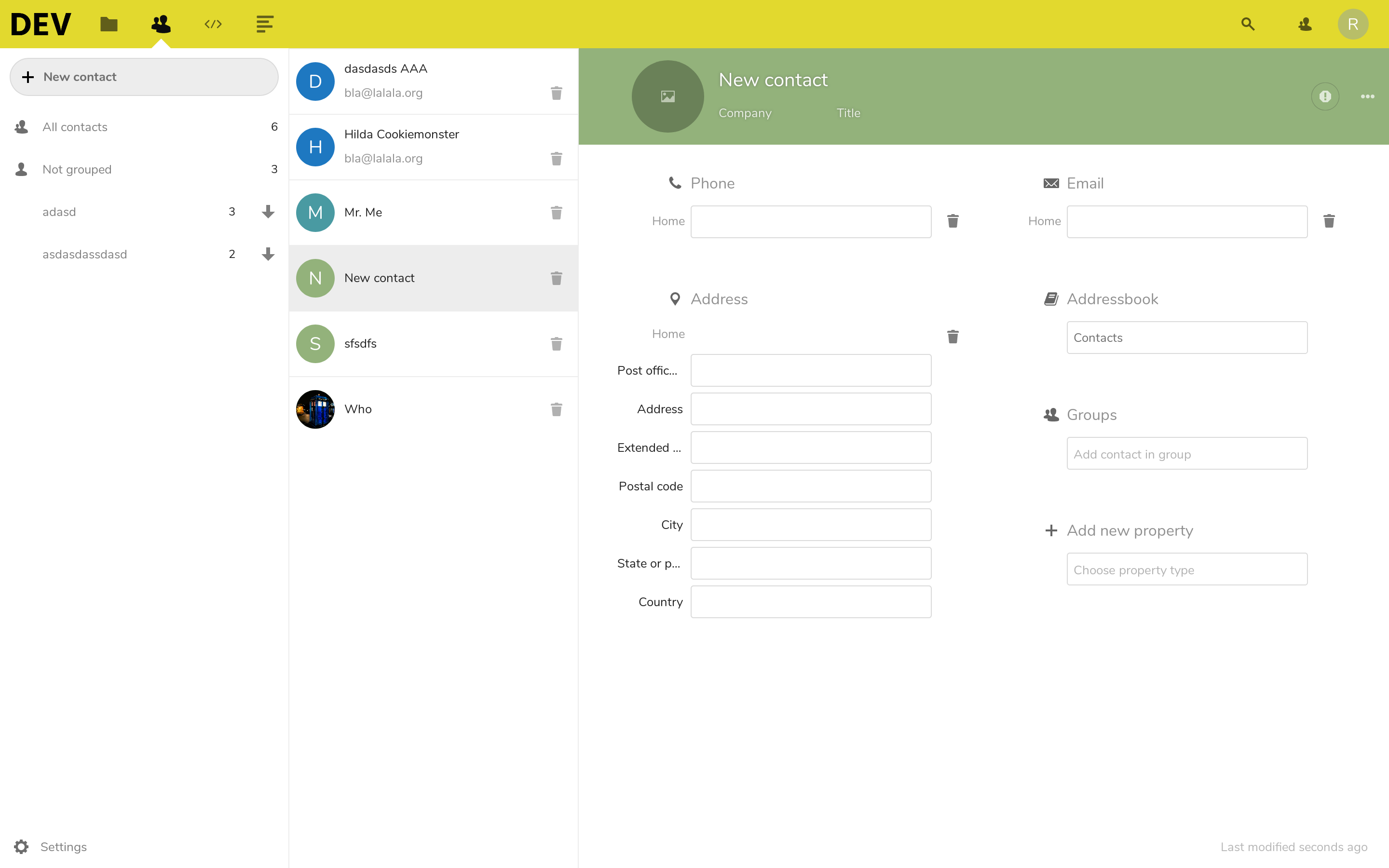
Now, it's masonry with css grid (and a bit of js). It's working, but not ready for production.
I'll polish it if you think we can use this.
Screenshots:
rponline
on 13 Apr 2019
Visually looks very nice!!
I really like your idea of the grid span, this is very clever! Let's do it! :tada: :wink:
I saw a few changes, but I will comment then in the pr once created, it's mostly a few bad code practice we coul dimprove on contact-details-property-group!
Thanks a lot! This is awesome!!! :rocket:
skjnldsv
on 14 Apr 2019
@rponline any news? :)
skjnldsv
on 16 May 2019
I'll create a pull request in the next days.
Had some problems, but i solved them ... now i have to merge/catch up with the current master.
You can already look into or even test my branch if you feel like it :)
rponline
on 17 May 2019
Awesome!! I'll be pretty busy in the next few weeks, but I will make sure to check and assist you on your awesome work :)
skjnldsv
on 17 May 2019
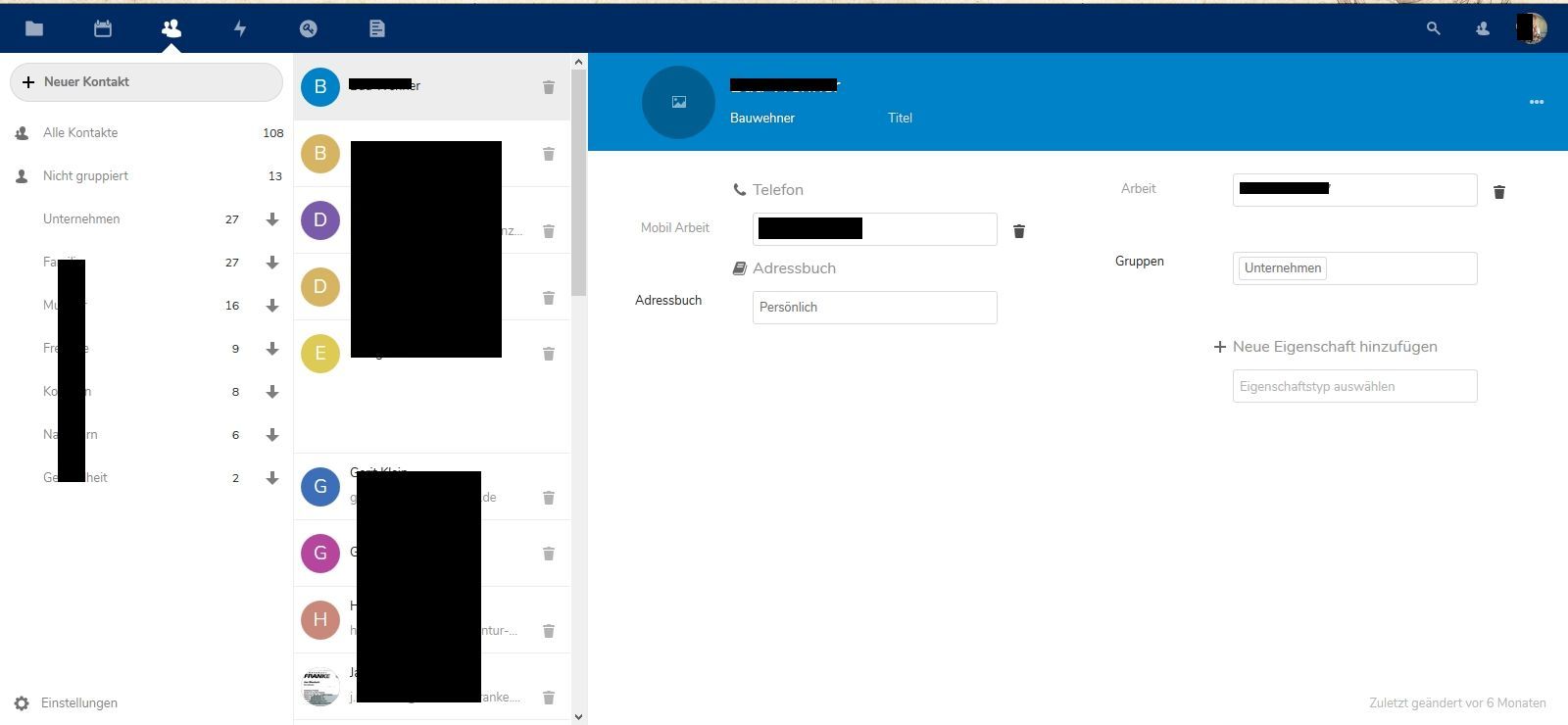
Bug in list after moving contact to another address book.
 felixoswald
on 7 Jul 2019
felixoswald
on 7 Jul 2019
What's the state of this issue?
 myrho
on 14 Jan 2020
myrho
on 14 Jan 2020
Maybe this could be helpful for someone debugging this:
For me the design is
- usable up to and equal
window.innerWidth = 1729px - broken above and equal
window.innerWidth = 1730px
In order to be able to work with the contacts app I've added a Stylus stylesheet for my nextcloud instance which "fixes" the issue for me by limiting the view for contacts details.
It's still slightly broken for a few contacts but in general works fine…
@-moz-document domain("yourdomain.here") {
    #contact-details {
        max-width: 1100px;
    }
}
 Luzifer
on 24 Jan 2020
skjnldsv
on 21 Aug 2020
Luzifer
on 24 Jan 2020
skjnldsv
on 21 Aug 2020
Related issues
 ArnY
·
5Comments
ArnY
·
5Comments
 IamSAB
·
4Comments
IamSAB
·
4Comments
 jtrees
·
3Comments
jtrees
·
3Comments
 keunes
·
4Comments
keunes
·
4Comments
 Kalytis
·
4Comments
Kalytis
·
4Comments
Most helpful comment
I want to add here that it's quite confusing that depending on how many properties are set, other properties jump from the left to the right ore vice versa. So you always have to look for the right field. Also while switching between different contacts, I would expect to always have a specific field at a specific place, not one time on the left and for an other contact on the right.