Contacts: Contacts doesn't work at all...
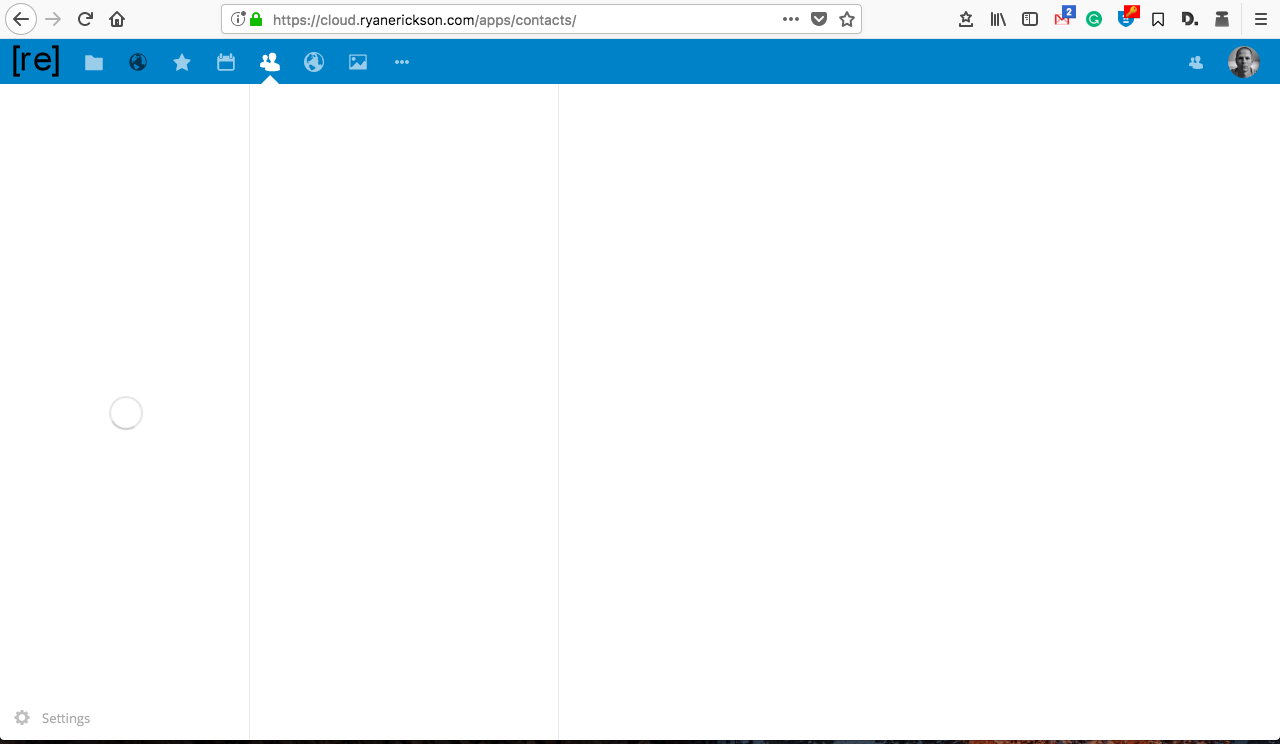
I'm unable to get Contacts to work at all... nothing. Only a gayed out cog and a spinner. Everything else thus far seems to work great. I'm stuck.
Steps to reproduce
- New install of Nexcloud 12.04
- Installed Contacts App
- Doesn't allow me to do anything. Even the setting cog is greyed out not allowing me to do anything.
Expected behaviour
I think I should be able to at least open the settings.
Actual behaviour
I only get the spinning circile of death and a greyed out cog.
Server configuration
Steps to reproduce
1.
2.
3.
Expected behaviour
Tell us what should happen
Actual behaviour
Tell us what happens instead
Server configuration detail
Operating system: Linux 4.4.38-v7+ #938 SMP Thu Dec 15 15:22:21 GMT 2016 armv7l
Webserver: nginx/1.10.3 (fpm-fcgi)
Database: mysql 10.0.31
PHP version: 7.1.12-1+ubuntu16.04.1+deb.sury.org+1
Modules loaded: Core, date, libxml, openssl, pcre, zlib, filter, hash, Reflection, SPL, session, standard, cgi-fcgi, mysqlnd, PDO, xml, apcu, apc, bz2, calendar, ctype, curl, dom, mbstring, fileinfo, ftp, gd, gettext, iconv, igbinary, imagick, intl, json, exif, mcrypt, mysqli, pdo_mysql, Phar, posix, readline, redis, shmop, SimpleXML, smbclient, sockets, sysvmsg, sysvsem, sysvshm, tokenizer, wddx, xmlreader, xmlwriter, xsl, zip, libsmbclient, Zend OPcache
Nextcloud version: 12.0.4 - 12.0.4.3
Updated from an older Nextcloud/ownCloud or fresh install:
Where did you install Nextcloud from: unknown
Signing status
Array
List of activated apps
Enabled:
 - activity: 2.5.2
 - apporder: 0.4.1
 - bookmarks: 0.10.1
 - calendar: 1.5.6
 - contacts: 2.0.1
 - dav: 1.3.0
 - external: 2.0.3
 - federatedfilesharing: 1.2.0
 - files: 1.7.2
 - files_markdown: 2.0.1
 - files_pdfviewer: 1.1.1
 - files_sharing: 1.4.0
 - files_texteditor: 2.4.1
 - files_trashbin: 1.2.0
 - files_versions: 1.5.0
 - files_videoplayer: 1.1.0
 - gallery: 17.0.0
 - issuetemplate: 0.3.0
 - logreader: 2.0.0
 - lookup_server_connector: 1.0.0
 - metadata: 0.6.0
 - nextcloud_announcements: 1.1
 - notes: 2.3.2
 - notifications: 2.0.0
 - oauth2: 1.0.5
 - passman: 2.1.4
 - provisioning_api: 1.2.0
 - sharebymail: 1.2.0
 - tasks: 0.9.5
 - theming: 1.3.0
 - twofactor_backupcodes: 1.1.1
 - updatenotification: 1.2.0
 - workflowengine: 1.2.0
Disabled:
 - admin_audit
 - bruteforcesettings
 - caniupdate
 - encryption
 - federation
 - files_external
 - files_frommail
 - files_reader
 - firstrunwizard
 - password_policy
 - serverinfo
 - survey_client
 - systemtags
 - user_external
 - user_ldap
Configuration (config/config.php)
{
    "instanceid": "ocp4s5ray8wi",
    "passwordsalt": "***REMOVED SENSITIVE VALUE***",
    "secret": "***REMOVED SENSITIVE VALUE***",
    "trusted_domains": [
        "cloud.ryanerickson.com",
        "192.168.1.201"
    ],
    "datadirectory": "\/mount\/nc_data",
    "overwrite.cli.url": "https:\/\/cloud.ryanerickson.com",
    "dbtype": "mysql",
    "version": "12.0.4.3",
    "dbname": "nextcloud",
    "dbhost": "localhost",
    "dbport": "",
    "dbtableprefix": "oc_",
    "mysql.utf8mb4": true,
    "dbuser": "***REMOVED SENSITIVE VALUE***",
    "dbpassword": "***REMOVED SENSITIVE VALUE***",
    "installed": true,
    "htaccess.RewriteBase": "\/",
    "overwriteprotocol": "https",
    "loglevel": 1,
    "logtimezone": "Europe\/Berlin",
    "logfile": "\/var\/nc_data\/nextcloud.log",
    "log_rotate_size": 104857600,
    "cron_log": true,
    "filesystem_check_changes": 1,
    "quota_include_external_storage": false,
    "knowledgebaseenabled": false,
    "memcache.local": "\\OC\\Memcache\\APCu",
    "filelocking.enabled": "true",
    "memcache.locking": "\\OC\\Memcache\\Redis",
    "redis": {
        "host": "\/var\/run\/redis\/redis.sock",
        "port": 0,
        "timeout": 0
    },
    "maintenance": false,
    "theme": "",
    "enable_previews": true,
    "enabledPreviewProviders": [
        "OC\\Preview\\PNG",
        "OC\\Preview\\JPEG",
        "OC\\Preview\\GIF",
        "OC\\Preview\\BMP",
        "OC\\Preview\\XBitmap",
        "OC\\Preview\\Movie",
        "OC\\Preview\\PDF",
        "OC\\Preview\\MP3",
        "OC\\Preview\\TXT",
        "OC\\Preview\\MarkDown"
    ],
    "preview_max_x": 512,
    "preview_max_y": 512,
    "preview_max_scale_factor": 1,
    "auth.bruteforce.protection.enabled": true,
    "trashbin_retention_obligation": "auto, 7",
    "mail_smtpmode": "smtp",
    "mail_smtpauthtype": "LOGIN",
    "mail_from_address": "ryan",
    "mail_smtpsecure": "ssl",
    "mail_domain": "ryanerickson.com",
    "mail_smtpauth": 1,
    "mail_smtpport": "465",
    "mail_smtphost": "smtp.gmail.com",
    "mail_smtpname": "***REMOVED SENSITIVE VALUE***",
    "mail_smtppassword": "***REMOVED SENSITIVE VALUE***",
    "updater.secret": "***REMOVED SENSITIVE VALUE***",
    "data-fingerprint": "d392d42ee80b24bf3ddf2b67dddd31c4"
}
Are you using external storage, if yes which one: local/smb/sftp/...
Are you using encryption: no
Are you using an external user-backend, if yes which one: no
With access to your command line run e.g.:
sudo -u www-data php occ ldap:show-config
from within your Nextcloud installation folder

No output

Without access to your command line download the data/owncloud.db to your local
computer or access your SQL server remotely and run the select query:
SELECT * FROM `oc_appconfig` WHERE `appid` = 'user_ldap';


Eventually replace sensitive data as the name/IP-address of your LDAP server or groups.
Client configuration
Browser: Mozilla/5.0 (Macintosh; Intel Mac OS X 10.12; rv:57.0) Gecko/20100101 Firefox/57.0
Operating system: Server Linux, viewer OS X and Win 10.
Logs
Browser log
Insert your webserver log here
Nextcloud log
Insert your Nextcloud log here
Browser log
Insert your browser log here, this could for example include:
Loading failed for the <script> with source “https://cloud.ryanerickson.com/cdn-cgi/apps/head/IC0iAtfpjM7hlqhnoBttws2_sU0.js”.
contacts:16
Content Security Policy: The page’s settings blocked the loading of a resource at https://cloud.ryanerickson.com/cdn-cgi/apps/head/IC0iAtfpjM7hlqhnoBttws2_sU0.js (“script-src 'nonce-VklxRElzZk5hL05mUGh0NmFJZ2ZjOVY0M1JnUW5TTFN1aHFzZjlKSlAxOD06THNIdEVyZUZQcUlPV25vdFVQQW1IWUpNaUVsVTAyNkkyMExoRWVReERTVT0=' 'unsafe-eval'”).
JQMIGRATE: Migrate is installed, version 1.4.0
core.js:3:542
SyntaxError: missing ; before statement
[Learn More]
angular.js:309:133
TypeError: angular is undefined
[Learn More]
angular-route.js:3:30
ReferenceError: angular is not defined
[Learn More]
angular-uuid4.js:12:1
TypeError: invalid 'in' operand angular
[Learn More]
angular-cache.js:1:339
TypeError: angular is undefined
[Learn More]
angular-sanitize.js:1:44
ReferenceError: angular is not defined
[Learn More]
select.js:2:300
ReferenceError: angular is not defined
[Learn More]
clickoutside.directive.js:1:26
TypeError: a is undefined
[Learn More]
ngclipboard.min.js:4:191
ReferenceError: angular is not defined
[Learn More]
main.js:1
ReferenceError: angular is not defined
[Learn More]
ui-bootstrap.min.js:7:4
ReferenceError: angular is not defined
[Learn More]
ui-bootstrap-tpls.min.js:7:4
[Passman extension] Stopping, vault key not set
inject.js:388:21
Source map error: SyntaxError: JSON.parse: unexpected character at line 1 column 1 of the JSON data
Resource URL: https://cloud.ryanerickson.com/core/vendor/core.js?v=4822534ed6ca0daeff32e67601e69592-5
Source Map URL: purify.min.js.map
[Learn More]
Source map error: SyntaxError: JSON.parse: unexpected character at line 1 column 1 of the JSON data
Resource URL: https://cloud.ryanerickson.com/apps/contacts/js/vendor/angular-cache/dist/angular-cache.js?v=4822534ed6ca0daeff32e67601e69592-5
Source Map URL: angular-cache.js.map
[Learn More]
 ryanerickson
All 16 comments
Not work for me too.
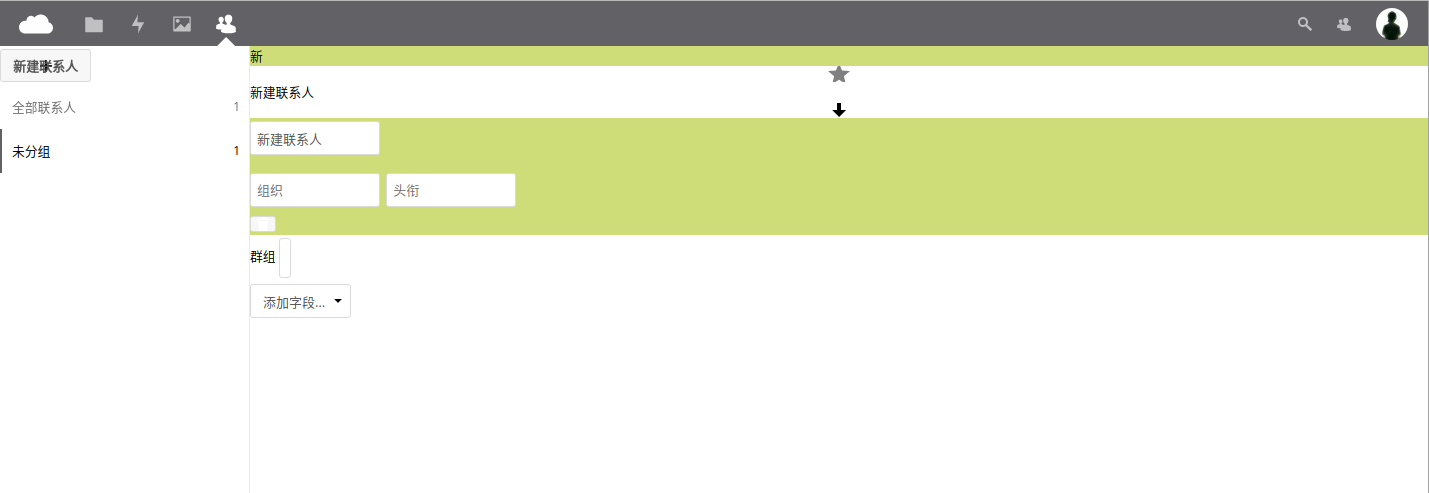
Nextcloud 12.0.3
 hungtcs
on 7 Dec 2017
hungtcs
on 7 Dec 2017
Please clear your cache and try again :)
 skjnldsv
on 7 Dec 2017
skjnldsv
on 7 Dec 2017
I have the same problem. Endless spinner on contacts-page.
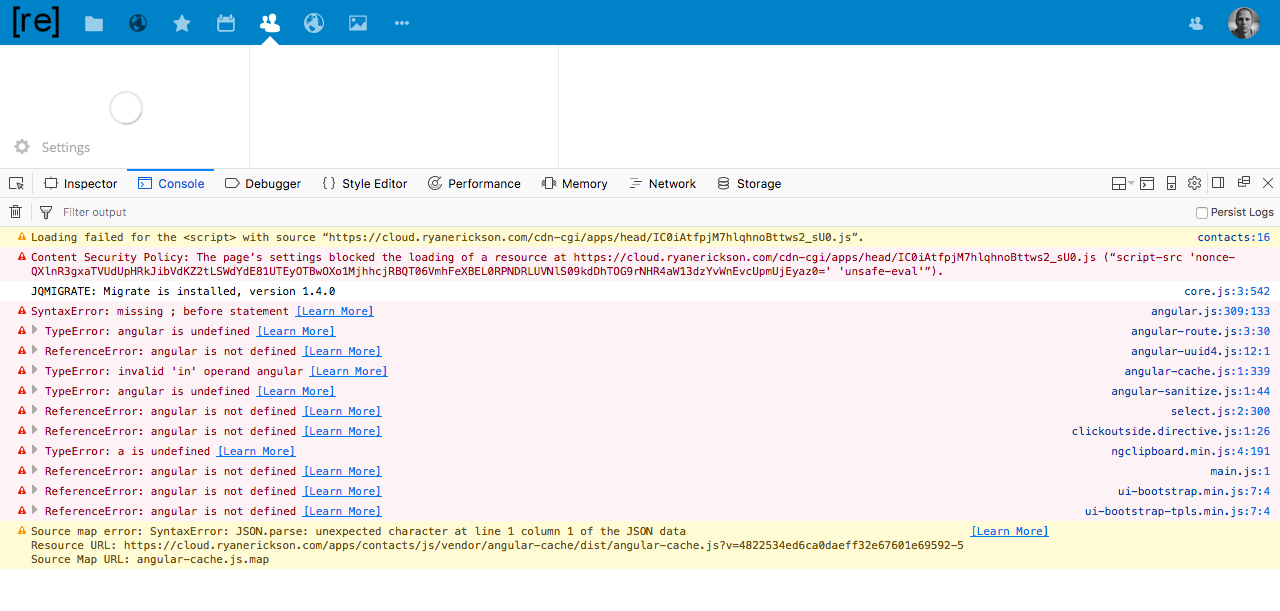
Browser-Console:

Clearing the cache doesnt help.
 jprangenbergde
on 7 Dec 2017
jprangenbergde
on 7 Dec 2017
@skjnldsv I should have added more before, I was in a hurry getting the kids to bed... I've cleared my cache on three browsers on my Mac, IE on my Windows 10 work machine, and three browsers on my phone with the same results across the board.
ryanerickson
on 7 Dec 2017
@jprangenbergde @ryanerickson thanks for trying it before! :)
Are you using the official releases from the appstore?
skjnldsv
on 7 Dec 2017
@skjnldsv I am. I've downloaded (enabled) and disabled it several time from the appstore to no avail.
ryanerickson
on 7 Dec 2017
Could you post your full browser log and your nextcloud log as well please?
skjnldsv
on 7 Dec 2017
For my nextcloud log, would you like the error log or the debug log?
ryanerickson
on 7 Dec 2017
@ryanerickson Error please :)
skjnldsv
on 7 Dec 2017
Here's the error.log.
ryanerickson
on 7 Dec 2017
I have installed the contact-addon from the app-store. The error-log is empty.
jprangenbergde
on 7 Dec 2017
This is very strange! 😕
skjnldsv
on 7 Dec 2017
@ryanerickson As far as I can see, the IP address of your server comes from cloudflare - is it possible, that this workaround works for you: https://github.com/owncloud/contacts/issues/450#issuecomment-302037223?
 irgendwie
on 7 Dec 2017
irgendwie
on 7 Dec 2017
@irgendwie Holy Crap! That was exactly the issue. Thank you so much for working with me @skjnldsv and @irgendwie .
ryanerickson
on 7 Dec 2017
@jprangenbergde Could it be the same for your Nextcloud instance?
@hungtcs Did clearing the cache help in your case? (Your issue is different then the Cloudflare workaround.)
irgendwie
on 8 Dec 2017
@irgendwie I'm using cloudflare - disable minify works for me.
jprangenbergde
on 8 Dec 2017
Related issues
 ArnY
·
5Comments
ArnY
·
5Comments
 Spartachetto
·
3Comments
Spartachetto
·
3Comments
 IamSAB
·
4Comments
IamSAB
·
4Comments
 keunes
·
4Comments
keunes
·
4Comments
 Kalytis
·
4Comments
Kalytis
·
4Comments
Most helpful comment
@irgendwie I'm using cloudflare - disable minify works for me.