My current setup: Archlinux with openbox
tested with latest conky from Arch repo and latest compiled from github
when update_interval is < 1.0 there s an high cpu usage
my current value is 0.1, two of my four cores are always under load and the cpu usage of conky is stuck at 20% (htop)
Other apps like GkrellM have a normal cpu usage with the same update interval
 kylon
kylon
All 18 comments
Can you post your conky config so I can verify on my system. I'm currently on Conky 1.10.0 and I can run a Conky config with update_interval = 0.05 without unusual performance issues aside from updating so frequently is using some extra resources of course (unfortunately a not easy to share config).
 ghost
on 1 May 2016
ghost
on 1 May 2016
here
conky.conf.txt
kylon
on 2 May 2016
I have testen on my desktop and laptop running conky 1.10.0 (+commits till https://github.com/brndnmtthws/conky/commit/03a5cc50470b429c73321463b273a97fe5720a2c).
Both run Arch linux with cinnamon (gnome), in both cases i had no cores under constant load nor any unusual performance issues (also used htop). The load from conky on my laptop was noticeable but this is hardware dependent.
Unfortunately I don't have the time to test with the current build or the 1.10.1 build, so may be some one else can give it a go? (it is possible this is caused by a later commit)
Note: you might want to use templateN in your config eg.
conky.config = {
...
color0 = '1793d0',
color1 = 'DDDDDD',
color2 = 'AAAAAA',
color3 = '888888',
template0 = [[${goto 50}${color\1}${top name \2}${alignr}${top cpu \2}%]],
...
}}
conky.text = [[
${template0 1 2}
${template0 2 3}
${template0 3 4}
${template0 3 5}
]];
I tested commit 06f87b9c26cf79244e4cde82738694636a48df0 (+nvidiabar) on my PC. I only have 4 cores, so had to to half the config, also hwmon doesn't work for me and of course the battery status.
conky: can't open '/sys/class/hwmon/hwmon2/temp1_input': No such file or directory
please check your device or remove this var from conky
htop reports a constant load of 5-6% for conky. My normal conky which ran concurrently reported "only" 1.5% load (and Xorg 5%).
When using update_interval = 0.01 htop reports Xorg at ~30% and also conky at ~30%. Conky itself reports Xorg to be ~9% and conky to be ~7% with an overall CPU load of ~20%. top is roughly the same as htop, therefore differs from conky. I think conky divides the cpu usage by the core count, remember the sum of all top processes could go up to 400% for my 4-core setup.
I'm using an i3-3220 with 3.30GHz
 mxmlnkn
on 2 May 2016
mxmlnkn
on 2 May 2016
I understand what @kylon is saying.
But if you have same items displayed - the CPU usage is very similar.
Another point to note is in gkrellm the update interval is fixed - 1 second - so all the graphics are updated per second while the krell and LED updates freakout depending on the how many updates per second you use - while the graphs remain constant. I recall 6 - 7 years back the overall update interval was minimum 5 seconds. So there is perhaps a simulation involved to get a sense of faster update IMO.
Yeah I installed gkrellm just to test it out.
I have 4 core system and the values range from 3 to 10 percent.
Personally am quite happy with an update interval of 5 seconds - less distracting ;-)
 plikhari
on 2 May 2016
plikhari
on 2 May 2016
My only displayed item is 1 conky with that config, i prefer a very minimal setup and i like a real time update_interval :P
seem i'm not able to compile old conky without donwgrading packages or updating code. Can you please share an old bin?
templates are awesome, thanks for the tip
kylon
on 2 May 2016
I doubt that would work since tolua++ (and possibly other libs) have been updated since and it was compiled against the old version, if you still want to try give me your email (or send me a mail, see my profile, if you want to keep your email private). I use build flags like nvidia, xshape, lua, ...
If you know git you can clone the repository, go to a specific commit and build from source.
ghost
on 2 May 2016
same problem with 1.10-pre
kylon
on 8 May 2016
2 years 4 months passed. Can you determine if you're still having this problem today on 1.10.9 or preferably 1.10.10_pre (git)? The older versions are not trustworthy due to too many changes that can be hard to track. Thank you.
 lasers
on 10 Aug 2018
lasers
on 10 Aug 2018
I will try asap.
The arch package is outdated, i ll compile a new one from git
Thanks
kylon
on 10 Aug 2018
Can you also compile it with this patch - https://github.com/brndnmtthws/conky/issues/189#issuecomment-411828451
To compile against the master branch:
git clone https://github.com/brndnmtthws/conky
cd conky
mkdir -p build
cd build
cmake ..
make -j4 # 4 cores to run in parallel
 su8
on 10 Aug 2018
su8
on 10 Aug 2018
The arch package is outdated, i ll compile a new one from git
@kylon: You can try conky-git package from AUR. It works like a charm for me. :wink:
 X0rg
on 10 Aug 2018
X0rg
on 10 Aug 2018
this is the first time i try 0.1 since when i opened this issue, latest stable on arch (1.10.8) partially fixed the issue.
conky is always on top, 20+% but my cores seem fine.
anyway...
update interval 0.1, git build (master 6c590590a)
with patch (#189 (comment))
lower cpu usage, 12%, the cpu graph is a bit slower even if my value is 0.1 (i think this is why the cpu % is lower)
without patch
same cpu usage as old conky (1.10.8), 20+%, the cpu graph is really fast
+1 for the patched one
kylon
on 13 Aug 2018
@lasers Can you have a look good sir ?
su8
on 14 Aug 2018
I made a super smooth scroller with an update_interval of 0.04 to 0.07 - YES ;-)
Please see this image - conkywx news scroller - scrolling 182 items of news - cpu about 10% to 12 % - it has remained the same with 1.10.8 as well - this test was with 1.11.0_pre.
I frankly have not seen any high cpu usage ...
plikhari
on 14 Aug 2018
@kylon Is it still a same config after few years?
Out of us all, you (and some others) are in best position to troubleshoot this issue.
Try ps -C conky -o %cpu,%mem,cmd from time to time to see how much it roughly used up.
Install gnome-system-monitor and/or ksysguard. See if you have this pattern too. https://github.com/brndnmtthws/conky/issues/341.
Here's my ps, gnome-system-monitor, ksysguard, etc.
mate-system-monitor seems fairly old / limited.
My ps...
After running your config for an hour, I scored...
%CPU %MEM CMD
 5.2  0.2 conky -c /home/chris/conky/kylon-modified.conf
Modified to use 12 cores. Run it again every hour or so to see if it builds up.
My gnome-system-monitor...
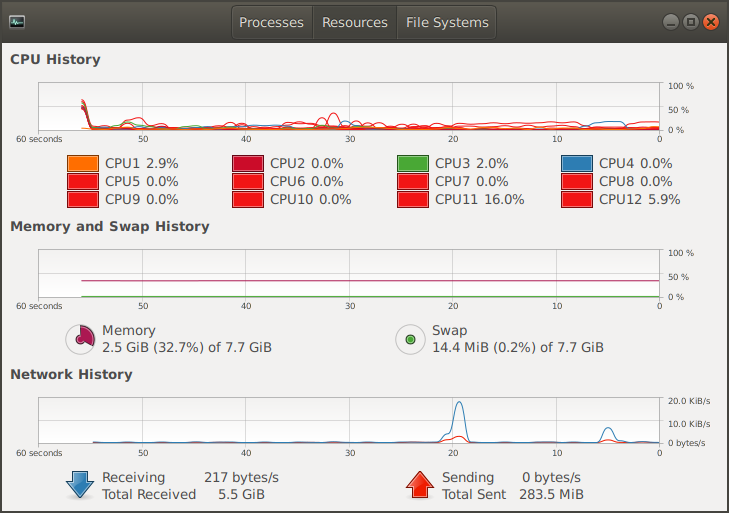
My ksysguard...
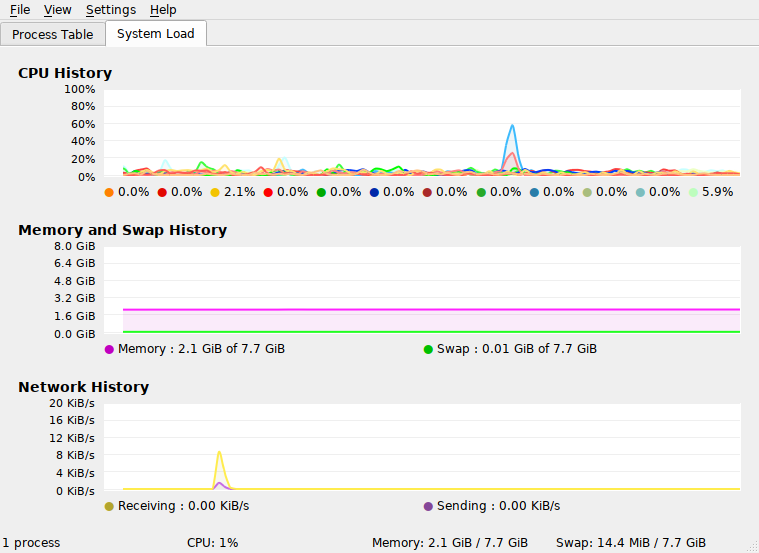
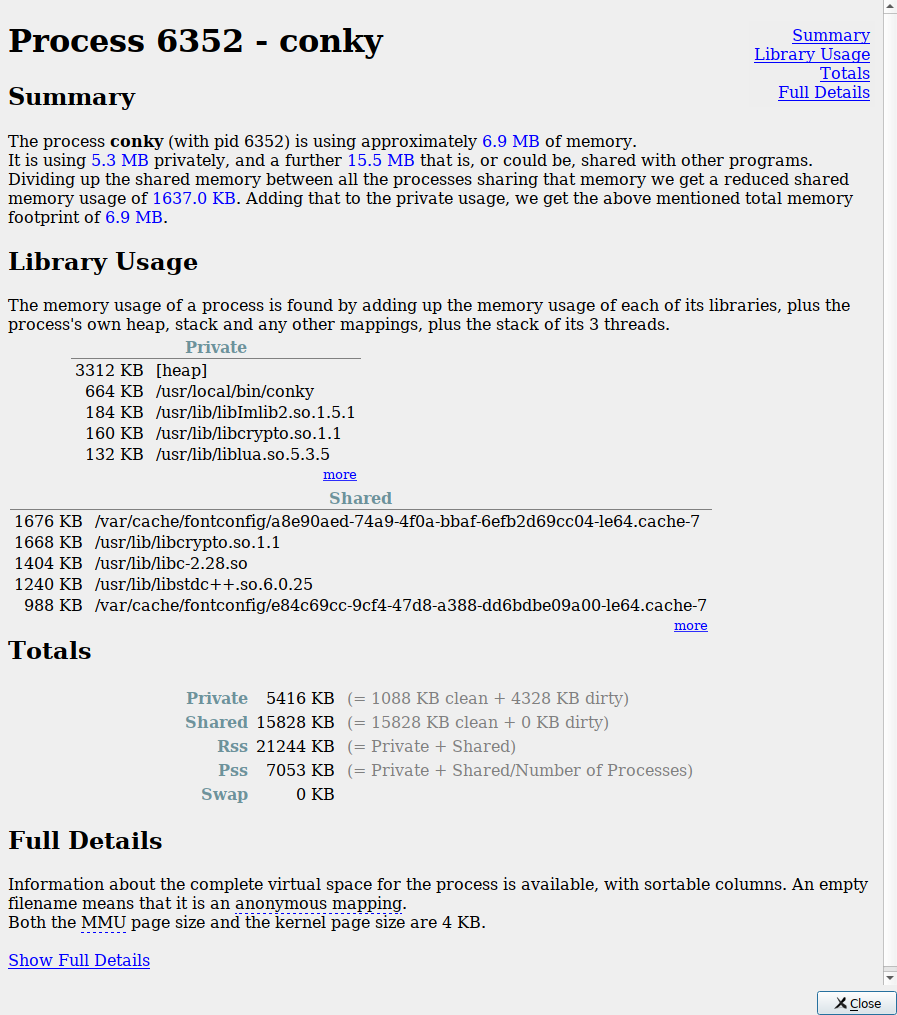
Finally... If you can, try this on other machines too... to rule out conky (current-git only, please), your 8-core hardware, your config, etc. Do you still have this behavior with default conky configuration too?
If not, then it might be your config. Try removing some variables too to rule out battery variables, to rule out cpu variables, etc... to see if that change anything... then we could check out the variables.
lasers
on 15 Aug 2018
@lasers forgot about it
here is my current config (12%)
everything else is the same, arch + openbox, no fancy stuff
latest master.
i did some tests with my old config, i removed all the bars, temps, freqs etc.. and the cpu usage was the same, 5-7%
but there seem to be a bug? if i remove the last cpu bar. (cpu usage is 14%, and there's a constant redraw)
conkybug?.conf.txt
is it supposed to happen? or my old config is malformed(?)
i don't know about #341 , i always shutdown my pc when i'm done
the default config is set to 1.0 (3%), if i set it to 0.1 it flashes and the cpu usage is 10-11%
considering that the config above has the same behaviour, could it be the problem how conky is dranw?
sadly i don't have other machines
kylon
on 15 Aug 2018
but there seem to be a bug? if i remove the last cpu bar. (cpu usage is 14%, and there's a constant redraw)
conkybug?.conf.txtis it supposed to happen? or my old config is malformed(?)
Interesting bug. Maybe not. My CPU goes high too with update_interval < 1.0 too. I don't know if that's normal. When we use conky -DD, there are constant mentions of setting up fonts + loading fonts.
Pinging @brndnmtthws... If you tried default config with update_interval=0.3 or so, the CPU jumps some percents... Is that sensible / normal / expected? And try the conkybug?.conf.txt config too.
lasers
on 15 Aug 2018
Related issues
 LeoIannacone
·
3Comments
LeoIannacone
·
3Comments
 oberon-manjaro
·
4Comments
ghost
·
4Comments
oberon-manjaro
·
4Comments
ghost
·
4Comments
 BytEvil
·
4Comments
BytEvil
·
4Comments
 mreinhardt
·
3Comments
mreinhardt
·
3Comments
Most helpful comment
this is the first time i try 0.1 since when i opened this issue, latest stable on arch (1.10.8) partially fixed the issue.
conky is always on top, 20+% but my cores seem fine.
anyway...
update interval 0.1, git build (master 6c590590a)
with patch (#189 (comment))
lower cpu usage, 12%, the cpu graph is a bit slower even if my value is 0.1 (i think this is why the cpu % is lower)
without patch
same cpu usage as old conky (1.10.8), 20+%, the cpu graph is really fast
+1 for the patched one