Conemu: Can I Hold Shell Prompt at the Top?
All 12 comments
you may try to add in the beginning of your prompt sort of ESC [ 99 B ESC [ 99 A
 Maximus5
on 25 Feb 2019
Maximus5
on 25 Feb 2019
you may try to add in the beginning of your prompt sort of
ESC [ 99 B ESC [ 99 A
Can you explain more? I do not understand
 meav
on 26 Feb 2019
meav
on 26 Feb 2019
Hm? What shell do you use and have you tried the solution from the link above?
Maximus5
on 26 Feb 2019
I use cmd
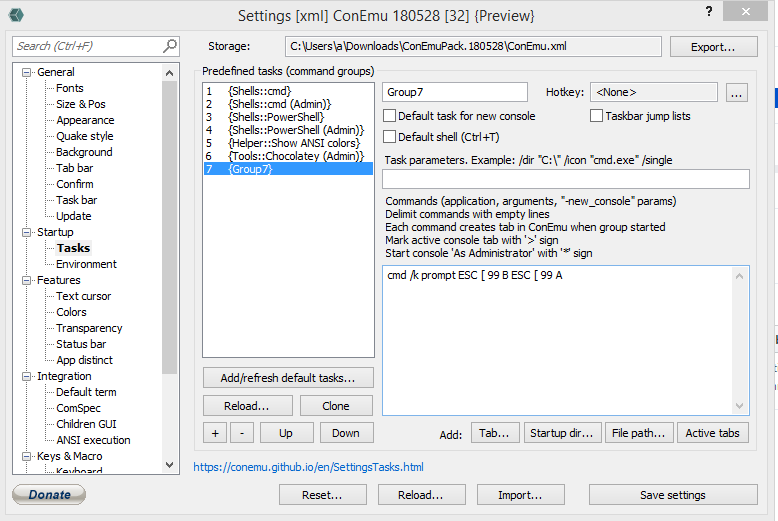
Result:
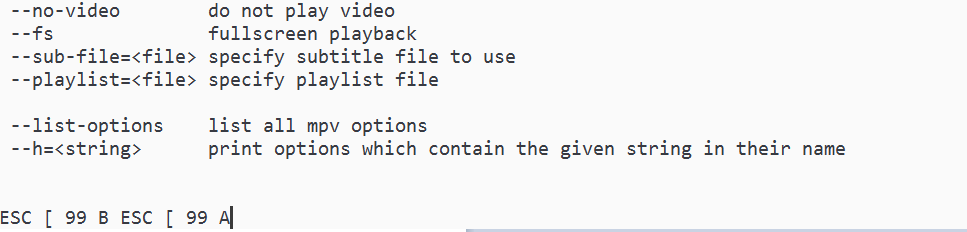
meav
on 26 Feb 2019
I've posted pseudocode for ANSI.
Definitely no spaces, and for cmd $e instead of ESC.
Example in the docs, link in your first message
Maximus5
on 26 Feb 2019
Thank you, it works perfect and your conemu is great
meav
on 26 Feb 2019
you may try to add in the beginning of your prompt sort of
ESC [ 99 B ESC [ 99 A
Hi @Maximus5
I use cmd by this task
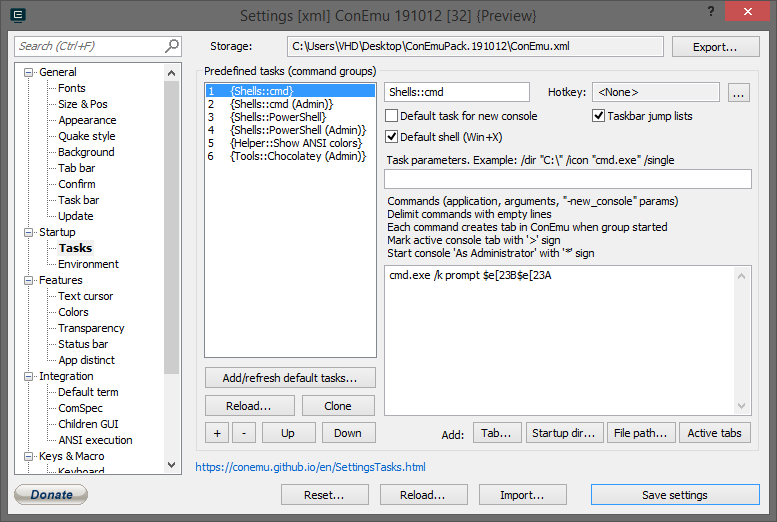
In version 180528 it works perfect like this
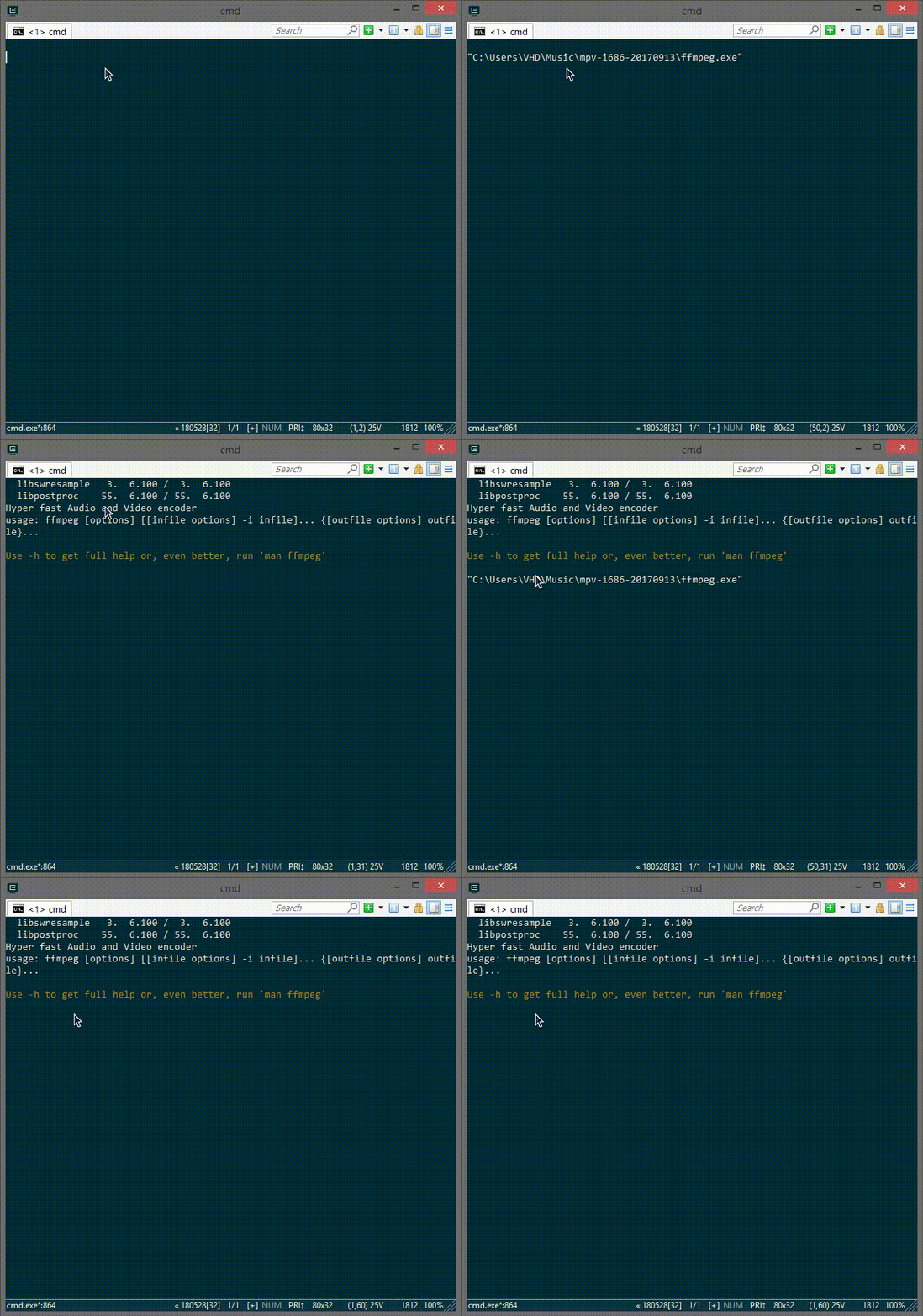
When I upgrade to version 191012 it not work correct
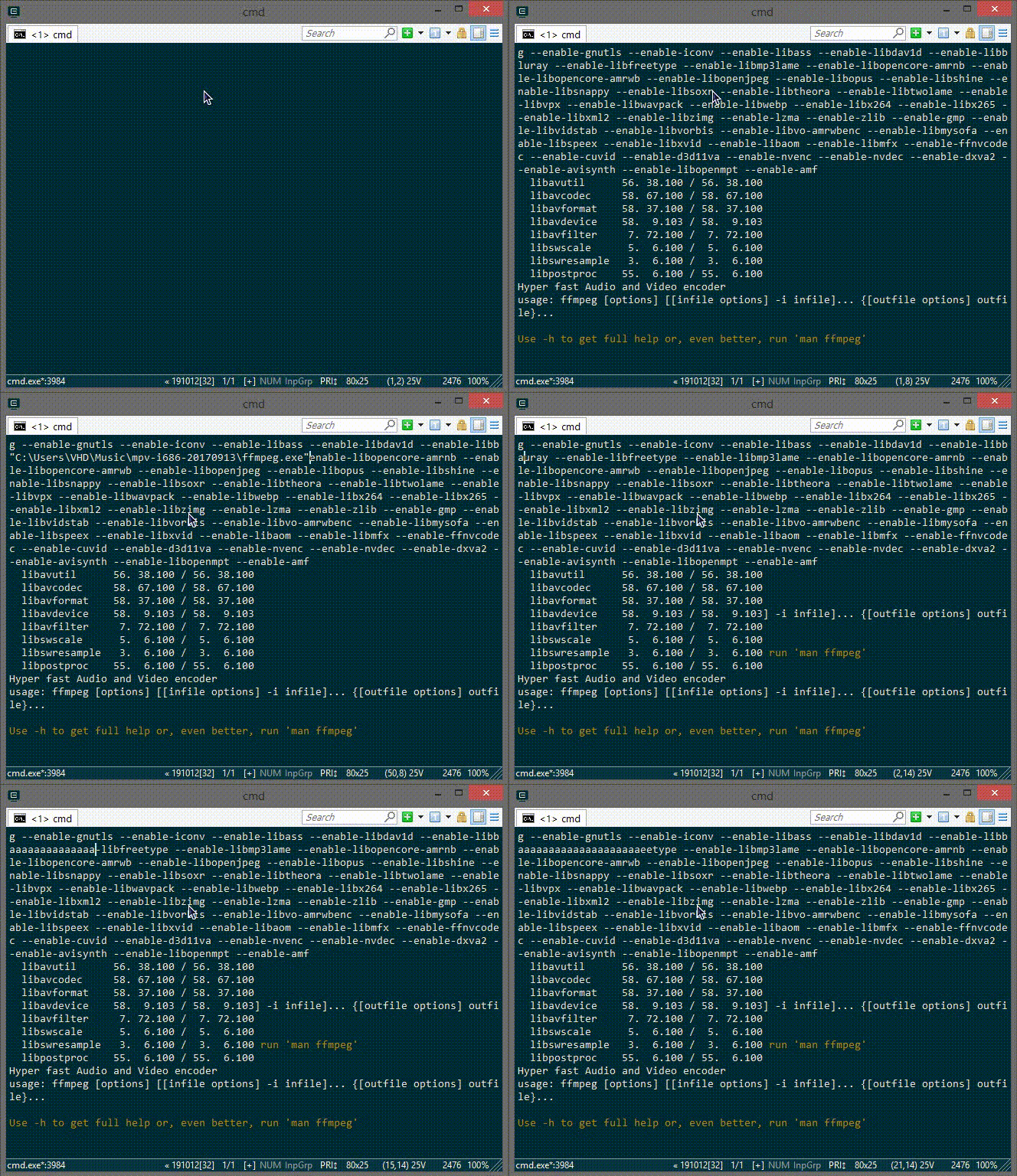
Can I fix this in newest version?
Sorry for my bad english and thank you for reading
meav
on 3 Feb 2020
Hi @Maximus5
More info about this issue: version 180528 work correct and version 180617 work not correct same version 191012
meav
on 12 Feb 2020
More info:
Lastest version 200713 still has this issue.
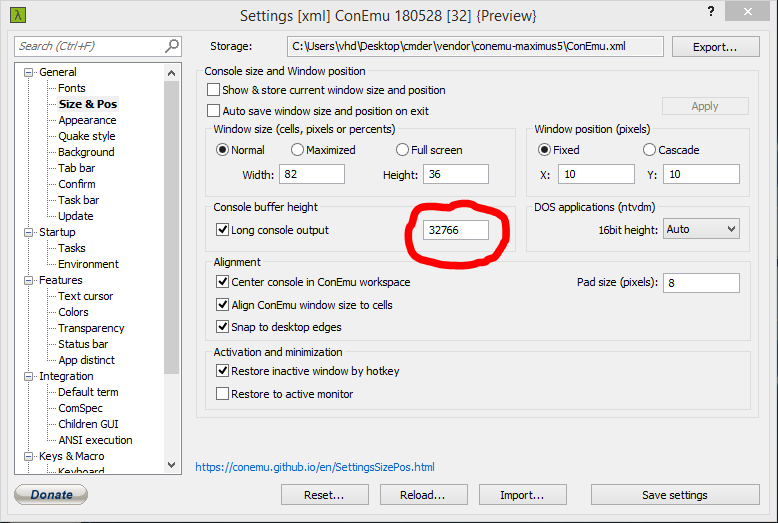
Version 180528 work correct if buffer lines less than this setting; but when buffer lines more than this setting, it work not correct like newer version.
meav
on 21 Aug 2020
I think, it's due to fix in 190224.
Previously the $e[B did not complain to ANSI standard, so no it could not be used to put cursor out of visible area.
The proper sequence is series of 23 $eD ($eD$eD$eD$eD$eD...) to put cursor down and $e[23A to move up.
Maximus5
on 24 Aug 2020
Or to make things easier
cmd.exe /k prompt $_$e[23b$e[23A$p$g
:clap: :clap: :clap:
It works perfect, thank you very much.
meav
on 27 Aug 2020
Related issues
 altbdoor
·
4Comments
altbdoor
·
4Comments
 imalos
·
5Comments
imalos
·
5Comments
 dandv
·
3Comments
dandv
·
3Comments
 madcampos
·
6Comments
madcampos
·
6Comments
 UweKeim
·
5Comments
UweKeim
·
5Comments