Conda-forge.github.io: [DOC] How to use `upload_packages` for testing
A neat feature that feedstocks have is the ability to upload packages to the CI provider for testing. This is useful when trying out packages, built in a PR. Though it's a little unintuitive on how to download them. Would be good to spell this out in the docs to make it easier for users.
Starting from a PR users should navigate to CI
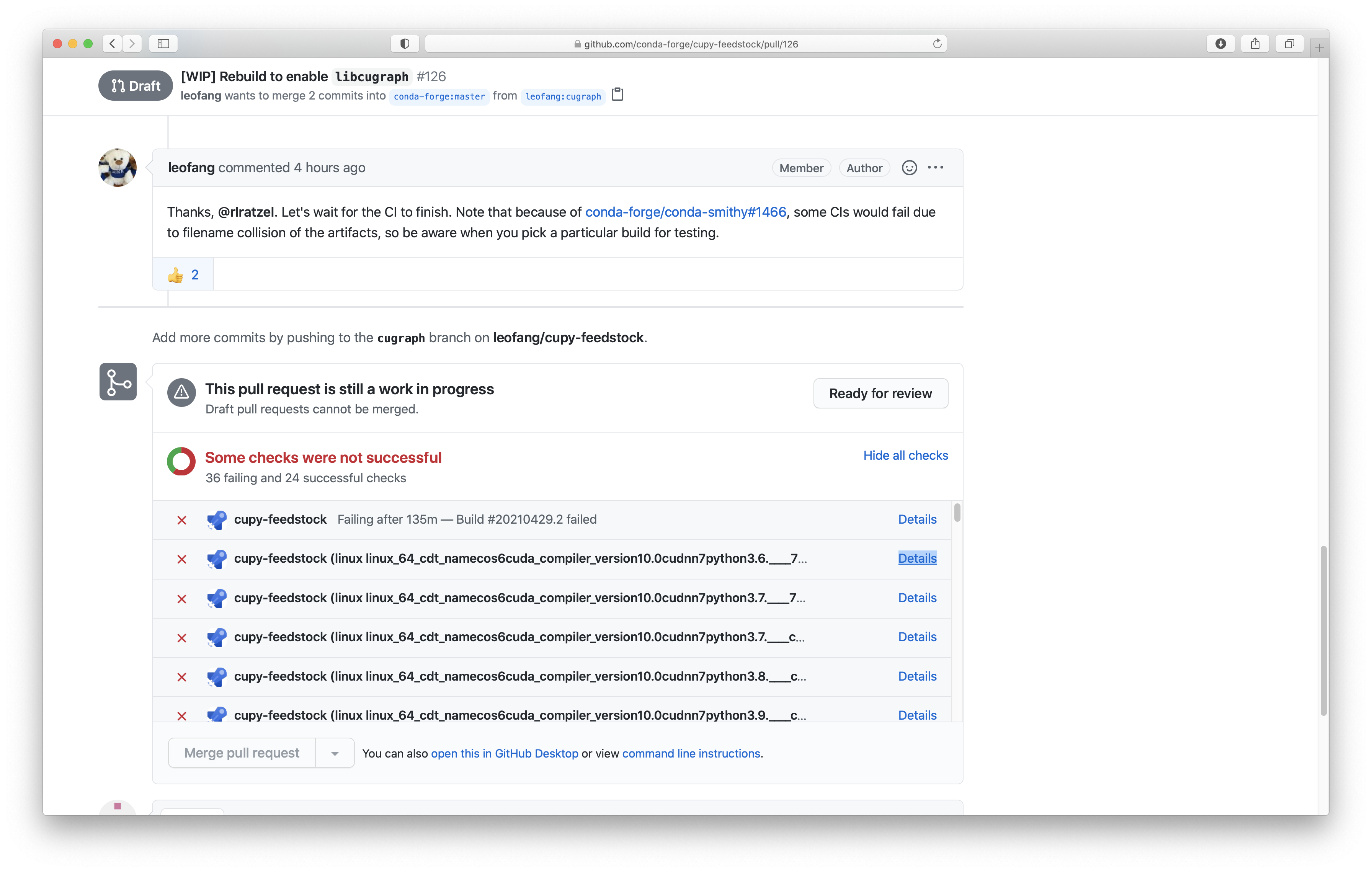
Look for a link in the relevant log of the package they want to download
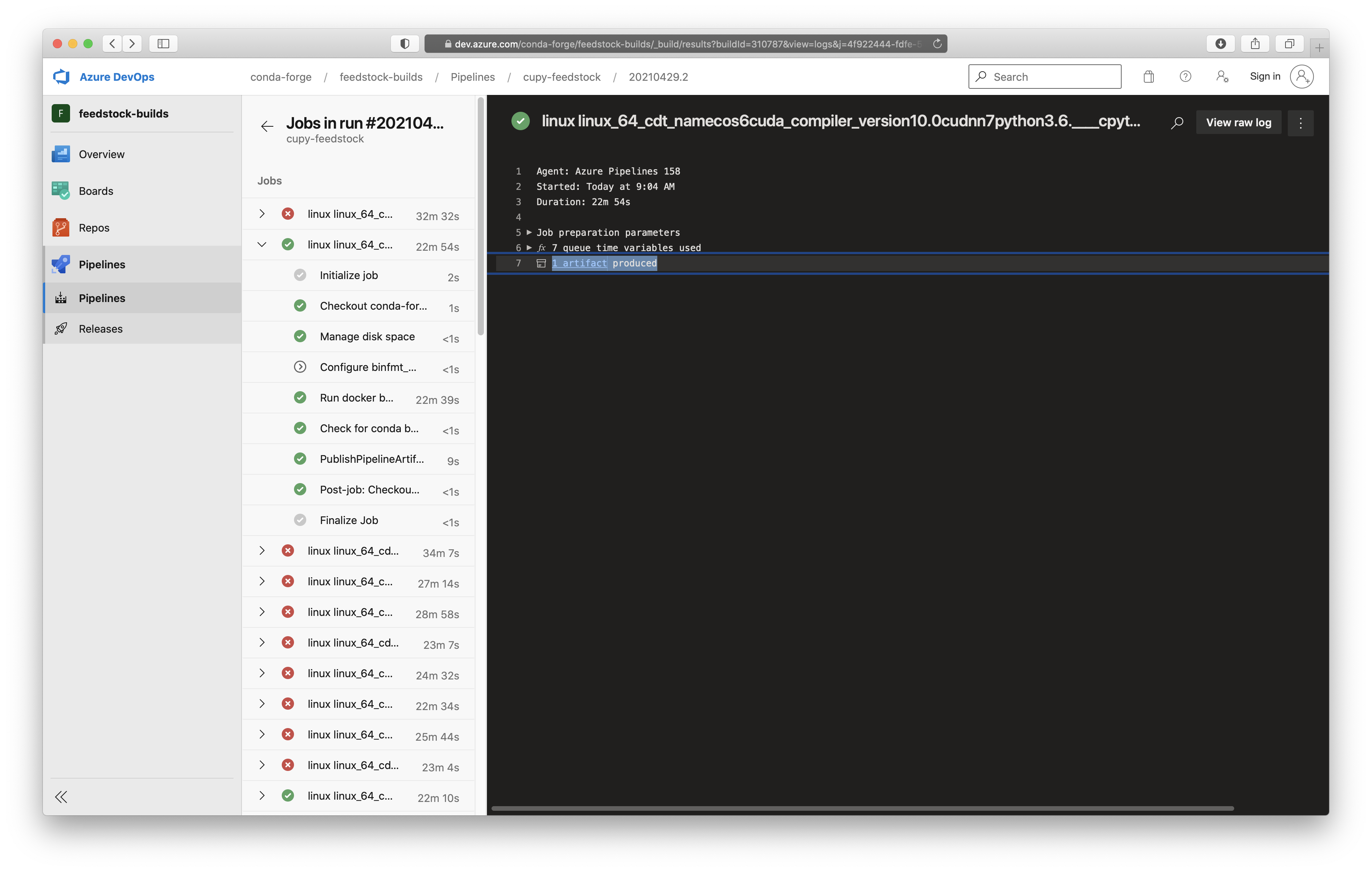
Clicking that link leads to another page, where users then need to download the archive from the job
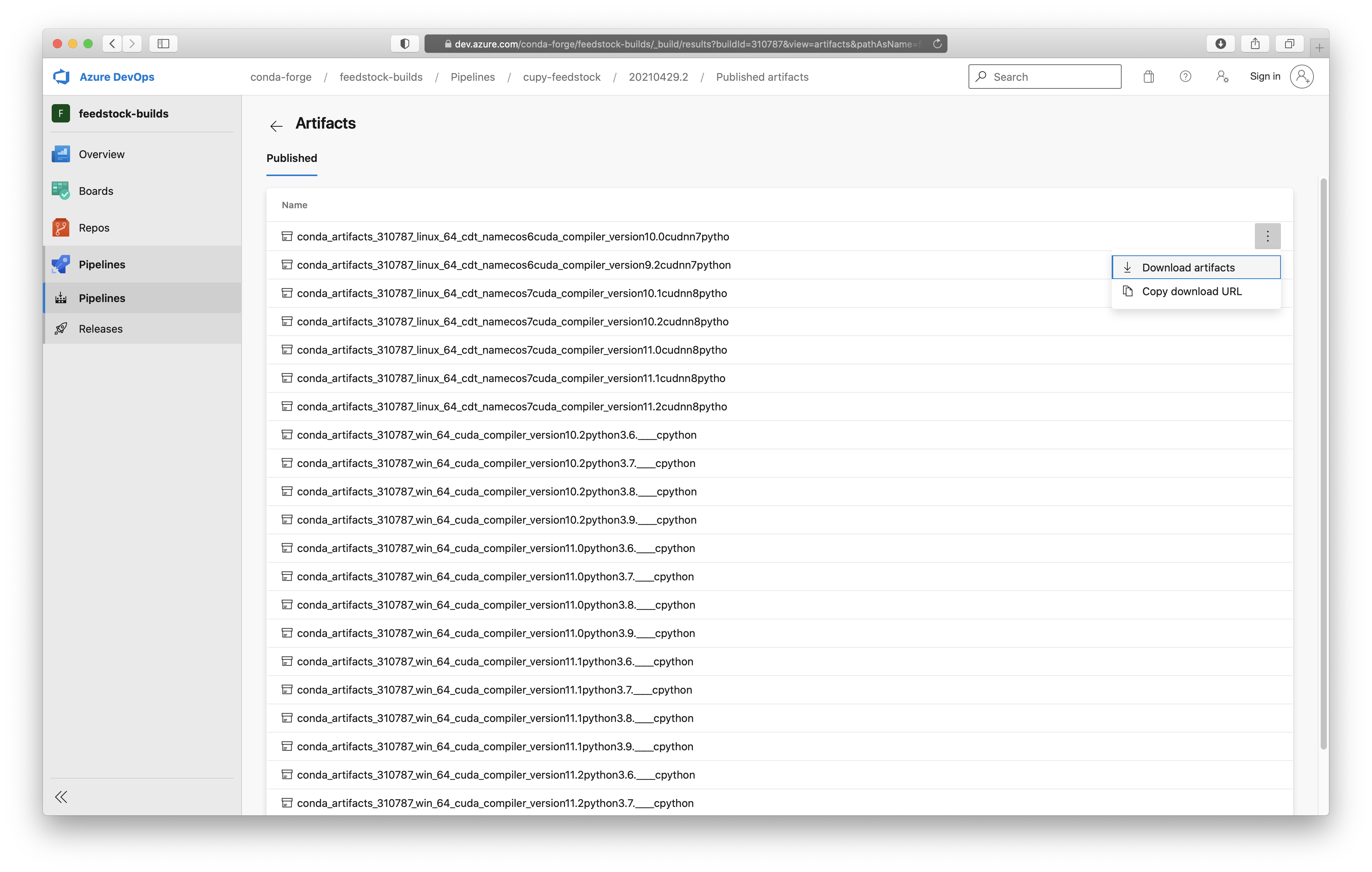
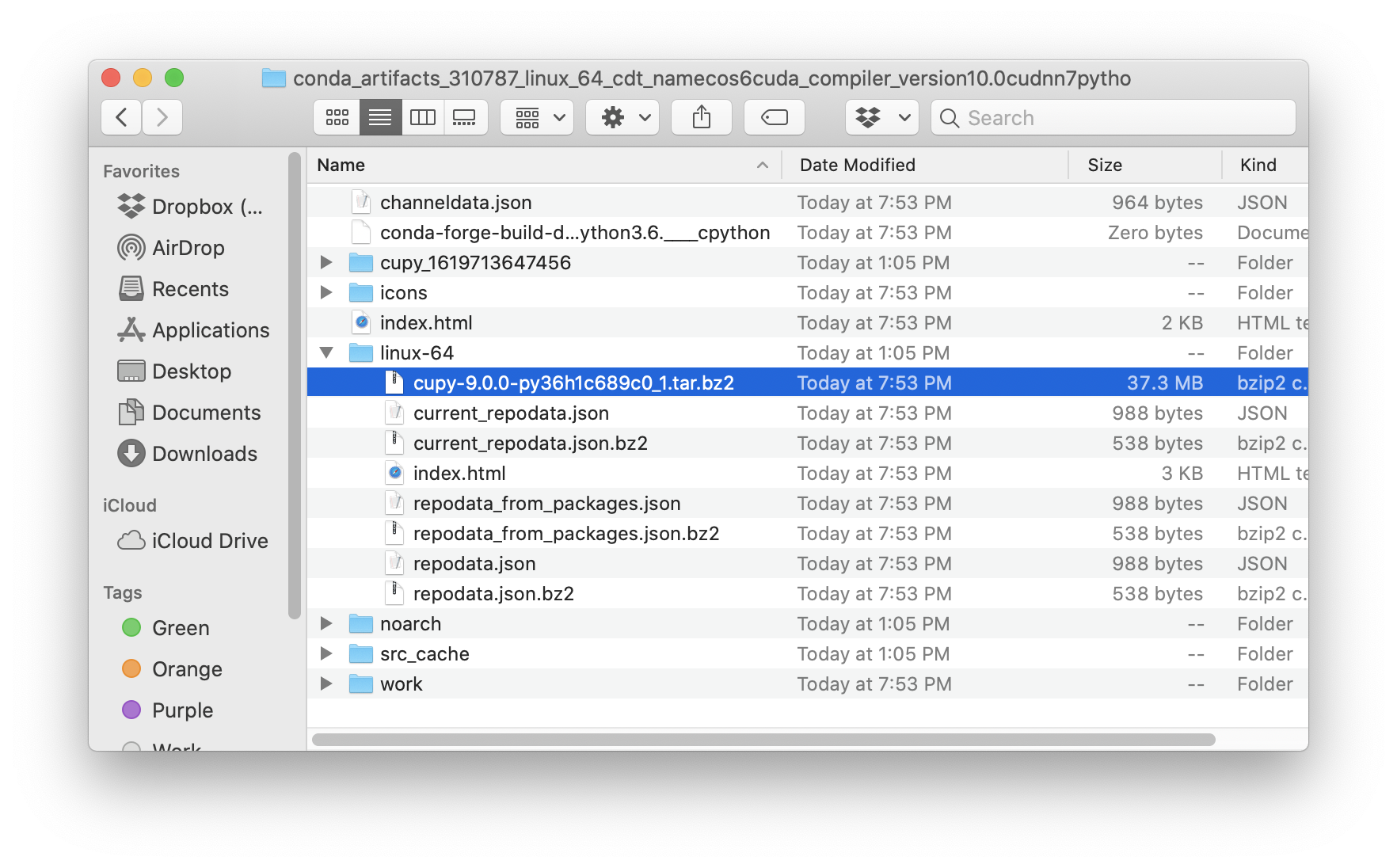
What they have downloaded contains the Conda package, but is not the Conda package. So they need to unarchive that and find the Conda package within
 jakirkham
All 15 comments
cc @rlratzel (in case there are any other important steps I've missed above that should be included here)
jakirkham
on 29 Apr 2021
This looks like something that would require some reading/learning first (for outreachy people).
Better understanding would lead to better documenting.
 ForgottenProgramme
on 29 Apr 2021
ForgottenProgramme
on 29 Apr 2021
Ah ok. What questions do you have? Are there things that could be added above, which would help make this clearer/easier to follow?
jakirkham
on 29 Apr 2021
For starters, where in the docs should this go?
ForgottenProgramme
on 29 Apr 2021
Though it's a little unintuitive on how to download them.
How to download the packages that have been automatically uploaded?
Edit:
Ah, thanks for adding the link to upload_packages. That helped.
ForgottenProgramme
on 29 Apr 2021
The first (now second) screenshot you have added is the 'relevant' log file and line 7 is the link the 'user should look for' ?
The link leads to the artifacts published.
The user then looks for their package in this list and downloads the archived folder containing their package.
Unarchive and extract the required package.
ForgottenProgramme
on 29 Apr 2021
I suppose, I get it now.
Taking this up!
ForgottenProgramme
on 29 Apr 2021
These are good questions 🙂 Tried to answer them below, but maybe you have figured this out already while I was writing it up 😄
For starters, where in the docs should this go?
There's a testing changes locally section describing how to build locally. It may be natural to extend that and note that users can download prebuilt packages. If it feels to cluttered to include there, we can simply link out to a separate page with more details. So won't try to dictate how to do this, but that's the first thing that occurs to me when looking for a spot
How to download the packages that have been automatically uploaded?
Yeah this is what the 1st and 2nd (now 2nd and 3rd) screenshots are getting at is how to navigate to the right place.
The first screenshot you have added is the 'relevant' log file and line 7 is the link the 'user should look for' ?
Yeah there is a very faintly underlined piece of text in the log that is a link. Agree that things like this are a bit unintuitive in the UI. That's why I'm hoping the docs can help clarify the process
jakirkham
on 29 Apr 2021
Thanks Mahe! 🙏 😄 Happy to answer more questions if any come up 🙂
jakirkham
on 29 Apr 2021
Thanks, @jakirkham.
:)
ForgottenProgramme
on 29 Apr 2021
@ForgottenProgramme @viniciusdc this feels an interesting issue to work on, if @ForgottenProgramme wants can we collaborate on this? so that this can be documented quickly.
 Aaishpra
on 30 Apr 2021
Aaishpra
on 30 Apr 2021
@jakirkham
>Starting from a PR users should navigate to CI
How is that done? By clicking on 'details' in the 'checks' section of the PR? (I think you have highlighted 'details' to indicate that.)
2.
Look for a link in the relevant log of the package they want to download
What's 'relevant' log?
ForgottenProgramme
on 6 May 2021
@ForgottenProgramme hopefully the explanations below help 🙂
Starting from a PR users should navigate to CI
How is that done? By clicking on 'details' in the 'checks' section of the PR? (I think you have highlighted 'details' to indicate that.)
Exactly
There's admittedly one more page users need to navigate through before getting to Azure. Though am hoping users are familiar with this step and am hoping we keep down the verbosity of the docs, but it may make sense to add
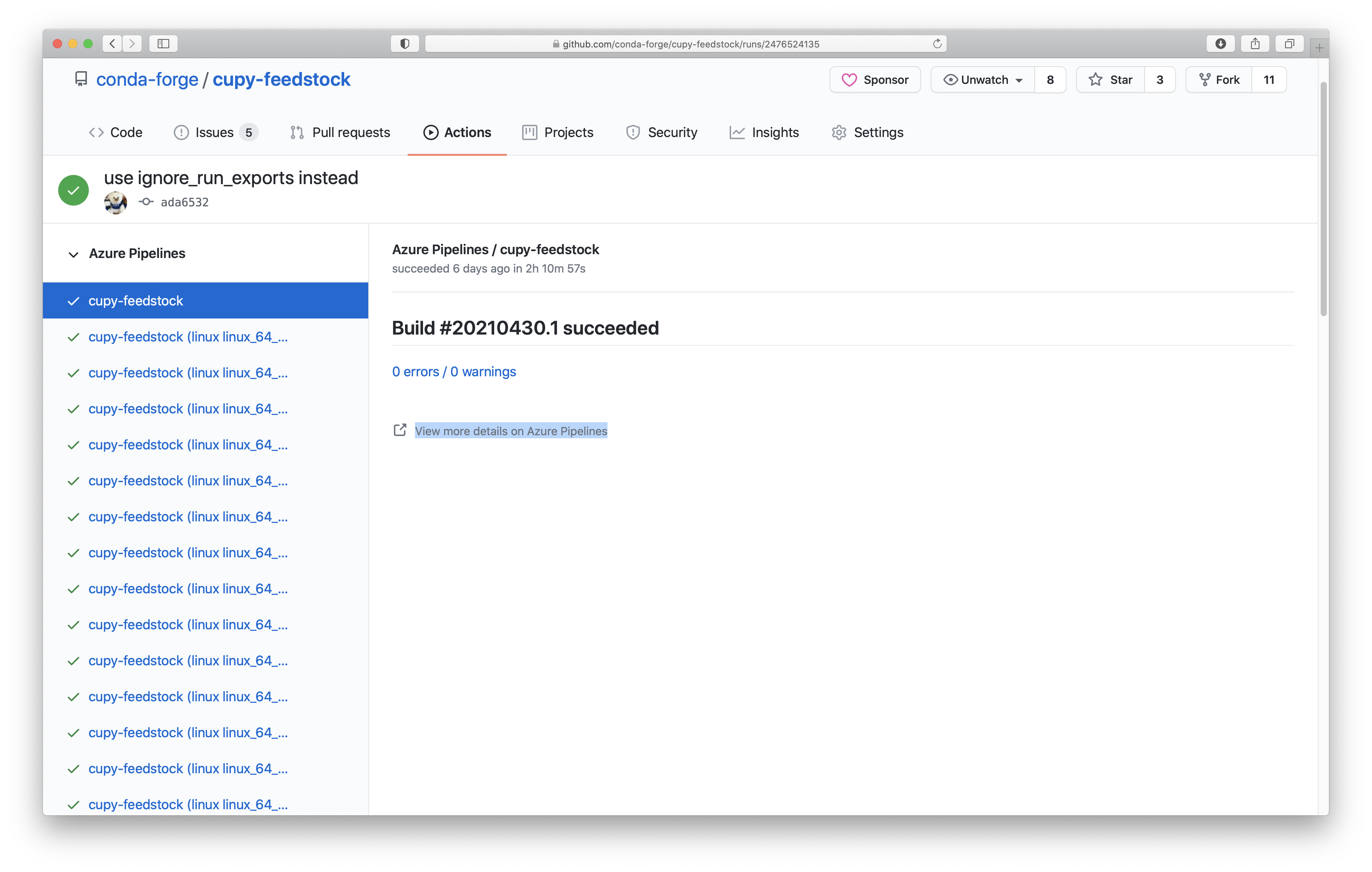
Look for a link in the relevant log of the package they want to download
What's 'relevant' log?
This is subjective. It depends what package the user wants to get. IOW they should pick a log that corresponds to the package they want to download and test.
The screenshot shows one arbitrary choice, but any other log could have been chosen.
jakirkham
on 6 May 2021
Hi @ForgottenProgramme i see you didn't answer my comment above, it was alright if you didn't want to collaborate and wanted to keep the issue to yourself, you could have told me so,but blatantly ignoring people's comment if they ask you for collaboration is not the right thing to do.
Thanks and all the best on solving this.
Aaishpra
on 7 May 2021
oh, hey @Aaishpra ! I am very sorry, I actually missed your previous comment.
And now that I think of it, this issue is not big enough to require two people working on it.
But thanks so much for volunteering! :)
ForgottenProgramme
on 7 May 2021
Related issues
 scopatz
·
4Comments
scopatz
·
4Comments
 dharhas
·
3Comments
jakirkham
·
5Comments
dharhas
·
3Comments
jakirkham
·
5Comments
 prachi237
·
4Comments
prachi237
·
4Comments
 artPlusPlus
·
5Comments
artPlusPlus
·
5Comments
Most helpful comment
@ForgottenProgramme @viniciusdc this feels an interesting issue to work on, if @ForgottenProgramme wants can we collaborate on this? so that this can be documented quickly.