Compose: Cannot Run One-offs in WSL 2 Tech Preview
Description of the issue
I have a Compose-based app that I'm running using the WSL2 Tech Preview. I'm able to build and launch the application, but one-off containers fail to start with a TypeError.
Context information (for bug reports)
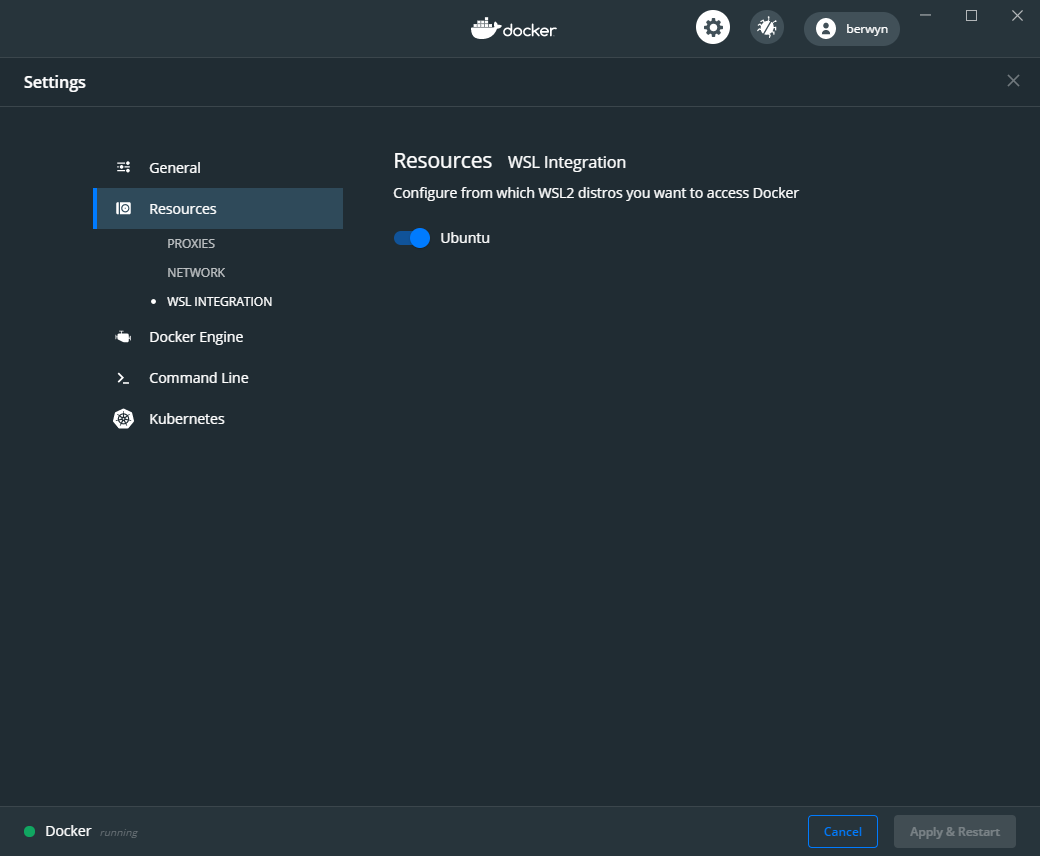
I've tried running via both my host OS and via Ubuntu Bionic in WSL2 using the integration features and injected docker-compose binary. In both cases, the command fails.
Output of docker-compose version
docker-compose version 1.25.0-rc4, build 8f3c9c58
docker-py version: 4.1.0
CPython version: 3.7.4
OpenSSL version: OpenSSL 1.1.1c  28 May 2019
Output of docker version
Client: Docker Engine - Community
 Version:           19.03.5
 API version:       1.40
 Go version:        go1.12.12
 Git commit:        633a0ea
 Built:             Wed Nov 13 07:22:37 2019
 OS/Arch:           windows/amd64
 Experimental:      true

Server: Docker Engine - Community
 Engine:
  Version:          19.03.5
  API version:      1.40 (minimum version 1.12)
  Go version:       go1.12.12
  Git commit:       633a0ea
  Built:            Wed Nov 13 07:29:19 2019
  OS/Arch:          linux/amd64
  Experimental:     true
 containerd:
  Version:          v1.2.10
  GitCommit:        b34a5c8af56e510852c35414db4c1f4fa6172339
 runc:
  Version:          1.0.0-rc8+dev
  GitCommit:        3e425f80a8c931f88e6d94a8c831b9d5aa481657
 docker-init:
  Version:          0.18.0
  GitCommit:        fec3683
Output of docker-compose config
(Make sure to add the relevant -f and other flags)
networks:
  platterz:
    external: true
services:
  db:
    image: mdillon/postgis:10-alpine
    ports:
    - 5432:5432/tcp
    volumes:
    - pgdata:/var/lib/postgresql/data:rw
  elasticsearch:
    environment:
      discovery.type: single-node
    image: docker.elastic.co/elasticsearch/elasticsearch:7.3.1
  mailcatcher:
    image: schickling/mailcatcher
    ports:
    - 1080:1080/tcp
  memcached:
    image: memcached:1.5.10-alpine
  redis:
    image: redis:4.0.6-alpine
  web: # This is just a Rails app with nothing special, should be able to replicate with any Ruby container
    build:
      context: C:\Users\berwyn\dev\platterz\api
    depends_on:
    - db
    - elasticsearch
    - mailcatcher
    - memcached
    - redis
    environment:
      # redacted
    networks:
      default: {}
      platterz:
        aliases:
        - api
    ports:
    - 3000:3000/tcp
    stdin_open: true
    tty: true
    volumes:
    - C:\Users\berwyn\dev\platterz\api:/app:cached
version: '3.0'
volumes:
  pgdata: {}
Steps to reproduce the issue
docker compose run --rm web rails db:migrate
Observed result
Starting api_mailcatcher_1 ... done
Starting api_redis_1       ... done
Starting api_memcached_1   ... done
Starting api_elasticsearch_1 ... done
Traceback (most recent call last):
  File "docker-compose", line 6, in <module>
  File "compose\cli\main.py", line 71, in main
  File "compose\cli\main.py", line 127, in perform_command
  File "compose\cli\main.py", line 897, in run
  File "compose\cli\main.py", line 1377, in run_one_off_container
  File "compose\cli\main.py", line 1497, in call_docker
  File "subprocess.py", line 323, in call
  File "subprocess.py", line 775, in __init__
  File "subprocess.py", line 1178, in _execute_child
TypeError: environment can only contain strings
[5196] Failed to execute script docker-compose
Expected result
The container boots, runs the command, shuts down, and is removed.
Stacktrace / full error message
See above.
Additional information


 berwyn
All 8 comments
Minor update, but this also affects exec:
berwyn@luna:~/dev/platterz/api$ docker-compose exec web /bin/bash
Traceback (most recent call last):
  File "bin/docker-compose", line 6, in <module>
  File "compose/cli/main.py", line 71, in main
  File "compose/cli/main.py", line 127, in perform_command
  File "compose/cli/main.py", line 523, in exec_command
  File "compose/cli/main.py", line 1497, in call_docker
  File "subprocess.py", line 323, in call
  File "subprocess.py", line 775, in __init__
  File "subprocess.py", line 1433, in _execute_child
  File "os.py", line 809, in fsencode
TypeError: expected str, bytes or os.PathLike object, not NoneType
[1044] Failed to execute script docker-compose
This exec error :point_up: appears to be the same error we found in piped commands across OS-es (#7032)
 NAlexPear
on 19 Nov 2019
NAlexPear
on 19 Nov 2019
Interesting! Of note, I'm not piping my compose files for either command -- I typically -f them in, though I did try the base + overrides route and those are both produced the same errors.
berwyn
on 19 Nov 2019
unfortunately the compose file you provided has environment section redacted, and the error TypeError: environment can only contain strings is about this specific section.
Could you please try to prepare a minimalis docker-compose.yml to demonstrate this issue ?
 ndeloof
on 21 Nov 2019
ndeloof
on 21 Nov 2019
I can attempt to make a reproduction, certainly. I chose to redact in this case because the environment variables are almost entirely API keys and other private data, so I'll also take some time to see if the actual values in those keys has any effect.
berwyn
on 21 Nov 2019
So, an update on this -- I was able to resolve it, but I'm not sure how...
I have a .env file to set a whole fleet of environment variables the app needs to boot/run. Docker Compose appears have (correctly) picked up this file and attempted to bind the envvars to the container. When running docker-compose --verbose run --rm ... I was able to see the full set of environment variables in place and it appeared correct. From there, I emptied my .env and started adding back the lines one-by-one until it failed.
It didn't. I thought it might have been because I insert newlines to break the variables up into logical blocks, but even the full .env at the end with the original formatting and whitespace restored didn't replicate the issue. The only thing I can think of is that there was some formatting issue when I restored my .env from a copy I keep in Slack after a recent re-install of my OS. I may experiment more down that route later, but for now I have functioning one-offs again. The only thing I can think of is some line-ending nonsense happening during the process creating the file on Fedora, uploading it to Slack, downloading on Windows, and then copying over to the WSL machine (running Ubuntu).
What I find most confusing here is that
a) This wasn't a problem for docker-compose up, which successfully booted all the containers and set the environment variables
b) This wasn't a problem when using the Hyper-V backend
c) The environment variables were correctly represented in the debug output with --verbose for all commands and with both back-ends.
Either way, the problem is solved on my end but I'm more than happy to continue trying to replicate it if you think this is worth pursuing, or we can close the bug and call it a day. I leave it at your discretion!
berwyn
on 22 Nov 2019
ok, thanks for the update.
ndeloof
on 22 Nov 2019
I am facing the same issue. I am just starting a test with docker-compose in a Ubuntu WSL.
Traceback (most recent call last):
File "bin/docker-compose", line 6, in
File "compose/cli/main.py", line 72, in main
File "compose/cli/main.py", line 125, in perform_command
File "compose/cli/command.py", line 65, in project_from_options
File "compose/cli/command.py", line 149, in get_project
File "compose/cli/command.py", line 120, in get_client
File "compose/cli/docker_client.py", line 127, in docker_client
File "site-packages/docker/api/client.py", line 133, in __init__
File "site-packages/docker/utils/utils.py", line 288, in parse_host
docker.errors.DockerException: Invalid bind address format: port is required: 127.0.0.1
[5767] Failed to execute script docker-compose
I am trying just to do the tutorial in the link:
https://docs.docker.com/compose/gettingstarted/
No matter the command that I use I get the same error.
 Tonzitos
on 23 Mar 2020
Tonzitos
on 23 Mar 2020
Related issues
 AvdN
·
3Comments
AvdN
·
3Comments
 foxx
·
3Comments
foxx
·
3Comments
 bitver
·
3Comments
bitver
·
3Comments
 squeaky-pl
·
3Comments
squeaky-pl
·
3Comments
 maltefiala
·
3Comments
maltefiala
·
3Comments
Most helpful comment
So, an update on this -- I was able to resolve it, but I'm not sure how...
I have a
.envfile to set a whole fleet of environment variables the app needs to boot/run. Docker Compose appears have (correctly) picked up this file and attempted to bind the envvars to the container. When runningdocker-compose --verbose run --rm ...I was able to see the full set of environment variables in place and it appeared correct. From there, I emptied my.envand started adding back the lines one-by-one until it failed.It didn't. I thought it might have been because I insert newlines to break the variables up into logical blocks, but even the full
.envat the end with the original formatting and whitespace restored didn't replicate the issue. The only thing I can think of is that there was some formatting issue when I restored my.envfrom a copy I keep in Slack after a recent re-install of my OS. I may experiment more down that route later, but for now I have functioning one-offs again. The only thing I can think of is some line-ending nonsense happening during the process creating the file on Fedora, uploading it to Slack, downloading on Windows, and then copying over to the WSL machine (running Ubuntu).What I find most confusing here is that
a) This wasn't a problem for
docker-compose up, which successfully booted all the containers and set the environment variablesb) This wasn't a problem when using the Hyper-V backend
c) The environment variables were correctly represented in the debug output with
--verbosefor all commands and with both back-ends.Either way, the problem is solved on my end but I'm more than happy to continue trying to replicate it if you think this is worth pursuing, or we can close the bug and call it a day. I leave it at your discretion!