Components: Material FormField with Outline border styling issue on hover
feature request
Add Thick Border Color on hover as a styling option to FormField inputs
What is the expected behavior?
We should have the option to modify the color of the thick mouseover border, either through theme or direct styling. Defaulting to black is not ideal for many color palettes
What is the current behavior?
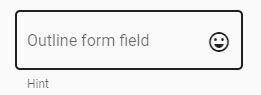
On mouseover of a FormField with appearance="outline" the border is thick solid black with no clear way to style it
What are the steps to reproduce?
- Navigate to https://material.angular.io/components/form-field/overview
- Scroll to "Form field appearance variants"
- Note that the example for appearance="outline" has a black mouseover border
What is the use-case or motivation for changing an existing behavior?
Styling and theming
Which versions of Angular, Material, OS, TypeScript, browsers are affected?
Angular: Angular 5/6
Angular Material: 5/6 (current 6.3.2)
OS: Windows (not tested others)
Browsers: IE, Chrome
Is there anything else we should know?
 Deezlar
All 3 comments
I think this is working as intended, if you're using a dark theme it shows up as white. you can see this on the docs site by going to the theme chooser and picking one of the bottom two themes which are dark themes. You can read more about theming at https://material.angular.io/guide/theming
 mmalerba
on 21 Aug 2018
mmalerba
on 21 Aug 2018
If it helps, I did it by adding the following code to the component scss file:
/deep/.mat-form-field-appearance-outline .mat-form-field-outline-thick {
    color: var(--app-priamry-color);
}
 itaycodevalue
on 17 Jul 2019
itaycodevalue
on 17 Jul 2019
This issue has been automatically locked due to inactivity.
Please file a new issue if you are encountering a similar or related problem.
Read more about our automatic conversation locking policy.
_This action has been performed automatically by a bot._
![angular-automatic-lock-bot[bot] picture](https://avatars.githubusercontent.com/in/40213?v=4&s=40) angular-automatic-lock-bot[bot]
on 11 Sep 2019
angular-automatic-lock-bot[bot]
on 11 Sep 2019
Related issues
 Hiblton
·
3Comments
Hiblton
·
3Comments
 theunreal
·
3Comments
theunreal
·
3Comments
 alanpurple
·
3Comments
alanpurple
·
3Comments
 RoxKilly
·
3Comments
RoxKilly
·
3Comments
 Miiekeee
·
3Comments
Miiekeee
·
3Comments