Components: mat-menu doesn't try to return to its original height on window resize
Bug, feature request, or proposal:
bug
What is the expected behavior?
Menu shouldn't get unnecessarily shrinked after resizing window to height smaller than menu's content height and then back.
What is the current behavior?
Menu's size (height) remains limited by the former window size, even though the window's height is larger than menu's content again.
What are the steps to reproduce?
It can be easily reproduced on the official menu example from docs. https://stackblitz.com/angular/vrrbgbpjore
- Open the menu in provided example
- while menu is still open, resize browser's height so the menu's container needs to reduce its height
- enlarge the browser window again
- the keeps its reduced height
What is the use-case or motivation for changing an existing behavior?
Albeit it's kind of corner-case, it may get menu into unusable state and re-opening the menu doesn't solve the issue.
Which versions of Angular, Material, OS, TypeScript, browsers are affected?
Tried chrome and firefox and both behaved the same way.
Is there anything else we should know?
For some reason it doesn't happen every time. Sometimes I can resize the window however I want and it still works fine, sometimes it shrinks and stays shrinks on every resize.


 meelkor
All 8 comments
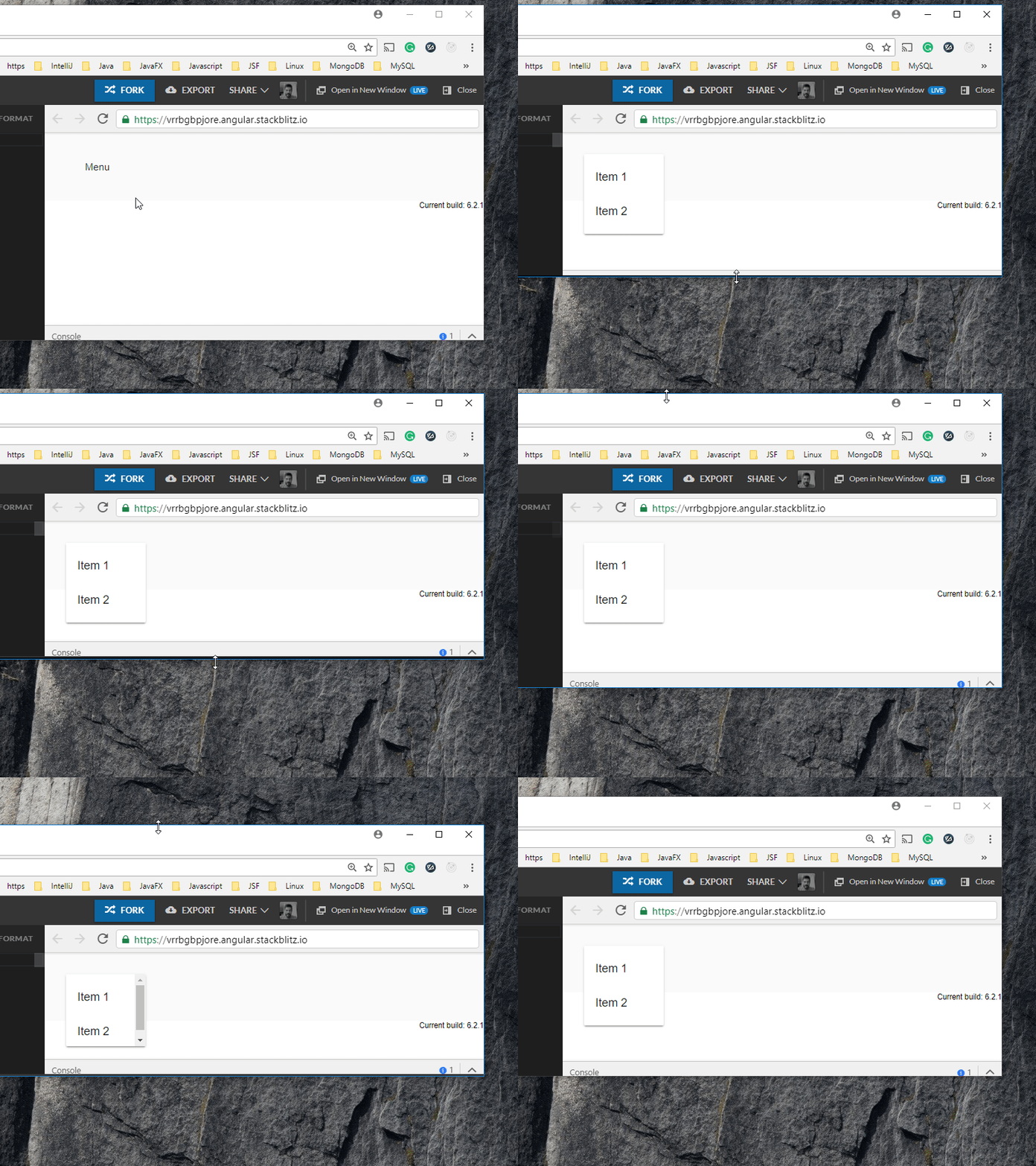
I've tried your stackblitz demo on Chrome 66.0.3359.181 and also 67.0.3396.62 (64 bits). I could not reproduce it. I'm using a Windows 10 machine. Any specificity?
 julianobrasil
on 6 Jun 2018
julianobrasil
on 6 Jun 2018
I am on 66.0.3359.139 Arch Linux (64-bit), but my colleagues were able reproduce it on both Windows 10 and Mac OS machines as well. We just noticed it gets fixed when you resize the window so much that the menu disappears. Could you try to resize the window only so the scrollbar appears and resize the window back to the original size? Other than that we are doing the same thing as you in your screencap. We'll also provide screencap in a moment.
meelkor
on 6 Jun 2018
Here's a reproduction video, Chrome 66.0.3359.181 Win10:

I'd like to point out, that once the menu is completely wiped by the resize, it fixes itself even when it's closed and reopened.
 kvetis
on 6 Jun 2018
kvetis
on 6 Jun 2018
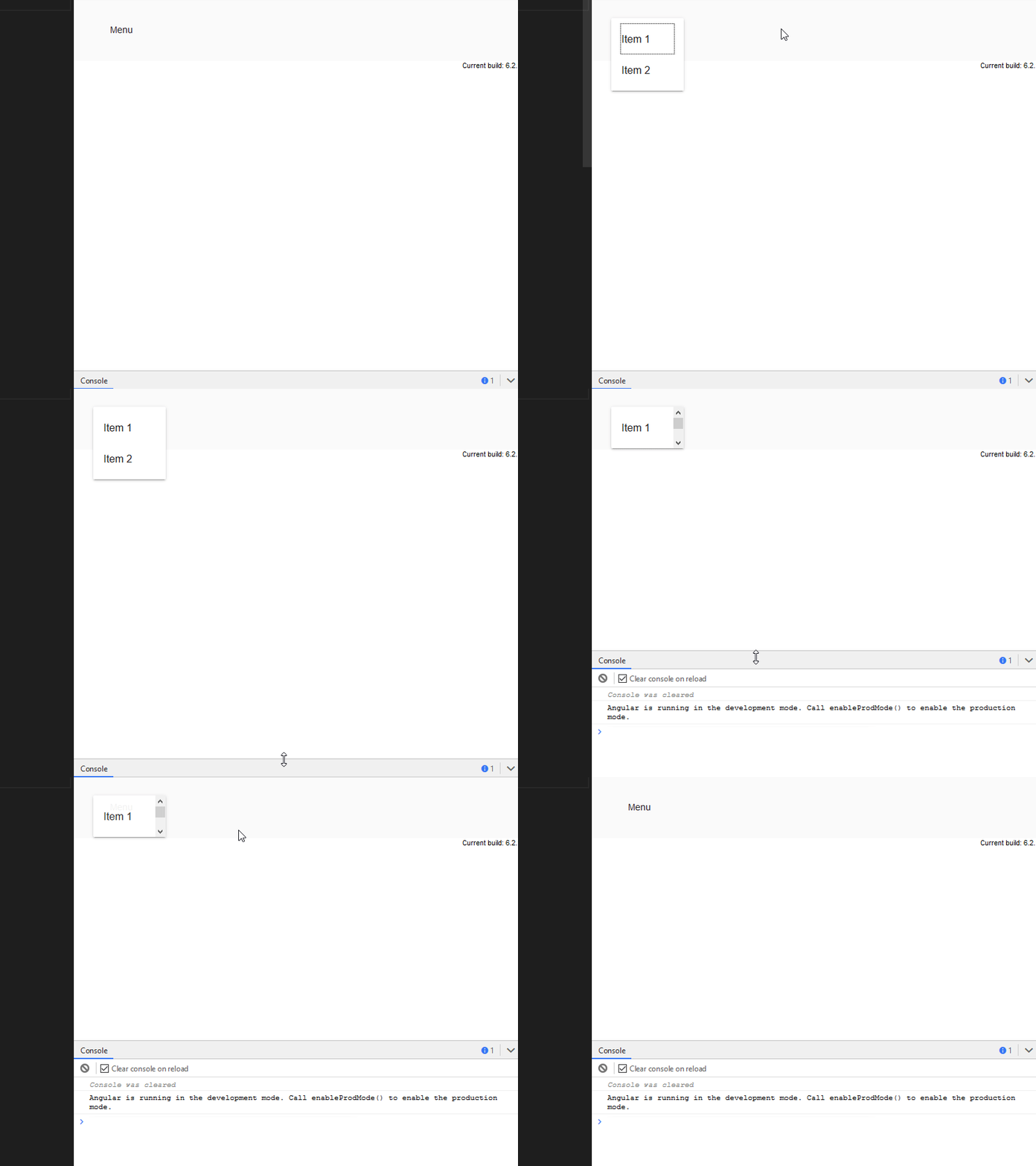
Ok, no matter what I do, I'm not able to reproduce it on Chrome on my machine. But I was able to easily reproduce it on Firefox (also, notice an awkward focus outline when the menu is opened):
julianobrasil
on 6 Jun 2018
I Have same issue. if any solution is exist then please help.
 contact2mayurkukadiya
on 15 Apr 2019
contact2mayurkukadiya
on 15 Apr 2019
::ng-deep .cdk-overlay-connected-position-bounding-box {
min-height: 300px; // or whatever min height you need
}
 mojesto
on 9 Jul 2019
mojesto
on 9 Jul 2019
This was fixed in master a while ago. Closing.
 crisbeto
on 27 May 2020
crisbeto
on 27 May 2020
This issue has been automatically locked due to inactivity.
Please file a new issue if you are encountering a similar or related problem.
Read more about our automatic conversation locking policy.
_This action has been performed automatically by a bot._
![angular-automatic-lock-bot[bot] picture](https://avatars.githubusercontent.com/in/40213?v=4&s=40) angular-automatic-lock-bot[bot]
on 27 Jun 2020
angular-automatic-lock-bot[bot]
on 27 Jun 2020
Related issues
 alanpurple
·
3Comments
alanpurple
·
3Comments
 michaelb-01
·
3Comments
michaelb-01
·
3Comments
 xtianus79
·
3Comments
xtianus79
·
3Comments
 constantinlucian
·
3Comments
constantinlucian
·
3Comments
 RoxKilly
·
3Comments
RoxKilly
·
3Comments
Most helpful comment
Ok, no matter what I do, I'm not able to reproduce it on Chrome on my machine. But I was able to easily reproduce it on Firefox (also, notice an awkward focus outline when the menu is opened):