Components: [Paginator] Add functionality to jump to first and last page
Bug, feature request, or proposal:
Feature request
What is the expected behavior?
There should be 2 buttons like << and >> to jump to the first and last page.
What is the current behavior?
There is no button for this. There is only a button for < and > prev and next.
Items per page: 10 - 1 - 10 of 100 < >
What is the use-case or motivation for changing an existing behavior?
If you have a long list, often it is needed to jump to the end and back to the first page/first items.
Items per page: 10 - 1 - 10 of 100 << < > >>
Is there anything else we should know?
https://github.com/angular/material2/issues/7615 - as a reference.
 Chris2011
All 31 comments
Hi @andrewseguin I'd be keen to give this one a go
 lharries
on 24 Jan 2018
lharries
on 24 Jan 2018
Sounds good to me, let's set the requirements and iterate from there:
- Needs to be optional (turned on through some
Input()) - Should be able to draw up some icons that match the material icon (can't use the icons directly, should be done with divs): https://material.io/icons/#ic_first_page and https://material.io/icons/#ic_last_page
- Needs tests
- Needs to be added as an example in documentation
 andrewseguin
on 24 Jan 2018
andrewseguin
on 24 Jan 2018
I agree with the above requirements.
For tests would it just be the spec tests? I don't see the paginator in the e2e tests.
lharries
on 24 Jan 2018
Yup just some spec unit tests would suffice, try to consider the main case and edge cases, e.g. the jump-to-first button should be disabled when on the first page
andrewseguin
on 24 Jan 2018
Whilst doing the above I found two bugs in the spec file. Would it be best to do them as separate PRs or in the same PR that I'm currently working on, when I have completed this feature?
- A test was wrongly named. See fix here
- There was an off-by-one error where the index of the last page was wrongly calculated.
This happened in both thegoToLastPage()method and in the following test'should disable navigating to the next page if at last page'. See fix here
In headless chrome, it was going to page index 10 to check that it could no longer navigate forward. Whilst there are 10 pages they are starting from index 0 and therefore the last page is in fact index 9.
The bug fix for 2 is required in order to write a valid test for the current feature.
lharries
on 24 Jan 2018
Good catch - if you submit the fixes via separate PRs, that'd be a lot easier for us.
andrewseguin
on 24 Jan 2018
Thanks! And will do
lharries
on 24 Jan 2018
Do I need to create issues for them or straight to the PRs?
lharries
on 24 Jan 2018
No issue needed, just a PR will do
andrewseguin
on 24 Jan 2018
Will do.
On a side note: for the Component attribute of showing/hiding the first and last buttons would you have any recommendations on naming? I am thinking hideFirstLastButtons, which would be similar to the current hidePageSize?
e.g.
<mat-paginator [pageIndex]="pageIndex"
                   [pageSize]="pageSize"
                   [pageSizeOptions]="pageSizeOptions"
                   [hidePageSize]="hidePageSize"
                   [hideFirstLastButtons]="hideFirstLastButtons"
                   [length]="length"
                   (page)="latestPageEvent = $event">
</mat-paginator>
Naming tends to be one of the harder parts of these sort of features.
By default, the paginator shouldn't show the first/last buttons anyways since the material spec doesn't include them. I imagine the flag would be more like showFirstAndLastButtons.
Curious how the interaction would look if you had a paginator for an "infinitely" long list. You'd want to make sure you can easily hide the Jump to Last button since it doesn't make sense.
andrewseguin
on 25 Jan 2018
Ok, I'll make the first/last buttons hidden by default and implement the showFirstAndLastButtons attribute.
Shall I add showFirstButton and showLastButton too to allow the control such as with the "infinitely" long list?
lharries
on 25 Jan 2018
Since its a pretty uncommon case and I'd lean more towards keeping a thinner API surface, let's leave those off. In that case it should be fairly trivial to just add a display: none to the last button.
If it comes up from users in the future, we can always add it in then
andrewseguin
on 25 Jan 2018
Great point
lharries
on 25 Jan 2018
Is there a best practice for doing multiple PRs for the same file to avoid the conflicts on merge?
lharries
on 25 Jan 2018
I have added the first and last buttons to the demo app, in a new table, and to the material-examples, to the existing table, is this correct or would there be a better way to do this.
Additionally, would we need to submit a PR to the material.angular.io docs?
Here's where I'm currently at:
- [x] Needs to be optional (turned on through some Input())
- [x] Needs tests
- [x] Needs to be added as an example in documentation
- [x] Should be able to draw up some icons that match the material icon (can't use the icons directly, should be done with divs): https://material.io/icons/#ic_first_page and https://material.io/icons/#ic_last_page
I'll have a look into the icons tomorrow but the functionality and all the tests are done 😄
lharries
on 25 Jan 2018
I came across another bug, where the classes of the increment and decrement icons were wrongly named. I have implemented a fix in a separate PR #9597
lharries
on 25 Jan 2018
I believe I have managed to implement the icons correctly with divs:
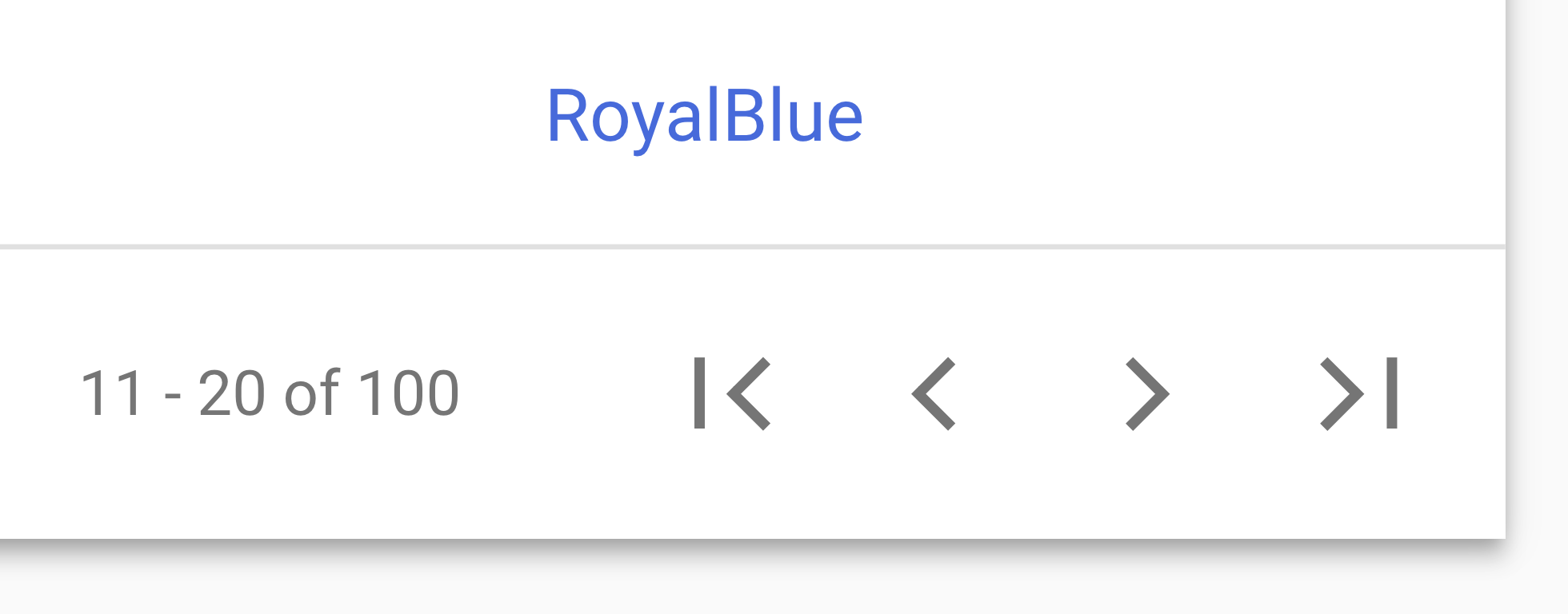
I will submit a PR for the feature now, let me know if there is anything you'd like changed.
lharries
on 25 Jan 2018
Awesome looks great!
When we launch the material.angular.io site with these changes, the script we use will automatically pull in your docs and example
andrewseguin
on 25 Jan 2018
Thanks very much!
Not sure if you saw my previous message: "Is there a best practice for doing multiple PRs for the same file to avoid the conflicts on merge?"
The new PR will include the changes made in the previous 3 bug fixes
lharries
on 25 Jan 2018
Ah right - go ahead and include the fixes in your PR and then write in the description that they include fixes from the other PRs and that the PR is blocked until the others are in. Since they are small I imagine they will be merged fairly quickly. Once they are in, you can rebase and remove the disclaimer on your final PR
andrewseguin
on 25 Jan 2018
Thanks Andrew, will do!
lharries
on 25 Jan 2018
This is awesome. Great work @lharries!
 willshowell
on 25 Jan 2018
willshowell
on 25 Jan 2018
@lharries I'm seeing this in Edge on first render:

Once you click on the button it corrects:

Any ideas?
 btroncone
on 7 Feb 2018
btroncone
on 7 Feb 2018
@btroncone apologies for that. I'll set up an Edge development environment and get this fixed
lharries
on 10 Feb 2018
@lharries No worries! Had QA catch it in one of my projects and wanted to make you aware. I messed around with it briefly but didn't reach a solution I was happy with, hopefully you will have better luck!
btroncone
on 10 Feb 2018
@btroncone I'll create an issue and see if we can get it fixed
lharries
on 12 Feb 2018
@btroncone there's a fix already submitted #9776
lharries
on 13 Feb 2018
@lharries Awesome, thanks for the update!
btroncone
on 13 Feb 2018
Hi how to install this package @lharries ? is it by the default npm install --save @angular/material?
 tomliem
on 15 Apr 2019
tomliem
on 15 Apr 2019
This issue has been automatically locked due to inactivity.
Please file a new issue if you are encountering a similar or related problem.
Read more about our automatic conversation locking policy.
_This action has been performed automatically by a bot._
![angular-automatic-lock-bot[bot] picture](https://avatars.githubusercontent.com/in/40213?v=4&s=40) angular-automatic-lock-bot[bot]
on 10 Sep 2019
angular-automatic-lock-bot[bot]
on 10 Sep 2019
Related issues
 crutchcorn
·
3Comments
crutchcorn
·
3Comments
 3mp3ri0r
·
3Comments
3mp3ri0r
·
3Comments
 Miiekeee
·
3Comments
Miiekeee
·
3Comments
 vitaly-t
·
3Comments
vitaly-t
·
3Comments
 alanpurple
·
3Comments
alanpurple
·
3Comments
Most helpful comment
This is awesome. Great work @lharries!