Components: Datepicker Adapter not working as expected.
Bug, feature request, or proposal:
Bug
What is the expected behavior?
Datepicker should use the LOCALE_ID or the NativeDateAdapter.
What is the current behavior?
Datepicker input has the correct date format though Calendar doesn't display and it works only if the user writes manually a US formatted date. Same with validators, if the user type a different than US format it returns error.
What are the steps to reproduce?
I have this MaterialModule in my app:
const APP_DATE_FORMATS = {
  parse: {
      dateInput: {month: 'short', year: 'numeric', day: 'numeric'}
  },
  display: {
      dateInput: 'input',
      monthYearLabel: {year: 'numeric', month: 'short'},
      dateA11yLabel: {year: 'numeric', month: 'long', day: 'numeric'},
      monthYearA11yLabel: {year: 'numeric', month: 'long'},
  }
};

export class AppDateAdapter extends NativeDateAdapter {

  parse(value: any): Date | null {
    if ((typeof value === 'string') && (value.indexOf('-') > -1)) {
      const str = value.split('-');
      const dayArray = str[2].split('T');

      const year = Number(str[0]);
      const month = Number(str[1]) - 1;
      const day = Number(dayArray[0]);

      return new Date(year, month, day);
    }
    const timestamp = typeof value === 'number' ? value : Date.parse(value);
    return isNaN(timestamp) ? null : new Date(timestamp);
  }

  format(date: Date, displayFormat: Object): string {

    if (displayFormat === 'input') {
      const day = date.getDate();
      const month = date.getMonth() + 1;
      const year = date.getFullYear();
      return `${day}-${month}-${year}`;
    } else {
      return date.toDateString();
    }
  }
}

@NgModule({
  exports: [
    MdModules,
  ],
  declarations: [],
  entryComponents: [
    PersonalDataDialogComponent
  ],
  providers: [
    { provide: DateAdapter, useClass: AppDateAdapter },
    { provide: MD_DATE_FORMATS, useValue: APP_DATE_FORMATS }

  ]
})
export class MaterialModule {
  constructor(private dateAdapter: DateAdapter<Date>) {
    dateAdapter.setLocale('nl-NL');
  }
}
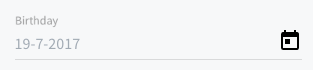
I'm getting this on the input:

As you see above correct input but calendar doesn't work.
If the user try manually field is getting an error:

But if I enter US format:

Which versions of Angular, Material, OS, TypeScript, browsers are affected?
Angular: 4.3.3
Material beta.8
 vapits
All 32 comments
I implemented a similar approach for non American style dates and have similar behavior with an added quirk:
The user enters 12-2-2017 being the 12th of Feb, the value returns correctly from the picker, however the visual acts odd, when clicking on the picker shows the month instead of the day, in my case December instead of Feb.
A simple format selector built into it would be GREAT.
 Eppiox
on 14 Aug 2017
Eppiox
on 14 Aug 2017
Here you can find a working example (DateAdapter) from @julianobrasil and the info about the planned solution https://github.com/angular/material2/issues/6263#issuecomment-320211085
 ghd8
on 14 Aug 2017
ghd8
on 14 Aug 2017
@ghd8 it doesn't work on plnkr and if I add it in my project (I saw it already) it has exactly the same behavior. :/
vapits
on 14 Aug 2017
@vapits, have you called this.dateAdapter.setLocale('pt-br'); as I did in the plunk? It needs to be called once anywhere in the project (since the date adapter is a singleton). Or, even better, setup your LOCALE_ID. I've changed the plunk a little bit to show this possibility (look in the main.ts): https://plnkr.co/edit/jc4Ywu?p=preview
 julianobrasil
on 14 Aug 2017
julianobrasil
on 14 Aug 2017
Yes @julianobrasil and I have exactly the same behavior. :/
vapits
on 14 Aug 2017
@vapits, in the example you've posted above, you're not showing the parser function... it's the main part of all the process... do you have one in your real code?
julianobrasil
on 14 Aug 2017
@julianobrasil just edited my code.
I'm getting a value like: 2017-07-28T06:33:45.206Z which I want just to format like dd-MM-yyyy. It seems that it works only for the first display on the input only but actually manually the inputs waits for US style and same on Calendar.
vapits
on 14 Aug 2017
Modify my plunk and post it here with your date adapter. It's easier to see what's happening.
julianobrasil
on 14 Aug 2017
The plnkr doesn't work for me on plnkr website it fails to load the packages :S
vapits
on 14 Aug 2017
ok... try to add this code to your date adapter:
parse(value: any): Date | null {
if ((typeof value === 'string') && (value.indexOf('/') > -1)) {
const str = value.split('-');
const year = Number(str[2]);
const month = Number(str[1]) - 1;
const date = Number(str[0]);
return new Date(year, month, date);
}
const timestamp = typeof value === 'number' ? value : Date.parse(value);
return isNaN(timestamp) ? null : new Date(timestamp);
}
I did. I'm getting the calendar work but the parsed date is in wrong format:

It doesn't respect it when I change it to dd-MM-yyyy
vapits
on 14 Aug 2017
oh, my bad... the right function is:
parse(value: any): Date | null {
if ((typeof value === 'string') && (value.indexOf('-') > -1)) {
const str = value.split('-');
const year = Number(str[2]);
const month = Number(str[1]) - 1;
const date = Number(str[0]);
return new Date(year, month, date);
}
const timestamp = typeof value === 'number' ? value : Date.parse(value);
return isNaN(timestamp) ? null : new Date(timestamp);
}
But note that it will mess up with the format function you've written, once it's output is different from what this parse function expects.
julianobrasil
on 14 Aug 2017
@julianobrasil there are not changes on this function and mine.
vapits
on 14 Aug 2017
Yes, there are changes: I've changed value.indexOf('\') to value.indexOf('-') in the if statement.
julianobrasil
on 14 Aug 2017
@julianobrasil Yes I already had fixed this :P :) Still I'm getting the screen shot above :/
vapits
on 14 Aug 2017
@julianobrasil sorry. The function is the same. But I have the APP_DATE__FORMATS.
So if I have in them:
display: {
dateInput: 'input',
monthYearLabel: {year: 'numeric', month: 'short'},
dateA11yLabel: {year: 'numeric', month: 'long', day: 'numeric'},
monthYearA11yLabel: {year: 'numeric', month: 'long'},
}
Then I have the same issue. Correct initial value but calendar and input (manual) waits for US input.
If I edit the dateInput to this:
dateInput: { month: 'short', year: 'short', day: 'numeric' } then I get everything working but instead of dd-MM-yyyy I'm getting this Fri 29 July 2017 format which It's not my locale one neither my requirement. :/
vapits
on 14 Aug 2017
No matter what I do, it always works in the plunk :smiley: . I try using your code as it is (with de MD_DATE_FORMATS). At least how I imagine it is... It's in this plunk: https://plnkr.co/edit/rxzhhl?p=preview
julianobrasil
on 14 Aug 2017
Can you try dateInput: {year: 'numeric', month: 'numeric', day: 'numeric'},
ghd8
on 14 Aug 2017
@ghd8 I tried that already no change :/
@julianobrasil where do you set the providers in your plnkr? And where are the APP_DATE_FORMATS.
I'm copying the code exactly as yours and it doesn't work. Also try to use a date like the one I mention above as source: 2017-07-28T06:33:45.206Z and convert it to dd-MM-yyyy. It doesn't respect it. Only on the initial show.
vapits
on 14 Aug 2017
@vapits, I'm not messing with the APP_DATE_FORMATS. I've just did it in this plunk to leave it similar to your code.
But I think, from your last post, I didn't get it right. If you want to enter 2017-07-28T06:33:45.206Z (typing in the input, right?) you have to do almost nothing, but change the parse function to do something like new Date('2017-07-28T06:33:45.206Z'), or whatever date comes in from the args. Man, try to make the plunker to work.
And lets move this discussion to stackoverflow.com. There's way too many messages than recommended by the moderators and it really seems to be a misconfiguration of something instead of a bug.
Create a post in stackoverflow.com and post the link here.
julianobrasil
on 14 Aug 2017
@julianobrasil Here it is, I managed to replicate it to a new plnkr:
https://plnkr.co/edit/blxY8zEbScGPLVCTLMNw?p=preview
- Open the calendar, it doesn't go to the specific date.
- Try to edit the date manually by typing not by calendar.
(Validator fails, now the parse also provide log errors and breaks the app, the chosen date gets wrong value)
vapits
on 14 Aug 2017
The problem is that your format function is sometimes generating the date in dd-mm-yyyy and sometimes in 'yyyy-MM-ddThh:mm:ss.mmmZ' (when building the calendar). You have to improve the parse function to test in which format the date is (if there's no '-', it's probably in the latter format).
julianobrasil
on 14 Aug 2017
Correcting: if there's no ':', it's probably in dd-MM-yyyy format.
julianobrasil
on 14 Aug 2017
@julianobrasil I guess yes for the parse as you type, sure.
Though the calendar issue is still there and the selected date as well :/
Is this a bug you think?
vapits
on 14 Aug 2017
Take a look: https://plnkr.co/edit/CZi6mI?p=preview
julianobrasil
on 14 Aug 2017
@julianobrasil Oh..... thx. Seems only that there is still an issue with the selected date:
This is on input (by calendar or when I add it manually):
And this is in my scope:

vapits
on 14 Aug 2017
Also it seems that now that those:
15
15-
15-1
15-12
15-12-1
15-12-19
15-12-198
1613-1982
16-13-1982
123456
Are considered valid dates and the validator doesn't find it as an error. So someone can save any of those for a date...
vapits
on 14 Aug 2017
@vapits, sorry for the wrong code on my last plunk. I had to leave our work (because I'm in a rush in the last days releasing a new project), but I've corrected the code now (not the part of the validation): https://plnkr.co/edit/CZi6mI?p=preview
Concerning the validation part, I'm almost sure (didn't have time to test it), that you have to override the isValid(date:Date) => boolean function, which is currently:
isValid(date: Date) {
return !isNaN(date.getTime());
}
Or... I bet you can do something using the parse function like setting a wrong date object when the typed date is in wrong format (like returning null instead of a Date object). It would force the validation function to return false.
I did something in that direction in the plunk, but it needs improvements. You can check that and work upon it to enforce the date is typed in in the correct format.
julianobrasil
on 18 Aug 2017
@julianobrasil Yes you are on the right track. So Date.parse considers those to be valid dates and returns valid Date objects for them. In order to make it consider those invalid you would need to check for those cases and then return something that isValid will classify as an invalid date. I recommend doing this by just changing the parse function and leaving isValid alone, like this:
parse(value: any) {
  if (/* Check for strings I consider invalid */) {
    return new Date(NaN);
  }
  // continue constructing Date
}
Also I just wanted to say thank you for all of your help responding to datepicker issues :) I really appreciate it
 mmalerba
on 18 Aug 2017
mmalerba
on 18 Aug 2017

Can I load year view format. I do not want to load day. Please help me out in Angular 4.Thanks in advance.
 Manasonabhaban
on 27 Apr 2018
Manasonabhaban
on 27 Apr 2018
This issue has been automatically locked due to inactivity.
Please file a new issue if you are encountering a similar or related problem.
Read more about our automatic conversation locking policy.
_This action has been performed automatically by a bot._
![angular-automatic-lock-bot[bot] picture](https://avatars.githubusercontent.com/in/40213?v=4&s=40) angular-automatic-lock-bot[bot]
on 8 Sep 2019
angular-automatic-lock-bot[bot]
on 8 Sep 2019
Related issues
 3mp3ri0r
·
3Comments
julianobrasil
·
3Comments
3mp3ri0r
·
3Comments
julianobrasil
·
3Comments
 vanor89
·
3Comments
vanor89
·
3Comments
 MurhafSousli
·
3Comments
MurhafSousli
·
3Comments
 xtianus79
·
3Comments
xtianus79
·
3Comments
Most helpful comment
@julianobrasil Yes you are on the right track. So
Date.parseconsiders those to be valid dates and returns validDateobjects for them. In order to make it consider those invalid you would need to check for those cases and then return something thatisValidwill classify as an invalid date. I recommend doing this by just changing theparsefunction and leavingisValidalone, like this:Also I just wanted to say thank you for all of your help responding to datepicker issues :) I really appreciate it