Bug, feature request, or proposal:
Bug
What is the expected behavior?
By holding down the shift key and clicking a checkbox this should checked.
What is the current behavior?
The checkbox is not marked only shows the ripple effect.
What is the use-case or motivation for changing an existing behavior?
I would like to implement a Gmail-style checkbox.
Which versions of Angular, Material, OS, TypeScript, browsers are affected?
Material: 2.0.0-beta.8
Angular: 4.3.2
TypeScript: 2.4.2
Chrome
Is there anything else we should know?
https://material.angular.io/components/checkbox/examples
In Safari it works.
 jmparra
All 8 comments
Chrome click + shift doesn't work:
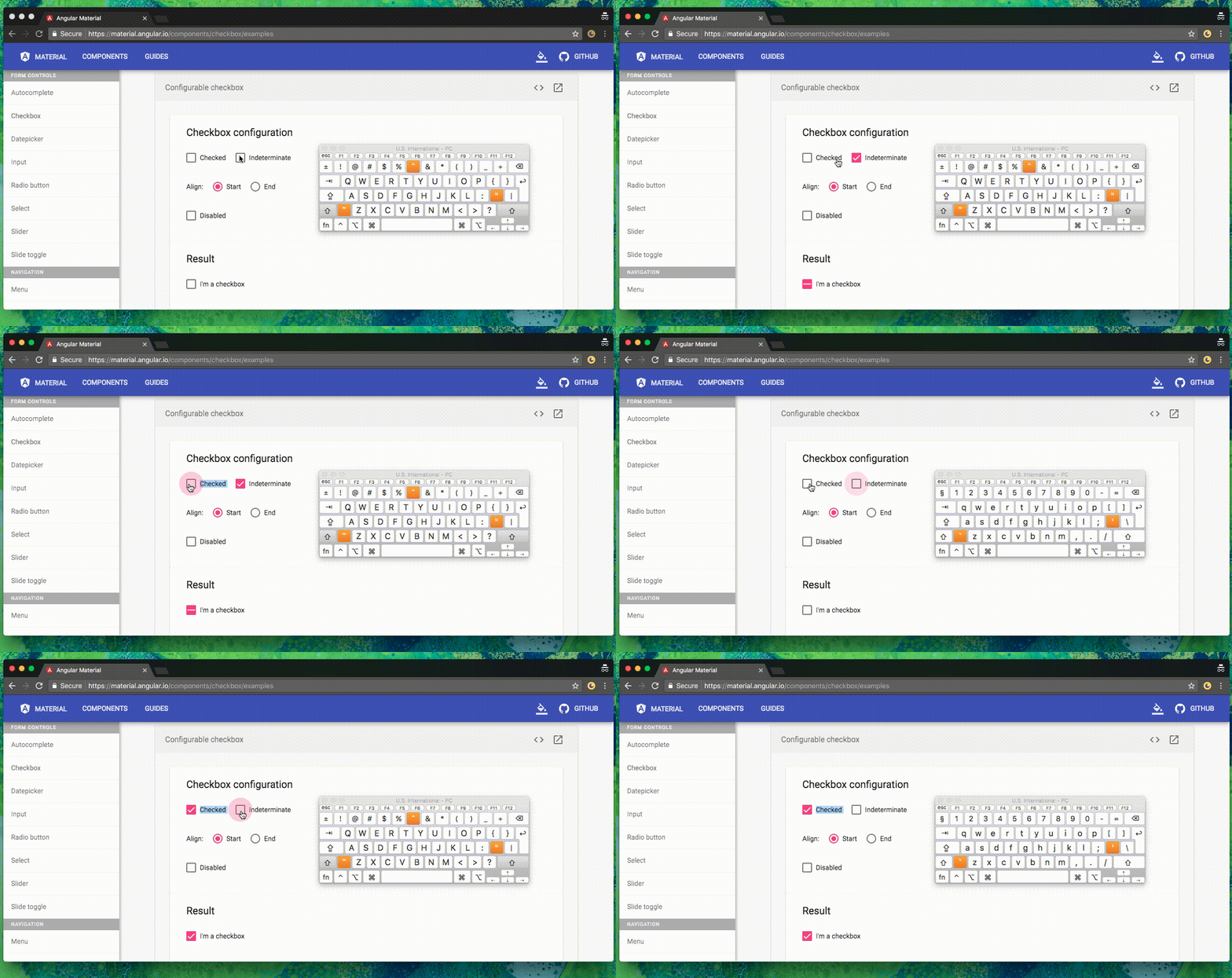
Safari click + shift it works.
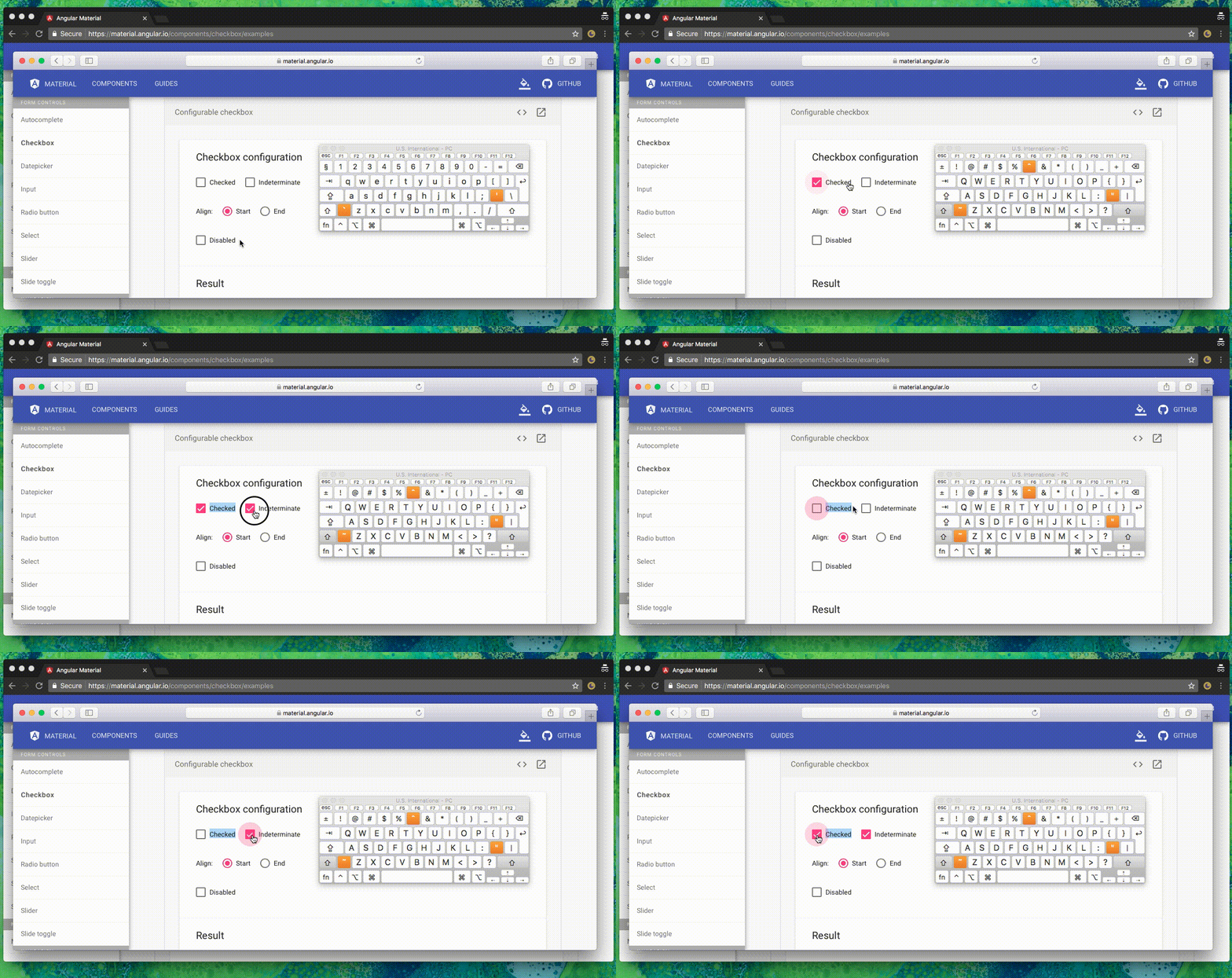
jmparra
on 14 Aug 2017
Currently on Chrome shift+click works only if you double click fast.
Not really the ideal interaction...
 IlCallo
on 21 Sep 2018
IlCallo
on 21 Sep 2018
Another strange interaction on this.
Apparently setting user-select: none or preventing mousedown default on shift + click prevents the checkbox to change state.
Seems like mat-checkbox is deeply connected with text selection API in some way I cannot understand.
For example, returning false to a onselectstart event will prevent the mat-checkbox to change if nothing on the page is selected.
But if something somewhere is selected, it will work as expected.
IlCallo
on 24 Oct 2018
I managed to make it work somehow.
I had to prevent default behaviour of mousedown event on the mat-checkbox, only when shift is hold, then in the click handler I removed the current selection and forced a text selection on the mat-checkbox.
My scenario was really complex, maybe something simpler will do for other use cases.
Relevant code below, I avoided including the code managing checkboxes selection status via CDK Selection API.
<!-- TODO fast click+shift causes a buggy UX -->
<mat-checkbox
    (mousedown)="$event.shiftKey ? $event.preventDefault() : null"
    (click)="$event.shiftKey ? multipleToggle(row, $event) : null"
    (change)="this.selection.toggle(row)"
    [checked]="selection.isSelected(row)">
</mat-checkbox>
  public multipleToggle(row: Model, event: MouseEvent) {
    // TODO:WORKAROUND mat-checkbox has a difficult relation with selection API
    //  in particular, if text selection over the checkbox is disabled
    //  (using 'user-select: none', preventing mousedown event default or returning
    //  false to selectstart event), the checkbox won't change it's state.
    const range = window.document.createRange();
    range.selectNode(event.target as HTMLElement);
    window.getSelection().removeAllRanges();
    window.getSelection().addRange(range);

    // TODO:WORKAROUND Angular Material doesn't handle well click+shift.
    // To overcome this, we remove MatCheckbox listener and manually execute the toggle
    event.stopImmediatePropagation();

    /* Row selection management */
  }
This is a common use case when we are trying to do "shift key + click" for multiple check.
material should provide the $event for us to have simple check 'event.shiftKey'.
mousedown is the good idea for workaround. thank IlCallo.
 keatkeat87
on 2 Dec 2019
keatkeat87
on 2 Dec 2019
This bug still occurs
 doronsever
on 5 Mar 2020
doronsever
on 5 Mar 2020
I have the exact same problem, but strangely enough, for me chrome works fine, Firefox does not 🤔
 klemenoslaj
on 1 Oct 2020
klemenoslaj
on 1 Oct 2020
I encountered the same problem, and made a solution based on IlCallo's answer:
<mat-checkbox class="pointer"
        [checked]="vm.SelectedIds.indexOf(row.Id) > -1"
        (mousedown)="shiftKeyEnabled = $event.shiftKey"
        (click)="toggleCheckedState(row.Id, $event)"
        #myCheckbox>
</mat-checkbox>
export class MyComponent {
  shiftKeyEnabled = false;

  @ViewChild("myCheckbox", {static: false}) myCheckbox: MatCheckbox;

  toggleCheckedState(id: number, event: MouseEvent){
  event.preventDefault();
  event.stopImmediatePropagation();

  const previousCheckedState = this.myCheckbox.checked;
  const newCheckedState = !previousCheckedState;

  console.log(`newCheckedState ${newCheckedState}`);
  console.log(`shiftKeyEnabled ${this.shiftKeyEnabled}`);
  }
}
Although I have to admit, it's probably not as neat since I'm using ViewChild.
 brz
on 23 Nov 2020
brz
on 23 Nov 2020
Related issues
 vitaly-t
·
3Comments
vitaly-t
·
3Comments
 Miiekeee
·
3Comments
Miiekeee
·
3Comments
 MurhafSousli
·
3Comments
MurhafSousli
·
3Comments
 Hiblton
·
3Comments
Hiblton
·
3Comments
 3mp3ri0r
·
3Comments
3mp3ri0r
·
3Comments
Most helpful comment
I managed to make it work somehow.
I had to prevent default behaviour of
mousedownevent on the mat-checkbox, only when shift is hold, then in theclickhandler I removed the current selection and forced a text selection on the mat-checkbox.My scenario was really complex, maybe something simpler will do for other use cases.
Relevant code below, I avoided including the code managing checkboxes selection status via CDK Selection API.