Community-edition: Unable to login via Google in apps
Steps to reproduce
- Add a new service
- Choose any google service
Expected behavior
Logins and connects to the respective google app successfully
Actual behavior
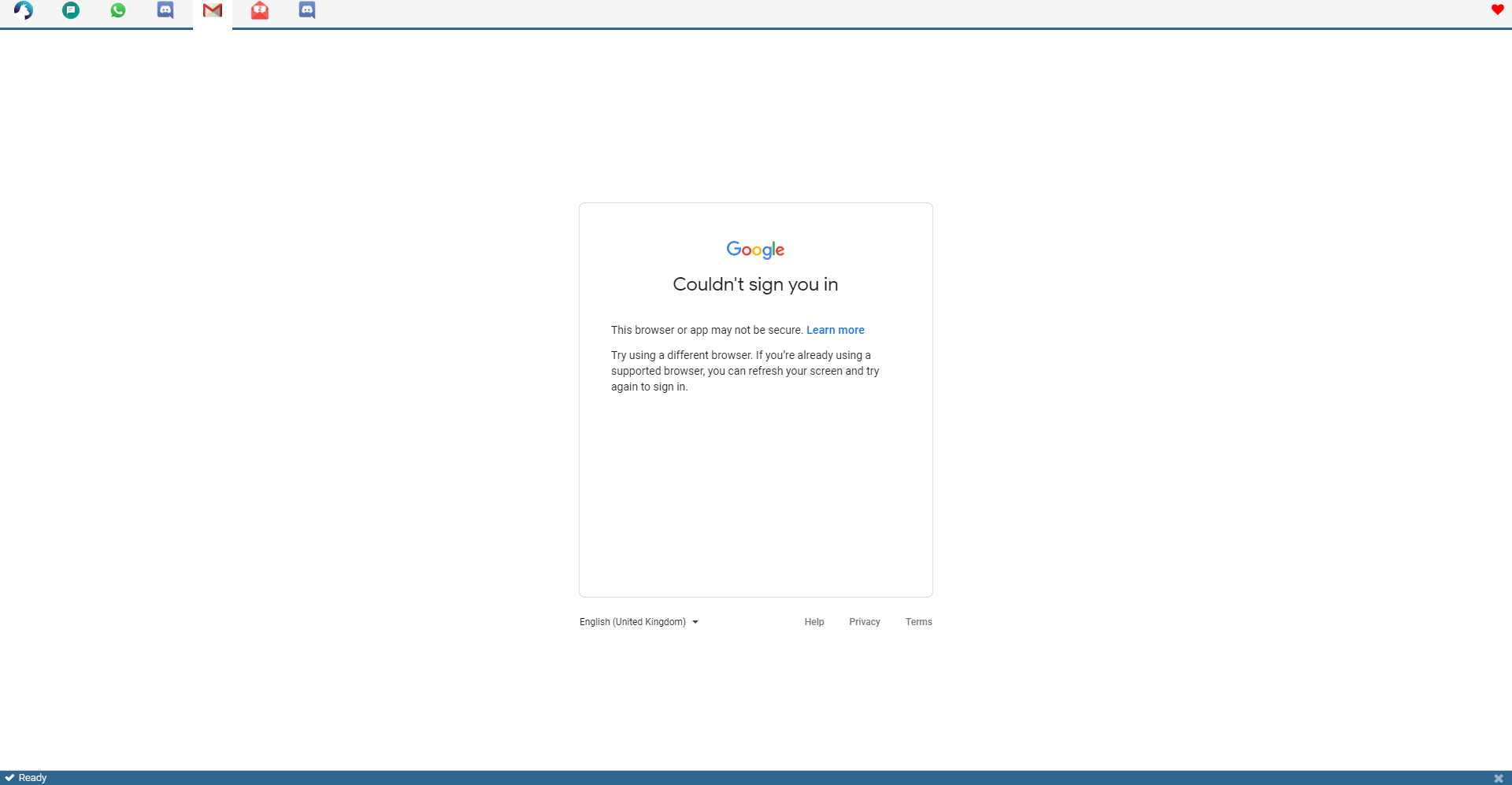
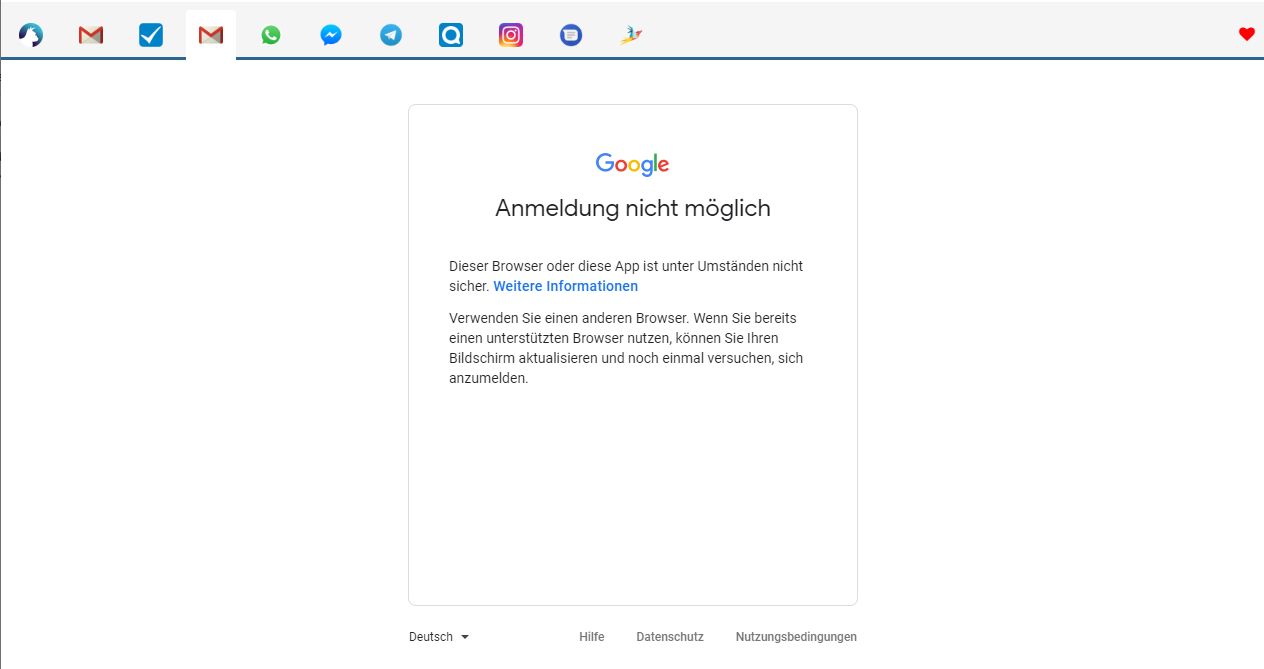
Couldn't sign you in
This browser or app may not be secure. Learn more
Try using a different browser. If you’re already using a supported browser, you can refresh your screen and try again to sign in.
ENVIRONMENT
Rambox: v0.7.5
OS: Ubuntu 20.04
Excerpt from About Rambox window:
Version: 0.7.5
Platform: linux (x64)
Electron: 7.1.12
Chromium: 78.0.3904.130
Node: 12.8.1
 nemo-1999
All 27 comments
Thanks for opening your first issue here! Be sure to follow the issue template!
![welcome[bot] picture](https://avatars0.githubusercontent.com/in/4141?v=4&s=40) welcome[bot]
on 12 Aug 2020
welcome[bot]
on 12 Aug 2020
I have the same issue.
Ubuntu 20.04.1 LTS
-
> Rambox 0.7.5
> Electron 7.1.12
> linux x64 5.4.0-42-generic
 ogrimator
on 13 Aug 2020
ogrimator
on 13 Aug 2020
Experiencing the same. Trying to sign-in to Google Hangouts.
OS: macOS 10.15.6
Version: 0.7.5
Platform: darwin (x64)
Electron: 7.1.12
Chromium: 78.0.3904.130
Node: 12.8.1
 bro3234
on 14 Aug 2020
bro3234
on 14 Aug 2020
I just want to add a small observation, I have encounter the exact same error in a Firefox today while trying to log in to gmail in a private mode. Restarting private mode window resolved this issue.
ogrimator
on 14 Aug 2020
I have the same issue, but other similar apps are experiencing the same issue (Franz)
 Laura1590
on 14 Aug 2020
Laura1590
on 14 Aug 2020
We are working on this.
 saenzramiro
on 14 Aug 2020
saenzramiro
on 14 Aug 2020
I'm facing the same issue too.
I did try doing a few things, all unsuccessfully:
- Changing the user agent string to multiple different values (i.e. Chrome on
Windows, Chrome on Linux, etc) - Removing all the electron-specific variables in JavaScript (from the devtools console). I did enough to fool is-electron.
Neither worked.
One more thing to note is that the sign-in error happens in both the Auth0 login page (for syncing with a rambox account) and when trying to log in to a Google account in any service page.
Hopefully this info is of use.
 arjvik
on 18 Aug 2020
arjvik
on 18 Aug 2020
Same issue as well.
 8227846265
on 19 Aug 2020
8227846265
on 19 Aug 2020
Tried to login today and: same.
 joshxtra
on 20 Aug 2020
joshxtra
on 20 Aug 2020
Same issue for me!
 tstokes8040
on 21 Aug 2020
tstokes8040
on 21 Aug 2020
Same here
Version: 0.7.5
Platform: darwin (x64)
Electron: 7.1.12
Chromium: 78.0.3904.130
Node: 12.8.1

MacOS Mojave
10.14.5
Changing User-Agent also is not a solution by now.
 roliveiravictor
on 21 Aug 2020
roliveiravictor
on 21 Aug 2020
Same here
 pglira
on 22 Aug 2020
pglira
on 22 Aug 2020
same issue here
Using Arch Linux, installed Rambox 0.75 via AUR, other services like skype, fb messenger or whatsapp working fine, except gmail.
may it has to do with security settings withing gmail. I remember I got similar problems to login like via Geary e.g.
 smooth-dev1l
on 24 Aug 2020
smooth-dev1l
on 24 Aug 2020
Same using MacOS 10.13.6
 dantux
on 25 Aug 2020
dantux
on 25 Aug 2020
Same here trying to access Hangouts on MacOS 10.15.16
 robross0606
on 25 Aug 2020
robross0606
on 25 Aug 2020
Patience guys, let the dev handle this. I guess in the interim have to revert to web browser
 kaiju23
on 27 Aug 2020
kaiju23
on 27 Aug 2020
Thanks for working on this issue 👍
 TalZiv
on 27 Aug 2020
TalZiv
on 27 Aug 2020
Just installed Rambox CE 0.7.5 on ubuntu 20.04 and ran to simmilar issue when logging into gmail with MFA enabled. Got it working with using following steps:
- open development tools from tab context menu
- Selected more tools -> network conditions
- Unchecked "User agent automatic selection"
- Selected "Chrome --- Chrome OS"
- Keeping dev console open, used context menu to navigate back to email form
- Using context menu reloaded page
After following those steps i was able to enter pwd and MFA chalenge.
I exited the application and restarted and Gmail was still working. Hopes this workaround is helpfull
 bendh
on 27 Aug 2020
bendh
on 27 Aug 2020
The above work around worked well.
 pdxsam
on 27 Aug 2020
pdxsam
on 27 Aug 2020
what about on windows? how to fix it?
 gogatv
on 27 Aug 2020
gogatv
on 27 Aug 2020
If you follow the instructions outlined by bendh, it may work.
You can access Developer Tools in Windows by pressing Ctrl + Shift + i
After following the steps to change the useragent, a refresh can be triggered by pressing Ctrl + r
 Jykinturah
on 27 Aug 2020
Jykinturah
on 27 Aug 2020
did not work😢

gogatv
on 27 Aug 2020
i got it. i selected "microsoft edge" and works 👌
gogatv
on 27 Aug 2020
i got it. i selected "microsoft edge" and works 👌
That seemed to work for me, though I would guess it's just a matter of time till Google wises up to it. Idk this is a tricky problem.
 xdhmoore
on 28 Aug 2020
xdhmoore
on 28 Aug 2020
Just installed Rambox CE 0.7.5 on ubuntu 20.04 and ran to simmilar issue when logging into gmail with MFA enabled. Got it working with using following steps:
- open development tools from tab context menu
- Selected more tools -> network conditions
- Unchecked "User agent automatic selection"
- Selected "Chrome --- Chrome OS"
- Keeping dev console open, used context menu to navigate back to email form
- Using context menu reloaded page
After following those steps i was able to enter pwd and MFA chalenge.I exited the application and restarted and Gmail was still working. Hopes this workaround is helpfull
Working for me. Except step with reload page. In my case after change user-agent I removed google services (try on google calendar and gmail) from rambox enabled services at home page and add them again with changed user-agent.
 SergeiKaptelin
on 29 Aug 2020
SergeiKaptelin
on 29 Aug 2020
Soon we will release v0.7.6 with this fix.
saenzramiro
on 31 Aug 2020
Just installed Rambox CE 0.7.5 on ubuntu 20.04 and ran to simmilar issue when logging into gmail with MFA enabled. Got it working with using following steps:
- open development tools from tab context menu
- Selected more tools -> network conditions
- Unchecked "User agent automatic selection"
- Selected "Chrome --- Chrome OS"
- Keeping dev console open, used context menu to navigate back to email form
- Using context menu reloaded page
After following those steps i was able to enter pwd and MFA chalenge.I exited the application and restarted and Gmail was still working. Hopes this workaround is helpfull
This worked for me. Using Rambox 0.7.5 on Mac OS. The "Chrome --- Chrome OS" user agent didn't work but the MS Edge- Chromium agent did work. So, just keep trying different user agents. Didn't even need to relaunch Rambox... reloaded the tab was all I had to do.
Interestingly (?)... I had a second gmail account opened simultaneously in another Rambox tab that has been working fine.
 DizZii
on 12 Sep 2020
DizZii
on 12 Sep 2020
Related issues
 andrii-riabchun
·
3Comments
andrii-riabchun
·
3Comments
 Izin
·
3Comments
Izin
·
3Comments
 jamy015
·
4Comments
jamy015
·
4Comments
 soulchainer
·
3Comments
soulchainer
·
3Comments
 julien-tmp
·
4Comments
julien-tmp
·
4Comments
Most helpful comment
We are working on this.