Community-edition: Microsoft Teams: Screen Share not working
Steps to reproduce
- Join a meeting in Microsoft Teams
- Try to share your screen
- The "Share screen" button does nothing
Expected behavior
In a regular browser the "Share screen" button opens a popup where I can select what I want so share, see the following screenshot:

Actual behavior
The share screen / application button does not open a popup nor does it share the screen or a window.
ENVIRONMENT
Rambox: v0.7.5
OS: Win10
Arch: x64
 DennisGaida
All 23 comments
Thanks for opening your first issue here! Be sure to follow the issue template!
![welcome[bot] picture](https://avatars0.githubusercontent.com/in/4141?v=4&s=40) welcome[bot]
on 31 Mar 2020
welcome[bot]
on 31 Mar 2020
Same on Linux.
 trulex
on 3 Apr 2020
trulex
on 3 Apr 2020
In order to get this work we need a chrome's extension. We are investigating on how to make it work.
 fvulich
on 3 Apr 2020
fvulich
on 3 Apr 2020
Out of interest - is this because of running within Electron? I can't make out any particular Microsoft Teams extension for this to work or maybe it is hidden?
DennisGaida
on 4 Apr 2020
I checked again, and they seem to have changed the way that they share screen, but it still doesn't work. We're investigating it... Please, share with us any information that seems relevant for you.
fvulich
on 10 Apr 2020
Maybe interesting to know: Teams Screen Sharing also does not work for Rambox Pro or for Franz.
But it seems to be working with https://github.com/IsmaelMartinez/teams-for-linux which is also Electron based. (sorry posted the wrong link here before... now edited this comment and corrected the link)
(I first though it might be related to the user agent. But the unofficial teams-for-linux client is using Mozilla/5.0 (X11; Linux x86_64) AppleWebKit/537.36 (KHTML, like Gecko) teams-for-linux/1.0.0 Chrome/69.0.3497.128 Electron/4.2.8 Safari/537.36 as a user agent and at least when setting the same for Rambox Pro it doesn't help. Still not working.)
 joschi127
on 4 May 2020
joschi127
on 4 May 2020
Maybe this is doing the trick: https://github.com/IsmaelMartinez/teams-for-linux/blob/736c3cf475b716951124f9f1431202f57e07c6f1/app/browser/index.js#L17
joschi127
on 4 May 2020
Good find @joschi127 ! https://github.com/IsmaelMartinez/teams-for-linux/tree/master/app/browser/desktopShare this really seems to do the trick with a custom HTML popup for selecting the screen capture.
DennisGaida
on 4 May 2020
No service share the screen in Rambox, i’ve already tested several.
 rauldipeas
on 4 May 2020
rauldipeas
on 4 May 2020
@DennisGaida Maybe also this part? https://github.com/IsmaelMartinez/teams-for-linux/blob/736c3cf475b716951124f9f1431202f57e07c6f1/app/browser/index.js#L38
joschi127
on 4 May 2020
Sneak preview: It is possible.
Managed to get a (currently still very hacky) version running:
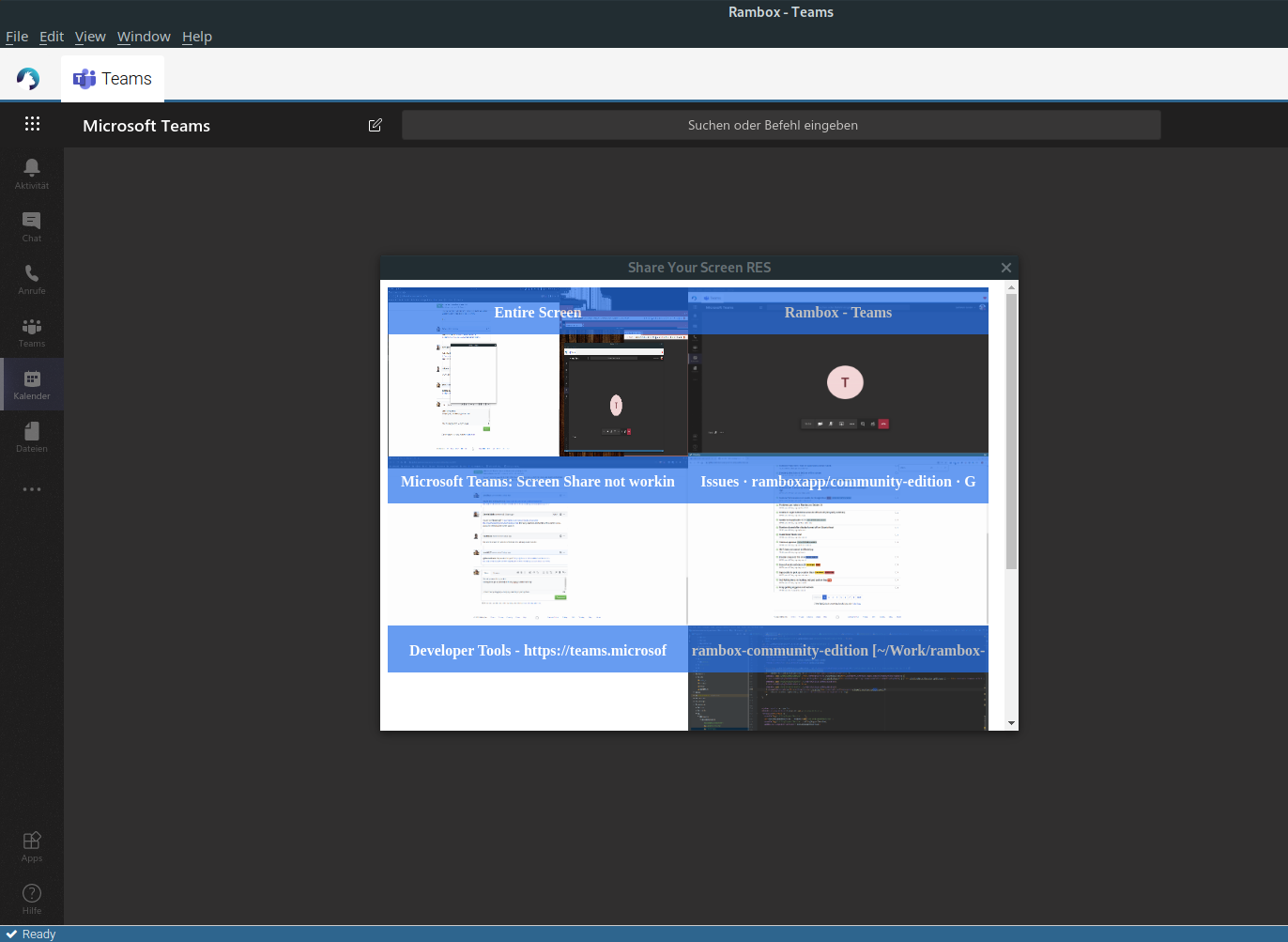
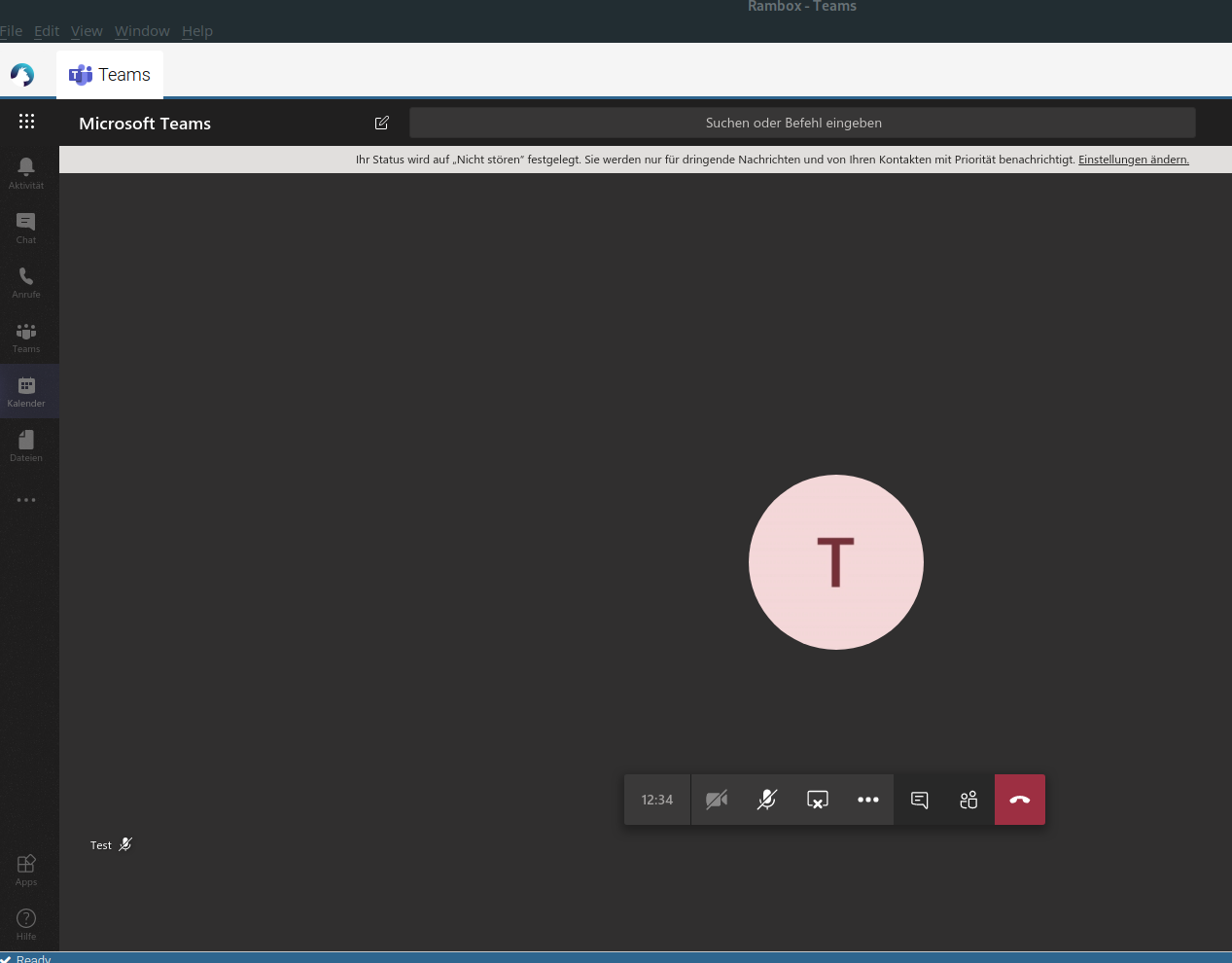
Will try to clean this up and open a pull request. (Some parts of the code might be useful for all apps with screen sharing, others are MS Teams specific... So I'm not sure yet how to get this right.)
All credits go to @IsmaelMartinez - the solution is based on the teams-for-linux implementation.
joschi127
on 7 May 2020
Please fire any questions around if you have to. Only realised now when you ping me. It works and being working for a good while so I am happy to help.
 IsmaelMartinez
on 7 May 2020
IsmaelMartinez
on 7 May 2020
Thank you @joschi127 and @IsmaelMartinez! We will wait your PR to add it to the next version.
 saenzramiro
on 8 May 2020
saenzramiro
on 8 May 2020
Stay tuned... I did not forget. But not much progress yet cleaning the code up, because if limited time :)
joschi127
on 18 May 2020
Just wanted to comment and let you know that I appreciate the work going in to fixing this issue... it's the only thing keeping me from uninstalling the Teams desktop client. Looking forward to the fix!
 coreyemmons
on 3 Jun 2020
coreyemmons
on 3 Jun 2020
Do you know if the changes done here will also affect other meeting services like Google Meet? I've noticed screen sharing also does not work there currently. Or should I create a new issue for that? Really appreciate your work :)
 RauchF
on 22 Jun 2020
RauchF
on 22 Jun 2020
Is this still being worked on? Is there a branch for it?
If you need a hand I might be able to help. That's the only thing I'm missing in Rambox
 fbarbare
on 23 Jun 2020
fbarbare
on 23 Jun 2020
@RauchF I think that based on the changes it should also be possible to make this work for other services. But at least parts of the implementation are MS Teams specific. So at least a bit more work will be needed to adapt it for other services.
@fbarbare Still on my list but did not find the time yet. It's not pushed to any branch yet.
Hope to find some time soon. Will try .... ;-)
joschi127
on 23 Jun 2020
Don't know if this is relevant here as well, but I notice Rambox doesn't ask for "Screen Recording" permissions on MacOS Catalina. However, I'm not sure if it the apps responsibility to ask for these permissions or if thats something that MacOS does by itself once an application tries to use such functionality.
 CelsoSantos
on 9 Jul 2020
CelsoSantos
on 9 Jul 2020
Do we have any more updates on this?
Hey, @joschi127 I thought you could push what you already have so we all could help to move it further. Really appreciate your effort in this!
 timofey
on 22 Sep 2020
timofey
on 22 Sep 2020
hey @joschi127 mind to provide at least a code snippet on how to enable screen-sharing?
 avoidik
on 23 Oct 2020
avoidik
on 23 Oct 2020
Hey ... yes sorry that I still did not find time yet - will try to push at least the not cleaned up / hacky version!
joschi127
on 26 Oct 2020
@timofey There you go - I at least pushed the experimental first hacky version to a fork.
You can find it on this branch:
https://github.com/joschi127/community-edition/tree/feature/screen-sharing
Changes are in this commit:
https://github.com/joschi127/community-edition/commit/420d4c203582059c11179867c664ffafbaf4f71c
It is still pretty much WORK IN PROGRESS.
Contains hacky debug output.
Only works when sharing screen for the first time, seems to have some bug when trying for a second time, app restart needed then.
Hope this helps - and let me know if anyone continues working on this!
All credits go to @IsmaelMartinez! - I've only copied from his code ;-)
joschi127
on 26 Oct 2020
Related issues
 juanmlambre
·
3Comments
juanmlambre
·
3Comments
 andrii-riabchun
·
3Comments
andrii-riabchun
·
3Comments
 saalkom
·
3Comments
saalkom
·
3Comments
 igalic
·
3Comments
igalic
·
3Comments
 jamy015
·
4Comments
jamy015
·
4Comments
Most helpful comment
Stay tuned... I did not forget. But not much progress yet cleaning the code up, because if limited time :)