Common-voice: [mobile] User menu is not entirely accesible
Env:
iPhone 7, iOS 12.2, Firefox and Safari
STR:
Login to https://voice.allizom.org/en
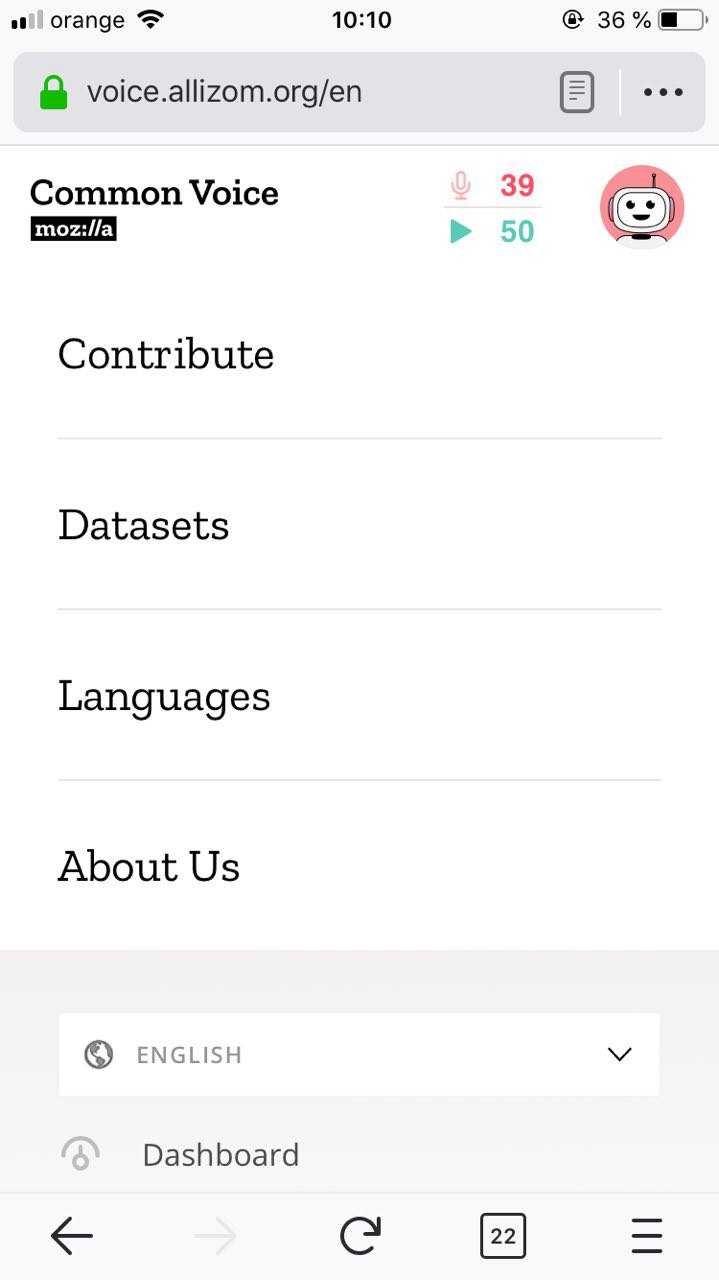
Tap the avatar to see user menu options
Expected:
User can scroll down to see all user menu options available and can access any of them
Actual:
Settings and Logout options are not available, user cannot scroll down to see these options.
Note:
On devices with larger screen like iPhone X, only the Logout buttton is not accessible.
 viorelaioia
All 12 comments
@viorelaioia thanks for your feedback. Working on it already.
 munteanu210
on 3 May 2019
munteanu210
on 3 May 2019
@viorelaioia, I fixed this problem.
munteanu210
on 5 May 2019
Verified as fixed.
viorelaioia
on 6 May 2019
@viorelaioia has there been a regression on this? I'm noticing the same behaviour.
 rileyjshaw
on 30 Oct 2019
rileyjshaw
on 30 Oct 2019
@rileyjshaw , I tried on a iPhone 7 device and I'm able to access all menu items. I don't have a device with a smaller screen. But I tried on an emulator and it seems the issue it's still happening.
viorelaioia
on 1 Nov 2019
@viorelaioia thanks for testing! I'm able to reproduce on a laptop by shrinking my browser to tablet width with reduced height.
rileyjshaw
on 1 Nov 2019
@rileyjshaw , I confirm I can also reproduce it the way you mentioned.
viorelaioia
on 1 Nov 2019
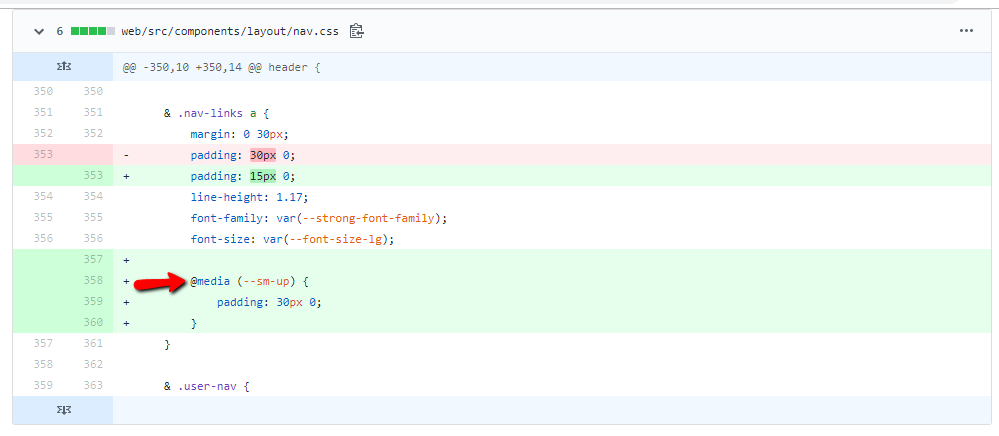
The fix for mobile devices consisted of reducing the padding between menu items, so that they fitted in the small space.
This fix can be extended to bigger devices too, by changing the line of code shown in the image below to: @media (--md-up) {
It would apply the padding reduction to extra small and small devices, including small tablets.
The file is web/src/components/layout/nav.css
munteanu210
on 3 Nov 2019
@viorelaioia I have fixed it by adding overflow property. https://github.com/mozilla/voice-web/pull/2547
 manishkr1101
on 26 Jan 2020
manishkr1101
on 26 Jan 2020
@phirework , Thanks for accepting my pull request, as it was my very first open source contribution :)
manishkr1101
on 27 Jan 2020
@manishkr1101 Woohoo! Welcome :)
 phirework
on 27 Jan 2020
phirework
on 27 Jan 2020
Looks good, @manishkr1101 ! Thanks!
Closing the issue, as it's fixed.
viorelaioia
on 28 Jan 2020
Related issues
 ivonnekn
·
5Comments
ivonnekn
·
5Comments
 mikehenrty
·
3Comments
mikehenrty
·
3Comments
 kenrick95
·
4Comments
kenrick95
·
4Comments
 connorshea
·
5Comments
connorshea
·
5Comments
 LucSalommez
·
5Comments
LucSalommez
·
5Comments
Most helpful comment
@phirework , Thanks for accepting my pull request, as it was my very first open source contribution :)