Colabtools: Keep ask for sign in
Bug report for Colab: http://colab.research.google.com/.
For questions about colab usage, please use stackoverflow.
Describe the current behavior:
It always ask for sign in even I have already signed in. I cant connect at all and cant access all my notebook on drive. I try to sign-in using different account but still cant.

Describe the expected behavior:
You know what it is.The web browser you are using (Chrome, Firefox, Safari, etc.):
Opera GXLink to self-contained notebook that reproduces this issue
(click the Share button, then Get Shareable Link):
 kuronekony4n
All 21 comments
Hey there! That's a pretty interesting bug!
Can you verify that other Google services also treat you as logged in? Specifically sites like Google Drive, and Gmail?
Additionally, does your email show up if you put window.colabUserEmail in the Chrome dev console?
 katlyn-edwards
on 1 Mar 2020
katlyn-edwards
on 1 Mar 2020
Hi there. I'm also experiencing this issue.
 aqibahmad
on 1 Mar 2020
aqibahmad
on 1 Mar 2020
Hello, I have the same issue.
Hey there! That's a pretty interesting bug!
dashed
Can you verify that other Google services also treat you as logged in? Specifically sites like Google Drive, and Gmail?Additionally, does your email show up if you put
window.colabUserEmailin the Chrome dev console?
Yes, I can. Everything works except colab.
In the console putting window.colabUserEmail, I got:
"anonymous"
I tried with Google Chrome, Firefox and Safari (also with incognito mode), but I had the same issue
 ikros98
on 1 Mar 2020
ikros98
on 1 Mar 2020
When a group member tried using colab, he logged in, but the main-page of colab (with that demo notebook) was not showing his google account picture/name in the circle on top-right corner of page. Also, when he clicked on "upload notebook", it showed "Google sign-in required", even though he was signed in!
As of now, he cannot access any notebook saved in his drive.
I'm also having a similar issue. My colab main page shows my google account id on top-right. But it is not allowing me to upload/access my notebooks. It says "google sign-in required" even though i'm signed in.
Seems to be system-wide issue!
aqibahmad
on 1 Mar 2020
Hello, I have the same issue.
Hey there! That's a pretty interesting bug!
dashed
Can you verify that other Google services also treat you as logged in? Specifically sites like Google Drive, and Gmail?
Additionally, does your email show up if you putwindow.colabUserEmailin the Chrome dev console?Yes, I can. Everything works except colab.
In the console putting
window.colabUserEmail, I got:
"anonymous"I tried with Google Chrome, Firefox and Safari (also with incognito mode), but I had the same issue
I got the same result. Still can't access the collab.
kuronekony4n
on 2 Mar 2020
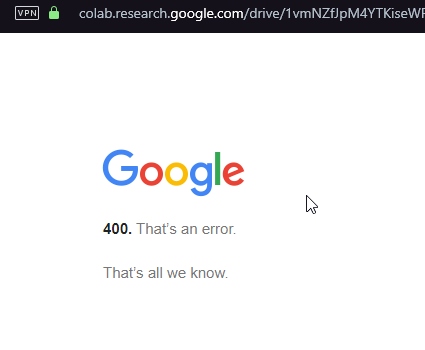
I got this massage when trying to open notebook from drive.
kuronekony4n
on 2 Mar 2020
Facing this issue since last evening.
 UsmanTariqAlvi
on 2 Mar 2020
UsmanTariqAlvi
on 2 Mar 2020
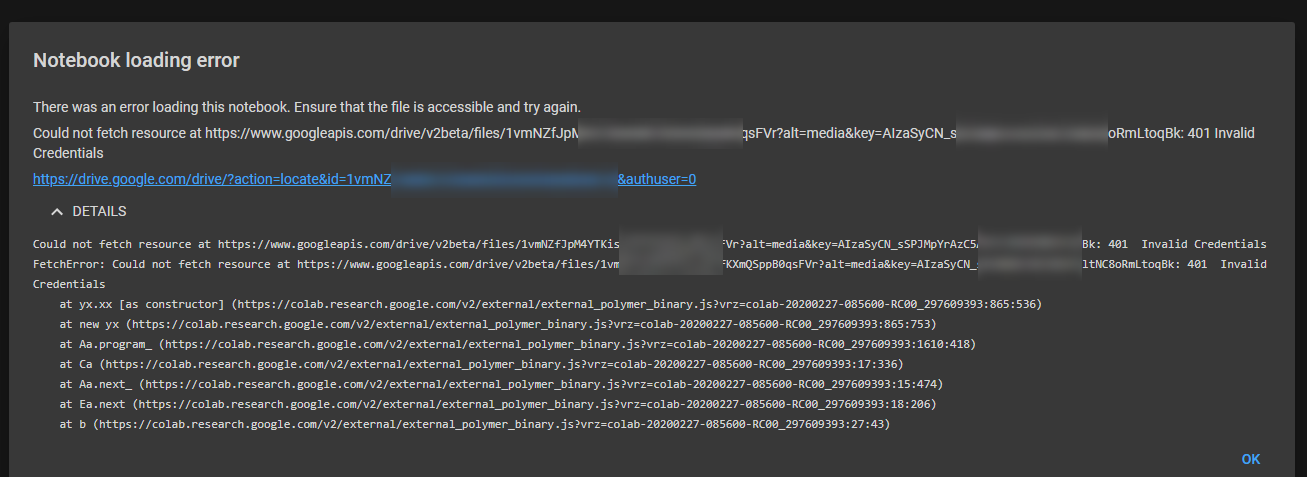
kuronekony4n
on 2 Mar 2020
Does it persist if you clear your cookies?
katlyn-edwards
on 2 Mar 2020
It exists -> across browsers, across accounts, across laptops. No way cookies can come into play. Has been happening for 2,3 days now. I cannot do anything at all.
Could be country or IP specific but I doubt so.
aqibahmad
on 2 Mar 2020
Do you happen to have third-party cookies disabled?
 blois
on 2 Mar 2020
blois
on 2 Mar 2020
Just noticed "across browsers, across accounts, across laptops". Looking more.
blois
on 2 Mar 2020
Can you delete the SSID cookie (on colab.research.gooogle.com), and hard reload the page?
katlyn-edwards
on 2 Mar 2020
blois
on 2 Mar 2020
Any success guys ?
UsmanTariqAlvi
on 3 Mar 2020
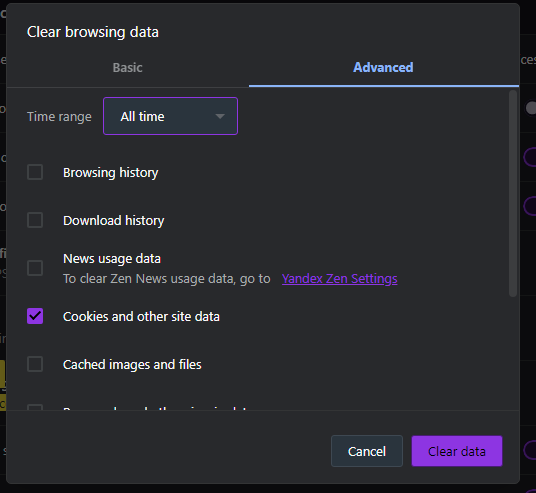
Ok so I clear all my cookies and it works :D
And got logged out from all websites :(
My mistake
Edit: I try with other account and doesn't work
kuronekony4n
on 3 Mar 2020
not in my case.. Its not working after clearing everything.
UsmanTariqAlvi
on 3 Mar 2020
not in my case.. Its not working after clearing everything.
Try with different account
kuronekony4n
on 3 Mar 2020
The issue seems to be resolved for me now.
aqibahmad
on 4 Mar 2020
Another item to try if this happens is to sign out then sign back in from your Google account.
blois
on 4 Mar 2020
I got the same message and found the solution here: https://github.com/googlecolab/colabtools/issues/1065#issuecomment-605486998
 edercoelho
on 17 Jun 2020
edercoelho
on 17 Jun 2020
Related issues
blois
·
5Comments
 Edouard2laire
·
3Comments
Edouard2laire
·
3Comments
 cornhundred
·
3Comments
blois
·
7Comments
cornhundred
·
3Comments
blois
·
7Comments
 jplet
·
3Comments
jplet
·
3Comments