Colabtools: Better support for fast interactive plotting with HoloViews / hvPlot
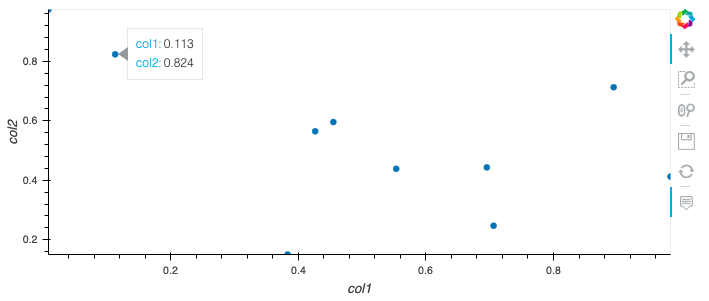
There are currently 3 popular and easy ways to create fast interactive plots in Python with little code:
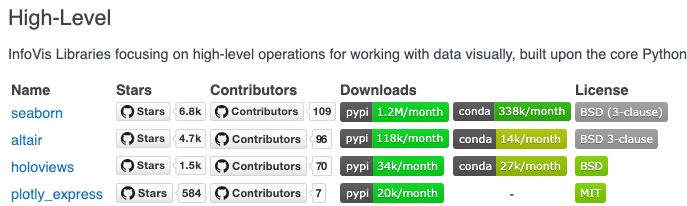
- Plotly Express -> Plotly 2 million downloads a month, although express only has 20k downloads
- Altair -> 130k downloads a month
- HoloViews / hvPlot (with the bokeh backend) -> 60k per month for Holoviews + 15k for hvPlot and both are on the rise.
Of course there's normal Plotly and Bokeh, but those are quite verbose and less suitable for fast plotting in my opinion.
I have two feature requests for easier plotting with HoloViews and hvPlot:
1) Currently, HoloViews and hvPlot are not pre-installed on Colab. It would be nice if this could be added. So I don't have to !pip install holoviews and !pip install hvplot every time.
2) Every time you want to show a HoloViews plot you have to add hv.extension('bokeh') to the cell in which you have your code for your plot. This is redundant. Hopefully this can also be fixed.
Example code:
# install holoviews and hvplot
!pip install holoviews
!pip install hvplot

# import + settings
import holoviews as hv
hv.extension('bokeh')

# plot simple line
# this unfortunately only works if I add hv.extension('bokeh') to every
# cell in which I would like a plot. So it works, but it feels so redundant.
hv.Curve(range(0, 10))
Handy overview of all plotting tools and downloads: https://pyviz.org/tools.html


 SandervandenOord
All 13 comments
See https://github.com/holoviz/holoviews/issues/3551 for background.
 jbednar
on 23 Jan 2020
jbednar
on 23 Jan 2020
My hack to avoid hv.extension('bokeh') in every cell.
import holoviews as hv

def _render(self, **kw):
  hv.extension('bokeh')
  return hv.Store.render(self)
hv.core.Dimensioned._repr_mimebundle_ = _render
 korakot
on 25 Jan 2020
korakot
on 25 Jan 2020
I'd like to point out that hvplot now needs bokeh>=2.0.0. Bokeh 2.0 needs tornado>5, which absolutely breaks with google-colab requirements. So using pip now doesn't work, at least without specifying version numbers.
 tiagofassoni
on 10 Apr 2020
tiagofassoni
on 10 Apr 2020
@tiagofassoni I'm seeing warnings on the install but the upgrade appears to work. Are you seeing something different?
 blois
on 10 Apr 2020
blois
on 10 Apr 2020
@bloise: Google colab uses tornado to start background server to serve local files, right?
It currently requires tornado v.4. Does it now also work with tornado 6 too? If so, please update requirement, so we can avoid error messages.
korakot
on 10 Apr 2020
Holoviz is a better than plotly and altair, I don't know why colab doesn't integrate this wonderful visualization framework.
 zouhx11
on 10 Apr 2020
zouhx11
on 10 Apr 2020
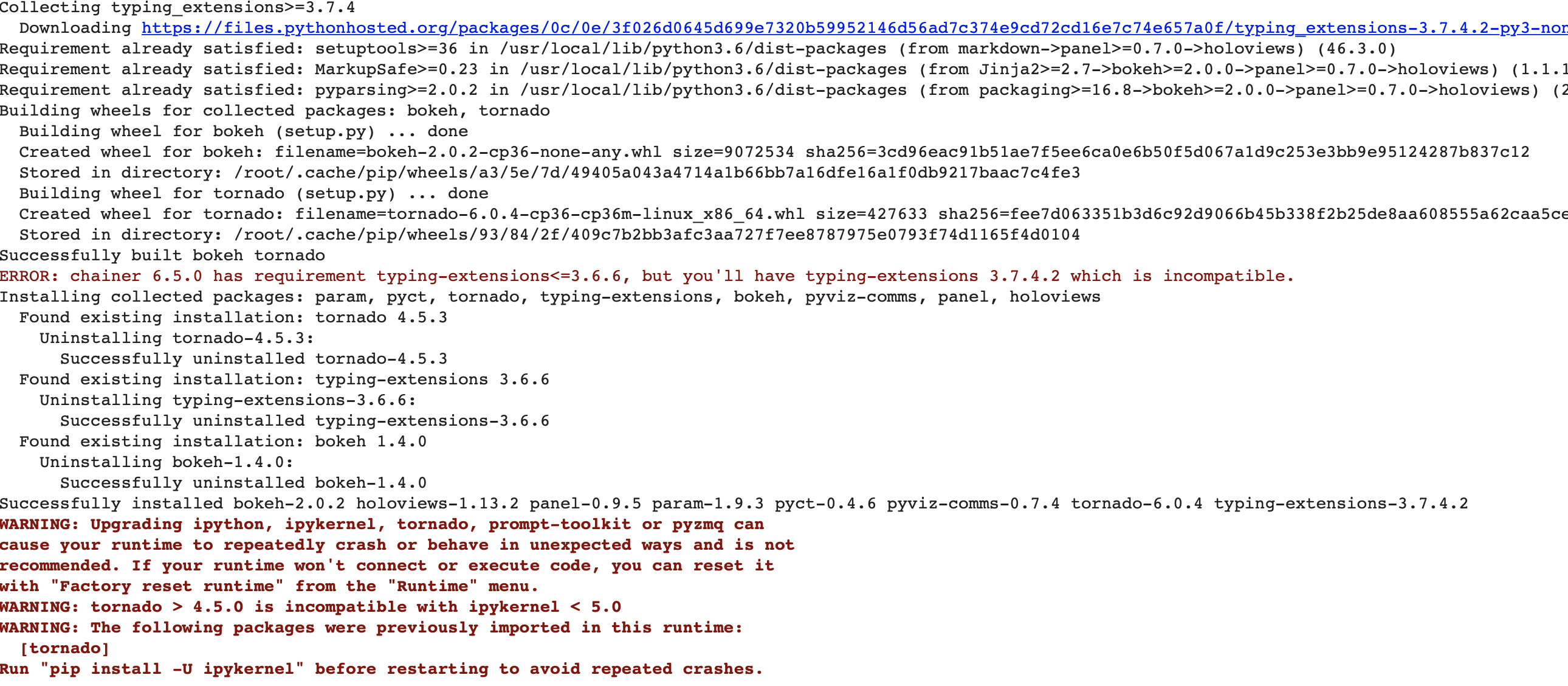
When I try to download holoviews I get an error. Is there a recent notebook that shows how to use holviews with google colab?
 tusharpoddar
on 17 May 2020
tusharpoddar
on 17 May 2020
Later versions of holoviews has conflicting dependencies with Colab.
I test that 1.12.7 still works fine.
!pip install holoviews==1.12.7
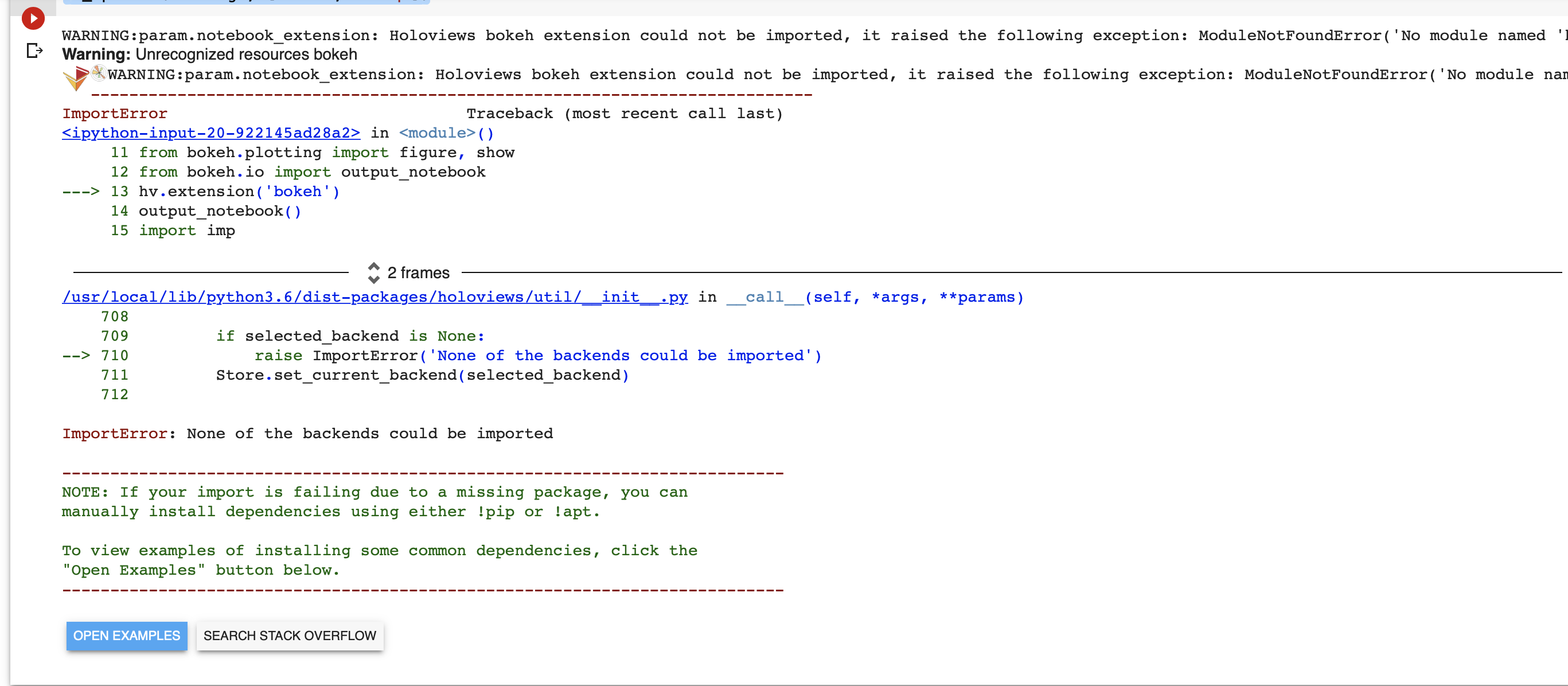
When I install holoviews now there is no error bu then when I run this code I get an error - image at the end.
# Plotting interactive plots -
import holoviews as hv
from holoviews import opts
hv.extension('bokeh', 'matplotlib')

import os
os.environ['HV_DOC_HTML'] = 'true'
#%env HV_DOC_HTML=true

import numpy as np
from bokeh.plotting import figure, show
from bokeh.io import output_notebook
hv.extension('bokeh')
output_notebook()
import imp
imp.reload(hv)

hv_spec = hv.Dataset(xr_spec)
hv.extension('bokeh')
hv_spec.to(hv.Image, ['time', 'freq'])
Error -
tusharpoddar
on 17 May 2020
This code runs fine. You may have a bug somewhere else in your code.
!pip install -q holoviews==1.12.7
import holoviews as hv
%env HV_DOC_HTML=true
# select bokeh and plot
hv.extension('bokeh')
hv.Curve([1, 2, 3])
This code runs fine. You may have a bug somewhere else in your code.
!pip install -q holoviews==1.12.7
import holoviews as hv
%env HV_DOC_HTML=true
# select bokeh and plot
hv.extension('bokeh')
hv.Curve([1, 2, 3])
I am sorry to bother you, but I tried running this code but it get this error. Is there any other thing that you changed in your colab notebook?

For some reason, it gives me an error in the extension statement.
tusharpoddar
on 17 May 2020
Restart the notebook and run again.
MENU > Runtime > Factory reset runtime
Restart the notebook and run again.
MENU > Runtime > Factory reset runtime
Thanks a lot for the help. It works now :)
tusharpoddar
on 17 May 2020
Related issues
 paulgureghian
·
6Comments
blois
·
7Comments
paulgureghian
·
6Comments
blois
·
7Comments
 mitmul
·
4Comments
mitmul
·
4Comments
 jplet
·
3Comments
jplet
·
3Comments
 nprandall
·
5Comments
nprandall
·
5Comments