Colabtools: Dark theme: inline code color scheme—UX issues
Hi @corrieann @craigcitro @CSEMike Thanks for Colab, it's wonderful and indispensable. Just wanted to share this issue:
- Describe the current behavior (Dark theme, text cells, Markdown):
Since code cells have a black background vs text cells, which have a dark grey one, some of the inline code colors for modules, functions, etc render/appear barely visible/comprehesible:
- Example for reproducibility:
While in Colab with the Dark theme enabled
import, as, class, def, return are purple in Markdown—barely visible
class name (e.g. MyModel), super, call are dark blue against a dark grey background...—barely visible
The same stuff looks ok against a default black background in code cells.

Try this sample code in Markdown to reproduce the issue:
import tensorflow as tf

# A simple `tf.keras` model
class MyModel(tf.keras.Model):
    def __init__(self):
        super(MyModel, self).__init__()
        self.conv1 = tf.keras.layers.Conv2D(32, 3, activation='relu')
        self.flatten = tf.keras.Flatten()
        self.dense1 = tf.keras.Dense(128, activation='relu')
        self.dense2 = tf.keras.Dense(10, activation='softmax')

    def call(self, x):
        x = self.conv1(x)
        x = self.flatten(x)
        x = self.dense1(x)
        return self.dense2(x)

model = MyModel()
- Suggested solution—change the color scheme:
Potentially changing the default code text colors scheme to accomodate for the dark grey background.
Lighter colors such as those in Atom's Dark Theme https://atom.io/themes/one-dark-ui or PyCharm's dark theme https://plugins.jetbrains.com/plugin/11938-one-dark-theme should be adopted in line with the common standards:
Atom:
PyCharm:

 8bitmp3
All 2 comments
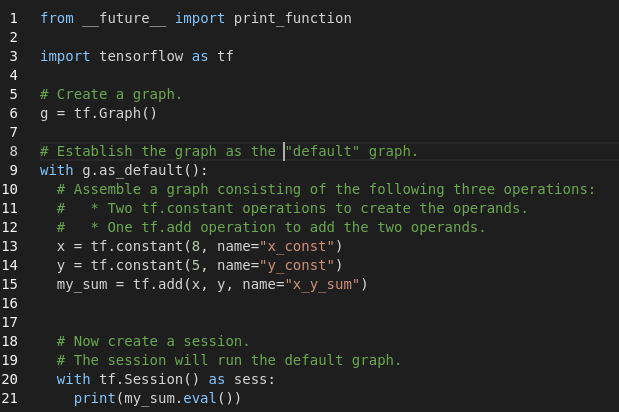
We're working on switching to a different code editing engine which has updated dark mode highlights. Details to enable it can be found at https://colab.research.google.com/notebooks/editor_details.ipynb.
 blois
on 26 Jul 2019
blois
on 26 Jul 2019
@blois autocomplete, dark mode, etc totally rock 👍 Great job team
8bitmp3
on 29 Jul 2019
Related issues
 Edouard2laire
·
3Comments
Edouard2laire
·
3Comments
 travelmail26
·
4Comments
travelmail26
·
4Comments
 mitmul
·
4Comments
mitmul
·
4Comments
 reddragon
·
3Comments
reddragon
·
3Comments
 paulgureghian
·
6Comments
paulgureghian
·
6Comments
Most helpful comment
We're working on switching to a different code editing engine which has updated dark mode highlights. Details to enable it can be found at https://colab.research.google.com/notebooks/editor_details.ipynb.