Describe the bug
When I run my App on the Phone it has a different behavior when compared to the emulator.
Emulator:
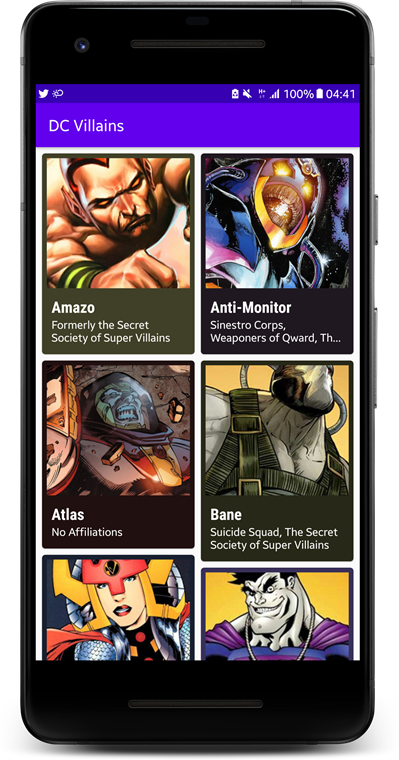
- Loads my Images awesomely.
- Sets the Cards Background Color awesomely.
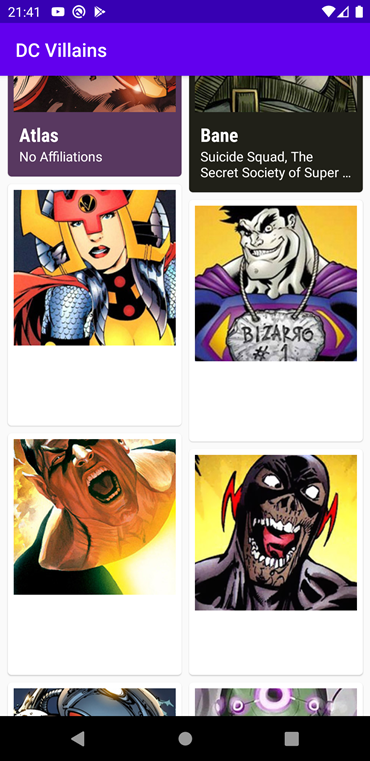
- The problem comes when I rotate the device, It looses the color of my CardView.
You may find my code on this repository DC-Villains_Fix_Coil_Image_Loading
Phone:
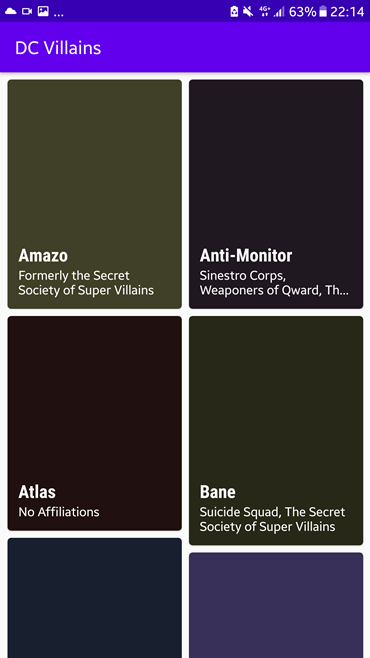
- Doesn't load images at start unless I keep scrolling and coming back.
- Sets the Cards Background Color awesomely
- When I rotate the device at start id doesn't loose color of the CardView. only after having scrolled a bit
Expected behavior
I want to have the same behavior across all devices in which:
I would open the app:
- Load the Image from the network, convert it into a bitmap.
- Set the Card's background according to the palette I choose
- Cache the Image and Color extracted from the Image by the Palette so that it is always available.
To Reproduce
Run the app on an emulator and wait for the images to load, rotate the device 2 or 3 times to see changes. Scroll a bit then rotate the phone again 2 or 3 times
Test the same on a physical device as well.
Logs/Screenshots
- This is how it looks when I open the App on the Emulator
- This is how it looks after rotation
- This is how it looks on my phone(Samsung Galaxy S6 running Android Nougat 7.0)
Version
minSdkVersion 19
targetSdkVersion 30
compileSdkVersion 30
coil version '0.11.0'
 doilio
All 3 comments
Thanks for the detailed report. It's possible for the Android Emulator to have different behaviour from the device due to how the system is emulated, however I'd expect the real device to be the one to work correctly. I'll take a look at this and see what I can find.
 colinrtwhite
on 5 Jul 2020
colinrtwhite
on 5 Jul 2020
Not sure if this is relevant. I wanted to post because I observed different behaviors on Phone vs Emulator. But my experience was quite opposite. I spent 3 hours on emulator figuring out why image is not loaded. Then (luckily) I tried on real device and it was all good there.
 hbb20
on 24 Jul 2020
hbb20
on 24 Jul 2020
@doilio The card background isn't being set because you're setting the background colour inside the Transformation. If the image is returned from the memory cache, Transformation.transform won't be run. When you rotate the phone twice, the list of images will likely still be cached in the memory cache.
Check out this recipe for safe ways to compute the palette that will work if the image is returned from the memory cache.
colinrtwhite
on 8 Sep 2020
Related issues
 RubenGonzalezGonzalez
·
6Comments
RubenGonzalezGonzalez
·
6Comments
 gastsail
·
4Comments
gastsail
·
4Comments
 ZacSweers
·
4Comments
ZacSweers
·
4Comments
 Starscream9559
·
7Comments
Starscream9559
·
7Comments
 vegeta2102
·
6Comments
vegeta2102
·
6Comments
Most helpful comment
Not sure if this is relevant. I wanted to post because I observed different behaviors on Phone vs Emulator. But my experience was quite opposite. I spent 3 hours on emulator figuring out why image is not loaded. Then (luckily) I tried on real device and it was all good there.