Cognitive-services-speech-sdk: Missing .so error on Unity sample for Android
Describe the bug
When attempting to deploy the Quickstart for Unity sample to Android, I get an "Unable to find libMicrosoft.CognitiveServices.Speech.core.so" error, despite the .so being contained in the built .apk
To Reproduce
Steps to reproduce the behavior:
- Add Unity package to project (builds to Android).
- Include a class using Microsoft.CognitiveServices.Speech
- Build and deploy to device
- Press button trigger for Cognitive Services
- Error will appear in logs and services do not run.
Unity   : Unable to find libMicrosoft.CognitiveServices.Speech.core.so
Unity   : Unable to find Microsoft.CognitiveServices.Speech.core.so
Expected behavior
Cognitive services to initialize and then start a recognizer at a button press. This tutorial.
Version of the Cognitive Services Speech SDK
1.4.2
Platform, Operating System, and Programming Language
- OS: Android, using SDK 26
- Hardware - ARM (armeabi-v7a), Pixel 3XL
- Programming language: C# in Unity
Additional context
I also receive this in the build logs:
Assembly 'Microsoft.CognitiveServices.Speech.csharp' has non matching file name: 'Microsoft.CognitiveServices.Speech.csharp.unix.dll'. This can cause build issues on some platforms.
Only the .dll/.so files under the Android folder and the .csharp.unix.dll are configured for Android
 lahardner
All 21 comments
Thanks for feedback,
Could you check you have selected ARMv7 target architecture in your Unity Editor Player Settings ?
See https://docs.unity3d.com/Manual/class-PlayerSettingsAndroid.html
If that is correct, let me know what you have inside the /lib folder in .apk file you have built by extracting it locally. That should contain armeabi-v7a folder with .so files.
 jhakulin
on 3 May 2019
jhakulin
on 3 May 2019
@jahardner - any update from your side on this?
 wolfma61
on 24 May 2019
wolfma61
on 24 May 2019
Closing the issue, let us know if the provided information was not sufficient.
jhakulin
on 12 Jun 2019
Hi,
I have the same issue. What is really strange is that my build was working at some point and now Unity says that the _libMicrosoft.CognitiveServices.Speech.core.so_ is missing. I checked the APK and it is next to the others libraries in the lib folder.
EDIT :
After changing the scripting backend to IL2CPP, I get this error during build:
AssemblyResolutionException: Failed to resolve assembly: 'Microsoft.CognitiveServices.Speech.csharp, Version=1.5.1.28, Culture=neutral'
Mono.Cecil.BaseAssemblyResolver.Resolve (Mono.Cecil.AssemblyNameReference name, Mono.Cecil.ReaderParameters parameters) (at <28cdca1704d2491781795499c297b78b>:0)
Mono.Cecil.BaseAssemblyResolver.Resolve (Mono.Cecil.AssemblyNameReference name) (at <28cdca1704d2491781795499c297b78b>:0)
Mono.Cecil.DefaultAssemblyResolver.Resolve (Mono.Cecil.AssemblyNameReference name) (at <28cdca1704d2491781795499c297b78b>:0)
Mono.Cecil.MetadataResolver.Resolve (Mono.Cecil.TypeReference type) (at <28cdca1704d2491781795499c297b78b>:0)
Mono.Cecil.ModuleDefinition.Resolve (Mono.Cecil.TypeReference type) (at <28cdca1704d2491781795499c297b78b>:0)
Do you have any idea?
 antoninklopp
on 28 Jun 2019
antoninklopp
on 28 Jun 2019
Hello all,
The error occured right after upgrading from Unity 2018.2.8 to Unity 2019.1.6.
 Lasbleic
on 28 Jun 2019
Lasbleic
on 28 Jun 2019
Thanks for the feedback
Does the Android build work if you change scripting backend to Mono and .NET configuration to .NET standard 2.0 ?
jhakulin
on 2 Jul 2019
Hi @jhakulin ,
When we build with Mono, we get the library not found error at runtime (build is successful), when we build with IL2CPP, we get the issue I mentionned earlier.
antoninklopp
on 2 Jul 2019
Hi @jhakulin , @wolfma61 ,
Can we reopen this issue?
antoninklopp
on 3 Jul 2019
@jhakulin - can you take a look?
wolfma61
on 3 Jul 2019
We have opened issue internally and identified issues when using 2019 version of Unity on Android.
With 2018 version of Unity, we do not see issue on Android.
I'll update the thread once we know more about solution with 2019 version.
jhakulin
on 3 Jul 2019
Tested with 2019.1.8f1 Unity and when using Mono with Android, hello world sample below worked ok
https://github.com/Azure-Samples/cognitive-services-speech-sdk/tree/master/quickstart/csharp-unity
Could you check you have selected correct target architectures in your Unity Editor Player Settings ?
See https://docs.unity3d.com/Manual/class-PlayerSettingsAndroid.html
However with IL2CPP and 2019.1.8f1 Unity we still see the issues, we are looking on that.
jhakulin
on 4 Jul 2019
Hi,
Thank you very much for looking into it. On our side, it also builds with Mono but it the library is missing at runtime.
We will test the samples today.
antoninklopp
on 4 Jul 2019
Hello @jhakulin,
I have tested the sample on my Android this morning, and the behaviour is strange.
My build settings : with Unity 2019.1.8
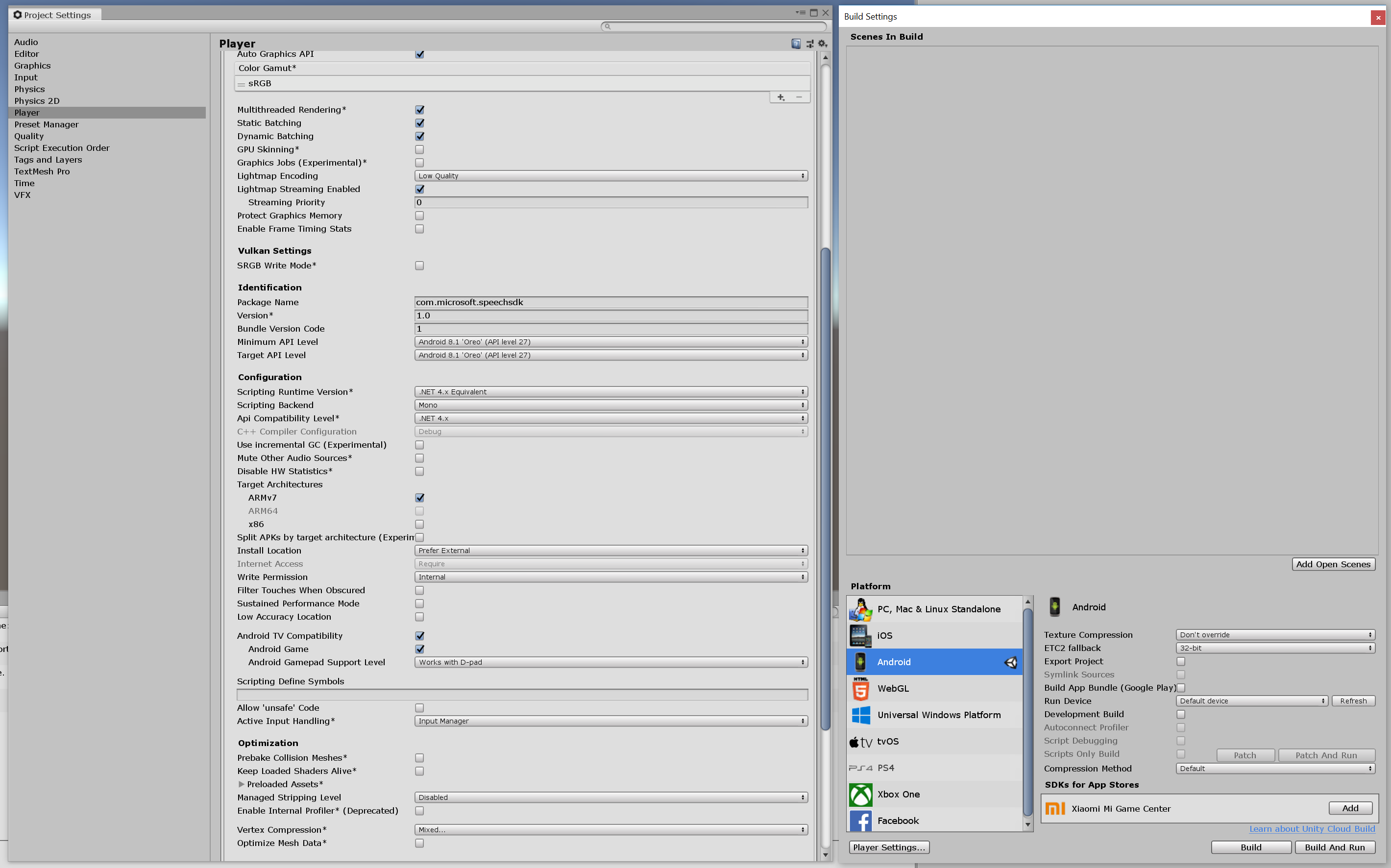
Android version : 9.0.0, Huawei P20 Pro.
Does work on the player, but when I export to Android, and inspect the logcat, the first time I click on the button, I see :

But it recognizes my speech, and print it to me.
EDIT : same behaviour with a build with Unity 2019.1.6 and on Oculus App.
Lasbleic
on 4 Jul 2019
Hi @Lasbleic
Logcat shows these error messages, but eventually Unity will find the .so, otherwise speech recognition would not work.
Related to IL2CPP build (and .NET 4.x), 2019 version of Unity do not like separate .csharp.unix.dll and build errors occur due to that. I was able to get IL2CPP .apk build done and working on Huawei P20 Pro by using following steps:
1. Do not reimport your project from 2018 (or 2017) version to 2019 version of Unity, but create project from scratch for 2019 version of Unity.
- Reimported project was causing crashing issues on runtime in Unity side.
2. Remove Microsoft.CognitiveServices.Speech.csharp.dll under Plugins\x86_64
- NOTE: By doing this you can use the plugin only for Android
3. Rename Microsoft.CognitiveServices.Speech.csharp.unix.dll to Microsoft.CognitiveServices.Speech.csharp.dll
4. Build your app for Android with IL2CPP configuration
- NOTE: occasionally I saw "Copying assembly from xxxx failed" errors from Unity, which were resolved by doing Reimport again (Right click on Assets -> Reimport)
We will work on to update the Plugin in the coming releases.
jhakulin
on 5 Jul 2019
Instead of removing SpeechSDK\Plugins\x86_64\Microsoft.CognitiveServices.Speech.csharp.dll and renaming SpeechSDK\Plugins\x86_64\Microsoft.CognitiveServices.Speech.csharp.unix.dll, (and thereby breaking the Standalone and WSA platforms) instead move SpeechSDK\Plugins\x86_64\Microsoft.CognitiveServices.Speech.csharp.unix.dll to SpeechSDK\Plugins\Android before renaming it to the last Microsoft.CognitiveServices.Speech.csharp.dll from it. That way, you can keep both versions of the DLL, it can have the same name so the Linker finds it, and the platform settings can be configured correctly.
The Unity Package for Azure Speech SDK needs to be updated to make sure that Microsoft.CognitiveServices.Speech.csharp.unix.dll file does not get output to SpeechSDK\Plugins\x86_64. It needs to go in any directory where it can have the name Microsoft.CognitiveServices.Speech.csharp.dll and not clash with the other DLLS.
 capnmidnight
on 11 Sep 2019
capnmidnight
on 11 Sep 2019
Thanks, we are fixing this in the release coming out this month.
jhakulin
on 11 Sep 2019
BTW, I can confirm that the SDK works on Oculus Go, from Unity 2019.2.4f1, with Managed Stripping Level set to "Low" (I haven't tested any higher) and ARM64 build enabled.
capnmidnight
on 11 Sep 2019
That's great to know, thanks for the information and helping to verify our SDK!
jhakulin
on 11 Sep 2019
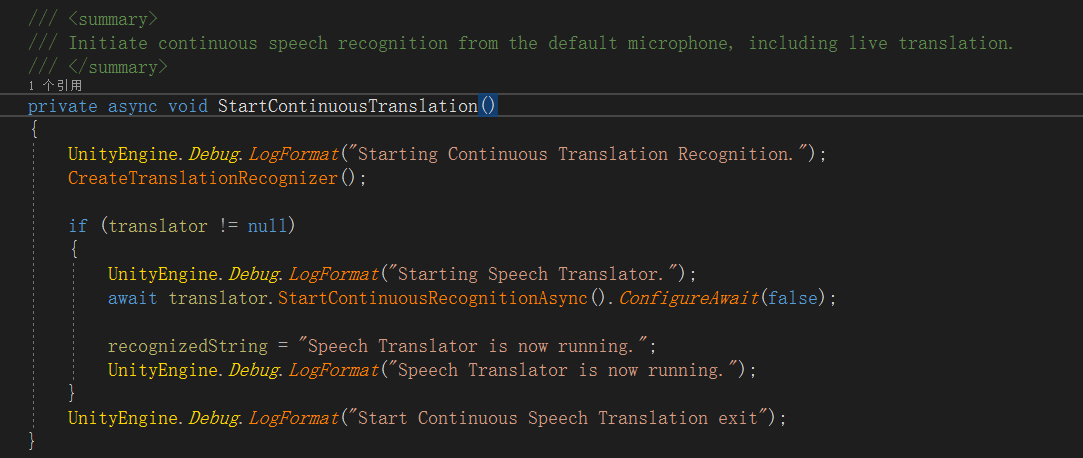
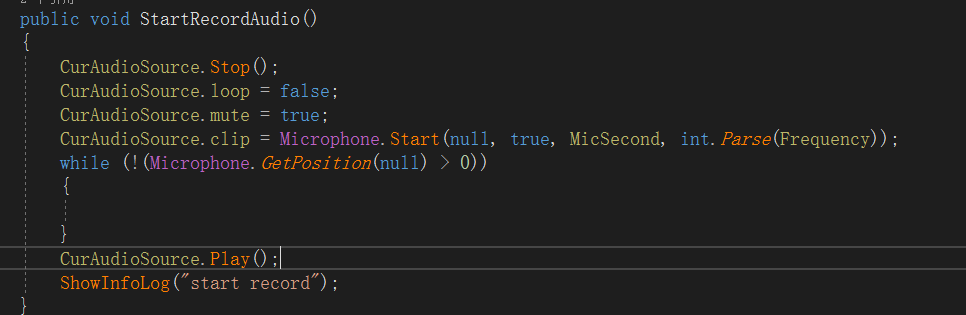
Oculus quest After the voice starts to recognize, if the local recording is turned on, the card owner will ask someone to know what the reason is. There is no problem in the unity editor mode.
 kknsy
on 15 Oct 2019
kknsy
on 15 Oct 2019
Hi !
I have the same issue with Unity 2019.3.9f1 and Speech SDK 1.11.0.
The build works but when I launch the app I get the error : "Unable to find libMicrosoft.CognitiveServices.Speech.core"
Phone : Samsung Galaxy S6 running Android 7.0
 Ofboir
on 24 Apr 2020
Ofboir
on 24 Apr 2020
@jhakulin did you ever find a way to to use this effectively on the quest?
 Dalibur
on 29 May 2020
Dalibur
on 29 May 2020
Related issues
 Ray12345678910
·
5Comments
Ray12345678910
·
5Comments
 tomconte
·
3Comments
tomconte
·
3Comments
 MarcoAndrade26
·
6Comments
MarcoAndrade26
·
6Comments
 sk2andy
·
3Comments
sk2andy
·
3Comments
 marcominerva
·
4Comments
marcominerva
·
4Comments
Most helpful comment
We have opened issue internally and identified issues when using 2019 version of Unity on Android.
With 2018 version of Unity, we do not see issue on Android.
I'll update the thread once we know more about solution with 2019 version.