Codesandbox-client: Add deno-js support
Feature
What is Deno?
https://deno.land/std/manual.md#project-status--disclaimer
https://medium.com/lean-mind/deno-node-js-killer-718c8969770b
Why Deno?
https://www.youtube.com/watch?v=M3BM9TB-8yA
Source code
https://github.com/denoland/deno
Website / repository
https://deno.land/
 hazae41
All 15 comments
Maybe now it's the time..
https://deno.land/v1
 eladcandroid
on 14 May 2020
eladcandroid
on 14 May 2020
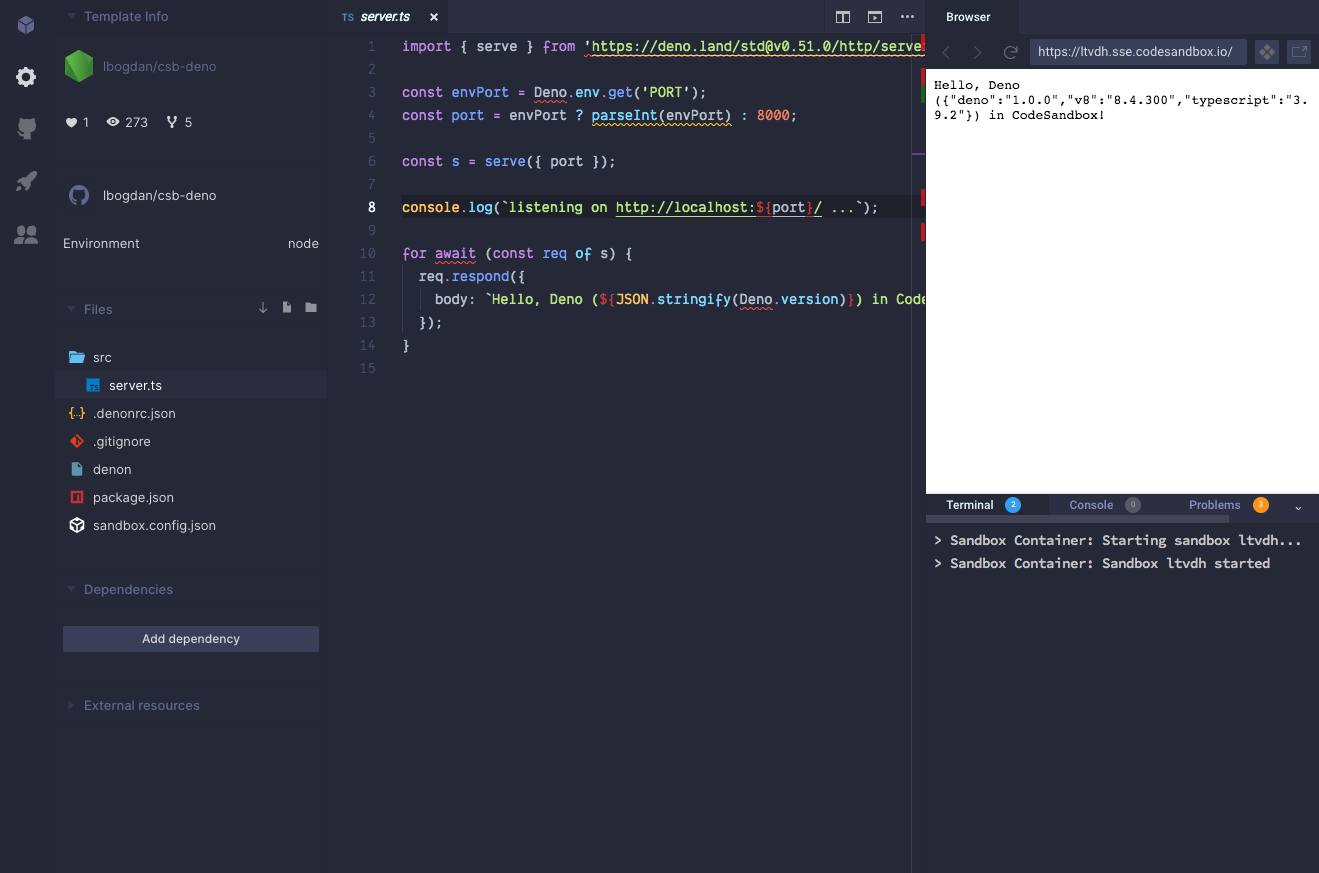
I gave it a try here: https://codesandbox.io/s/github/lbogdan/csb-deno?file=/src/server.ts .
 lbogdan
on 20 May 2020
lbogdan
on 20 May 2020
@lbogdan Nice work! Thanks! Can we get rid of these errors?
To make it official, Here's the Docker image that can be used on CodeSandbox as a container:
https://hub.docker.com/r/hayd/deno
eladcandroid
on 21 May 2020
Can we get rid of these errors?
What errors?
lbogdan
on 21 May 2020
@lbogdan
eladcandroid
on 21 May 2020
Oh, those. They're legitimate errors in a non-Deno world, so I'm guessing a VSCode extension is needed (as we're using VSCode for the editor). This was more of an experiment, we don't really have the bandwidth or practical experience to fully support Deno right now. Saying that, we're always open to community contributions.
lbogdan
on 21 May 2020
@lbogdan How does one use a VS Code extension in CodeSandbox? This is the official one, which takes care of those issues:
https://marketplace.visualstudio.com/items?itemName=denoland.vscode-deno
 jsejcksn
on 2 Jul 2020
jsejcksn
on 2 Jul 2020
This issue has automatically been marked stale because there has been no activity in a while. Please leave a comment if the issue has not been resolved, or if it is not stale for any other reason. After 2 weeks, this issue will automatically be closed, unless a comment is made or the stale label is removed.
![github-actions[bot] picture](https://avatars2.githubusercontent.com/in/15368?v=4&s=40) github-actions[bot]
on 30 Sep 2020
github-actions[bot]
on 30 Sep 2020
Not stale. Waiting for a response from @lbogdan.
jsejcksn
on 30 Sep 2020
Hey!
Here is how you can install a VSCode extension: https://github.com/codesandbox/codesandbox-client/tree/master/standalone-packages/vscode-extensions
I am not sure this will work since it's all JS files and we have a really old version of VSCode :/
I will also close this and add it to our internal backlog (we also custom eslint rules there) so that it gets more visibility and github becomes for issues. Once this is done I will make this page public so that people can vote for features :)
Thank you!
 SaraVieira
on 1 Dec 2020
SaraVieira
on 1 Dec 2020
@SaraVieira
I am not sure this will work since it's all JS files and we have a really old version of VSCode :/
What does this mean?
Also, the readme at the link you posted lists as step no. 1:
Install the extension on your VSCode
The entire point of CodeSandbox for me and many others is that it's an environment that is available in the browser when we can't access those kinds of tools otherwise. Requiring a user to install VS Code and an extension to load one in CodeSandbox is a non-starter. 😕
jsejcksn
on 1 Dec 2020
Oh no no no, sorry
Let me explain, you need to install on your vscode to copy the files of the extension over to the repo and then run the yarn compile
I will change the readme now to make it more clear but we basically need the compiled extension to be able to read it, but only the person making the PR needs it
Sorry I understood your question as like you wanted to make a PR to add that extension to the codebase that's why the answer was confusing
SaraVieira
on 1 Dec 2020
Right now you can't install ad hoc extensions, it's something we really want to do but it's super challenging and it will require many workarounds
One day 🤞
SaraVieira
on 1 Dec 2020
@SaraVieira Oh, I see.
The official Deno extension requires the deno binary along with some environment variables and also an upcoming language server (the plugin is in the middle of a re-write).
Can CodeSandbox run extensions that require native binaries? Does it run the extensions on a container in the backend for every user?
jsejcksn
on 1 Dec 2020
If it needs a language server it needs full support, just installing the plugin won't work we would need to also run the binary like we do for TS
Can CodeSandbox run extensions that require native binaries? Does it run the extensions on a container in the backend for every user?
Yes and in a worker for every user on their computer, right now we do that for eslint and for typescript that require a language server
Will ask how much work that is
SaraVieira
on 2 Dec 2020
Related issues
 MarcelloTheArcane
·
3Comments
MarcelloTheArcane
·
3Comments
 zocky
·
3Comments
zocky
·
3Comments
 oliversturm
·
3Comments
oliversturm
·
3Comments
 BingoRUS
·
3Comments
BingoRUS
·
3Comments
 alansouzati
·
3Comments
alansouzati
·
3Comments
Most helpful comment
I gave it a try here: https://codesandbox.io/s/github/lbogdan/csb-deno?file=/src/server.ts .