Codesandbox-client: VSCode Auto-Save creates file conflict
🐛 bug report
Description of the problem
When you turn on auto-save it can give the notification "Contents on disk are newer", but we don't show the action to compare last version with new version.
It's most often noticed when using auto-save.
Link to sandbox: link (optional)
Your Environment
| Software | Name/Version|
| ---------------- | ---------- |
| Сodesandbox |
| Browser |
| Operating System |
 CompuIves
All 11 comments
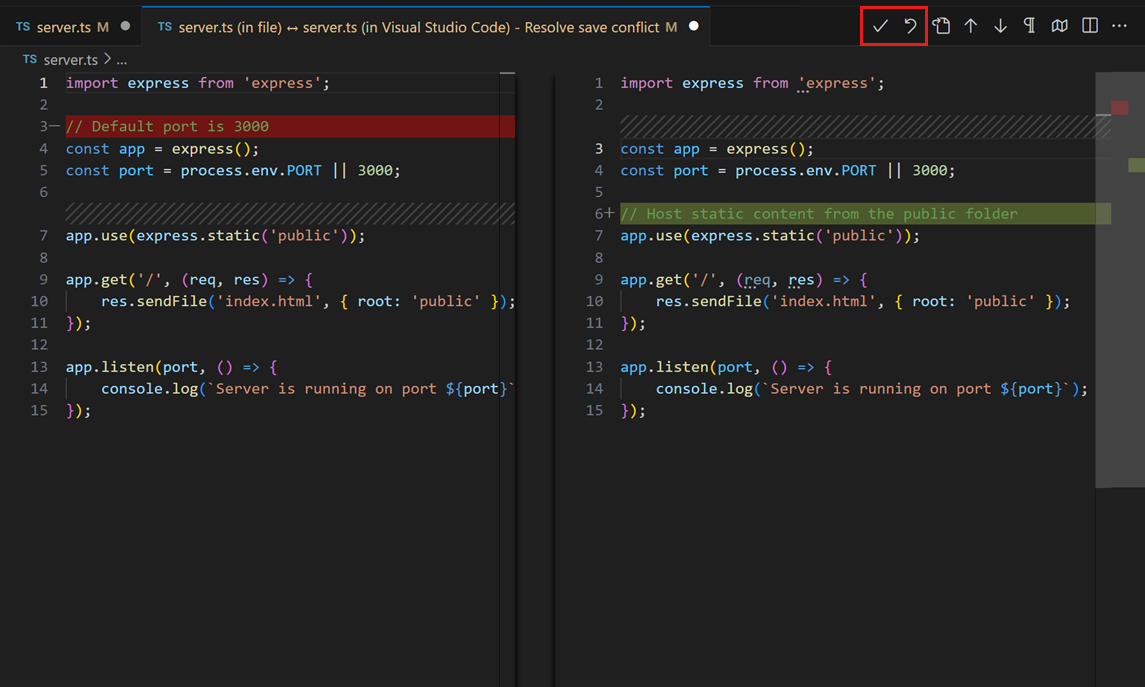
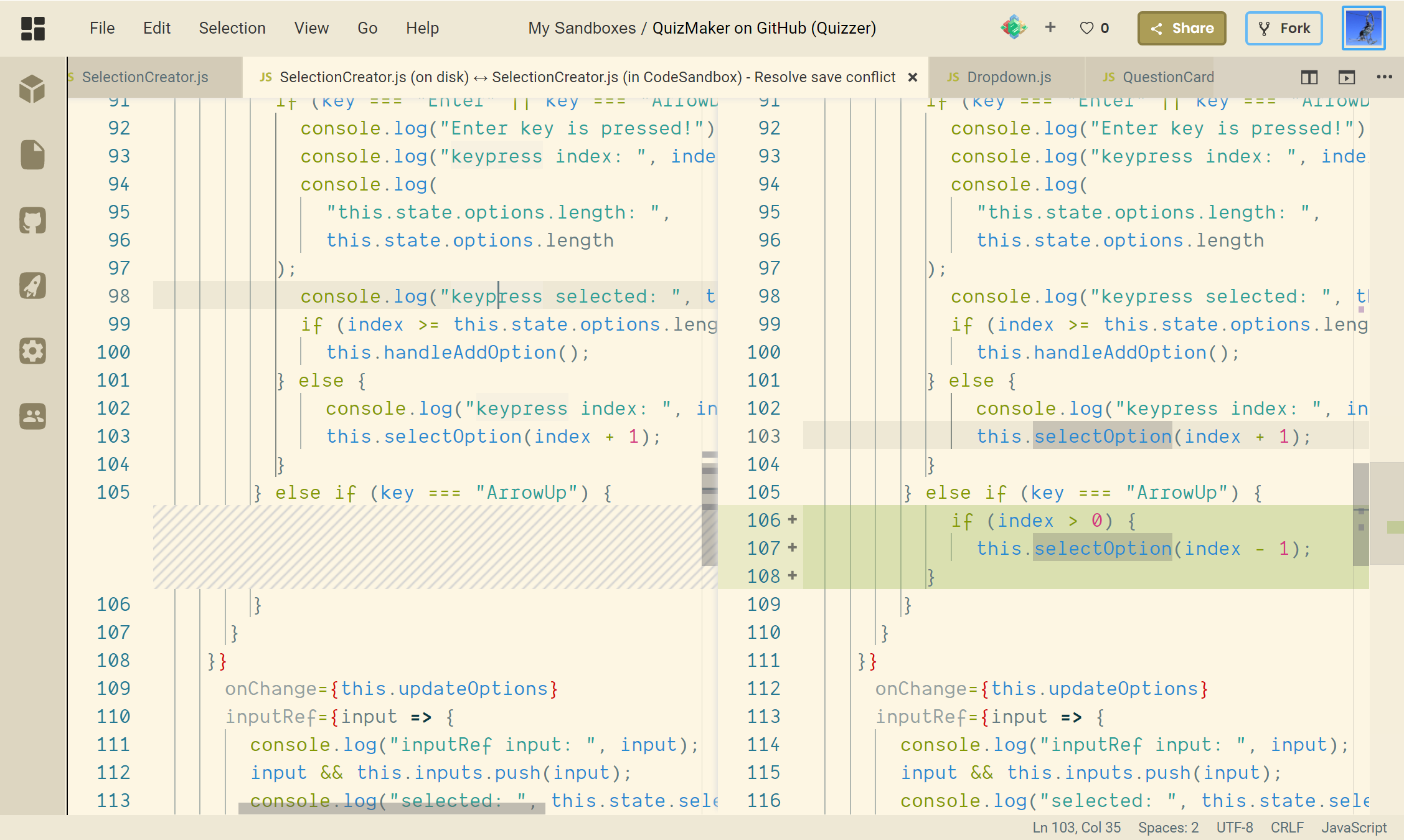
I encounter the same issue of "contents on disk are newer" even when I disabled auto-save. Another problem is there's currently no way to resolve this error besides deleting the file and recreating it. When I click compare, there are no resolve conflict options on the editor toolbar like in VS Code:
Screenshot of Codesandbox
 AlienKevin
on 10 May 2019
AlienKevin
on 10 May 2019
I have the same issue, and it simply makes the service unusable.
 rzjnzk
on 4 Jun 2019
rzjnzk
on 4 Jun 2019
Same issue here! What are you folks doing to go forward?
 gabrilator
on 10 Jun 2019
gabrilator
on 10 Jun 2019
also having the exact same issue, makes codesandbox unusable
 AlCaTrAzzALZ
on 13 Jun 2019
AlCaTrAzzALZ
on 13 Jun 2019
The same sh*t
 paurock
on 18 Jun 2019
paurock
on 18 Jun 2019
Sorry for the slow response on this bug, it's a pretty big one.
I see a couple issues here:
- The icons for merging conflicts are missing
- The auto-save always generates merge conflicts
- There's also a chance in non-auto-save scenarios where there are conflicts.
I'm deploying a fix today or tomorrow for case 3, then I'll take a look at fixing 1 and this week I'll also fix point 2.
CompuIves
on 18 Jun 2019
It seems like the buttons/icons for handling conflicts are actually usable!
Thought they're invisible, if you hover your mouse to the left of the "Split Editor" button, you'll see alt text for using or reverting changes.
Hope this helps as a temporary solution!
 jonnyasmar
on 3 Jul 2019
jonnyasmar
on 3 Jul 2019
Hey all! I'm deploying a possible fix for this issue right now, I wasn't able to reproduce the issue with this fix anymore. I'm curious if others also see this happening less frequently!
CompuIves
on 13 Jul 2019
Hi @CompuIves i'm still seeing this issue with auto-save on. not sure if that specific bug has been researched yet.
it does not show conflict resolution buttons.

EDIT when i refresh the page, it seems NEW code (on the right) has been persisted to disk.
 blairanderson
on 19 Jul 2019
blairanderson
on 19 Jul 2019
This issue is stale because it has been open many days with no activity. It will be closed soon unless the stale label is removed or a comment is made.
![github-actions[bot] picture](https://avatars2.githubusercontent.com/in/15368?v=4&s=40) github-actions[bot]
on 4 Sep 2020
github-actions[bot]
on 4 Sep 2020
This issue has been automatically closed because there wasn't any activity after the previous notice or the stale label wasn't removed.
github-actions[bot]
on 24 Sep 2020
Related issues
 k15a
·
3Comments
k15a
·
3Comments
 eckmLJE
·
3Comments
eckmLJE
·
3Comments
 zocky
·
3Comments
zocky
·
3Comments
 NataliaTepluhina
·
3Comments
NataliaTepluhina
·
3Comments
 Haroenv
·
3Comments
Haroenv
·
3Comments
Most helpful comment
I encounter the same issue of "contents on disk are newer" even when I disabled auto-save. Another problem is there's currently no way to resolve this error besides deleting the file and recreating it. When I click
compare, there are no resolve conflict options on the editor toolbar like in VS Code:Screenshot of Codesandbox