Codesandbox-client: Disabling prettier
🌈 Feature
OPTION TO COMPLETELY DISABLE PRETTIER.
What is this feature?
Please make it easy to completely disable prettier. I don't see a way to get rid of it in preferences under editor
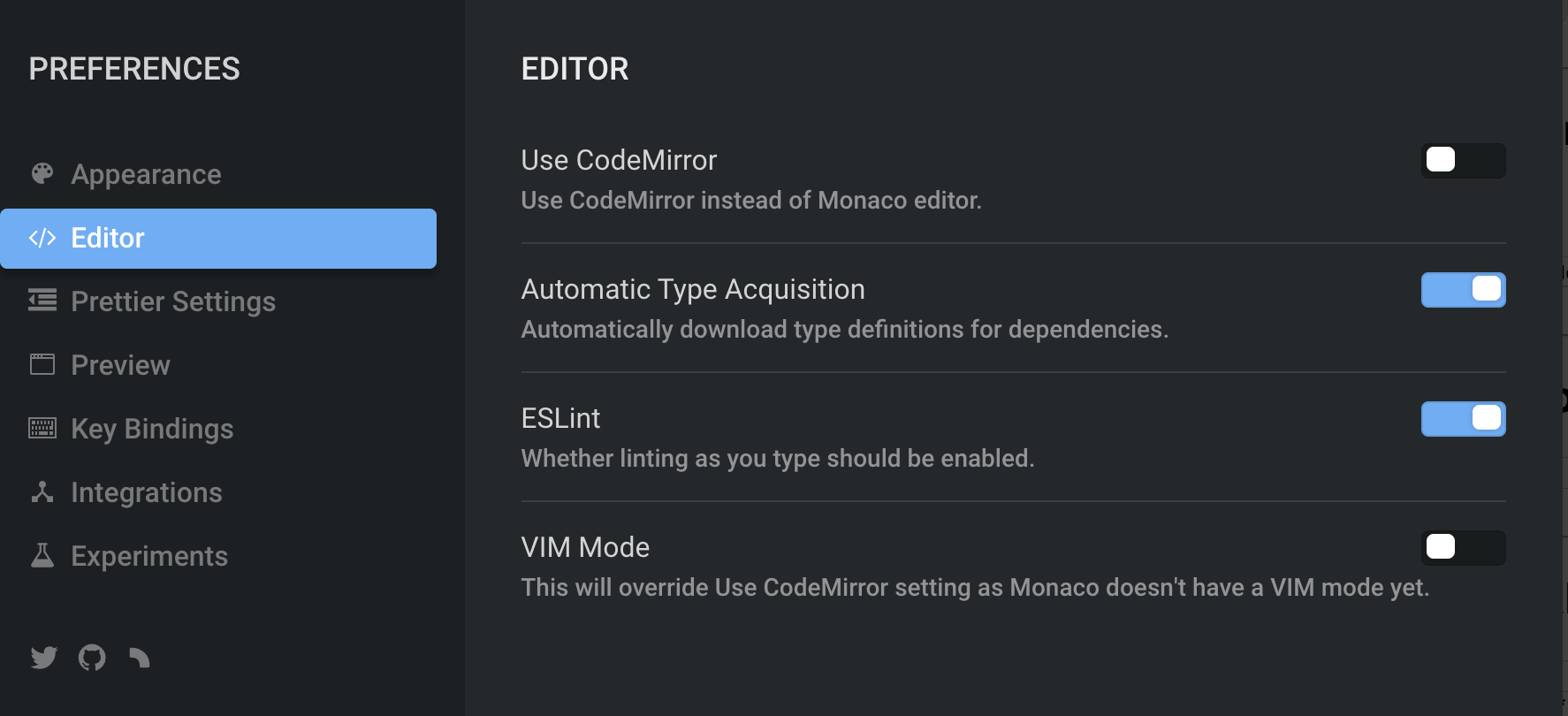
or under prettier settings
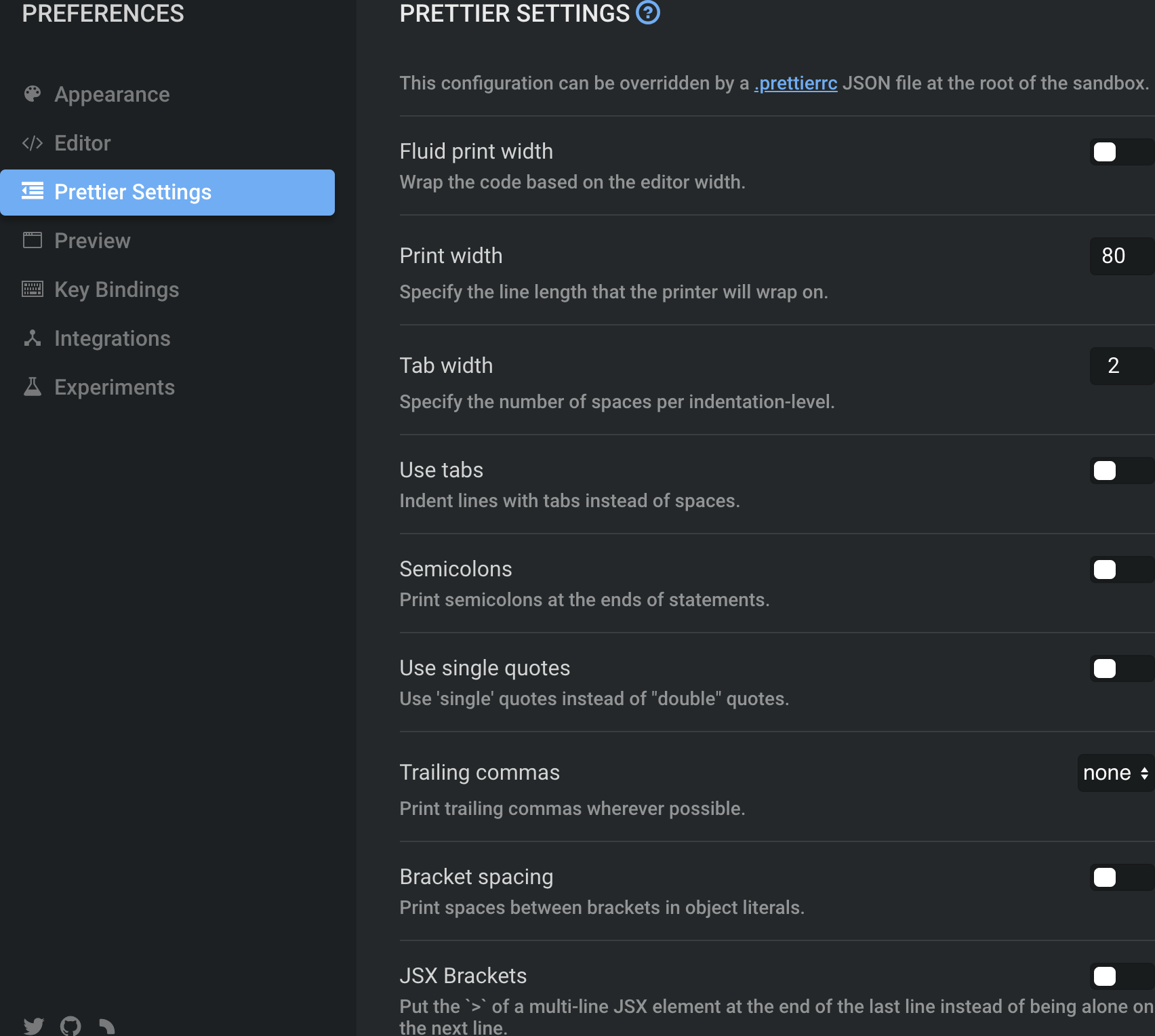
It can become super annoying.
How the feature should work?
NO PRETTIER.
 babakness
All 5 comments
This doesn't work:
babakness
on 24 Dec 2018
Hey @babakness , it's already there, in Preferences > Editor > Prettify On Save:
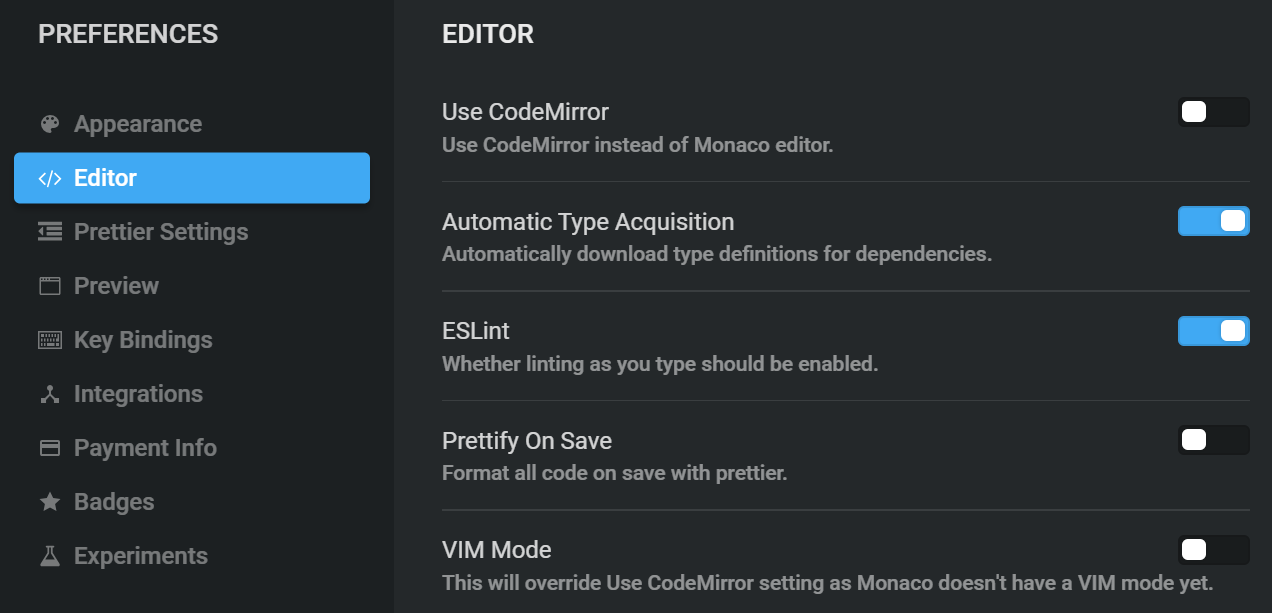
What version of the client do you have? You can see it in the bottom of the sidebar, current one is PROD-1545599226-24458ae4.
 lbogdan
on 24 Dec 2018
lbogdan
on 24 Dec 2018
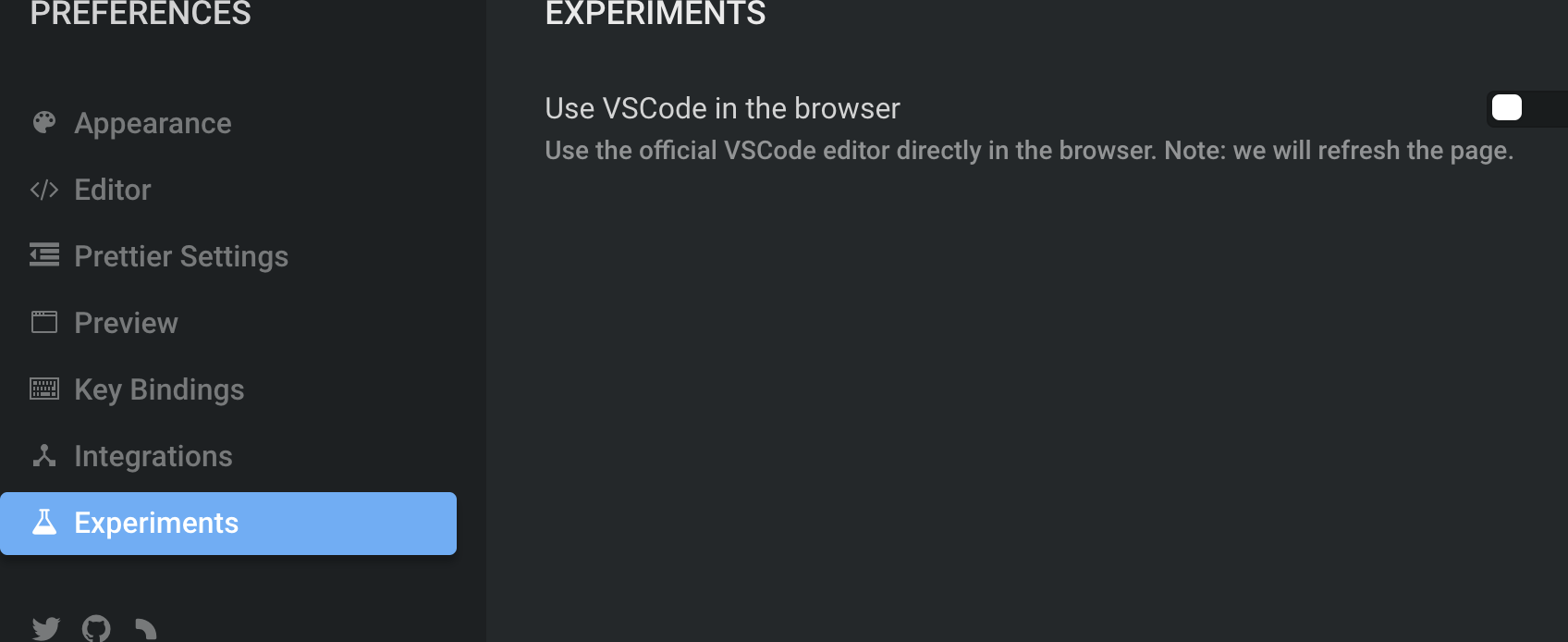
I'm on the same build, the problem seems to be having the experimental "Use VS Code in the browser" setting turned on under Experiments. Turning it off and the problem is resolved--you can then disable prettier. Hopefully the ability to turn off forced-prettier is maintained in the future VS Code editor as well.
babakness
on 24 Dec 2018
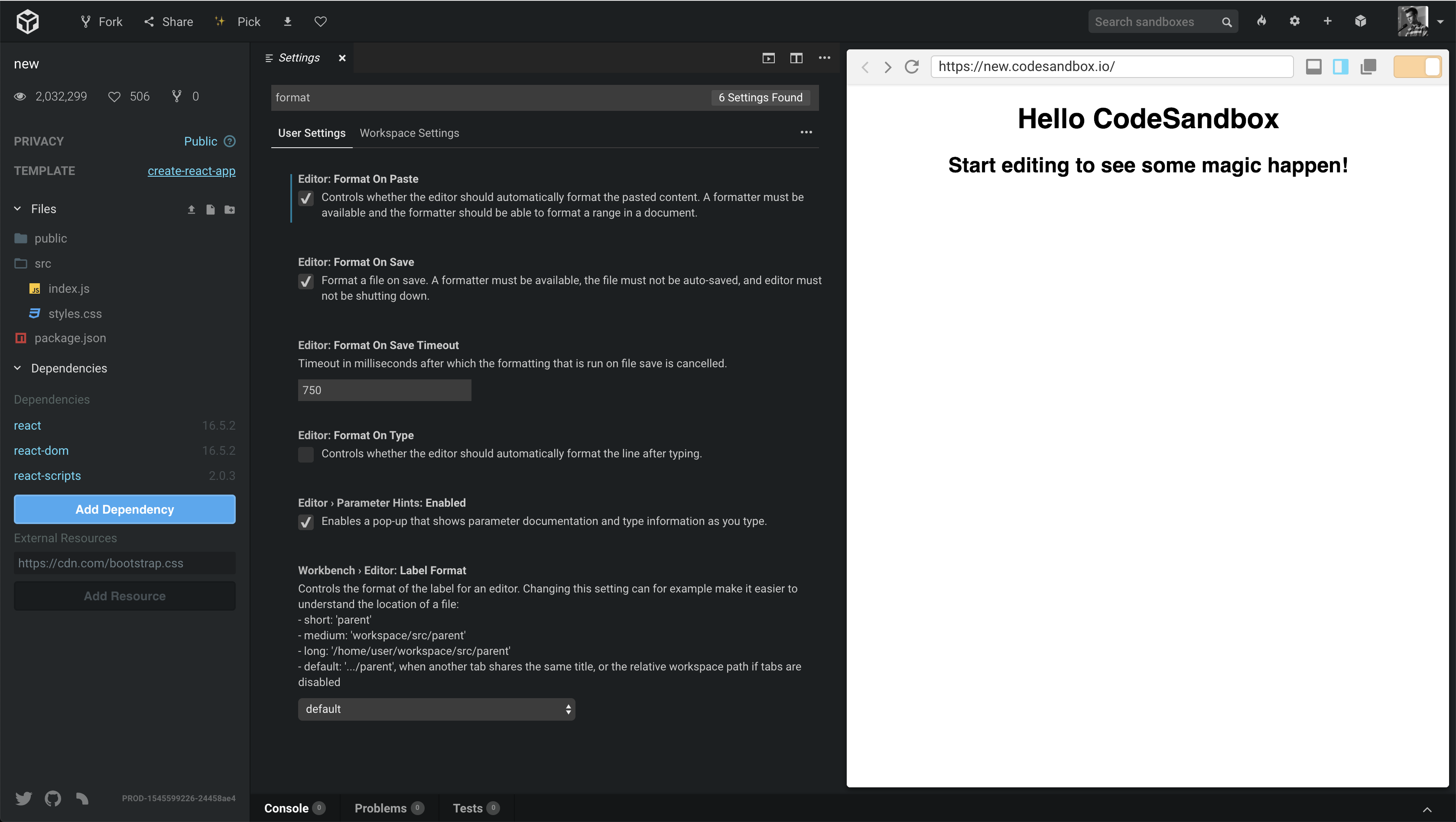
You can also turn on "Prettify on Save" in VSCode settings (CMD+,). I'll close this one, we'll make it more clear for VSCode once we fully made the move (we have an issue open for that).
 CompuIves
on 24 Dec 2018
CompuIves
on 24 Dec 2018
For anyone stumbling upon this
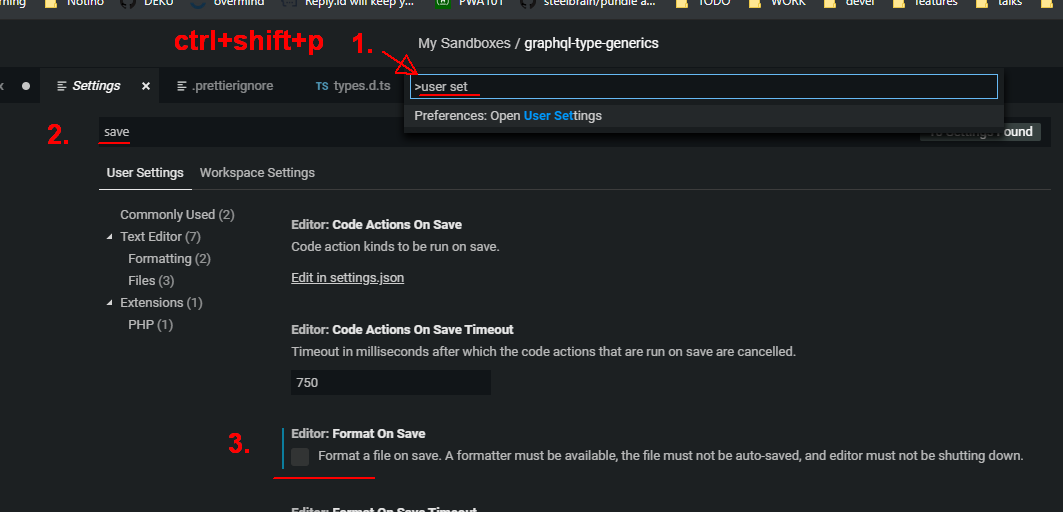
You just need these three super fast steps
- type
user settingsin a command pallete Ctrl+shift+P - type
savein the search box. - Disable
Editor: Format On Save
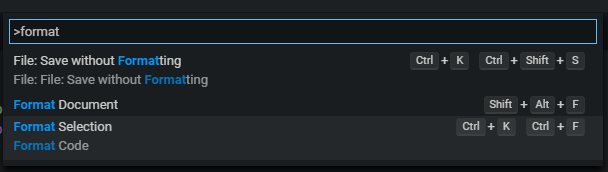
You can still format manually later, or you can format code selection. You can also save without formatting right away, without changing settings. ctrl+shift+p + format
 ackvf
on 20 Feb 2020
ackvf
on 20 Feb 2020
Related issues
 supersonicclay
·
3Comments
supersonicclay
·
3Comments
 eckmLJE
·
3Comments
CompuIves
·
3Comments
eckmLJE
·
3Comments
CompuIves
·
3Comments
 MarcelloTheArcane
·
3Comments
MarcelloTheArcane
·
3Comments
 zocky
·
3Comments
zocky
·
3Comments
Most helpful comment
You can also turn on "Prettify on Save" in VSCode settings (
CMD+,). I'll close this one, we'll make it more clear for VSCode once we fully made the move (we have an issue open for that).