Code-settings-sync: command 'extension.downloadSettings' not found
🐛 Describe the bug
A clear and concise description of what the bug is.
🌴 *Visual Studio Code Version : 1.30.1
🌴 *Code Settings Sync Version : 3.2.4
🌴 **Operating System : win10
I'm installed version 3.2 of this plugin successfully and restart vscode, but I can'n upload or downloadSettings. The error messages is command 'extension.downloadSettings' not found.
I uninstalled and installed vscode again, but this error still exists
 ghost
ghost
All 21 comments
Remove the Settings Sync, check if the extension folder is removed, if not removed - Delete the folder.
Install Settings Sync again.
 shanalikhan
on 6 Jan 2019
shanalikhan
on 6 Jan 2019
Same issue, above instructions had no effect.
Visual Studio Code Version : 1.30.1 (system setup)
Code Settings Sync Version : 3.2.4
Operating System : Windows_NT x64 6.1.7601
 jotatoledo
on 7 Jan 2019
jotatoledo
on 7 Jan 2019
Same issue.
VS Code 1.30.2
Code Settings Sync 3.2.4
Windows 7
Also removed the whole ~.vscode directory and fully reinstalled VSCode but still get the error.
 fullenw1
on 9 Jan 2019
fullenw1
on 9 Jan 2019
Setting up a new machine and encountered this same problem.
 jdshkolnik
on 26 Jan 2019
jdshkolnik
on 26 Jan 2019
same problem here
 po9357
on 3 Feb 2019
po9357
on 3 Feb 2019
Remove the Settings Sync, check if the extension folder is removed, if not removed - Delete the folder.
Install Settings Sync again.
This worked for me, thanks.
 Jasius
on 12 Feb 2019
Jasius
on 12 Feb 2019
This worked for me, thanks.
Yes sometimes, code doesnt install or extract the extension completely.
I have updated the packages with the latest versions in the latest version v3.2.5
Make sure you are using latest version of vscode.
Remove the Settings Sync, check if the extension folder is removed, if not removed - Delete the folder.
Install Settings Sync again.
Let me know if it fix
If error is still there, post the image of error from the vscode console.
shanalikhan
on 15 Feb 2019
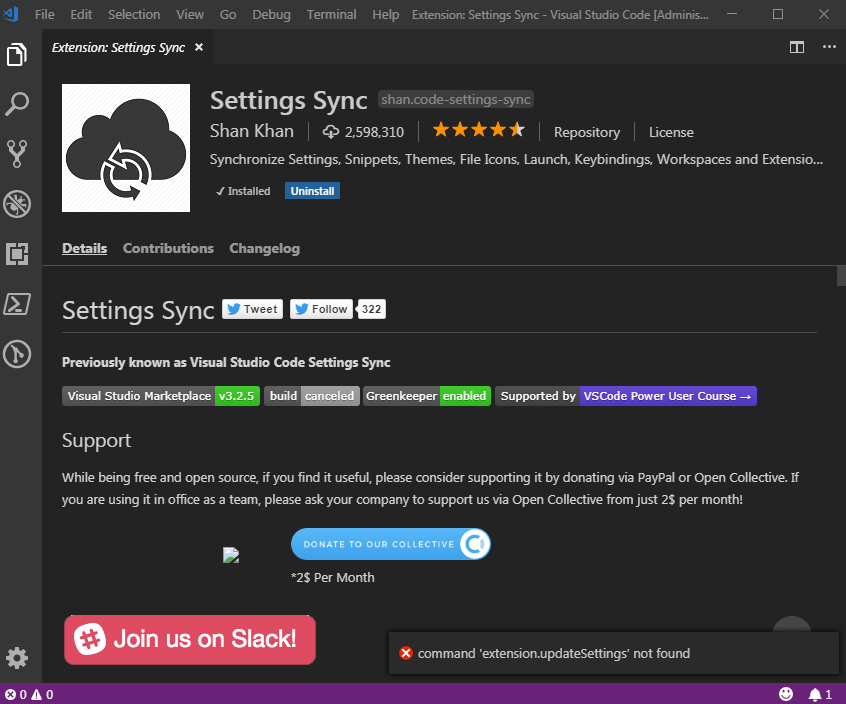
Uninstalled the extension and removed the folder.
ri $home\.vscode\extensions\shan* -re -fo
Still same problem...
fullenw1
on 15 Feb 2019
is there any exception logged in console ? for vscode
shanalikhan
on 15 Feb 2019
No exception. The Output view of the terminal is empty.
I can only view this in the Log (Extension Host):
[2019-02-21 19:01:30.167] [exthost] [info] ExtensionService#_doActivateExtension Shan.code-settings-sync {"startup":true,"activationEvent":"*"}
[2019-02-21 19:01:30.167] [exthost] [info] ExtensionService#loadCommonJSModule C:\Users\UserName\.vscode\extensions\shan.code-settings-sync-3.2.5\out\extension.js
[2019-02-21 19:01:30.370] [exthost] [info] eager extensions activated
fullenw1
on 21 Feb 2019
The Output view of the terminal is empty.
Console error are logged on Developer tools
Help menu > Toogle Developer Tools.
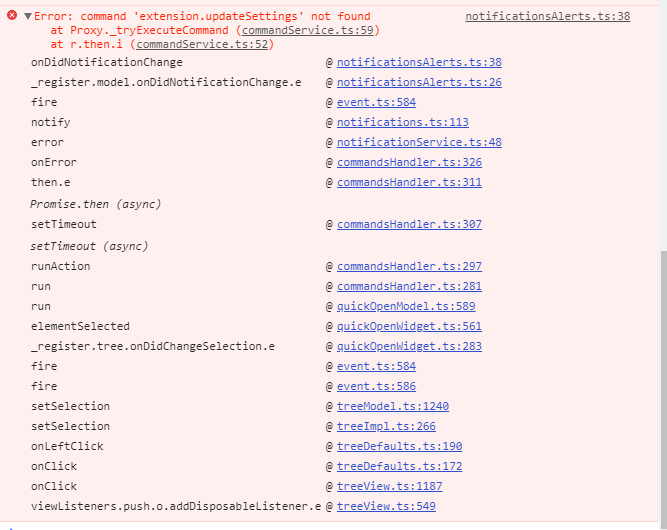
Paste a screenshot after producing that error so i can further investigate.
shanalikhan
on 24 Mar 2019
Here you are:
fullenw1
on 25 Mar 2019
Getting same error, tried with folder trick, nothing changed.
 ShinobiWPS
on 2 Apr 2019
ShinobiWPS
on 2 Apr 2019
Another method you guys can try:
- Download the extension last update link - Or open the page and Click
Download Extensionto download the latest extension package that available. - Install extension via command line
code --install-extension Shan.code-settings-sync-3.2.8.vsix
Restart the Code to see if it helps.
Because its might be occurring to due network issue while downloading from code itself.
shanalikhan
on 8 Apr 2019
What I've done:
- Uninstall the extension in VSCode
- Downloaded the VSIX file
- Click on the three dots at the top of the Extensions side bar and chose "Install from VSIX"
- Reload VSCode
Got the same error :-(
Recently I had an issue with the PowerShell extension. And this happened because on a particular computer I was not using a workspace.
For your extension, I tried both with and without workspace but still get the same error.
This is a pity because your extension is so useful on my other computers. :-(
fullenw1
on 11 Apr 2019
Try with the latest version of Settings Sync v3.3.0.
shanalikhan
on 25 Jun 2019
I am also getting this, I tried all the suggestions and none of them worked.
 chris-pearce
on 23 Jul 2019
chris-pearce
on 23 Jul 2019
I installed version 3.4.1 and have still the same issue.
fullenw1
on 6 Aug 2019
It's now 2019/11/20 10:55 PM.
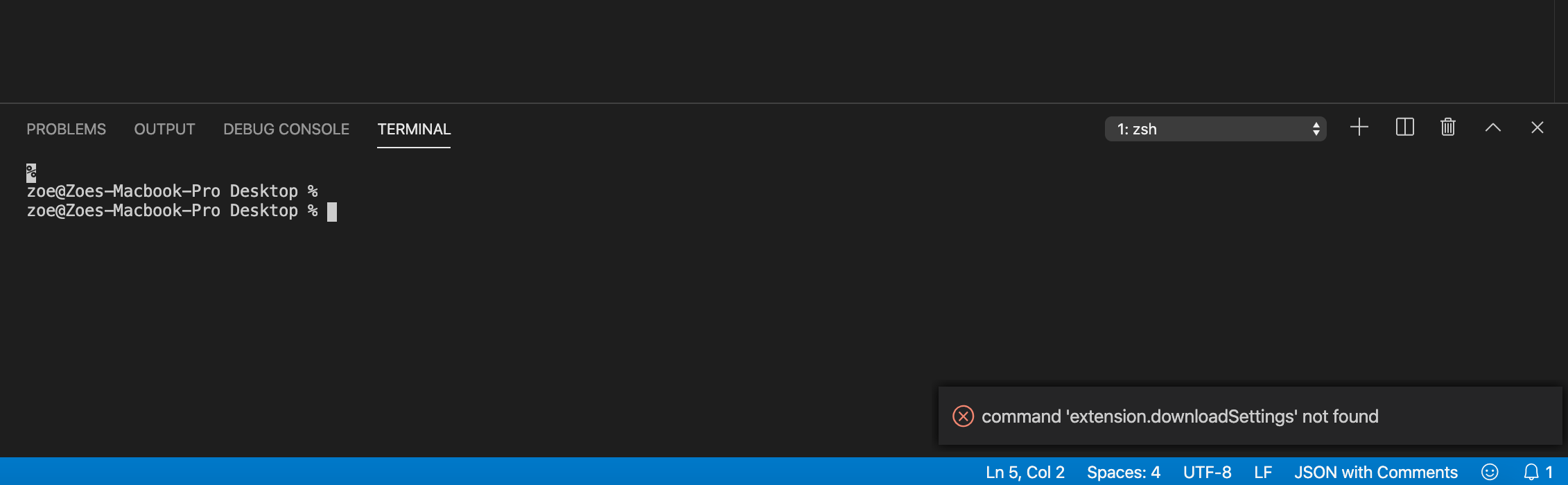
Unfortunately, I got the same issue.
Visual Studio Code Version : 1.40.1
Code Settings Sync Version : 3.4.3
Operating System : MacOS 10.15.1
:-( :-( :-( :-( :-( :-(
 Jiujiale
on 20 Nov 2019
Jiujiale
on 20 Nov 2019
2019/11/28
The same issue!
 ddzy
on 28 Nov 2019
ddzy
on 28 Nov 2019
Same issue :'( on Ubuntu 18.10.... pretty weird but this worked for me:
https://github.com/shanalikhan/code-settings-sync/issues/78#issuecomment-318495738
 devcfgc
on 1 Mar 2020
devcfgc
on 1 Mar 2020
Related issues
 mjbvz
·
5Comments
mjbvz
·
5Comments
 UTexas80
·
5Comments
UTexas80
·
5Comments
 robertpeteuil
·
5Comments
robertpeteuil
·
5Comments
 that70schris
·
5Comments
that70schris
·
5Comments
 hfcheng66
·
5Comments
hfcheng66
·
5Comments
Most helpful comment
Remove the Settings Sync, check if the extension folder is removed, if not removed - Delete the folder.
Install Settings Sync again.