Code-settings-sync: Upload Fails : "cannot read property filename of null"
🐛 Describe the bug
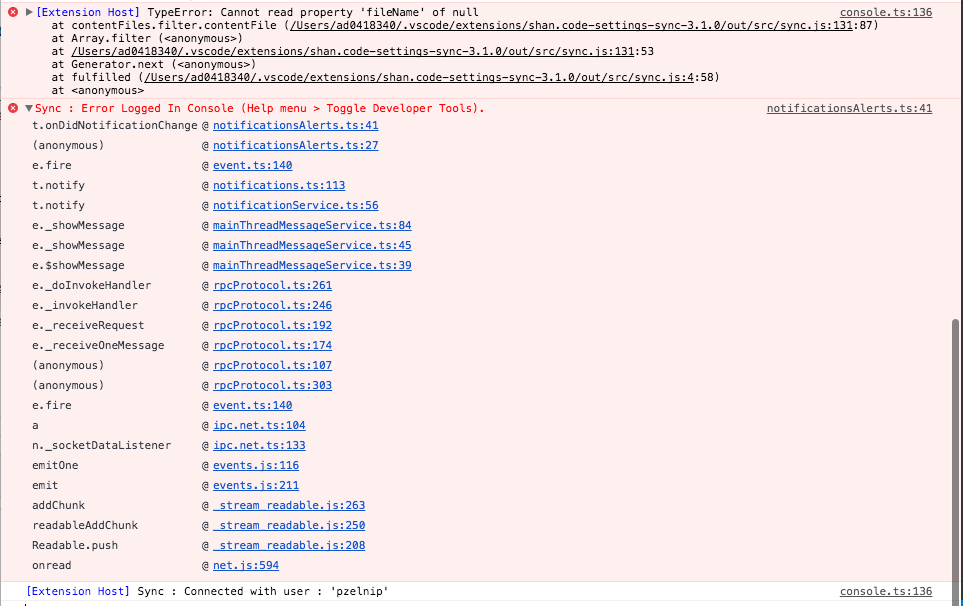
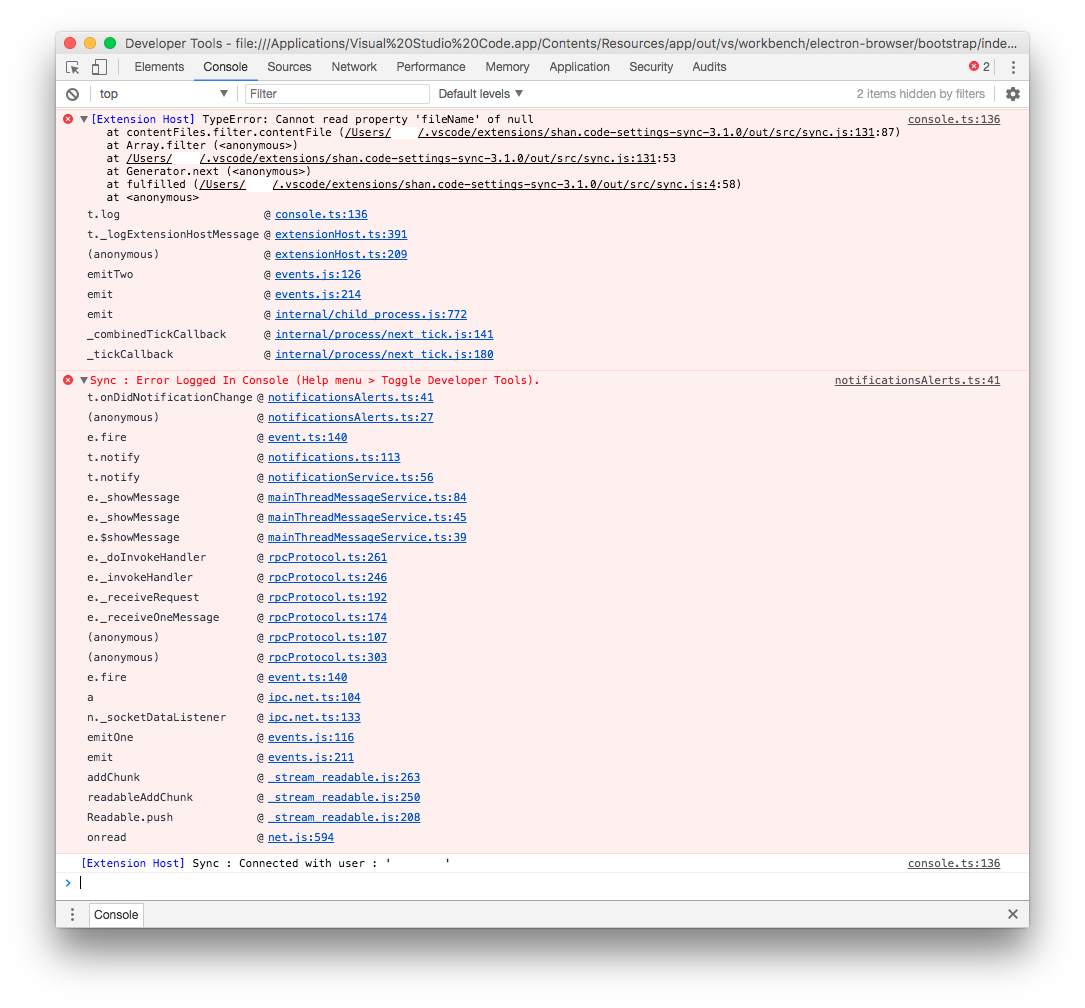
Can't sync settings. When picking "Sync Update/Upload Settings", I get a toast notification saying "Sync : Error Logged In Console (Help menu > Toggle Developer Tools)."
Looking at dev tools, I see the screenshot shown below
🌴 Visual Studio Code Version : Version 1.26.1 (1.26.1)
🌴 Code Settings Sync Version : 3.1.0
🌴 Operating System : OSX Sierra (10.12.6 (16G1510))
🌴 Occurs On: Upload
🌴 Proxy Enabled: ???
📰 To Reproduce
Steps to reproduce the behavior:
- Open command pallette
- Pick "Sync Update/Upload Settings"
💪 Expected behavior
It should upload successfully.
📺 Console Error Log
If applicable, add screenshots or paste the console log from developer console of VSCode.
📺 Additional context
Add any other context about the problem here.
This previously was working fine, I've been using this extension for some time now.
 pzelnip
All 6 comments
Same issue here
 goodjack
on 28 Aug 2018
goodjack
on 28 Aug 2018
v3.1.1 released.
Please verify.
 shanalikhan
on 29 Aug 2018
shanalikhan
on 29 Aug 2018
I had same issue and it seems to be fixed by v3.1.1. Thank you.
 m-farkas
on 30 Aug 2018
m-farkas
on 30 Aug 2018
Yup, seems to be fixed for me as well. TYVM!
pzelnip
on 4 Sep 2018
Just installed, getting this error. Maybe a regression?

 beck
on 2 Jan 2019
beck
on 2 Jan 2019
@beck This issue was fixed.
Please open new issue with the reproducing steps with the folder file image and structure.
shanalikhan
on 3 Jan 2019
Related issues
 mklement0
·
5Comments
mklement0
·
5Comments
 pravic
·
5Comments
pravic
·
5Comments
 axetroy
·
4Comments
mklement0
·
5Comments
axetroy
·
4Comments
mklement0
·
5Comments
 betimer
·
3Comments
betimer
·
3Comments
Most helpful comment
v3.1.1 released.
Please verify.