Code-settings-sync: Error: command 'extension.downloadSettings' not found
Visual Studio Code Version : [ 1.17.1]
Code Settings Sync Version : [ 2.8.3]
Operating System : [ Win 10 64bit]
Occurs On: [Download]
Proxy Enabled: [ No ]
GIst Id: [ d6d60fedeecf9ec39907d70d5e9fc97a]

 Jancat
All 6 comments
whats the developer console log?
 shanalikhan
on 11 Oct 2017
shanalikhan
on 11 Oct 2017
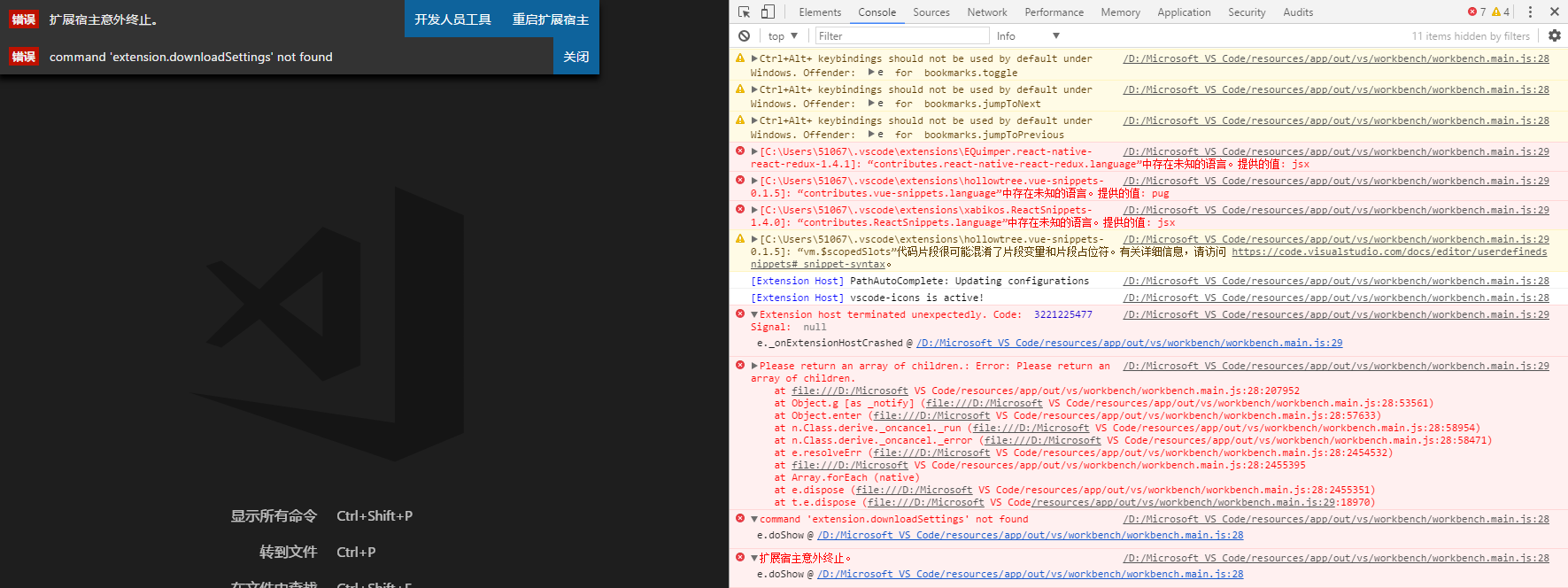
Jancat
on 11 Oct 2017
I had reinstalled vscode and remove all relevant data. Then it works!
Jancat
on 19 Oct 2017
For those experiencing the same issue:
I had the same issue, but reinstalling vscode did nothing. This is what worked for me:
- Uninstall this extension
- Restart vs code
- Install this extension
- Restart vs code
- Run the sync download command again
 bdlangton
on 16 Dec 2017
bdlangton
on 16 Dec 2017
thanks bdlangton . It works for me .
 ThanhTran1324
on 7 Dec 2018
ThanhTran1324
on 7 Dec 2018
for windows 10 users, go to user/yourusername/roaming folder, delete Code folder, restart vscode.
reason would be some cache data is broken, but I am not interested in which one exactly. but definitely not CachedExtensions folder
please do backup this folder before delete, it stores not only the extension settings, but also other settings, like which folder to reopen next time etc.
 Fadeoc
on 2 Apr 2020
Fadeoc
on 2 Apr 2020
Related issues
 afnpires
·
4Comments
afnpires
·
4Comments
 fdncred
·
3Comments
fdncred
·
3Comments
 that70schris
·
5Comments
that70schris
·
5Comments
 UTexas80
·
5Comments
UTexas80
·
5Comments
 robertpeteuil
·
5Comments
robertpeteuil
·
5Comments
Most helpful comment
For those experiencing the same issue:
I had the same issue, but reinstalling vscode did nothing. This is what worked for me: