Cocotb: Can ANSI avoid using BLUE_FG/BG? Save my eyes please.
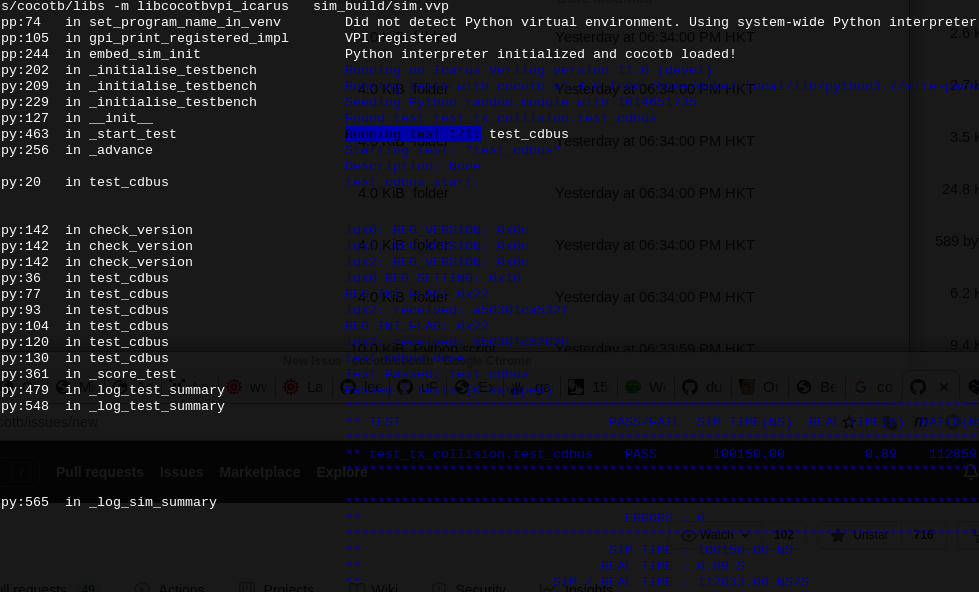
The default color: (I've been putting up with this color for years.)
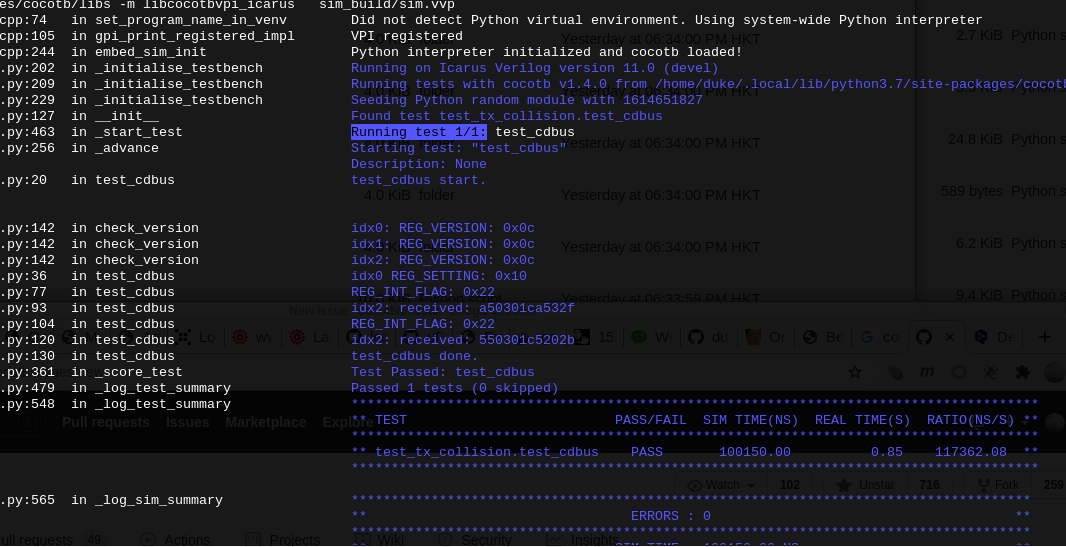
After I changed the BLUE_xx in COLOR_INFO and COLOR_TEST in ANSI.py to BRIGHT_BLUE_xx and the result is much better:
By the way, thanks all the contributors of cocotb.
 dukelec
All 6 comments
Isn't this just a configuration issue with your terminal? If BLUE_FG is unreadable, then change that color to be readable in your terminal config!
 eric-wieser
on 2 Mar 2021
eric-wieser
on 2 Mar 2021
For reference, the color pallete default across a selection of platforms:
https://en.wikipedia.org/wiki/ANSI_escape_code#3-bit_and_4-bit
eric-wieser
on 2 Mar 2021
The crappy dark blue color is default on many terminals. It's really of no consequence what the color is. Bright blue will be better for the majority of people without additional configuration, and it's a 1 line change.
 ktbarrett
on 2 Mar 2021
ktbarrett
on 2 Mar 2021
As a Linux user for more than 10 years, I didn't even know that I could set the color in the terminal settings menu.
I am using Gentoo system, terminal xfce4-terminal 0.8.9.2, the first screenshot is the default color "White on Black".
dukelec
on 2 Mar 2021
Should we leave the Running test x/y: with a blue background or change to white?

 marlonjames
on 12 Mar 2021
marlonjames
on 12 Mar 2021
I noticed that as well. I think marking test start and test end help visually parse the output. We aren't marking test end though.
ktbarrett
on 12 Mar 2021
Related issues
 imphil
·
7Comments
imphil
·
7Comments
 alexforencich
·
5Comments
ktbarrett
·
8Comments
marlonjames
·
8Comments
alexforencich
·
5Comments
ktbarrett
·
8Comments
marlonjames
·
8Comments
 markusdd
·
8Comments
markusdd
·
8Comments